" transform="translate(5 2)" width="10px"/></svg>)

•
5 min read
AI Voice Dictation in Slack (July 2026)

•
5 min read
AI Voice Dictation in Slack (July 2026)
The way most people communicate in Slack has not changed much since the tool launched. Type a message, send it, repeat. But the volume of messages has grown steadily, and the expectations around response speed have grown with it. Meanwhile, the average person types around 40 words per minute and speaks around 150. That gap has always existed. What is changing is how many people are doing something about it.
TLDR:
Voice dictation lets you communicate 3x faster in Slack by speaking at 150 WPM vs typing at 40 WPM.
The best AI dictation tools learn your writing style over time, growing more accurate the more you use them.
200ms latency keeps you in flow state while everyone else runs at 700ms+.
Shared team dictionaries plus SOC 2 and HIPAA compliance make rollout simple across your org.
Press Fn on Mac or Alt+Space on Windows, speak naturally, and get clean text in any Slack message field without plugins.
How Voice Dictation Reshapes Your Slack Workflow
Messages pile up fast in Slack. With 47 million daily active users spending over 90 minutes per workday in channels, DMs, and threads, the volume of messages professionals send each day adds up quickly. Yet 55% of users say they spend too much time crafting or deciphering messages. That gap between how much you communicate and how fast you can actually type creates a real bottleneck.
Typing averages around 40 words per minute for most people. Speaking sits closer to 150 words per minute. That's nearly a 4x difference, and you feel it most in Slack, where communication happens in bursts: a thread reply here, a channel update there, a longer project brief that needs to feel conversational but complete. When responses require real effort to write, you start cutting corners. Shorter replies. Delayed threads. Context dropped entirely.
Voice dictation flips that. Instead of switching mental gears to compose a message, you just say it. The thought that would have taken three minutes to type takes under a minute to speak, and nothing gets lost in translation.
How Willow Voice Works Inside Slack
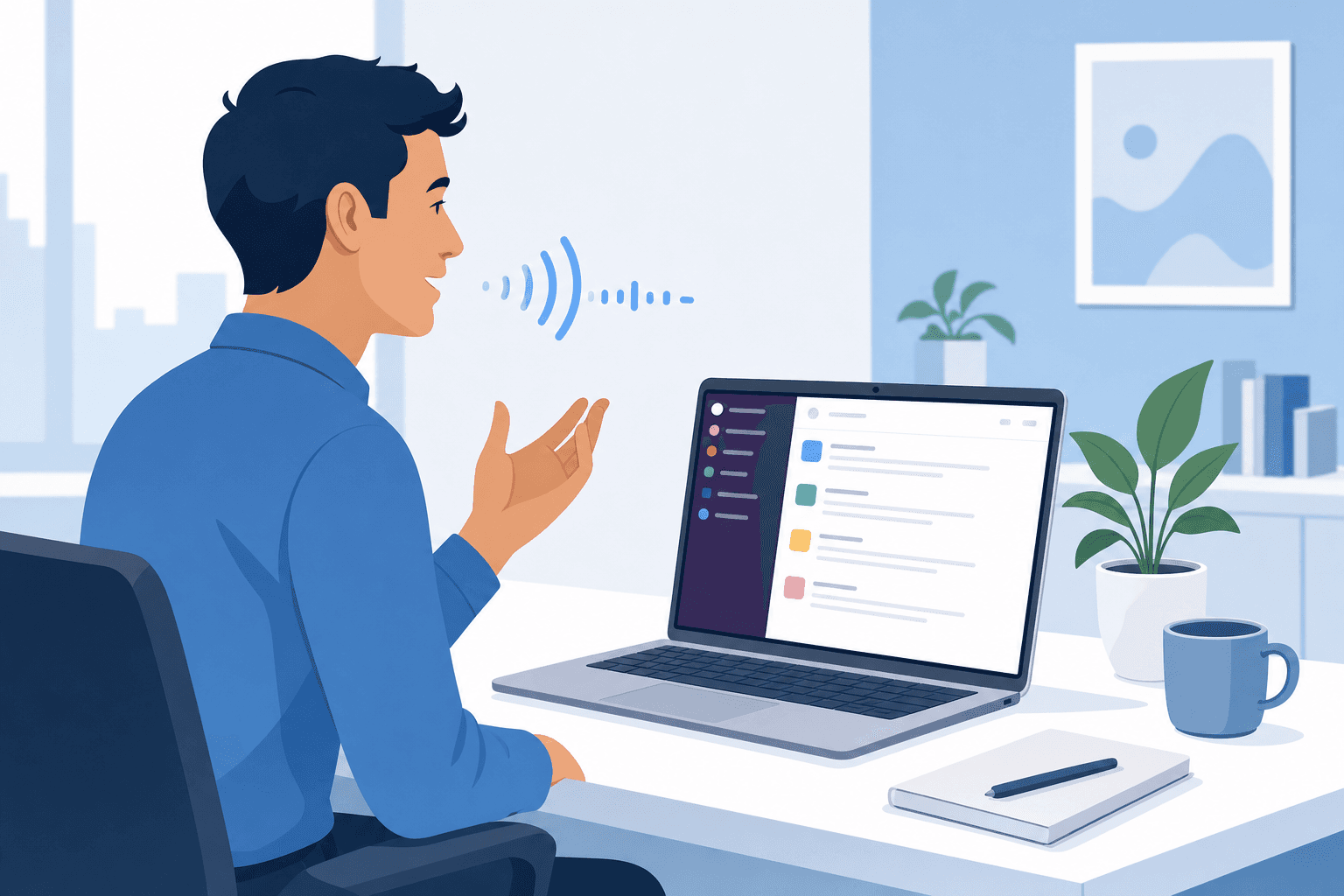
There's no Slack integration to install, no plugin to configure. Willow Voice runs at the system level, so pressing fn on Mac (or Alt+Space on Windows) in Slack is all it takes to start speaking. Whatever you say gets transcribed directly into the text box, exactly the way any other input would. It works the same in DMs, channel threads, and the message composer.
The speed is what sets it apart. With 200ms latency, text appears faster than most people type. You stay in flow instead of waiting for words to catch up to your thoughts.
Willow Voice also reads the room. A message typed into Slack should feel like Slack, not a formal email. The tone-matching feature picks up on that automatically, keeping your output conversational and appropriately casual without any manual adjustment on your end.
Where Willow Voice Outperforms Other Dictation Tools in Slack
Most dictation tools treat every text field the same. That's fine for a notes app. In Slack, it's a problem.
Feature | Willow Voice | Wispr Flow | Apple Dictation |
|---|---|---|---|
Latency | 200ms | ~700ms | 700ms+ |
Personalization | Learns your style over time | Limited | None |
Team Features | Shared dictionaries, SOC 2 Type II, HIPAA | HIPAA/SOC 2 on certain plans; no shared dictionaries | None |
Filler Word Removal | Automatic | Limited | None |
Tone Matching | Automatic by channel | No | No |
The latency gap alone changes the experience. At 200ms, text appears before you've finished the thought. At 700ms+, you're watching the cursor blink. In a fast-moving Slack thread, that pause breaks your rhythm every single time.
Personalization is where Willow Voice separates further. The auto-dictionary learns teammate names, product terms, and internal shorthand over time. Filler word removal strips the "ums" and repeated words automatically, so your messages read clean without any editing pass.
For teams, Apple Dictation and Wispr Flow offer nothing at the org level. Willow Voice's shared dictionaries keep terminology consistent across the whole team, and SOC 2 plus HIPAA compliance means IT won't push back on rolling it out.
Willow Voice Features Built for Slack
Willow Voice's feature set is built for the way people actually use Slack, beyond clean demos.
Core Productivity Features
These are the features you'll notice every day:
Filler word removal strips "um," "uh," and repeated words automatically so your messages read clean on the first send.
Tone-matching adapts to the channel. A quick DM sounds casual. A detailed project update sounds appropriately thorough. No manual adjustments needed.
Text replacement shortcuts let you trigger full phrases with a single spoken keyword, useful for status updates, recurring responses, or anything you type more than once a week.
Voice commands like "next line" or "bullet point" handle formatting without touching the keyboard.
Quiet Mode lets you whisper and still get accurate transcription, which matters in open offices where talking at full volume is not always an option.
Offline Mode keeps dictation running locally for workplaces with strict data policies.
Features for Team Use
Shared custom dictionaries are the feature most teams overlook until they need them. When a product name, client name, or internal term gets transcribed wrong, someone has to fix it every single time, for every person on the team.
With Willow Voice, spelling overrides are configured once at the team level so every member's Slack messages use the same capitalization, abbreviations, and product names from day one, with no per-user setup required. Admin controls let you push vocabulary changes across the whole group without touching individual installs. Team leaderboards surface words dictated and time saved per member, giving leads a clear view of adoption without any manual tracking. SOC 2 Type II and HIPAA compliance mean the IT conversation stays short.
Who Benefits Most from Voice Dictation in Slack
66% of professionals report communication burnout, and Slack is where a lot of that pressure builds up. Some roles feel it harder than others.
Founders and executives carrying dense Slack activity across multiple teams get the most immediate return. The volume alone makes typing a bottleneck. Managers giving feedback across threads, sales teams coordinating deals, and operations professionals juggling several channels at once all share the same problem: more to say than time to type it.
For neurodivergent users, the benefit runs deeper. For someone with ADHD or dyslexia, composing a Slack message can be genuinely draining. Speaking removes the friction entirely. Thoughts come out in order, without the stop-start cycle that typed composition forces.
Developers working with AI tools also gain an edge. Rapid prompting in Cursor or Claude often runs alongside Slack coordination. When both workflows involve heavy text input, dictation across all of them compounds savings considerably.
How Teams and Enterprises Use Willow Voice in Slack
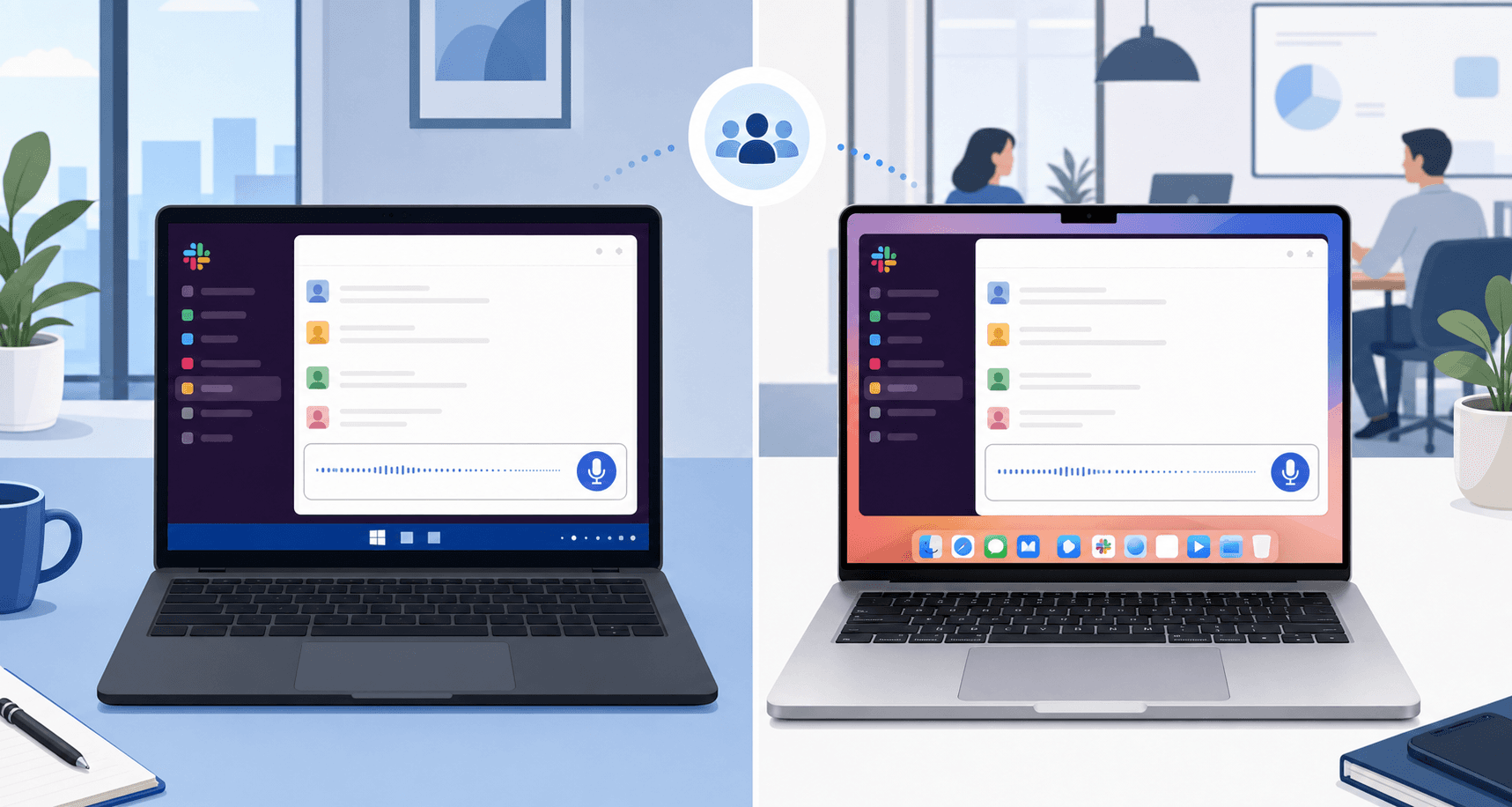
Willow Voice runs on Windows, Mac, and iOS, so teams with mixed devices get the same dictation setup across the whole group without managing separate configurations. Shared vocabulary and shortcuts keep every Slack message consistent regardless of which machine it was sent from. SOC 2 Type II certification, HIPAA eligibility, and zero data retention mean the security review is straightforward.
Built for Enterprise Security Requirements
Security teams tend to have hard requirements, and Willow Voice meets them. A few things worth knowing:
SOC 2 Type II certified and HIPAA eligible, so compliance-focused industries can use it without workarounds or exceptions.
Zero data retention means your voice input is never stored on Willow Voice's servers after transcription.
Admin controls and shared team dictionaries let you standardize product names, acronyms, and shortcuts across the whole group from a single configuration. Team leaderboards surface words dictated and time saved per member, giving leads visibility into adoption across the group without any manual tracking.
These features matter most when dictation is being rolled out across a department or whole organization. Tools built for individual use often skip the admin layer entirely. While Wispr Flow and Apple's built-in voice dictation may offer compliance options on certain plans, neither provides the shared dictionary management, admin controls, or team leaderboards that org-wide deployment requires.
Getting Started with Willow Voice for Slack

Getting started takes about two minutes. Download Willow Voice at willowvoice.com/download, install it, and you're ready. No Slack integration, no configuration, no setup steps specific to any app. It works system-wide from the moment it's installed.
The free trial gives you 2,000 words per week, recharging automatically with no credit card required. Open Slack, click into any message field, press fn on Mac or Alt+Space on Windows, and start talking. On iOS, Willow Voice's custom voice keyboard brings the same experience to any app on your phone. If Slack is where your communication volume is highest, it's the right place to start.
Why Willow Voice Stands Apart
Other dictation tools like Wispr Flow and Apple's built-in voice dictation require you to clean up after yourself constantly. Willow Voice learns how you write over time, so edits become less frequent the more you use it. It runs at ~200ms latency, well ahead of competitors at 700ms or more, which is enough lag to break your rhythm on every reply. For teams on Windows, Mac, and iOS, Willow Voice carries SOC 2 Type II and HIPAA compliance alongside shared shortcuts and dictionary terms, so the whole group types faster together without sacrificing privacy.
FAQs
How do I start using Willow Voice for voice dictation in Slack?
Download Willow Voice from willowvoice.com/download, install it, and press Fn and speak in any Slack message field (fn on Mac, Alt+Space on Windows). No Slack integration or app-specific setup is required since Willow Voice works system-wide.
What makes Willow Voice faster than Apple's built-in voice dictation or Wispr Flow?
Willow Voice runs at ~200ms latency while Apple's built-in voice dictation operates at 700ms+ and Wispr Flow at around 700ms. That speed difference means text appears before you've finished your thought, keeping you in flow instead of waiting for words to catch up.
Can Willow Voice learn my team's product names and internal terminology?
Yes, Willow Voice 's shared custom dictionaries let you set team-level spelling overrides so everyone on your team uses the same capitalization, abbreviations, and product names automatically. Individual corrections you make also get saved to your personal auto-dictionary for future use.
Does Willow Voice work for teams with strict security requirements?
Willow Voice is SOC 2 Type II certified and HIPAA eligible with zero data retention, meaning your voice input is never stored after transcription. This makes it suitable for compliance-focused industries and enterprise security reviews.
How does Willow Voice know when to sound casual versus professional in Slack?
Willow Voice 's tone-matching feature automatically adapts your output based on context. A quick DM stays conversational while a detailed project update reads more thoroughly, with no manual adjustments needed on your end.
Final Thoughts on Closing the Gap Between Thinking and Typing in Slack
The typing speed gap is not going away, but how much it slows you down is a choice. Most professionals send dozens of Slack messages a day across threads, DMs, and channel updates. At 40 words per minute, that adds up to real time lost. Speaking at 150 WPM removes that friction without changing how Slack works. Willow Voice runs at the system level, so pressing Fn on Mac or Alt+Space on Windows turns any Slack message field into a voice input. Shared dictionaries, SOC 2 Type II compliance, and ~200ms latency make it ready for individual use and org-wide rollout.
The way most people communicate in Slack has not changed much since the tool launched. Type a message, send it, repeat. But the volume of messages has grown steadily, and the expectations around response speed have grown with it. Meanwhile, the average person types around 40 words per minute and speaks around 150. That gap has always existed. What is changing is how many people are doing something about it.
TLDR:
Voice dictation lets you communicate 3x faster in Slack by speaking at 150 WPM vs typing at 40 WPM.
The best AI dictation tools learn your writing style over time, growing more accurate the more you use them.
200ms latency keeps you in flow state while everyone else runs at 700ms+.
Shared team dictionaries plus SOC 2 and HIPAA compliance make rollout simple across your org.
Press Fn on Mac or Alt+Space on Windows, speak naturally, and get clean text in any Slack message field without plugins.
How Voice Dictation Reshapes Your Slack Workflow
Messages pile up fast in Slack. With 47 million daily active users spending over 90 minutes per workday in channels, DMs, and threads, the volume of messages professionals send each day adds up quickly. Yet 55% of users say they spend too much time crafting or deciphering messages. That gap between how much you communicate and how fast you can actually type creates a real bottleneck.
Typing averages around 40 words per minute for most people. Speaking sits closer to 150 words per minute. That's nearly a 4x difference, and you feel it most in Slack, where communication happens in bursts: a thread reply here, a channel update there, a longer project brief that needs to feel conversational but complete. When responses require real effort to write, you start cutting corners. Shorter replies. Delayed threads. Context dropped entirely.
Voice dictation flips that. Instead of switching mental gears to compose a message, you just say it. The thought that would have taken three minutes to type takes under a minute to speak, and nothing gets lost in translation.
How Willow Voice Works Inside Slack
There's no Slack integration to install, no plugin to configure. Willow Voice runs at the system level, so pressing fn on Mac (or Alt+Space on Windows) in Slack is all it takes to start speaking. Whatever you say gets transcribed directly into the text box, exactly the way any other input would. It works the same in DMs, channel threads, and the message composer.
The speed is what sets it apart. With 200ms latency, text appears faster than most people type. You stay in flow instead of waiting for words to catch up to your thoughts.
Willow Voice also reads the room. A message typed into Slack should feel like Slack, not a formal email. The tone-matching feature picks up on that automatically, keeping your output conversational and appropriately casual without any manual adjustment on your end.
Where Willow Voice Outperforms Other Dictation Tools in Slack
Most dictation tools treat every text field the same. That's fine for a notes app. In Slack, it's a problem.
Feature | Willow Voice | Wispr Flow | Apple Dictation |
|---|---|---|---|
Latency | 200ms | ~700ms | 700ms+ |
Personalization | Learns your style over time | Limited | None |
Team Features | Shared dictionaries, SOC 2 Type II, HIPAA | HIPAA/SOC 2 on certain plans; no shared dictionaries | None |
Filler Word Removal | Automatic | Limited | None |
Tone Matching | Automatic by channel | No | No |
The latency gap alone changes the experience. At 200ms, text appears before you've finished the thought. At 700ms+, you're watching the cursor blink. In a fast-moving Slack thread, that pause breaks your rhythm every single time.
Personalization is where Willow Voice separates further. The auto-dictionary learns teammate names, product terms, and internal shorthand over time. Filler word removal strips the "ums" and repeated words automatically, so your messages read clean without any editing pass.
For teams, Apple Dictation and Wispr Flow offer nothing at the org level. Willow Voice's shared dictionaries keep terminology consistent across the whole team, and SOC 2 plus HIPAA compliance means IT won't push back on rolling it out.
Willow Voice Features Built for Slack
Willow Voice's feature set is built for the way people actually use Slack, beyond clean demos.
Core Productivity Features
These are the features you'll notice every day:
Filler word removal strips "um," "uh," and repeated words automatically so your messages read clean on the first send.
Tone-matching adapts to the channel. A quick DM sounds casual. A detailed project update sounds appropriately thorough. No manual adjustments needed.
Text replacement shortcuts let you trigger full phrases with a single spoken keyword, useful for status updates, recurring responses, or anything you type more than once a week.
Voice commands like "next line" or "bullet point" handle formatting without touching the keyboard.
Quiet Mode lets you whisper and still get accurate transcription, which matters in open offices where talking at full volume is not always an option.
Offline Mode keeps dictation running locally for workplaces with strict data policies.
Features for Team Use
Shared custom dictionaries are the feature most teams overlook until they need them. When a product name, client name, or internal term gets transcribed wrong, someone has to fix it every single time, for every person on the team.
With Willow Voice, spelling overrides are configured once at the team level so every member's Slack messages use the same capitalization, abbreviations, and product names from day one, with no per-user setup required. Admin controls let you push vocabulary changes across the whole group without touching individual installs. Team leaderboards surface words dictated and time saved per member, giving leads a clear view of adoption without any manual tracking. SOC 2 Type II and HIPAA compliance mean the IT conversation stays short.
Who Benefits Most from Voice Dictation in Slack
66% of professionals report communication burnout, and Slack is where a lot of that pressure builds up. Some roles feel it harder than others.
Founders and executives carrying dense Slack activity across multiple teams get the most immediate return. The volume alone makes typing a bottleneck. Managers giving feedback across threads, sales teams coordinating deals, and operations professionals juggling several channels at once all share the same problem: more to say than time to type it.
For neurodivergent users, the benefit runs deeper. For someone with ADHD or dyslexia, composing a Slack message can be genuinely draining. Speaking removes the friction entirely. Thoughts come out in order, without the stop-start cycle that typed composition forces.
Developers working with AI tools also gain an edge. Rapid prompting in Cursor or Claude often runs alongside Slack coordination. When both workflows involve heavy text input, dictation across all of them compounds savings considerably.
How Teams and Enterprises Use Willow Voice in Slack
Willow Voice runs on Windows, Mac, and iOS, so teams with mixed devices get the same dictation setup across the whole group without managing separate configurations. Shared vocabulary and shortcuts keep every Slack message consistent regardless of which machine it was sent from. SOC 2 Type II certification, HIPAA eligibility, and zero data retention mean the security review is straightforward.
Built for Enterprise Security Requirements
Security teams tend to have hard requirements, and Willow Voice meets them. A few things worth knowing:
SOC 2 Type II certified and HIPAA eligible, so compliance-focused industries can use it without workarounds or exceptions.
Zero data retention means your voice input is never stored on Willow Voice's servers after transcription.
Admin controls and shared team dictionaries let you standardize product names, acronyms, and shortcuts across the whole group from a single configuration. Team leaderboards surface words dictated and time saved per member, giving leads visibility into adoption across the group without any manual tracking.
These features matter most when dictation is being rolled out across a department or whole organization. Tools built for individual use often skip the admin layer entirely. While Wispr Flow and Apple's built-in voice dictation may offer compliance options on certain plans, neither provides the shared dictionary management, admin controls, or team leaderboards that org-wide deployment requires.
Getting Started with Willow Voice for Slack
Getting started takes about two minutes. Download Willow Voice at willowvoice.com/download, install it, and you're ready. No Slack integration, no configuration, no setup steps specific to any app. It works system-wide from the moment it's installed.
The free trial gives you 2,000 words per week, recharging automatically with no credit card required. Open Slack, click into any message field, press fn on Mac or Alt+Space on Windows, and start talking. On iOS, Willow Voice's custom voice keyboard brings the same experience to any app on your phone. If Slack is where your communication volume is highest, it's the right place to start.
Why Willow Voice Stands Apart
Other dictation tools like Wispr Flow and Apple's built-in voice dictation require you to clean up after yourself constantly. Willow Voice learns how you write over time, so edits become less frequent the more you use it. It runs at ~200ms latency, well ahead of competitors at 700ms or more, which is enough lag to break your rhythm on every reply. For teams on Windows, Mac, and iOS, Willow Voice carries SOC 2 Type II and HIPAA compliance alongside shared shortcuts and dictionary terms, so the whole group types faster together without sacrificing privacy.
FAQs
How do I start using Willow Voice for voice dictation in Slack?
Download Willow Voice from willowvoice.com/download, install it, and press Fn and speak in any Slack message field (fn on Mac, Alt+Space on Windows). No Slack integration or app-specific setup is required since Willow Voice works system-wide.
What makes Willow Voice faster than Apple's built-in voice dictation or Wispr Flow?
Willow Voice runs at ~200ms latency while Apple's built-in voice dictation operates at 700ms+ and Wispr Flow at around 700ms. That speed difference means text appears before you've finished your thought, keeping you in flow instead of waiting for words to catch up.
Can Willow Voice learn my team's product names and internal terminology?
Yes, Willow Voice 's shared custom dictionaries let you set team-level spelling overrides so everyone on your team uses the same capitalization, abbreviations, and product names automatically. Individual corrections you make also get saved to your personal auto-dictionary for future use.
Does Willow Voice work for teams with strict security requirements?
Willow Voice is SOC 2 Type II certified and HIPAA eligible with zero data retention, meaning your voice input is never stored after transcription. This makes it suitable for compliance-focused industries and enterprise security reviews.
How does Willow Voice know when to sound casual versus professional in Slack?
Willow Voice 's tone-matching feature automatically adapts your output based on context. A quick DM stays conversational while a detailed project update reads more thoroughly, with no manual adjustments needed on your end.
Final Thoughts on Closing the Gap Between Thinking and Typing in Slack
The typing speed gap is not going away, but how much it slows you down is a choice. Most professionals send dozens of Slack messages a day across threads, DMs, and channel updates. At 40 words per minute, that adds up to real time lost. Speaking at 150 WPM removes that friction without changing how Slack works. Willow Voice runs at the system level, so pressing Fn on Mac or Alt+Space on Windows turns any Slack message field into a voice input. Shared dictionaries, SOC 2 Type II compliance, and ~200ms latency make it ready for individual use and org-wide rollout.

Try Willow for free
Instant, accurate voice dictation. No card required.
Try Willow for free
Instant, accurate voice dictation. No card required.
Other stories you’ll love
Other stories you’ll love



Your keyboard is optional now
" transform="translate(5 5)" width="9.791000051498413px"/></svg>)

The voice-first interface for modern work.
© Willow Care, Inc. 2026. All rights reserved
Your keyboard is optional now
The voice-first interface for modern work.
© Willow Care, Inc. 2026. All rights reserved
Your keyboard is optional now
The voice-first interface for modern work.
© Willow Care, Inc. 2026. All rights reserved