" transform="translate(5 2)" width="10px"/></svg>)

•
5 min read
Voice Prompting ChatGPT Beats Typing (August 2026)
•
5 min read
Voice Prompting ChatGPT Beats Typing (August 2026)
You start typing a long prompt to explain a messy idea to ChatGPT, then realize halfway through that your thinking has already changed. With ChatGPT voice prompting, that same explanation happens out loud, in real time, with room to interrupt yourself, add context as it appears, and change direction mid-sentence without breaking flow. Speaking keeps pace with how your brain actually moves, carrying tone, pauses, and intent that disappear once everything is forced into text. Tools built around this interaction collapse the distance between thinking and doing by letting ideas reach AI as fast as they form.
TLDR:
Speaking to ChatGPT is 3x faster than typing and produces 20% fewer errors.
Voice captures tone, pauses, and emphasis that text strips away for richer AI responses.
You can brainstorm and iterate with AI conversationally without keyboard friction.
Voice makes AI accessible during walks, commutes, and multitasking moments.
Certain solutions extend voice input across most apps with 200ms latency and learn your writing style.
Why Voice Captures Nuance That Typing Can't
When you type a prompt to ChatGPT, you're translating your thoughts into written language. That translation strips away layers of meaning. Pauses become punctuation. Emphasis disappears. The natural rhythm of how you actually think gets flattened into text.
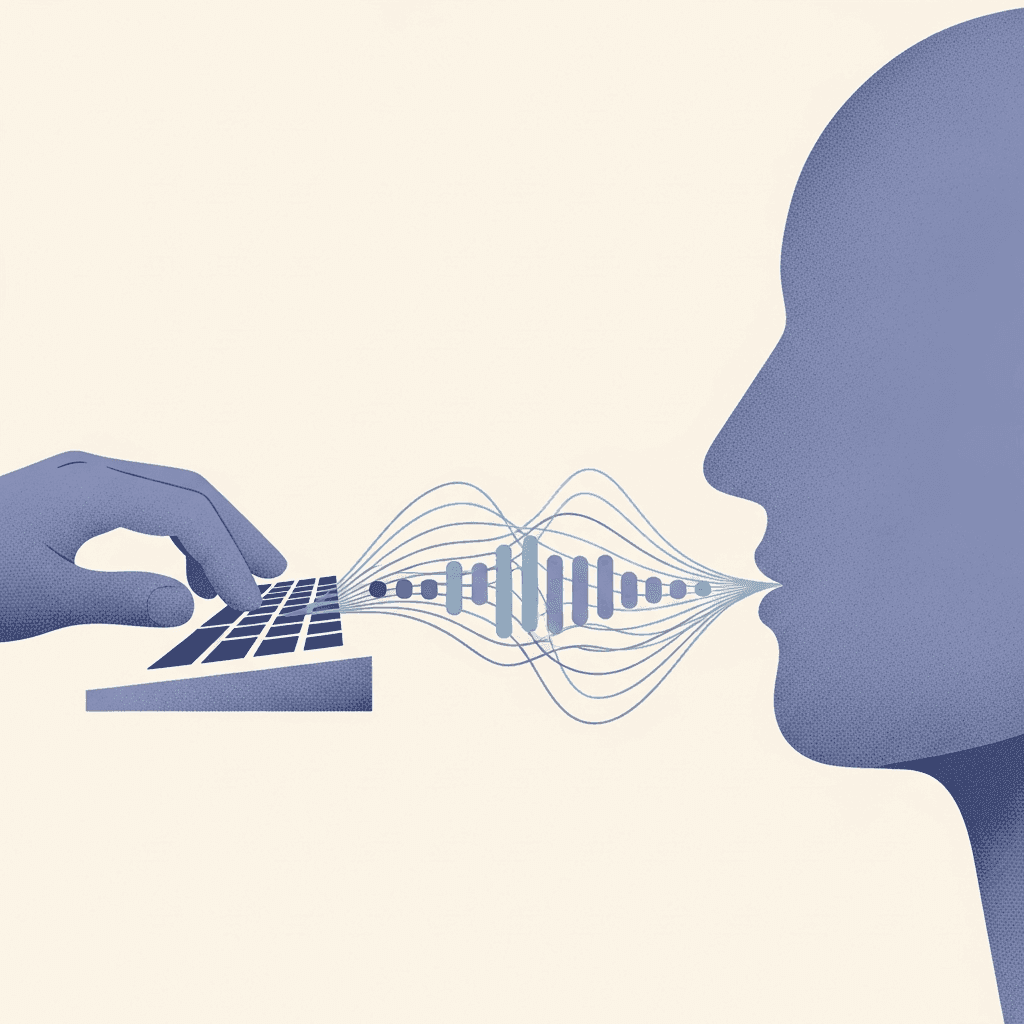
Voice input works differently. ChatGPT's Advanced Voice Mode processes speech by transcribing your audio into text and using context, tone, and cadence to refine its responses. The system captures your speech patterns, including pauses and revisions, which can provide additional context beyond typed text. When you say "I need help with this project... well, maybe not the whole thing, just the marketing angle," those pauses and corrections carry meaning.
Speaking lets you convey sarcasm, urgency, or enthusiasm in ways that typing can't replicate. You naturally add context through how you say something and what you say.
The 3x Speed Advantage of Speaking over Typing
Most people type at around 40 words per minute. When you speak, you naturally hit 150 words per minute without even trying. Stanford research quantified this gap, finding that voice input is 3.0x faster than typing on keyboards for English and 2.8x faster for Mandarin Chinese.
For ChatGPT users, the math is straightforward. At industry averages, typing a 200-word prompt can take several minutes, whereas speaking the same content aloud is often much quicker. That gap compounds across dozens of daily interactions. If you're crafting detailed prompts for coding help, content drafts, or analysis requests, voice input collapses the time between thought and execution.
The same Stanford study found voice had a 20.4% lower error rate for English compared to keyboard typing. Speed is more than just saving minutes. It changes how you interact with AI entirely.
Input Method | Words Per Minute | Time for 200-Word Prompt | Error Rate | Best Use Case |
|---|---|---|---|---|
Speaking (Voice Input) | 150 WPM | Under 90 seconds | 20.4% lower errors | Complex prompts, brainstorming, multitasking, accessibility needs |
Typing (Keyboard) | 40 WPM | 5 minutes | Baseline error rate | Precise formatting, code snippets, when voice input unavailable |
Willow Voice | 150 WPM | Under 90 seconds | 3x more accurate than built-in dictation | Professional workflows across Mac, Windows, and iOS with 200ms latency |
How Voice Mode Supports Conversational Iteration
Voice turns prompting into a real conversation. You can interrupt yourself mid-thought, add clarifying details, or pivot direction without stopping. "Give me marketing ideas for... actually, focus on B2B SaaS companies in healthcare" happens in one fluid breath. With typing, you'd backspace or send a follow-up message.
The back-and-forth mirrors how you think through problems out loud. You work through ideas with ChatGPT as a thought partner. When the AI responds, you can immediately react: "That second point is interesting, go deeper there" or "No, not quite right, what if we approached it from..."
This iterative loop refines outputs faster. You course-correct verbally as ideas develop in ChatGPT. The conversation builds on itself without returning to the keyboard between exchanges.
When Complex Prompts Become Easy
Typing a detailed prompt to ChatGPT means organizing your thoughts and structuring sentences before you start. The longer the context, the harder it gets.

Voice removes that friction. You can talk through a complex scenario the same way you'd explain it to a colleague. "I'm building a customer onboarding flow for a SaaS product. Users sign up, but we need to collect payment info, verify their email, send them to a setup wizard with five steps, and trigger different email sequences based on whether they're on the free or paid tier. If they don't complete setup within 48 hours, we need a re-engagement campaign."
Typing that requires constant rephrasing. Speaking lets you dump context naturally, add details as they occur to you, and trust the AI to parse what matters.
The Multitasking Reality of Voice Prompting
Voice prompting gives you AI access when typing isn't an option. You can draft email responses during a commute, brainstorm presentation ideas on a walk, or work through problems while cooking.
The benefit is removing the constraint of needing a desk and keyboard to interact with AI. Professionals already move between Windows workstations in the office, Macs in meetings, and phones in transit throughout the day. A spoken prompt on iOS gets the same result as one from your desktop, with no context lost between devices. Voice reclaims that transition time and puts it back into the workflow.
You can speak prompts while pacing during breaks or walking between buildings. ChatGPT becomes accessible during moments where typing would create dead time. Voice speeds up your workflow and supports prompting in contexts where it previously wasn't possible.
Why Voice Works Better for Brainstorming and Ideation
Brainstorming happens at the speed of thought, not typing. When generating ideas, your brain works in bursts and associations. Typing forces you to slow down and structure sentences. That friction kills momentum.
Voice removes the bottleneck. You can speak ideas as they arrive and jump between concepts without pausing to find the right keys. "What if we tried a referral program... no wait, maybe a partner channel strategy... or both" happens in seconds instead of requiring stops and rewrites.
Voice also lowers the stakes of bad ideas. Typing creates commitment to each sentence. You see it, judge it, delete it. Speaking feels temporary. You can throw out five directions in 30 seconds and let ChatGPT help sort which ones work. The conversation becomes a live whiteboard session.
Accessibility Benefits That Extend beyond Convenience
Voice prompting removes barriers for users with dyslexia, ADHD, or motor challenges. Typing demands focus on spelling, punctuation, and sentence structure, adding cognitive overhead. Speaking eliminates that layer.
Users with ADHD can externalize thoughts without managing written mechanics. Voice removes the anxiety of transposing letters for those with dyslexia. Physical conditions like carpal tunnel or arthritis make extended typing painful, and voice removes that strain.
Typing requires thinking of ideas while managing grammar and fixing errors simultaneously. Speaking reduces that load to articulating thoughts. For neurodivergent users, this shift from managing multiple processes to focusing on communication makes AI tools usable instead of theoretically accessible.
Willow: Where Voice Prompting Meets Professional Productivity

ChatGPT's voice mode proves speaking works better than typing for AI interactions. But that advantage stops the moment you return to your keyboard for email, documentation, or coding workflows.
Willow Voice extends voice input to every application where you work, across Mac, Windows, and iOS. Speak prompts into ChatGPT, Cursor, Claude, Slack, or Google Docs at 150 words per minute. Press fn on Mac or Alt+Space on Windows, and text lands in whatever field is active without switching apps or contexts. The difference is 200ms latency, positioning Willow Voice among the fastest voice-to-text tools available. You stay in flow state instead of waiting for text to catch up.
Willow's AI learns how you write over time, becoming 3x more accurate than built-in dictation. Its context-aware engine handles technical terms and names that trip up other tools, building precision from every session without manual vocabulary entry. For teams running across Windows workstations, Mac laptops, and iOS devices, custom vocabulary and settings sync across the group without per-device setup. Shared custom dictionaries let organizations standardize client names, product terms, and internal shorthand at the admin level, so every team member works from the same configuration from day one. Admin controls let you push vocabulary changes across the whole org without touching individual installs. SOC 2 Type II and HIPAA compliance mean org-wide rollout fits within existing enterprise security review requirements, and team leaderboards surface words dictated and time saved per person so team leads have clear visibility into adoption without manual tracking.
FAQs
How much faster is speaking to ChatGPT compared to typing prompts?
Speaking delivers 3x the speed of typing. Most people speak at 150 words per minute versus typing at 40 WPM. A 200-word prompt takes five minutes to type but under 90 seconds to speak, compounding time savings across dozens of daily AI interactions.
What makes voice input better for complex prompts than typing?
Voice lets you dump context naturally without stopping to structure sentences or rephrase ideas. You can talk through scenarios the same way you'd explain them to a colleague, adding details as they occur to you while the AI parses what matters.
Can I use voice prompting when I'm away from my desk?
Yes, voice removes the constraint of needing a keyboard to interact with AI. You can draft responses during commutes, brainstorm on walks, or work through problems while multitasking, reclaiming transition time that would otherwise be wasted.
How does Willow extend voice prompting beyond ChatGPT?
Willow works across every application where you work (ChatGPT, Cursor, Claude, Slack, or Google Docs) using the same fn key hotkey at 150 WPM. It learns how you write over time, becoming 3x more accurate than built-in dictation with 200ms latency that keeps you in flow state.
Does voice prompting help with accessibility challenges?
Voice removes barriers for users with dyslexia, ADHD, or motor challenges by eliminating the cognitive overhead of managing spelling, punctuation, and sentence structure. Speaking reduces the load to articulating thoughts instead of juggling multiple processes simultaneously.
Final Thoughts on Making Voice Your Default AI Input
Making voice your default way of working with AI is less about speed and more about removing friction between intent and output. ChatGPT voice works because it lets you think out loud, adjust in real time, and keep meaning intact without forcing ideas through the narrow gate of text. Willow Voice builds on that behavior by carrying voice-style interaction into the rest of your workflow, whether you're on a Mac, a Windows machine, or iOS between meetings, so the same natural back-and-forth applies to writing, planning, and problem-solving across all your tools. For teams, that same voice habit scales to org-wide deployment through shared dictionaries, admin controls, and SOC 2 Type II compliance that fits existing security requirements without a separate review cycle. When speaking becomes the primary input, AI stops feeling like something you operate and starts feeling like something you work alongside.
You start typing a long prompt to explain a messy idea to ChatGPT, then realize halfway through that your thinking has already changed. With ChatGPT voice prompting, that same explanation happens out loud, in real time, with room to interrupt yourself, add context as it appears, and change direction mid-sentence without breaking flow. Speaking keeps pace with how your brain actually moves, carrying tone, pauses, and intent that disappear once everything is forced into text. Tools built around this interaction collapse the distance between thinking and doing by letting ideas reach AI as fast as they form.
TLDR:
Speaking to ChatGPT is 3x faster than typing and produces 20% fewer errors.
Voice captures tone, pauses, and emphasis that text strips away for richer AI responses.
You can brainstorm and iterate with AI conversationally without keyboard friction.
Voice makes AI accessible during walks, commutes, and multitasking moments.
Certain solutions extend voice input across most apps with 200ms latency and learn your writing style.
Why Voice Captures Nuance That Typing Can't
When you type a prompt to ChatGPT, you're translating your thoughts into written language. That translation strips away layers of meaning. Pauses become punctuation. Emphasis disappears. The natural rhythm of how you actually think gets flattened into text.
Voice input works differently. ChatGPT's Advanced Voice Mode processes speech by transcribing your audio into text and using context, tone, and cadence to refine its responses. The system captures your speech patterns, including pauses and revisions, which can provide additional context beyond typed text. When you say "I need help with this project... well, maybe not the whole thing, just the marketing angle," those pauses and corrections carry meaning.
Speaking lets you convey sarcasm, urgency, or enthusiasm in ways that typing can't replicate. You naturally add context through how you say something and what you say.
The 3x Speed Advantage of Speaking over Typing
Most people type at around 40 words per minute. When you speak, you naturally hit 150 words per minute without even trying. Stanford research quantified this gap, finding that voice input is 3.0x faster than typing on keyboards for English and 2.8x faster for Mandarin Chinese.
For ChatGPT users, the math is straightforward. At industry averages, typing a 200-word prompt can take several minutes, whereas speaking the same content aloud is often much quicker. That gap compounds across dozens of daily interactions. If you're crafting detailed prompts for coding help, content drafts, or analysis requests, voice input collapses the time between thought and execution.
The same Stanford study found voice had a 20.4% lower error rate for English compared to keyboard typing. Speed is more than just saving minutes. It changes how you interact with AI entirely.
Input Method | Words Per Minute | Time for 200-Word Prompt | Error Rate | Best Use Case |
|---|---|---|---|---|
Speaking (Voice Input) | 150 WPM | Under 90 seconds | 20.4% lower errors | Complex prompts, brainstorming, multitasking, accessibility needs |
Typing (Keyboard) | 40 WPM | 5 minutes | Baseline error rate | Precise formatting, code snippets, when voice input unavailable |
Willow Voice | 150 WPM | Under 90 seconds | 3x more accurate than built-in dictation | Professional workflows across Mac, Windows, and iOS with 200ms latency |
How Voice Mode Supports Conversational Iteration
Voice turns prompting into a real conversation. You can interrupt yourself mid-thought, add clarifying details, or pivot direction without stopping. "Give me marketing ideas for... actually, focus on B2B SaaS companies in healthcare" happens in one fluid breath. With typing, you'd backspace or send a follow-up message.
The back-and-forth mirrors how you think through problems out loud. You work through ideas with ChatGPT as a thought partner. When the AI responds, you can immediately react: "That second point is interesting, go deeper there" or "No, not quite right, what if we approached it from..."
This iterative loop refines outputs faster. You course-correct verbally as ideas develop in ChatGPT. The conversation builds on itself without returning to the keyboard between exchanges.
When Complex Prompts Become Easy
Typing a detailed prompt to ChatGPT means organizing your thoughts and structuring sentences before you start. The longer the context, the harder it gets.
Voice removes that friction. You can talk through a complex scenario the same way you'd explain it to a colleague. "I'm building a customer onboarding flow for a SaaS product. Users sign up, but we need to collect payment info, verify their email, send them to a setup wizard with five steps, and trigger different email sequences based on whether they're on the free or paid tier. If they don't complete setup within 48 hours, we need a re-engagement campaign."
Typing that requires constant rephrasing. Speaking lets you dump context naturally, add details as they occur to you, and trust the AI to parse what matters.
The Multitasking Reality of Voice Prompting
Voice prompting gives you AI access when typing isn't an option. You can draft email responses during a commute, brainstorm presentation ideas on a walk, or work through problems while cooking.
The benefit is removing the constraint of needing a desk and keyboard to interact with AI. Professionals already move between Windows workstations in the office, Macs in meetings, and phones in transit throughout the day. A spoken prompt on iOS gets the same result as one from your desktop, with no context lost between devices. Voice reclaims that transition time and puts it back into the workflow.
You can speak prompts while pacing during breaks or walking between buildings. ChatGPT becomes accessible during moments where typing would create dead time. Voice speeds up your workflow and supports prompting in contexts where it previously wasn't possible.
Why Voice Works Better for Brainstorming and Ideation
Brainstorming happens at the speed of thought, not typing. When generating ideas, your brain works in bursts and associations. Typing forces you to slow down and structure sentences. That friction kills momentum.
Voice removes the bottleneck. You can speak ideas as they arrive and jump between concepts without pausing to find the right keys. "What if we tried a referral program... no wait, maybe a partner channel strategy... or both" happens in seconds instead of requiring stops and rewrites.
Voice also lowers the stakes of bad ideas. Typing creates commitment to each sentence. You see it, judge it, delete it. Speaking feels temporary. You can throw out five directions in 30 seconds and let ChatGPT help sort which ones work. The conversation becomes a live whiteboard session.
Accessibility Benefits That Extend beyond Convenience
Voice prompting removes barriers for users with dyslexia, ADHD, or motor challenges. Typing demands focus on spelling, punctuation, and sentence structure, adding cognitive overhead. Speaking eliminates that layer.
Users with ADHD can externalize thoughts without managing written mechanics. Voice removes the anxiety of transposing letters for those with dyslexia. Physical conditions like carpal tunnel or arthritis make extended typing painful, and voice removes that strain.
Typing requires thinking of ideas while managing grammar and fixing errors simultaneously. Speaking reduces that load to articulating thoughts. For neurodivergent users, this shift from managing multiple processes to focusing on communication makes AI tools usable instead of theoretically accessible.
Willow: Where Voice Prompting Meets Professional Productivity
ChatGPT's voice mode proves speaking works better than typing for AI interactions. But that advantage stops the moment you return to your keyboard for email, documentation, or coding workflows.
Willow Voice extends voice input to every application where you work, across Mac, Windows, and iOS. Speak prompts into ChatGPT, Cursor, Claude, Slack, or Google Docs at 150 words per minute. Press fn on Mac or Alt+Space on Windows, and text lands in whatever field is active without switching apps or contexts. The difference is 200ms latency, positioning Willow Voice among the fastest voice-to-text tools available. You stay in flow state instead of waiting for text to catch up.
Willow's AI learns how you write over time, becoming 3x more accurate than built-in dictation. Its context-aware engine handles technical terms and names that trip up other tools, building precision from every session without manual vocabulary entry. For teams running across Windows workstations, Mac laptops, and iOS devices, custom vocabulary and settings sync across the group without per-device setup. Shared custom dictionaries let organizations standardize client names, product terms, and internal shorthand at the admin level, so every team member works from the same configuration from day one. Admin controls let you push vocabulary changes across the whole org without touching individual installs. SOC 2 Type II and HIPAA compliance mean org-wide rollout fits within existing enterprise security review requirements, and team leaderboards surface words dictated and time saved per person so team leads have clear visibility into adoption without manual tracking.
FAQs
How much faster is speaking to ChatGPT compared to typing prompts?
Speaking delivers 3x the speed of typing. Most people speak at 150 words per minute versus typing at 40 WPM. A 200-word prompt takes five minutes to type but under 90 seconds to speak, compounding time savings across dozens of daily AI interactions.
What makes voice input better for complex prompts than typing?
Voice lets you dump context naturally without stopping to structure sentences or rephrase ideas. You can talk through scenarios the same way you'd explain them to a colleague, adding details as they occur to you while the AI parses what matters.
Can I use voice prompting when I'm away from my desk?
Yes, voice removes the constraint of needing a keyboard to interact with AI. You can draft responses during commutes, brainstorm on walks, or work through problems while multitasking, reclaiming transition time that would otherwise be wasted.
How does Willow extend voice prompting beyond ChatGPT?
Willow works across every application where you work (ChatGPT, Cursor, Claude, Slack, or Google Docs) using the same fn key hotkey at 150 WPM. It learns how you write over time, becoming 3x more accurate than built-in dictation with 200ms latency that keeps you in flow state.
Does voice prompting help with accessibility challenges?
Voice removes barriers for users with dyslexia, ADHD, or motor challenges by eliminating the cognitive overhead of managing spelling, punctuation, and sentence structure. Speaking reduces the load to articulating thoughts instead of juggling multiple processes simultaneously.
Final Thoughts on Making Voice Your Default AI Input
Making voice your default way of working with AI is less about speed and more about removing friction between intent and output. ChatGPT voice works because it lets you think out loud, adjust in real time, and keep meaning intact without forcing ideas through the narrow gate of text. Willow Voice builds on that behavior by carrying voice-style interaction into the rest of your workflow, whether you're on a Mac, a Windows machine, or iOS between meetings, so the same natural back-and-forth applies to writing, planning, and problem-solving across all your tools. For teams, that same voice habit scales to org-wide deployment through shared dictionaries, admin controls, and SOC 2 Type II compliance that fits existing security requirements without a separate review cycle. When speaking becomes the primary input, AI stops feeling like something you operate and starts feeling like something you work alongside.

Try Willow for free
Instant, accurate voice dictation. No card required.
Try Willow for free
Instant, accurate voice dictation. No card required.
Other stories you’ll love
Other stories you’ll love



Your keyboard is optional now
" transform="translate(5 5)" width="9.791000051498413px"/></svg>)

The voice-first interface for modern work.
© Willow Care, Inc. 2026. All rights reserved
Your keyboard is optional now
The voice-first interface for modern work.
© Willow Care, Inc. 2026. All rights reserved
Your keyboard is optional now
The voice-first interface for modern work.
© Willow Care, Inc. 2026. All rights reserved