" transform="translate(5 2)" width="10px"/></svg>)

•
5 min read
Async Communication Best Practices for Remote Teams (June 2026)

•
5 min read
Async Communication Best Practices for Remote Teams (June 2026)
Remote teams default to one of two extremes: endless meetings to keep everyone aligned, or long silent stretches where work stalls because nobody knows if their message landed. Neither one works. Async communication best practices let you move projects forward across time zones without requiring everyone online at once, but most teams never define what counts as urgent, how much context belongs in a single message, or when to stop typing and schedule the call. Those gaps turn async into a slower, more frustrating version of the problem it was supposed to solve. The pattern holds whether your team is engineers coordinating code reviews across time zones, product managers running distributed sprint cycles, or professionals managing documentation handoffs across mixed devices.
TLDR:
Async communication cuts interruptions and creates written records, but only works if teams set clear response-time norms by channel (hours for Slack, next-day for email).
Knowledge workers spend up to 28% of their day on email alone; async changes that balance by letting you respond when ready instead of reacting in real time.
Write every message as if the recipient has zero context: lead with the ask, state deadlines explicitly, and separate questions from updates.
Each hour of timezone gap reduces sync communication by 11%, so protect 1-2 hours of daily overlap and rotate inconvenient meeting times across regions.
Voice dictation at 150 WPM vs. 40 WPM typing closes the speed gap in async work, letting you capture thoughts without breaking focus.
The Productivity Case for Async Communication
Research from McKinsey suggests that knowledge workers spend up to 28% of their workday reading and answering email, per McKinsey's social economy productivity analysis. Add in meetings and status updates, and synchronous communication can quietly consume the majority of a productive workday.
Why the Productivity Gains Are Real
The benefits show up in a few consistent ways:
Fewer interruptions mean longer stretches of focused work. Context-switching between messages and tasks is one of the quieter drains on output quality, and async reduces how often it happens.
Written records replace the need to reconstruct decisions from memory. When context lives in a thread or document, onboarding and handoffs get faster.
Response pressure drops. Team members can engage when they're actually ready to think, which tends to produce better answers than a rushed reply in a live chat.
Sync communication still has its place. It works well for relationship-building, urgent decisions, and complex problem-solving. The goal is knowing when each mode earns its slot on the calendar.
Common Challenges of Async Communication
Async communication has real advantages, but it comes with friction that can quietly derail remote teams if left unmanaged.
Where Teams Most Often Struggle
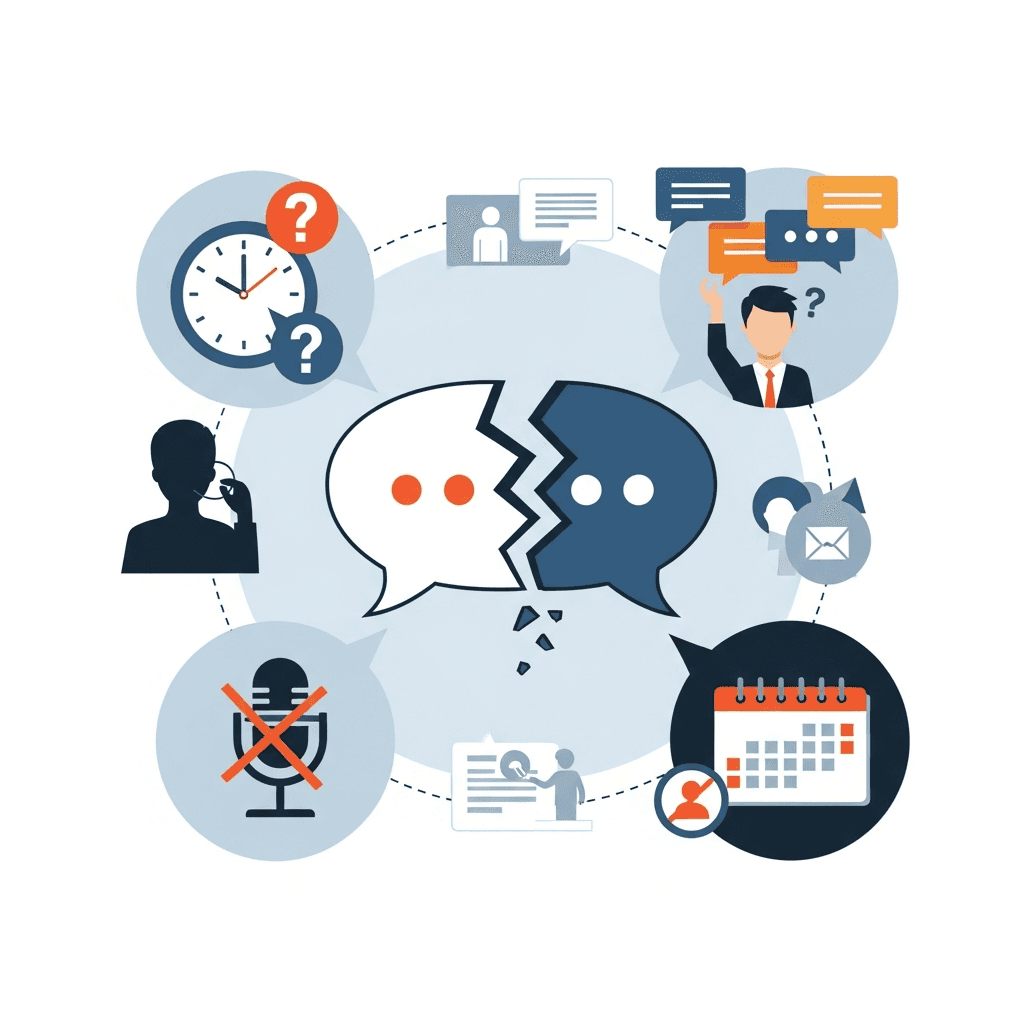
A few recurring problems tend to surface across distributed teams:
Without shared working hours, messages can sit unanswered for hours. When a teammate in London sends a question at noon and the responder is in San Francisco, that wait can stretch into the next workday, stalling progress on time-sensitive decisions.
Context gets lost between messages. Unlike a live conversation where you can immediately clarify, async threads often require multiple back-and-forth rounds to resolve something that would have taken 30 seconds in person.
Teams default to over-communicating to compensate. Channels fill with status updates, redundant check-ins, and long message threads, which ironically creates more noise and less clarity.
Without visible signals of activity, remote employees can feel disconnected from their team. Gallup employee engagement data consistently links weak team connection to lower engagement and higher turnover.
Write for Clarity and Completeness
Every async message should be written as if the recipient has zero additional context. That means including the relevant background, a clear ask, and any deadlines or decisions needed, all in one place.
A few habits that consistently reduce back-and-forth:
Lead with the ask before the context. Most people skim the first sentence to decide if they need to read more.
State deadlines explicitly, not relatively. "By Thursday at noon EST" is clearer than "soon" or "end of week."
Separate questions from updates. If you need a decision, make that obvious so it doesn't get treated as an FYI.
In technical workflows like PR descriptions, sprint updates, and architecture proposals, the same principle applies: state what needs a decision and by when, then include the context someone needs to act without asking a follow-up question.
Set Clear Response Time Expectations
The fix is simpler than most teams expect: decide what "timely" means for each channel and write it down.
A Starting Framework by Channel
Different channels carry different urgency signals, so expectations should reflect that.
For chat tools like Slack or Teams, a response within a few hours during working hours is a reasonable default. It keeps things moving without turning every notification into a demand for immediate attention.
For email or project management comments, a next-business-day window works well for most teams. Longer threads or complex questions may warrant a quick acknowledgment first, followed by a fuller reply when ready.
For voice or video messages, treat them like email unless context suggests otherwise.
Document these norms somewhere your whole team can find them, and revisit them as the team grows or workflows shift.
Document Decisions and Knowledge Systematically
When decisions get made on calls or in Slack threads and no one writes them down, that context evaporates. Treat documentation as a first-class output, not an afterthought.
What's Worth Documenting
Not every conversation needs a write-up, but certain categories of information should always be captured in a shared, searchable place:
Decisions and the reasoning behind them, so future teammates understand both what was chosen and why alternatives were ruled out.
Project status updates that would otherwise prompt a check-in message, freeing up everyone's attention for deeper work.
Process changes, so institutional knowledge stays in the system instead of in one person's head.
Architecture decisions, sprint retrospectives, and code-review notes belong here too, particularly in engineering teams where context degrades as codebases and requirements shift.
Where to Put It
The best documentation system is the one your team actually uses. That said, a few principles hold regardless of the tool:
Principle | Why It Matters |
|---|---|
Single source of truth | Scattered notes across email, chat, and docs create confusion about what's current |
Searchable and linked | Information only helps if people can find it without asking someone |
Updated, not archived | Stale docs erode trust in the whole system |
The goal is a team where a new hire or a returning teammate can get up to speed without scheduling a call. In documentation-heavy environments, from engineering orgs managing a complex codebase to clinical teams coordinating patient handoffs, the same principle holds: knowledge that stays in one person's head becomes a bottleneck the moment that person is unavailable.
Use Async Video for Context-Rich Updates
Text-heavy messages lose nuance fast across time zones. Async video fills that gap by letting you record your face, your screen, or both, so tone and context travel with the message instead of getting stripped out in translation.
When to reach for async video
Not every update warrants a recording, but a few situations consistently call for it:
When you are giving feedback on creative or visual work, showing the thing you mean is faster and clearer than describing it.
When onboarding a new teammate, a recorded walkthrough of a tool or workflow lets them move at their own pace and rewatch without asking you to repeat yourself.
When announcing a decision that carries emotional weight, a recorded message reads as more considered and human than a wall of text.
Keep recordings tight. Under three minutes for most updates, and always pair a video with a short written summary so teammates can search it later and skip the replay when the gist is enough.
Know When Synchronous Communication Is Better
Async works well for most remote communication, but some situations genuinely call for a live conversation, a distinction covered in depth by Harvard Business Review's remote-async work guide. Knowing the difference saves time and prevents frustration on both sides.

Sync communication tends to be the better choice when:
A topic involves real-time back-and-forth requiring multiple async rounds to resolve, such as debugging a tricky problem together or working through a genuinely ambiguous decision.
The conversation carries emotional weight, like giving critical feedback, working through a conflict, or onboarding someone who needs to feel supported early on.
You need true group alignment in the moment, where reading the room and responding to reactions actually changes the outcome.
A rough test: if you can write a clear, self-contained message that will get a useful response without a flurry of follow-ups, async is fine. If the topic is tangled, sensitive, or requires real consensus, schedule the call.
Manage Time Zones Without Burnout
Research on distributed teams finds that each additional hour of time zone disparity reduces synchronous communication by 11%, a figure cited by Insight Global's distributed team time zone guide. Across a team spanning three or four regions, that math compounds quickly.
A few practices that contain the damage:
Protect 1 to 2 hours of daily overlap, keeping it meeting-light and reserving it for decisions that genuinely need real-time input.
Rotate inconvenient call times so no single region absorbs all the early mornings or late evenings.
Write handoff notes at the end of each shift so the next region can move without waiting for context.
Use timezone-aware scheduling tools to avoid accidentally booking a 6 AM call for someone on the other side of the world.
Choose the Right Tools for Async Work
Before adding another tool, ask one question: does this create or eliminate a place where information gets lost?
A few capabilities that matter for async work:
Messaging tools need threading and full-text search. Without both, context becomes nearly impossible to trace after a few days.
Project management tools should show clear status at a glance, so teammates can assess progress without asking someone.
Documentation needs version history so the team can see what changed and when.
Async video recording handles nuance and visual context without scheduling a meeting.
Integration between tools keeps updates from being reposted across three separate apps.
Cross-platform support across Windows, Mac, and mobile matters for mixed-device teams where not everyone works on the same hardware or OS.
How Willow Voice Accelerates Async Communication

Remote teams have already adopted async communication as a default, but typing slows the execution. Speaking naturally runs at around 150 WPM; typing averages 40 WPM. That gap means every written update, comment, or message takes roughly three times longer to produce than it needs to.
The friction shows up across the full scope of async work. An engineer dictating a PR description, context note, or sprint update in Cursor or Claude Code can capture the same thought in a fraction of the time it takes to type it out. A product manager closing out a meeting follow-up by voice, while context is still fresh, produces a clearer handoff than one drafted later from memory. In documentation-heavy roles, from clinical staff capturing patient notes to teams writing technical runbooks, the overhead of typing compounds across every shift or sprint.
Voice dictation slots into existing workflows without adding to them. Willow Voice works on Windows and Mac, syncing custom vocabulary and settings across devices, so teams on mixed hardware get consistent behavior. It matches the register of each channel automatically, so a Slack message reads like a Slack message and an email reads like an email. Voice shortcuts let you trigger full phrases with a single spoken keyword, cutting overhead on high-volume threads. Because Willow is 3x more accurate than built-in OS dictation, messages land right the first time without a cleanup pass. Teams at Uber and Reddit and across enterprise organizations rely on it for high-volume written work. For environments with compliance requirements, Willow is SOC 2 certified and HIPAA compliant.
FAQs
Can async communication actually replace most real-time meetings?
Async can handle most status updates, decisions with clear context, and routine coordination without requiring everyone online at once. Reserve synchronous calls for emotionally complex conversations, complex debugging that needs rapid back-and-forth, or situations where reading the room genuinely changes the outcome.
How long should I wait for an async response before following up?
A few hours during working hours for chat tools like Slack, and next business day for email or project management threads. Document these response windows for your team by channel type so everyone shares the same expectations and no one is left waiting without clarity.
What should remote teams document in async workflows?
Capture decisions with their reasoning, project status updates that would otherwise prompt check-in messages, and process changes so knowledge stays in the system instead of in one person's head. Store everything in a single searchable location your team actually uses, and keep it updated so trust in the documentation stays intact.
Final Thoughts on Getting Async Right
Most teams already follow some version of async communication best practices. They just haven't written any of it down. Clear response norms, complete messages, and good documentation are the foundation. Speed is the part that tends to slip. If typing is slowing your team down, Willow Voice closes that gap without adding another meeting to the calendar.
Remote teams default to one of two extremes: endless meetings to keep everyone aligned, or long silent stretches where work stalls because nobody knows if their message landed. Neither one works. Async communication best practices let you move projects forward across time zones without requiring everyone online at once, but most teams never define what counts as urgent, how much context belongs in a single message, or when to stop typing and schedule the call. Those gaps turn async into a slower, more frustrating version of the problem it was supposed to solve. The pattern holds whether your team is engineers coordinating code reviews across time zones, product managers running distributed sprint cycles, or professionals managing documentation handoffs across mixed devices.
TLDR:
Async communication cuts interruptions and creates written records, but only works if teams set clear response-time norms by channel (hours for Slack, next-day for email).
Knowledge workers spend up to 28% of their day on email alone; async changes that balance by letting you respond when ready instead of reacting in real time.
Write every message as if the recipient has zero context: lead with the ask, state deadlines explicitly, and separate questions from updates.
Each hour of timezone gap reduces sync communication by 11%, so protect 1-2 hours of daily overlap and rotate inconvenient meeting times across regions.
Voice dictation at 150 WPM vs. 40 WPM typing closes the speed gap in async work, letting you capture thoughts without breaking focus.
The Productivity Case for Async Communication
Research from McKinsey suggests that knowledge workers spend up to 28% of their workday reading and answering email, per McKinsey's social economy productivity analysis. Add in meetings and status updates, and synchronous communication can quietly consume the majority of a productive workday.
Why the Productivity Gains Are Real
The benefits show up in a few consistent ways:
Fewer interruptions mean longer stretches of focused work. Context-switching between messages and tasks is one of the quieter drains on output quality, and async reduces how often it happens.
Written records replace the need to reconstruct decisions from memory. When context lives in a thread or document, onboarding and handoffs get faster.
Response pressure drops. Team members can engage when they're actually ready to think, which tends to produce better answers than a rushed reply in a live chat.
Sync communication still has its place. It works well for relationship-building, urgent decisions, and complex problem-solving. The goal is knowing when each mode earns its slot on the calendar.
Common Challenges of Async Communication
Async communication has real advantages, but it comes with friction that can quietly derail remote teams if left unmanaged.
Where Teams Most Often Struggle
A few recurring problems tend to surface across distributed teams:
Without shared working hours, messages can sit unanswered for hours. When a teammate in London sends a question at noon and the responder is in San Francisco, that wait can stretch into the next workday, stalling progress on time-sensitive decisions.
Context gets lost between messages. Unlike a live conversation where you can immediately clarify, async threads often require multiple back-and-forth rounds to resolve something that would have taken 30 seconds in person.
Teams default to over-communicating to compensate. Channels fill with status updates, redundant check-ins, and long message threads, which ironically creates more noise and less clarity.
Without visible signals of activity, remote employees can feel disconnected from their team. Gallup employee engagement data consistently links weak team connection to lower engagement and higher turnover.
Write for Clarity and Completeness
Every async message should be written as if the recipient has zero additional context. That means including the relevant background, a clear ask, and any deadlines or decisions needed, all in one place.
A few habits that consistently reduce back-and-forth:
Lead with the ask before the context. Most people skim the first sentence to decide if they need to read more.
State deadlines explicitly, not relatively. "By Thursday at noon EST" is clearer than "soon" or "end of week."
Separate questions from updates. If you need a decision, make that obvious so it doesn't get treated as an FYI.
In technical workflows like PR descriptions, sprint updates, and architecture proposals, the same principle applies: state what needs a decision and by when, then include the context someone needs to act without asking a follow-up question.
Set Clear Response Time Expectations
The fix is simpler than most teams expect: decide what "timely" means for each channel and write it down.
A Starting Framework by Channel
Different channels carry different urgency signals, so expectations should reflect that.
For chat tools like Slack or Teams, a response within a few hours during working hours is a reasonable default. It keeps things moving without turning every notification into a demand for immediate attention.
For email or project management comments, a next-business-day window works well for most teams. Longer threads or complex questions may warrant a quick acknowledgment first, followed by a fuller reply when ready.
For voice or video messages, treat them like email unless context suggests otherwise.
Document these norms somewhere your whole team can find them, and revisit them as the team grows or workflows shift.
Document Decisions and Knowledge Systematically
When decisions get made on calls or in Slack threads and no one writes them down, that context evaporates. Treat documentation as a first-class output, not an afterthought.
What's Worth Documenting
Not every conversation needs a write-up, but certain categories of information should always be captured in a shared, searchable place:
Decisions and the reasoning behind them, so future teammates understand both what was chosen and why alternatives were ruled out.
Project status updates that would otherwise prompt a check-in message, freeing up everyone's attention for deeper work.
Process changes, so institutional knowledge stays in the system instead of in one person's head.
Architecture decisions, sprint retrospectives, and code-review notes belong here too, particularly in engineering teams where context degrades as codebases and requirements shift.
Where to Put It
The best documentation system is the one your team actually uses. That said, a few principles hold regardless of the tool:
Principle | Why It Matters |
|---|---|
Single source of truth | Scattered notes across email, chat, and docs create confusion about what's current |
Searchable and linked | Information only helps if people can find it without asking someone |
Updated, not archived | Stale docs erode trust in the whole system |
The goal is a team where a new hire or a returning teammate can get up to speed without scheduling a call. In documentation-heavy environments, from engineering orgs managing a complex codebase to clinical teams coordinating patient handoffs, the same principle holds: knowledge that stays in one person's head becomes a bottleneck the moment that person is unavailable.
Use Async Video for Context-Rich Updates
Text-heavy messages lose nuance fast across time zones. Async video fills that gap by letting you record your face, your screen, or both, so tone and context travel with the message instead of getting stripped out in translation.
When to reach for async video
Not every update warrants a recording, but a few situations consistently call for it:
When you are giving feedback on creative or visual work, showing the thing you mean is faster and clearer than describing it.
When onboarding a new teammate, a recorded walkthrough of a tool or workflow lets them move at their own pace and rewatch without asking you to repeat yourself.
When announcing a decision that carries emotional weight, a recorded message reads as more considered and human than a wall of text.
Keep recordings tight. Under three minutes for most updates, and always pair a video with a short written summary so teammates can search it later and skip the replay when the gist is enough.
Know When Synchronous Communication Is Better
Async works well for most remote communication, but some situations genuinely call for a live conversation, a distinction covered in depth by Harvard Business Review's remote-async work guide. Knowing the difference saves time and prevents frustration on both sides.
Sync communication tends to be the better choice when:
A topic involves real-time back-and-forth requiring multiple async rounds to resolve, such as debugging a tricky problem together or working through a genuinely ambiguous decision.
The conversation carries emotional weight, like giving critical feedback, working through a conflict, or onboarding someone who needs to feel supported early on.
You need true group alignment in the moment, where reading the room and responding to reactions actually changes the outcome.
A rough test: if you can write a clear, self-contained message that will get a useful response without a flurry of follow-ups, async is fine. If the topic is tangled, sensitive, or requires real consensus, schedule the call.
Manage Time Zones Without Burnout
Research on distributed teams finds that each additional hour of time zone disparity reduces synchronous communication by 11%, a figure cited by Insight Global's distributed team time zone guide. Across a team spanning three or four regions, that math compounds quickly.
A few practices that contain the damage:
Protect 1 to 2 hours of daily overlap, keeping it meeting-light and reserving it for decisions that genuinely need real-time input.
Rotate inconvenient call times so no single region absorbs all the early mornings or late evenings.
Write handoff notes at the end of each shift so the next region can move without waiting for context.
Use timezone-aware scheduling tools to avoid accidentally booking a 6 AM call for someone on the other side of the world.
Choose the Right Tools for Async Work
Before adding another tool, ask one question: does this create or eliminate a place where information gets lost?
A few capabilities that matter for async work:
Messaging tools need threading and full-text search. Without both, context becomes nearly impossible to trace after a few days.
Project management tools should show clear status at a glance, so teammates can assess progress without asking someone.
Documentation needs version history so the team can see what changed and when.
Async video recording handles nuance and visual context without scheduling a meeting.
Integration between tools keeps updates from being reposted across three separate apps.
Cross-platform support across Windows, Mac, and mobile matters for mixed-device teams where not everyone works on the same hardware or OS.
How Willow Voice Accelerates Async Communication
Remote teams have already adopted async communication as a default, but typing slows the execution. Speaking naturally runs at around 150 WPM; typing averages 40 WPM. That gap means every written update, comment, or message takes roughly three times longer to produce than it needs to.
The friction shows up across the full scope of async work. An engineer dictating a PR description, context note, or sprint update in Cursor or Claude Code can capture the same thought in a fraction of the time it takes to type it out. A product manager closing out a meeting follow-up by voice, while context is still fresh, produces a clearer handoff than one drafted later from memory. In documentation-heavy roles, from clinical staff capturing patient notes to teams writing technical runbooks, the overhead of typing compounds across every shift or sprint.
Voice dictation slots into existing workflows without adding to them. Willow Voice works on Windows and Mac, syncing custom vocabulary and settings across devices, so teams on mixed hardware get consistent behavior. It matches the register of each channel automatically, so a Slack message reads like a Slack message and an email reads like an email. Voice shortcuts let you trigger full phrases with a single spoken keyword, cutting overhead on high-volume threads. Because Willow is 3x more accurate than built-in OS dictation, messages land right the first time without a cleanup pass. Teams at Uber and Reddit and across enterprise organizations rely on it for high-volume written work. For environments with compliance requirements, Willow is SOC 2 certified and HIPAA compliant.
FAQs
Can async communication actually replace most real-time meetings?
Async can handle most status updates, decisions with clear context, and routine coordination without requiring everyone online at once. Reserve synchronous calls for emotionally complex conversations, complex debugging that needs rapid back-and-forth, or situations where reading the room genuinely changes the outcome.
How long should I wait for an async response before following up?
A few hours during working hours for chat tools like Slack, and next business day for email or project management threads. Document these response windows for your team by channel type so everyone shares the same expectations and no one is left waiting without clarity.
What should remote teams document in async workflows?
Capture decisions with their reasoning, project status updates that would otherwise prompt check-in messages, and process changes so knowledge stays in the system instead of in one person's head. Store everything in a single searchable location your team actually uses, and keep it updated so trust in the documentation stays intact.
Final Thoughts on Getting Async Right
Most teams already follow some version of async communication best practices. They just haven't written any of it down. Clear response norms, complete messages, and good documentation are the foundation. Speed is the part that tends to slip. If typing is slowing your team down, Willow Voice closes that gap without adding another meeting to the calendar.

Try Willow for free
Instant, accurate voice dictation. No card required.
Try Willow for free
Instant, accurate voice dictation. No card required.
Other stories you’ll love
Other stories you’ll love


Your keyboard is optional now
" transform="translate(5 5)" width="9.791000051498413px"/></svg>)

The voice-first interface for modern work.
© Willow Care, Inc. 2026. All rights reserved
Your keyboard is optional now
The voice-first interface for modern work.
© Willow Care, Inc. 2026. All rights reserved
Your keyboard is optional now
The voice-first interface for modern work.
© Willow Care, Inc. 2026. All rights reserved