" transform="translate(5 2)" width="10px"/></svg>)

•
5 min read
Best Voice Recognition Software for Slack and Team Communication (January 2026)

•
5 min read
Best Voice Recognition Software for Slack and Team Communication (January 2026)
Typing out every Slack message, email, and project update drains hours from your day, especially when most people type at around 40 words per minute while speaking naturally at nearly 150. Dictation software for messaging closes that gap by letting you communicate at the speed of conversation, turning a five-minute typed message into less than two minutes of spoken input. For teams that live in chat threads and inboxes, those minutes compound into real time saved. As part of our assessment, we also tested the leading voice recognition software so you can see how well they handle rapid-fire workplace communication.
TLDR:
Voice recognition lets you speak at 150 WPM vs typing at around 40 WPM for 4x faster Slack messages
Next-generation voice-to-text systems work across Slack, Gmail, and Notion with sub-200 millisecond processing and 3x better accuracy
Context-aware AI gets technical terms and company names right without manual corrections
Modern, context-aware dictation tools offer Mac dictation that removes filler words and matches your tone automatically
Dictation tools reduce editing time by removing filler words and preserving your writing tone
What Is Voice Recognition Software for Team Communication?
Voice recognition software converts spoken words into written text in real-time. You press a button, speak naturally, and your words appear on screen. The tech uses AI models trained on millions of hours of speech to understand what you're saying and transcribe accurately.
For team communication, this refers to dictating Slack messages, emails, and meeting notes instead of typing them out. Most people type around 40 words per minute. When you speak, you can easily hit 150 words per minute. That's nearly 4x faster, turning a five-minute typing task into less than two minutes of talking.
Voice recognition also helps team members who struggle with typing due to repetitive strain injuries, dyslexia, or ADHD. Speaking can feel more natural than staring at a keyboard, especially when articulating complex ideas or brainstorming with your team.
How We Assessed Voice Recognition Software for Team Communication
When comparing voice recognition software for your team, we focused on several criteria that impact daily productivity and communication workflows.
Accuracy determines whether the software understands jargon, names, and technical terms without requiring extensive editing. We looked at how well each tool handled context-aware transcription and whether it learns from corrections over time.
Speed matters for real-time communication. The best tools process speech in under a second, so your Slack messages and emails flow naturally without delays. We tested latency across different apps to see which tools kept pace with natural speech patterns.
Integration capability determines where you can actually use voice dictation. Tools that work universally across Slack, Gmail, Google Docs, Notion, and messaging apps eliminate the friction of switching between different input methods. We focused on solutions that function wherever your team already works.
Privacy and security are critical when dictating sensitive team conversations or client information. We tested whether tools store voice data, how they handle transcription processing, and what privacy controls they offer.
Willow
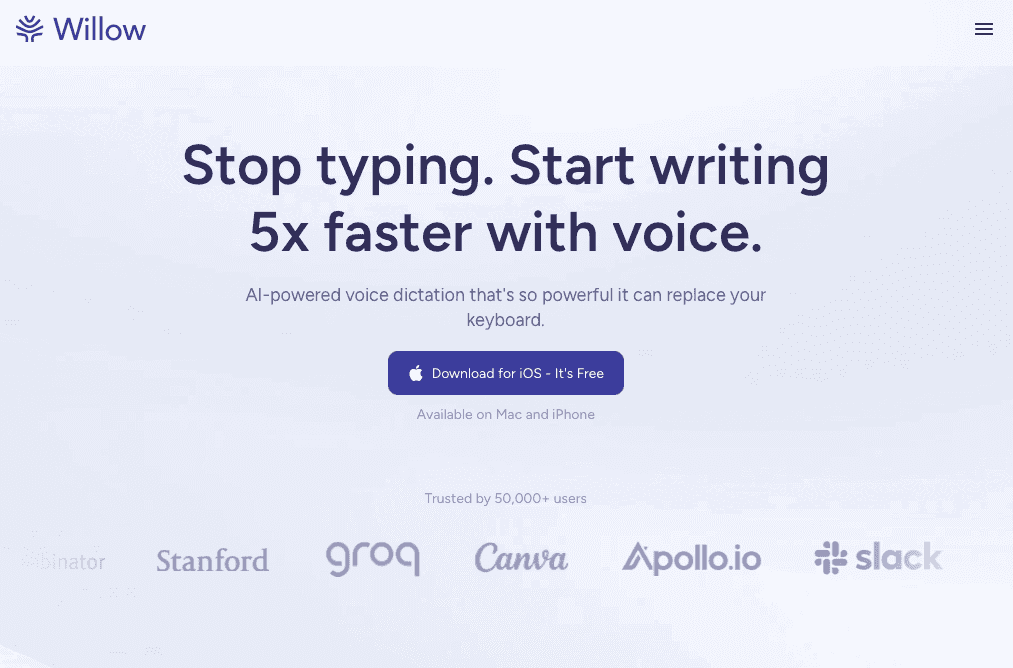
Willow is a Mac and Windows desktop app for anyone who writes emails, Slack messages, and documents throughout the day. Press the Function (fn) key, speak, and your words appear in whatever app you're using. No copying, pasting, or window switching required. Willow also offers a fully supported iOS app that functions as a custom voice keyboard, allowing you to dictate directly into any iOS app with seamless switching between voice and text input.
Willow's dictation works across Slack, Gmail, Notion, iMessage, Google Docs, and browser-based tools. You can dictate a Slack reply, draft an email, or brainstorm notes in your project management system.
Context-aware AI uses the text around your cursor to understand technical terms, company names, and industry jargon. If you're messaging about "Kubernetes deployment" or "Q4 OKRs," Willow understands the context and spells everything correctly. You can build custom dictionaries with team slang or client names that appear consistently.
Processing happens in under 200 milliseconds. Text appears almost immediately without lag that disrupts your flow when firing off quick Slack replies or responding to time-sensitive messages.
Willow removes filler words like "um" and "uh" while matching the tone of where you're typing. Messages to your team sound casual and conversational. Emails to clients come out polished and professional.
Willow includes an optional offline mode that enables fully private, local dictation on Mac and iOS without requiring an internet connection. This ensures functionality in any environment while maintaining the same quality as cloud-based processing.
Dragon Professional

Dragon Professional is legacy speech recognition software that's been around for decades. It offers on-premises dictation with customizable voice profiles and extensive formatting controls designed for professional environments.
Dragon works well for organizations that need local processing and have specialized professional vocabulary. Medical practices, legal firms, and enterprises with strict data residency requirements often choose Dragon for these capabilities.
The setup process may be Dragon's biggest drawback. Older versions of Dragon required extensive voice training, but modern versions need far less setup, although some customization may still improve accuracy. The software demands substantial hardware resources that can slow down older machines.
For fast-paced team communication in Slack or email, Dragon's learning curve may feel unnecessarily complex. Most teams want to start dictating immediately without configuration sessions or training exercises.
Apple Built-in Dictation
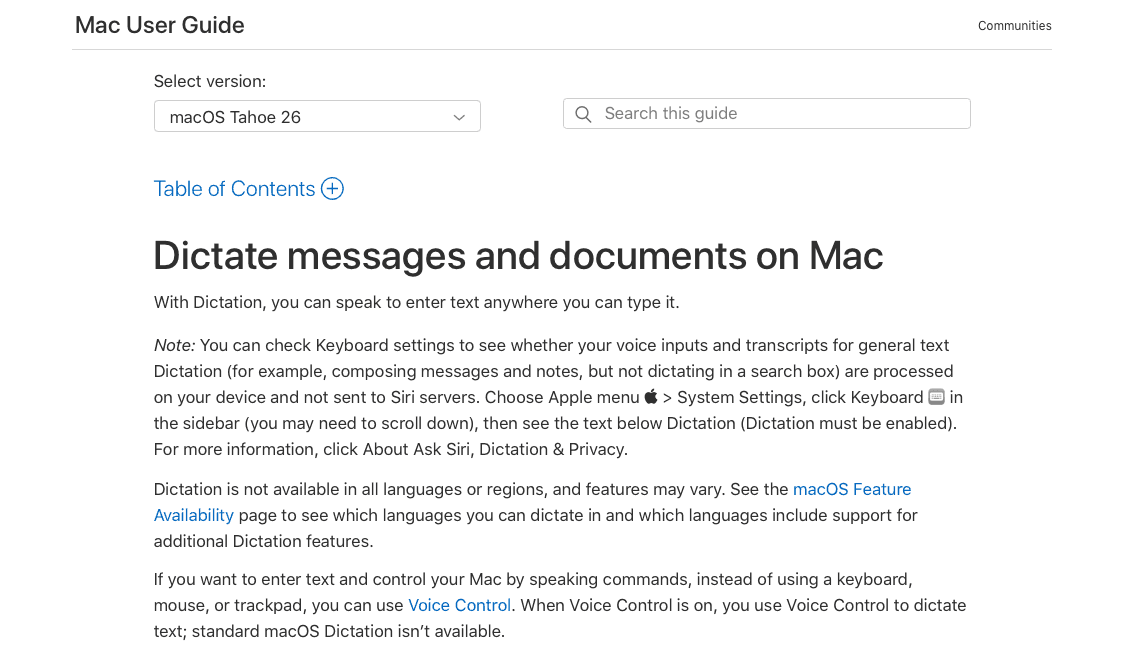
Apple Built-in Dictation comes free with every Mac and iPhone. You turn it on in system settings and start speaking into any text field. The feature offers both offline and online processing, supports multiple languages, and recognizes basic punctuation commands like "comma" or "period."
The convenience of having dictation built into your device means there's nothing to download or configure. For quick voice notes or casual texts, it works adequately when you need occasional voice input.
The accuracy problems become apparent during professional use. Many users report that Apple’s built-in dictation can struggle with errors or inconsistent performance across apps, especially with technical terms.
Apple's dictation also lacks the formatting intelligence and filler word removal that make dictated messages sound polished. Your Slack replies and emails require manual cleanup after dictating, which eliminates much of the time savings.
Voice In Browser Extension
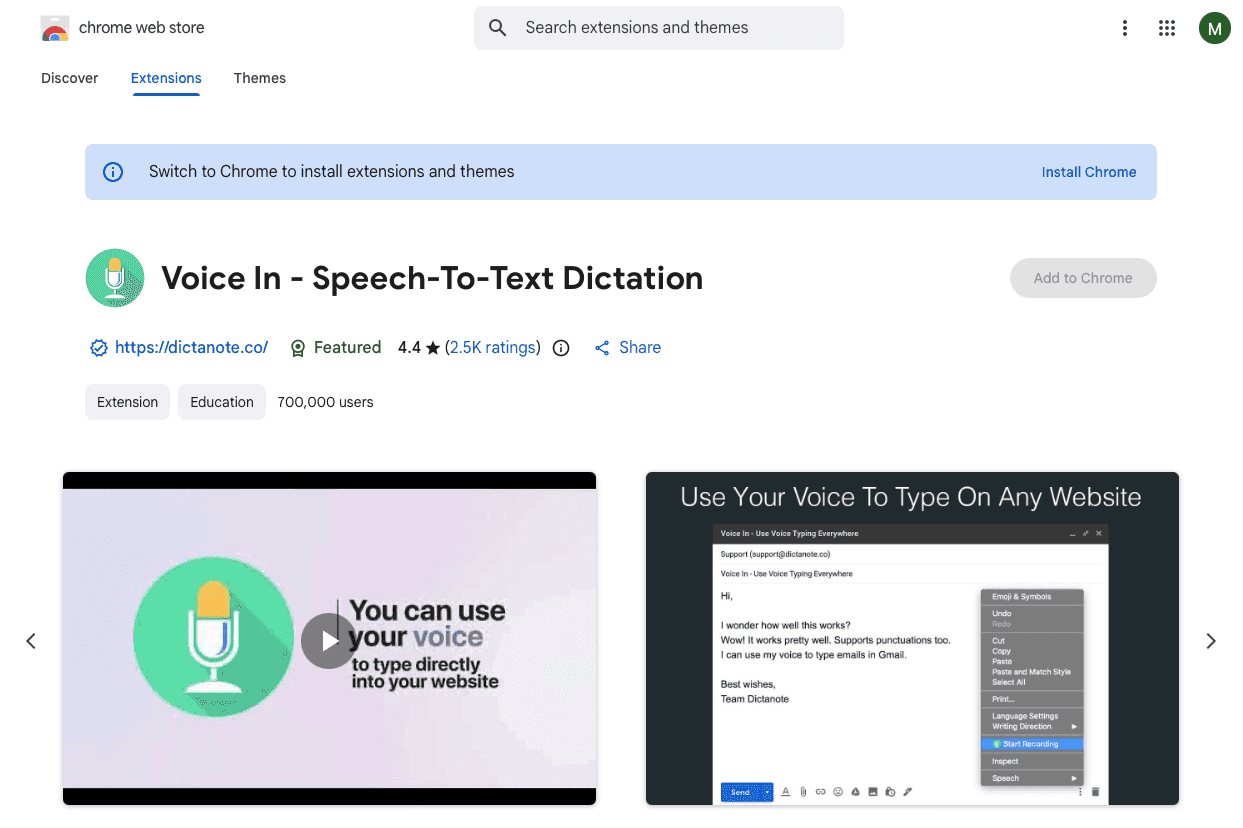
Voice In is a Chrome extension that adds speech-to-text to web browsers. You speak into text fields across websites, and the extension transcribes your words. It works on the Slack web version, Gmail, Google Docs, and thousands of other sites.
The extension supports over 100 languages with custom voice commands for shortcuts and formatting. Processing happens locally in your browser, and audio is generally not sent to Voice In's servers.
The browser-only approach creates limitations. Voice In doesn't work in native desktop apps like Slack's desktop client, iMessage, or other messaging tools outside the browser. Processing speed lags behind dedicated desktop solutions, and transcription accuracy doesn't match context-aware alternatives.
Why Willow Is the Best Voice Recognition Software for Team Communication
Willow delivers enterprise-grade accuracy without the complexity of legacy software or the limitations of built-in tools. You press fn, speak, and your words appear everywhere your team communicates.
The difference shows up immediately in daily workflows. Collaboration tools improve team effectiveness by 30% when communication flows smoothly. Voice recognition removes the typing bottleneck, letting you respond to Slack threads, draft emails, and update documents at the speed of thought.
Context-aware transcription gets technical terms right the first time. Whether you're discussing API endpoints, client names, or internal project codes, the AI reads your screen to understand what you're working on. Your messages sound like you wrote them, not like you're fighting autocorrect.
We built Willow for teams who spend hours each day in Slack, Gmail, and collaborative documents. If you're typing the same kinds of messages repeatedly or struggling to keep up with team communication, speaking is faster.
FAQs
How do I use voice recognition software in Slack without switching apps?
Desktop voice recognition tools like Willow work universally across all apps through a simple hotkey. Press Function (fn), speak your message, and the text appears directly in Slack without copying or pasting.
What's the main difference between free built-in dictation and dedicated voice recognition software?
Free built-in options struggle with technical terms, company names, and workplace jargon, requiring manual cleanup after every message. Dedicated software uses context-aware AI to understand what you're working on and gets specialized vocabulary right the first time.
Can voice recognition software handle background noise in open office environments?
Modern voice recognition tools include background noise filtering and quiet mode features that let you speak softly or whisper, making them practical for shared workspaces and open offices where typing noise would be disruptive.
Final thoughts on voice recognition for teams
Switching to voice recognition software for team communication takes only minutes to set up yet returns hours of time each week by letting you work at the pace of natural speech. Messages stay polished, technical terms and internal jargon come out correctly, and the usual friction of typos and rewrites disappears. As teams increasingly rely on fast, context-aware dictation tools like Willow, productivity gains compound quickly across Slack threads, emails, and shared documents, making voice input a smooth upgrade for modern workflows.
Typing out every Slack message, email, and project update drains hours from your day, especially when most people type at around 40 words per minute while speaking naturally at nearly 150. Dictation software for messaging closes that gap by letting you communicate at the speed of conversation, turning a five-minute typed message into less than two minutes of spoken input. For teams that live in chat threads and inboxes, those minutes compound into real time saved. As part of our assessment, we also tested the leading voice recognition software so you can see how well they handle rapid-fire workplace communication.
TLDR:
Voice recognition lets you speak at 150 WPM vs typing at around 40 WPM for 4x faster Slack messages
Next-generation voice-to-text systems work across Slack, Gmail, and Notion with sub-200 millisecond processing and 3x better accuracy
Context-aware AI gets technical terms and company names right without manual corrections
Modern, context-aware dictation tools offer Mac dictation that removes filler words and matches your tone automatically
Dictation tools reduce editing time by removing filler words and preserving your writing tone
What Is Voice Recognition Software for Team Communication?
Voice recognition software converts spoken words into written text in real-time. You press a button, speak naturally, and your words appear on screen. The tech uses AI models trained on millions of hours of speech to understand what you're saying and transcribe accurately.
For team communication, this refers to dictating Slack messages, emails, and meeting notes instead of typing them out. Most people type around 40 words per minute. When you speak, you can easily hit 150 words per minute. That's nearly 4x faster, turning a five-minute typing task into less than two minutes of talking.
Voice recognition also helps team members who struggle with typing due to repetitive strain injuries, dyslexia, or ADHD. Speaking can feel more natural than staring at a keyboard, especially when articulating complex ideas or brainstorming with your team.
How We Assessed Voice Recognition Software for Team Communication
When comparing voice recognition software for your team, we focused on several criteria that impact daily productivity and communication workflows.
Accuracy determines whether the software understands jargon, names, and technical terms without requiring extensive editing. We looked at how well each tool handled context-aware transcription and whether it learns from corrections over time.
Speed matters for real-time communication. The best tools process speech in under a second, so your Slack messages and emails flow naturally without delays. We tested latency across different apps to see which tools kept pace with natural speech patterns.
Integration capability determines where you can actually use voice dictation. Tools that work universally across Slack, Gmail, Google Docs, Notion, and messaging apps eliminate the friction of switching between different input methods. We focused on solutions that function wherever your team already works.
Privacy and security are critical when dictating sensitive team conversations or client information. We tested whether tools store voice data, how they handle transcription processing, and what privacy controls they offer.
Willow
Willow is a Mac and Windows desktop app for anyone who writes emails, Slack messages, and documents throughout the day. Press the Function (fn) key, speak, and your words appear in whatever app you're using. No copying, pasting, or window switching required. Willow also offers a fully supported iOS app that functions as a custom voice keyboard, allowing you to dictate directly into any iOS app with seamless switching between voice and text input.
Willow's dictation works across Slack, Gmail, Notion, iMessage, Google Docs, and browser-based tools. You can dictate a Slack reply, draft an email, or brainstorm notes in your project management system.
Context-aware AI uses the text around your cursor to understand technical terms, company names, and industry jargon. If you're messaging about "Kubernetes deployment" or "Q4 OKRs," Willow understands the context and spells everything correctly. You can build custom dictionaries with team slang or client names that appear consistently.
Processing happens in under 200 milliseconds. Text appears almost immediately without lag that disrupts your flow when firing off quick Slack replies or responding to time-sensitive messages.
Willow removes filler words like "um" and "uh" while matching the tone of where you're typing. Messages to your team sound casual and conversational. Emails to clients come out polished and professional.
Willow includes an optional offline mode that enables fully private, local dictation on Mac and iOS without requiring an internet connection. This ensures functionality in any environment while maintaining the same quality as cloud-based processing.
Dragon Professional
Dragon Professional is legacy speech recognition software that's been around for decades. It offers on-premises dictation with customizable voice profiles and extensive formatting controls designed for professional environments.
Dragon works well for organizations that need local processing and have specialized professional vocabulary. Medical practices, legal firms, and enterprises with strict data residency requirements often choose Dragon for these capabilities.
The setup process may be Dragon's biggest drawback. Older versions of Dragon required extensive voice training, but modern versions need far less setup, although some customization may still improve accuracy. The software demands substantial hardware resources that can slow down older machines.
For fast-paced team communication in Slack or email, Dragon's learning curve may feel unnecessarily complex. Most teams want to start dictating immediately without configuration sessions or training exercises.
Apple Built-in Dictation
Apple Built-in Dictation comes free with every Mac and iPhone. You turn it on in system settings and start speaking into any text field. The feature offers both offline and online processing, supports multiple languages, and recognizes basic punctuation commands like "comma" or "period."
The convenience of having dictation built into your device means there's nothing to download or configure. For quick voice notes or casual texts, it works adequately when you need occasional voice input.
The accuracy problems become apparent during professional use. Many users report that Apple’s built-in dictation can struggle with errors or inconsistent performance across apps, especially with technical terms.
Apple's dictation also lacks the formatting intelligence and filler word removal that make dictated messages sound polished. Your Slack replies and emails require manual cleanup after dictating, which eliminates much of the time savings.
Voice In Browser Extension
Voice In is a Chrome extension that adds speech-to-text to web browsers. You speak into text fields across websites, and the extension transcribes your words. It works on the Slack web version, Gmail, Google Docs, and thousands of other sites.
The extension supports over 100 languages with custom voice commands for shortcuts and formatting. Processing happens locally in your browser, and audio is generally not sent to Voice In's servers.
The browser-only approach creates limitations. Voice In doesn't work in native desktop apps like Slack's desktop client, iMessage, or other messaging tools outside the browser. Processing speed lags behind dedicated desktop solutions, and transcription accuracy doesn't match context-aware alternatives.
Why Willow Is the Best Voice Recognition Software for Team Communication
Willow delivers enterprise-grade accuracy without the complexity of legacy software or the limitations of built-in tools. You press fn, speak, and your words appear everywhere your team communicates.
The difference shows up immediately in daily workflows. Collaboration tools improve team effectiveness by 30% when communication flows smoothly. Voice recognition removes the typing bottleneck, letting you respond to Slack threads, draft emails, and update documents at the speed of thought.
Context-aware transcription gets technical terms right the first time. Whether you're discussing API endpoints, client names, or internal project codes, the AI reads your screen to understand what you're working on. Your messages sound like you wrote them, not like you're fighting autocorrect.
We built Willow for teams who spend hours each day in Slack, Gmail, and collaborative documents. If you're typing the same kinds of messages repeatedly or struggling to keep up with team communication, speaking is faster.
FAQs
How do I use voice recognition software in Slack without switching apps?
Desktop voice recognition tools like Willow work universally across all apps through a simple hotkey. Press Function (fn), speak your message, and the text appears directly in Slack without copying or pasting.
What's the main difference between free built-in dictation and dedicated voice recognition software?
Free built-in options struggle with technical terms, company names, and workplace jargon, requiring manual cleanup after every message. Dedicated software uses context-aware AI to understand what you're working on and gets specialized vocabulary right the first time.
Can voice recognition software handle background noise in open office environments?
Modern voice recognition tools include background noise filtering and quiet mode features that let you speak softly or whisper, making them practical for shared workspaces and open offices where typing noise would be disruptive.
Final thoughts on voice recognition for teams
Switching to voice recognition software for team communication takes only minutes to set up yet returns hours of time each week by letting you work at the pace of natural speech. Messages stay polished, technical terms and internal jargon come out correctly, and the usual friction of typos and rewrites disappears. As teams increasingly rely on fast, context-aware dictation tools like Willow, productivity gains compound quickly across Slack threads, emails, and shared documents, making voice input a smooth upgrade for modern workflows.

Try Willow for free
Instant, accurate voice dictation. No card required.
Try Willow for free
Instant, accurate voice dictation. No card required.
Other stories you’ll love
Other stories you’ll love


Your keyboard is optional now
" transform="translate(5 5)" width="9.791000051498413px"/></svg>)

The voice-first interface for modern work.
© Willow Care, Inc. 2026. All rights reserved
Your keyboard is optional now
The voice-first interface for modern work.
© Willow Care, Inc. 2026. All rights reserved
Your keyboard is optional now
The voice-first interface for modern work.
© Willow Care, Inc. 2026. All rights reserved