" transform="translate(5 2)" width="10px"/></svg>)

•
5 min read
The Best AI Writing Assistants of August 2026

•
5 min read
The Best AI Writing Assistants of August 2026
You speak faster than you type, you edit faster than you draft, and most AI writing tools are designed around only one of those facts. Finding the best AI writing assistant for developers prompting AI tools, clinicians capturing patient notes, or enterprise teams coordinating across Windows and Mac means knowing which problem each tool actually solves. We tested seven of the most-used options across dictation, editing, and content generation to see where each one earns its place in a real working day.
TLDR:
The best AI writing assistant matches your workflow: voice-first tools for real-time dictation, text editors for refinement, marketing tools for template-driven volume.
Grammarly improves what you've already typed; Jasper and Copy.ai produce marketing copy at scale; ChatGPT and Notion AI stay inside their own interfaces.
Tools without a vocabulary learning loop produce faster raw output but require more correction, which erodes the net gain.
Wispr Flow handles cross-device AI dictation with SOC 2 Type II, ISO 27001, and HIPAA certifications, though it relies on third-party AI providers and lacks shared team dictionaries or admin controls.
The top-rated tool delivers ~200ms latency with 98%+ accuracy, a vocabulary learning loop, shared custom dictionaries, admin controls, team leaderboards, SOC 2 Type II, and HIPAA compliance across Mac, Windows, and iOS.
What Are AI Writing Assistants?
AI writing assistants help users produce written content faster by generating, editing, or refining text based on voice or typed input. By mid-2026, knowledge workers, developers, marketers, and clinicians use them daily. Some AI dictation tools focus on raw transcription speed; others add generative capabilities or learn your vocabulary over time so the correction loop shrinks with each session. Professional and enterprise teams increasingly factor cross-platform coverage, team deployment, and compliance into the decision as well.
Tool | Type | Best For | Platforms | Starting Price | Key Limitation |
|---|---|---|---|---|---|
Willow Voice | AI dictation + content generation | Professionals who need voice-first speed, accuracy, and team features | Mac, Windows, iOS | Free; Pro $12/mo | Generative features require the Individual plan or higher |
Wispr Flow | AI dictation | Cross-device users who want formatted dictation under a compliance umbrella | Mac, Windows, iOS | Free (2,000 words/week); Pro $15/mo | ~700ms latency; no shared dictionaries, admin controls, or team leaderboards |
Grammarly | Text editing | Teams needing a consistent writing standard across contributors | Browser, desktop | Free; Business tier available | Text-only; does not close the gap between thinking speed and typing speed |
Jasper AI | Marketing content generation | High-volume, brand-consistent marketing teams | Web | From $49/mo | Built around a dedicated marketing interface; limited cross-app reach |
Notion AI | In-workspace AI editing | Teams managing docs, wikis, and project notes inside Notion | Web, Mac, Windows | Add-on to Notion paid plans | No voice input; stays inside Notion's block structure |
ChatGPT | Conversational AI | Brainstorming, drafting, and format switching across any content type | Web, mobile | Free; Plus $20/mo | No system-wide writing layer; requires copy-paste into other apps |
Best Overall AI Writing Assistant: Willow Voice

Willow Voice is built for professionals who need dictation that keeps up with how they think. Press the function key on Mac or Alt+Space on Windows and text appears in roughly 200ms across any app: Gmail, Slack, Notion, Cursor, Claude, or any other text field. The Auto-Dictionary picks up names, technical terms, and contacts over time, so corrections become less frequent the longer you use it.
For teams running across Windows workstations, Mac laptops, and iOS devices, Willow includes shared custom dictionaries that carry team vocabulary across every machine without per-user setup, along with admin controls and team leaderboards. It is SOC 2 Type II certified and HIPAA compliant with zero data retention, with a signed BAA available for clinical and enterprise workflows. Willow Scribe extends dictation to full content generation: draft emails, produce context-aware replies, or rewrite selected text by voice.
Free plan: unlimited AI dictation, no word cap, no credit card required
Individual plan: $12/month billed annually, includes faster, more accurate dictation and unlimited Willow Scribe
Team plan: $10/user/month (billed annually; $12/user/month billed monthly), includes shared dictionaries, admin controls, and team leaderboards
Enterprise: custom pricing with centralized deployment, compliance documentation, and a signed BAA
Wispr Flow
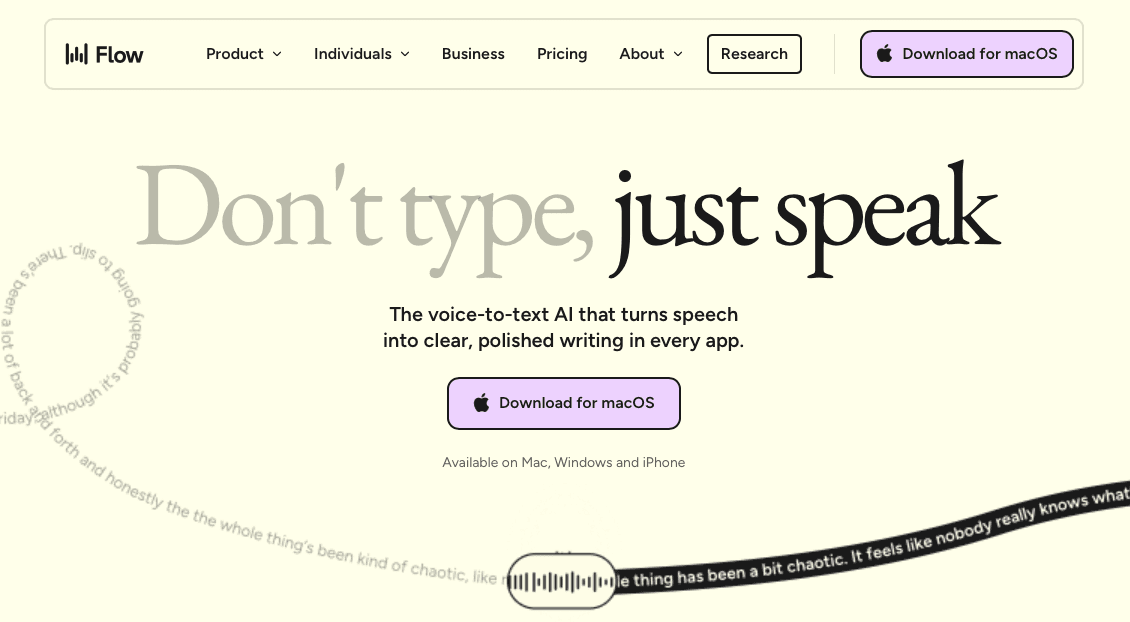
Wispr Flow is one of the more polished AI writing assistants available in mid-2026, built around a simple premise: speak naturally, and the tool handles formatting and cleanup automatically.
Where It Works Well
Works across Mac, Windows, and iOS, delivering formatted output without requiring the speaker to state punctuation manually.
Holds SOC 2 Type II, ISO 27001, and HIPAA certifications, covering compliance for most professional contexts.
AI formatting layer handles light editing tasks, reducing the gap between raw dictation and usable prose.
Where It Falls Short
Relies on third-party AI providers for processing, which can raise questions for organizations with strict data residency or on-device privacy requirements.
Runs at ~700ms latency, noticeably slower than purpose-built tools operating under 200ms.
No shared custom dictionaries, no publicly documented enterprise admin console, and no team-level usage visibility.
Grammarly
Grammarly started as a grammar correction tool and has grown to cover tone suggestions, clarity rewrites, and generative features. Teams often compare it against the best speech recognition software tools available. Its full feature set now spans over 1 million apps and websites. GrammarlyGO adds generative capabilities for drafting emails, summarizing text, and rewriting passages from a prompt.
Where It Works Well
For teams that need a shared writing standard, Grammarly's tone and clarity suggestions create consistency across contributors without requiring a style guide review every time someone sends a client email.
The browser extension covers most major writing surfaces, including Gmail, Google Docs, LinkedIn, and Slack, so there is minimal friction getting it into an existing workflow.
The business tier adds style guides, snippets, and admin controls, which makes org-wide rollout straightforward for teams already working in the browser.
Where It Falls Short
Built around text editing, not voice input. It does not close the gap between thinking speed and typing speed.
Improves text you have already written instead of helping you produce a first draft faster.
For high-volume writers, that speed gap is the more pressing constraint Grammarly does not handle.
Jasper AI
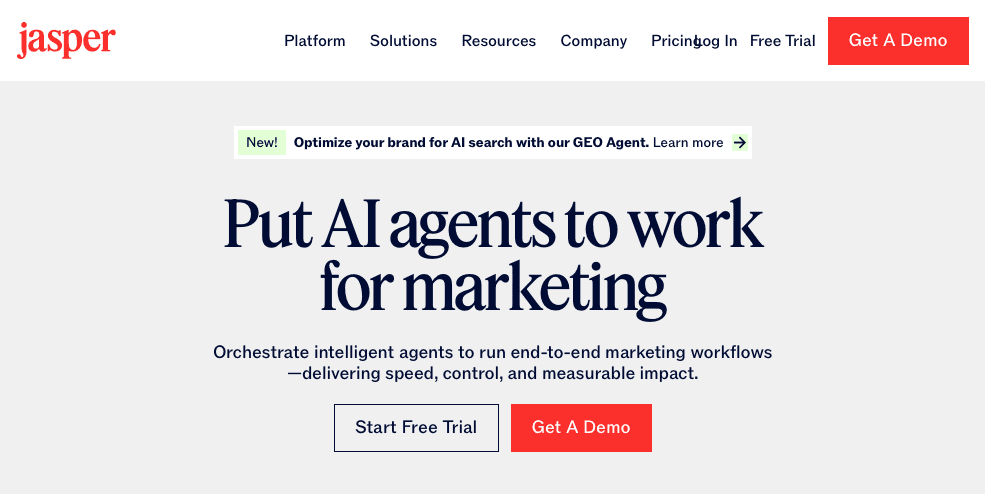
Jasper AI is a content marketing writing assistant for teams producing blog posts, ad copy, and brand-consistent long-form assets at scale. Teams seeking AI productivity tools for broader workflows will find more versatile alternatives.
Where It Works Well
Template library covers dozens of marketing formats, reducing the blank-page problem for writers.
Brand Voice feature encodes tone and style guidelines so output stays consistent across contributors.
Integrates with Surfer SEO for teams focused on search performance.
Where It Falls Short
Built around marketing output. Less useful for professionals who need a tool that follows them across their full workflow instead of staying inside a dedicated writing interface.
Plans start around $49 per month for individuals, placing it above general-purpose tools. Value depends heavily on content volume.
A strong fit for high-volume marketing teams with defined brand standards. Less suited to individuals or mixed-workflow professionals who need dictation and writing support across every app.
Notion AI
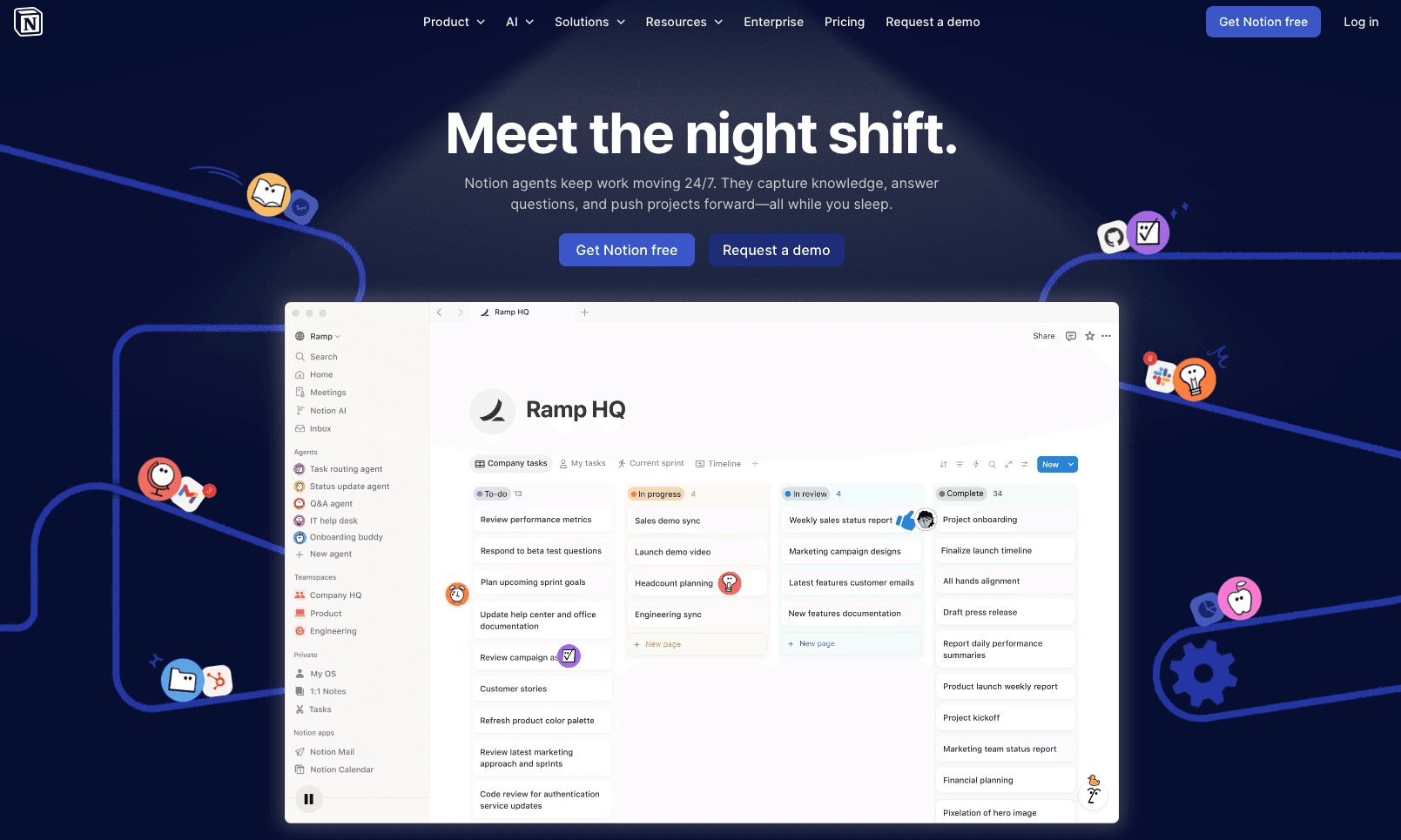
Notion AI sits inside the workspace many knowledge workers already use for docs, wikis, and project notes. Select a block and ask it to summarize, expand, or rewrite directly inline. The tradeoff is scope: it performs well for meeting notes and project briefs, but writing that spans Gmail, Slack, Google Docs, and a CMS at the same time largely falls outside what it can reach.
Where It Works Well
Inline editing within Notion blocks is fast and frictionless, letting you clean up rough notes or generate action items without leaving the page you are already on.
The AI can autofill database properties, generate project summaries from linked pages, and create structured templates from a plain-language prompt.
Teams already on Notion's paid plans get AI access bundled in at an add-on rate, so there is no separate tool to source or onboard.
Where It Falls Short
Voice input is not a native capability. Notion AI works through typed prompts, so users who want to capture notes by voice or capture ideas hands-free need a separate voice dictation software for Mac or Windows running on top.
Its writing assistance is optimized for Notion's block structure, which can produce output that requires reformatting when moved into other tools.
There is no personalization layer that learns your writing style or domain vocabulary over time.
ChatGPT
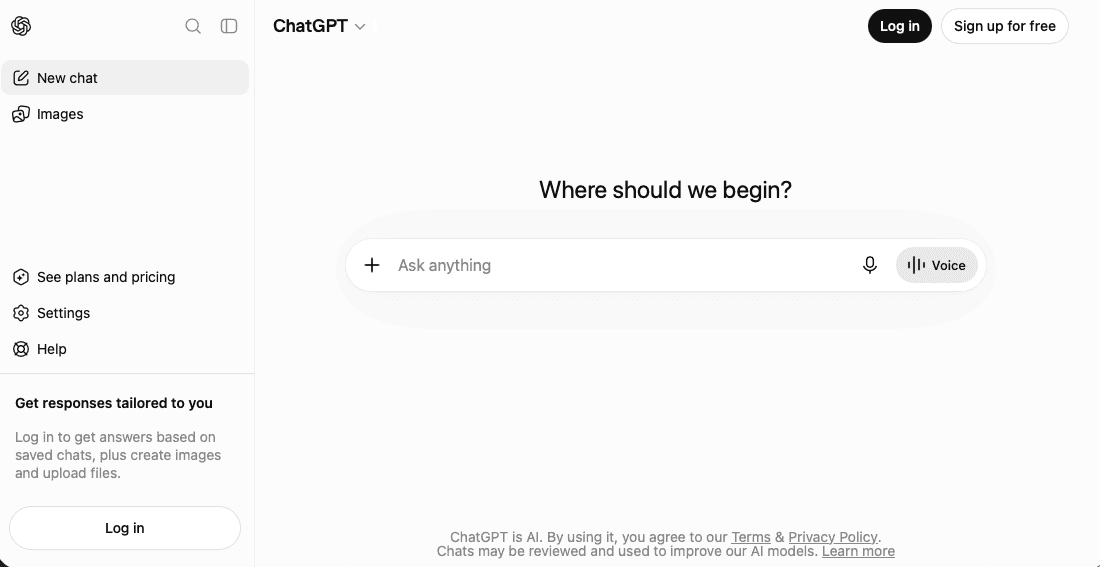
ChatGPT is primarily a conversational AI, not a dedicated writing assistant, but millions of writers use it daily to brainstorm, outline, draft, and revise across every format. Its strength is versatility: you can shift from a blog post to a cold email to a headline in the same window, without switching apps or losing context.
Where It Works Well
Brainstorming and ideation sessions where you want to generate a lot of raw material quickly and then filter it down yourself.
Long-form drafts where rough structure matters more than polished prose on the first pass.
Rewriting and editing passes where you paste in existing text and ask for a specific kind of revision, sharper opening, tighter argument, different tone.
Format switching, moving the same core content into an email, a LinkedIn post, or a bullet summary without starting from scratch.
Where It Falls Short
ChatGPT has no persistent memory of your writing style across sessions by default, so it does not adapt to how you write over time the way a personalization-first tool does. Writers who need real-time input capture are better served by dedicated voice to text software tools.
Output quality varies considerably by how well the prompt is constructed, which means less experienced users often get generic results.
Context window limits vary by model and plan; many current ChatGPT models support up to 128K tokens, which handles most writing tasks but can become a constraint in long research-heavy projects.
It is a browser or app experience, not a system-wide writing layer, so it does not follow you into Gmail, Notion, or Google Docs without a separate integration or copy-paste step.
Why Willow Voice Is the Best AI Writing Assistant
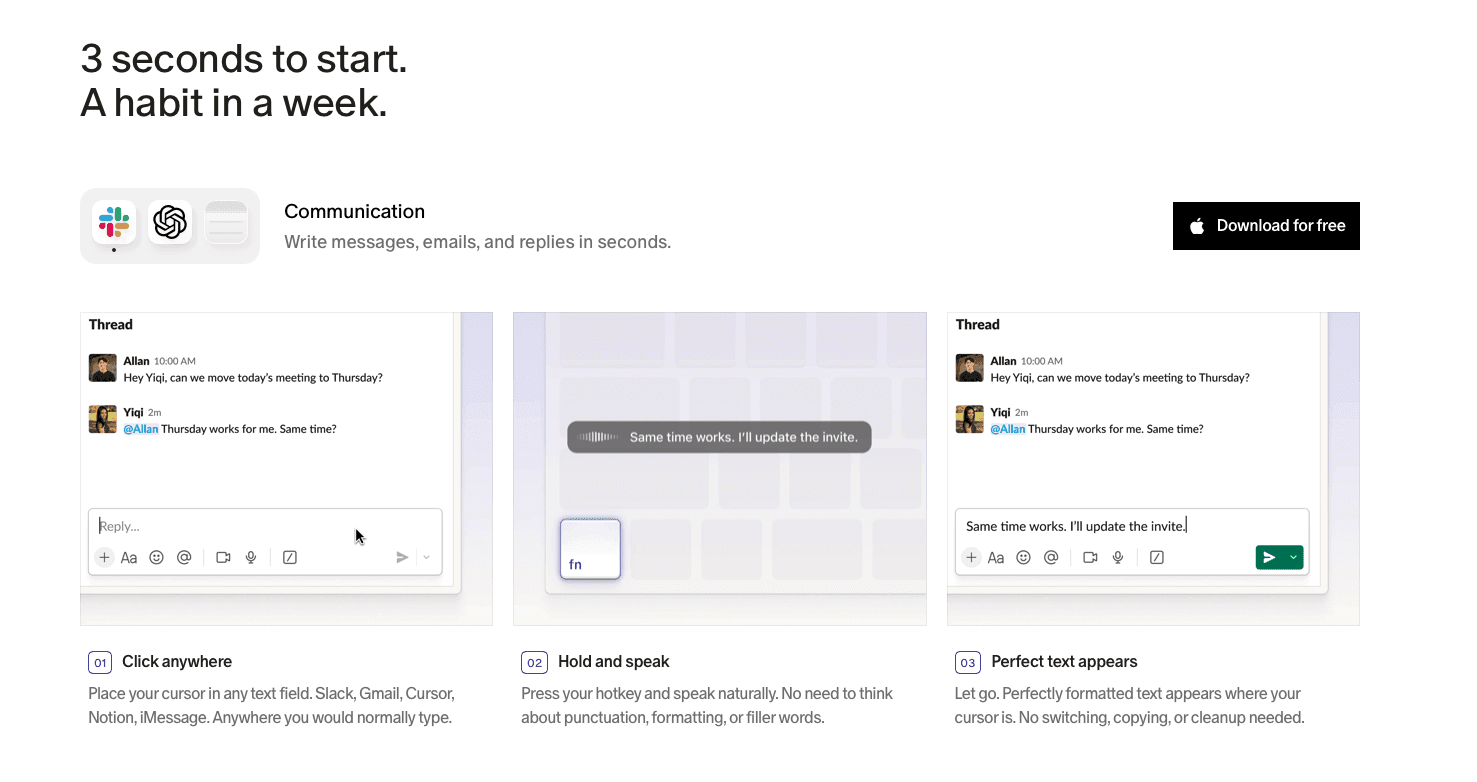
Press the function key on Mac or Alt+Space on Windows and text appears in roughly 200ms. Most built-in tools sit at 700ms or higher, long enough to break concentration. Willow's Auto-Dictionary picks up names, technical terms, and contact names over time, so corrections become less frequent the longer you use it. At 98%+ accuracy and 3x fewer errors than built-in tools, the rework overhead shrinks to a genuine net gain.
For teams, Willow ships with shared custom dictionaries, admin controls, and team leaderboards. SOC 2 Type II and HIPAA compliance mean org-wide rollout fits within existing security requirements, whether the team is a developer organization prompting AI tools, a clinical practice, or a distributed enterprise group. Willow runs on Mac, Windows, and iOS so mixed-device teams work from the same configuration. Willow Scribe, activated with Fn + Control on Mac and Alt+Shift+Space on Windows, generates complete written content from voice prompts: drafting emails, producing context-aware replies, or rewriting selected text by voice. Mac users can also check out the Willow vs. superwhisper Mac dictation breakdown for a detailed feature comparison.
FAQs
Is Willow Voice better than Grammarly for professionals who need to write faster?
Grammarly improves text you have already typed. Willow Voice removes the typing step by letting you speak at 150 WPM versus typing at roughly 40 WPM. If your bottleneck is draft speed, Grammarly does not close that gap.
When should I choose Jasper AI or Copy.ai over a general-purpose tool like ChatGPT?
Choose Jasper or Copy.ai for high-volume, template-driven content with defined brand standards: ad copy, email sequences, product descriptions. ChatGPT works better when your writing spans multiple formats and you need flexibility over a structured production system.
Can Notion AI replace a dedicated voice dictation tool like Willow Voice for knowledge workers?
Notion AI has no voice input, so it does not close the gap between speaking and typing speed. It works well within Notion's block structure, but professionals working across Gmail, Slack, Cursor, and other apps need a system-wide dictation layer that Notion AI cannot provide.
Final Thoughts on Picking the Right AI Writing Assistant
The best AI writing assistant for you is the one that solves the problem costing you the most time each day. If that problem is the gap between how fast you think and how fast you can write, a voice-first approach changes the math in a way that grammar checkers and content generators can't. Download Willow Voice and run it for a week across your normal workflow; the learning loop does the rest.
You speak faster than you type, you edit faster than you draft, and most AI writing tools are designed around only one of those facts. Finding the best AI writing assistant for developers prompting AI tools, clinicians capturing patient notes, or enterprise teams coordinating across Windows and Mac means knowing which problem each tool actually solves. We tested seven of the most-used options across dictation, editing, and content generation to see where each one earns its place in a real working day.
TLDR:
The best AI writing assistant matches your workflow: voice-first tools for real-time dictation, text editors for refinement, marketing tools for template-driven volume.
Grammarly improves what you've already typed; Jasper and Copy.ai produce marketing copy at scale; ChatGPT and Notion AI stay inside their own interfaces.
Tools without a vocabulary learning loop produce faster raw output but require more correction, which erodes the net gain.
Wispr Flow handles cross-device AI dictation with SOC 2 Type II, ISO 27001, and HIPAA certifications, though it relies on third-party AI providers and lacks shared team dictionaries or admin controls.
The top-rated tool delivers ~200ms latency with 98%+ accuracy, a vocabulary learning loop, shared custom dictionaries, admin controls, team leaderboards, SOC 2 Type II, and HIPAA compliance across Mac, Windows, and iOS.
What Are AI Writing Assistants?
AI writing assistants help users produce written content faster by generating, editing, or refining text based on voice or typed input. By mid-2026, knowledge workers, developers, marketers, and clinicians use them daily. Some AI dictation tools focus on raw transcription speed; others add generative capabilities or learn your vocabulary over time so the correction loop shrinks with each session. Professional and enterprise teams increasingly factor cross-platform coverage, team deployment, and compliance into the decision as well.
Tool | Type | Best For | Platforms | Starting Price | Key Limitation |
|---|---|---|---|---|---|
Willow Voice | AI dictation + content generation | Professionals who need voice-first speed, accuracy, and team features | Mac, Windows, iOS | Free; Pro $12/mo | Generative features require the Individual plan or higher |
Wispr Flow | AI dictation | Cross-device users who want formatted dictation under a compliance umbrella | Mac, Windows, iOS | Free (2,000 words/week); Pro $15/mo | ~700ms latency; no shared dictionaries, admin controls, or team leaderboards |
Grammarly | Text editing | Teams needing a consistent writing standard across contributors | Browser, desktop | Free; Business tier available | Text-only; does not close the gap between thinking speed and typing speed |
Jasper AI | Marketing content generation | High-volume, brand-consistent marketing teams | Web | From $49/mo | Built around a dedicated marketing interface; limited cross-app reach |
Notion AI | In-workspace AI editing | Teams managing docs, wikis, and project notes inside Notion | Web, Mac, Windows | Add-on to Notion paid plans | No voice input; stays inside Notion's block structure |
ChatGPT | Conversational AI | Brainstorming, drafting, and format switching across any content type | Web, mobile | Free; Plus $20/mo | No system-wide writing layer; requires copy-paste into other apps |
Best Overall AI Writing Assistant: Willow Voice
Willow Voice is built for professionals who need dictation that keeps up with how they think. Press the function key on Mac or Alt+Space on Windows and text appears in roughly 200ms across any app: Gmail, Slack, Notion, Cursor, Claude, or any other text field. The Auto-Dictionary picks up names, technical terms, and contacts over time, so corrections become less frequent the longer you use it.
For teams running across Windows workstations, Mac laptops, and iOS devices, Willow includes shared custom dictionaries that carry team vocabulary across every machine without per-user setup, along with admin controls and team leaderboards. It is SOC 2 Type II certified and HIPAA compliant with zero data retention, with a signed BAA available for clinical and enterprise workflows. Willow Scribe extends dictation to full content generation: draft emails, produce context-aware replies, or rewrite selected text by voice.
Free plan: unlimited AI dictation, no word cap, no credit card required
Individual plan: $12/month billed annually, includes faster, more accurate dictation and unlimited Willow Scribe
Team plan: $10/user/month (billed annually; $12/user/month billed monthly), includes shared dictionaries, admin controls, and team leaderboards
Enterprise: custom pricing with centralized deployment, compliance documentation, and a signed BAA
Wispr Flow
Wispr Flow is one of the more polished AI writing assistants available in mid-2026, built around a simple premise: speak naturally, and the tool handles formatting and cleanup automatically.
Where It Works Well
Works across Mac, Windows, and iOS, delivering formatted output without requiring the speaker to state punctuation manually.
Holds SOC 2 Type II, ISO 27001, and HIPAA certifications, covering compliance for most professional contexts.
AI formatting layer handles light editing tasks, reducing the gap between raw dictation and usable prose.
Where It Falls Short
Relies on third-party AI providers for processing, which can raise questions for organizations with strict data residency or on-device privacy requirements.
Runs at ~700ms latency, noticeably slower than purpose-built tools operating under 200ms.
No shared custom dictionaries, no publicly documented enterprise admin console, and no team-level usage visibility.
Grammarly
Grammarly started as a grammar correction tool and has grown to cover tone suggestions, clarity rewrites, and generative features. Teams often compare it against the best speech recognition software tools available. Its full feature set now spans over 1 million apps and websites. GrammarlyGO adds generative capabilities for drafting emails, summarizing text, and rewriting passages from a prompt.
Where It Works Well
For teams that need a shared writing standard, Grammarly's tone and clarity suggestions create consistency across contributors without requiring a style guide review every time someone sends a client email.
The browser extension covers most major writing surfaces, including Gmail, Google Docs, LinkedIn, and Slack, so there is minimal friction getting it into an existing workflow.
The business tier adds style guides, snippets, and admin controls, which makes org-wide rollout straightforward for teams already working in the browser.
Where It Falls Short
Built around text editing, not voice input. It does not close the gap between thinking speed and typing speed.
Improves text you have already written instead of helping you produce a first draft faster.
For high-volume writers, that speed gap is the more pressing constraint Grammarly does not handle.
Jasper AI
Jasper AI is a content marketing writing assistant for teams producing blog posts, ad copy, and brand-consistent long-form assets at scale. Teams seeking AI productivity tools for broader workflows will find more versatile alternatives.
Where It Works Well
Template library covers dozens of marketing formats, reducing the blank-page problem for writers.
Brand Voice feature encodes tone and style guidelines so output stays consistent across contributors.
Integrates with Surfer SEO for teams focused on search performance.
Where It Falls Short
Built around marketing output. Less useful for professionals who need a tool that follows them across their full workflow instead of staying inside a dedicated writing interface.
Plans start around $49 per month for individuals, placing it above general-purpose tools. Value depends heavily on content volume.
A strong fit for high-volume marketing teams with defined brand standards. Less suited to individuals or mixed-workflow professionals who need dictation and writing support across every app.
Notion AI
Notion AI sits inside the workspace many knowledge workers already use for docs, wikis, and project notes. Select a block and ask it to summarize, expand, or rewrite directly inline. The tradeoff is scope: it performs well for meeting notes and project briefs, but writing that spans Gmail, Slack, Google Docs, and a CMS at the same time largely falls outside what it can reach.
Where It Works Well
Inline editing within Notion blocks is fast and frictionless, letting you clean up rough notes or generate action items without leaving the page you are already on.
The AI can autofill database properties, generate project summaries from linked pages, and create structured templates from a plain-language prompt.
Teams already on Notion's paid plans get AI access bundled in at an add-on rate, so there is no separate tool to source or onboard.
Where It Falls Short
Voice input is not a native capability. Notion AI works through typed prompts, so users who want to capture notes by voice or capture ideas hands-free need a separate voice dictation software for Mac or Windows running on top.
Its writing assistance is optimized for Notion's block structure, which can produce output that requires reformatting when moved into other tools.
There is no personalization layer that learns your writing style or domain vocabulary over time.
ChatGPT
ChatGPT is primarily a conversational AI, not a dedicated writing assistant, but millions of writers use it daily to brainstorm, outline, draft, and revise across every format. Its strength is versatility: you can shift from a blog post to a cold email to a headline in the same window, without switching apps or losing context.
Where It Works Well
Brainstorming and ideation sessions where you want to generate a lot of raw material quickly and then filter it down yourself.
Long-form drafts where rough structure matters more than polished prose on the first pass.
Rewriting and editing passes where you paste in existing text and ask for a specific kind of revision, sharper opening, tighter argument, different tone.
Format switching, moving the same core content into an email, a LinkedIn post, or a bullet summary without starting from scratch.
Where It Falls Short
ChatGPT has no persistent memory of your writing style across sessions by default, so it does not adapt to how you write over time the way a personalization-first tool does. Writers who need real-time input capture are better served by dedicated voice to text software tools.
Output quality varies considerably by how well the prompt is constructed, which means less experienced users often get generic results.
Context window limits vary by model and plan; many current ChatGPT models support up to 128K tokens, which handles most writing tasks but can become a constraint in long research-heavy projects.
It is a browser or app experience, not a system-wide writing layer, so it does not follow you into Gmail, Notion, or Google Docs without a separate integration or copy-paste step.
Why Willow Voice Is the Best AI Writing Assistant
Press the function key on Mac or Alt+Space on Windows and text appears in roughly 200ms. Most built-in tools sit at 700ms or higher, long enough to break concentration. Willow's Auto-Dictionary picks up names, technical terms, and contact names over time, so corrections become less frequent the longer you use it. At 98%+ accuracy and 3x fewer errors than built-in tools, the rework overhead shrinks to a genuine net gain.
For teams, Willow ships with shared custom dictionaries, admin controls, and team leaderboards. SOC 2 Type II and HIPAA compliance mean org-wide rollout fits within existing security requirements, whether the team is a developer organization prompting AI tools, a clinical practice, or a distributed enterprise group. Willow runs on Mac, Windows, and iOS so mixed-device teams work from the same configuration. Willow Scribe, activated with Fn + Control on Mac and Alt+Shift+Space on Windows, generates complete written content from voice prompts: drafting emails, producing context-aware replies, or rewriting selected text by voice. Mac users can also check out the Willow vs. superwhisper Mac dictation breakdown for a detailed feature comparison.
FAQs
Is Willow Voice better than Grammarly for professionals who need to write faster?
Grammarly improves text you have already typed. Willow Voice removes the typing step by letting you speak at 150 WPM versus typing at roughly 40 WPM. If your bottleneck is draft speed, Grammarly does not close that gap.
When should I choose Jasper AI or Copy.ai over a general-purpose tool like ChatGPT?
Choose Jasper or Copy.ai for high-volume, template-driven content with defined brand standards: ad copy, email sequences, product descriptions. ChatGPT works better when your writing spans multiple formats and you need flexibility over a structured production system.
Can Notion AI replace a dedicated voice dictation tool like Willow Voice for knowledge workers?
Notion AI has no voice input, so it does not close the gap between speaking and typing speed. It works well within Notion's block structure, but professionals working across Gmail, Slack, Cursor, and other apps need a system-wide dictation layer that Notion AI cannot provide.
Final Thoughts on Picking the Right AI Writing Assistant
The best AI writing assistant for you is the one that solves the problem costing you the most time each day. If that problem is the gap between how fast you think and how fast you can write, a voice-first approach changes the math in a way that grammar checkers and content generators can't. Download Willow Voice and run it for a week across your normal workflow; the learning loop does the rest.

Try Willow for free
Instant, accurate voice dictation. No card required.
Try Willow for free
Instant, accurate voice dictation. No card required.
Other stories you’ll love
Other stories you’ll love



Your keyboard is optional now
" transform="translate(5 5)" width="9.791000051498413px"/></svg>)

The voice-first interface for modern work.
© Willow Care, Inc. 2026. All rights reserved
Your keyboard is optional now
The voice-first interface for modern work.
© Willow Care, Inc. 2026. All rights reserved
Your keyboard is optional now
The voice-first interface for modern work.
© Willow Care, Inc. 2026. All rights reserved