" transform="translate(5 2)" width="10px"/></svg>)

•
5 min read
Willow vs superwhisper: Mac AI Dictation Tools August 2026
•
5 min read
Willow vs superwhisper: Mac AI Dictation Tools August 2026
If you manage a team seeking better voice-to-text functionality, you have likely tested both Willow Voice and superwhisper. This comparison helps engineering leads, product managers, and IT buyers understand which tool fits their organizational deployment needs. As of mid-2026, basic speech-to-text is no longer enough; teams now require AI that recognizes shared project context, formats technical syntax perfectly, and runs with sub-200ms latency across mixed-device fleets. Both Willow Voice and superwhisper meet high-performance standards, but they take very different approaches to enterprise readiness and team deployment.
TLDR
Willow Voice wins for team deployment: sub-200-millisecond latency, zero per-user setup, and cross-device vocabulary sync for Windows, Mac, and iOS fleets.
superwhisper is a strong choice when users want offline speech recognition, local models, and custom modes.
Willow Voice delivers sub-200-millisecond latency; superwhisper varies by configuration.
superwhisper offers on-device speech recognition with offline use, with Pro also including cloud voice processing; Willow Voice offers cloud-based AI features and privacy controls, with enterprise options including SOC 2 compliance, HIPAA support, along with zero data retention options.
Willow Voice's Pro plan ($12/month billed annually) delivers faster, more accurate dictation plus unlimited Willow Scribe, with team deployment options available. Other plans are also available, including an unlimited free dictation plan. superwhisper is $8.49/month ($84.99 billed yearly) and offers a $249.99 lifetime purchase option.
Mac AI Dictation Tools Direct Feature Comparison
Feature | Willow Voice | superwhisper | Wispr Flow | VoiceInk | Spokenly |
|---|---|---|---|---|---|
Open Source | ✗ | ✗ | ✗ | ✓ | ✗ |
Native App | ✓ | ✓ | ✓ | ✓ | ✓ |
Processing Architecture | Hybrid (Cloud/Local) | Local/Cloud | Cloud | Local/Cloud | Local/Cloud |
One-time Payment Option | ✗ | ✓ | ✗ | ✓ | ✗ |
Mobile Support | iOS | iOS | iOS | iOS | iOS |
Custom Modes | ✓ (Context-aware) | ✓ | ✗ | ✓ | ✗ |
API Access | ✗ | ✗ | ✓ | ✗ | ✗ |
Team Features | Shared dictionaries, admin controls | SSO, team billing | HIPAA/SOC 2 on all plans; no shared dictionaries | ✗ | ✗ |
Data Retention Policy | Zero retention | Local only | Cloud storage | Cloud storage | Cloud storage |
How Does superwhisper Work?
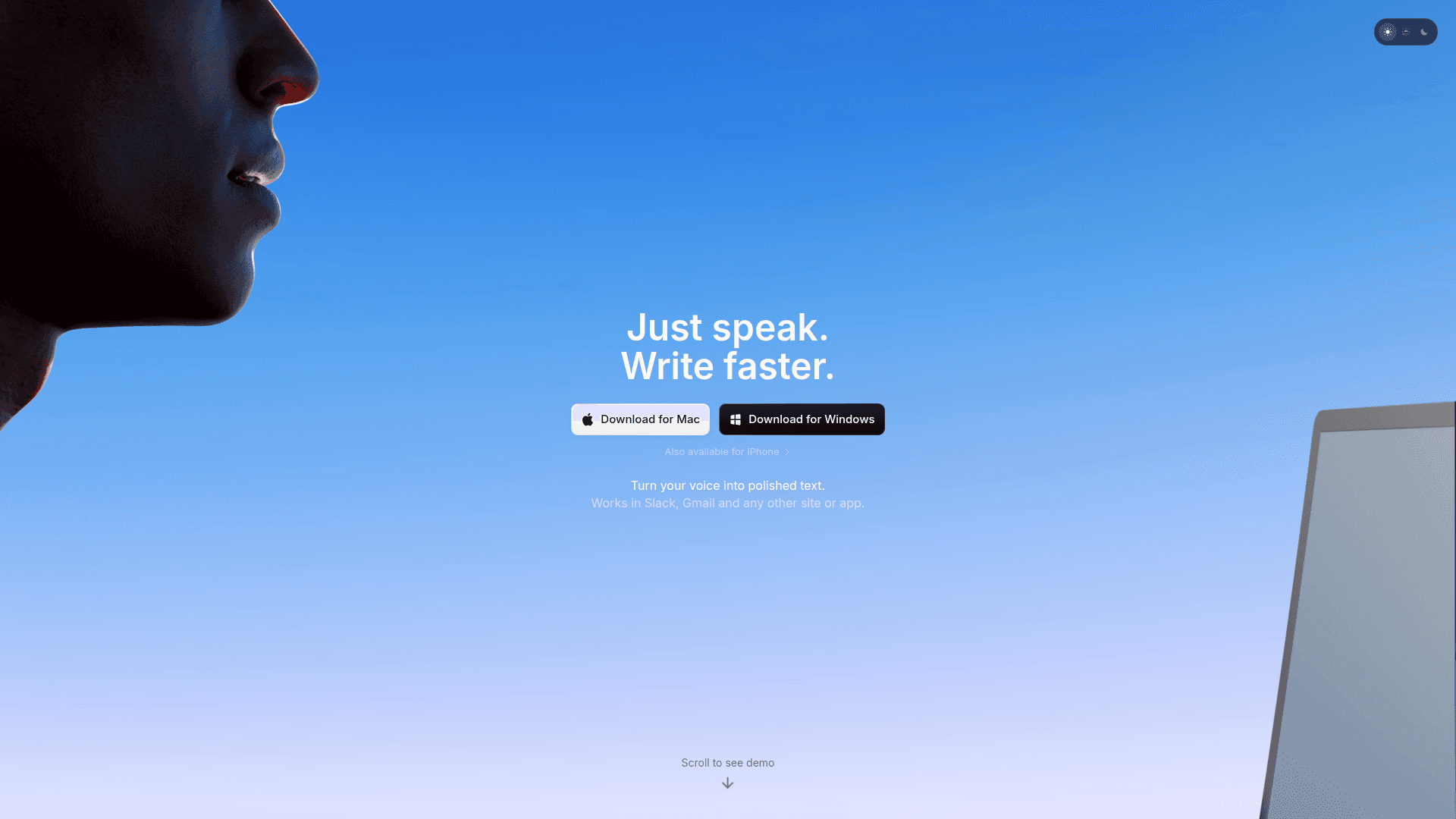
superwhisper is an AI speech-to-text application covering macOS, Windows, and iOS that goes beyond basic dictation to understand the context of what you are saying.
superwhisper appeals heavily to individual power users who want granular control over their local setup. By letting users choose from built-in modes or build custom profiles with personalized AI instructions, the app converts raw speech into polished emails, crisp notes, or structured text. Because it can process everything entirely offline, users can speak securely anywhere without relying on internet connectivity or cloud processing.
While activation is as simple as pressing a keyboard shortcut, Mac reviewers note that manually switching between these different recording modes can become cumbersome during a fast-paced workday.
How Does Willow Voice Work?
Willow Voice is an AI-powered dictation tool built for organizations that need fast, accurate, and secure voice input across every application. It turns your voice into clear, formatted writing while keeping sensitive data secure under strict compliance standards.
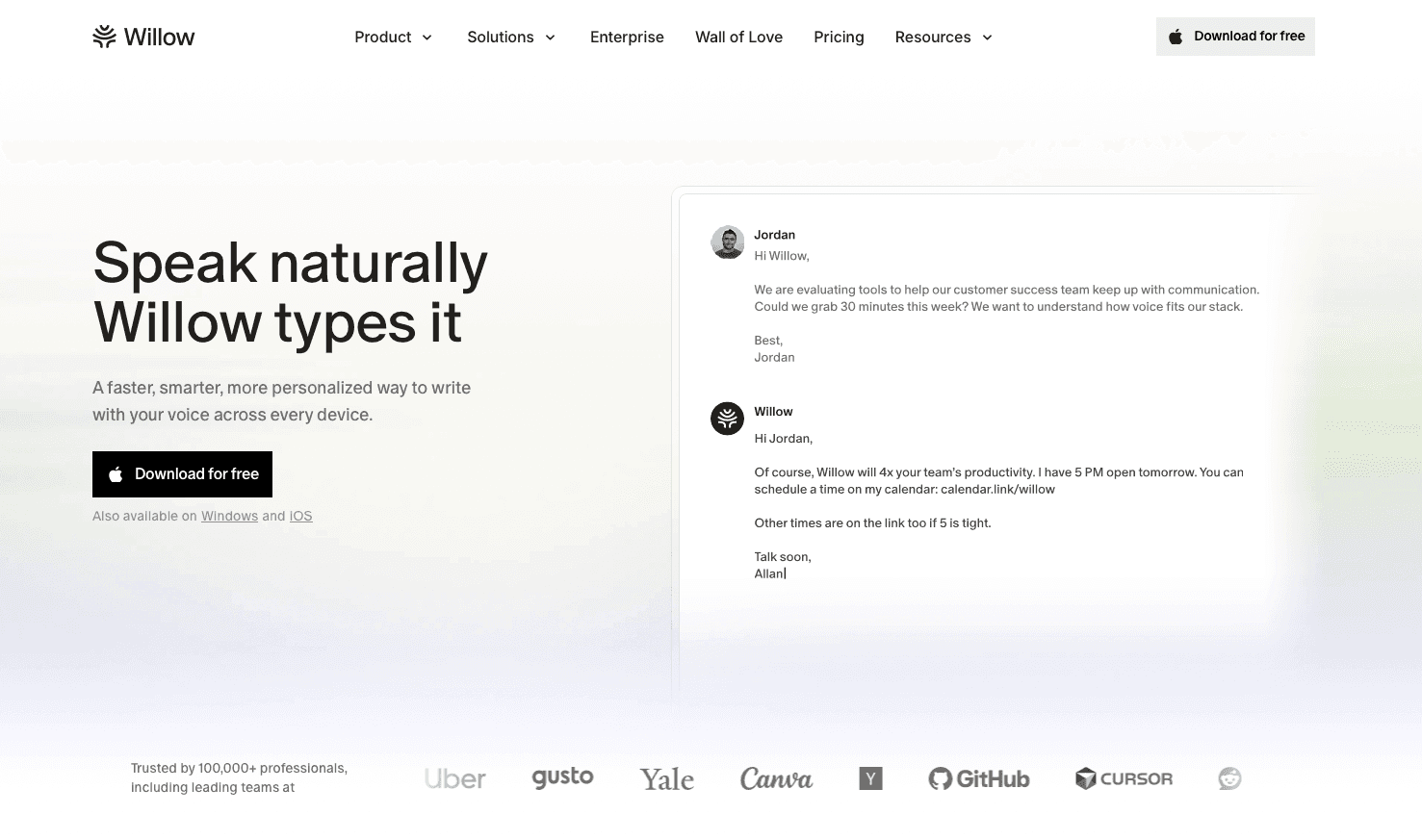
The software provides an enterprise-grade experience that removes the friction from drafting notes, code reviews, and client updates. Think of it as a productivity layer that actually works for professional teams.
You get instant dictation by pressing the fn key on Mac or Alt+Space on Windows, with no need to switch apps. The context-aware engine automatically structures emails, applies proper medical or technical terminology, and adapts tone based on context. If you want to read more, you can compare the top Mac dictation software to see how it stacks up.
For engineering organizations, clinical staff, and enterprise teams, Willow Voice acts as a 3x productivity multiplier for documentation, code reviews, and cross-device workflows. The manifesto explains why voice is the most fluid input method. Thousands use Willow to work faster across mixed-device fleets, often finding it a scalable and reliable superwhisper alternative.
Head-to-Head: Willow Voice vs. superwhisper
Performance: Dictation Speed and Accuracy
Willow Voice delivers ~200ms latency, giving you instant text generation without interrupting your workflow. Text appears exactly as you speak it, keeping you in a flow state whether you are drafting a patient chart, an executive email, or a pull request.
Willow Voice delivers 98%+ accuracy and 3x fewer errors than built-in voice tools. The context-aware AI reads your active work to correctly capture technical terms, medical jargon, and project specifics. For developers, codebase auto-tagging in Cursor and Windsurf pulls terminology directly from open files. Because shared custom dictionaries sync across the entire organization, that accuracy scales for every team member from day one.
superwhisper performance can vary depending on the chosen configuration, device, and whether local or cloud processing is used. Local processing speed varies by model and device hardware. The Ultra model on older hardware can reach 1-2 seconds per transcription, while Nano and Fast models process more quickly.
Installation and Ease of Use
superwhisper's initial setup can be tricky, with configuring permissions and selecting the correct audio devices needing improvement. Mac users report that switching between recording modes can be cumbersome.
superwhisper appeals to users who don't mind technical configuration for greater control over their voice-to-text experience.
Willow is optimized to have an Apple-like experience with no crazy setup, no weird customization: it's easy to use and just works.
The focus is on simplicity, with Function key activation working immediately across applications. After a quick download and onboarding process, you speak into Gmail, Slack, Notion, ChatGPT, or anywhere you type.
Security, Privacy, and Compliance
superwhisper puts security first through local processing, meaning your voice data never leaves your computer by default. This offline capability provides absolute privacy for individuals who want complete local control without any cloud dependency. For teams needing more advanced models, superwhisper also offers optional cloud processing configured for compliance based on their documentation.
Willow Voice is built for enterprise and compliance-heavy environments. It is SOC 2 Type II and HIPAA compliant, which is a hard requirement for healthcare clinics, financial services, and engineering organizations. A signed Business Associate Agreement (BAA) is available for clinical workflows. The hybrid processing architecture delivers 200ms latency in the cloud while maintaining a strict zero data retention policy.
Willow Voice processes audio instantly and discards it. Your dictation is never stored. For organizations with strict local processing mandates, Willow Voice also offers an Offline Mode on Mac and iOS that provides fully private dictation without any cloud dependency.
Technical Data Handling Breakdown
For Willow Voice, audio is processed in the cloud to maintain low latency but is never stored, with all data secured by TLS/SSL encryption in transit. SOC 2 Type II compliance means Willow's security controls have been audited and verified by independent experts over time. HIPAA compliance guarantees that patient health information is handled according to strict federal security standards, making it safe for clinical use. Willow Voice enforces a zero data retention policy by default, meaning your dictation is processed and instantly discarded. superwhisper focuses on local processing, allowing users to process voice data entirely on their own devices without cloud dependencies. The app does not collect telemetry or usage data without permission, and API keys are stored securely on the local machine. superwhisper's optional cloud processing uses temporary caching instead of permanent storage.
Feature | Willow Voice | superwhisper |
|---|---|---|
Audio Storage | Zero retention | Local by default |
Transcript Storage | Zero retention | Local by default |
Encryption Method | TLS/SSL in transit | Local disk encryption |
Compliance Certifications | SOC 2 Type II, HIPAA | SOC 2 Type II; HIPAA compliant (Local architecture or Cloud BAA options), according to their current documentation |
Optional Offline Mode | Yes (Mac/iOS) | Yes (Default) |
Why Willow Voice Is the Better Choice
Frictionless Workflows for Professionals
While superwhisper excels at technical customization, its array of options can introduce extra setup steps for users who prefer a simpler experience.
Willow eliminates these friction points entirely. Most professionals simply want dictation that works instantly without complex configuration. With Willow's hotkey activation and immediate text conversion, you get through messages at record speed by speaking at 150 words per minute versus typing at 40 words per minute.
That is a direct 3x productivity boost.
Context-Aware Intelligence
Willow provides context-aware AI, shared custom dictionaries, team leaderboards, and admin controls that support consistent communication across the entire organization. This intelligence adapts to different applications and professional contexts automatically, standardizing output quality whether a developer is reviewing a pull request or an account manager is updating a CRM.
Willow automatically structures emails, adds punctuation, and adapts tone based on context, delivering polished results without manual formatting. Writing to your boss? Formal tone. Slack message to teammates? Casual and conversational.
Here's what that looks like in practice: say the same thought, "hey just checking in on that proposal," into a client email and Willow Voice delivers a polished opener like "I wanted to follow up on the proposal we discussed." Say the same thing into Slack, and it lands as "hey, just checking in on that proposal," relaxed, natural, no edits needed. The AI reads the context of where you're typing and shapes the output accordingly, so every message sounds right the first time.
Real-World Transformation Examples
Technical documentation workflow
Spoken input: "open bracket async def handle request end bracket colon new line"
Willow voice output: "
async def handle_request():"What changed: Proper code syntax applied based on IDE context.
Executive email workflow
Spoken input: "hey tell sarah the Q3 numbers look fine but we need to delay the launch"
Willow voice output: "Hi Sarah, The Q3 numbers look good, but we will need to delay the launch."
What changed: Casual speech converted to formal business tone.
Slack message workflow
Spoken input: "hey just letting everyone know I finished the review and it's good to go"
Willow voice output: "Finished the review, good to go."
What changed: Verbose input condensed for async team chat.
superwhisper requires users to create and manage custom modes for different use cases. While powerful, this adds complexity that many professionals don't have time to configure properly.
Enterprise Readiness and Team Deployment
While individual professionals benefit greatly from AI dictation, true company-wide scale happens when an entire organization adopts it. Willow Voice is built for enterprise readiness. Through shared custom dictionaries, teams can synchronize company jargon, codebase terms, and client names so the AI gets the spelling right for every employee from day one.
The enterprise tier offers IT leaders centralized admin controls to push vocabulary updates across the entire group without manual per-user configuration. Team leaderboards surface usage and time saved, giving managers clear visibility into adoption. With SOC 2 Type II certification, HIPAA compliance, and a zero data retention policy, large teams can deploy Willow Voice across mixed-device fleets with absolute confidence.
Universal Application Support
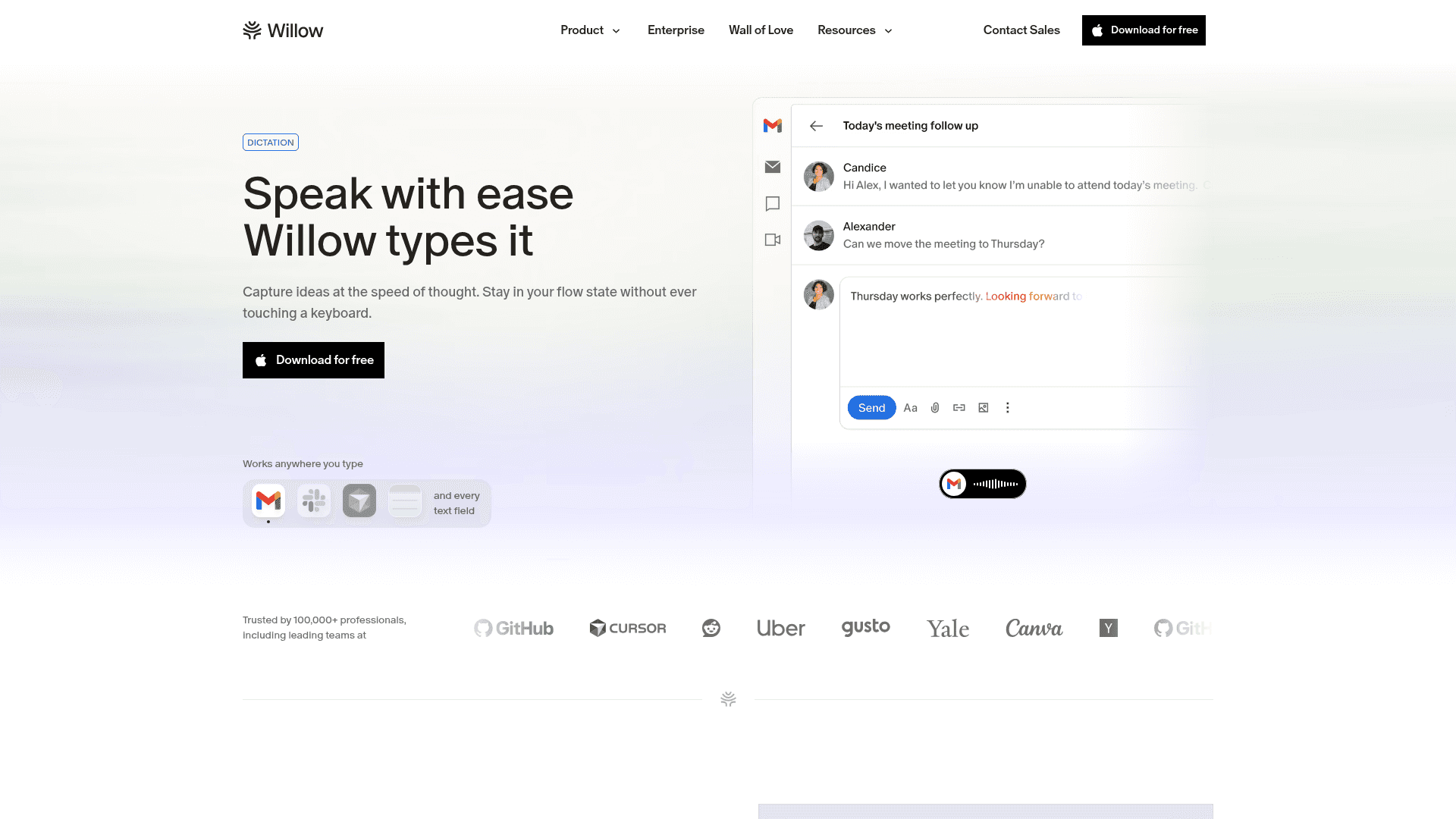
Windows Support: Although the focus is on Mac tools here, Willow Voice runs natively on Windows with absolute feature parity. You get the exact same sub-200ms latency, context awareness, and zero-setup experience on your PC.
While Mac power users appreciate how smoothly Willow integrates with macOS, modern enterprise teams run mixed-device environments. Willow Voice is a fully cross-platform solution with feature parity across Mac, Windows, and iOS. Windows users enjoy the exact same native application experience, using the Alt+Space hotkey to instantly speak text into any application. As a result, engineering and clinical teams with mixed hardware can standardize on one voice tool.
For mobile workflows, the experience extends to your iPhone. Willow provides a dedicated iOS custom keyboard that integrates perfectly into any app. Custom vocabulary and settings sync automatically across Mac, Windows, and iOS devices. A doctor can start charting on a Windows workstation and finish on an iPad, or a developer can review code on a Mac and reply to Slack on an iPhone, all with the exact same personalized accuracy.
superwhisper works across apps, while Willow Voice focuses on a simpler default workflow with less manual configuration. Dictation software reviews consistently show that high accuracy is the most important feature. Independent Wirecutter reviews of dictation tools reinforce the need for reliable performance, which is why Willow Voice is built to just work. Many professionals looking to optimize their workflow turn to Harvard Business Review resources to learn how to spend less time on correspondence.
Pros and Cons: Willow Voice vs. superwhisper
Willow Voice: Advantages and Limitations
✓ Pros: Sub-200ms speed for instant text generation.
✓ Pros: Zero setup required for immediate use.
✓ Pros: Context awareness automatically adapts formatting.
✓ Pros: Enterprise compliance including SOC 2 Type II and HIPAA.
✓ Pros: Works everywhere across Mac, Windows, and iOS.
✗ Cons: Requires an internet connection for most features.
✗ Cons: Higher monthly cost for individual users.
✗ Cons: Less manual customization available than Superwhisper.
superwhisper: Advantages and Limitations
✓ Pros: Complete offline mode guarantees absolute privacy.
✓ Pros: One-time payment option provides long-term value.
✓ Pros: Deep customization options for technical users.
✓ Pros: Multiple processing choices to balance speed and accuracy.
✓ Pros: Local processing eliminates cloud dependencies.
✗ Cons: Complex setup process can be frustrating.
✗ Cons: Mode switching friction interrupts workflow.
✗ Cons: Variable speed depending on the chosen configuration.
✗ Cons: Requires technical knowledge to configure properly.
Which Mac Dictation Tool Should You Choose?
When to Choose Willow Voice
Immediate productivity gains without technical setup
Sub-200 millisecond response times with intelligent formatting
Smooth experience across all Mac, Windows, and iOS applications
Apple-like user experience that "just works"
3x faster writing for emails, documents, and AI prompting
When to Choose superwhisper
Complete offline processing with zero cloud dependency
Deep customization with multiple AI configurations and modes
Technical control over every aspect of dictation processing
FAQs
What platforms and system requirements do Willow Voice and superwhisper support?
Both tools run natively on macOS, Windows, and iOS. superwhisper requires downloading processing files locally, which demands more disk space and active memory during usage. Willow Voice handles processing in the cloud, making it exceptionally lightweight on your local system's resources while keeping your custom vocabulary synced automatically across every device you use.
Can I use these tools with specific apps like Notion, Cursor, or Google Docs?
Yes, both tools function system-wide and will type text directly into your active window. Willow Voice's context-aware intelligence automatically adjusts formatting based on the application you are using, understanding the difference between an email draft, a Notion document, and a Cursor codebase. superwhisper offers global dictation but requires you to manage its formatting modes manually.
How do custom modes work in superwhisper vs context awareness in Willow Voice?
superwhisper requires you to manually configure profiles and switch between them for different scenarios, like coding versus email drafting. Willow Voice eliminates manual toggling entirely through its context-aware engine. It reads the active application automatically, applying proper variable names in an IDE and conversational formatting in Slack from the exact same hotkey press.
Can I use these dictation tools offline without an internet connection?
Superwhisper works completely offline by default, making it ideal for users who need dictation without internet connectivity. Willow Voice relies primarily on its cloud engine for sub-200ms latency and advanced AI features, which require an internet connection. However, for users who need local processing when a connection drops, Willow offers an optional offline mode for Mac and iOS.
What is the speed and accuracy difference between Willow Voice and Superwhisper?
Willow Voice delivers ~200ms latency and 98%+ accuracy through hybrid processing, keeping you in a flow state without waiting for text to catch up. Superwhisper's local processing speed varies by model and device hardware; while its Nano and Fast models process quickly, the Ultra model on older hardware can take 1-2 seconds per transcription, and accuracy depends heavily on your specific local configuration.
How do pricing and free plans compare between Willow Voice and Superwhisper?
Willow Voice's Pro plan ($12/month billed annually) delivers faster, more accurate dictation plus unlimited Willow Scribe, with team deployment options available. Other plans are also available, including an unlimited free dictation plan. Superwhisper is $8.49/month or a $249.99 lifetime purchase, but limits its free tier to 15 minutes of recording with pro features before requiring a paid upgrade.
Which tool is better for enterprise and healthcare teams?
Willow Voice is purpose-built for organizational deployment. It includes shared custom dictionaries so teams can standardize medical terminology, drug names, and codebase jargon across the entire group without per-user setup. While both tools offer SOC 2 Type II and HIPAA compliance for teams, Willow Voice's zero data retention architecture, admin controls, and cross-device vocabulary sync make it structurally designed for compliance-bound team environments.
Final Thoughts on Mac AI Dictation Tools
Both Willow and Superwhisper offer compelling alternatives to Apple's built-in dictation, but their different approaches to speed, setup, and user experience create distinct workflows for voice input professionals. You've now seen how each tool handles the core challenges of AI transcription on Mac. Willow provides a simple AI dictation tool designed for teams and individuals who need reliable voice-to-text without complex configuration. The choice comes down to whether you prefer simplicity or customization in your daily dictation workflow. Ready to try the simplest solution? Download Willow Voice and start working 3x faster today.
If you manage a team seeking better voice-to-text functionality, you have likely tested both Willow Voice and superwhisper. This comparison helps engineering leads, product managers, and IT buyers understand which tool fits their organizational deployment needs. As of mid-2026, basic speech-to-text is no longer enough; teams now require AI that recognizes shared project context, formats technical syntax perfectly, and runs with sub-200ms latency across mixed-device fleets. Both Willow Voice and superwhisper meet high-performance standards, but they take very different approaches to enterprise readiness and team deployment.
TLDR
Willow Voice wins for team deployment: sub-200-millisecond latency, zero per-user setup, and cross-device vocabulary sync for Windows, Mac, and iOS fleets.
superwhisper is a strong choice when users want offline speech recognition, local models, and custom modes.
Willow Voice delivers sub-200-millisecond latency; superwhisper varies by configuration.
superwhisper offers on-device speech recognition with offline use, with Pro also including cloud voice processing; Willow Voice offers cloud-based AI features and privacy controls, with enterprise options including SOC 2 compliance, HIPAA support, along with zero data retention options.
Willow Voice's Pro plan ($12/month billed annually) delivers faster, more accurate dictation plus unlimited Willow Scribe, with team deployment options available. Other plans are also available, including an unlimited free dictation plan. superwhisper is $8.49/month ($84.99 billed yearly) and offers a $249.99 lifetime purchase option.
Mac AI Dictation Tools Direct Feature Comparison
Feature | Willow Voice | superwhisper | Wispr Flow | VoiceInk | Spokenly |
|---|---|---|---|---|---|
Open Source | ✗ | ✗ | ✗ | ✓ | ✗ |
Native App | ✓ | ✓ | ✓ | ✓ | ✓ |
Processing Architecture | Hybrid (Cloud/Local) | Local/Cloud | Cloud | Local/Cloud | Local/Cloud |
One-time Payment Option | ✗ | ✓ | ✗ | ✓ | ✗ |
Mobile Support | iOS | iOS | iOS | iOS | iOS |
Custom Modes | ✓ (Context-aware) | ✓ | ✗ | ✓ | ✗ |
API Access | ✗ | ✗ | ✓ | ✗ | ✗ |
Team Features | Shared dictionaries, admin controls | SSO, team billing | HIPAA/SOC 2 on all plans; no shared dictionaries | ✗ | ✗ |
Data Retention Policy | Zero retention | Local only | Cloud storage | Cloud storage | Cloud storage |
How Does superwhisper Work?
superwhisper is an AI speech-to-text application covering macOS, Windows, and iOS that goes beyond basic dictation to understand the context of what you are saying.
superwhisper appeals heavily to individual power users who want granular control over their local setup. By letting users choose from built-in modes or build custom profiles with personalized AI instructions, the app converts raw speech into polished emails, crisp notes, or structured text. Because it can process everything entirely offline, users can speak securely anywhere without relying on internet connectivity or cloud processing.
While activation is as simple as pressing a keyboard shortcut, Mac reviewers note that manually switching between these different recording modes can become cumbersome during a fast-paced workday.
How Does Willow Voice Work?
Willow Voice is an AI-powered dictation tool built for organizations that need fast, accurate, and secure voice input across every application. It turns your voice into clear, formatted writing while keeping sensitive data secure under strict compliance standards.
The software provides an enterprise-grade experience that removes the friction from drafting notes, code reviews, and client updates. Think of it as a productivity layer that actually works for professional teams.
You get instant dictation by pressing the fn key on Mac or Alt+Space on Windows, with no need to switch apps. The context-aware engine automatically structures emails, applies proper medical or technical terminology, and adapts tone based on context. If you want to read more, you can compare the top Mac dictation software to see how it stacks up.
For engineering organizations, clinical staff, and enterprise teams, Willow Voice acts as a 3x productivity multiplier for documentation, code reviews, and cross-device workflows. The manifesto explains why voice is the most fluid input method. Thousands use Willow to work faster across mixed-device fleets, often finding it a scalable and reliable superwhisper alternative.
Head-to-Head: Willow Voice vs. superwhisper
Performance: Dictation Speed and Accuracy
Willow Voice delivers ~200ms latency, giving you instant text generation without interrupting your workflow. Text appears exactly as you speak it, keeping you in a flow state whether you are drafting a patient chart, an executive email, or a pull request.
Willow Voice delivers 98%+ accuracy and 3x fewer errors than built-in voice tools. The context-aware AI reads your active work to correctly capture technical terms, medical jargon, and project specifics. For developers, codebase auto-tagging in Cursor and Windsurf pulls terminology directly from open files. Because shared custom dictionaries sync across the entire organization, that accuracy scales for every team member from day one.
superwhisper performance can vary depending on the chosen configuration, device, and whether local or cloud processing is used. Local processing speed varies by model and device hardware. The Ultra model on older hardware can reach 1-2 seconds per transcription, while Nano and Fast models process more quickly.
Installation and Ease of Use
superwhisper's initial setup can be tricky, with configuring permissions and selecting the correct audio devices needing improvement. Mac users report that switching between recording modes can be cumbersome.
superwhisper appeals to users who don't mind technical configuration for greater control over their voice-to-text experience.
Willow is optimized to have an Apple-like experience with no crazy setup, no weird customization: it's easy to use and just works.
The focus is on simplicity, with Function key activation working immediately across applications. After a quick download and onboarding process, you speak into Gmail, Slack, Notion, ChatGPT, or anywhere you type.
Security, Privacy, and Compliance
superwhisper puts security first through local processing, meaning your voice data never leaves your computer by default. This offline capability provides absolute privacy for individuals who want complete local control without any cloud dependency. For teams needing more advanced models, superwhisper also offers optional cloud processing configured for compliance based on their documentation.
Willow Voice is built for enterprise and compliance-heavy environments. It is SOC 2 Type II and HIPAA compliant, which is a hard requirement for healthcare clinics, financial services, and engineering organizations. A signed Business Associate Agreement (BAA) is available for clinical workflows. The hybrid processing architecture delivers 200ms latency in the cloud while maintaining a strict zero data retention policy.
Willow Voice processes audio instantly and discards it. Your dictation is never stored. For organizations with strict local processing mandates, Willow Voice also offers an Offline Mode on Mac and iOS that provides fully private dictation without any cloud dependency.
Technical Data Handling Breakdown
For Willow Voice, audio is processed in the cloud to maintain low latency but is never stored, with all data secured by TLS/SSL encryption in transit. SOC 2 Type II compliance means Willow's security controls have been audited and verified by independent experts over time. HIPAA compliance guarantees that patient health information is handled according to strict federal security standards, making it safe for clinical use. Willow Voice enforces a zero data retention policy by default, meaning your dictation is processed and instantly discarded. superwhisper focuses on local processing, allowing users to process voice data entirely on their own devices without cloud dependencies. The app does not collect telemetry or usage data without permission, and API keys are stored securely on the local machine. superwhisper's optional cloud processing uses temporary caching instead of permanent storage.
Feature | Willow Voice | superwhisper |
|---|---|---|
Audio Storage | Zero retention | Local by default |
Transcript Storage | Zero retention | Local by default |
Encryption Method | TLS/SSL in transit | Local disk encryption |
Compliance Certifications | SOC 2 Type II, HIPAA | SOC 2 Type II; HIPAA compliant (Local architecture or Cloud BAA options), according to their current documentation |
Optional Offline Mode | Yes (Mac/iOS) | Yes (Default) |
Why Willow Voice Is the Better Choice
Frictionless Workflows for Professionals
While superwhisper excels at technical customization, its array of options can introduce extra setup steps for users who prefer a simpler experience.
Willow eliminates these friction points entirely. Most professionals simply want dictation that works instantly without complex configuration. With Willow's hotkey activation and immediate text conversion, you get through messages at record speed by speaking at 150 words per minute versus typing at 40 words per minute.
That is a direct 3x productivity boost.
Context-Aware Intelligence
Willow provides context-aware AI, shared custom dictionaries, team leaderboards, and admin controls that support consistent communication across the entire organization. This intelligence adapts to different applications and professional contexts automatically, standardizing output quality whether a developer is reviewing a pull request or an account manager is updating a CRM.
Willow automatically structures emails, adds punctuation, and adapts tone based on context, delivering polished results without manual formatting. Writing to your boss? Formal tone. Slack message to teammates? Casual and conversational.
Here's what that looks like in practice: say the same thought, "hey just checking in on that proposal," into a client email and Willow Voice delivers a polished opener like "I wanted to follow up on the proposal we discussed." Say the same thing into Slack, and it lands as "hey, just checking in on that proposal," relaxed, natural, no edits needed. The AI reads the context of where you're typing and shapes the output accordingly, so every message sounds right the first time.
Real-World Transformation Examples
Technical documentation workflow
Spoken input: "open bracket async def handle request end bracket colon new line"
Willow voice output: "
async def handle_request():"What changed: Proper code syntax applied based on IDE context.
Executive email workflow
Spoken input: "hey tell sarah the Q3 numbers look fine but we need to delay the launch"
Willow voice output: "Hi Sarah, The Q3 numbers look good, but we will need to delay the launch."
What changed: Casual speech converted to formal business tone.
Slack message workflow
Spoken input: "hey just letting everyone know I finished the review and it's good to go"
Willow voice output: "Finished the review, good to go."
What changed: Verbose input condensed for async team chat.
superwhisper requires users to create and manage custom modes for different use cases. While powerful, this adds complexity that many professionals don't have time to configure properly.
Enterprise Readiness and Team Deployment
While individual professionals benefit greatly from AI dictation, true company-wide scale happens when an entire organization adopts it. Willow Voice is built for enterprise readiness. Through shared custom dictionaries, teams can synchronize company jargon, codebase terms, and client names so the AI gets the spelling right for every employee from day one.
The enterprise tier offers IT leaders centralized admin controls to push vocabulary updates across the entire group without manual per-user configuration. Team leaderboards surface usage and time saved, giving managers clear visibility into adoption. With SOC 2 Type II certification, HIPAA compliance, and a zero data retention policy, large teams can deploy Willow Voice across mixed-device fleets with absolute confidence.
Universal Application Support
Windows Support: Although the focus is on Mac tools here, Willow Voice runs natively on Windows with absolute feature parity. You get the exact same sub-200ms latency, context awareness, and zero-setup experience on your PC.
While Mac power users appreciate how smoothly Willow integrates with macOS, modern enterprise teams run mixed-device environments. Willow Voice is a fully cross-platform solution with feature parity across Mac, Windows, and iOS. Windows users enjoy the exact same native application experience, using the Alt+Space hotkey to instantly speak text into any application. As a result, engineering and clinical teams with mixed hardware can standardize on one voice tool.
For mobile workflows, the experience extends to your iPhone. Willow provides a dedicated iOS custom keyboard that integrates perfectly into any app. Custom vocabulary and settings sync automatically across Mac, Windows, and iOS devices. A doctor can start charting on a Windows workstation and finish on an iPad, or a developer can review code on a Mac and reply to Slack on an iPhone, all with the exact same personalized accuracy.
superwhisper works across apps, while Willow Voice focuses on a simpler default workflow with less manual configuration. Dictation software reviews consistently show that high accuracy is the most important feature. Independent Wirecutter reviews of dictation tools reinforce the need for reliable performance, which is why Willow Voice is built to just work. Many professionals looking to optimize their workflow turn to Harvard Business Review resources to learn how to spend less time on correspondence.
Pros and Cons: Willow Voice vs. superwhisper
Willow Voice: Advantages and Limitations
✓ Pros: Sub-200ms speed for instant text generation.
✓ Pros: Zero setup required for immediate use.
✓ Pros: Context awareness automatically adapts formatting.
✓ Pros: Enterprise compliance including SOC 2 Type II and HIPAA.
✓ Pros: Works everywhere across Mac, Windows, and iOS.
✗ Cons: Requires an internet connection for most features.
✗ Cons: Higher monthly cost for individual users.
✗ Cons: Less manual customization available than Superwhisper.
superwhisper: Advantages and Limitations
✓ Pros: Complete offline mode guarantees absolute privacy.
✓ Pros: One-time payment option provides long-term value.
✓ Pros: Deep customization options for technical users.
✓ Pros: Multiple processing choices to balance speed and accuracy.
✓ Pros: Local processing eliminates cloud dependencies.
✗ Cons: Complex setup process can be frustrating.
✗ Cons: Mode switching friction interrupts workflow.
✗ Cons: Variable speed depending on the chosen configuration.
✗ Cons: Requires technical knowledge to configure properly.
Which Mac Dictation Tool Should You Choose?
When to Choose Willow Voice
Immediate productivity gains without technical setup
Sub-200 millisecond response times with intelligent formatting
Smooth experience across all Mac, Windows, and iOS applications
Apple-like user experience that "just works"
3x faster writing for emails, documents, and AI prompting
When to Choose superwhisper
Complete offline processing with zero cloud dependency
Deep customization with multiple AI configurations and modes
Technical control over every aspect of dictation processing
FAQs
What platforms and system requirements do Willow Voice and superwhisper support?
Both tools run natively on macOS, Windows, and iOS. superwhisper requires downloading processing files locally, which demands more disk space and active memory during usage. Willow Voice handles processing in the cloud, making it exceptionally lightweight on your local system's resources while keeping your custom vocabulary synced automatically across every device you use.
Can I use these tools with specific apps like Notion, Cursor, or Google Docs?
Yes, both tools function system-wide and will type text directly into your active window. Willow Voice's context-aware intelligence automatically adjusts formatting based on the application you are using, understanding the difference between an email draft, a Notion document, and a Cursor codebase. superwhisper offers global dictation but requires you to manage its formatting modes manually.
How do custom modes work in superwhisper vs context awareness in Willow Voice?
superwhisper requires you to manually configure profiles and switch between them for different scenarios, like coding versus email drafting. Willow Voice eliminates manual toggling entirely through its context-aware engine. It reads the active application automatically, applying proper variable names in an IDE and conversational formatting in Slack from the exact same hotkey press.
Can I use these dictation tools offline without an internet connection?
Superwhisper works completely offline by default, making it ideal for users who need dictation without internet connectivity. Willow Voice relies primarily on its cloud engine for sub-200ms latency and advanced AI features, which require an internet connection. However, for users who need local processing when a connection drops, Willow offers an optional offline mode for Mac and iOS.
What is the speed and accuracy difference between Willow Voice and Superwhisper?
Willow Voice delivers ~200ms latency and 98%+ accuracy through hybrid processing, keeping you in a flow state without waiting for text to catch up. Superwhisper's local processing speed varies by model and device hardware; while its Nano and Fast models process quickly, the Ultra model on older hardware can take 1-2 seconds per transcription, and accuracy depends heavily on your specific local configuration.
How do pricing and free plans compare between Willow Voice and Superwhisper?
Willow Voice's Pro plan ($12/month billed annually) delivers faster, more accurate dictation plus unlimited Willow Scribe, with team deployment options available. Other plans are also available, including an unlimited free dictation plan. Superwhisper is $8.49/month or a $249.99 lifetime purchase, but limits its free tier to 15 minutes of recording with pro features before requiring a paid upgrade.
Which tool is better for enterprise and healthcare teams?
Willow Voice is purpose-built for organizational deployment. It includes shared custom dictionaries so teams can standardize medical terminology, drug names, and codebase jargon across the entire group without per-user setup. While both tools offer SOC 2 Type II and HIPAA compliance for teams, Willow Voice's zero data retention architecture, admin controls, and cross-device vocabulary sync make it structurally designed for compliance-bound team environments.
Final Thoughts on Mac AI Dictation Tools
Both Willow and Superwhisper offer compelling alternatives to Apple's built-in dictation, but their different approaches to speed, setup, and user experience create distinct workflows for voice input professionals. You've now seen how each tool handles the core challenges of AI transcription on Mac. Willow provides a simple AI dictation tool designed for teams and individuals who need reliable voice-to-text without complex configuration. The choice comes down to whether you prefer simplicity or customization in your daily dictation workflow. Ready to try the simplest solution? Download Willow Voice and start working 3x faster today.

Try Willow for free
Instant, accurate voice dictation. No card required.
Try Willow for free
Instant, accurate voice dictation. No card required.
Other stories you’ll love
Other stories you’ll love



Your keyboard is optional now
" transform="translate(5 5)" width="9.791000051498413px"/></svg>)

The voice-first interface for modern work.
© Willow Care, Inc. 2026. All rights reserved
Your keyboard is optional now
The voice-first interface for modern work.
© Willow Care, Inc. 2026. All rights reserved
Your keyboard is optional now
The voice-first interface for modern work.
© Willow Care, Inc. 2026. All rights reserved