" transform="translate(5 2)" width="10px"/></svg>)

•
5 min read
Superwhisper Alternative: Best Voice Dictation Tools in August 2026

•
5 min read
Superwhisper Alternative: Best Voice Dictation Tools in August 2026
People often ask us if there is a better Superwhisper alternative for people who need best-in-class speech-to-text software. Most voice dictation tools fall short when you need them most, whether you're drowning in emails or struggling through yet another document that needs to be written yesterday. The good news is that voice recognition has hit a tipping point in the last year, and tools like Willow really raise the bar.
TLDR:
Superwhisper offers offline privacy but requires complex technical setup that overwhelms most users.
The platform provides unlimited AI model access with multi-language support, though performance varies greatly by model selection.
The top alternative delivers enterprise-grade accuracy on Mac, Windows, and iOS with Apple-like simplicity, removing Superwhisper's configuration barriers.
MacWhisper focuses on file transcription instead of real-time dictation workflows.
Most productivity users benefit more from universal compatibility than specialized offline-only tools.
What Is Superwhisper and How Does it Work?
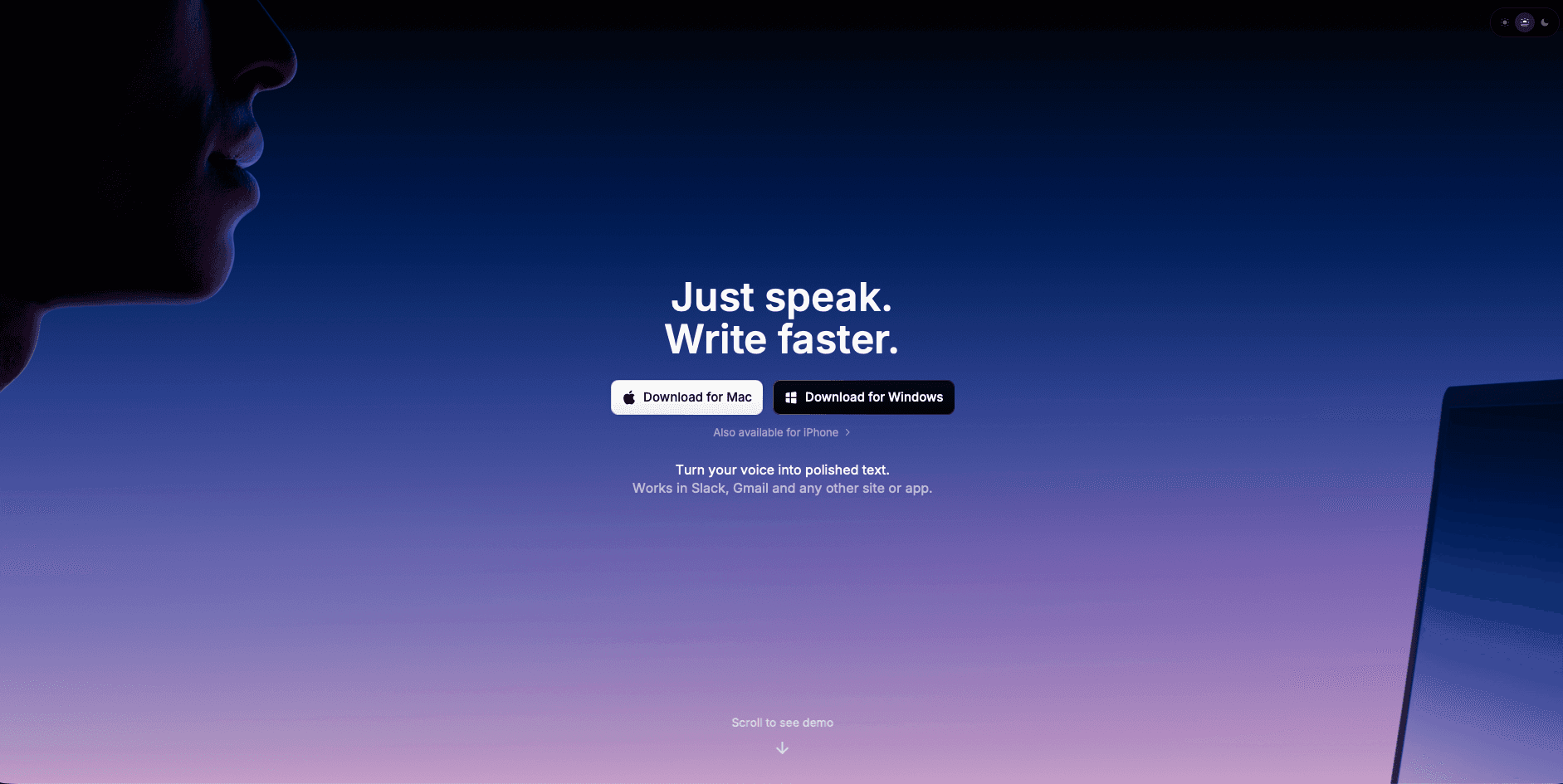
Superwhisper is a voice dictation tool for macOS, Windows, and iOS that provides offline speech-to-text conversion. It works anywhere you can type or paste text with no need to switch apps.
Built out of frustration with native macOS dictation, Superwhisper was designed to work entirely offline with cross-language support and configurable settings that function in any application. The app targets users who value privacy and offline functionality over simplicity.
The big problem is that it requires technical configuration to optimize performance across different models and modes.
Superwhisper operates through keyboard shortcuts and menu bar integration, offering customizable AI models ranging from fast processing to high-accuracy options. You can choose between Nano, Fast, Pro, and Ultra models depending on your accuracy needs versus processing speed preferences.
The platform processes everything locally on your device, meaning your voice data never leaves your Mac or iPhone. For privacy-conscious users, this is a major advantage over cloud-based alternatives.
Superwhisper Features
Superwhisper includes advanced AI models: Nano, Fast, Pro, and Ultra. These models deliver highly accurate transcriptions. The larger models offer near-perfect accuracy, so you can choose the one that best fits your needs.
One of Superwhisper's standout features is its ability to work entirely offline. You can speak your thoughts anywhere, anytime, without worrying about internet connectivity or your data being sent to the cloud. Your words stay on your device, offering both privacy and convenience.
The platform provides unlimited access to powerful local AI models, processing speech with advanced language models without usage limits. Superwhisper supports multiple languages and dialects with automatic language detection, allowing smooth transitions for bilingual or multilingual users.
The app includes custom prompt controls and system-wide keyboard shortcut activation for quick dictation across applications. You can configure specific vocabulary for technical terms, names, or industry jargon that standard dictation tools typically miss.
However, accessing these features requires going through multiple configuration screens and understanding the trade-offs between different AI models. Even on older Macs, it performs admirably, though the larger AI models take longer to process.
Superwhisper Key Limitations and Gaps
All this flexibility comes with complexity that many users find overwhelming. For users seeking straightforward dictation, Superwhisper may feel overwhelming with its numerous configuration options and technical requirements.
Superwhisper requires a more complex setup and features an unintuitive user experience compared to simpler alternatives. The Pro version includes additional transcription features, but the overall experience feels designed for developers and technical users, not for mainstream productivity needs.
While offline functionality benefits privacy-focused users, it comes with trade-offs in speed and user experience that most productivity workflows can't accommodate.
Resource consumption varies greatly based on model selection, and setup requires technical knowledge to optimize performance across different use cases. The larger models deliver higher accuracy but demand more processing power and time.
Most users want dictation that simply works without choosing between four different AI models or configuring custom prompts. Superwhisper's approach assumes you have both the time and technical expertise to optimize these settings.
The voice typing manifesto we believe in focuses on simplicity over complexity. Tools should improve productivity, not create new learning curves.
Who Should Use Superwhisper
Superwhisper appeals primarily to technical users who focus on offline functionality and privacy. The Mac and iPhone app offers 100+ language support and custom vocabulary features for specialized terminology.
Superwhisper works adequately for users who value data privacy above ease of use and have technical expertise to configure complex settings. The platform covers basic dictation needs but requires workarounds for smooth productivity workflows.
Users comfortable with technical setup procedures and willing to trade simplicity for offline processing will find Superwhisper functional for specialized terminology and multilingual dictation scenarios. But it demands patience for configuration and model optimization.
If you're a developer, researcher, or privacy advocate who doesn't mind spending time tweaking settings, Superwhisper might fit your workflow. For everyone else, the complexity outweighs the benefits.
The pricing structure of most dictation tools reflects their target audience. Superwhisper's one-time purchase model appeals to technical users, while subscription tools typically offer better ongoing support and updates.
Voice Dictation Alternatives
1. Best Overall: Willow

While Superwhisper handles offline processing well, Willow combines enterprise-grade accuracy with Apple-like simplicity. Unlike Superwhisper's complex setup, Willow delivers the privacy-conscious approach users want while providing the speed users expect.
Willow offers universal compatibility across all applications with Function (fn on Mac, Alt+Space on Windows) key activation, 98%+ accuracy and 3x fewer errors than built-in tools, and sub-200ms processing. The tool includes context-aware AI and custom dictionaries without complex configuration. Speaking is 3x faster than typing, so switching to voice dictation pays off quickly for any writing-heavy workflow.
Enterprise-grade accuracy with consumer-friendly design makes Willow a strong choice for productivity-focused users. Willow runs on Mac, Windows, and iOS, with SOC 2 Type II and HIPAA compliance, shared custom dictionaries, and admin controls for teams. The Auto-Dictionary learns your vocabulary over time, picking up names and technical terms so accuracy improves without manual setup.
2. Developer-Only Tool: MacWhisper
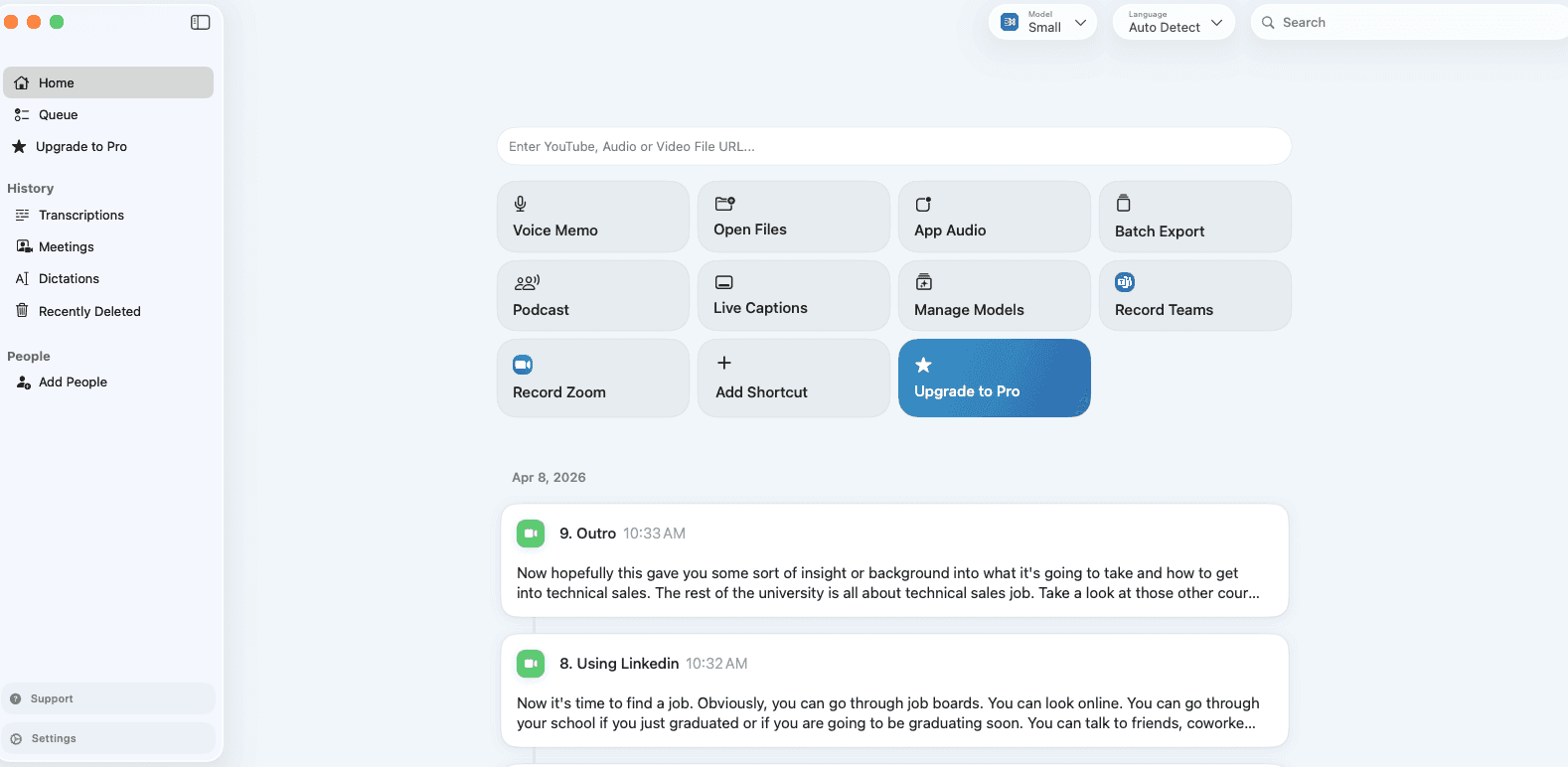
MacWhisper is a powerful yet user-friendly macOS application designed to simplify audio transcription. Developed by Jordi Bruin, it uses OpenAI's transcription technology to convert audio files into text.
However, MacWhisper focuses primarily on file transcription instead of real-time voice input. It's sufficient for short voice messages but may require additional post-edits for longer content.
The platform requires more time to set up and learn, especially for non-technical users. While it allows basic text editing, it doesn't offer advanced AI-based error correction or formatting that modern workflows demand.
MacWhisper works well for specific transcription tasks but falls short for daily productivity workflows requiring smooth voice input. The Superwhisper alternatives comparison shows how specialized tools often miss broader use cases.
3. Solid Alternative: Wispr Flow
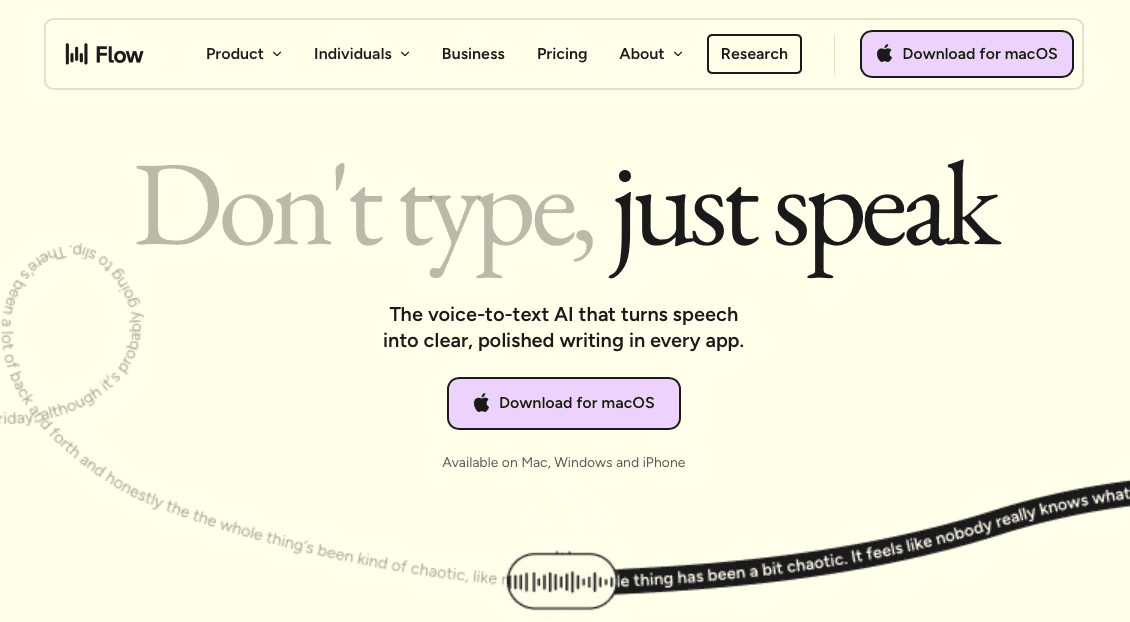
Wispr Flow offers polished cross-app dictation with a clean interface, tone matching, and whispering features. It relies on cloud processing for functionality, which supports broad compatibility but requires a constant internet connection.
Users handling sensitive information may find the cloud-based approach limits practical utility, and Wispr Flow's Electron-based build can create higher memory usage on some systems.
At ~700ms latency, it runs slower than sub-200ms tools, which can interrupt flow for quick dictation needs. While Wispr Flow offers some interesting features, the performance issues outweigh the benefits for most users.
Many users find that testimonials from actual productivity professionals matter more than feature lists when choosing dictation tools.
Voice Dictation Tool Comparison at a Glance
Tool | Latency | Setup Difficulty | Privacy | Real-Time Dictation | Best For |
|---|---|---|---|---|---|
Willow | ~200ms | Low - works out of the box | Yes | Professionals who want speed, accuracy, and simplicity | |
Superwhisper | Varies by model | High - requires model selection & configuration | Fully offline, local processing | Yes | Privacy-focused technical users comfortable with setup |
MacWhisper | Post-processing | Medium | Local processing available | No - file transcription only | Transcribing audio files, not live dictation |
Wispr Flow | 8-10s startup | Low | Cloud-based, ongoing privacy considerations | Yes | Users who focus on tone matching over speed |
How to Choose the Best Voice Dictation Tool
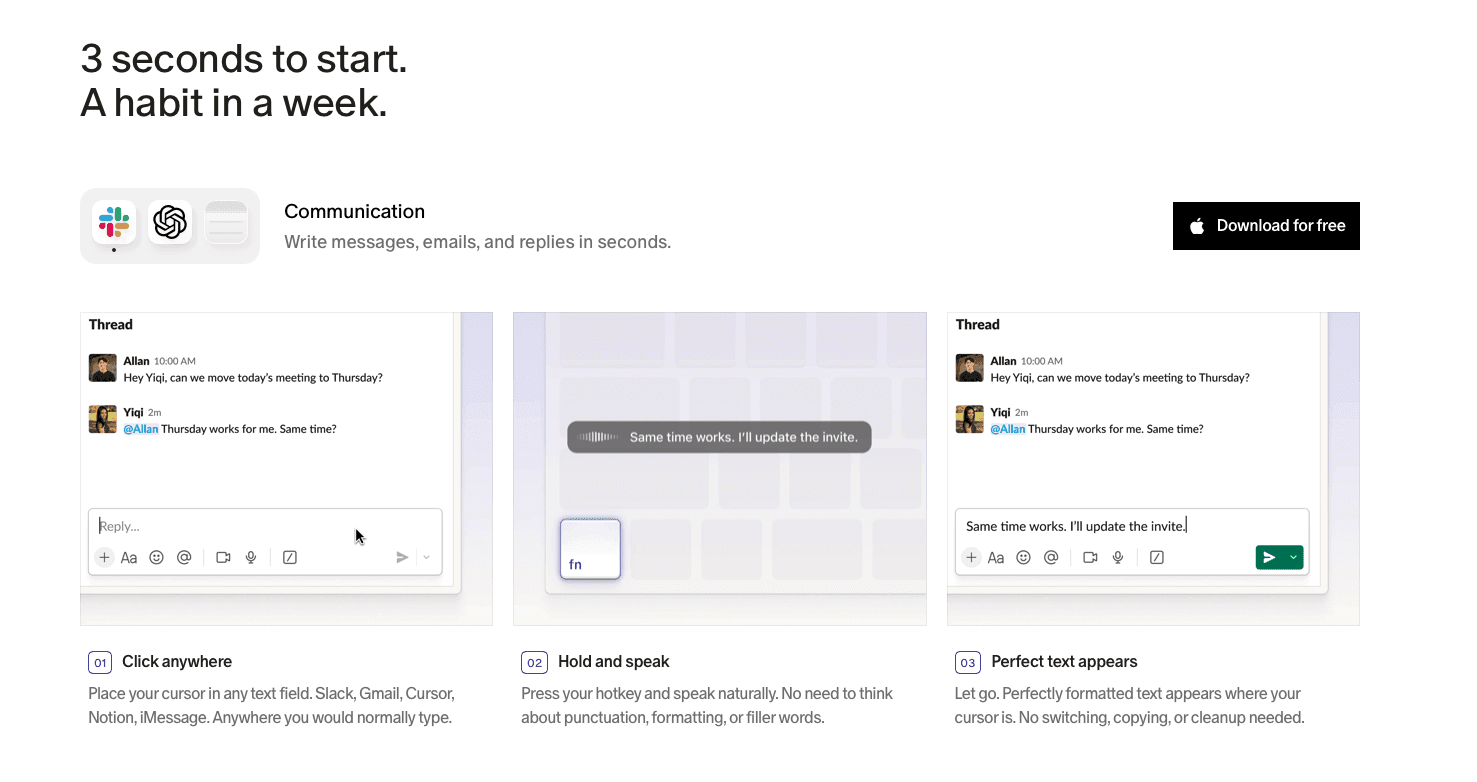
Consider whether you need universal dictation across all applications or specialized transcription functionality. Most productivity workflows benefit from universal compatibility instead of specialized tools.
Technical expertise influences which tools you'll use consistently. Complex setup procedures create barriers that reduce long-term adoption. Simple, reliable tools typically provide better value than feature-rich but complicated alternatives.
Privacy requirements matter for sensitive information handling. Cloud-based processing typically provides better accuracy and speed, while offline tools offer privacy benefits at the cost of performance.
For users frustrated by Superwhisper's learning curve or seeking professional-grade accuracy without technical complexity, Willow offers the elegant solution. Professional-grade speech to text that simply works, with no complex configuration required and privacy built-in from day one.
The best dictation tool is the one you'll actually use consistently. Features matter less than reliability and ease of use in daily workflows.
Why Voice Dictation Is Evolving Fast in 2026
The voice dictation space has shifted quickly over the past year, driven by breakthroughs in AI speech models. OpenAI's GPT-4o Transcribe pushed word error rates to around 2.5% for English (a meaningful improvement over earlier Whisper-based models) and brought stronger context-awareness to transcription. Modern tools can handle accents, background noise, and technical jargon far better than they could even 12 months ago.
For users reviewing tools like Superwhisper today, this context matters. Offline-only tools are now competing against cloud models that match or exceed their accuracy, without the setup complexity. The gap between local and cloud-based dictation has narrowed in quality, but the difference in speed and ease of use has only widened.
The best tools in 2026 go beyond transcription; they adapt to your writing style, match your tone, and remove filler words automatically. That shift favors tools built for personalization and speed over those built purely for privacy through local processing.
FAQs
How accurate is Superwhisper compared to other dictation tools?
Superwhisper's accuracy depends heavily on which AI model you select and how well you configure it. The Ultra model provides near-perfect accuracy but requires major processing time, while faster models sacrifice some precision for speed.
Does Superwhisper work without internet connection?
Yes, Superwhisper works entirely offline once installed and configured. This is one of its main selling points for privacy-conscious users who don't want their voice data sent to cloud servers.
Is Superwhisper worth the complex setup process?
For most users, no. Unless you need offline processing and have technical expertise, simpler alternatives like Willow provide better accuracy and user experience without the configuration overhead.
Can Superwhisper handle technical terminology and proper names?
Superwhisper supports custom vocabularies and specialized terminology, but setting these up requires manual configuration. The system can learn industry-specific terms, but you'll need to invest time in training it properly.
Final Thoughts on Superwhisper's Offline Dictation Features
Superwhisper offers offline privacy but demands technical expertise that limits productivity workflows. You can skip the complex setup and get professional-grade dictation that works instantly across all apps. Willow delivers the speed and accuracy that makes this Superwhisper alternative actually practical for daily use.
People often ask us if there is a better Superwhisper alternative for people who need best-in-class speech-to-text software. Most voice dictation tools fall short when you need them most, whether you're drowning in emails or struggling through yet another document that needs to be written yesterday. The good news is that voice recognition has hit a tipping point in the last year, and tools like Willow really raise the bar.
TLDR:
Superwhisper offers offline privacy but requires complex technical setup that overwhelms most users.
The platform provides unlimited AI model access with multi-language support, though performance varies greatly by model selection.
The top alternative delivers enterprise-grade accuracy on Mac, Windows, and iOS with Apple-like simplicity, removing Superwhisper's configuration barriers.
MacWhisper focuses on file transcription instead of real-time dictation workflows.
Most productivity users benefit more from universal compatibility than specialized offline-only tools.
What Is Superwhisper and How Does it Work?
Superwhisper is a voice dictation tool for macOS, Windows, and iOS that provides offline speech-to-text conversion. It works anywhere you can type or paste text with no need to switch apps.
Built out of frustration with native macOS dictation, Superwhisper was designed to work entirely offline with cross-language support and configurable settings that function in any application. The app targets users who value privacy and offline functionality over simplicity.
The big problem is that it requires technical configuration to optimize performance across different models and modes.
Superwhisper operates through keyboard shortcuts and menu bar integration, offering customizable AI models ranging from fast processing to high-accuracy options. You can choose between Nano, Fast, Pro, and Ultra models depending on your accuracy needs versus processing speed preferences.
The platform processes everything locally on your device, meaning your voice data never leaves your Mac or iPhone. For privacy-conscious users, this is a major advantage over cloud-based alternatives.
Superwhisper Features
Superwhisper includes advanced AI models: Nano, Fast, Pro, and Ultra. These models deliver highly accurate transcriptions. The larger models offer near-perfect accuracy, so you can choose the one that best fits your needs.
One of Superwhisper's standout features is its ability to work entirely offline. You can speak your thoughts anywhere, anytime, without worrying about internet connectivity or your data being sent to the cloud. Your words stay on your device, offering both privacy and convenience.
The platform provides unlimited access to powerful local AI models, processing speech with advanced language models without usage limits. Superwhisper supports multiple languages and dialects with automatic language detection, allowing smooth transitions for bilingual or multilingual users.
The app includes custom prompt controls and system-wide keyboard shortcut activation for quick dictation across applications. You can configure specific vocabulary for technical terms, names, or industry jargon that standard dictation tools typically miss.
However, accessing these features requires going through multiple configuration screens and understanding the trade-offs between different AI models. Even on older Macs, it performs admirably, though the larger AI models take longer to process.
Superwhisper Key Limitations and Gaps
All this flexibility comes with complexity that many users find overwhelming. For users seeking straightforward dictation, Superwhisper may feel overwhelming with its numerous configuration options and technical requirements.
Superwhisper requires a more complex setup and features an unintuitive user experience compared to simpler alternatives. The Pro version includes additional transcription features, but the overall experience feels designed for developers and technical users, not for mainstream productivity needs.
While offline functionality benefits privacy-focused users, it comes with trade-offs in speed and user experience that most productivity workflows can't accommodate.
Resource consumption varies greatly based on model selection, and setup requires technical knowledge to optimize performance across different use cases. The larger models deliver higher accuracy but demand more processing power and time.
Most users want dictation that simply works without choosing between four different AI models or configuring custom prompts. Superwhisper's approach assumes you have both the time and technical expertise to optimize these settings.
The voice typing manifesto we believe in focuses on simplicity over complexity. Tools should improve productivity, not create new learning curves.
Who Should Use Superwhisper
Superwhisper appeals primarily to technical users who focus on offline functionality and privacy. The Mac and iPhone app offers 100+ language support and custom vocabulary features for specialized terminology.
Superwhisper works adequately for users who value data privacy above ease of use and have technical expertise to configure complex settings. The platform covers basic dictation needs but requires workarounds for smooth productivity workflows.
Users comfortable with technical setup procedures and willing to trade simplicity for offline processing will find Superwhisper functional for specialized terminology and multilingual dictation scenarios. But it demands patience for configuration and model optimization.
If you're a developer, researcher, or privacy advocate who doesn't mind spending time tweaking settings, Superwhisper might fit your workflow. For everyone else, the complexity outweighs the benefits.
The pricing structure of most dictation tools reflects their target audience. Superwhisper's one-time purchase model appeals to technical users, while subscription tools typically offer better ongoing support and updates.
Voice Dictation Alternatives
1. Best Overall: Willow
While Superwhisper handles offline processing well, Willow combines enterprise-grade accuracy with Apple-like simplicity. Unlike Superwhisper's complex setup, Willow delivers the privacy-conscious approach users want while providing the speed users expect.
Willow offers universal compatibility across all applications with Function (fn on Mac, Alt+Space on Windows) key activation, 98%+ accuracy and 3x fewer errors than built-in tools, and sub-200ms processing. The tool includes context-aware AI and custom dictionaries without complex configuration. Speaking is 3x faster than typing, so switching to voice dictation pays off quickly for any writing-heavy workflow.
Enterprise-grade accuracy with consumer-friendly design makes Willow a strong choice for productivity-focused users. Willow runs on Mac, Windows, and iOS, with SOC 2 Type II and HIPAA compliance, shared custom dictionaries, and admin controls for teams. The Auto-Dictionary learns your vocabulary over time, picking up names and technical terms so accuracy improves without manual setup.
2. Developer-Only Tool: MacWhisper
MacWhisper is a powerful yet user-friendly macOS application designed to simplify audio transcription. Developed by Jordi Bruin, it uses OpenAI's transcription technology to convert audio files into text.
However, MacWhisper focuses primarily on file transcription instead of real-time voice input. It's sufficient for short voice messages but may require additional post-edits for longer content.
The platform requires more time to set up and learn, especially for non-technical users. While it allows basic text editing, it doesn't offer advanced AI-based error correction or formatting that modern workflows demand.
MacWhisper works well for specific transcription tasks but falls short for daily productivity workflows requiring smooth voice input. The Superwhisper alternatives comparison shows how specialized tools often miss broader use cases.
3. Solid Alternative: Wispr Flow
Wispr Flow offers polished cross-app dictation with a clean interface, tone matching, and whispering features. It relies on cloud processing for functionality, which supports broad compatibility but requires a constant internet connection.
Users handling sensitive information may find the cloud-based approach limits practical utility, and Wispr Flow's Electron-based build can create higher memory usage on some systems.
At ~700ms latency, it runs slower than sub-200ms tools, which can interrupt flow for quick dictation needs. While Wispr Flow offers some interesting features, the performance issues outweigh the benefits for most users.
Many users find that testimonials from actual productivity professionals matter more than feature lists when choosing dictation tools.
Voice Dictation Tool Comparison at a Glance
Tool | Latency | Setup Difficulty | Privacy | Real-Time Dictation | Best For |
|---|---|---|---|---|---|
Willow | ~200ms | Low - works out of the box | Yes | Professionals who want speed, accuracy, and simplicity | |
Superwhisper | Varies by model | High - requires model selection & configuration | Fully offline, local processing | Yes | Privacy-focused technical users comfortable with setup |
MacWhisper | Post-processing | Medium | Local processing available | No - file transcription only | Transcribing audio files, not live dictation |
Wispr Flow | 8-10s startup | Low | Cloud-based, ongoing privacy considerations | Yes | Users who focus on tone matching over speed |
How to Choose the Best Voice Dictation Tool
Consider whether you need universal dictation across all applications or specialized transcription functionality. Most productivity workflows benefit from universal compatibility instead of specialized tools.
Technical expertise influences which tools you'll use consistently. Complex setup procedures create barriers that reduce long-term adoption. Simple, reliable tools typically provide better value than feature-rich but complicated alternatives.
Privacy requirements matter for sensitive information handling. Cloud-based processing typically provides better accuracy and speed, while offline tools offer privacy benefits at the cost of performance.
For users frustrated by Superwhisper's learning curve or seeking professional-grade accuracy without technical complexity, Willow offers the elegant solution. Professional-grade speech to text that simply works, with no complex configuration required and privacy built-in from day one.
The best dictation tool is the one you'll actually use consistently. Features matter less than reliability and ease of use in daily workflows.
Why Voice Dictation Is Evolving Fast in 2026
The voice dictation space has shifted quickly over the past year, driven by breakthroughs in AI speech models. OpenAI's GPT-4o Transcribe pushed word error rates to around 2.5% for English (a meaningful improvement over earlier Whisper-based models) and brought stronger context-awareness to transcription. Modern tools can handle accents, background noise, and technical jargon far better than they could even 12 months ago.
For users reviewing tools like Superwhisper today, this context matters. Offline-only tools are now competing against cloud models that match or exceed their accuracy, without the setup complexity. The gap between local and cloud-based dictation has narrowed in quality, but the difference in speed and ease of use has only widened.
The best tools in 2026 go beyond transcription; they adapt to your writing style, match your tone, and remove filler words automatically. That shift favors tools built for personalization and speed over those built purely for privacy through local processing.
FAQs
How accurate is Superwhisper compared to other dictation tools?
Superwhisper's accuracy depends heavily on which AI model you select and how well you configure it. The Ultra model provides near-perfect accuracy but requires major processing time, while faster models sacrifice some precision for speed.
Does Superwhisper work without internet connection?
Yes, Superwhisper works entirely offline once installed and configured. This is one of its main selling points for privacy-conscious users who don't want their voice data sent to cloud servers.
Is Superwhisper worth the complex setup process?
For most users, no. Unless you need offline processing and have technical expertise, simpler alternatives like Willow provide better accuracy and user experience without the configuration overhead.
Can Superwhisper handle technical terminology and proper names?
Superwhisper supports custom vocabularies and specialized terminology, but setting these up requires manual configuration. The system can learn industry-specific terms, but you'll need to invest time in training it properly.
Final Thoughts on Superwhisper's Offline Dictation Features
Superwhisper offers offline privacy but demands technical expertise that limits productivity workflows. You can skip the complex setup and get professional-grade dictation that works instantly across all apps. Willow delivers the speed and accuracy that makes this Superwhisper alternative actually practical for daily use.

Try Willow for free
Instant, accurate voice dictation. No card required.
Try Willow for free
Instant, accurate voice dictation. No card required.
Other stories you’ll love
Other stories you’ll love



Your keyboard is optional now
" transform="translate(5 5)" width="9.791000051498413px"/></svg>)

The voice-first interface for modern work.
© Willow Care, Inc. 2026. All rights reserved
Your keyboard is optional now
The voice-first interface for modern work.
© Willow Care, Inc. 2026. All rights reserved
Your keyboard is optional now
The voice-first interface for modern work.
© Willow Care, Inc. 2026. All rights reserved