" transform="translate(5 2)" width="10px"/></svg>)

•
5 min read
The 5 Best Voice to Text Software Tools in May 2026
•
5 min read
The 5 Best Voice to Text Software Tools in May 2026
The productivity math is simple: typing gets you 40 words per minute, speaking gets you 150. But most voice to text software wastes that advantage with lag, mistakes, and zero personalization. Free tools like Google Docs voice typing and Apple's built-in dictation transcribe what you say but never adapt to how you say it. The best voice to text software in 2026 closes the gap between raw speed and usable output by learning your writing patterns, cutting latency to under 200ms, and working everywhere you need text without platform restrictions.
TLDR:
Speaking reaches 150 WPM vs. typing at 40 WPM, making voice dictation 3.75x faster for daily work.
The best AI dictation tools deliver ~200ms latency and learn your writing style for zero-edit output.
Free tools lack personalization and degrade on accents; paid options save hours in corrections.
SOC 2 and HIPAA compliance are required for healthcare and enterprise dictation use.
Top tools work across Mac, Windows, and iOS with team-shared dictionaries and enterprise security.
What Makes Voice to Text Software Valuable in 2026
Voice to text software converts spoken words into written text in real time. Typing caps most people at 40 words per minute. Speaking gets you to 150 words per minute. That gap has a real cost, which is why more users are moving past basic transcription and looking for tools that actually work.
Key Features That Define the Best Voice to Text Software
Before picking a tool, check for these core features:
Accuracy: The best tools push toward zero-edit output on natural speech, well above the 95% industry baseline.
Latency: Sub-700ms keeps you in flow. Anything slower and you feel the drag.
Universal compatibility: Works in any app or text field.
Voice commands: Speak punctuation and formatting without touching a keyboard.
Multilingual support: Top tools cover 100+ languages with dialect-level distinction.
Privacy and security: SOC 2 and HIPAA compliance are non-negotiable for healthcare or enterprise use.
A Closer Look at the Top 5 Voice to Text Tools
These five cover the full range of use cases, from AI-personalized daily dictation to meeting transcription to free built-in options.
Tool | Best For | Latency | Platforms | Starting Price |
|---|---|---|---|---|
Willow | Professionals, teams, enterprises | ~200ms | Mac, Windows, iOS | Free trial; $12/mo |
Dragon by Nuance | Medical & legal enterprise | Not published | Windows only | $500+ one-time |
Google Docs Voice Typing | Casual Google Docs users | Moderate | Browser (Google Docs) | Free |
Apple Dictation | Basic system-wide dictation on Apple | Moderate | Mac, iPhone, iPad | Free |
Otter.ai | Meeting transcription & team notes | N/A (async) | Web, iOS, Android | Free; $16.99/mo |
1. Willow

Best for: Professionals, teams, and enterprises users who need fast, accurate, personalized dictation
Willow runs at ~200ms latency, the fastest voice to text software in 2026. Press the Fn key and text appears almost instantly. Personalization sets it apart: Willow learns your writing style, catches corrections, and applies them automatically. Domain-specific terms get remembered after the first fix and never need correcting again. That's zero-edit dictation.
For teams and compliance-driven industries, Willow holds SOC 2 and HIPAA certification with zero data retention on by default.
~200ms latency, 3-5x faster than alternatives
Learns your vocabulary and writing style over time
Filler word removal strips "um," "uh," and repeated words automatically
SOC 2 and HIPAA certified, zero data retention by default
Team-shared custom dictionaries and shortcuts
Works on Mac, Windows, and iOS in every app
Offline mode with cloud-quality accuracy
100+ language support with dialect-level distinction
Pricing: Free plan includes 2,000 words per week with no credit card required. Individual plan at $12/month (billed annually). Team plan at $10/month per user.
Limitations: No Android support currently.
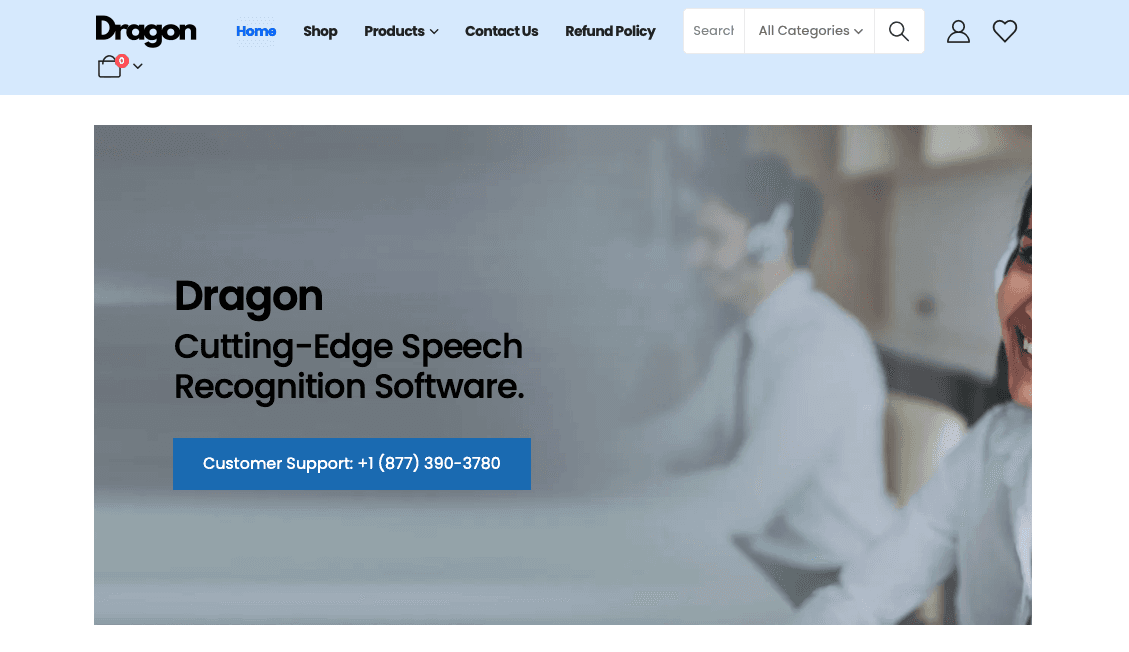
2. Dragon by Nuance
Best for: Enterprise users in medical or legal settings who need deep vocabulary coverage
Dragon is the original professional dictation software, and its reputation for accuracy on specialized vocabulary still holds in clinical and legal environments. Dragon Medical One integrates with major EHR systems. Dragon Legal handles terminology that trips up general-purpose tools.
Outside those use cases, Dragon shows its age. The interface is dated, setup is complex, and Dragon Professional starts above $500. There's no AI personalization and no native Mac app.
High accuracy on medical and legal terminology
Dragon Medical One for clinical workflows and EHR integration
Offline processing on desktop
Deep Windows system integration
Pricing: Dragon Professional starts at $500+ one-time. Dragon Medical One is subscription-based with enterprise pricing.
Limitations: No native Mac app. Legacy interface. High cost. No modern AI personalization.
3. Google Docs Voice Typing
Best for: Casual users who dictate occasionally inside Google Docs
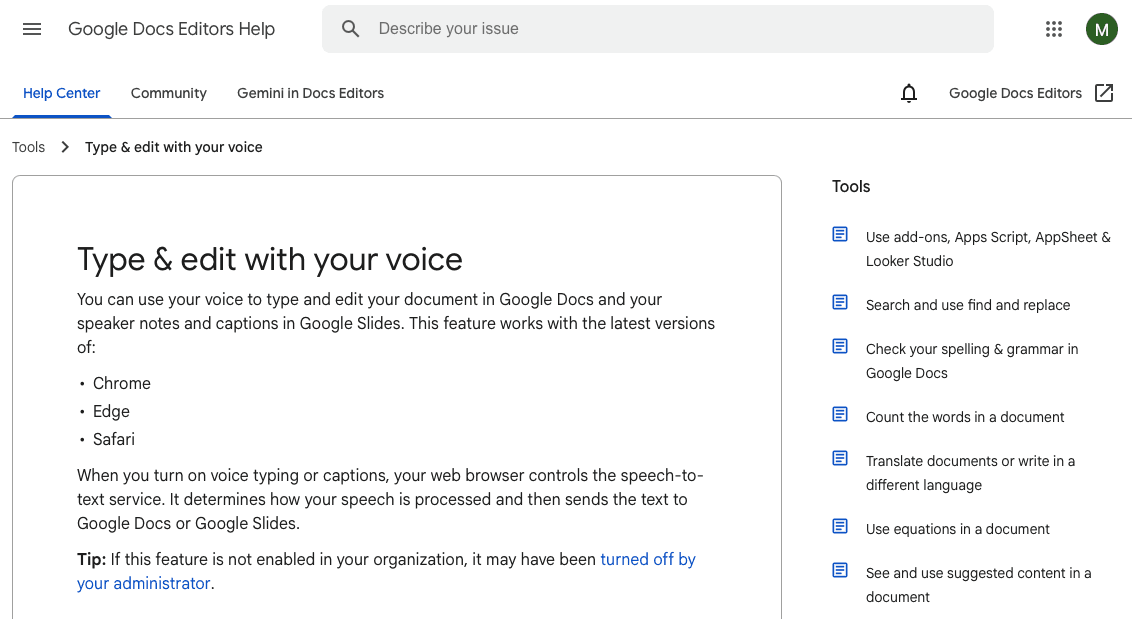
Google Docs Voice Typing is free and starts the moment you hit the microphone icon in a Google Doc. For low-volume, low-stakes dictation, it works. The ceiling is low, though. It only functions inside Google Docs, accuracy drops on accents or fast speech, and every session starts from scratch with no memory of corrections.
Free with no setup beyond a Google account
Voice commands for basic punctuation and formatting
Works in 60+ languages
Pricing: Free.
Limitations: Google Docs only. No system-wide dictation. No personalization. Accuracy can vary with strong accents, background noise, or rapid speech.
4. Apple Dictation
Best for: Mac and iPhone users who want basic system-wide dictation at no cost
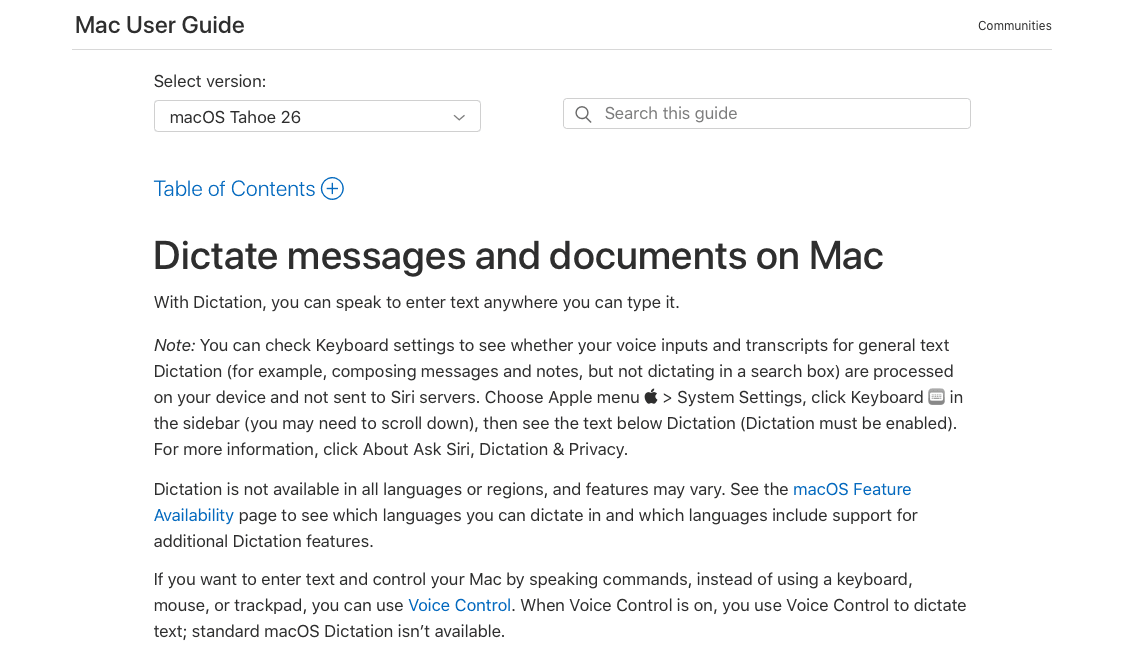
Apple Dictation ships on every Mac, iPhone, and iPad and works system-wide with on-device processing. It's a solid free option for basic use, but it doesn't learn your vocabulary or carry corrections between sessions. Technical terms and proper nouns require the same fixes every time. Wispr Flow and Willow both fill the gap Apple Dictation leaves on Apple devices.
Built into every Apple device, no setup required
System-wide dictation across all apps on macOS and iOS
On-device processing, no internet required
Voice commands for formatting and navigation
Pricing: Free.
Limitations: No learning engine. Corrections don't carry over between sessions. Accuracy drops on technical vocabulary. Apple devices only.
5. Otter.ai
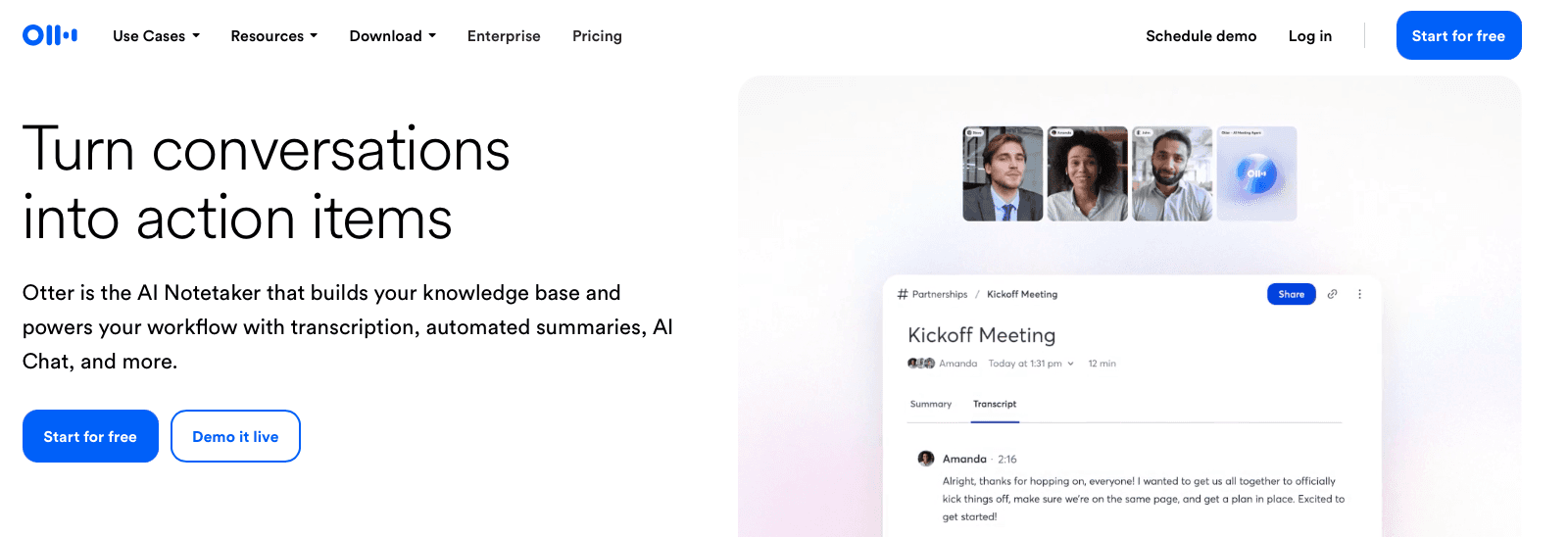
Best for: Teams that need meeting transcription, summaries, and collaborative notes
Otter.ai is built for meeting transcription, not real-time text input. Connect it to Zoom, Google Meet, or Microsoft Teams and it joins calls automatically, producing transcripts with speaker labels, AI summaries, and action items. For daily dictation into documents or emails, it's the wrong pick, but for teams that need a searchable meeting record, it earns its place.
Automatic meeting transcription with speaker identification
Integrates with Zoom, Google Meet, and Microsoft Teams
AI-generated meeting summaries and action item extraction
Searchable transcript archive
Team collaboration on shared notes
Pricing: Free plan includes 300 minutes per month. Pro at $16.99/month. Business at $30/user/month.
Limitations: Not a real-time dictation tool. No system-wide voice typing. Accuracy suffers when multiple speakers talk over each other.
Not every tool on this list deserves equal attention. These five cover the full range of use cases, from AI-personalized daily dictation to meeting transcription to free built-in options. Here's what each one actually does, where it wins, and where it falls short.
Free vs. Paid Voice to Text Software
Free tools handle occasional, low-stakes dictation well enough. Apple Dictation, Google Docs Voice Typing, and Windows Speech Recognition transcribe basic speech at no cost with zero setup. The gaps appear fast with daily use: no personalization, no filler word removal, and accuracy that drops on fast or accented speech.
Voice to Text Software for Professional Use Cases
Healthcare: Physicians chart notes and draft patient communication without breaking clinical flow. HIPAA compliance rules out most free tools.
Legal: Lawyers draft briefs and case notes by voice where a single misheard term causes real problems.
Sales: Reps log CRM entries and write follow-ups by speaking between calls.
Software development: Engineers speak complex AI prompts into Cursor or Claude, cutting repetitive keyboard work.
Content creation: Writers draft at speaking speed, then edit.
The common thread is domain-specific accuracy. A tool that mishears "HIPAA" or "indemnification" creates more work than it saves.
Why Personalized AI Dictation Is the Future: Introducing Willow
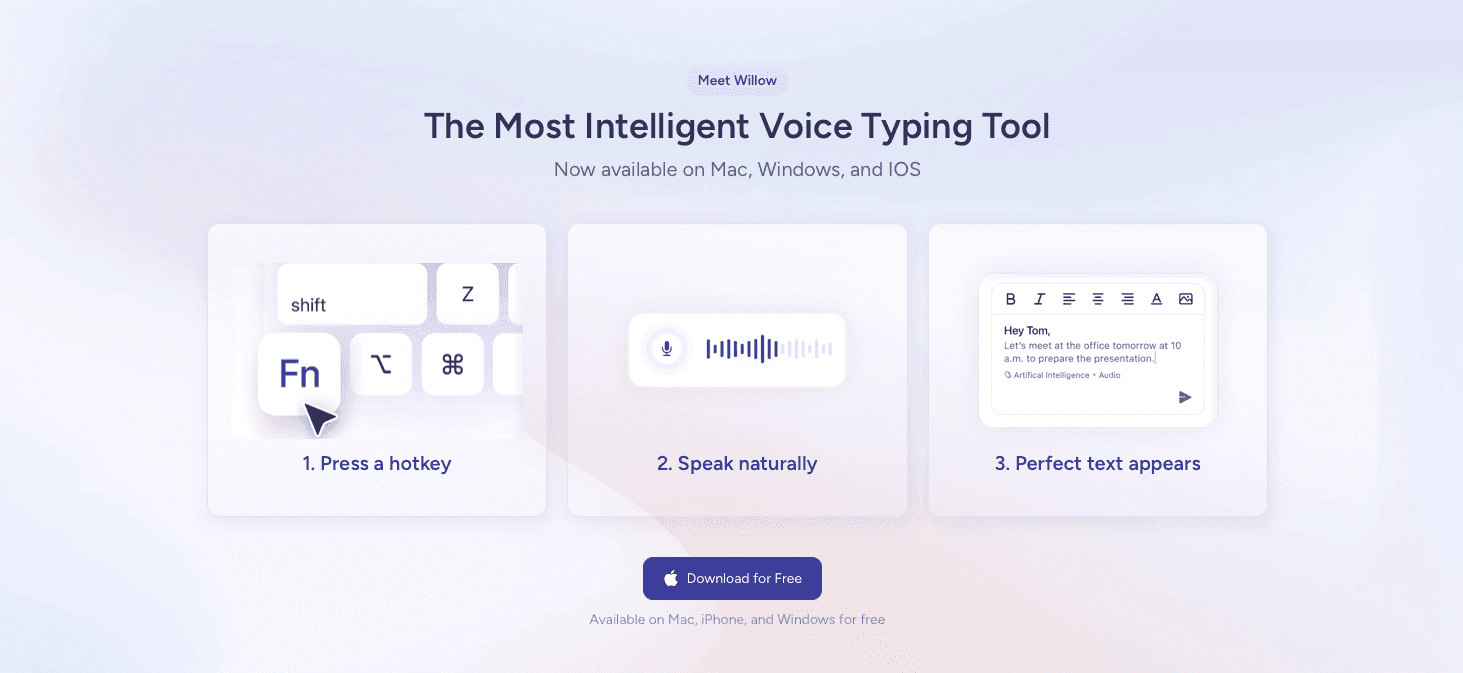
Transcription is table stakes. The best tools adapt to you.
Willow personalizes to your writing style over time, catching corrections and applying them automatically so edits become rare. At ~200ms latency, it's the fastest option available, ahead of alternatives like Wispr Flow and Apple's built-in dictation. SOC 2 and HIPAA certification, plus team-shared dictionaries and shortcuts, make it a real option for organizations where security requirements are non-negotiable.
Willow works across Mac, Windows, and iOS in every app, with Quiet Mode and Custom Dictionaries included.
FAQs
What's the best voice to text software free option for daily use?
For basic daily dictation, Google Docs Voice Typing and Apple Dictation work well enough at zero cost, but they lack personalization and filler word removal, so accuracy drops on technical vocabulary or fast speech. Willow offers a 2,000-word weekly free trial that recharges without requiring a credit card, giving you access to AI-powered accuracy and custom dictionaries.
Can I use voice to text software without an internet connection?
Yes, several tools offer offline modes that process speech entirely on-device. Windows Speech Recognition and Apple Dictation both work offline with basic accuracy, while Willow's offline mode matches cloud-quality output without sending any data externally, making it the best option for privacy-conscious users who need both offline capability and high accuracy.
Best voice to text software for Windows 10 vs. Mac?
Windows 10 includes Speech Recognition built-in, while Mac ships with Apple Dictation. Both are free but lack context awareness and personalization. Willow runs natively on both Windows and Mac with the same ~200ms latency, personalized learning, and team-shared dictionaries, so you get consistent performance regardless of your operating system.
Should I use Dragon Naturally Speaking or a newer AI tool?
Dragon offers high accuracy but comes with a legacy interface, high cost, and no modern AI personalization. Newer tools like Willow deliver 2x better accuracy through context-aware AI, learn your specific vocabulary over time, and work universally across all apps at a fraction of Dragon's price point.
Final Thoughts on Dictation Software That Works
The best voice to text software gets out of your way and lets you write by speaking. That happens when latency drops below 200ms, accuracy hits zero-edit territory, and the tool remembers technical terms without you repeating corrections. Download Willow if you want dictation that personalizes to your writing style instead of forcing you to adapt to its limits. Your workflow changes when you can trust that what shows up on screen matches what you meant to say.
The productivity math is simple: typing gets you 40 words per minute, speaking gets you 150. But most voice to text software wastes that advantage with lag, mistakes, and zero personalization. Free tools like Google Docs voice typing and Apple's built-in dictation transcribe what you say but never adapt to how you say it. The best voice to text software in 2026 closes the gap between raw speed and usable output by learning your writing patterns, cutting latency to under 200ms, and working everywhere you need text without platform restrictions.
TLDR:
Speaking reaches 150 WPM vs. typing at 40 WPM, making voice dictation 3.75x faster for daily work.
The best AI dictation tools deliver ~200ms latency and learn your writing style for zero-edit output.
Free tools lack personalization and degrade on accents; paid options save hours in corrections.
SOC 2 and HIPAA compliance are required for healthcare and enterprise dictation use.
Top tools work across Mac, Windows, and iOS with team-shared dictionaries and enterprise security.
What Makes Voice to Text Software Valuable in 2026
Voice to text software converts spoken words into written text in real time. Typing caps most people at 40 words per minute. Speaking gets you to 150 words per minute. That gap has a real cost, which is why more users are moving past basic transcription and looking for tools that actually work.
Key Features That Define the Best Voice to Text Software
Before picking a tool, check for these core features:
Accuracy: The best tools push toward zero-edit output on natural speech, well above the 95% industry baseline.
Latency: Sub-700ms keeps you in flow. Anything slower and you feel the drag.
Universal compatibility: Works in any app or text field.
Voice commands: Speak punctuation and formatting without touching a keyboard.
Multilingual support: Top tools cover 100+ languages with dialect-level distinction.
Privacy and security: SOC 2 and HIPAA compliance are non-negotiable for healthcare or enterprise use.
A Closer Look at the Top 5 Voice to Text Tools
These five cover the full range of use cases, from AI-personalized daily dictation to meeting transcription to free built-in options.
Tool | Best For | Latency | Platforms | Starting Price |
|---|---|---|---|---|
Willow | Professionals, teams, enterprises | ~200ms | Mac, Windows, iOS | Free trial; $12/mo |
Dragon by Nuance | Medical & legal enterprise | Not published | Windows only | $500+ one-time |
Google Docs Voice Typing | Casual Google Docs users | Moderate | Browser (Google Docs) | Free |
Apple Dictation | Basic system-wide dictation on Apple | Moderate | Mac, iPhone, iPad | Free |
Otter.ai | Meeting transcription & team notes | N/A (async) | Web, iOS, Android | Free; $16.99/mo |
1. Willow
Best for: Professionals, teams, and enterprises users who need fast, accurate, personalized dictation
Willow runs at ~200ms latency, the fastest voice to text software in 2026. Press the Fn key and text appears almost instantly. Personalization sets it apart: Willow learns your writing style, catches corrections, and applies them automatically. Domain-specific terms get remembered after the first fix and never need correcting again. That's zero-edit dictation.
For teams and compliance-driven industries, Willow holds SOC 2 and HIPAA certification with zero data retention on by default.
~200ms latency, 3-5x faster than alternatives
Learns your vocabulary and writing style over time
Filler word removal strips "um," "uh," and repeated words automatically
SOC 2 and HIPAA certified, zero data retention by default
Team-shared custom dictionaries and shortcuts
Works on Mac, Windows, and iOS in every app
Offline mode with cloud-quality accuracy
100+ language support with dialect-level distinction
Pricing: Free plan includes 2,000 words per week with no credit card required. Individual plan at $12/month (billed annually). Team plan at $10/month per user.
Limitations: No Android support currently.
2. Dragon by Nuance
Best for: Enterprise users in medical or legal settings who need deep vocabulary coverage
Dragon is the original professional dictation software, and its reputation for accuracy on specialized vocabulary still holds in clinical and legal environments. Dragon Medical One integrates with major EHR systems. Dragon Legal handles terminology that trips up general-purpose tools.
Outside those use cases, Dragon shows its age. The interface is dated, setup is complex, and Dragon Professional starts above $500. There's no AI personalization and no native Mac app.
High accuracy on medical and legal terminology
Dragon Medical One for clinical workflows and EHR integration
Offline processing on desktop
Deep Windows system integration
Pricing: Dragon Professional starts at $500+ one-time. Dragon Medical One is subscription-based with enterprise pricing.
Limitations: No native Mac app. Legacy interface. High cost. No modern AI personalization.
3. Google Docs Voice Typing
Best for: Casual users who dictate occasionally inside Google Docs
Google Docs Voice Typing is free and starts the moment you hit the microphone icon in a Google Doc. For low-volume, low-stakes dictation, it works. The ceiling is low, though. It only functions inside Google Docs, accuracy drops on accents or fast speech, and every session starts from scratch with no memory of corrections.
Free with no setup beyond a Google account
Voice commands for basic punctuation and formatting
Works in 60+ languages
Pricing: Free.
Limitations: Google Docs only. No system-wide dictation. No personalization. Accuracy can vary with strong accents, background noise, or rapid speech.
4. Apple Dictation
Best for: Mac and iPhone users who want basic system-wide dictation at no cost
Apple Dictation ships on every Mac, iPhone, and iPad and works system-wide with on-device processing. It's a solid free option for basic use, but it doesn't learn your vocabulary or carry corrections between sessions. Technical terms and proper nouns require the same fixes every time. Wispr Flow and Willow both fill the gap Apple Dictation leaves on Apple devices.
Built into every Apple device, no setup required
System-wide dictation across all apps on macOS and iOS
On-device processing, no internet required
Voice commands for formatting and navigation
Pricing: Free.
Limitations: No learning engine. Corrections don't carry over between sessions. Accuracy drops on technical vocabulary. Apple devices only.
5. Otter.ai
Best for: Teams that need meeting transcription, summaries, and collaborative notes
Otter.ai is built for meeting transcription, not real-time text input. Connect it to Zoom, Google Meet, or Microsoft Teams and it joins calls automatically, producing transcripts with speaker labels, AI summaries, and action items. For daily dictation into documents or emails, it's the wrong pick, but for teams that need a searchable meeting record, it earns its place.
Automatic meeting transcription with speaker identification
Integrates with Zoom, Google Meet, and Microsoft Teams
AI-generated meeting summaries and action item extraction
Searchable transcript archive
Team collaboration on shared notes
Pricing: Free plan includes 300 minutes per month. Pro at $16.99/month. Business at $30/user/month.
Limitations: Not a real-time dictation tool. No system-wide voice typing. Accuracy suffers when multiple speakers talk over each other.
Not every tool on this list deserves equal attention. These five cover the full range of use cases, from AI-personalized daily dictation to meeting transcription to free built-in options. Here's what each one actually does, where it wins, and where it falls short.
Free vs. Paid Voice to Text Software
Free tools handle occasional, low-stakes dictation well enough. Apple Dictation, Google Docs Voice Typing, and Windows Speech Recognition transcribe basic speech at no cost with zero setup. The gaps appear fast with daily use: no personalization, no filler word removal, and accuracy that drops on fast or accented speech.
Voice to Text Software for Professional Use Cases
Healthcare: Physicians chart notes and draft patient communication without breaking clinical flow. HIPAA compliance rules out most free tools.
Legal: Lawyers draft briefs and case notes by voice where a single misheard term causes real problems.
Sales: Reps log CRM entries and write follow-ups by speaking between calls.
Software development: Engineers speak complex AI prompts into Cursor or Claude, cutting repetitive keyboard work.
Content creation: Writers draft at speaking speed, then edit.
The common thread is domain-specific accuracy. A tool that mishears "HIPAA" or "indemnification" creates more work than it saves.
Why Personalized AI Dictation Is the Future: Introducing Willow
Transcription is table stakes. The best tools adapt to you.
Willow personalizes to your writing style over time, catching corrections and applying them automatically so edits become rare. At ~200ms latency, it's the fastest option available, ahead of alternatives like Wispr Flow and Apple's built-in dictation. SOC 2 and HIPAA certification, plus team-shared dictionaries and shortcuts, make it a real option for organizations where security requirements are non-negotiable.
Willow works across Mac, Windows, and iOS in every app, with Quiet Mode and Custom Dictionaries included.
FAQs
What's the best voice to text software free option for daily use?
For basic daily dictation, Google Docs Voice Typing and Apple Dictation work well enough at zero cost, but they lack personalization and filler word removal, so accuracy drops on technical vocabulary or fast speech. Willow offers a 2,000-word weekly free trial that recharges without requiring a credit card, giving you access to AI-powered accuracy and custom dictionaries.
Can I use voice to text software without an internet connection?
Yes, several tools offer offline modes that process speech entirely on-device. Windows Speech Recognition and Apple Dictation both work offline with basic accuracy, while Willow's offline mode matches cloud-quality output without sending any data externally, making it the best option for privacy-conscious users who need both offline capability and high accuracy.
Best voice to text software for Windows 10 vs. Mac?
Windows 10 includes Speech Recognition built-in, while Mac ships with Apple Dictation. Both are free but lack context awareness and personalization. Willow runs natively on both Windows and Mac with the same ~200ms latency, personalized learning, and team-shared dictionaries, so you get consistent performance regardless of your operating system.
Should I use Dragon Naturally Speaking or a newer AI tool?
Dragon offers high accuracy but comes with a legacy interface, high cost, and no modern AI personalization. Newer tools like Willow deliver 2x better accuracy through context-aware AI, learn your specific vocabulary over time, and work universally across all apps at a fraction of Dragon's price point.
Final Thoughts on Dictation Software That Works
The best voice to text software gets out of your way and lets you write by speaking. That happens when latency drops below 200ms, accuracy hits zero-edit territory, and the tool remembers technical terms without you repeating corrections. Download Willow if you want dictation that personalizes to your writing style instead of forcing you to adapt to its limits. Your workflow changes when you can trust that what shows up on screen matches what you meant to say.

Try Willow for free
Instant, accurate voice dictation. No card required.
Try Willow for free
Instant, accurate voice dictation. No card required.
Other stories you’ll love
Other stories you’ll love



Your keyboard is optional now
" transform="translate(5 5)" width="9.791000051498413px"/></svg>)

The voice-first interface for modern work.
© Willow Care, Inc. 2026. All rights reserved
Your keyboard is optional now
The voice-first interface for modern work.
© Willow Care, Inc. 2026. All rights reserved
Your keyboard is optional now
The voice-first interface for modern work.
© Willow Care, Inc. 2026. All rights reserved