" transform="translate(5 2)" width="10px"/></svg>)

•
5 min read
Claude Code Voice Input Guide (June 2026)

•
5 min read
Claude Code Voice Input Guide (June 2026)
Claude Code voice input transcribes slowly, mangles technical vocabulary, and doesn't follow you across machines or setups. Developers hit the same wall whether they're on Windows, macOS, or Android: latency that breaks concentration, transcription errors on variable names and CLI flags, and no persistent vocabulary across sessions. Dedicated dictation tools like Willow Voice handle that with ~200ms latency, vocabulary that learns your codebase, and consistent performance across every system Here's what breaks in the built-in option, why most workarounds don't stick, and what actually works.
TLDR:
Claude Code's built-in voice input runs
/voicein terminal but sends audio to Anthropic's servers for transcription, requiring v2.1.69+.Built-in voice is blocked when using direct API keys, Amazon Bedrock, Google Vertex AI, or with HIPAA compliance turned on.
OS-level dictation sits at 700ms+ latency, breaking flow during complex prompts where precise wording matters.
Speaking runs 3x faster than typing (150 WPM vs. 40 WPM), which matters for detailed Claude Code prompts that produce better results.
Dedicated dictation tools process audio at ~200ms with 98%+ accuracy on technical vocabulary, learning codebase terms across Mac, Windows, and web.
What Claude Code Voice Input Is and How It Works
Claude Code's built-in voice input lets you speak prompts directly in the terminal instead of typing them. To activate it, run /voice from the CLI. Two recording modes are available: hold-to-record, where you hold a key while speaking and release to submit, and tap-to-record, where one tap starts and another stops the recording.
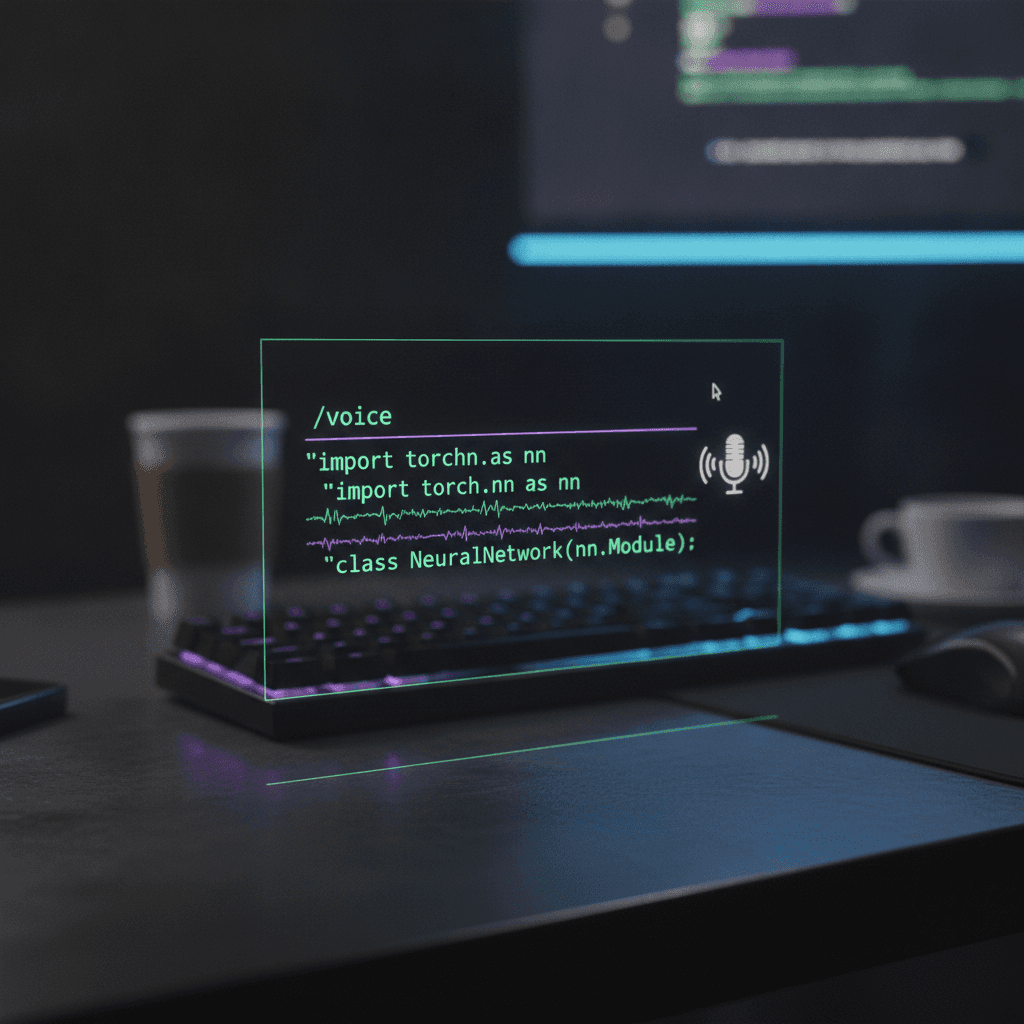
Audio goes to Anthropic's servers for transcription. Your machine does not handle processing locally. Voice dictation requires Claude Code v2.1.69 or later for the feature to be available at all.
Claude Code Voice Mode vs External Voice Dictation Tools
The built-in voice mode and a system-level dictation tool serve different purposes. Claude Code's voice feature is scoped to the terminal: speech feeds directly into Claude's input, keeping the workflow contained there. System-wide dictation tools like macOS or Windows insert text into any active field, so they work across every app simultaneously.
The gap shows up most with complex prompts. Built-in voice handles quick commands well, but for precise, multi-part instructions, dedicated speech-to-text tools offer more control over structure and exact wording. For developers building hands-free programming workflows, that difference compounds quickly, since a vague or malformed prompt means more iterations before Claude produces anything useful.
Feature | Built-In Claude Code Voice | External Dictation Tools |
|---|---|---|
Scope | Terminal only | System-wide (works across every app) |
Latency | 700ms+ | ~200ms (Willow) |
Processing | Cloud (Anthropic servers) | Varies by tool |
Technical Vocabulary | Generic speech recognition | Learns codebase terms and syntax |
Cross-System | Requires local microphone | Consistent across Mac, Windows, web |
Best For | Quick terminal commands | Complex prompts, multi-app workflows |
Built-In Voice Mode Requirements and Limitations
The voice dictation documentation outlines where the feature won't work. Voice input is blocked when Claude Code is configured to use a direct Anthropic API key, or when running against Amazon Bedrock, Google Vertex AI, or Microsoft Foundry. Organizations with HIPAA compliance active also can't access it.
Remote use is out too. Voice requires local microphone access, so the web interface and SSH sessions don't support it.
WSL adds one wrinkle. Audio works in WSL2 through WSLg, which ships with WSL2 when installed from the Microsoft Store on Windows 10 or 11. Without WSLg, the fallback is running Claude Code in native Windows instead.
Voice Input for MCP Servers and Claude Code Hooks
Claude Code hooks and MCP servers open up two genuinely interesting voice input paths that go beyond simply speaking into a terminal.
With Claude Code hooks, you can wire up shell scripts that fire at specific points in the agent lifecycle. A voice trigger at PreToolUse or PostToolUse, for example, lets you speak a confirmation or correction before the agent writes a file or runs a command. Developers discussing this on Reddit and GitHub have noted that hooks give you fine-grained control without modifying Claude's core behavior.
Voice Through MCP Servers
MCP servers extend Claude Code's capabilities through a tool-calling interface. A voice-capable MCP server can accept spoken input, transcribe it, and pass structured commands directly into the agent context. You could narrate multi-step instructions and have them executed as tool calls instead of typed prompts.
Why Developers Use External Dictation for Claude Code
The core frustration is latency. OS-level dictation on macOS and Windows tends to hover around 700ms or more before text appears, which is long enough to break concentration mid-thought.
Variable names, library references, and CLI syntax don't survive generic speech recognition intact, so developers end up spending more time correcting transcription errors than they saved by speaking.
Switching between a terminal and a separate voice interface adds friction that compounds across a full coding session.
MCP server configurations and hook-based setups require maintenance, and most have no persistent vocabulary learning across sessions or devices; each new machine starts from scratch.
For teams, the gap is wider: built-in voice has no shared vocabulary, no admin controls, and no way to standardize how terminology transcribes across developers; every new hire or new machine resets to zero.

This is the context behind why tools like Willow Voice have seen traction among Claude Code users. A dedicated dictation layer with ~200ms latency and session-aware vocabulary handling solves these workflow needs more directly than stitching together OS dictation with shell hooks.
Voice Dictation Setup for Windows and macOS
Getting Willow running takes under five minutes regardless of your OS.
Windows
Willow supports Windows natively, making it one of the few AI dictation tools that gives Windows users the same full-featured experience as macOS. Download the installer, sign in, and assign a push-to-talk hotkey. From there, Willow works across any app where you can type. For engineering teams running a mix of Windows and macOS machines, the same trained vocabulary and hotkey setup carry over without per-device reconfiguration.
macOS
On macOS, Willow runs as a menu bar app. Grant microphone access, set your hotkey, and speak directly into any text field in any app.
When Voice Input Beats Typing in Claude Code
Voice input pulls ahead of typing in Claude Code when tasks get long, repetitive, or require free-form thinking. Explaining a bug, drafting a prompt, describing what you want an agent to do next: these are verbal tasks by nature. Typing them out creates friction that slows the actual work.
A few situations where the gap is most obvious:
Prompt engineering sessions where you're iterating on instructions across multiple runs benefit from speaking your changes out loud, since you can say a full revised instruction faster than you can retype it.
Debugging explanations that require walking through context, like "the API returns a 200 but the payload is empty when the user has no profile photo set"; that sentence takes seconds to say and 15+ seconds to type accurately.
Professional workflow tasks that live outside the terminal, like PR descriptions, code review comments, and internal documentation in GitHub, Linear, or Notion, are all reachable from the same hotkey with a system-wide dictation tool. Speaking those items aloud is faster than typing them and often produces more thorough, better-worded output. On Android, the same vocabulary follows you to mobile, useful for capturing context or drafting a quick prompt while away from the desk.
Why Willow Works Better Than Built-In Voice Mode for Claude Code

Willow Voice is purpose-built around the constraints that make Claude Code voice input genuinely hard: fast transcription, developer vocabulary, and low enough latency that your next thought doesn't evaporate while you wait.
Most built-in voice modes treat dictation as a secondary feature. Willow treats it as the whole product. That difference shows up in a few concrete ways.
Speed and Latency
Willow processes audio in roughly 200ms. Built-in tools typically run 700ms or higher. At that gap, you notice every pause. When you're directing an agentic session in Claude Code, hesitation breaks the flow of reasoning.
Accuracy on Technical Vocabulary
Built-in dictation struggles with developer vocabulary: library names, CLI flags, variable conventions, package references. Willow learns your codebase vocabulary over time, so transcription improves the more you use it. The result is around 98% accuracy on the content that matters.
Works Across Every OS
Willow runs on Mac, Windows, and the web. Whether you're running Claude Code on macOS, a Windows machine, or jumping between them, the same trained vocabulary and hotkey setup follows you. No reconfiguration per device.
Team-Ready by Default
For engineering teams adopting voice-driven Claude Code workflows, Willow includes shared dictionaries, admin controls, and SOC 2 Type II and HIPAA compliance. Shared custom dictionaries let teams standardize codebase terminology across the org, so variable conventions, internal tool names, and framework references transcribe consistently for every developer. Codebase auto-tagging in Cursor and Windsurf IDEs pulls those terms directly from open project files, with no manual dictionary entry needed per developer. Team leaderboards surface usage and time-saved data across the group, giving engineering leads visibility into where voice adoption is taking hold. Engineering teams at companies like Uber and GitHub use this data to understand which parts of their workflow benefit most from voice input. PR descriptions, Claude Code prompting, and async documentation are typically where the time savings show up first. Individual setup takes under five minutes; team-wide rollout is supported at the infrastructure level.
FAQs
Can I use voice input with Claude Code without installing extra software?
Yes. Claude Code v2.1.69+ includes built-in voice dictation via the /voice command in the CLI, with hold-to-record and tap-to-record modes. However, system-level dictation tools like Willow Voice work across every app simultaneously and offer faster transcription (around 200ms vs 700ms+ for built-in options), which becomes important when you're iterating on multi-part prompts or debugging explanations.
Claude Code voice input vs Willow Voice?
Claude Code's built-in voice is scoped to the terminal and sends audio to Anthropic's servers for transcription, while Willow Voice works system-wide across any text field with around 200ms latency and learns your technical vocabulary over time. If you're only speaking quick commands in the CLI, the built-in option works fine - but for longer prompts, code review comments, or work that spans GitHub, Slack, and documentation tools, a dedicated dictation layer handles complex technical language more reliably.
How do I set up voice dictation for Claude Code on Windows?
Willow Voice supports Windows natively, so setup takes under five minutes: download the installer, grant microphone access, and set a push-to-talk hotkey. From there, you can speak into Claude Code's CLI or any other Windows application without additional configuration.
Final Thoughts on Claude Code Voice Input
Claude Code voice input works, but the built-in option has real limits: cloud-dependent processing, no cross-device vocabulary, and latency that breaks concentration during longer prompts. For quick terminal commands it's fine. For anything more involved, a dedicated dictation layer makes a noticeable difference. Willow was built around exactly this kind of workflow, giving you ~200ms transcription, a vocabulary that learns your codebase, and consistent performance whether you're on Mac, Windows, or Android. If Claude Code voice input is part of how you work, it's worth running a dedicated tool alongside it.
Claude Code voice input transcribes slowly, mangles technical vocabulary, and doesn't follow you across machines or setups. Developers hit the same wall whether they're on Windows, macOS, or Android: latency that breaks concentration, transcription errors on variable names and CLI flags, and no persistent vocabulary across sessions. Dedicated dictation tools like Willow Voice handle that with ~200ms latency, vocabulary that learns your codebase, and consistent performance across every system Here's what breaks in the built-in option, why most workarounds don't stick, and what actually works.
TLDR:
Claude Code's built-in voice input runs
/voicein terminal but sends audio to Anthropic's servers for transcription, requiring v2.1.69+.Built-in voice is blocked when using direct API keys, Amazon Bedrock, Google Vertex AI, or with HIPAA compliance turned on.
OS-level dictation sits at 700ms+ latency, breaking flow during complex prompts where precise wording matters.
Speaking runs 3x faster than typing (150 WPM vs. 40 WPM), which matters for detailed Claude Code prompts that produce better results.
Dedicated dictation tools process audio at ~200ms with 98%+ accuracy on technical vocabulary, learning codebase terms across Mac, Windows, and web.
What Claude Code Voice Input Is and How It Works
Claude Code's built-in voice input lets you speak prompts directly in the terminal instead of typing them. To activate it, run /voice from the CLI. Two recording modes are available: hold-to-record, where you hold a key while speaking and release to submit, and tap-to-record, where one tap starts and another stops the recording.
Audio goes to Anthropic's servers for transcription. Your machine does not handle processing locally. Voice dictation requires Claude Code v2.1.69 or later for the feature to be available at all.
Claude Code Voice Mode vs External Voice Dictation Tools
The built-in voice mode and a system-level dictation tool serve different purposes. Claude Code's voice feature is scoped to the terminal: speech feeds directly into Claude's input, keeping the workflow contained there. System-wide dictation tools like macOS or Windows insert text into any active field, so they work across every app simultaneously.
The gap shows up most with complex prompts. Built-in voice handles quick commands well, but for precise, multi-part instructions, dedicated speech-to-text tools offer more control over structure and exact wording. For developers building hands-free programming workflows, that difference compounds quickly, since a vague or malformed prompt means more iterations before Claude produces anything useful.
Feature | Built-In Claude Code Voice | External Dictation Tools |
|---|---|---|
Scope | Terminal only | System-wide (works across every app) |
Latency | 700ms+ | ~200ms (Willow) |
Processing | Cloud (Anthropic servers) | Varies by tool |
Technical Vocabulary | Generic speech recognition | Learns codebase terms and syntax |
Cross-System | Requires local microphone | Consistent across Mac, Windows, web |
Best For | Quick terminal commands | Complex prompts, multi-app workflows |
Built-In Voice Mode Requirements and Limitations
The voice dictation documentation outlines where the feature won't work. Voice input is blocked when Claude Code is configured to use a direct Anthropic API key, or when running against Amazon Bedrock, Google Vertex AI, or Microsoft Foundry. Organizations with HIPAA compliance active also can't access it.
Remote use is out too. Voice requires local microphone access, so the web interface and SSH sessions don't support it.
WSL adds one wrinkle. Audio works in WSL2 through WSLg, which ships with WSL2 when installed from the Microsoft Store on Windows 10 or 11. Without WSLg, the fallback is running Claude Code in native Windows instead.
Voice Input for MCP Servers and Claude Code Hooks
Claude Code hooks and MCP servers open up two genuinely interesting voice input paths that go beyond simply speaking into a terminal.
With Claude Code hooks, you can wire up shell scripts that fire at specific points in the agent lifecycle. A voice trigger at PreToolUse or PostToolUse, for example, lets you speak a confirmation or correction before the agent writes a file or runs a command. Developers discussing this on Reddit and GitHub have noted that hooks give you fine-grained control without modifying Claude's core behavior.
Voice Through MCP Servers
MCP servers extend Claude Code's capabilities through a tool-calling interface. A voice-capable MCP server can accept spoken input, transcribe it, and pass structured commands directly into the agent context. You could narrate multi-step instructions and have them executed as tool calls instead of typed prompts.
Why Developers Use External Dictation for Claude Code
The core frustration is latency. OS-level dictation on macOS and Windows tends to hover around 700ms or more before text appears, which is long enough to break concentration mid-thought.
Variable names, library references, and CLI syntax don't survive generic speech recognition intact, so developers end up spending more time correcting transcription errors than they saved by speaking.
Switching between a terminal and a separate voice interface adds friction that compounds across a full coding session.
MCP server configurations and hook-based setups require maintenance, and most have no persistent vocabulary learning across sessions or devices; each new machine starts from scratch.
For teams, the gap is wider: built-in voice has no shared vocabulary, no admin controls, and no way to standardize how terminology transcribes across developers; every new hire or new machine resets to zero.
This is the context behind why tools like Willow Voice have seen traction among Claude Code users. A dedicated dictation layer with ~200ms latency and session-aware vocabulary handling solves these workflow needs more directly than stitching together OS dictation with shell hooks.
Voice Dictation Setup for Windows and macOS
Getting Willow running takes under five minutes regardless of your OS.
Windows
Willow supports Windows natively, making it one of the few AI dictation tools that gives Windows users the same full-featured experience as macOS. Download the installer, sign in, and assign a push-to-talk hotkey. From there, Willow works across any app where you can type. For engineering teams running a mix of Windows and macOS machines, the same trained vocabulary and hotkey setup carry over without per-device reconfiguration.
macOS
On macOS, Willow runs as a menu bar app. Grant microphone access, set your hotkey, and speak directly into any text field in any app.
When Voice Input Beats Typing in Claude Code
Voice input pulls ahead of typing in Claude Code when tasks get long, repetitive, or require free-form thinking. Explaining a bug, drafting a prompt, describing what you want an agent to do next: these are verbal tasks by nature. Typing them out creates friction that slows the actual work.
A few situations where the gap is most obvious:
Prompt engineering sessions where you're iterating on instructions across multiple runs benefit from speaking your changes out loud, since you can say a full revised instruction faster than you can retype it.
Debugging explanations that require walking through context, like "the API returns a 200 but the payload is empty when the user has no profile photo set"; that sentence takes seconds to say and 15+ seconds to type accurately.
Professional workflow tasks that live outside the terminal, like PR descriptions, code review comments, and internal documentation in GitHub, Linear, or Notion, are all reachable from the same hotkey with a system-wide dictation tool. Speaking those items aloud is faster than typing them and often produces more thorough, better-worded output. On Android, the same vocabulary follows you to mobile, useful for capturing context or drafting a quick prompt while away from the desk.
Why Willow Works Better Than Built-In Voice Mode for Claude Code
Willow Voice is purpose-built around the constraints that make Claude Code voice input genuinely hard: fast transcription, developer vocabulary, and low enough latency that your next thought doesn't evaporate while you wait.
Most built-in voice modes treat dictation as a secondary feature. Willow treats it as the whole product. That difference shows up in a few concrete ways.
Speed and Latency
Willow processes audio in roughly 200ms. Built-in tools typically run 700ms or higher. At that gap, you notice every pause. When you're directing an agentic session in Claude Code, hesitation breaks the flow of reasoning.
Accuracy on Technical Vocabulary
Built-in dictation struggles with developer vocabulary: library names, CLI flags, variable conventions, package references. Willow learns your codebase vocabulary over time, so transcription improves the more you use it. The result is around 98% accuracy on the content that matters.
Works Across Every OS
Willow runs on Mac, Windows, and the web. Whether you're running Claude Code on macOS, a Windows machine, or jumping between them, the same trained vocabulary and hotkey setup follows you. No reconfiguration per device.
Team-Ready by Default
For engineering teams adopting voice-driven Claude Code workflows, Willow includes shared dictionaries, admin controls, and SOC 2 Type II and HIPAA compliance. Shared custom dictionaries let teams standardize codebase terminology across the org, so variable conventions, internal tool names, and framework references transcribe consistently for every developer. Codebase auto-tagging in Cursor and Windsurf IDEs pulls those terms directly from open project files, with no manual dictionary entry needed per developer. Team leaderboards surface usage and time-saved data across the group, giving engineering leads visibility into where voice adoption is taking hold. Engineering teams at companies like Uber and GitHub use this data to understand which parts of their workflow benefit most from voice input. PR descriptions, Claude Code prompting, and async documentation are typically where the time savings show up first. Individual setup takes under five minutes; team-wide rollout is supported at the infrastructure level.
FAQs
Can I use voice input with Claude Code without installing extra software?
Yes. Claude Code v2.1.69+ includes built-in voice dictation via the /voice command in the CLI, with hold-to-record and tap-to-record modes. However, system-level dictation tools like Willow Voice work across every app simultaneously and offer faster transcription (around 200ms vs 700ms+ for built-in options), which becomes important when you're iterating on multi-part prompts or debugging explanations.
Claude Code voice input vs Willow Voice?
Claude Code's built-in voice is scoped to the terminal and sends audio to Anthropic's servers for transcription, while Willow Voice works system-wide across any text field with around 200ms latency and learns your technical vocabulary over time. If you're only speaking quick commands in the CLI, the built-in option works fine - but for longer prompts, code review comments, or work that spans GitHub, Slack, and documentation tools, a dedicated dictation layer handles complex technical language more reliably.
How do I set up voice dictation for Claude Code on Windows?
Willow Voice supports Windows natively, so setup takes under five minutes: download the installer, grant microphone access, and set a push-to-talk hotkey. From there, you can speak into Claude Code's CLI or any other Windows application without additional configuration.
Final Thoughts on Claude Code Voice Input
Claude Code voice input works, but the built-in option has real limits: cloud-dependent processing, no cross-device vocabulary, and latency that breaks concentration during longer prompts. For quick terminal commands it's fine. For anything more involved, a dedicated dictation layer makes a noticeable difference. Willow was built around exactly this kind of workflow, giving you ~200ms transcription, a vocabulary that learns your codebase, and consistent performance whether you're on Mac, Windows, or Android. If Claude Code voice input is part of how you work, it's worth running a dedicated tool alongside it.

Try Willow for free
Instant, accurate voice dictation. No card required.
Try Willow for free
Instant, accurate voice dictation. No card required.
Other stories you’ll love
Other stories you’ll love


Your keyboard is optional now
" transform="translate(5 5)" width="9.791000051498413px"/></svg>)

The voice-first interface for modern work.
© Willow Care, Inc. 2026. All rights reserved
Your keyboard is optional now
The voice-first interface for modern work.
© Willow Care, Inc. 2026. All rights reserved
Your keyboard is optional now
The voice-first interface for modern work.
© Willow Care, Inc. 2026. All rights reserved