" transform="translate(5 2)" width="10px"/></svg>)

•
5 min read
Best Voice Dictation for Bolt: Willow vs Wispr Flow July 2026

•
5 min read
Best Voice Dictation for Bolt: Willow vs Wispr Flow July 2026
If you've tried voice dictation for Bolt or any other AI coding tool, you've probably hit the same wall: you speak a full prompt describing component behavior or feature logic, then wait while the tool catches up, mangles a library name, and forces you back to the keyboard to fix what should have been faster than typing. The promise of dictation is speed, but at 700ms latency or higher, most tools introduce a new kind of friction that's worse than the problem they're solving. We'll break down how each one handles speed, accuracy, and the technical vocabulary that shows up in real Bolt workflows.
TLDR:
Voice dictation can hit 150 WPM compared to 40 WPM typing, but latency above 700ms breaks your focus during rapid iteration in Bolt.
Since Bolt has no native voice input, any system-level dictation tool works by default, making transcription software speed and accuracy the only variables that shape your experience.
Apple Dictation runs at 700ms+ response time; Wispr Flow runs at ~700ms, and both create noticeable pauses between speaking and seeing text appear on screen.
Willow Voice's Frontier Pro model runs at around 200ms latency, learns your technical vocabulary over time, and delivers 98%+ accuracy, roughly 3x fewer errors than built-in tools on code prompts. Frontier Pro powers Individual, Team, and Enterprise plans and is built for developers and teams where dictation accuracy, speed, and output quality are mission-critical; the free Frontier Mini plan delivers unlimited AI dictation from day one with no credit card required.
For teams rolling out voice dictation across Windows workstations, Mac laptops, and iOS devices, shared custom dictionaries, admin controls, and SOC 2 Type II certification mean the tool fits existing security review requirements from day one without a separate compliance cycle.
What Is Voice Dictation for Bolt?
Bolt is an AI-powered coding environment where developers describe what they want in plain language and watch working applications take shape in real time. The workflow is fast and conversational by nature, which makes voice input a genuinely useful fit instead of a novelty.
Voice dictation for Bolt means speaking your prompts, instructions, and feedback directly into the interface instead of typing them. For developers who think faster than they type, or who are iterating quickly across multiple ideas, speaking prompts to Bolt can keep pace with the actual speed of the work.

The case for it is straightforward:
Spoken prompts tend to be more expressive and detailed than typed ones, which can produce better initial results from Bolt's AI without multiple rounds of correction.
Typing at a typical 40 WPM creates a natural bottleneck when you are trying to describe complex UI logic, component behavior, or multi-step app flows quickly.
Developers working in extended sessions often find that reducing keyboard input lowers fatigue without sacrificing output quality.
How Voice Dictation Actually Works in This Context
No native voice input is built into Bolt itself. Instead, voice dictation tools run at the operating system or browser level and transcribe speech into text that gets typed wherever your cursor sits. That means any dictation tool you already use works with Bolt by default, and the quality of your experience depends entirely on whichever transcription tool you choose.
That choice matters more in a coding context than in most others. Bolt prompts frequently contain technical vocabulary and framework-specific terms where errors create friction instead of minor inconvenience.
Why Voice Dictation Speed Matters for Development Workflows
When you're building in Bolt, your thinking moves fast. You're iterating on components, writing prompts, describing logic, and guiding the AI through decisions in real time. The bottleneck is rarely the idea; it's getting the idea out.
Typing averages around 40 WPM for most people. Voice dictation can reach 150 WPM, meaning you can describe a feature, explain a bug, or draft a prompt in roughly a third of the time. Stanford research confirms speech is 3x faster than typing for input tasks. That gap compounds across a full coding session.
But raw speed is only half the picture. Latency matters just as much.
Why Latency Breaks Flow
When you speak and then wait, your brain starts drifting. You lose the thread of what you were building. This is where the difference between ~200ms and 700ms+ response times stops being a spec and starts being a felt experience.
At sub-200ms, text lands almost as you finish speaking. At 700ms or more, there's a perceptible pause, long enough to interrupt the mental state that makes rapid iteration possible in Bolt.
For developers who rely on voice to narrate complex logic or describe multi-step UI changes, that pause can break concentration at exactly the wrong moment. Speed gets you more words per minute; low latency keeps you in the session.
How Logitech Bolt Keyboards Handle Voice Dictation
Logitech Bolt is a wireless USB receiver tech that connects keyboards and mice to a computer over a secure 2.4 GHz connection. Unlike Bluetooth, Bolt uses a dedicated USB dongle, which gives it more stable connectivity and lower input latency across Windows and macOS.
For voice dictation users, Bolt keyboards are simply input devices. They do not process audio or run speech recognition on their own. The keyboard connects your hands to the screen; voice dictation connects your voice to the screen. These are two separate input channels that can run in parallel without conflict.
What Actually Determines Dictation Quality
Since Bolt itself is audio-agnostic, the variables that shape your dictation experience are entirely software-side:
The speech recognition engine and how well it handles your vocabulary, accent, and speaking pace
Response latency between when you finish speaking and when text appears on screen
How well the tool learns your writing style over time to cut down on corrections
Whether the app works across every window and text field you use throughout the day
Apple Dictation Accuracy and Limitations
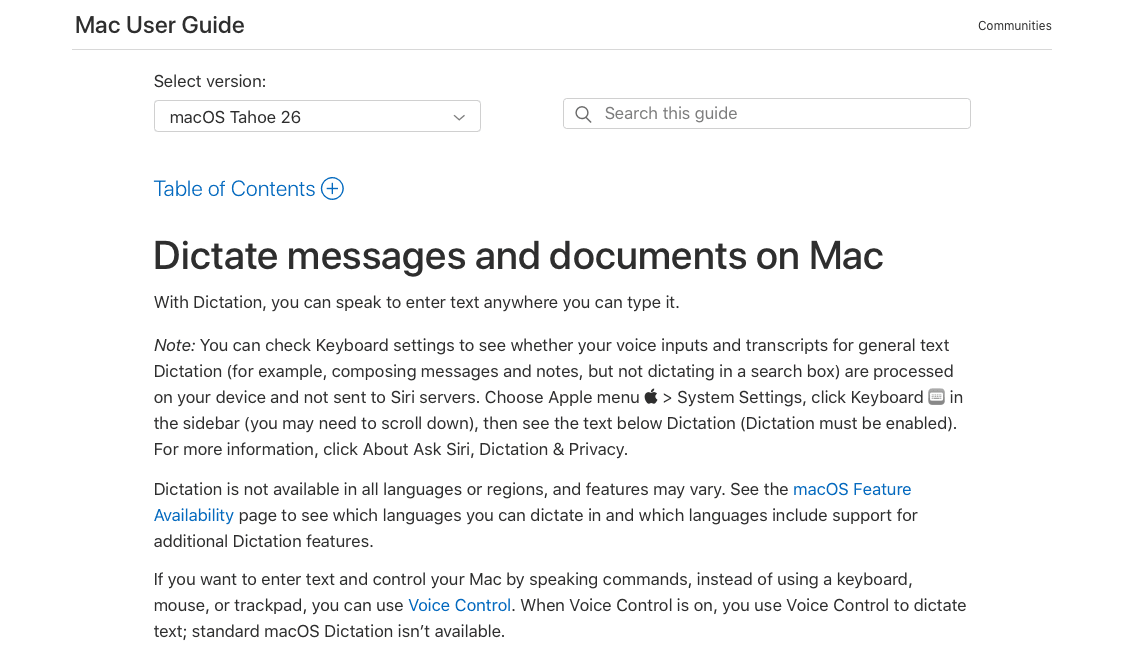
Apple Dictation comes built into every Mac, iPhone, and iPad, which makes it a convenient starting point for anyone working in Bolt. Zero setup, no subscription, and it works directly in any text field. For quick notes or short commands, it gets the job done.
The accuracy limitations show up fast once you move beyond casual use. Apple Dictation can struggle with technical vocabulary, proper nouns, and domain-specific terminology that developers rely on in Bolt projects. If you're speaking variable names, package references, or detailed feature descriptions, expect to do a fair amount of manual cleanup.
Latency is another real constraint. Apple Dictation typically runs in the 700ms+ range, which creates a noticeable lag between when you speak and when text appears. That gap may seem minor in isolation, but across a long coding or planning session, the interruptions add up.
A few other limitations worth knowing:
Apple Dictation does not learn your personal vocabulary or writing patterns over time, so accuracy stays roughly the same regardless of how much you use it.
Customization is minimal. You cannot add custom dictionaries, shortcut phrases, or domain-specific term lists.
It requires an active internet connection on most devices for anything beyond short snippets, which affects reliability in low-connectivity environments.
For casual, occasional use inside Bolt, Apple Dictation is a reasonable zero-cost option. For anyone speaking prompts regularly, the vocabulary gaps and latency tend to outweigh the convenience of having it already installed.
Wispr Flow Features and Cross-App Support
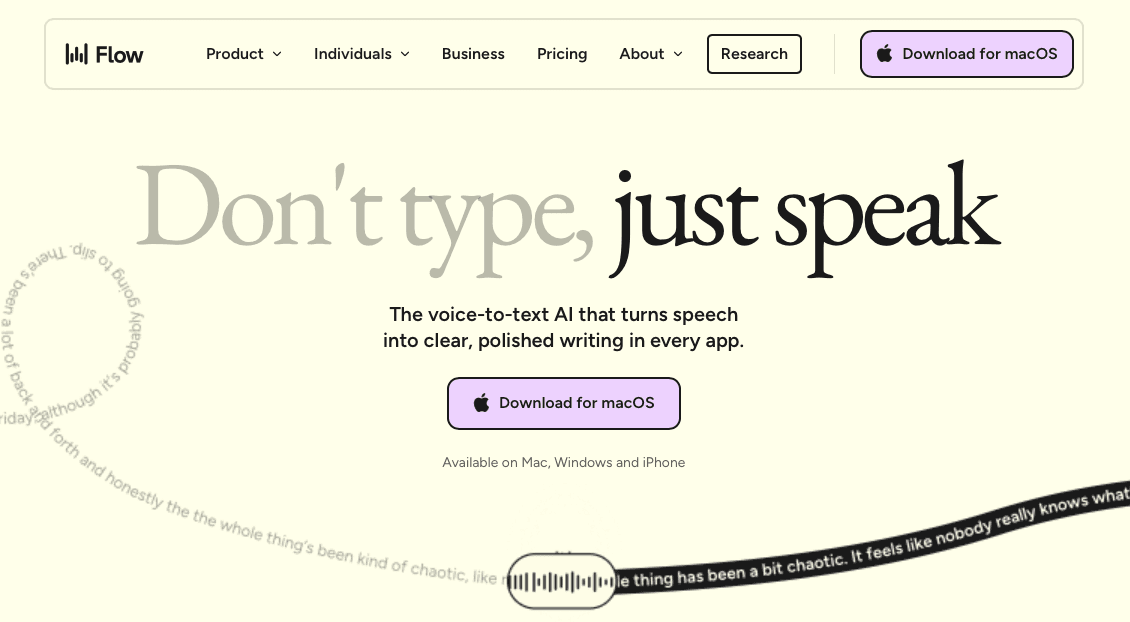
Wispr Flow has built a solid reputation as a cross-app voice dictation tool, and that reputation is earned. It works across macOS and, as of recent updates, Android as well, giving it broader device coverage than some competitors. The core experience revolves around a floating mic widget you can summon in nearly any text field, which keeps the friction low for users who switch between apps frequently.
On the feature side, Wispr Flow offers AI-assisted text cleanup, meaning it can smooth out filler words and restructure spoken sentences before they land on screen. It also supports custom vocabulary and has improved its contextual awareness over time.
From a compliance standpoint, Wispr Flow has matured considerably. It now holds SOC 2 Type II, ISO 27001, and HIPAA certifications, so formal compliance is covered. That said, reliance on third-party AI providers for processing can still raise questions for organizations with strict data residency or on-device privacy requirements, and it is not positioned as a medical-first tool. Its vocabulary optimization for specialized technical or clinical workflows is less extensive than tools built with those domains in mind.
How Willow Compares to Wispr Flow and Apple Dictation

Willow Voice sits in a different category from both Wispr Flow and Apple's built-in dictation. The differences in speed, personalization, and compliance infrastructure are worth spelling out, particularly for teams choosing which tool can deploy natively across Windows workstations, Mac laptops, and iOS devices from a single rollout, with shared vocabulary and admin controls that carry across every device in the fleet without per-environment reconfiguration.
Willow Voice | Wispr Flow | Apple Dictation | |
|---|---|---|---|
Latency | ~200ms | 700ms+ | 700ms+ |
Accuracy | 98%+ | General-purpose | General-purpose |
Learns your vocabulary | Yes | Limited | No |
Technical term handling | Strong | Moderate | Weak |
Cross-app support | Yes | Yes | Yes |
Cost | Paid | Paid | Free |
Speed and Latency
Willow runs at roughly 200ms latency. Wispr Flow runs at ~700ms and Apple Dictation at 700ms or higher. At sub-200ms, transcription keeps pace with how you actually think.
Accuracy and Personalization
Willow Voice learns your vocabulary over time, picking up variable names, framework references, and domain-specific terms, and delivers 98%+ accuracy, roughly 3x fewer errors than built-in tools. For teams, shared custom dictionaries let an entire org standardize codebase terminology across every developer from day one, with admin controls that push vocabulary updates across the group without touching individual installs. Team leaderboards surface words spoken and time saved per developer, giving engineering leads visibility into adoption across the group without manual tracking. That same infrastructure, SOC 2 Type II certified, HIPAA compliant, and zero data retention by default, runs natively on Windows, Mac, and iOS, so mixed-device deployments spanning Windows workstations, Mac laptops, and iOS devices don't require separate setups or separate compliance reviews per environment. Wispr Flow is a capable general-purpose tool, but its accuracy is less tailored to individual users working in technical contexts and it lacks the team-layer infrastructure needed for org-wide rollout. Apple Dictation handles standard prose reasonably well but struggles with code-adjacent vocabulary and proper nouns, and provides no learning loop or shared vocabulary layer.
FAQs
Voice dictation for Bolt Streamlit vs Reflex?
Neither Streamlit nor Reflex are voice dictation tools. They're Python frameworks for building web apps. For voice dictation into Bolt (the AI coding environment), you'd use a system-level tool like Willow, Wispr Flow, or Apple Dictation that works across any text field.
Can I use voice dictation with Bolt without slowing down my workflow?
Yes, if your dictation tool runs at low latency. At ~200ms response time, text appears nearly as you finish speaking and keeps you in flow. At 700ms or higher, the pause between speaking and seeing text can break your concentration during rapid iteration.
How does a Logitech Bolt keyboard affect voice dictation quality?
It doesn't. Logitech Bolt is a wireless USB receiver for keyboards and mice; it handles hardware input, not audio. Your dictation quality depends entirely on the speech recognition software you choose, not your keyboard connection method.
Final Thoughts on Voice Dictation for Bolt and Choosing the Right Tool
Voice dictation for Bolt is a genuine productivity upgrade, but only when the tool is fast and accurate enough to stay out of your way. Apple Dictation and Wispr Flow both work, but neither is built for the technical vocabulary or team-scale deployment that Bolt sessions demand. Willow Voice runs at around 200ms latency on its Frontier Pro model, learns your vocabulary over time, and runs natively across Mac, Windows, and iOS. Frontier Pro powers Individual, Team, and Enterprise plans; the free Frontier Mini plan offers unlimited AI dictation as a no-friction starting point.
If you've tried voice dictation for Bolt or any other AI coding tool, you've probably hit the same wall: you speak a full prompt describing component behavior or feature logic, then wait while the tool catches up, mangles a library name, and forces you back to the keyboard to fix what should have been faster than typing. The promise of dictation is speed, but at 700ms latency or higher, most tools introduce a new kind of friction that's worse than the problem they're solving. We'll break down how each one handles speed, accuracy, and the technical vocabulary that shows up in real Bolt workflows.
TLDR:
Voice dictation can hit 150 WPM compared to 40 WPM typing, but latency above 700ms breaks your focus during rapid iteration in Bolt.
Since Bolt has no native voice input, any system-level dictation tool works by default, making transcription software speed and accuracy the only variables that shape your experience.
Apple Dictation runs at 700ms+ response time; Wispr Flow runs at ~700ms, and both create noticeable pauses between speaking and seeing text appear on screen.
Willow Voice's Frontier Pro model runs at around 200ms latency, learns your technical vocabulary over time, and delivers 98%+ accuracy, roughly 3x fewer errors than built-in tools on code prompts. Frontier Pro powers Individual, Team, and Enterprise plans and is built for developers and teams where dictation accuracy, speed, and output quality are mission-critical; the free Frontier Mini plan delivers unlimited AI dictation from day one with no credit card required.
For teams rolling out voice dictation across Windows workstations, Mac laptops, and iOS devices, shared custom dictionaries, admin controls, and SOC 2 Type II certification mean the tool fits existing security review requirements from day one without a separate compliance cycle.
What Is Voice Dictation for Bolt?
Bolt is an AI-powered coding environment where developers describe what they want in plain language and watch working applications take shape in real time. The workflow is fast and conversational by nature, which makes voice input a genuinely useful fit instead of a novelty.
Voice dictation for Bolt means speaking your prompts, instructions, and feedback directly into the interface instead of typing them. For developers who think faster than they type, or who are iterating quickly across multiple ideas, speaking prompts to Bolt can keep pace with the actual speed of the work.
The case for it is straightforward:
Spoken prompts tend to be more expressive and detailed than typed ones, which can produce better initial results from Bolt's AI without multiple rounds of correction.
Typing at a typical 40 WPM creates a natural bottleneck when you are trying to describe complex UI logic, component behavior, or multi-step app flows quickly.
Developers working in extended sessions often find that reducing keyboard input lowers fatigue without sacrificing output quality.
How Voice Dictation Actually Works in This Context
No native voice input is built into Bolt itself. Instead, voice dictation tools run at the operating system or browser level and transcribe speech into text that gets typed wherever your cursor sits. That means any dictation tool you already use works with Bolt by default, and the quality of your experience depends entirely on whichever transcription tool you choose.
That choice matters more in a coding context than in most others. Bolt prompts frequently contain technical vocabulary and framework-specific terms where errors create friction instead of minor inconvenience.
Why Voice Dictation Speed Matters for Development Workflows
When you're building in Bolt, your thinking moves fast. You're iterating on components, writing prompts, describing logic, and guiding the AI through decisions in real time. The bottleneck is rarely the idea; it's getting the idea out.
Typing averages around 40 WPM for most people. Voice dictation can reach 150 WPM, meaning you can describe a feature, explain a bug, or draft a prompt in roughly a third of the time. Stanford research confirms speech is 3x faster than typing for input tasks. That gap compounds across a full coding session.
But raw speed is only half the picture. Latency matters just as much.
Why Latency Breaks Flow
When you speak and then wait, your brain starts drifting. You lose the thread of what you were building. This is where the difference between ~200ms and 700ms+ response times stops being a spec and starts being a felt experience.
At sub-200ms, text lands almost as you finish speaking. At 700ms or more, there's a perceptible pause, long enough to interrupt the mental state that makes rapid iteration possible in Bolt.
For developers who rely on voice to narrate complex logic or describe multi-step UI changes, that pause can break concentration at exactly the wrong moment. Speed gets you more words per minute; low latency keeps you in the session.
How Logitech Bolt Keyboards Handle Voice Dictation
Logitech Bolt is a wireless USB receiver tech that connects keyboards and mice to a computer over a secure 2.4 GHz connection. Unlike Bluetooth, Bolt uses a dedicated USB dongle, which gives it more stable connectivity and lower input latency across Windows and macOS.
For voice dictation users, Bolt keyboards are simply input devices. They do not process audio or run speech recognition on their own. The keyboard connects your hands to the screen; voice dictation connects your voice to the screen. These are two separate input channels that can run in parallel without conflict.
What Actually Determines Dictation Quality
Since Bolt itself is audio-agnostic, the variables that shape your dictation experience are entirely software-side:
The speech recognition engine and how well it handles your vocabulary, accent, and speaking pace
Response latency between when you finish speaking and when text appears on screen
How well the tool learns your writing style over time to cut down on corrections
Whether the app works across every window and text field you use throughout the day
Apple Dictation Accuracy and Limitations
Apple Dictation comes built into every Mac, iPhone, and iPad, which makes it a convenient starting point for anyone working in Bolt. Zero setup, no subscription, and it works directly in any text field. For quick notes or short commands, it gets the job done.
The accuracy limitations show up fast once you move beyond casual use. Apple Dictation can struggle with technical vocabulary, proper nouns, and domain-specific terminology that developers rely on in Bolt projects. If you're speaking variable names, package references, or detailed feature descriptions, expect to do a fair amount of manual cleanup.
Latency is another real constraint. Apple Dictation typically runs in the 700ms+ range, which creates a noticeable lag between when you speak and when text appears. That gap may seem minor in isolation, but across a long coding or planning session, the interruptions add up.
A few other limitations worth knowing:
Apple Dictation does not learn your personal vocabulary or writing patterns over time, so accuracy stays roughly the same regardless of how much you use it.
Customization is minimal. You cannot add custom dictionaries, shortcut phrases, or domain-specific term lists.
It requires an active internet connection on most devices for anything beyond short snippets, which affects reliability in low-connectivity environments.
For casual, occasional use inside Bolt, Apple Dictation is a reasonable zero-cost option. For anyone speaking prompts regularly, the vocabulary gaps and latency tend to outweigh the convenience of having it already installed.
Wispr Flow Features and Cross-App Support
Wispr Flow has built a solid reputation as a cross-app voice dictation tool, and that reputation is earned. It works across macOS and, as of recent updates, Android as well, giving it broader device coverage than some competitors. The core experience revolves around a floating mic widget you can summon in nearly any text field, which keeps the friction low for users who switch between apps frequently.
On the feature side, Wispr Flow offers AI-assisted text cleanup, meaning it can smooth out filler words and restructure spoken sentences before they land on screen. It also supports custom vocabulary and has improved its contextual awareness over time.
From a compliance standpoint, Wispr Flow has matured considerably. It now holds SOC 2 Type II, ISO 27001, and HIPAA certifications, so formal compliance is covered. That said, reliance on third-party AI providers for processing can still raise questions for organizations with strict data residency or on-device privacy requirements, and it is not positioned as a medical-first tool. Its vocabulary optimization for specialized technical or clinical workflows is less extensive than tools built with those domains in mind.
How Willow Compares to Wispr Flow and Apple Dictation
Willow Voice sits in a different category from both Wispr Flow and Apple's built-in dictation. The differences in speed, personalization, and compliance infrastructure are worth spelling out, particularly for teams choosing which tool can deploy natively across Windows workstations, Mac laptops, and iOS devices from a single rollout, with shared vocabulary and admin controls that carry across every device in the fleet without per-environment reconfiguration.
Willow Voice | Wispr Flow | Apple Dictation | |
|---|---|---|---|
Latency | ~200ms | 700ms+ | 700ms+ |
Accuracy | 98%+ | General-purpose | General-purpose |
Learns your vocabulary | Yes | Limited | No |
Technical term handling | Strong | Moderate | Weak |
Cross-app support | Yes | Yes | Yes |
Cost | Paid | Paid | Free |
Speed and Latency
Willow runs at roughly 200ms latency. Wispr Flow runs at ~700ms and Apple Dictation at 700ms or higher. At sub-200ms, transcription keeps pace with how you actually think.
Accuracy and Personalization
Willow Voice learns your vocabulary over time, picking up variable names, framework references, and domain-specific terms, and delivers 98%+ accuracy, roughly 3x fewer errors than built-in tools. For teams, shared custom dictionaries let an entire org standardize codebase terminology across every developer from day one, with admin controls that push vocabulary updates across the group without touching individual installs. Team leaderboards surface words spoken and time saved per developer, giving engineering leads visibility into adoption across the group without manual tracking. That same infrastructure, SOC 2 Type II certified, HIPAA compliant, and zero data retention by default, runs natively on Windows, Mac, and iOS, so mixed-device deployments spanning Windows workstations, Mac laptops, and iOS devices don't require separate setups or separate compliance reviews per environment. Wispr Flow is a capable general-purpose tool, but its accuracy is less tailored to individual users working in technical contexts and it lacks the team-layer infrastructure needed for org-wide rollout. Apple Dictation handles standard prose reasonably well but struggles with code-adjacent vocabulary and proper nouns, and provides no learning loop or shared vocabulary layer.
FAQs
Voice dictation for Bolt Streamlit vs Reflex?
Neither Streamlit nor Reflex are voice dictation tools. They're Python frameworks for building web apps. For voice dictation into Bolt (the AI coding environment), you'd use a system-level tool like Willow, Wispr Flow, or Apple Dictation that works across any text field.
Can I use voice dictation with Bolt without slowing down my workflow?
Yes, if your dictation tool runs at low latency. At ~200ms response time, text appears nearly as you finish speaking and keeps you in flow. At 700ms or higher, the pause between speaking and seeing text can break your concentration during rapid iteration.
How does a Logitech Bolt keyboard affect voice dictation quality?
It doesn't. Logitech Bolt is a wireless USB receiver for keyboards and mice; it handles hardware input, not audio. Your dictation quality depends entirely on the speech recognition software you choose, not your keyboard connection method.
Final Thoughts on Voice Dictation for Bolt and Choosing the Right Tool
Voice dictation for Bolt is a genuine productivity upgrade, but only when the tool is fast and accurate enough to stay out of your way. Apple Dictation and Wispr Flow both work, but neither is built for the technical vocabulary or team-scale deployment that Bolt sessions demand. Willow Voice runs at around 200ms latency on its Frontier Pro model, learns your vocabulary over time, and runs natively across Mac, Windows, and iOS. Frontier Pro powers Individual, Team, and Enterprise plans; the free Frontier Mini plan offers unlimited AI dictation as a no-friction starting point.

Try Willow for free
Instant, accurate voice dictation. No card required.
Try Willow for free
Instant, accurate voice dictation. No card required.
Other stories you’ll love
Other stories you’ll love


Your keyboard is optional now
" transform="translate(5 5)" width="9.791000051498413px"/></svg>)

The voice-first interface for modern work.
© Willow Care, Inc. 2026. All rights reserved
Your keyboard is optional now
The voice-first interface for modern work.
© Willow Care, Inc. 2026. All rights reserved
Your keyboard is optional now
The voice-first interface for modern work.
© Willow Care, Inc. 2026. All rights reserved