" transform="translate(5 2)" width="10px"/></svg>)

•
5 min read
AI Voice Dictation for Canva: Write & Publish Faster (August 2026)

•
5 min read
AI Voice Dictation for Canva: Write & Publish Faster (August 2026)
Canva has fundamentally accelerated the way we create visual assets, but the text within those designs remains a manual bottleneck. Whether you are drafting a presentation deck, writing social media captions, or structuring a Canva Doc, the process hits the same wall: your thinking outruns your typing. Canva doesn't offer built-in voice dictation for text fields, but there is a structural fix. Willow Voice works across every text field in Canva the moment you install it, bypassing the keyboard so you can speak your copy directly into your designs.
TLDR:
Speaking is roughly 3x faster than typing. Voice dictation lets you capture ideas at 150 WPM vs 40 WPM.
Willow Voice delivers 98%+ accuracy with ~200ms latency (compared to 700ms+ for competitors).
Works instantly across Windows, Mac, and iOS in any Canva text field, delivering seamless cross-device continuity for mixed-device teams.
Teams get shared dictionaries, admin controls, SOC 2 Type II compliance, and team leaderboards.
The free plan offers unlimited AI dictation with no word cap, so you can test it across your workflow.
Why Voice Dictation Belongs in Your Canva Workflow
Canva makes design fast. Text, though, is a different story.
Because Canva lacks a native voice-to-text feature for text fields, writing copy remains a manual bottleneck. You are mid-flow on a presentation or a social post, but typing out the text breaks your momentum. The design is ready. Your brain is ready. Your fingers just can't keep up.
That gap has a number behind it.
The median typing speed is 40 WPM, while the average speaking rate sits at 150 WPM. That is roughly 3x faster. When you write headlines, slide copy, captions, and body text across a dozen assets, that difference compounds quickly. Voice dictation removes the typing bottleneck entirely.
Speaking your copy directly into Canva keeps you in the same creative headspace, without shifting gears into writing mode. For content creators and marketers, this is less of a productivity trick and more of a structural fix.
How Willow Works Inside Canva
There's no plugin to install and no copy-paste step. Willow works at the system level, so it types directly into any text field, including every editable area inside Canva.
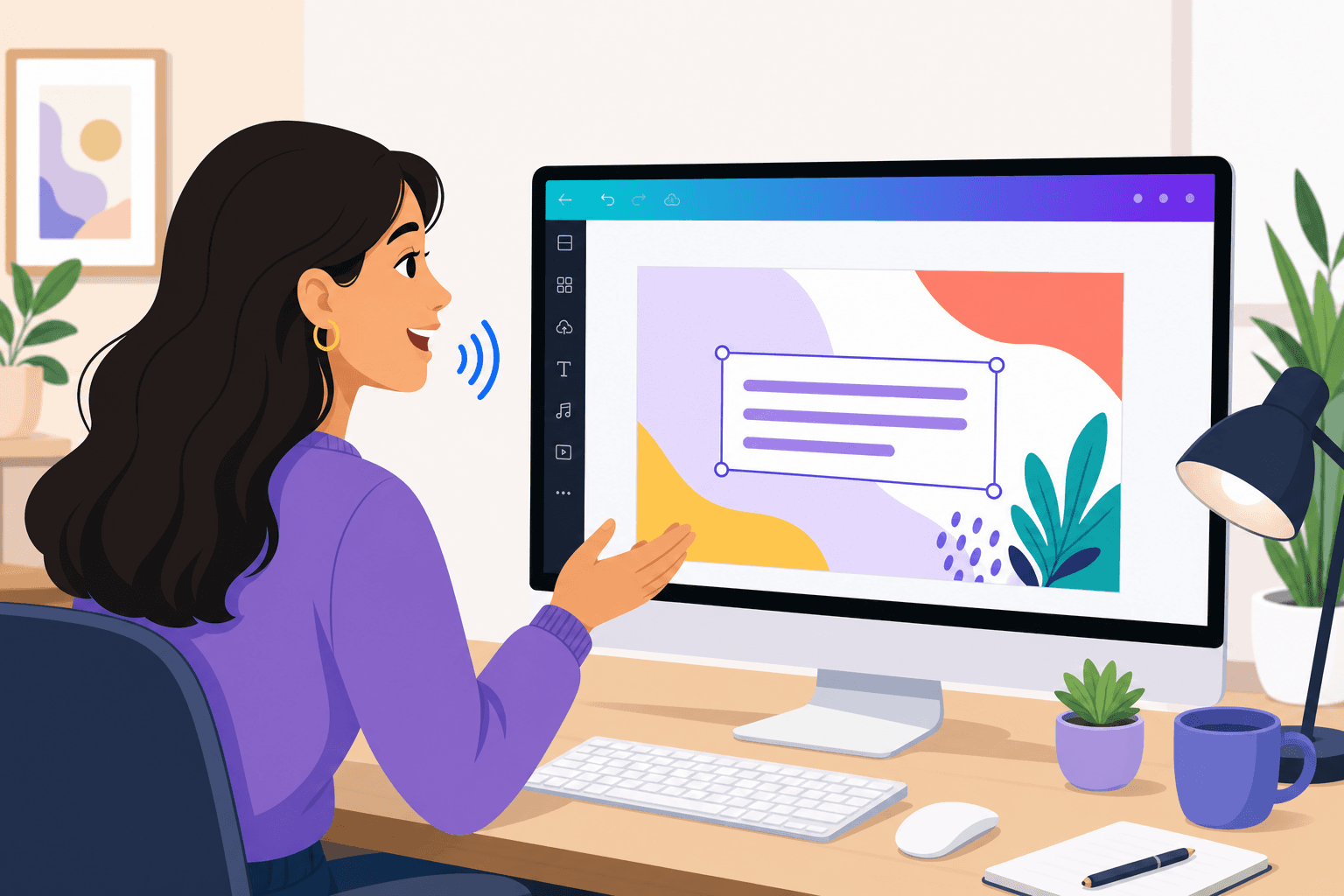
The setup is one action: press the hotkey (fn on Mac or Alt+Space on Windows), speak, and your words appear where your cursor is. Whether you're adding a headline to a slide, filling body copy in a Canva Doc, or writing a caption in the content scheduler, the flow is identical. Canva doesn't need to "support" Willow for it to work. It just works, the same way your keyboard does.
Here's what voice input looks like in practice:
Spoken: "Bold headline, new line, Five reasons your brand needs a refresh, new paragraph" -> Output: A slide headline plus a body copy starter.
Spoken: "Caption: Upgrade your workflow, hashtag productivity, hashtag canvatips" -> Output: An Instagram caption with hashtags appears instantly.
Spoken: "Bullet point, Increase engagement, bullet point, Reduce editing time, bullet point, Publish faster" -> Output: Three formatted bullet points appear in a Canva Doc.
Whether you use Canva in a web browser, on desktop, or via mobile, Willow Voice delivers a fully cross-platform solution with feature parity across Windows, Mac, and iOS. Because custom vocabulary and settings sync automatically across all your devices, your dictation setup stays consistent whether you are working on a Windows PC in the office, a Mac laptop at home, or an iPhone on the go.
What Willow Does Differently
Where tools like Wispr Flow and Apple's built-in voice dictation stop at transcription, Willow goes further:
Speed: At ~200ms latency, text appears fast enough that you never break focus waiting for words to catch up, compared to 700ms+ for legacy tools.
Accuracy and Personalization: Willow delivers 98%+ accuracy and 3x fewer errors than built-in tools. Its Auto-Dictionary learns your writing style, names, and jargon over time.
Built for teams: SOC 2 Type II and HIPAA compliance mean you can speak sensitive copy safely, while shared dictionaries keep team terminology perfectly aligned.
Canva's Built-In Voice Features vs. Voice Dictation: What's the Difference?
Canva offers native voice features, but they solve different problems than voice typing. Canva's "texto a voz" converts written text into AI-generated audio or voiceovers for presentations and videos. Their "voz a texto" transcribes existing audio recordings into editable captions. Neither allows you to write copy in real time. Voice input with Willow fills that gap by letting you speak directly into any Canva text field to write your copy.
Feature | What It Does | Best For |
|---|---|---|
Texto a voz (Canva) | Converts written text to audio | Adding voiceovers to videos |
Voz a texto (Canva) | Transcribes recorded audio | Generating video captions |
Voice input (Willow) | Types text as you speak | Writing real-time copy in text fields |
Zero Edit Dictation That Sounds Like Your Writing Voice
Most dictation tools treat every session like a blank slate. Apple's built-in dictation and Wispr Flow capture what you say and hand it back as raw transcription. What you get is technically accurate speech, but it reads like a transcript, not your copy.
Willow works differently. The Auto-Dictionary builds a personalized vocabulary from how you actually write. Correct a word once or twice, and Willow locks it in permanently, whether that's a brand name, product term, email address, or industry phrase Canva copy tends to rely on. The more you use it, the less you fix.
Tone-matching handles the style layer. A caption for Instagram reads differently than a slide headline or a Canva Doc intro, and Willow adjusts its output to match the register of wherever your cursor sits. Your brand voice stays consistent without you manually enforcing it.
The result is copy that sounds like you wrote it, because in effect, you did. Zero Edit Dictation does not mean perfect on every first take. It means the gap between what you say and what you would actually publish keeps shrinking session by session.
Speed That Keeps You in Flow State
When you're in creative flow inside Canva, even a two-second pause breaks it. Research on cognitive switching suggests that interruptions, even brief ones, force context-switching that costs you far more time than the pause itself.
This is where Willow separates from the field. At ~200ms latency, text appears before your thought has finished forming. Apple's built-in dictation operates at 700ms+, and Wispr Flow runs at ~700ms. You say a sentence, then wait. That wait compounds across an entire content session.

For marketing teams and social media managers, the math is straightforward:
More campaign captions drafted before your coffee goes cold
More client pitch decks finished in a single sitting
Shorter cycles from brief to published asset
Staying in flow state is the difference between launching a campaign today or pushing it to tomorrow.
Built for Teams Publishing at Scale with Canva
Canva's collaboration tools let content teams manage full creative workflows, from brainstorming through approvals to publishing, all in one place. The bottleneck is rarely the design. It's the copy review cycles that slow everything down.
Inconsistent terminology is usually the culprit. Minor variations in capitalization and hyphenation naturally slip into the copy: e.g., eBook, ebook, and e-book. Brand guidelines exist, but nobody checks them mid-session. With Willow's shared custom dictionaries, your team's approved terminology is locked in at the dictation layer across the entire organization.
For agencies running mixed-device fleets, this cross-device continuity is critical. Admin controls let you push vocabulary changes across the whole group (covering Windows workstations, Mac laptops, and iOS devices) without touching individual installs. Every writer gets the same output for the same terms before copy ever reaches a reviewer. Additionally, team leaderboards surface usage and time-saved data across the group, giving managers visibility into where voice adoption is taking hold.
Voice shortcuts take it further. Frequently used phrases, approved disclaimers, or templated response blocks can be saved and triggered by any team member with a single spoken keyword. Fewer inconsistencies mean shorter review cycles.
While consumer-grade tools might work for a solo creator, marketing agencies need enterprise readiness built for mixed-device teams. Compared to tools like Apple dictation and Wispr Flow for team deployment, Willow scales naturally from individual use to an org-wide rollout across Windows, Mac, and iOS devices. Your agency's copy is protected by a zero-data-retention architecture and SOC 2 Type II compliance, so you can safely speak campaign drafts for highly regulated clients without introducing friction to the creative process.
What You Can Write Inside Canva
Voice dictation works across more of Canva than most people expect. Any editable text field is fair game, covering more content types than just headlines and captions.
Canva Content Type | What You Can Write | Voice Command Example |
|---|---|---|
Social Media Posts | Captions, hashtags, CTAs | "New line, hashtag marketing" |
Canva Docs | Full documents, outlines, briefs | "Bullet point, key findings" |
Presentations | Speaker notes, slide text | "Dash, quarterly revenue up" |
Design Briefs | Client notes, project specs | "New paragraph, target audience" |
AI Prompts | Canva Magic Studio instructions | "Generate a festive design for ..." |
Structured content works because of Willow's voice commands. Say "bullet point" or "new line" mid-sentence and the formatting appears inline. You build structure as you speak, skipping the cleanup entirely.
Social media workflows especially benefit here. A caption with a CTA, a line break, and two hashtags takes seconds to speak in exactly the right shape.
How to Set Up Voice Dictation in Canva: Step by Step
Download and install Willow from willowvoice.com (no Canva plugin required).
Open Canva in your browser or desktop app.
Click into any text field where you want voice input (headline, body copy, slide notes, caption, or Canva Doc).
Press the Willow hotkey (fn on Mac or Alt+Space on Windows) to activate voice typing.
Speak your copy naturally, and use voice commands like "new line" or "bullet point" to format.
Press the hotkey again to stop.
This process is identical whether you use Canva in Chrome, Safari, Firefox, or the desktop app on Mac or Windows.
Start Speaking in Canva Today
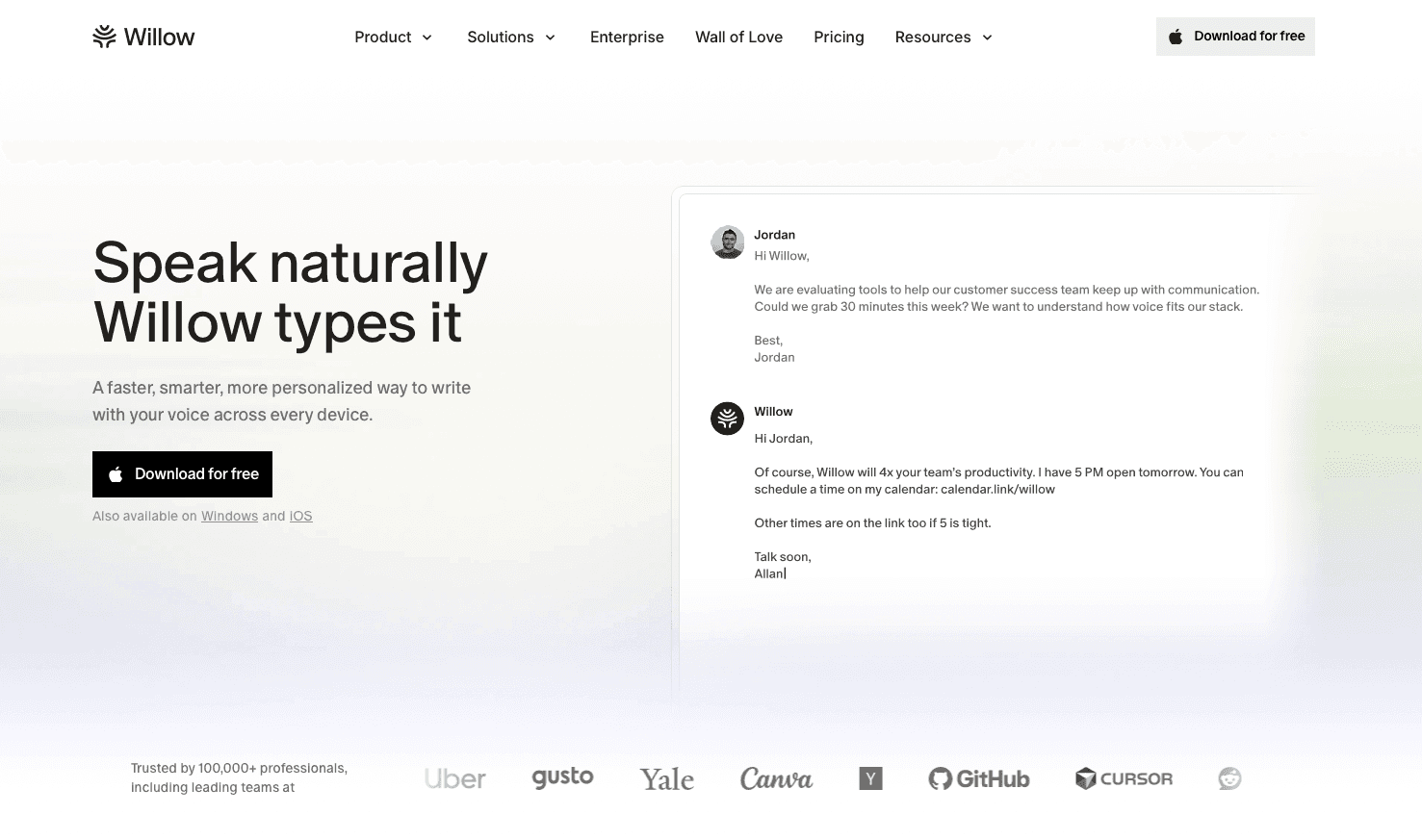
Typing should not be the slowest part of your visual design process. With Willow Voice, you press the hotkey (fn on Mac or Alt+Space on Windows) and speak your copy directly into Canva. The tool supports over 100 languages with dialect parity, delivering 98%+ accuracy so your words appear exactly as intended.
As your content needs grow, the tool scales to meet your organization's needs. Shared custom dictionaries allow teams to lock in approved client terminology, product names, and internal shorthand. Every team member uses the same vocabulary from day one, maintaining brand consistency across all Canva assets without requiring manual setup on individual devices.
For peak performance, the Pro plan is $12 per month (billed annually) and delivers faster, more accurate dictation plus unlimited Willow Scribe. Other plans are also available to fit your organization's needs. The free plan offers unlimited AI dictation with no word cap.
FAQ
¿Canva tiene función de dictado por voz integrada?
Canva does not have a native voice dictation feature for typing into text fields. Its built-in voice tools (texto a voz and voz a texto) handle audio generation and video transcription, not real-time copy dictation. For speaking directly into any Canva text field, you need a system-level tool like Willow.
How do I start voice typing in Canva for the first time?
Install Willow, open Canva, click into any text field, and press the Willow hotkey (Alt+Space on Windows or fn on Mac). That's the complete setup. No plugin, no Canva integration; it works in any browser or the desktop app immediately across Windows, Mac, and iOS.
How fast does Willow type my words into Canva?
Willow operates at 200ms latency, which means text appears almost instantly as you speak, fast enough that you stay in creative flow without waiting for words to catch up.
Can I use voice commands to format my Canva copy?
Yes, you can say commands like "bullet point," "new line," or "dash" while speaking, and Willow will format your text inline without requiring manual edits afterward.
Does my whole team need to spell product names the same way in Canva?
Willow's shared dictionaries let you lock in approved terminology across your entire team, so everyone gets consistent output for brand names and product terms automatically.
Will Willow work if I use Canva in my browser instead of the desktop app?
Yes, Willow works at the system level across all major browsers and the Windows and Mac desktop versions of Canva, providing full cross-platform feature parity. No plugin or integration required.
How does Willow handle sensitive client copy my team writes in Canva?
Willow is SOC 2 Type II and HIPAA compliant with zero data retention policies, so you can create content for high-compliance industries without compromising security or adding workflow friction.
Is there a free voice dictation tool for Canva?
Yes. Willow Voice offers an unlimited free plan with no word cap and no credit card required. You can dictate into any Canva text field, from social captions to presentation slides, without hitting a paywall.
Can I use voice dictation for Canva Magic Studio prompts?
Yes. Because Willow operates at the system level, it works in every editable text field inside Canva, including Magic Studio prompt boxes, Canva Whiteboards, and design briefs.
What languages are supported for voice typing in Canva?
Willow Voice supports over 100 languages with full dialect parity (such as UK versus US English). You can dictate copy, captions, or localized marketing materials directly into Canva in your preferred language.
Can I use voice-to-text in the Canva mobile app?
Yes. Willow Voice provides a custom voice keyboard for iOS, allowing you to dictate directly into the Canva mobile app on your iPhone or iPad with the same accuracy and speed you get on desktop.
Final Thoughts on Speaking Your Copy Into Canva
Text fields are the one part of Canva that still run at keyboard speed, and that gap compounds across every caption, headline, and doc you produce. Voice dictation does not change how Canva works; it just removes the part where your fingers have to catch up to your brain. You can draft a full week's worth of social captions or presentation decks on the free plan before ever seeing a pricing page. Download Willow Voice and try it across your normal Canva workflow to see where speaking speeds you up.
Canva has fundamentally accelerated the way we create visual assets, but the text within those designs remains a manual bottleneck. Whether you are drafting a presentation deck, writing social media captions, or structuring a Canva Doc, the process hits the same wall: your thinking outruns your typing. Canva doesn't offer built-in voice dictation for text fields, but there is a structural fix. Willow Voice works across every text field in Canva the moment you install it, bypassing the keyboard so you can speak your copy directly into your designs.
TLDR:
Speaking is roughly 3x faster than typing. Voice dictation lets you capture ideas at 150 WPM vs 40 WPM.
Willow Voice delivers 98%+ accuracy with ~200ms latency (compared to 700ms+ for competitors).
Works instantly across Windows, Mac, and iOS in any Canva text field, delivering seamless cross-device continuity for mixed-device teams.
Teams get shared dictionaries, admin controls, SOC 2 Type II compliance, and team leaderboards.
The free plan offers unlimited AI dictation with no word cap, so you can test it across your workflow.
Why Voice Dictation Belongs in Your Canva Workflow
Canva makes design fast. Text, though, is a different story.
Because Canva lacks a native voice-to-text feature for text fields, writing copy remains a manual bottleneck. You are mid-flow on a presentation or a social post, but typing out the text breaks your momentum. The design is ready. Your brain is ready. Your fingers just can't keep up.
That gap has a number behind it.
The median typing speed is 40 WPM, while the average speaking rate sits at 150 WPM. That is roughly 3x faster. When you write headlines, slide copy, captions, and body text across a dozen assets, that difference compounds quickly. Voice dictation removes the typing bottleneck entirely.
Speaking your copy directly into Canva keeps you in the same creative headspace, without shifting gears into writing mode. For content creators and marketers, this is less of a productivity trick and more of a structural fix.
How Willow Works Inside Canva
There's no plugin to install and no copy-paste step. Willow works at the system level, so it types directly into any text field, including every editable area inside Canva.
The setup is one action: press the hotkey (fn on Mac or Alt+Space on Windows), speak, and your words appear where your cursor is. Whether you're adding a headline to a slide, filling body copy in a Canva Doc, or writing a caption in the content scheduler, the flow is identical. Canva doesn't need to "support" Willow for it to work. It just works, the same way your keyboard does.
Here's what voice input looks like in practice:
Spoken: "Bold headline, new line, Five reasons your brand needs a refresh, new paragraph" -> Output: A slide headline plus a body copy starter.
Spoken: "Caption: Upgrade your workflow, hashtag productivity, hashtag canvatips" -> Output: An Instagram caption with hashtags appears instantly.
Spoken: "Bullet point, Increase engagement, bullet point, Reduce editing time, bullet point, Publish faster" -> Output: Three formatted bullet points appear in a Canva Doc.
Whether you use Canva in a web browser, on desktop, or via mobile, Willow Voice delivers a fully cross-platform solution with feature parity across Windows, Mac, and iOS. Because custom vocabulary and settings sync automatically across all your devices, your dictation setup stays consistent whether you are working on a Windows PC in the office, a Mac laptop at home, or an iPhone on the go.
What Willow Does Differently
Where tools like Wispr Flow and Apple's built-in voice dictation stop at transcription, Willow goes further:
Speed: At ~200ms latency, text appears fast enough that you never break focus waiting for words to catch up, compared to 700ms+ for legacy tools.
Accuracy and Personalization: Willow delivers 98%+ accuracy and 3x fewer errors than built-in tools. Its Auto-Dictionary learns your writing style, names, and jargon over time.
Built for teams: SOC 2 Type II and HIPAA compliance mean you can speak sensitive copy safely, while shared dictionaries keep team terminology perfectly aligned.
Canva's Built-In Voice Features vs. Voice Dictation: What's the Difference?
Canva offers native voice features, but they solve different problems than voice typing. Canva's "texto a voz" converts written text into AI-generated audio or voiceovers for presentations and videos. Their "voz a texto" transcribes existing audio recordings into editable captions. Neither allows you to write copy in real time. Voice input with Willow fills that gap by letting you speak directly into any Canva text field to write your copy.
Feature | What It Does | Best For |
|---|---|---|
Texto a voz (Canva) | Converts written text to audio | Adding voiceovers to videos |
Voz a texto (Canva) | Transcribes recorded audio | Generating video captions |
Voice input (Willow) | Types text as you speak | Writing real-time copy in text fields |
Zero Edit Dictation That Sounds Like Your Writing Voice
Most dictation tools treat every session like a blank slate. Apple's built-in dictation and Wispr Flow capture what you say and hand it back as raw transcription. What you get is technically accurate speech, but it reads like a transcript, not your copy.
Willow works differently. The Auto-Dictionary builds a personalized vocabulary from how you actually write. Correct a word once or twice, and Willow locks it in permanently, whether that's a brand name, product term, email address, or industry phrase Canva copy tends to rely on. The more you use it, the less you fix.
Tone-matching handles the style layer. A caption for Instagram reads differently than a slide headline or a Canva Doc intro, and Willow adjusts its output to match the register of wherever your cursor sits. Your brand voice stays consistent without you manually enforcing it.
The result is copy that sounds like you wrote it, because in effect, you did. Zero Edit Dictation does not mean perfect on every first take. It means the gap between what you say and what you would actually publish keeps shrinking session by session.
Speed That Keeps You in Flow State
When you're in creative flow inside Canva, even a two-second pause breaks it. Research on cognitive switching suggests that interruptions, even brief ones, force context-switching that costs you far more time than the pause itself.
This is where Willow separates from the field. At ~200ms latency, text appears before your thought has finished forming. Apple's built-in dictation operates at 700ms+, and Wispr Flow runs at ~700ms. You say a sentence, then wait. That wait compounds across an entire content session.
For marketing teams and social media managers, the math is straightforward:
More campaign captions drafted before your coffee goes cold
More client pitch decks finished in a single sitting
Shorter cycles from brief to published asset
Staying in flow state is the difference between launching a campaign today or pushing it to tomorrow.
Built for Teams Publishing at Scale with Canva
Canva's collaboration tools let content teams manage full creative workflows, from brainstorming through approvals to publishing, all in one place. The bottleneck is rarely the design. It's the copy review cycles that slow everything down.
Inconsistent terminology is usually the culprit. Minor variations in capitalization and hyphenation naturally slip into the copy: e.g., eBook, ebook, and e-book. Brand guidelines exist, but nobody checks them mid-session. With Willow's shared custom dictionaries, your team's approved terminology is locked in at the dictation layer across the entire organization.
For agencies running mixed-device fleets, this cross-device continuity is critical. Admin controls let you push vocabulary changes across the whole group (covering Windows workstations, Mac laptops, and iOS devices) without touching individual installs. Every writer gets the same output for the same terms before copy ever reaches a reviewer. Additionally, team leaderboards surface usage and time-saved data across the group, giving managers visibility into where voice adoption is taking hold.
Voice shortcuts take it further. Frequently used phrases, approved disclaimers, or templated response blocks can be saved and triggered by any team member with a single spoken keyword. Fewer inconsistencies mean shorter review cycles.
While consumer-grade tools might work for a solo creator, marketing agencies need enterprise readiness built for mixed-device teams. Compared to tools like Apple dictation and Wispr Flow for team deployment, Willow scales naturally from individual use to an org-wide rollout across Windows, Mac, and iOS devices. Your agency's copy is protected by a zero-data-retention architecture and SOC 2 Type II compliance, so you can safely speak campaign drafts for highly regulated clients without introducing friction to the creative process.
What You Can Write Inside Canva
Voice dictation works across more of Canva than most people expect. Any editable text field is fair game, covering more content types than just headlines and captions.
Canva Content Type | What You Can Write | Voice Command Example |
|---|---|---|
Social Media Posts | Captions, hashtags, CTAs | "New line, hashtag marketing" |
Canva Docs | Full documents, outlines, briefs | "Bullet point, key findings" |
Presentations | Speaker notes, slide text | "Dash, quarterly revenue up" |
Design Briefs | Client notes, project specs | "New paragraph, target audience" |
AI Prompts | Canva Magic Studio instructions | "Generate a festive design for ..." |
Structured content works because of Willow's voice commands. Say "bullet point" or "new line" mid-sentence and the formatting appears inline. You build structure as you speak, skipping the cleanup entirely.
Social media workflows especially benefit here. A caption with a CTA, a line break, and two hashtags takes seconds to speak in exactly the right shape.
How to Set Up Voice Dictation in Canva: Step by Step
Download and install Willow from willowvoice.com (no Canva plugin required).
Open Canva in your browser or desktop app.
Click into any text field where you want voice input (headline, body copy, slide notes, caption, or Canva Doc).
Press the Willow hotkey (fn on Mac or Alt+Space on Windows) to activate voice typing.
Speak your copy naturally, and use voice commands like "new line" or "bullet point" to format.
Press the hotkey again to stop.
This process is identical whether you use Canva in Chrome, Safari, Firefox, or the desktop app on Mac or Windows.
Start Speaking in Canva Today
Typing should not be the slowest part of your visual design process. With Willow Voice, you press the hotkey (fn on Mac or Alt+Space on Windows) and speak your copy directly into Canva. The tool supports over 100 languages with dialect parity, delivering 98%+ accuracy so your words appear exactly as intended.
As your content needs grow, the tool scales to meet your organization's needs. Shared custom dictionaries allow teams to lock in approved client terminology, product names, and internal shorthand. Every team member uses the same vocabulary from day one, maintaining brand consistency across all Canva assets without requiring manual setup on individual devices.
For peak performance, the Pro plan is $12 per month (billed annually) and delivers faster, more accurate dictation plus unlimited Willow Scribe. Other plans are also available to fit your organization's needs. The free plan offers unlimited AI dictation with no word cap.
FAQ
¿Canva tiene función de dictado por voz integrada?
Canva does not have a native voice dictation feature for typing into text fields. Its built-in voice tools (texto a voz and voz a texto) handle audio generation and video transcription, not real-time copy dictation. For speaking directly into any Canva text field, you need a system-level tool like Willow.
How do I start voice typing in Canva for the first time?
Install Willow, open Canva, click into any text field, and press the Willow hotkey (Alt+Space on Windows or fn on Mac). That's the complete setup. No plugin, no Canva integration; it works in any browser or the desktop app immediately across Windows, Mac, and iOS.
How fast does Willow type my words into Canva?
Willow operates at 200ms latency, which means text appears almost instantly as you speak, fast enough that you stay in creative flow without waiting for words to catch up.
Can I use voice commands to format my Canva copy?
Yes, you can say commands like "bullet point," "new line," or "dash" while speaking, and Willow will format your text inline without requiring manual edits afterward.
Does my whole team need to spell product names the same way in Canva?
Willow's shared dictionaries let you lock in approved terminology across your entire team, so everyone gets consistent output for brand names and product terms automatically.
Will Willow work if I use Canva in my browser instead of the desktop app?
Yes, Willow works at the system level across all major browsers and the Windows and Mac desktop versions of Canva, providing full cross-platform feature parity. No plugin or integration required.
How does Willow handle sensitive client copy my team writes in Canva?
Willow is SOC 2 Type II and HIPAA compliant with zero data retention policies, so you can create content for high-compliance industries without compromising security or adding workflow friction.
Is there a free voice dictation tool for Canva?
Yes. Willow Voice offers an unlimited free plan with no word cap and no credit card required. You can dictate into any Canva text field, from social captions to presentation slides, without hitting a paywall.
Can I use voice dictation for Canva Magic Studio prompts?
Yes. Because Willow operates at the system level, it works in every editable text field inside Canva, including Magic Studio prompt boxes, Canva Whiteboards, and design briefs.
What languages are supported for voice typing in Canva?
Willow Voice supports over 100 languages with full dialect parity (such as UK versus US English). You can dictate copy, captions, or localized marketing materials directly into Canva in your preferred language.
Can I use voice-to-text in the Canva mobile app?
Yes. Willow Voice provides a custom voice keyboard for iOS, allowing you to dictate directly into the Canva mobile app on your iPhone or iPad with the same accuracy and speed you get on desktop.
Final Thoughts on Speaking Your Copy Into Canva
Text fields are the one part of Canva that still run at keyboard speed, and that gap compounds across every caption, headline, and doc you produce. Voice dictation does not change how Canva works; it just removes the part where your fingers have to catch up to your brain. You can draft a full week's worth of social captions or presentation decks on the free plan before ever seeing a pricing page. Download Willow Voice and try it across your normal Canva workflow to see where speaking speeds you up.

Try Willow for free
Instant, accurate voice dictation. No card required.
Try Willow for free
Instant, accurate voice dictation. No card required.
Other stories you’ll love
Other stories you’ll love



Your keyboard is optional now
" transform="translate(5 5)" width="9.791000051498413px"/></svg>)

The voice-first interface for modern work.
© Willow Care, Inc. 2026. All rights reserved
Your keyboard is optional now
The voice-first interface for modern work.
© Willow Care, Inc. 2026. All rights reserved
Your keyboard is optional now
The voice-first interface for modern work.
© Willow Care, Inc. 2026. All rights reserved