" transform="translate(5 2)" width="10px"/></svg>)

•
5 min read
Voice Dictation: The Simple Trick to Cure Writer's Block and Enter Flow State Instantly (January 2026)
•
5 min read
Voice Dictation: The Simple Trick to Cure Writer's Block and Enter Flow State Instantly (January 2026)
You already know what you want to say, but the moment you start typing, everything slows down and the words feel stuck. That’s because typing forces your brain to split attention across spelling, punctuation, hand movement, and self-editing all at once, which pulls you out of flow state before it even has a chance to form. Flow state depends on removing friction between thought and output, and typing adds friction at every step. Voice dictation keeps ideas moving at the speed they appear by letting you speak complete thoughts without translating them into keystrokes, so your brain can stay focused on creating instead of managing mechanics.
TLDR:
Voice dictation bypasses the cognitive bottleneck of typing by letting you speak at 150 WPM vs typing at 40 WPM.
Speaking engages different cognitive and neural processes than typing, externalizing thoughts and freeing working memory.
Flow state requires zero friction between thought and output; voice removes the translation step entirely.
Certain modern solutions learn your writing style over time with 200ms latency, keeping you in flow without editing interruptions.
Voice dictation creates a repeatable ritual for entering flow state, turning writing into an automatic action instead of a decision.
What Is Writer's Block (And Why Your Brain Gets Stuck)
Writer's block happens when your brain knows what to say but can't get the words out. The problem isn't a lack of ideas. It's the gap between thinking and execution.
Your brain processes thoughts in fluid, non-linear bursts. Typing requires you to slow down, linearize those thoughts, and manually encode them one keystroke at a time. That translation creates friction.
When you type, you activate visual-motor coordination pathways. You watch your hands, monitor letter placement, and self-edit in real time. This pulls cognitive resources away from creative generation and redirects them to mechanical execution.
The result is paralysis. Your internal critic wakes up the moment your fingers hit the keyboard. You second-guess word choice, delete sentences before finishing them, and get stuck in revision loops before drafting a complete thought.
The Science behind "Talking to Think"
Speech evolved tens of thousands of years before written language. When you speak, you engage cognitive systems associated with social communication, memory retrieval, and spontaneous idea generation. These are different circuits than the ones you use when typing.
Talking out loud can help shape and clarify ideas instead of merely expressing fully formed ones. When you verbalize, you externalize cognition. Your working memory gets freed up because spoken words exist outside your head. You can hear yourself think, which creates a feedback loop that clarifies and refines ideas in real time.
Speaking bypasses the encoding bottleneck. There's no manual translation step between thought and output. You just talk, and the words flow.
Understanding Flow State for Writers
Flow state happens when challenge meets skill. You're fully absorbed, time disappears, and output feels natural. For writers, this is where your best work happens.
Entering flow state takes 10 to 15 minutes of focused work. But getting there requires clear goals, immediate feedback, and zero friction between intention and action.

Typing adds cognitive overhead at every step. You mentally translate thoughts into words, then manually encode those words through finger movements. Each keystroke requires visual monitoring. Each typo pulls you out of the zone.
Voice removes that split. Thought becomes output without intermediate steps.
Voice Is 3X Faster Than Typing (Here's Why That Matters)
Speech recognition is 3.0x faster than typing, according to Stanford research. Typing averages 40 words per minute. Natural speech reaches 150 words per minute.
That gap determines whether you maintain flow. When thoughts outpace fingers, ideas queue up. You forget details, lose thread, restart sentences.
Voice closes the gap. You think, speak, and see words appear without delay. Faster input reduces cognitive load by freeing working memory from storing ideas while encoding them manually. Flow breaks when friction exists between thinking and execution. Voice removes that friction.
How Voice Dictation Eliminates the Thinking-Typing Gap
When you type, your attention splits across four tasks: choosing words, spelling them correctly, applying punctuation, and coordinating hand-eye movement. Each one drains cognitive bandwidth.
Voice collapses those four processes into one. You speak a complete thought, and the words appear. No manual encoding. No visual monitoring. No motor coordination overhead.
The brain generally performs better when focused on a single task instead of switching between multiple demands. Speaking is single-threaded. Typing is multitasking disguised as writing.
When you remove the cognitive tax of typing, your prefrontal cortex stops juggling mechanics and focuses on ideation. Writer's block dissolves because nothing interrupts the flow from thought to output.
You stop thinking about how to write and just write.
The Instant Flow State Trigger: Press and Speak
Flow state needs a trigger. Athletes rely on pre-performance routines because rituals signal the brain to perform. The same applies to writing.
With voice dictation, the trigger is physical: press a hotkey and speak. That action becomes a ritual, and your brain learns to associate the gesture with creative output.
The hotkey creates a decision boundary. Before you press it, you're thinking. After, you're creating. There's no gradual ramp-up or staring at a blank screen.
Willow uses the Function (fn) key for activation. One press in any app, and you're talking. 200ms latency keeps the response instant, so you chain ideas together without pause.
Why Voice Captures Your Natural Writing Voice
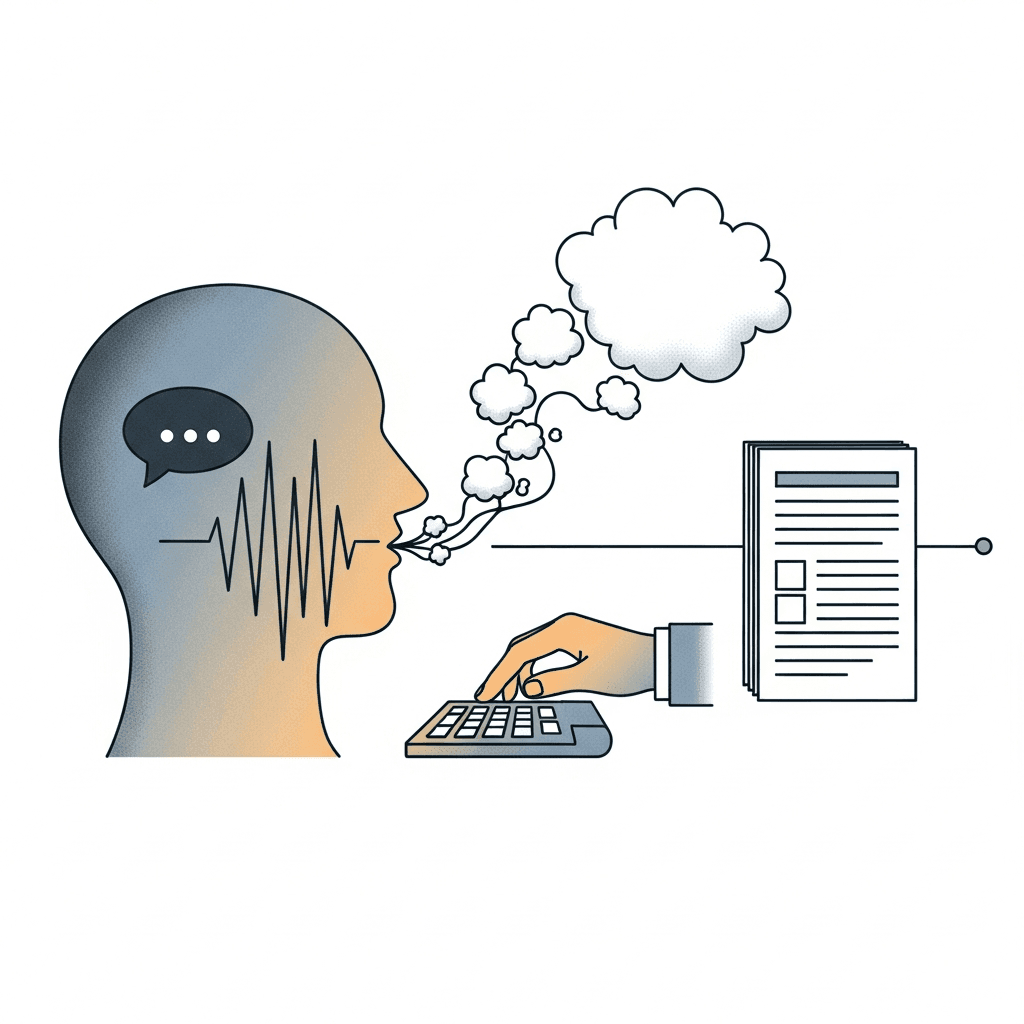
When you speak, you sound like yourself. When you type, you sound like you're writing a memo.
The difference shows up in rhythm, word choice, and sentence structure. Spoken prose flows with contractions, varied pacing, and natural transitions. Typed prose skews formal because you're watching words appear on screen, which activates your inner editor before thoughts finish forming.
Readers prefer conversational writing. It scans faster, feels more human, and keeps attention longer. Voice dictation gives you that tone automatically because you're using the same verbal patterns you'd use in conversation.
With Willow, you speak naturally and the text appears clean. The AI strips filler words and adds punctuation, so you get conversational clarity without the mess of raw transcription.
Using Voice Dictation to Overcome Perfectionism
Perfectionism activates your internal editor before you finish a sentence. You type three words, delete two, rephrase, and restart. The page stays blank because you reject ideas faster than you articulate them.
Voice dictation moves too fast for your critic to intervene. Speaking at 150 words per minute leaves no time to second-guess mid-sentence. You finish thoughts, hear them externalized, and continue.
Speed creates permission to be rough. You can't polish while speaking because your mouth is three ideas ahead. That shift into draft mode focuses on output over perfection.
Once words exist outside your head, you have material to refine. Willow captures everything you say, learns your writing style over time, and reduces the cleanup needed afterward.
Willow: The Voice Dictation Tool Built for Flow State
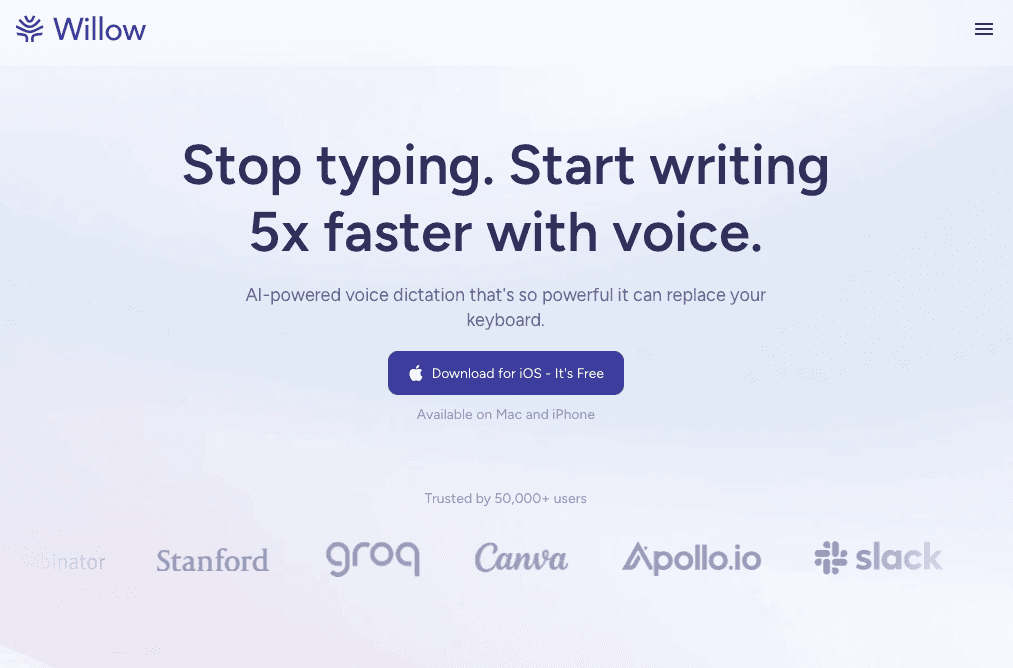
Willow is built to remove the pauses that break flow before it ever forms. With roughly 200ms latency, your words appear almost as fast as you speak them, so ideas do not stall while waiting for text to catch up. One press of the Function key turns any text field into a live writing surface, letting thought move straight into output without warm-up, menu clicks, or context switching.
As you use it, Willow adapts to how you think and write. It remembers corrections, learns preferred phrasing, and adjusts to your vocabulary so your drafts start sounding like you instead of generic transcription. Automatic punctuation and filler word cleanup keep speech natural without forcing you to self-edit mid-sentence, which helps you stay focused on the idea you are building instead of the words you are fixing.
Willow also works wherever writing actually happens. It runs across email, documents, browsers, and messaging tools with the same behavior and speed, including quiet mode for shared spaces and offline dictation when privacy or connectivity matters. With SOC 2 and HIPAA compliance, you can dictate sensitive or professional material confidently, knowing your writing stays yours while your flow stays uninterrupted.
FAQs
How long does it take to enter flow state with voice dictation?
Flow state typically requires 10 to 15 minutes of focused work, but voice dictation removes the friction that prevents you from getting there. By eliminating the thinking-typing gap, you can start flowing immediately once you press the hotkey and begin speaking.
What makes voice dictation faster than typing for overcoming writer's block?
Speech reaches 150 words per minute while typing averages 40 words per minute, making voice 3X faster. This speed prevents ideas from queuing up in your head and eliminates the cognitive bottleneck where thoughts outpace your fingers, keeping you in creative flow instead of mental gridlock.
Why does Willow sound more natural than other dictation tools?
Willow's personalization engine learns your writing style over time, remembering corrections and adapting to your vocabulary. With 200ms latency, among the fastest response times available, your words appear instantly without interrupting your thought process, capturing your natural conversational tone while automatically cleaning up filler words and adding punctuation.
Can I use voice dictation for sensitive or confidential writing?
Yes, Willow meets SOC 2 and HIPAA compliance standards, making it safe for client work, medical documentation, and confidential material. The tool features zero data retention policies and offers offline mode for strict local-only requirements when privacy is necessary.
How does speaking prevent perfectionism from blocking my writing?
Speaking at 150 words per minute moves too fast for your internal editor to interrupt mid-sentence. You finish complete thoughts before your critic can intervene, creating permission to draft rough ideas first and refine later, instead of deleting and restarting before anything reaches the page.
Final Thoughts on Voice Dictation and Flow State
Your brain already has the ideas, the structure, and the language; typing is what gets in the way. Voice dictation gives those thoughts a direct exit, keeping flow state intact instead of breaking it with mechanics and second-guessing. Willow fits into this moment by turning speech into clean text fast enough that your thinking never has to pause, so writing feels more like talking through an idea than forcing it onto a page. When friction disappears, flow stops being something you wait for and starts becoming how you write. The words were never missing, they just needed a faster path out.
You already know what you want to say, but the moment you start typing, everything slows down and the words feel stuck. That’s because typing forces your brain to split attention across spelling, punctuation, hand movement, and self-editing all at once, which pulls you out of flow state before it even has a chance to form. Flow state depends on removing friction between thought and output, and typing adds friction at every step. Voice dictation keeps ideas moving at the speed they appear by letting you speak complete thoughts without translating them into keystrokes, so your brain can stay focused on creating instead of managing mechanics.
TLDR:
Voice dictation bypasses the cognitive bottleneck of typing by letting you speak at 150 WPM vs typing at 40 WPM.
Speaking engages different cognitive and neural processes than typing, externalizing thoughts and freeing working memory.
Flow state requires zero friction between thought and output; voice removes the translation step entirely.
Certain modern solutions learn your writing style over time with 200ms latency, keeping you in flow without editing interruptions.
Voice dictation creates a repeatable ritual for entering flow state, turning writing into an automatic action instead of a decision.
What Is Writer's Block (And Why Your Brain Gets Stuck)
Writer's block happens when your brain knows what to say but can't get the words out. The problem isn't a lack of ideas. It's the gap between thinking and execution.
Your brain processes thoughts in fluid, non-linear bursts. Typing requires you to slow down, linearize those thoughts, and manually encode them one keystroke at a time. That translation creates friction.
When you type, you activate visual-motor coordination pathways. You watch your hands, monitor letter placement, and self-edit in real time. This pulls cognitive resources away from creative generation and redirects them to mechanical execution.
The result is paralysis. Your internal critic wakes up the moment your fingers hit the keyboard. You second-guess word choice, delete sentences before finishing them, and get stuck in revision loops before drafting a complete thought.
The Science behind "Talking to Think"
Speech evolved tens of thousands of years before written language. When you speak, you engage cognitive systems associated with social communication, memory retrieval, and spontaneous idea generation. These are different circuits than the ones you use when typing.
Talking out loud can help shape and clarify ideas instead of merely expressing fully formed ones. When you verbalize, you externalize cognition. Your working memory gets freed up because spoken words exist outside your head. You can hear yourself think, which creates a feedback loop that clarifies and refines ideas in real time.
Speaking bypasses the encoding bottleneck. There's no manual translation step between thought and output. You just talk, and the words flow.
Understanding Flow State for Writers
Flow state happens when challenge meets skill. You're fully absorbed, time disappears, and output feels natural. For writers, this is where your best work happens.
Entering flow state takes 10 to 15 minutes of focused work. But getting there requires clear goals, immediate feedback, and zero friction between intention and action.
Typing adds cognitive overhead at every step. You mentally translate thoughts into words, then manually encode those words through finger movements. Each keystroke requires visual monitoring. Each typo pulls you out of the zone.
Voice removes that split. Thought becomes output without intermediate steps.
Voice Is 3X Faster Than Typing (Here's Why That Matters)
Speech recognition is 3.0x faster than typing, according to Stanford research. Typing averages 40 words per minute. Natural speech reaches 150 words per minute.
That gap determines whether you maintain flow. When thoughts outpace fingers, ideas queue up. You forget details, lose thread, restart sentences.
Voice closes the gap. You think, speak, and see words appear without delay. Faster input reduces cognitive load by freeing working memory from storing ideas while encoding them manually. Flow breaks when friction exists between thinking and execution. Voice removes that friction.
How Voice Dictation Eliminates the Thinking-Typing Gap
When you type, your attention splits across four tasks: choosing words, spelling them correctly, applying punctuation, and coordinating hand-eye movement. Each one drains cognitive bandwidth.
Voice collapses those four processes into one. You speak a complete thought, and the words appear. No manual encoding. No visual monitoring. No motor coordination overhead.
The brain generally performs better when focused on a single task instead of switching between multiple demands. Speaking is single-threaded. Typing is multitasking disguised as writing.
When you remove the cognitive tax of typing, your prefrontal cortex stops juggling mechanics and focuses on ideation. Writer's block dissolves because nothing interrupts the flow from thought to output.
You stop thinking about how to write and just write.
The Instant Flow State Trigger: Press and Speak
Flow state needs a trigger. Athletes rely on pre-performance routines because rituals signal the brain to perform. The same applies to writing.
With voice dictation, the trigger is physical: press a hotkey and speak. That action becomes a ritual, and your brain learns to associate the gesture with creative output.
The hotkey creates a decision boundary. Before you press it, you're thinking. After, you're creating. There's no gradual ramp-up or staring at a blank screen.
Willow uses the Function (fn) key for activation. One press in any app, and you're talking. 200ms latency keeps the response instant, so you chain ideas together without pause.
Why Voice Captures Your Natural Writing Voice
When you speak, you sound like yourself. When you type, you sound like you're writing a memo.
The difference shows up in rhythm, word choice, and sentence structure. Spoken prose flows with contractions, varied pacing, and natural transitions. Typed prose skews formal because you're watching words appear on screen, which activates your inner editor before thoughts finish forming.
Readers prefer conversational writing. It scans faster, feels more human, and keeps attention longer. Voice dictation gives you that tone automatically because you're using the same verbal patterns you'd use in conversation.
With Willow, you speak naturally and the text appears clean. The AI strips filler words and adds punctuation, so you get conversational clarity without the mess of raw transcription.
Using Voice Dictation to Overcome Perfectionism
Perfectionism activates your internal editor before you finish a sentence. You type three words, delete two, rephrase, and restart. The page stays blank because you reject ideas faster than you articulate them.
Voice dictation moves too fast for your critic to intervene. Speaking at 150 words per minute leaves no time to second-guess mid-sentence. You finish thoughts, hear them externalized, and continue.
Speed creates permission to be rough. You can't polish while speaking because your mouth is three ideas ahead. That shift into draft mode focuses on output over perfection.
Once words exist outside your head, you have material to refine. Willow captures everything you say, learns your writing style over time, and reduces the cleanup needed afterward.
Willow: The Voice Dictation Tool Built for Flow State
Willow is built to remove the pauses that break flow before it ever forms. With roughly 200ms latency, your words appear almost as fast as you speak them, so ideas do not stall while waiting for text to catch up. One press of the Function key turns any text field into a live writing surface, letting thought move straight into output without warm-up, menu clicks, or context switching.
As you use it, Willow adapts to how you think and write. It remembers corrections, learns preferred phrasing, and adjusts to your vocabulary so your drafts start sounding like you instead of generic transcription. Automatic punctuation and filler word cleanup keep speech natural without forcing you to self-edit mid-sentence, which helps you stay focused on the idea you are building instead of the words you are fixing.
Willow also works wherever writing actually happens. It runs across email, documents, browsers, and messaging tools with the same behavior and speed, including quiet mode for shared spaces and offline dictation when privacy or connectivity matters. With SOC 2 and HIPAA compliance, you can dictate sensitive or professional material confidently, knowing your writing stays yours while your flow stays uninterrupted.
FAQs
How long does it take to enter flow state with voice dictation?
Flow state typically requires 10 to 15 minutes of focused work, but voice dictation removes the friction that prevents you from getting there. By eliminating the thinking-typing gap, you can start flowing immediately once you press the hotkey and begin speaking.
What makes voice dictation faster than typing for overcoming writer's block?
Speech reaches 150 words per minute while typing averages 40 words per minute, making voice 3X faster. This speed prevents ideas from queuing up in your head and eliminates the cognitive bottleneck where thoughts outpace your fingers, keeping you in creative flow instead of mental gridlock.
Why does Willow sound more natural than other dictation tools?
Willow's personalization engine learns your writing style over time, remembering corrections and adapting to your vocabulary. With 200ms latency, among the fastest response times available, your words appear instantly without interrupting your thought process, capturing your natural conversational tone while automatically cleaning up filler words and adding punctuation.
Can I use voice dictation for sensitive or confidential writing?
Yes, Willow meets SOC 2 and HIPAA compliance standards, making it safe for client work, medical documentation, and confidential material. The tool features zero data retention policies and offers offline mode for strict local-only requirements when privacy is necessary.
How does speaking prevent perfectionism from blocking my writing?
Speaking at 150 words per minute moves too fast for your internal editor to interrupt mid-sentence. You finish complete thoughts before your critic can intervene, creating permission to draft rough ideas first and refine later, instead of deleting and restarting before anything reaches the page.
Final Thoughts on Voice Dictation and Flow State
Your brain already has the ideas, the structure, and the language; typing is what gets in the way. Voice dictation gives those thoughts a direct exit, keeping flow state intact instead of breaking it with mechanics and second-guessing. Willow fits into this moment by turning speech into clean text fast enough that your thinking never has to pause, so writing feels more like talking through an idea than forcing it onto a page. When friction disappears, flow stops being something you wait for and starts becoming how you write. The words were never missing, they just needed a faster path out.

Try Willow for free
Instant, accurate voice dictation. No card required.
Try Willow for free
Instant, accurate voice dictation. No card required.
Other stories you’ll love
Other stories you’ll love


Your keyboard is optional now
" transform="translate(5 5)" width="9.791000051498413px"/></svg>)

The voice-first interface for modern work.
© Willow Care, Inc. 2026. All rights reserved
Your keyboard is optional now
The voice-first interface for modern work.
© Willow Care, Inc. 2026. All rights reserved
Your keyboard is optional now
The voice-first interface for modern work.
© Willow Care, Inc. 2026. All rights reserved