" transform="translate(5 2)" width="10px"/></svg>)

•
5 min read
Typing with Carpal Tunnel: When to Switch to Voice Input (January 2026)
•
5 min read
Typing with Carpal Tunnel: When to Switch to Voice Input (January 2026)
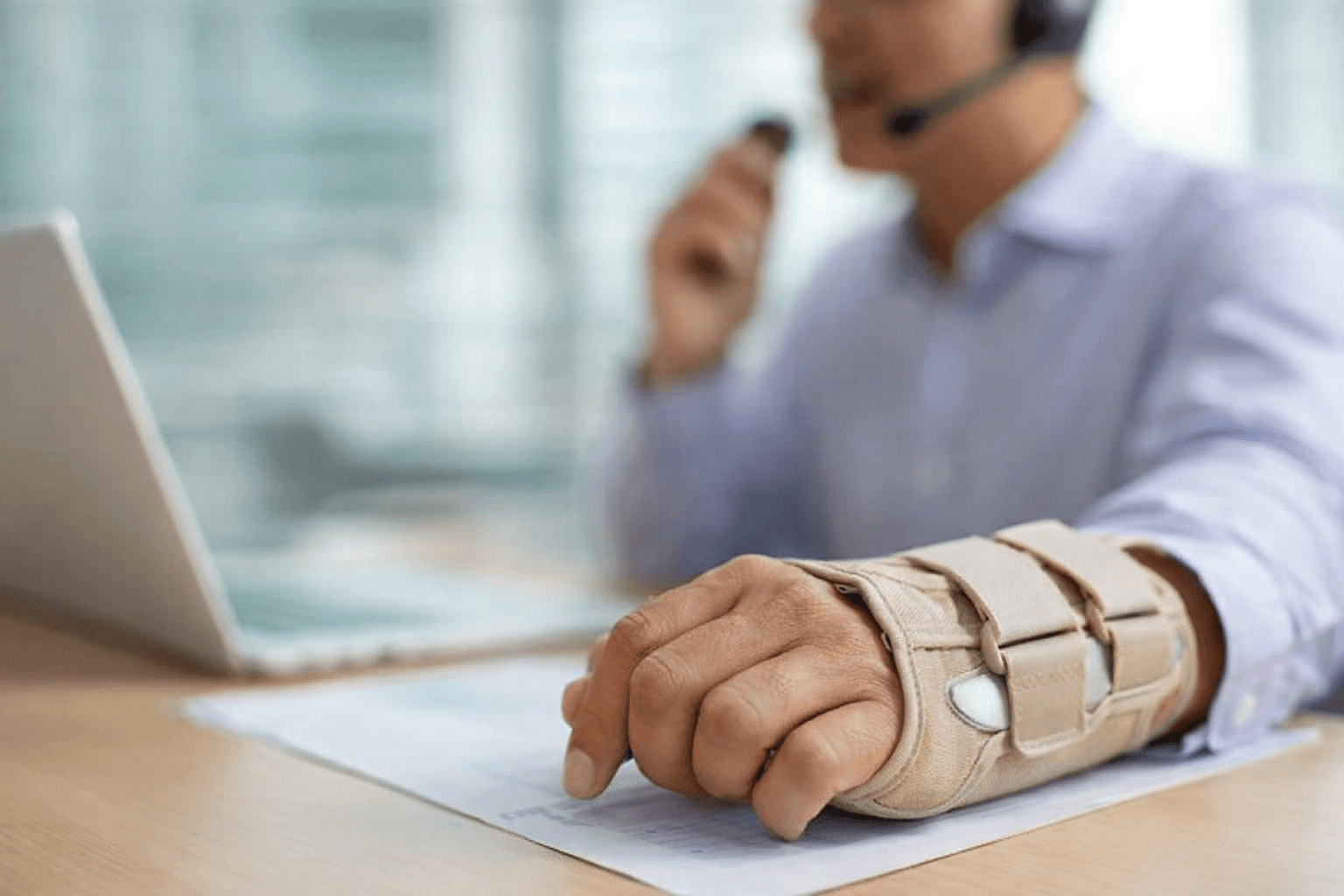
The aching in your hands after a full day of typing is not always simple fatigue that disappears overnight. For many people, early symptoms of carpal tunnel, mouse finger, or typer’s cramp show up quietly as stiffness, loss of precision, or soreness that creeps into daily tasks like opening jars or buttoning shirts. These signals point to cumulative strain caused by constant keyboard and mouse use, not a temporary problem you can push through. Voice input offers a way to keep working while giving your hands real recovery time, allowing written output to continue through voice-based writing tools without adding more stress to already overworked muscles and tendons.
TLDR:
Trigger finger and typer's cramp are repetitive strain injuries, which cost up to $20 billion annually in compensation.
Voice input lets you speak at 150 WPM versus typing at 40 WPM while your hands fully rest and heal.
Switch when symptoms persist beyond 2-3 days or typing accuracy drops noticeably.
Recovery requires consistent strain offloading; slow or inaccurate dictation forces you back to typing.
Certain modern tools learn your writing style over time and deliver text in 200ms for uninterrupted hand recovery.
Understanding Trigger Finger and Typer's Cramp
If your fingers ache after a full day of typing or clicking, you're dealing with more than fatigue. Trigger finger and typer's cramp are medical conditions affecting the muscles, tendons, and nerves in your hands and wrists.
Trigger finger (stenosing tenosynovitis) occurs when the flexor tendon and/or its sheath becomes irritated and thickened, which can cause catching, clicking, or locking. Repetitive gripping or hand use may contribute for some people, but it can also occur without a clear single cause. You might notice stiffness, clicking sensations, or fingers stuck in a bent position. Typer's cramp is sometimes used to describe task-specific hand dysfunction. In some cases, this may overlap with focal hand dystonia, a neurological condition that causes involuntary muscle contractions during specific activities like typing. Your fingers may curl, twist, or refuse to move as intended.
Both can fall under repetitive strain injuries (RSIs). Overuse-related conditions can build gradually as irritation accumulates in soft tissues from repeated hand motions. Neurological conditions like focal hand dystonia develop through different mechanisms, often involving motor control changes instead of tissue damage alone.
Recognizing the Symptoms of Repetitive Strain Injury Typing
Early symptoms often disguise themselves as simple tiredness. You finish a workday with sore hands and assume rest will fix it. But RSI symptoms build in stages, and catching them early matters.
First warning signs include aching or tenderness in your fingers, hands, or forearms during or after typing. You might feel throbbing in your wrist or notice weaker grip strength. Some people experience tingling or numbness radiating from fingers through the arm.
As the condition progresses, you lose precision. Buttons become harder to click. Keys require more force. Research on repetitive strain injuries shows these symptoms indicate soft tissue damage that worsens without intervention.
If symptoms persist despite rest (or you notice numbness, tingling, or weakness) it’s a sign to take it seriously and consider adjusting your workload and/or seeking clinical guidance.
The Hidden Cost of Typing Injuries
The price of typing injuries extends beyond physical discomfort. Repetitive strain injuries cost up to $20 billion annually in workers' compensation, with total economic impact reaching $100 billion when including lost productivity and turnover.

For individuals, costs compound quickly. Medical visits, physical therapy, and potential surgery drain savings. Lost work hours cut income. Chronic pain disrupts sleep and daily activities. Some workers face permanent disability or career changes when hand function deteriorates beyond recovery, making voice dictation to overcome writer's block a valuable alternative. Prevention costs less than treatment, but most people wait until pain becomes unbearable before changing work habits.
When Ergonomics Isn't Enough
You've likely invested in ergonomic gear: split keyboards, vertical mice, wrist rests, standing desks. These tools help prevent injuries and slow progression when caught early, but they don't solve the core problem of repetitive motion itself.
Even perfect posture can't eliminate micro-trauma from typing thousands of words daily. Ergonomic mice reduce wrist strain but still require finger clicking. Breaks provide temporary relief, yet symptoms return when you resume typing.
Once RSI symptoms develop, ergonomic adjustments alone may not fully resolve symptoms without reducing repetitive activity. Your hands need recovery time that brief breaks can't provide. For high-volume writers, developers, and executives, reducing typing volume isn't possible when your job depends on written output, which is why speech-to-text tools for writers become necessary. You need an alternative input method that maintains productivity while your hands heal.
The Science behind Voice Input Productivity
Voice input delivers measurable speed gains over typing. Stanford research found speech was three times faster than typing in English with 20.4 percent fewer errors. In Mandarin, speech was 2.8 times faster with 63.4 percent fewer errors.
Most people type around 40 words per minute, while natural speech reaches 150 words per minute without training, making AI voice tools for email productivity a game-changer. Even with corrections, voice input maintains a clear speed advantage that compounds across hours of work.
When your hands need rest, voice input maintains output without strain, removing the physical bottleneck while preserving workflow.
When to Make the Switch to Voice Input
The right time to switch isn't when pain becomes unbearable. If symptoms persist for several days despite rest, it may signal that strain is accumulating instead of resolving. Waiting for complete loss of function means longer recovery.
Switch when typing accuracy drops noticeably. Missing keys you've hit correctly for years signals motor control issues, and AI voice tools for document creation can help. If you find yourself retyping sentences or avoiding certain finger movements, your hands need relief now.
Consider voice input when symptoms bleed into non-work activities. Struggling to open jars, dropping objects, or experiencing nighttime numbness can be a sign the issue is affecting daily function and deserves prompt attention.
High-volume writers should switch preemptively. Drafting 5,000+ words daily creates cumulative stress even without current symptoms.
How Voice Dictation Reduces Physical Strain
Voice dictation removes the mechanical action causing injury. Typing demands thousands of repetitive finger movements daily, each creating micro-trauma in tendons, muscles, and nerves.
When you speak instead of type, your hands rest completely. Fingers remain still. Wrists stay neutral. Inflamed muscles and tendons get uninterrupted recovery time during active work hours.
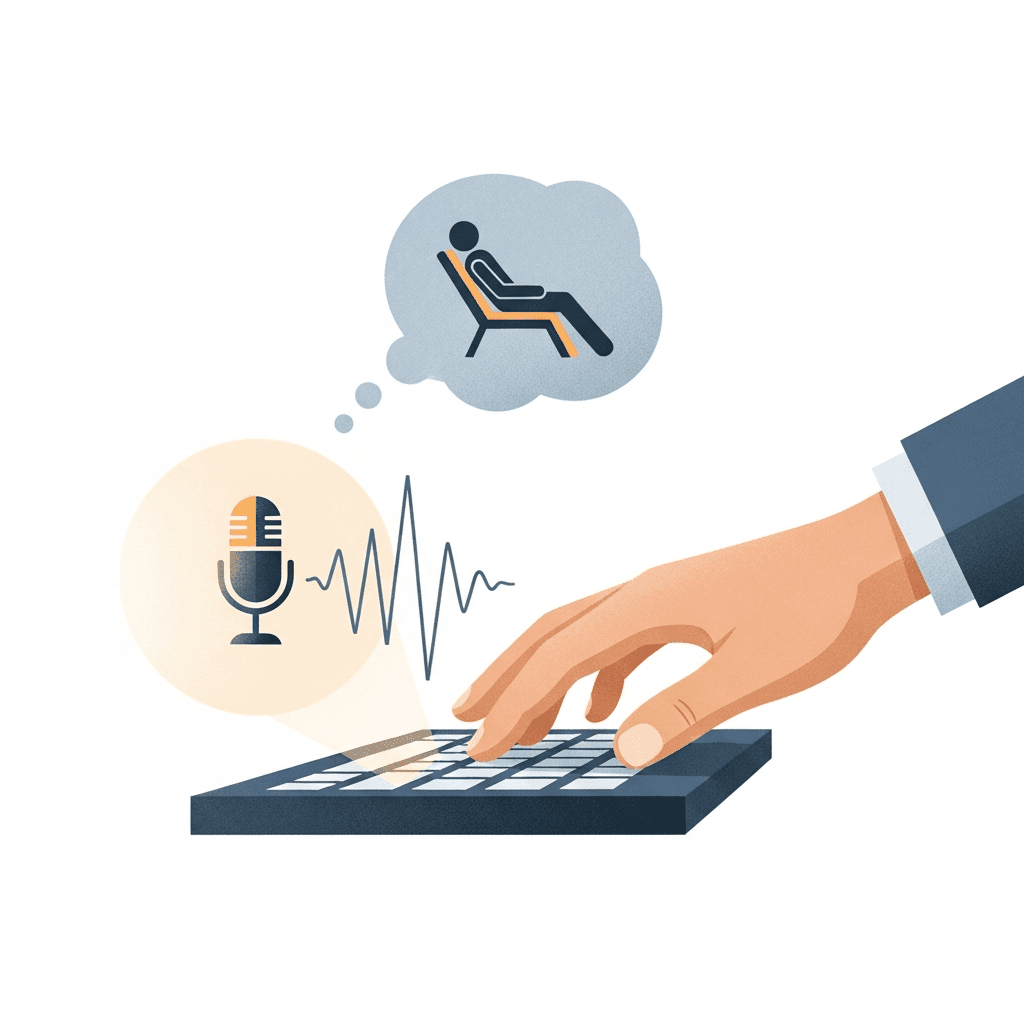
This differs from ergonomic modifications, which optimize typing posture but don't remove repetition. A split keyboard changes wrist angle but still requires constant finger movement. Voice input removes the motion entirely, tackling the root biomechanical cause instead of managing symptoms.
Your hands can heal while you work. Speaking engages different muscle groups, distributing physical effort away from damaged tissues while helping you be more productive at work.
Transitioning from Keyboard to Voice
Switching to voice doesn't mean abandoning your keyboard entirely. Start with longer content like email responses, documentation, or meeting notes while typing short replies. Create a hybrid workflow: use voice for drafting and brainstorming, type for spreadsheets and tasks requiring precise cursor control.
Build the habit in low-pressure situations first. Dictate personal emails before work messages using voice-to-text email tools. Your first dictations will need light editing as you learn to speak punctuation, but fluency develops quickly with regular use.
Why Speed and Accuracy Matter for Recovery
Slow dictation tools force you back to the keyboard. If you speak a sentence and wait three seconds for text to appear, you'll reach for the mouse to fix errors or revert to typing out of frustration. That repeated switching defeats the purpose. Your hands never truly rest.
Recovery requires consistent offloading of physical strain. When dictation lags behind your thoughts, you interrupt healing by filling gaps with keyboard use. Willow's 200ms latency keeps pace with natural speech, removing the temptation to type during delays.
Accuracy matters equally. Dictation that requires constant manual corrections forces you back to the keyboard, reintroducing the repetitive motion causing injury. Willow learns how you write over time, reducing edits and keeping your hands off the keys longer.
Willow: Voice Dictation Built for Your Workflow
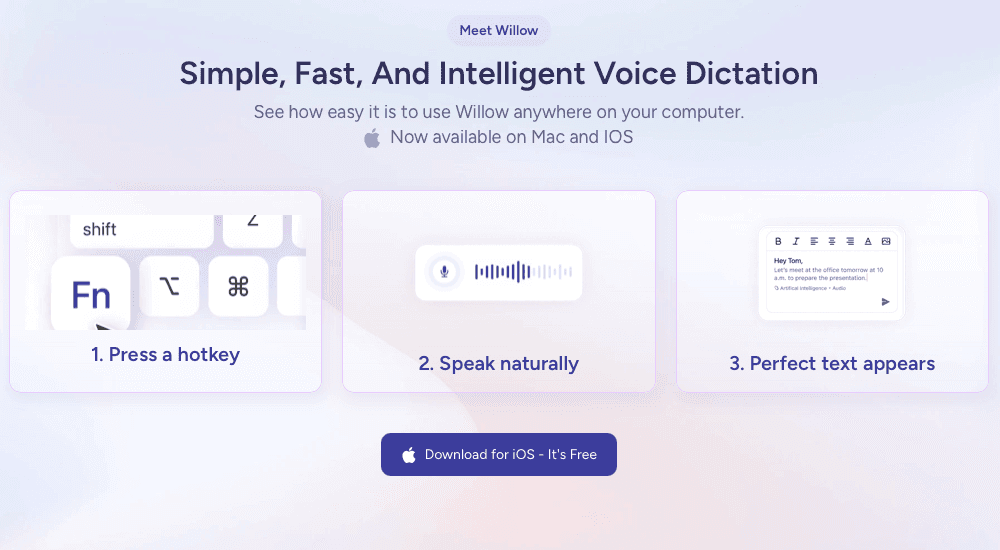
We built Willow to solve the exact problem you're facing: maintaining productivity while your hands recover. Three features set it apart.
First, personalization. Willow learns how you write over time, remembering corrections you make to names, technical terms, and industry jargon. The more you use it, the fewer edits you need.
Second, speed. With ~200ms latency, Willow is built for near-real-time dictation that keeps pace with natural speech. Text appears as you speak, keeping you in flow state instead of waiting for words to catch up. Other tools clock in at 700ms or slower.
Third, team-ready security. SOC 2 compliance and HIPAA-aligned data handling practices help keep sensitive information protected. Shared dictionaries and shortcuts let teams collaborate without sacrificing the hand recovery each person needs, similar to voice recognition software for Slack team communication.
FAQs
How do I know if my hand pain is serious enough to switch to voice input?
If your symptoms persist beyond two or three days of rest, you're past the early warning stage and should switch now. Other red flags include dropping typing accuracy, avoiding certain finger movements, or experiencing pain during non-work activities like opening jars.
Can voice input really maintain my productivity while my hands heal?
Yes, speaking reaches 150 words per minute versus typing at 40 words per minute, giving you a 3x speed advantage. The key is using a tool with low latency and high accuracy so you're not constantly switching back to the keyboard for corrections, which would interrupt healing.
What makes Willow different from built-in dictation tools for RSI recovery?
Willow's 200ms latency keeps pace with your natural speech so you never reach for the keyboard during lag, and it learns how you write over time to reduce edits. Built-in tools are slower and require constant manual corrections, forcing you back to the keyboard and reintroducing the repetitive motion causing your injury.
Do I need to stop typing completely when switching to voice?
No. Start with a hybrid approach by using voice for longer content like emails and documentation while typing short replies and tasks requiring precise cursor control. Gradually increase voice usage as you build fluency and your hands continue to heal.
How long does it take to get comfortable with voice dictation?
Most users develop fluency within a few days of regular use. Start with low-pressure situations like personal emails before work messages, and you'll quickly learn to speak punctuation naturally. Willow's personalization means it gets better the more you use it.
Final Thoughts on Recovery from Typing Injuries
Recovery from typing injuries depends on one thing most people overlook: removing strain consistently, well beyond work hours. Trigger finger, carpal tunnel, and other repetitive strain injuries improve when inflamed tissues are given uninterrupted rest, yet traditional workflows force your hands back onto the keyboard before healing can happen. Voice dictation makes it possible to keep producing written work while your hands recover, and tools like Willow allow that recovery to happen during the workday. When strain is offloaded long enough for healing to take hold, productivity and hand health stop competing with each other.
The aching in your hands after a full day of typing is not always simple fatigue that disappears overnight. For many people, early symptoms of carpal tunnel, mouse finger, or typer’s cramp show up quietly as stiffness, loss of precision, or soreness that creeps into daily tasks like opening jars or buttoning shirts. These signals point to cumulative strain caused by constant keyboard and mouse use, not a temporary problem you can push through. Voice input offers a way to keep working while giving your hands real recovery time, allowing written output to continue through voice-based writing tools without adding more stress to already overworked muscles and tendons.
TLDR:
Trigger finger and typer's cramp are repetitive strain injuries, which cost up to $20 billion annually in compensation.
Voice input lets you speak at 150 WPM versus typing at 40 WPM while your hands fully rest and heal.
Switch when symptoms persist beyond 2-3 days or typing accuracy drops noticeably.
Recovery requires consistent strain offloading; slow or inaccurate dictation forces you back to typing.
Certain modern tools learn your writing style over time and deliver text in 200ms for uninterrupted hand recovery.
Understanding Trigger Finger and Typer's Cramp
If your fingers ache after a full day of typing or clicking, you're dealing with more than fatigue. Trigger finger and typer's cramp are medical conditions affecting the muscles, tendons, and nerves in your hands and wrists.
Trigger finger (stenosing tenosynovitis) occurs when the flexor tendon and/or its sheath becomes irritated and thickened, which can cause catching, clicking, or locking. Repetitive gripping or hand use may contribute for some people, but it can also occur without a clear single cause. You might notice stiffness, clicking sensations, or fingers stuck in a bent position. Typer's cramp is sometimes used to describe task-specific hand dysfunction. In some cases, this may overlap with focal hand dystonia, a neurological condition that causes involuntary muscle contractions during specific activities like typing. Your fingers may curl, twist, or refuse to move as intended.
Both can fall under repetitive strain injuries (RSIs). Overuse-related conditions can build gradually as irritation accumulates in soft tissues from repeated hand motions. Neurological conditions like focal hand dystonia develop through different mechanisms, often involving motor control changes instead of tissue damage alone.
Recognizing the Symptoms of Repetitive Strain Injury Typing
Early symptoms often disguise themselves as simple tiredness. You finish a workday with sore hands and assume rest will fix it. But RSI symptoms build in stages, and catching them early matters.
First warning signs include aching or tenderness in your fingers, hands, or forearms during or after typing. You might feel throbbing in your wrist or notice weaker grip strength. Some people experience tingling or numbness radiating from fingers through the arm.
As the condition progresses, you lose precision. Buttons become harder to click. Keys require more force. Research on repetitive strain injuries shows these symptoms indicate soft tissue damage that worsens without intervention.
If symptoms persist despite rest (or you notice numbness, tingling, or weakness) it’s a sign to take it seriously and consider adjusting your workload and/or seeking clinical guidance.
The Hidden Cost of Typing Injuries
The price of typing injuries extends beyond physical discomfort. Repetitive strain injuries cost up to $20 billion annually in workers' compensation, with total economic impact reaching $100 billion when including lost productivity and turnover.
For individuals, costs compound quickly. Medical visits, physical therapy, and potential surgery drain savings. Lost work hours cut income. Chronic pain disrupts sleep and daily activities. Some workers face permanent disability or career changes when hand function deteriorates beyond recovery, making voice dictation to overcome writer's block a valuable alternative. Prevention costs less than treatment, but most people wait until pain becomes unbearable before changing work habits.
When Ergonomics Isn't Enough
You've likely invested in ergonomic gear: split keyboards, vertical mice, wrist rests, standing desks. These tools help prevent injuries and slow progression when caught early, but they don't solve the core problem of repetitive motion itself.
Even perfect posture can't eliminate micro-trauma from typing thousands of words daily. Ergonomic mice reduce wrist strain but still require finger clicking. Breaks provide temporary relief, yet symptoms return when you resume typing.
Once RSI symptoms develop, ergonomic adjustments alone may not fully resolve symptoms without reducing repetitive activity. Your hands need recovery time that brief breaks can't provide. For high-volume writers, developers, and executives, reducing typing volume isn't possible when your job depends on written output, which is why speech-to-text tools for writers become necessary. You need an alternative input method that maintains productivity while your hands heal.
The Science behind Voice Input Productivity
Voice input delivers measurable speed gains over typing. Stanford research found speech was three times faster than typing in English with 20.4 percent fewer errors. In Mandarin, speech was 2.8 times faster with 63.4 percent fewer errors.
Most people type around 40 words per minute, while natural speech reaches 150 words per minute without training, making AI voice tools for email productivity a game-changer. Even with corrections, voice input maintains a clear speed advantage that compounds across hours of work.
When your hands need rest, voice input maintains output without strain, removing the physical bottleneck while preserving workflow.
When to Make the Switch to Voice Input
The right time to switch isn't when pain becomes unbearable. If symptoms persist for several days despite rest, it may signal that strain is accumulating instead of resolving. Waiting for complete loss of function means longer recovery.
Switch when typing accuracy drops noticeably. Missing keys you've hit correctly for years signals motor control issues, and AI voice tools for document creation can help. If you find yourself retyping sentences or avoiding certain finger movements, your hands need relief now.
Consider voice input when symptoms bleed into non-work activities. Struggling to open jars, dropping objects, or experiencing nighttime numbness can be a sign the issue is affecting daily function and deserves prompt attention.
High-volume writers should switch preemptively. Drafting 5,000+ words daily creates cumulative stress even without current symptoms.
How Voice Dictation Reduces Physical Strain
Voice dictation removes the mechanical action causing injury. Typing demands thousands of repetitive finger movements daily, each creating micro-trauma in tendons, muscles, and nerves.
When you speak instead of type, your hands rest completely. Fingers remain still. Wrists stay neutral. Inflamed muscles and tendons get uninterrupted recovery time during active work hours.
This differs from ergonomic modifications, which optimize typing posture but don't remove repetition. A split keyboard changes wrist angle but still requires constant finger movement. Voice input removes the motion entirely, tackling the root biomechanical cause instead of managing symptoms.
Your hands can heal while you work. Speaking engages different muscle groups, distributing physical effort away from damaged tissues while helping you be more productive at work.
Transitioning from Keyboard to Voice
Switching to voice doesn't mean abandoning your keyboard entirely. Start with longer content like email responses, documentation, or meeting notes while typing short replies. Create a hybrid workflow: use voice for drafting and brainstorming, type for spreadsheets and tasks requiring precise cursor control.
Build the habit in low-pressure situations first. Dictate personal emails before work messages using voice-to-text email tools. Your first dictations will need light editing as you learn to speak punctuation, but fluency develops quickly with regular use.
Why Speed and Accuracy Matter for Recovery
Slow dictation tools force you back to the keyboard. If you speak a sentence and wait three seconds for text to appear, you'll reach for the mouse to fix errors or revert to typing out of frustration. That repeated switching defeats the purpose. Your hands never truly rest.
Recovery requires consistent offloading of physical strain. When dictation lags behind your thoughts, you interrupt healing by filling gaps with keyboard use. Willow's 200ms latency keeps pace with natural speech, removing the temptation to type during delays.
Accuracy matters equally. Dictation that requires constant manual corrections forces you back to the keyboard, reintroducing the repetitive motion causing injury. Willow learns how you write over time, reducing edits and keeping your hands off the keys longer.
Willow: Voice Dictation Built for Your Workflow
We built Willow to solve the exact problem you're facing: maintaining productivity while your hands recover. Three features set it apart.
First, personalization. Willow learns how you write over time, remembering corrections you make to names, technical terms, and industry jargon. The more you use it, the fewer edits you need.
Second, speed. With ~200ms latency, Willow is built for near-real-time dictation that keeps pace with natural speech. Text appears as you speak, keeping you in flow state instead of waiting for words to catch up. Other tools clock in at 700ms or slower.
Third, team-ready security. SOC 2 compliance and HIPAA-aligned data handling practices help keep sensitive information protected. Shared dictionaries and shortcuts let teams collaborate without sacrificing the hand recovery each person needs, similar to voice recognition software for Slack team communication.
FAQs
How do I know if my hand pain is serious enough to switch to voice input?
If your symptoms persist beyond two or three days of rest, you're past the early warning stage and should switch now. Other red flags include dropping typing accuracy, avoiding certain finger movements, or experiencing pain during non-work activities like opening jars.
Can voice input really maintain my productivity while my hands heal?
Yes, speaking reaches 150 words per minute versus typing at 40 words per minute, giving you a 3x speed advantage. The key is using a tool with low latency and high accuracy so you're not constantly switching back to the keyboard for corrections, which would interrupt healing.
What makes Willow different from built-in dictation tools for RSI recovery?
Willow's 200ms latency keeps pace with your natural speech so you never reach for the keyboard during lag, and it learns how you write over time to reduce edits. Built-in tools are slower and require constant manual corrections, forcing you back to the keyboard and reintroducing the repetitive motion causing your injury.
Do I need to stop typing completely when switching to voice?
No. Start with a hybrid approach by using voice for longer content like emails and documentation while typing short replies and tasks requiring precise cursor control. Gradually increase voice usage as you build fluency and your hands continue to heal.
How long does it take to get comfortable with voice dictation?
Most users develop fluency within a few days of regular use. Start with low-pressure situations like personal emails before work messages, and you'll quickly learn to speak punctuation naturally. Willow's personalization means it gets better the more you use it.
Final Thoughts on Recovery from Typing Injuries
Recovery from typing injuries depends on one thing most people overlook: removing strain consistently, well beyond work hours. Trigger finger, carpal tunnel, and other repetitive strain injuries improve when inflamed tissues are given uninterrupted rest, yet traditional workflows force your hands back onto the keyboard before healing can happen. Voice dictation makes it possible to keep producing written work while your hands recover, and tools like Willow allow that recovery to happen during the workday. When strain is offloaded long enough for healing to take hold, productivity and hand health stop competing with each other.

Try Willow for free
Instant, accurate voice dictation. No card required.
Try Willow for free
Instant, accurate voice dictation. No card required.
Other stories you’ll love
Other stories you’ll love


Your keyboard is optional now
" transform="translate(5 5)" width="9.791000051498413px"/></svg>)

The voice-first interface for modern work.
© Willow Care, Inc. 2026. All rights reserved
Your keyboard is optional now
The voice-first interface for modern work.
© Willow Care, Inc. 2026. All rights reserved
Your keyboard is optional now
The voice-first interface for modern work.
© Willow Care, Inc. 2026. All rights reserved