" transform="translate(5 2)" width="10px"/></svg>)

•
5 min read
Best AI Dictation Tools for Writing Essays with ADHD January 2026

•
5 min read
Best AI Dictation Tools for Writing Essays with ADHD January 2026
Essay writing with ADHD can feel impossible because you’re asked to juggle ideas, structure, wording, and focus all at once, and most essay writing strategies assume your brain works linearly when it doesn’t. Thoughts move fast, attention jumps, and by the time your fingers catch up, the point you wanted to make is already gone. That gap between thinking and typing is where frustration builds and assignments stall. Tools that let you speak your ideas out loud reduce that friction by turning natural speech into text in real time, so ideas land on the page before they disappear and momentum has a chance to stick.
TLDR:
Speaking lets you write at 150 WPM vs. typing at 40 WPM, capturing ADHD thoughts before they vanish.
AI dictation reduces motor demands and can automatically clean up filler words, freeing working memory for arguments.
Start with 5-10 minute brainstorming sessions, then dictate one paragraph at a time during drafts.
ADHD writers keep momentum by separating idea generation from editing, which reduces overload and makes starting feel easier.
Some modern platforms learn your writing style with 200ms latency to help maintain momentum as racing thoughts move between ideas.
Understanding How ADHD Impacts Essay Writing
Essay writing demands simultaneous mental juggling: planning arguments, organizing ideas, selecting words, and tracking your thesis. For ADHD brains, this cognitive load quickly becomes too much.
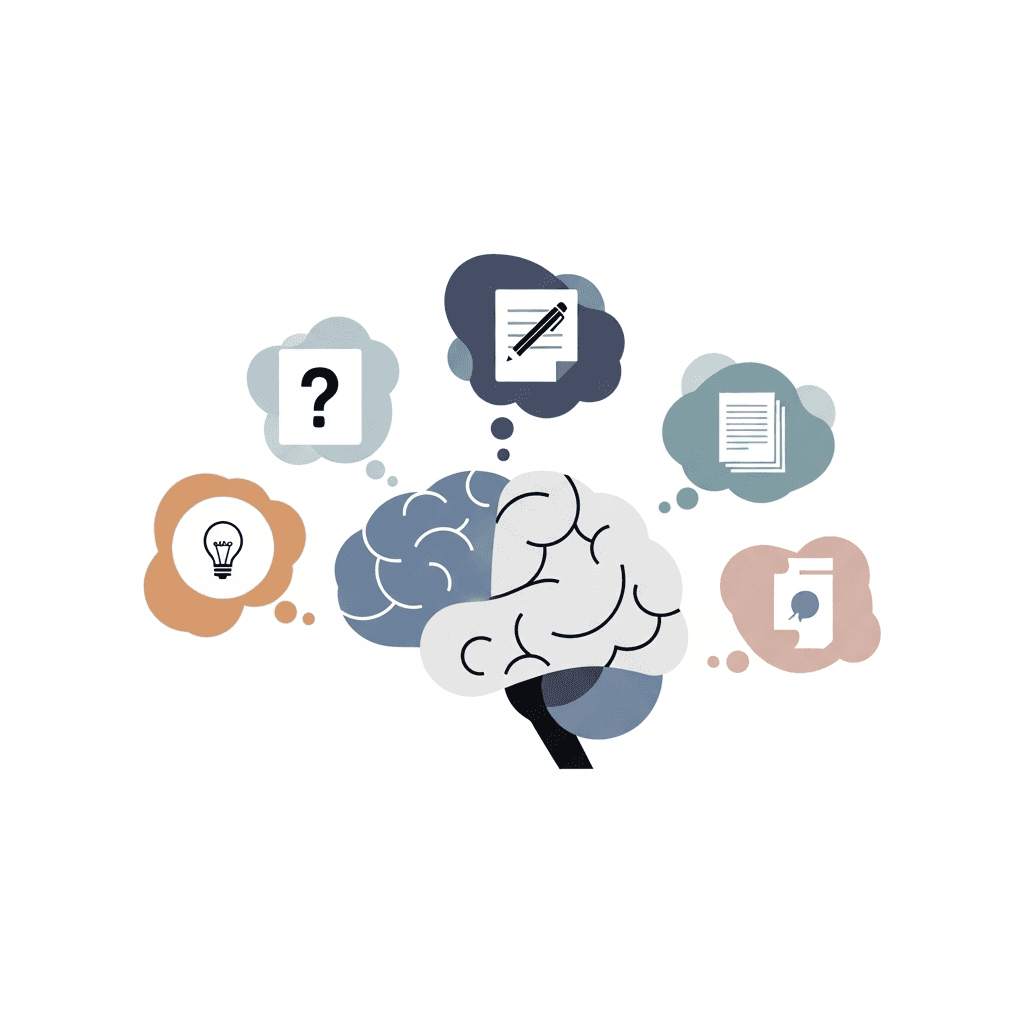
Working memory holds information while you process it. ADHD affects this function, making it tough to remember your main point while writing supporting details. Half of students with ADHD struggle with writing, and 65 percent face written expression difficulties, the most common learning challenge in this group. The gap between knowing your ideas and getting them down isn't about intelligence.
Why Voice Dictation Works Better for ADHD Brains
Speaking activates different neural pathways than typing. When you talk, you're using verbal processing systems that feel automatic because they are.
Typing requires coordination between motor planning, visual tracking, and mental translation from thought to written syntax. Voice dictation removes that friction by letting you speak thoughts as they form.
For ADHD brains, you can generate ideas at conversation speed (around 150 words per minute) instead of typing speed (40 words per minute). The faster pace helps you capture fleeting thoughts before they vanish, which matters when attention drifts quickly.
Voice bypasses handwriting and keyboard mechanics entirely. You don't need to worry about spelling mid-sentence or finger positioning. Your brain can focus on what you want to say instead of how to physically produce it.
Breaking Down Executive Function Barriers with AI Dictation
Executive function handles task initiation, organization, planning, and self-monitoring. ADHD disrupts these controls, making essay writing particularly difficult.
AI dictation reduces cognitive load by separating idea generation from transcription. Working memory stays focused on arguments instead of juggling thesis statements, supporting points, and grammar rules simultaneously. Research shows that working memory deficits affect up to 85% of individuals with ADHD.
Motor demands disappear when you speak instead of type. Tools with filler word removal automatically clean up verbal tics, eliminating the need to self-monitor speech patterns while building arguments.
Task initiation becomes simpler when starting means talking instead of facing a blank page. Real-time transcription helps reduce interruptions and makes it easier to maintain momentum while writing. Willow processes speech in 200ms, fast enough that your thoughts appear as you speak them.
Features to Look for in ADHD-Friendly Dictation Tools
Speed prevents thought loss. Latency under 200 milliseconds keeps ideas from escaping while waiting for text to appear. Tools over 700ms break concentration.
Accuracy matters for technical terms and names. Context-aware recognition keeps focus on arguments instead of constant proofreading.
Filler word removal acts as an automatic editor. Speak naturally without monitoring every "um" or restart, reducing mental overhead during dictation.
Universal compatibility works across Google Docs, Word, Notion, and school writing portals without feature loss.
Quiet mode allows dictation in libraries, coffee shops, or shared spaces where normal speaking volume isn't possible.
How to Use AI Dictation for Different Essay Writing Stages
Different essay stages require adjusted approaches. Here's how to adapt voice dictation for each phase.
Brainstorming and Idea Capture
Set a timer for 5-10 minutes and speak freely about your topic without worrying about structure. Talk through related concepts, questions, and arguments as they surface. Aim for volume over polish while filler word removal handles verbal tics. Review transcripts afterward and place emphasis on usable material.
Outlining and Organizing Thoughts
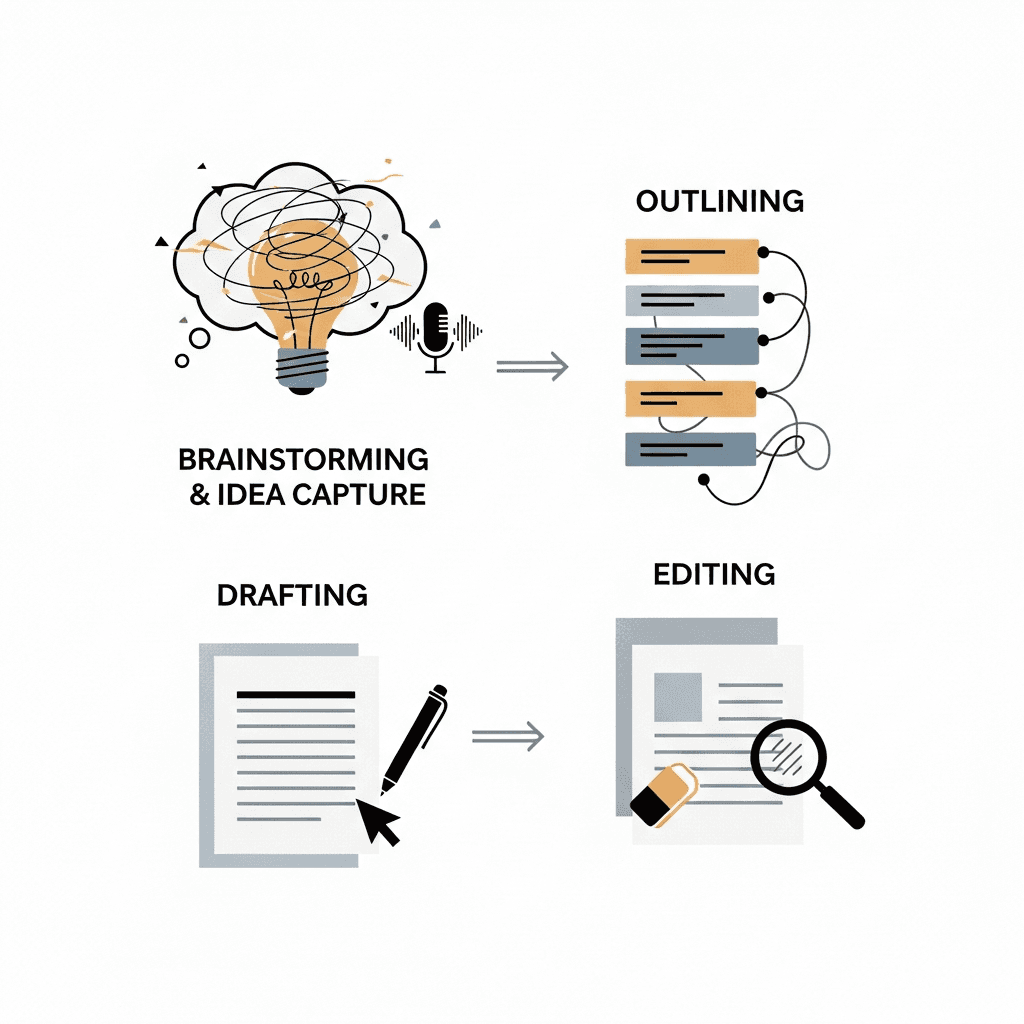
Read brainstorming transcripts aloud and dictate a rough outline based on recurring themes. Speak your thesis statement, then verbally organize supporting points into logical sequence. Voice commands like "bullet point" maintain verbal flow while building your essay's skeleton.
Drafting Body Paragraphs
Dictate one paragraph at a time by speaking your topic sentence, then expanding with supporting evidence. Pause between paragraphs to review on-screen text before continuing. Speaking full sentences often produces clearer prose than laboring over written phrasing.
Revision Strategies
Read drafts aloud and dictate changes directly. Voice helps catch awkward phrasing or missing transitions that eyes skip when reading silently. For major rewrites, focus on problematic sections and speak alternative versions, then compare both.
Overcoming Common Challenges When Starting with Voice Dictation
Spoken language differs from written prose, so don't force yourself into formal essay tone while dictating. Start by explaining concepts conversationally, then revise transcripts later for academic style.
Thinking aloud requires practice. Begin with journal entries or class notes before attempting graded essays. Set five-minute practice sessions where output quality doesn't matter.
Your first dictations will sound rough, and early transcripts need editing like any first draft. Focus on capturing ideas instead of producing polished prose.
Vocal stamina builds over time. Start with 10-minute sessions and increase duration as speaking becomes comfortable. Take breaks between paragraphs and stay hydrated to maintain clarity.
Combining Dictation with Traditional ADHD Writing Strategies
Dictation works best when paired with strategies you already use to manage ADHD symptoms.
Break essays into smaller dictation sessions that match your attention span. Dictate one paragraph, take a movement break, then return for the next. Speaking through chunks feels less overwhelming than facing an entire essay.
Use mind maps or visual outlines on paper before dictating. Translate each branch into spoken paragraphs while glancing at your visual reference. This keeps you organized without losing spontaneity.
Apply time blocking by setting specific dictation windows. Speak for 15-minute intervals with clear start and end points.
Share drafts with accountability partners or study groups. Dictation produces rough content faster, giving you material to review with others sooner.
Willow: Built for ADHD Essay Writing Workflows
We built Willow for the real friction points that show up when writing with ADHD. Ultra-low 200ms latency means your thoughts appear on the page almost as fast as you say them, which matters when ideas jump between thesis, evidence, and examples. Instead of losing momentum while waiting for text to catch up, you stay anchored in the argument you’re building.
Willow goes beyond basic transcription by learning how you write. When you correct a word, name, or phrase, it remembers that choice and applies it going forward, creating a personal dictionary that matches your voice and patterns over time. Context awareness helps with academic language, technical terms, and proper names, while automatic filler word removal cleans up verbal pauses so you can focus on reasoning, not self-editing mid-sentence.
Because essays don’t live in one app, Willow works everywhere you write. It runs across Google Docs, Word, Notion, browsers, and school portals with the same behavior and speed. Hotkey activation lets you start talking instantly, voice commands handle structure like new lines or bullet points, and quiet mode allows soft speech or whispering in libraries and shared spaces.
For students who value privacy or work without reliable internet, Willow also offers offline dictation on Mac and iOS, giving you full control without sacrificing quality. The result is a writing flow that feels natural, fast, and forgiving, one where getting ideas down is no longer the hardest part of the assignment.
FAQs
How does voice dictation help with ADHD-related working memory challenges during essay writing?
Voice dictation separates idea generation from transcription, letting your working memory focus on building arguments instead of juggling thesis statements, supporting points, and grammar rules simultaneously. Speaking at 150 words per minute (versus typing at 40 WPM) helps you capture fleeting thoughts before they vanish.
What's the difference between speaking speed and typing speed when writing essays?
You can speak at around 150 words per minute while most people type at 40 words per minute, making voice dictation nearly 4x faster. This speed difference helps ADHD brains capture racing thoughts before attention turns, reducing the frustration of losing ideas mid-sentence.
Should I try to sound formal and academic while dictating my first draft?
No. Start by explaining concepts conversationally, then revise transcripts later for academic style. Forcing formal essay tone while dictating creates unnecessary mental friction and slows down idea capture, which defeats the purpose of using voice to reduce cognitive load.
How long should my dictation sessions be when starting out?
Begin with 10-minute sessions and increase duration as speaking becomes comfortable. Dictate one paragraph, take a movement break, then return for the next section to match your natural attention span instead of forcing yourself through an entire essay at once.
Why does Willow's 200ms speed matter for ADHD essay writing?
Willow's 200ms latency captures racing thoughts before they vanish, keeping you in flow state while ideas shift quickly between thesis and supporting arguments. Tools with 700ms+ latency break concentration and cause thought loss during the delay between speaking and seeing text appear.
Final Thoughts on AI Dictation for ADHD Essay Writing
Speaking your essays out loud is not a shortcut or a workaround; it is a writing method that fits how ADHD brains actually think and supports essay writing strategies built around momentum instead of perfection. AI dictation lets ideas move from your head to the page at the speed they appear, so momentum stays intact and the blank page stops feeling hostile. Willow is built for this exact moment, capturing thoughts as you speak, cleaning them up as you go, and giving you something real to work with instead of staring at an empty document. Messy first drafts are part of writing, not a failure of it, and once the words exist, revision becomes possible. You cannot revise what never makes it onto the page.
Essay writing with ADHD can feel impossible because you’re asked to juggle ideas, structure, wording, and focus all at once, and most essay writing strategies assume your brain works linearly when it doesn’t. Thoughts move fast, attention jumps, and by the time your fingers catch up, the point you wanted to make is already gone. That gap between thinking and typing is where frustration builds and assignments stall. Tools that let you speak your ideas out loud reduce that friction by turning natural speech into text in real time, so ideas land on the page before they disappear and momentum has a chance to stick.
TLDR:
Speaking lets you write at 150 WPM vs. typing at 40 WPM, capturing ADHD thoughts before they vanish.
AI dictation reduces motor demands and can automatically clean up filler words, freeing working memory for arguments.
Start with 5-10 minute brainstorming sessions, then dictate one paragraph at a time during drafts.
ADHD writers keep momentum by separating idea generation from editing, which reduces overload and makes starting feel easier.
Some modern platforms learn your writing style with 200ms latency to help maintain momentum as racing thoughts move between ideas.
Understanding How ADHD Impacts Essay Writing
Essay writing demands simultaneous mental juggling: planning arguments, organizing ideas, selecting words, and tracking your thesis. For ADHD brains, this cognitive load quickly becomes too much.
Working memory holds information while you process it. ADHD affects this function, making it tough to remember your main point while writing supporting details. Half of students with ADHD struggle with writing, and 65 percent face written expression difficulties, the most common learning challenge in this group. The gap between knowing your ideas and getting them down isn't about intelligence.
Why Voice Dictation Works Better for ADHD Brains
Speaking activates different neural pathways than typing. When you talk, you're using verbal processing systems that feel automatic because they are.
Typing requires coordination between motor planning, visual tracking, and mental translation from thought to written syntax. Voice dictation removes that friction by letting you speak thoughts as they form.
For ADHD brains, you can generate ideas at conversation speed (around 150 words per minute) instead of typing speed (40 words per minute). The faster pace helps you capture fleeting thoughts before they vanish, which matters when attention drifts quickly.
Voice bypasses handwriting and keyboard mechanics entirely. You don't need to worry about spelling mid-sentence or finger positioning. Your brain can focus on what you want to say instead of how to physically produce it.
Breaking Down Executive Function Barriers with AI Dictation
Executive function handles task initiation, organization, planning, and self-monitoring. ADHD disrupts these controls, making essay writing particularly difficult.
AI dictation reduces cognitive load by separating idea generation from transcription. Working memory stays focused on arguments instead of juggling thesis statements, supporting points, and grammar rules simultaneously. Research shows that working memory deficits affect up to 85% of individuals with ADHD.
Motor demands disappear when you speak instead of type. Tools with filler word removal automatically clean up verbal tics, eliminating the need to self-monitor speech patterns while building arguments.
Task initiation becomes simpler when starting means talking instead of facing a blank page. Real-time transcription helps reduce interruptions and makes it easier to maintain momentum while writing. Willow processes speech in 200ms, fast enough that your thoughts appear as you speak them.
Features to Look for in ADHD-Friendly Dictation Tools
Speed prevents thought loss. Latency under 200 milliseconds keeps ideas from escaping while waiting for text to appear. Tools over 700ms break concentration.
Accuracy matters for technical terms and names. Context-aware recognition keeps focus on arguments instead of constant proofreading.
Filler word removal acts as an automatic editor. Speak naturally without monitoring every "um" or restart, reducing mental overhead during dictation.
Universal compatibility works across Google Docs, Word, Notion, and school writing portals without feature loss.
Quiet mode allows dictation in libraries, coffee shops, or shared spaces where normal speaking volume isn't possible.
How to Use AI Dictation for Different Essay Writing Stages
Different essay stages require adjusted approaches. Here's how to adapt voice dictation for each phase.
Brainstorming and Idea Capture
Set a timer for 5-10 minutes and speak freely about your topic without worrying about structure. Talk through related concepts, questions, and arguments as they surface. Aim for volume over polish while filler word removal handles verbal tics. Review transcripts afterward and place emphasis on usable material.
Outlining and Organizing Thoughts
Read brainstorming transcripts aloud and dictate a rough outline based on recurring themes. Speak your thesis statement, then verbally organize supporting points into logical sequence. Voice commands like "bullet point" maintain verbal flow while building your essay's skeleton.
Drafting Body Paragraphs
Dictate one paragraph at a time by speaking your topic sentence, then expanding with supporting evidence. Pause between paragraphs to review on-screen text before continuing. Speaking full sentences often produces clearer prose than laboring over written phrasing.
Revision Strategies
Read drafts aloud and dictate changes directly. Voice helps catch awkward phrasing or missing transitions that eyes skip when reading silently. For major rewrites, focus on problematic sections and speak alternative versions, then compare both.
Overcoming Common Challenges When Starting with Voice Dictation
Spoken language differs from written prose, so don't force yourself into formal essay tone while dictating. Start by explaining concepts conversationally, then revise transcripts later for academic style.
Thinking aloud requires practice. Begin with journal entries or class notes before attempting graded essays. Set five-minute practice sessions where output quality doesn't matter.
Your first dictations will sound rough, and early transcripts need editing like any first draft. Focus on capturing ideas instead of producing polished prose.
Vocal stamina builds over time. Start with 10-minute sessions and increase duration as speaking becomes comfortable. Take breaks between paragraphs and stay hydrated to maintain clarity.
Combining Dictation with Traditional ADHD Writing Strategies
Dictation works best when paired with strategies you already use to manage ADHD symptoms.
Break essays into smaller dictation sessions that match your attention span. Dictate one paragraph, take a movement break, then return for the next. Speaking through chunks feels less overwhelming than facing an entire essay.
Use mind maps or visual outlines on paper before dictating. Translate each branch into spoken paragraphs while glancing at your visual reference. This keeps you organized without losing spontaneity.
Apply time blocking by setting specific dictation windows. Speak for 15-minute intervals with clear start and end points.
Share drafts with accountability partners or study groups. Dictation produces rough content faster, giving you material to review with others sooner.
Willow: Built for ADHD Essay Writing Workflows
We built Willow for the real friction points that show up when writing with ADHD. Ultra-low 200ms latency means your thoughts appear on the page almost as fast as you say them, which matters when ideas jump between thesis, evidence, and examples. Instead of losing momentum while waiting for text to catch up, you stay anchored in the argument you’re building.
Willow goes beyond basic transcription by learning how you write. When you correct a word, name, or phrase, it remembers that choice and applies it going forward, creating a personal dictionary that matches your voice and patterns over time. Context awareness helps with academic language, technical terms, and proper names, while automatic filler word removal cleans up verbal pauses so you can focus on reasoning, not self-editing mid-sentence.
Because essays don’t live in one app, Willow works everywhere you write. It runs across Google Docs, Word, Notion, browsers, and school portals with the same behavior and speed. Hotkey activation lets you start talking instantly, voice commands handle structure like new lines or bullet points, and quiet mode allows soft speech or whispering in libraries and shared spaces.
For students who value privacy or work without reliable internet, Willow also offers offline dictation on Mac and iOS, giving you full control without sacrificing quality. The result is a writing flow that feels natural, fast, and forgiving, one where getting ideas down is no longer the hardest part of the assignment.
FAQs
How does voice dictation help with ADHD-related working memory challenges during essay writing?
Voice dictation separates idea generation from transcription, letting your working memory focus on building arguments instead of juggling thesis statements, supporting points, and grammar rules simultaneously. Speaking at 150 words per minute (versus typing at 40 WPM) helps you capture fleeting thoughts before they vanish.
What's the difference between speaking speed and typing speed when writing essays?
You can speak at around 150 words per minute while most people type at 40 words per minute, making voice dictation nearly 4x faster. This speed difference helps ADHD brains capture racing thoughts before attention turns, reducing the frustration of losing ideas mid-sentence.
Should I try to sound formal and academic while dictating my first draft?
No. Start by explaining concepts conversationally, then revise transcripts later for academic style. Forcing formal essay tone while dictating creates unnecessary mental friction and slows down idea capture, which defeats the purpose of using voice to reduce cognitive load.
How long should my dictation sessions be when starting out?
Begin with 10-minute sessions and increase duration as speaking becomes comfortable. Dictate one paragraph, take a movement break, then return for the next section to match your natural attention span instead of forcing yourself through an entire essay at once.
Why does Willow's 200ms speed matter for ADHD essay writing?
Willow's 200ms latency captures racing thoughts before they vanish, keeping you in flow state while ideas shift quickly between thesis and supporting arguments. Tools with 700ms+ latency break concentration and cause thought loss during the delay between speaking and seeing text appear.
Final Thoughts on AI Dictation for ADHD Essay Writing
Speaking your essays out loud is not a shortcut or a workaround; it is a writing method that fits how ADHD brains actually think and supports essay writing strategies built around momentum instead of perfection. AI dictation lets ideas move from your head to the page at the speed they appear, so momentum stays intact and the blank page stops feeling hostile. Willow is built for this exact moment, capturing thoughts as you speak, cleaning them up as you go, and giving you something real to work with instead of staring at an empty document. Messy first drafts are part of writing, not a failure of it, and once the words exist, revision becomes possible. You cannot revise what never makes it onto the page.

Try Willow for free
Instant, accurate voice dictation. No card required.
Try Willow for free
Instant, accurate voice dictation. No card required.
Other stories you’ll love
Other stories you’ll love


Your keyboard is optional now
" transform="translate(5 5)" width="9.791000051498413px"/></svg>)

The voice-first interface for modern work.
© Willow Care, Inc. 2026. All rights reserved
Your keyboard is optional now
The voice-first interface for modern work.
© Willow Care, Inc. 2026. All rights reserved
Your keyboard is optional now
The voice-first interface for modern work.
© Willow Care, Inc. 2026. All rights reserved