" transform="translate(5 2)" width="10px"/></svg>)

•
5 min read
Willow vs Wispr Flow for Support Teams: Head-to-Head (July 2026)

•
5 min read
Willow vs Wispr Flow for Support Teams: Head-to-Head (July 2026)
Support teams document constantly, and the typing load compounds fast at scale. Wispr Flow for enterprise support teams is a common search when orgs start reviewing dictation tools at scale, but the real split in this comparison isn't about transcription quality. It's about what happens when you need the same product terminology to transcribe consistently across 20 agents, or when your IT team asks where the audio goes. Those are team-level questions, and the two tools answer them very differently.
TLDR:
Wispr Flow works well for individual contributors but its architecture has no shared vocabulary layer, no publicly documented enterprise admin console, and no publicly documented team-level usage visibility.
Latency compounds across a full support shift: Willow Voice processes at ~200ms vs. Wispr Flow's ~700ms, and the correction loop gap widens when domain vocabulary goes unrecognized.
Shared custom dictionaries let support leads define product names and internal jargon once and push that vocabulary to every agent, so new hires and senior agents see the same transcription behavior.
Willow Voice is SOC 2 Type II and HIPAA compliant with zero data retention by default and a signed BAA available, built into the processing layer, not gated behind a plan tier.
Willow Voice starts at $12/month with compliance, admin controls, and team leaderboards included; Wispr Flow's team-level controls and compliance sit behind enterprise negotiation on its $20/month Pro tier.
Willow vs. Wispr Flow: At a Glance
Feature | Willow Voice | Wispr Flow |
|---|---|---|
Latency | ~200ms | ~700ms |
Accuracy | 98%+ | Strong general-purpose |
Custom vocabulary | Personal + team-shared dictionaries | Personal only |
Device support | Mac, Windows, iOS | Mac and iOS (with Windows support available in beta or limited rollout) |
Compliance | SOC 2 Type II, HIPAA, signed BAA available | SOC 2 Type II, ISO 27001, HIPAA-eligible on certain plans |
Admin controls | Yes, org-wide | Limited |
Team leaderboards | Yes | No |
Pricing model | Per-seat, enterprise tiers | Individual-focused |
Both tools handle real-time voice dictation well. Where they part ways is in who they're built for. For a deeper side-by-side, see our full Willow Voice vs Wispr Flow comparison. Wispr Flow is a capable individual productivity tool. Willow Voice is built around team deployment, shared vocabulary, and the compliance infrastructure that support organizations require before rolling out any dictation tool org-wide.
What Is Wispr Flow?
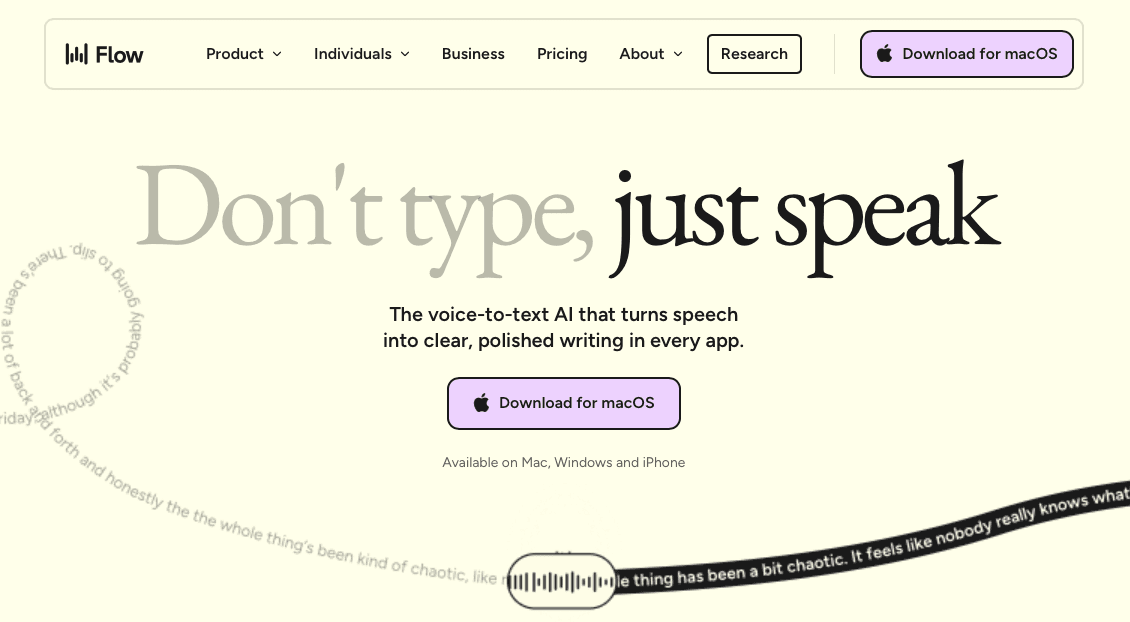
Wispr Flow is a voice dictation tool built around a simple idea: you speak, and it produces clean, formatted text. It runs as a lightweight overlay on Mac and, more recently, Windows, and works across most text fields through a global hotkey. The core experience is press, speak, release, and a polished sentence appears where your cursor sits.
The tool's main technical bet is on post-processing. Instead of streaming text as you speak, Wispr Flow captures your audio, sends it to the cloud, transcribes it, reformats it, and returns the finished result. That pipeline aims to land within roughly ~700ms from the moment you stop speaking.
How It Handles Enterprise Support Contexts
Wispr Flow works well for individual knowledge workers who want clean, formatted output without manual cleanup. At the team level, the gaps show quickly: no shared vocabulary layer, no publicly documented enterprise admin console, and no usage visibility across agents. Each person manages their own setup independently.
For enterprise support teams, that means:
No way to push shared product terminology or ticket conventions from a central admin view, so every new hire configures from scratch.
No adoption visibility for support leads to see where voice input is saving time across the queue.
Mixed Windows and Mac environments may see inconsistent behavior, since Wispr Flow's Windows support is newer than its Mac experience.
Wispr Flow may offer HIPAA and BAA coverage on certain plans, but compliance sits on top of a product built for individual use, not org-wide deployment.
What Is Willow Voice?

Support teams document a lot. Every resolved ticket, every escalation note, every internal handoff depends on someone typing fast enough to keep up with the conversation they just had. When agents are handling 50 to 80 interactions a day, that documentation overhead compounds quickly.
Willow Voice is an AI dictation tool built around three things: speed, accuracy, and personalization that scales to teams. For a broader look at the category, see our roundup of the best voice recognition software tools available. Agents speak naturally and text appears in whatever field they're working in, whether that's a CRM, a ticketing system, Slack, or an internal knowledge base, at around 200ms latency. That's fast enough that the next thought isn't already gone.
Built for Teams, Beyond Individual Users
Where Willow separates from general-purpose dictation tools is at the team layer. Shared custom dictionaries let support orgs standardize product names, internal ticket taxonomy, and customer-facing terminology across every agent, so new team members stop spending their first weeks teaching a tool the company's vocabulary from scratch. Codebase auto-tagging in Cursor and Windsurf pulls terminology from open project files, covering technical support teams managing developer-facing products and engineers or PMs writing async escalation notes, sprint tickets, or incident documentation alongside the queue.
Team leaderboards surface usage and time-saved data across the group, giving support leads visibility into where voice adoption is taking hold and where it isn't. Founders and executives comparing similar tools can find tailored guidance in our voice recognition software for founders guide. Admin controls let managers configure and deploy org-wide without requiring each agent to set up individually.
Compliance That Fits Audited Environments
Willow Voice is SOC 2 Type II and HIPAA compliant, with zero data retention architecture and signed BAA availability. For support teams operating in healthcare, fintech, or any environment where HIPAA security requirements are audited, compliance is part of the product architecture, not a plan-level add-on. Enterprise IT teams rolling this out across Windows workstations, Mac desktops, and iOS devices work from a single shared configuration with no per-device setup required.
Speed and Latency for High-Volume Support Workflows
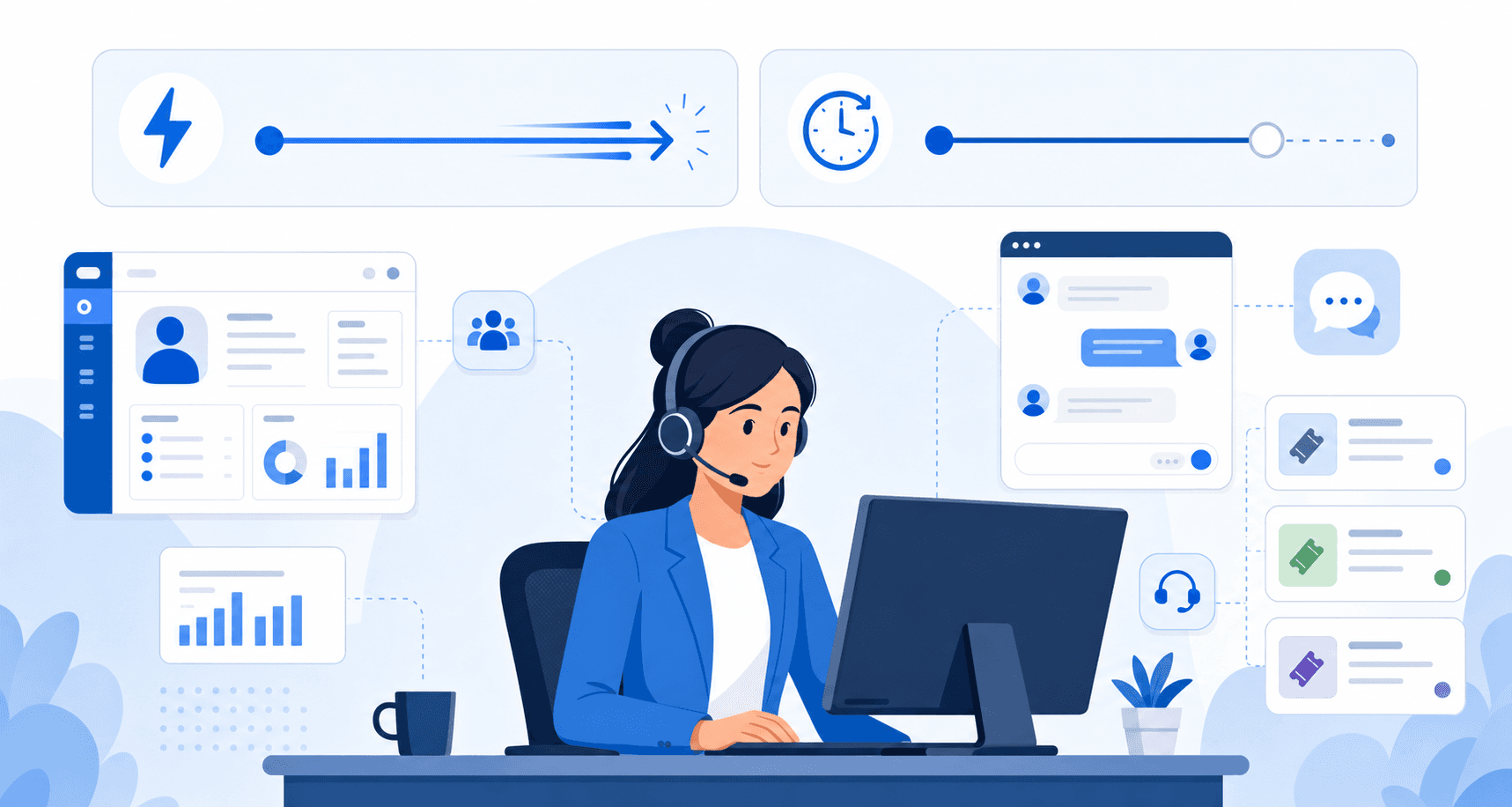
A queue running 50+ threads gives agents no room to wait. Willow Voice processes audio at ~200ms; Wispr Flow runs at approximately ~700ms. In a single interaction the gap is barely noticeable, but across a full shift of back-to-back ticket responses, CRM updates, and async sprint notes, the correction loops compound and erode the net time savings dictation was supposed to deliver. Voice input runs at around 150 words per minute on average, well above a typical typing pace, which is where the latency gap starts to matter.
Raw speed matters less than first-pass accuracy. A tool that misses domain vocabulary in ambient office noise sends the agent back to the keyboard to fix output, which reintroduces the typing overhead dictation was meant to remove. Willow's ~200ms latency runs through cloud processing with zero data retention, so customer data moving through the transcription layer on every interaction stays protected. Teams assessing risk can review our voice dictation privacy guide for a full breakdown.
Accuracy and Personalization for Support Team Vocabulary
Support team vocabulary is its own dialect. Ticket IDs, product names, internal escalation terms, SLA shorthand: these aren't words a general-purpose voice tool was trained on. When agents voice responses at speed, unrecognized terms force correction loops that quietly eat the time savings the tool was supposed to deliver.
Where Wispr Flow Runs Into Friction
Wispr Flow handles general speech well. Its formatting intelligence is genuinely useful for prose-heavy responses. But its vocabulary personalization is shallow: it learns from usage patterns over time without giving teams a direct way to pre-load shared terminology. For a single user composing emails by voice, that's workable. For a support org where ten agents need to spell the same product name identically, it creates inconsistency.
How Willow Approaches This Differently
Willow's Auto-Dictionary picks up names, product terms, and internal jargon as agents work, and team-shared dictionaries let admins standardize vocabulary across the whole group, covering ticket responses, async incident notes, and sprint documentation in the same pass. A term added once applies to everyone. When domain vocabulary is pre-loaded and accuracy holds above 95%, the correction loop shrinks enough that dictation produces a net time gain over typing, not because transcription is faster in isolation, but because rework overhead drops close to zero.
Pricing Comparison
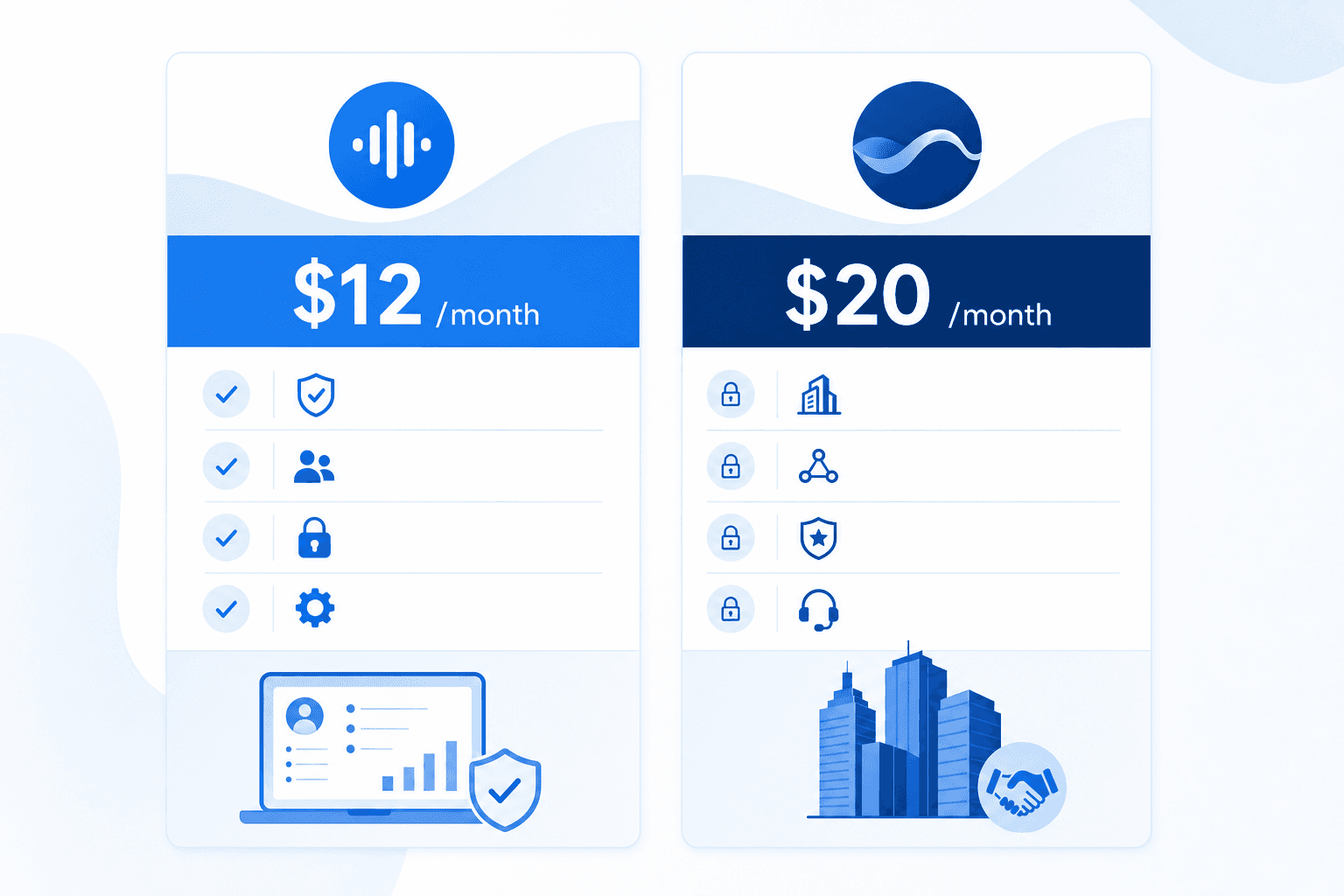
Wispr Flow runs around $20/month per user on its Pro tier. Core dictation features are included, but team-level controls, compliance, and admin visibility sit behind enterprise negotiation. Willow Voice starts at $12/month and scales into team plans with shared dictionaries, admin controls, SOC 2 Type II and HIPAA compliance, and leaderboards included, with no add-ons required.
The relevant question for support teams is what's included at each tier. A lower per-seat rate that requires separate add-ons for compliance or vocabulary sharing can close the cost gap quickly. Enterprise IT teams commonly require SOC 2 Type II compliance before approving org-wide rollout, and with Willow, that coverage is built in. Teams reviewing the broader category can also check Zapier's roundup of dictation software before shortlisting. Teams using Intercom can check our dedicated guide to voice dictation in Intercom.
Why Willow Voice for Enterprise Support Teams
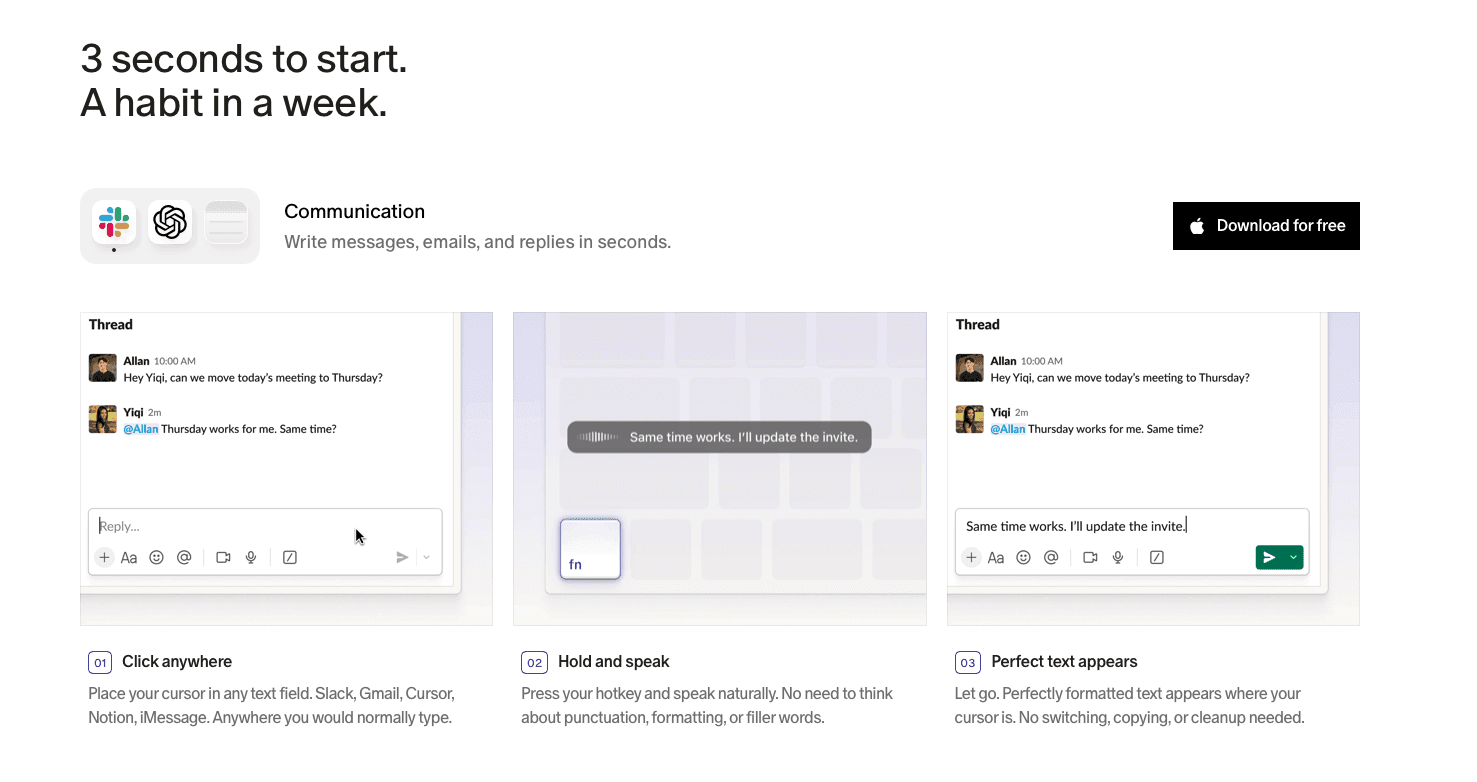
Support teams running deep ticket queues need more than fast transcription. They need every agent working from the same product vocabulary, managers with visibility into adoption across Windows and Mac workstations, and IT teams who can sign off before the tool goes org-wide. Those are structural requirements, and no individual-focused tool can satisfy them by design.
Willow Voice is built for that deployment context. Shared custom dictionaries let support leads define product names, escalation codes, and ticket taxonomy once and push that vocabulary to every agent, including engineers and PMs documenting incidents or sprint handoffs alongside the queue. Admin controls handle org-wide configuration across Windows, Mac, and iOS without per-seat setup. Team leaderboards surface usage and time-saved data across the group. ~200ms latency through a zero-data-retention architecture means the speed advantage holds without a compliance tradeoff. SOC 2 Type II and HIPAA coverage are built in. Pricing starts at $12/month with compliance, admin controls, and leaderboards included.
For support teams comparing options, the relevant question is not which tool produces cleaner output for one agent. It's which tool can be deployed consistently across the whole team, audited by IT, and configured once for everyone. Download Willow Voice to see what team-first dictation looks like in practice.
FAQs
Who is Willow Voice best suited for compared to Wispr Flow?
Willow Voice is built for enterprise support teams that need shared vocabulary, admin controls, and compliance infrastructure across a group of agents. Wispr Flow is a capable individual productivity tool for knowledge workers who want clean, formatted dictation output without the overhead of team-level configuration.
What is the core architectural difference between how the two tools handle team vocabulary?
Willow Voice lets admins push shared custom dictionaries across an entire support org, so every agent works from the same product names, ticket terminology, and escalation codes from day one. Wispr Flow's vocabulary personalization adapts over time for individual users, with no mechanism to push a shared dictionary to the full team.
When does the latency gap between Willow Voice and Wispr Flow actually matter for support work?
In a single interaction, the gap between ~200ms and ~700ms is barely noticeable. Across a full shift of 50 to 80 high-frequency dictation cycles (closing tickets, updating CRM records, logging case notes back to back) the wait time and correction loops compound in ways that erode the net productivity gain dictation was supposed to deliver.
Final Thoughts on Wispr Flow for Enterprise Support Teams
Wispr Flow is a capable dictation tool, and for individual knowledge workers it earns its reputation. Wispr Flow for enterprise support teams is a different story: no shared vocabulary layer, no admin visibility, and compliance coverage that sits on top of a product built for individual use, not org-wide deployment. Your support team's needs don't disappear because the individual experience is solid. Download Willow Voice to see what team-first dictation looks like in practice.
Support teams document constantly, and the typing load compounds fast at scale. Wispr Flow for enterprise support teams is a common search when orgs start reviewing dictation tools at scale, but the real split in this comparison isn't about transcription quality. It's about what happens when you need the same product terminology to transcribe consistently across 20 agents, or when your IT team asks where the audio goes. Those are team-level questions, and the two tools answer them very differently.
TLDR:
Wispr Flow works well for individual contributors but its architecture has no shared vocabulary layer, no publicly documented enterprise admin console, and no publicly documented team-level usage visibility.
Latency compounds across a full support shift: Willow Voice processes at ~200ms vs. Wispr Flow's ~700ms, and the correction loop gap widens when domain vocabulary goes unrecognized.
Shared custom dictionaries let support leads define product names and internal jargon once and push that vocabulary to every agent, so new hires and senior agents see the same transcription behavior.
Willow Voice is SOC 2 Type II and HIPAA compliant with zero data retention by default and a signed BAA available, built into the processing layer, not gated behind a plan tier.
Willow Voice starts at $12/month with compliance, admin controls, and team leaderboards included; Wispr Flow's team-level controls and compliance sit behind enterprise negotiation on its $20/month Pro tier.
Willow vs. Wispr Flow: At a Glance
Feature | Willow Voice | Wispr Flow |
|---|---|---|
Latency | ~200ms | ~700ms |
Accuracy | 98%+ | Strong general-purpose |
Custom vocabulary | Personal + team-shared dictionaries | Personal only |
Device support | Mac, Windows, iOS | Mac and iOS (with Windows support available in beta or limited rollout) |
Compliance | SOC 2 Type II, HIPAA, signed BAA available | SOC 2 Type II, ISO 27001, HIPAA-eligible on certain plans |
Admin controls | Yes, org-wide | Limited |
Team leaderboards | Yes | No |
Pricing model | Per-seat, enterprise tiers | Individual-focused |
Both tools handle real-time voice dictation well. Where they part ways is in who they're built for. For a deeper side-by-side, see our full Willow Voice vs Wispr Flow comparison. Wispr Flow is a capable individual productivity tool. Willow Voice is built around team deployment, shared vocabulary, and the compliance infrastructure that support organizations require before rolling out any dictation tool org-wide.
What Is Wispr Flow?
Wispr Flow is a voice dictation tool built around a simple idea: you speak, and it produces clean, formatted text. It runs as a lightweight overlay on Mac and, more recently, Windows, and works across most text fields through a global hotkey. The core experience is press, speak, release, and a polished sentence appears where your cursor sits.
The tool's main technical bet is on post-processing. Instead of streaming text as you speak, Wispr Flow captures your audio, sends it to the cloud, transcribes it, reformats it, and returns the finished result. That pipeline aims to land within roughly ~700ms from the moment you stop speaking.
How It Handles Enterprise Support Contexts
Wispr Flow works well for individual knowledge workers who want clean, formatted output without manual cleanup. At the team level, the gaps show quickly: no shared vocabulary layer, no publicly documented enterprise admin console, and no usage visibility across agents. Each person manages their own setup independently.
For enterprise support teams, that means:
No way to push shared product terminology or ticket conventions from a central admin view, so every new hire configures from scratch.
No adoption visibility for support leads to see where voice input is saving time across the queue.
Mixed Windows and Mac environments may see inconsistent behavior, since Wispr Flow's Windows support is newer than its Mac experience.
Wispr Flow may offer HIPAA and BAA coverage on certain plans, but compliance sits on top of a product built for individual use, not org-wide deployment.
What Is Willow Voice?
Support teams document a lot. Every resolved ticket, every escalation note, every internal handoff depends on someone typing fast enough to keep up with the conversation they just had. When agents are handling 50 to 80 interactions a day, that documentation overhead compounds quickly.
Willow Voice is an AI dictation tool built around three things: speed, accuracy, and personalization that scales to teams. For a broader look at the category, see our roundup of the best voice recognition software tools available. Agents speak naturally and text appears in whatever field they're working in, whether that's a CRM, a ticketing system, Slack, or an internal knowledge base, at around 200ms latency. That's fast enough that the next thought isn't already gone.
Built for Teams, Beyond Individual Users
Where Willow separates from general-purpose dictation tools is at the team layer. Shared custom dictionaries let support orgs standardize product names, internal ticket taxonomy, and customer-facing terminology across every agent, so new team members stop spending their first weeks teaching a tool the company's vocabulary from scratch. Codebase auto-tagging in Cursor and Windsurf pulls terminology from open project files, covering technical support teams managing developer-facing products and engineers or PMs writing async escalation notes, sprint tickets, or incident documentation alongside the queue.
Team leaderboards surface usage and time-saved data across the group, giving support leads visibility into where voice adoption is taking hold and where it isn't. Founders and executives comparing similar tools can find tailored guidance in our voice recognition software for founders guide. Admin controls let managers configure and deploy org-wide without requiring each agent to set up individually.
Compliance That Fits Audited Environments
Willow Voice is SOC 2 Type II and HIPAA compliant, with zero data retention architecture and signed BAA availability. For support teams operating in healthcare, fintech, or any environment where HIPAA security requirements are audited, compliance is part of the product architecture, not a plan-level add-on. Enterprise IT teams rolling this out across Windows workstations, Mac desktops, and iOS devices work from a single shared configuration with no per-device setup required.
Speed and Latency for High-Volume Support Workflows
A queue running 50+ threads gives agents no room to wait. Willow Voice processes audio at ~200ms; Wispr Flow runs at approximately ~700ms. In a single interaction the gap is barely noticeable, but across a full shift of back-to-back ticket responses, CRM updates, and async sprint notes, the correction loops compound and erode the net time savings dictation was supposed to deliver. Voice input runs at around 150 words per minute on average, well above a typical typing pace, which is where the latency gap starts to matter.
Raw speed matters less than first-pass accuracy. A tool that misses domain vocabulary in ambient office noise sends the agent back to the keyboard to fix output, which reintroduces the typing overhead dictation was meant to remove. Willow's ~200ms latency runs through cloud processing with zero data retention, so customer data moving through the transcription layer on every interaction stays protected. Teams assessing risk can review our voice dictation privacy guide for a full breakdown.
Accuracy and Personalization for Support Team Vocabulary
Support team vocabulary is its own dialect. Ticket IDs, product names, internal escalation terms, SLA shorthand: these aren't words a general-purpose voice tool was trained on. When agents voice responses at speed, unrecognized terms force correction loops that quietly eat the time savings the tool was supposed to deliver.
Where Wispr Flow Runs Into Friction
Wispr Flow handles general speech well. Its formatting intelligence is genuinely useful for prose-heavy responses. But its vocabulary personalization is shallow: it learns from usage patterns over time without giving teams a direct way to pre-load shared terminology. For a single user composing emails by voice, that's workable. For a support org where ten agents need to spell the same product name identically, it creates inconsistency.
How Willow Approaches This Differently
Willow's Auto-Dictionary picks up names, product terms, and internal jargon as agents work, and team-shared dictionaries let admins standardize vocabulary across the whole group, covering ticket responses, async incident notes, and sprint documentation in the same pass. A term added once applies to everyone. When domain vocabulary is pre-loaded and accuracy holds above 95%, the correction loop shrinks enough that dictation produces a net time gain over typing, not because transcription is faster in isolation, but because rework overhead drops close to zero.
Pricing Comparison
Wispr Flow runs around $20/month per user on its Pro tier. Core dictation features are included, but team-level controls, compliance, and admin visibility sit behind enterprise negotiation. Willow Voice starts at $12/month and scales into team plans with shared dictionaries, admin controls, SOC 2 Type II and HIPAA compliance, and leaderboards included, with no add-ons required.
The relevant question for support teams is what's included at each tier. A lower per-seat rate that requires separate add-ons for compliance or vocabulary sharing can close the cost gap quickly. Enterprise IT teams commonly require SOC 2 Type II compliance before approving org-wide rollout, and with Willow, that coverage is built in. Teams reviewing the broader category can also check Zapier's roundup of dictation software before shortlisting. Teams using Intercom can check our dedicated guide to voice dictation in Intercom.
Why Willow Voice for Enterprise Support Teams
Support teams running deep ticket queues need more than fast transcription. They need every agent working from the same product vocabulary, managers with visibility into adoption across Windows and Mac workstations, and IT teams who can sign off before the tool goes org-wide. Those are structural requirements, and no individual-focused tool can satisfy them by design.
Willow Voice is built for that deployment context. Shared custom dictionaries let support leads define product names, escalation codes, and ticket taxonomy once and push that vocabulary to every agent, including engineers and PMs documenting incidents or sprint handoffs alongside the queue. Admin controls handle org-wide configuration across Windows, Mac, and iOS without per-seat setup. Team leaderboards surface usage and time-saved data across the group. ~200ms latency through a zero-data-retention architecture means the speed advantage holds without a compliance tradeoff. SOC 2 Type II and HIPAA coverage are built in. Pricing starts at $12/month with compliance, admin controls, and leaderboards included.
For support teams comparing options, the relevant question is not which tool produces cleaner output for one agent. It's which tool can be deployed consistently across the whole team, audited by IT, and configured once for everyone. Download Willow Voice to see what team-first dictation looks like in practice.
FAQs
Who is Willow Voice best suited for compared to Wispr Flow?
Willow Voice is built for enterprise support teams that need shared vocabulary, admin controls, and compliance infrastructure across a group of agents. Wispr Flow is a capable individual productivity tool for knowledge workers who want clean, formatted dictation output without the overhead of team-level configuration.
What is the core architectural difference between how the two tools handle team vocabulary?
Willow Voice lets admins push shared custom dictionaries across an entire support org, so every agent works from the same product names, ticket terminology, and escalation codes from day one. Wispr Flow's vocabulary personalization adapts over time for individual users, with no mechanism to push a shared dictionary to the full team.
When does the latency gap between Willow Voice and Wispr Flow actually matter for support work?
In a single interaction, the gap between ~200ms and ~700ms is barely noticeable. Across a full shift of 50 to 80 high-frequency dictation cycles (closing tickets, updating CRM records, logging case notes back to back) the wait time and correction loops compound in ways that erode the net productivity gain dictation was supposed to deliver.
Final Thoughts on Wispr Flow for Enterprise Support Teams
Wispr Flow is a capable dictation tool, and for individual knowledge workers it earns its reputation. Wispr Flow for enterprise support teams is a different story: no shared vocabulary layer, no admin visibility, and compliance coverage that sits on top of a product built for individual use, not org-wide deployment. Your support team's needs don't disappear because the individual experience is solid. Download Willow Voice to see what team-first dictation looks like in practice.

Try Willow for free
Instant, accurate voice dictation. No card required.
Try Willow for free
Instant, accurate voice dictation. No card required.
Other stories you’ll love
Other stories you’ll love



Your keyboard is optional now
" transform="translate(5 5)" width="9.791000051498413px"/></svg>)

The voice-first interface for modern work.
© Willow Care, Inc. 2026. All rights reserved
Your keyboard is optional now
The voice-first interface for modern work.
© Willow Care, Inc. 2026. All rights reserved
Your keyboard is optional now
The voice-first interface for modern work.
© Willow Care, Inc. 2026. All rights reserved