" transform="translate(5 2)" width="10px"/></svg>)

•
5 min read
Whisper AI vs. Willow: The Fastest Voice Dictation Tool in May 2026
•
5 min read
Whisper AI vs. Willow: The Fastest Voice Dictation Tool in May 2026
If you're running Whisper AI locally or paying for API calls, you've already figured out the transcription quality is strong. Where it falls apart is live dictation across your actual workflow. The latency sits between 1 and 3 seconds per phrase, which might not sound like much until you're trying to stay in flow state and your words are consistently lagging behind your brain, forcing you to pause, wait, and lose momentum every few seconds.
TLDR:
Whisper AI often runs with noticeable latency depending on hardware and setup, while purpose-built dictation tools aim for lower latency for real-time use.
Speaking at 150 WPM vs. typing at 40 WPM gives you 3x faster output, but only if your tool keeps up.
Whisper typically requires Python setup and processes audio in chunks, which makes live dictation more difficult without additional engineering.
Dedicated dictation tools learn your writing style over time and work across all apps with enterprise-grade security.
The Whisper API has a 25MB file size limit, and real-time streaming support depends on the implementation, which makes it better suited to batch transcription in many setups.
What Whisper AI Is and How It Works
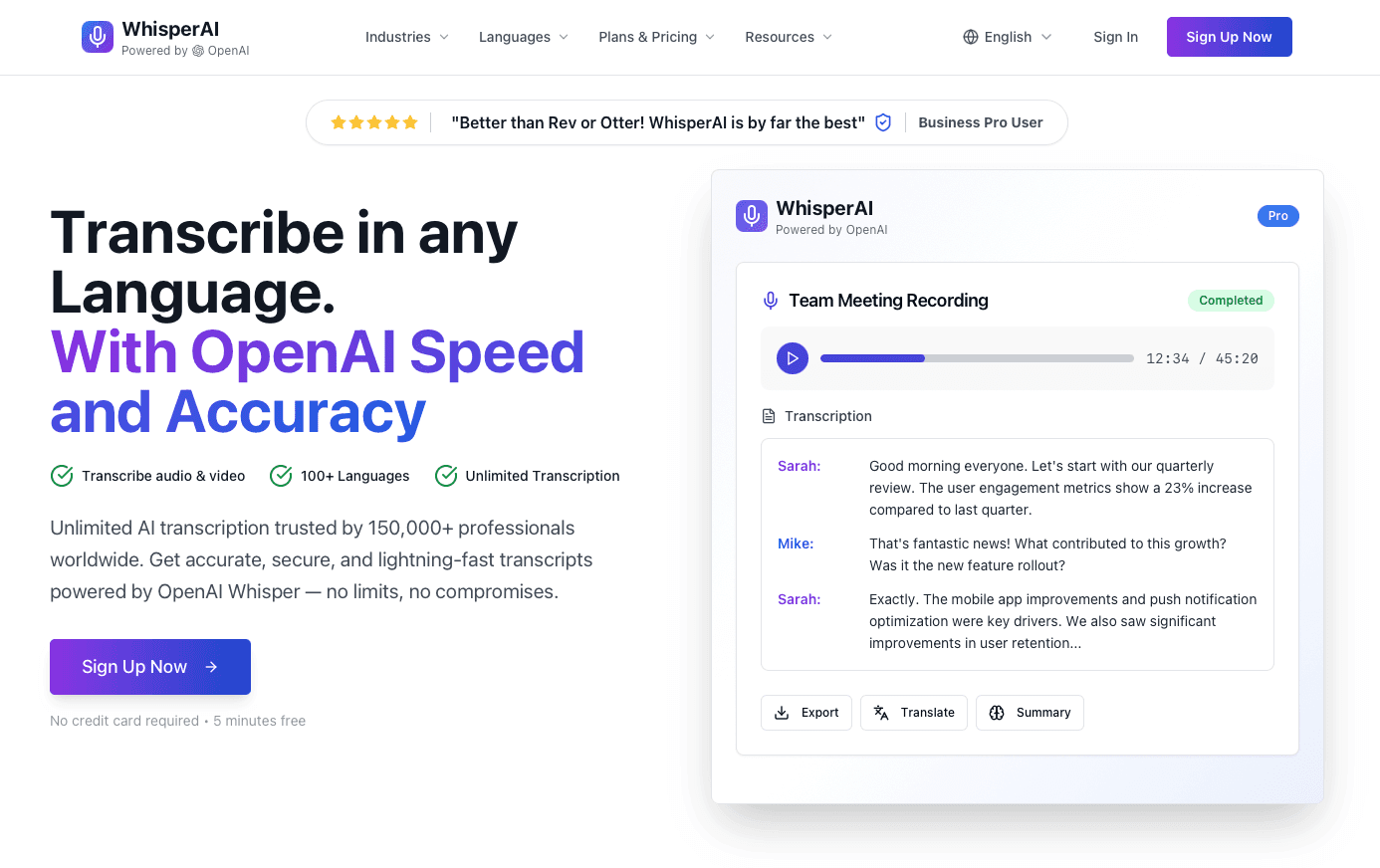
OpenAI released Whisper in 2022 as an open-source automatic speech recognition (ASR) system trained on 680,000 hours of multilingual, multitask supervised audio data collected from a mix of licensed data, data created by human trainers, and publicly available sources. The architecture is an encoder-decoder transformer: audio gets chunked into 30-second segments, converted into spectrograms, encoded, then decoded into text. That volume of training data made Whisper a genuine leap forward. It handles 99 languages, manages accented speech reasonably well, and performed competitively with many commercial ASR systems at the time of release.
The key distinction worth making upfront is that Whisper is a model, not a product. Running it requires Python, ffmpeg, and a capable GPU or CPU. The GitHub repo gives you the weights. What it does not give you is a dictation app built around real-world workflows, where latency, accuracy, and day-to-day usability are what actually matter.
Whisper AI Pricing: API Costs vs. Self-Hosting Economics
Whisper's API runs at $0.006 per minute, which sounds cheap until your usage scales. At just 10 hours of audio per month, that's $3.60. At 100 hours, you're at $36. For teams transcribing meetings daily, costs compound fast.
Self-hosting via whisper.cpp or the open-source GitHub repo sidesteps API fees entirely, but the tradeoff is real: you need hardware capable of running inference locally, plus the time to set it up and maintain it. For developers comfortable with the command line, that's fine. For most users, it's a barrier.
The Whisper API does not include an ongoing free tier. OpenAI's free credits apply to new accounts only and expire quickly. Whisper AI online tools that advertise "free" access are typically wrapping the API with usage caps or upsells buried in the signup flow.
How to Download and Use Whisper AI: Setup Options Explained
There are three main ways to run Whisper: the OpenAI API, the open-source GitHub repo, and third-party apps built on top of it.
The GitHub repo requires Python 3.8+, PyTorch, and ffmpeg. Install via pip and run transcription from the command line. For occasional audio files, that workflow is fine. For voice typing across your apps all day, it falls short.
Local vs. Online vs. API Options
The Whisper GitHub repo gives you full local control but demands real technical setup, including cloning, dependencies, and command-line usage.
Whisper.cpp rewrites the model in C++ for faster local inference on Mac and Windows, powering tools like Whisper Desktop, but still requires compiling from source.
Browser tools like Whisper Web skip installation, though they call the API or run a local model underneath.
None of these are turnkey. If you need to transcribe audio files occasionally, Whisper is a solid choice. If you want live dictation that works across every app without setup friction, you need something purpose-built for that job.
Whisper AI Accuracy: Real-World Performance Beyond the Benchmarks
Benchmark numbers tell you how a model performs in ideal conditions. Whisper's 96.5% word accuracy (3.5% word error rate) in clean audio is legitimately strong. But office environments, phone calls, accented speakers, and technical jargon are not clean audio.
In practice, Whisper runs into a few consistent failure modes:
Background noise degrades accuracy noticeably, even at moderate levels.
Uncommon names, product terms, and industry jargon get mangled regularly.
Hallucinations, where the model can fabricate words or sentences, have been observed in some cases, especially with low-quality input or prolonged silence.
For batch transcription of high-quality recordings, Whisper holds up well. For live dictation across varied real-world conditions, that benchmark gap closes in fast.
Whisper AI Speed and Latency: Why It Struggles with Real-Time Dictation
Whisper's 30-second chunking is the core design issue. The base model is not designed for continuous real-time transcription; it buffers audio, processes a chunk, then outputs text. That works fine for batch transcription. For live dictation, it's a mismatch.
Even with whisper.cpp optimizations, realistic latency for a spoken phrase landing on screen sits in the 1-3 second range, depending on hardware. Getting below 700ms consistently requires a dedicated GPU most users don't have.
For knowledge workers, that delay breaks flow. When you're drafting an email or working with AI tools and have to wait for words to catch up, the cognitive rhythm breaks. Real-time dictation needs to feel invisible. Whisper typically requires additional engineering to approach real-time dictation performance.
Where That Leaves You
Tools like Wispr Flow and Apple's built-in voice dictation handle latency better than raw Whisper, but still sit at 700ms or above. Willow runs at 200ms, which is the threshold where dictation stops feeling like dictation and starts feeling like thinking out loud.
Tool | Latency | Accuracy | Pricing | Best For | Key Limitations |
|---|---|---|---|---|---|
Whisper AI | 1-3 seconds per phrase | 96.5% in clean audio, degrades with noise and jargon | $0.006 per minute API or free self-hosting with technical setup | Batch transcription of pre-recorded audio files | 30-second chunking, 25MB file limit, limited real-time streaming support depending on implementation, requires Python setup for local use |
Willow | 200ms response time | Learns your vocabulary and writing style over time for personalized accuracy | Subscription with enterprise options including SOC 2 and HIPAA compliance | Real-time dictation across all apps for daily knowledge work | Requires internet for cloud mode, though offline mode available |
Wispr Flow | 700ms or higher | Good general accuracy with some personalization features | Paid subscription | Users seeking faster-than-Whisper dictation without enterprise needs | Higher latency than Willow, limited learning capabilities |
Apple Dictation | 700ms or higher | Solid for general use, limited technical vocabulary | Free with Mac devices | Casual dictation for Mac users with basic needs | Available on Apple devices, higher latency, limited enterprise features and personalization |
Voice Typing vs. Typing Speed: The 3x Productivity Multiplier
The math is simple. Average typing speed sits at 40 WPM. Average speaking rate is 120 to 150 WPM. Research published by the National Institutes of Health puts conversational speech in American English at roughly 150 WPM, a figure the National Center for Voice and Speech confirms as the standard rate for English speakers.
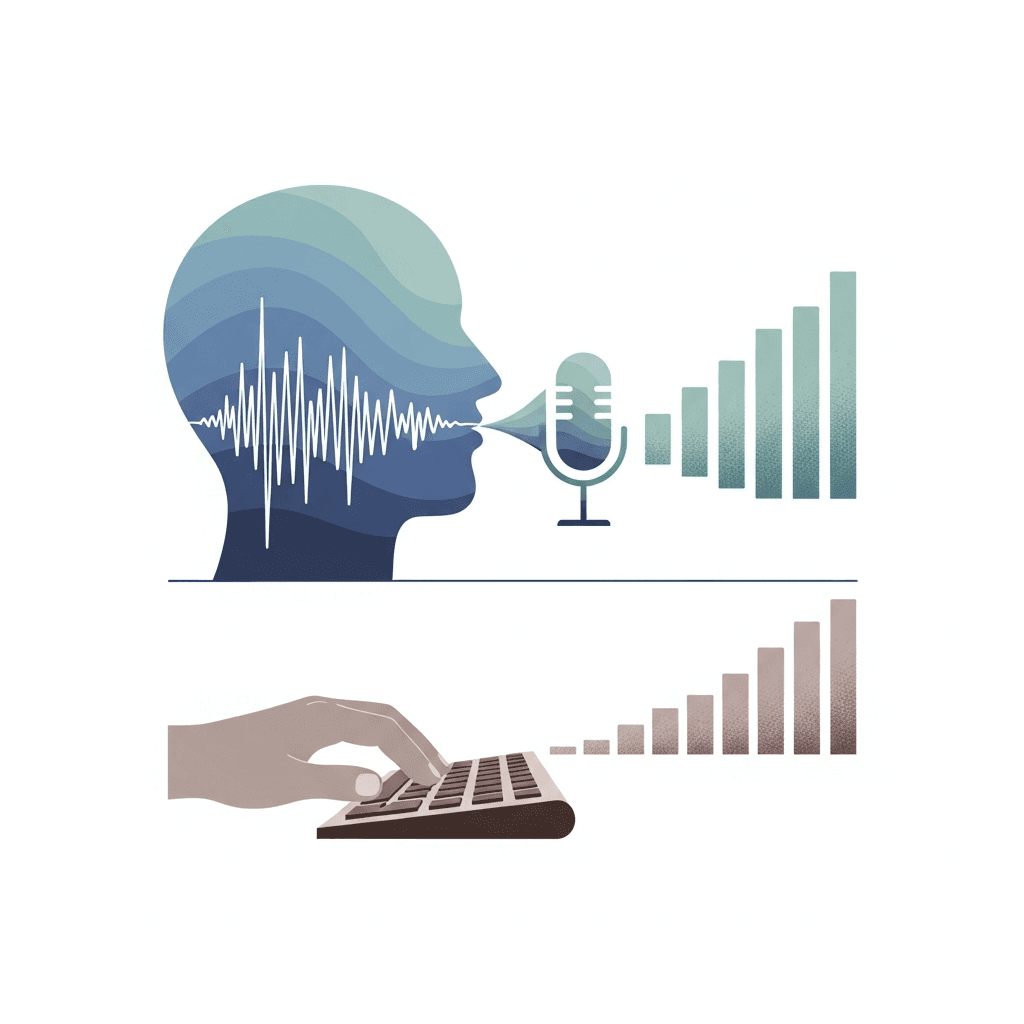
That's a 3x gap. Speak for an hour and you'd produce what would take three or four hours at a keyboard.
The catch: that multiplier only holds if your dictation tool keeps up. At 1 to 3 seconds of latency, your brain outruns the output. You lose the thread, backtrack, and end up editing instead of creating. The speed advantage evaporates the moment your words have to wait.
Whisper AI Limitations: File Size, Streaming, and Missing Features
Whisper AI's accuracy is impressive, but the tool has real limitations worth knowing before you commit.
The most common frustration is the 25MB file size cap on the API. Long meetings or interviews often exceed this, forcing users to split files manually before uploading. That friction adds up fast.
Streaming transcription is another gap. Whisper processes audio in chunks after recording, so real-time text output depends on the implementation. If you need live captions or dictation that keeps pace with speech, Whisper simply isn't built for that.
There's no built-in personalization over time, and features like speaker diarization typically require additional tools. Every transcription starts from scratch. Tools like Wispr Flow and Apple's built-in voice dictation share some of these constraints too, but Whisper's setup complexity makes the workarounds harder for non-technical users.
Willow: Purpose-Built Voice Dictation for Maximum Speed and Accuracy

Whisper solves one problem well: transcribing audio files you hand it. Live dictation, personalization, and enterprise security are outside its scope. That's exactly what Willow is built for.
Willow learns how you write over time, adapting to your vocabulary, tone, and habits. The more you use it, the fewer corrections you make. It becomes the most accurate dictation tool for you.
At 200ms latency, Willow is the fastest voice dictation tool available. Wispr Flow, Apple's built-in dictation, and most other tools sit at 700ms or higher. That gap is the difference between staying in flow state and constantly waiting for your words to catch up.
For teams, Willow brings enterprise-grade security including SOC 2 and HIPAA compliance, plus collaboration features like shared shortcuts and dictionary terms for faster team productivity.
Here's what else Willow offers:
Offline mode for private, local transcription
Works in any app, no copy-paste required
Runs on Mac and Windows
FAQs
Can I use Whisper AI without downloading anything?
Yes, through Whisper Web or browser-based tools that run the model via API calls, though you'll face usage caps and ongoing API costs at $0.006 per minute. For offline use without costs, you'll need to download the GitHub repo and handle setup yourself.
Whisper AI vs. Willow for real-time dictation?
Whisper processes audio in 30-second chunks with 1-3 second latency, making it slow for live dictation. Willow runs at 200ms with personalization that learns your vocabulary and tone, making it faster and more accurate for daily use across any app.
How to use Whisper AI for live transcription across multiple apps?
You can't directly. Whisper processes pre-recorded audio files through command line or API calls, not live speech across applications. For system-wide dictation that works in Gmail, Slack, or any app, you need a purpose-built tool like Willow that runs in the background.
What's the biggest limitation of Whisper AI transcription free options?
The 25MB file size cap on the API forces you to split long recordings manually, and there's no true free tier beyond expiring new-account credits. Self-hosting via the GitHub repo avoids costs but requires Python setup, ffmpeg installation, and command-line operation.
When should you choose local Whisper AI over cloud transcription?
Choose local Whisper (via whisper.cpp or the GitHub repo) when you need absolute privacy for sensitive audio and have hardware capable of running inference. For faster, more accurate daily dictation with enterprise security like SOC 2 and HIPAA compliance, Willow offers both cloud speed and offline mode without the technical setup.
Final Thoughts on Choosing Between Whisper and Purpose-Built Dictation
Whisper AI opened up speech recognition for developers, but transcribing audio files and speaking your thoughts in real time are fundamentally different problems. If you need voice dictation that works with low latency and fewer corrections, Willow gives you 200ms response time, learns your writing patterns, and integrates with every app you already use. The 3x productivity gain from speaking versus typing only happens when your tool doesn't make you wait. Download Willow and experience what dictation feels like when it finally gets out of your way.
If you're running Whisper AI locally or paying for API calls, you've already figured out the transcription quality is strong. Where it falls apart is live dictation across your actual workflow. The latency sits between 1 and 3 seconds per phrase, which might not sound like much until you're trying to stay in flow state and your words are consistently lagging behind your brain, forcing you to pause, wait, and lose momentum every few seconds.
TLDR:
Whisper AI often runs with noticeable latency depending on hardware and setup, while purpose-built dictation tools aim for lower latency for real-time use.
Speaking at 150 WPM vs. typing at 40 WPM gives you 3x faster output, but only if your tool keeps up.
Whisper typically requires Python setup and processes audio in chunks, which makes live dictation more difficult without additional engineering.
Dedicated dictation tools learn your writing style over time and work across all apps with enterprise-grade security.
The Whisper API has a 25MB file size limit, and real-time streaming support depends on the implementation, which makes it better suited to batch transcription in many setups.
What Whisper AI Is and How It Works
OpenAI released Whisper in 2022 as an open-source automatic speech recognition (ASR) system trained on 680,000 hours of multilingual, multitask supervised audio data collected from a mix of licensed data, data created by human trainers, and publicly available sources. The architecture is an encoder-decoder transformer: audio gets chunked into 30-second segments, converted into spectrograms, encoded, then decoded into text. That volume of training data made Whisper a genuine leap forward. It handles 99 languages, manages accented speech reasonably well, and performed competitively with many commercial ASR systems at the time of release.
The key distinction worth making upfront is that Whisper is a model, not a product. Running it requires Python, ffmpeg, and a capable GPU or CPU. The GitHub repo gives you the weights. What it does not give you is a dictation app built around real-world workflows, where latency, accuracy, and day-to-day usability are what actually matter.
Whisper AI Pricing: API Costs vs. Self-Hosting Economics
Whisper's API runs at $0.006 per minute, which sounds cheap until your usage scales. At just 10 hours of audio per month, that's $3.60. At 100 hours, you're at $36. For teams transcribing meetings daily, costs compound fast.
Self-hosting via whisper.cpp or the open-source GitHub repo sidesteps API fees entirely, but the tradeoff is real: you need hardware capable of running inference locally, plus the time to set it up and maintain it. For developers comfortable with the command line, that's fine. For most users, it's a barrier.
The Whisper API does not include an ongoing free tier. OpenAI's free credits apply to new accounts only and expire quickly. Whisper AI online tools that advertise "free" access are typically wrapping the API with usage caps or upsells buried in the signup flow.
How to Download and Use Whisper AI: Setup Options Explained
There are three main ways to run Whisper: the OpenAI API, the open-source GitHub repo, and third-party apps built on top of it.
The GitHub repo requires Python 3.8+, PyTorch, and ffmpeg. Install via pip and run transcription from the command line. For occasional audio files, that workflow is fine. For voice typing across your apps all day, it falls short.
Local vs. Online vs. API Options
The Whisper GitHub repo gives you full local control but demands real technical setup, including cloning, dependencies, and command-line usage.
Whisper.cpp rewrites the model in C++ for faster local inference on Mac and Windows, powering tools like Whisper Desktop, but still requires compiling from source.
Browser tools like Whisper Web skip installation, though they call the API or run a local model underneath.
None of these are turnkey. If you need to transcribe audio files occasionally, Whisper is a solid choice. If you want live dictation that works across every app without setup friction, you need something purpose-built for that job.
Whisper AI Accuracy: Real-World Performance Beyond the Benchmarks
Benchmark numbers tell you how a model performs in ideal conditions. Whisper's 96.5% word accuracy (3.5% word error rate) in clean audio is legitimately strong. But office environments, phone calls, accented speakers, and technical jargon are not clean audio.
In practice, Whisper runs into a few consistent failure modes:
Background noise degrades accuracy noticeably, even at moderate levels.
Uncommon names, product terms, and industry jargon get mangled regularly.
Hallucinations, where the model can fabricate words or sentences, have been observed in some cases, especially with low-quality input or prolonged silence.
For batch transcription of high-quality recordings, Whisper holds up well. For live dictation across varied real-world conditions, that benchmark gap closes in fast.
Whisper AI Speed and Latency: Why It Struggles with Real-Time Dictation
Whisper's 30-second chunking is the core design issue. The base model is not designed for continuous real-time transcription; it buffers audio, processes a chunk, then outputs text. That works fine for batch transcription. For live dictation, it's a mismatch.
Even with whisper.cpp optimizations, realistic latency for a spoken phrase landing on screen sits in the 1-3 second range, depending on hardware. Getting below 700ms consistently requires a dedicated GPU most users don't have.
For knowledge workers, that delay breaks flow. When you're drafting an email or working with AI tools and have to wait for words to catch up, the cognitive rhythm breaks. Real-time dictation needs to feel invisible. Whisper typically requires additional engineering to approach real-time dictation performance.
Where That Leaves You
Tools like Wispr Flow and Apple's built-in voice dictation handle latency better than raw Whisper, but still sit at 700ms or above. Willow runs at 200ms, which is the threshold where dictation stops feeling like dictation and starts feeling like thinking out loud.
Tool | Latency | Accuracy | Pricing | Best For | Key Limitations |
|---|---|---|---|---|---|
Whisper AI | 1-3 seconds per phrase | 96.5% in clean audio, degrades with noise and jargon | $0.006 per minute API or free self-hosting with technical setup | Batch transcription of pre-recorded audio files | 30-second chunking, 25MB file limit, limited real-time streaming support depending on implementation, requires Python setup for local use |
Willow | 200ms response time | Learns your vocabulary and writing style over time for personalized accuracy | Subscription with enterprise options including SOC 2 and HIPAA compliance | Real-time dictation across all apps for daily knowledge work | Requires internet for cloud mode, though offline mode available |
Wispr Flow | 700ms or higher | Good general accuracy with some personalization features | Paid subscription | Users seeking faster-than-Whisper dictation without enterprise needs | Higher latency than Willow, limited learning capabilities |
Apple Dictation | 700ms or higher | Solid for general use, limited technical vocabulary | Free with Mac devices | Casual dictation for Mac users with basic needs | Available on Apple devices, higher latency, limited enterprise features and personalization |
Voice Typing vs. Typing Speed: The 3x Productivity Multiplier
The math is simple. Average typing speed sits at 40 WPM. Average speaking rate is 120 to 150 WPM. Research published by the National Institutes of Health puts conversational speech in American English at roughly 150 WPM, a figure the National Center for Voice and Speech confirms as the standard rate for English speakers.
That's a 3x gap. Speak for an hour and you'd produce what would take three or four hours at a keyboard.
The catch: that multiplier only holds if your dictation tool keeps up. At 1 to 3 seconds of latency, your brain outruns the output. You lose the thread, backtrack, and end up editing instead of creating. The speed advantage evaporates the moment your words have to wait.
Whisper AI Limitations: File Size, Streaming, and Missing Features
Whisper AI's accuracy is impressive, but the tool has real limitations worth knowing before you commit.
The most common frustration is the 25MB file size cap on the API. Long meetings or interviews often exceed this, forcing users to split files manually before uploading. That friction adds up fast.
Streaming transcription is another gap. Whisper processes audio in chunks after recording, so real-time text output depends on the implementation. If you need live captions or dictation that keeps pace with speech, Whisper simply isn't built for that.
There's no built-in personalization over time, and features like speaker diarization typically require additional tools. Every transcription starts from scratch. Tools like Wispr Flow and Apple's built-in voice dictation share some of these constraints too, but Whisper's setup complexity makes the workarounds harder for non-technical users.
Willow: Purpose-Built Voice Dictation for Maximum Speed and Accuracy
Whisper solves one problem well: transcribing audio files you hand it. Live dictation, personalization, and enterprise security are outside its scope. That's exactly what Willow is built for.
Willow learns how you write over time, adapting to your vocabulary, tone, and habits. The more you use it, the fewer corrections you make. It becomes the most accurate dictation tool for you.
At 200ms latency, Willow is the fastest voice dictation tool available. Wispr Flow, Apple's built-in dictation, and most other tools sit at 700ms or higher. That gap is the difference between staying in flow state and constantly waiting for your words to catch up.
For teams, Willow brings enterprise-grade security including SOC 2 and HIPAA compliance, plus collaboration features like shared shortcuts and dictionary terms for faster team productivity.
Here's what else Willow offers:
Offline mode for private, local transcription
Works in any app, no copy-paste required
Runs on Mac and Windows
FAQs
Can I use Whisper AI without downloading anything?
Yes, through Whisper Web or browser-based tools that run the model via API calls, though you'll face usage caps and ongoing API costs at $0.006 per minute. For offline use without costs, you'll need to download the GitHub repo and handle setup yourself.
Whisper AI vs. Willow for real-time dictation?
Whisper processes audio in 30-second chunks with 1-3 second latency, making it slow for live dictation. Willow runs at 200ms with personalization that learns your vocabulary and tone, making it faster and more accurate for daily use across any app.
How to use Whisper AI for live transcription across multiple apps?
You can't directly. Whisper processes pre-recorded audio files through command line or API calls, not live speech across applications. For system-wide dictation that works in Gmail, Slack, or any app, you need a purpose-built tool like Willow that runs in the background.
What's the biggest limitation of Whisper AI transcription free options?
The 25MB file size cap on the API forces you to split long recordings manually, and there's no true free tier beyond expiring new-account credits. Self-hosting via the GitHub repo avoids costs but requires Python setup, ffmpeg installation, and command-line operation.
When should you choose local Whisper AI over cloud transcription?
Choose local Whisper (via whisper.cpp or the GitHub repo) when you need absolute privacy for sensitive audio and have hardware capable of running inference. For faster, more accurate daily dictation with enterprise security like SOC 2 and HIPAA compliance, Willow offers both cloud speed and offline mode without the technical setup.
Final Thoughts on Choosing Between Whisper and Purpose-Built Dictation
Whisper AI opened up speech recognition for developers, but transcribing audio files and speaking your thoughts in real time are fundamentally different problems. If you need voice dictation that works with low latency and fewer corrections, Willow gives you 200ms response time, learns your writing patterns, and integrates with every app you already use. The 3x productivity gain from speaking versus typing only happens when your tool doesn't make you wait. Download Willow and experience what dictation feels like when it finally gets out of your way.

Try Willow for free
Instant, accurate voice dictation. No card required.
Try Willow for free
Instant, accurate voice dictation. No card required.
Other stories you’ll love
Other stories you’ll love


Your keyboard is optional now
" transform="translate(5 5)" width="9.791000051498413px"/></svg>)

The voice-first interface for modern work.
© Willow Care, Inc. 2026. All rights reserved
Your keyboard is optional now
The voice-first interface for modern work.
© Willow Care, Inc. 2026. All rights reserved
Your keyboard is optional now
The voice-first interface for modern work.
© Willow Care, Inc. 2026. All rights reserved