" transform="translate(5 2)" width="10px"/></svg>)

•
5 min read
Best AI Speech to Text Tools in August 2026

•
5 min read
Best AI Speech to Text Tools in August 2026
Knowledge workers lose hours every week typing client follow-ups, meeting notes, Slack threads, and CRM updates when they could speak at 150 words per minute. The challenge isn't finding voice dictation software; it's finding a tool that fits professional workflows without imposing a heavy correction tax. Many AI speech-to-text solutions stop at the individual user, leaving teams with inconsistent vocabulary and no compliance trail. Here is a look at which tools scale for professional environments, handle mixed-device teams, and provide reliable continuity across Windows, Mac, and iOS without creating more work than they remove.
TLDR:
Willow Voice delivers 98%+ accuracy and 3x fewer errors than built-in tools, with ~200ms latency (compared to 700ms+ for competitors) across Mac, Windows, and iOS apps.
You can boost productivity 3x by speaking at 150 WPM versus typing at 40 WPM with context-aware AI.
In the last year, AI speech-to-text has crossed the threshold from "good enough" to truly professional-grade.
Universal compatibility across Gmail, Slack, Notion, and ChatGPT eliminates workflow interruptions.
The fastest AI dictation tools process speech in under 200 milliseconds, keeping you in flow state without waiting for text to catch up.
Willow's free plan provides genuinely unlimited AI dictation with no word cap and no credit card required.
What Is AI Speech to Text?
AI speech-to-text converts spoken words into written text using advanced machine learning algorithms and automatic speech recognition. These tools use neural networks and deep learning models to interpret audio signals and convert them into accurate transcriptions using automatic speech recognition (ASR) technology. State-of-the-art AI models now understand context, decipher accents, and adapt on the fly. They handle complex speech patterns, multiple accents, and background noise while continuously improving through machine learning.
Typing is an outdated input method that pulls time away from deep work. Modern AI-powered tools resolve this bottleneck by making voice dictation viable for high-volume professional communication, allowing teams to handle documentation and async updates at speaking speed.
The technology reached a meaningful threshold earlier in 2026 and has continued to advance heading into July. Leading models now consistently achieve sub-8% word-error rates in production environments, and accuracy in previously underserved languages jumped from the low 80s to above 96%. Enterprise adoption accelerated as models proved they could handle accents, background noise, and technical terminology without constant correction. Microsoft's MAI-Transcribe-1.5, released in early June 2026, shows how quickly the baseline is rising; each new model generation delivers measurably better recognition without requiring users to change how they speak.
How We Ranked AI Speech to Text Tools
We looked at each AI speech-to-text tool based on publicly available information about their features, performance claims, and user feedback. Our ranking considered accuracy rates, processing speed, ease of use, cross-device compatibility, privacy features, and real-world application performance.
We focused on three key factors:
High accuracy (with the lowest score on this list at 92%, as leading AI transcription tools as of July 2026 tend to achieve 92-96% accuracy),
Ease of use (since most options are basic enough that anyone can figure them out in seconds)
Availability of voice commands that let you add instructions while speaking
We also looked at pricing models, language support, and integration options to determine which tools deliver the best value for different user needs. The goal was finding solutions that actually replace typing instead of serving as occasional productivity boosts.
AI speech recognition has reached professional-grade accuracy where the best models achieve 98% accuracy (2 errors per 100 words), but not all tools deliver on their promises.
Our evaluation focused on tools that work across multiple applications instead of being confined to browsers or specific software. We looked for solutions with minimal setup requirements and an Apple-like user experience that "just works" without complex configuration.
Comparison Table
Tool | Type | Best For | Pricing | Key Features | Key Limitations |
|---|---|---|---|---|---|
Willow Voice | AI Dictation App | Cross-app dictation and team standardization | Pro plan from $12/mo; unlimited free plan and business/enterprise plans available | ~200ms latency, context-aware AI, shared custom dictionaries, SOC 2 Type II, Mac/Windows/iOS | Requires internet connection for cloud AI processing |
Dragon Professional | Desktop Software | Industry-specific vocabularies on Windows | $699+ one-time | Custom vocabulary training, offline processing, Windows only | May require initial setup and vocabulary customization to achieve optimal performance; latency Not published |
Google Docs Voice Typing | Built-in Browser Tool | Basic browser-based dictation | Free | Multi-language support, basic punctuation commands | Browser and Google Docs only; 500-700ms latency |
superwhisper | Local AI App | Offline processing for Mac, Windows, and iOS | $249.99 lifetime, subscriptions available | Local processing, multiple AI model sizes | Local processing speed varies by model and device hardware; Ultra model can reach 1-2 seconds |
Voice In | Chrome Extension | Browser-based workflows | Free tier, premium plans available | 50+ languages, custom voice commands | Trapped in browser applications |
1. Best Overall: Willow
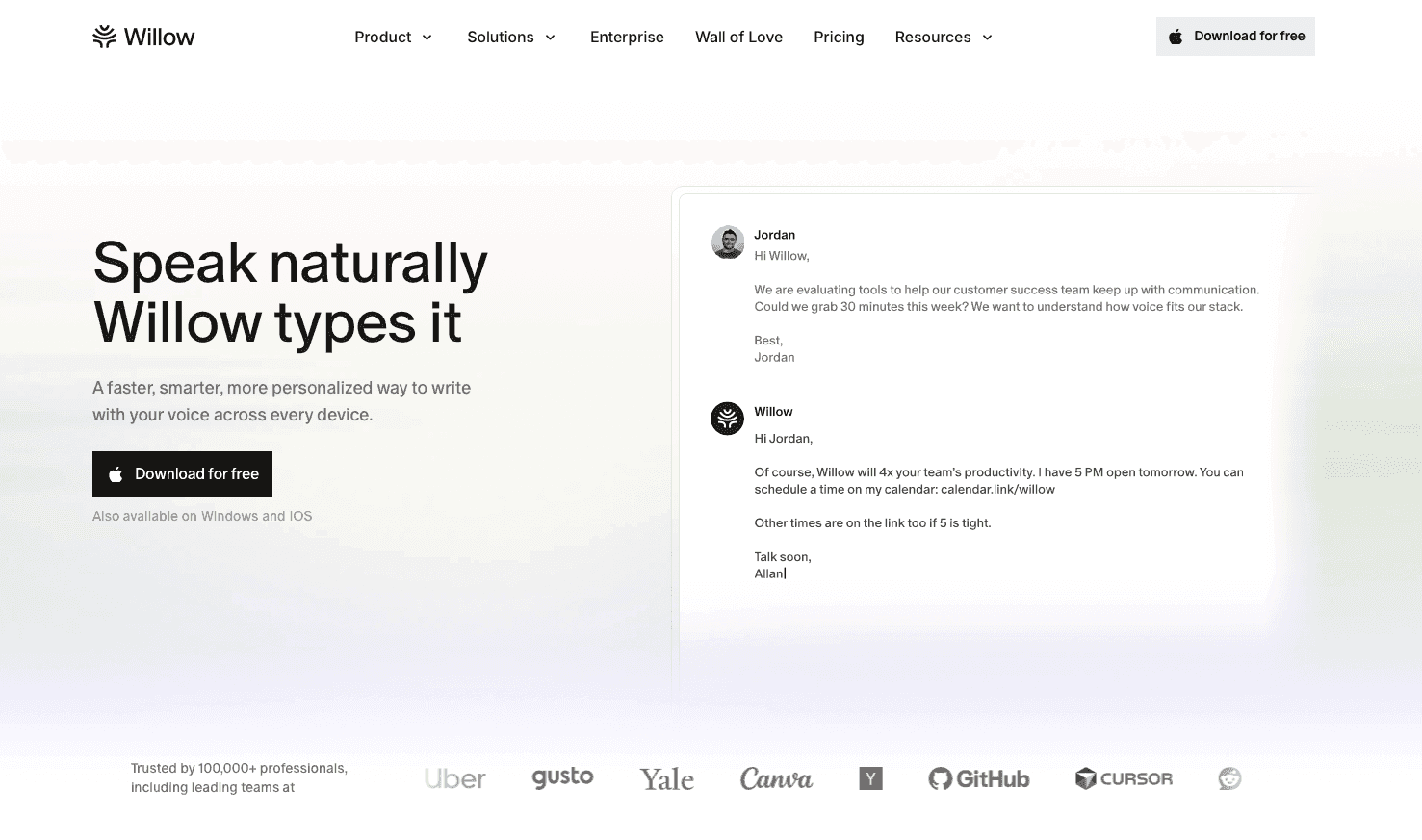
Willow delivers AI-powered voice dictation that works across any application with 98%+ accuracy and ~200ms processing time. The context-aware engine reads active documents and codebases, so technical terms, names, and industry phrases are transcribed correctly on the first pass without manual dictionary setup.
Key strengths:
Cross-device continuity across Gmail, Slack, Notion, and any native application on Mac, Windows, and iOS
Speaking at 150 WPM versus typing at 40 WPM minimizes documentation overhead
Team-shared custom dictionaries standardize client terminology, project names, and codebase references org-wide
Zero-data-retention architecture means audio is processed and discarded by default
SOC 2 Type II and HIPAA compliant, featuring admin controls and team leaderboards to manage deployment across teams at Uber, Reddit, and companies across 20% of the Fortune 500
Willow Scribe goes beyond transcription to generate complete written content from voice prompts, reading email threads and Slack conversations to match your tone. Dictation Mode uses a single hotkey (Fn on Mac or Alt+Space on Windows), letting you speak text into any text field without switching windows; Willow Scribe uses Fn + Control on Mac and Alt+Shift+Space on Windows.
Settings and custom vocabulary sync across Mac, Windows, and iOS devices for both individual users and teams, removing the friction of per-device configuration. For mixed-device organizations, this cross-device continuity means shared terminology and shortcuts carry over without per-device setup, whether a user is on a Windows workstation at the office or a Mac or phone at home.
Pricing and Plans: Willow's Pro plan is built for power users and teams, delivering faster, more accurate dictation plus unlimited Willow Scribe starting at $12 per month. A Free plan is also available, providing genuinely unlimited AI dictation with no word cap and no credit card required, along with more advanced plans to support larger organizational requirements.
Bottom line: The simplest path to 3x productivity gains for anyone who types regularly.
2. Dragon Professional
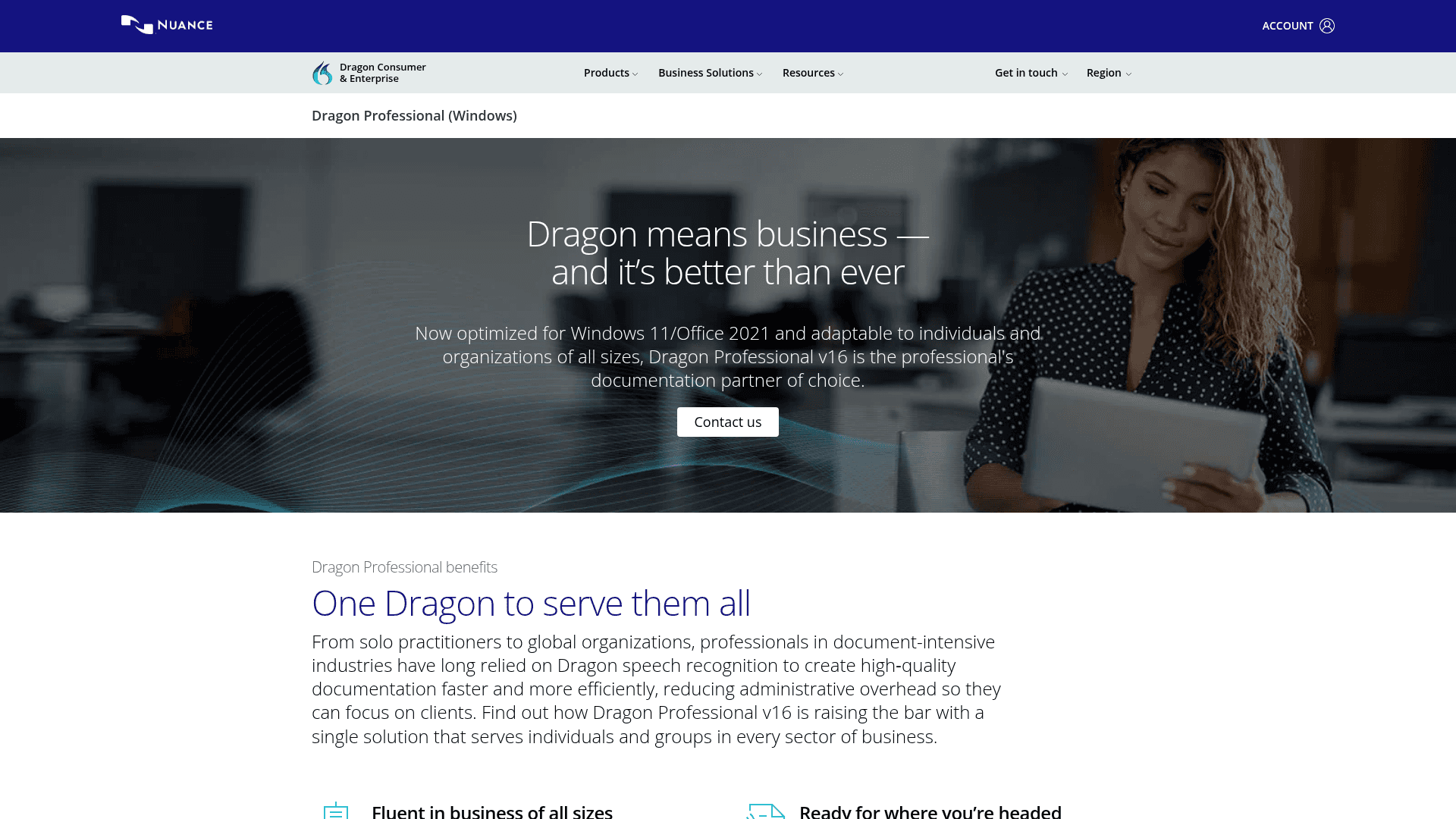
Dragon Professional processes voice input through desktop applications with industry-specific vocabularies for legal, medical, and business use cases, claiming up to 99% recognition accuracy with optional offline processing. Getting there requires 20-30 minutes of setup, 1-2 weeks of corrections, and retraining when switching hardware.
What they offer
Desktop-based voice recognition with custom vocabulary training
Professional versions for specific industries like legal and medical
Voice command integration for application control and document formatting
Offline processing features that don't require internet connectivity
Limitation: The substantial cost (typically around $699 for a standard desktop license) and the extensive training time are severe limitations compared to more modern solutions.
Bottom line: A Windows-primary option for users willing to invest time in setup and training, though it lacks cross-device continuity for Mac or iOS.
3. Google Docs Voice Typing
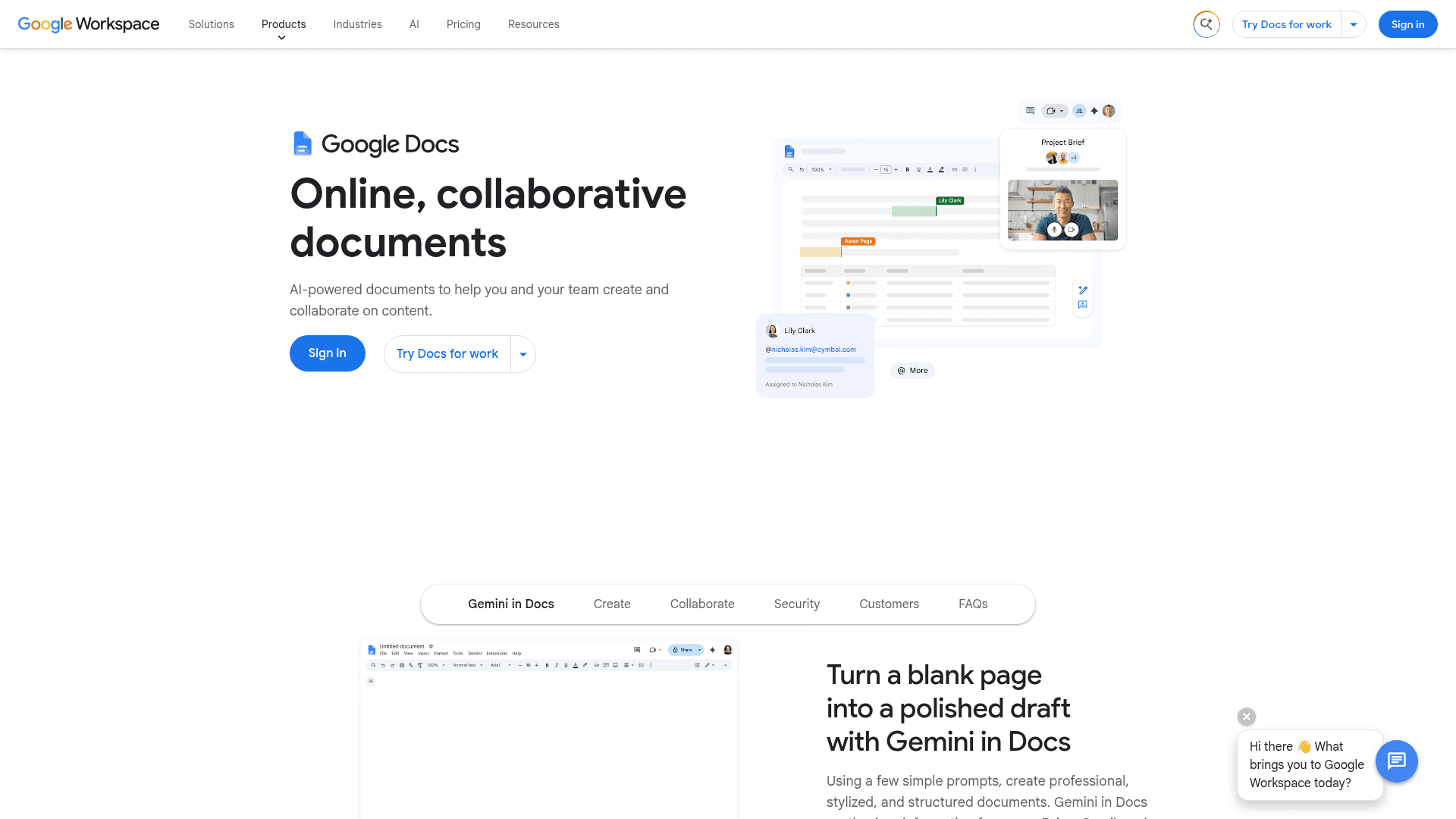
Google Docs Voice Typing offers built-in speech-to-text functionality in Google Docs using Google's browser-based speech recognition technology. This free solution provides basic speech-to-text functionality without requiring additional software installation.
The feature supports basic punctuation commands and works across supported browsers. You activate it through the Tools menu and start speaking immediately.
What they offer
Free voice typing integrated directly into Google Docs interface
Basic punctuation commands like "comma," "period," and "new paragraph"
Multi-language support for international document creation
Simple activation through Tools menu without software installation
Limitation: Works only within Google Docs and browser limitations, with poor accuracy that often requires background noise reduction and external microphones. Those with professional multi-app workflows typically need dedicated voice dictation software for professionals to handle the full range of daily tasks.
Bottom line: Works well for voice input within Google Docs; its browser-only architecture means a separate voice input method is needed when working outside the browser.
4. superwhisper
superwhisper operates as a macOS, Windows, and iOS application that processes speech-to-text conversion with offline or cloud options using local AI models, providing cross-device support for mixed fleets. Built on whisper.cpp, it provides solid accuracy, especially with larger AI models, while keeping processing on your device. For a broader look at how it stacks up, our comparison of AI-powered dictation tools by speed and accuracy covers more options side by side.
The application offers multiple model sizes for different speed-accuracy trade-offs. You can choose between Nano for speed or Ultra for higher accuracy depending on your needs. Users also report that licenses purchased on iOS don't easily transfer to macOS.
What they offer
Optional offline operation with local processing
Multiple AI model options from Nano to Ultra for different performance needs
Custom modes for different writing scenarios like emails or notes
Menu bar integration with customizable keyboard shortcuts for quick activation
Lifetime license at $249.99, with monthly and annual subscription options available
Limitation: Local processing speed varies by model and device hardware. The Ultra model on older hardware can reach 1-2 seconds per transcription, while Nano and Fast models process more quickly.
Bottom line: Technical flexibility comes with complexity that overwhelms most users.
5. Voice In (Chrome Extension)
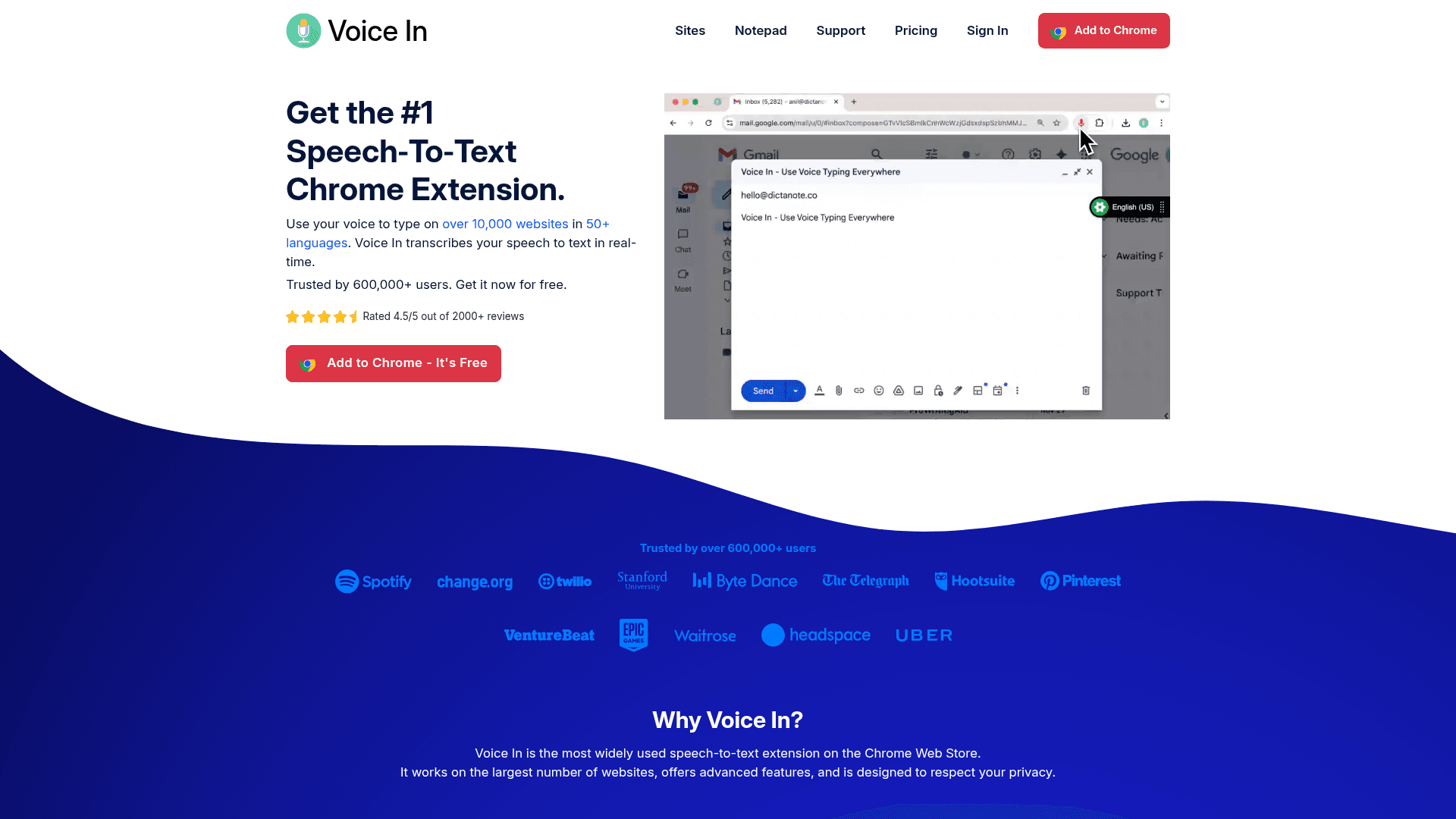
Voice In provides browser-based speech-to-text functionality through a Chrome extension that works across web applications. The extension works in over 50 languages and is among the most widely used speech-to-text extensions on the Chrome Web Store.
While it does not store data on its own servers, it relies on the browser's native cloud-based speech engines (like Google's servers for Chrome) instead of processing audio locally. The extension works on websites including Gmail, Google Docs, and social media applications.
What they offer
Browser-based dictation that works on most websites
Support for 50+ languages with automatic punctuation features
Custom voice commands for text editing and automation
Free tier with premium features available through paid plans
Limitation: Limited to browser applications only, which creates workflow gaps when using native desktop applications.
Bottom line: Decent for web-based work but incomplete coverage for full productivity needs.
If you're looking for alternatives to specific tools, we've written detailed comparisons covering AI speech-to-text tools like Dragon and Google Docs voice typing options.
Feature Comparison Table
Feature | Willow Voice | Dragon | Google Docs | Superwhisper | Voice In |
|---|---|---|---|---|---|
Universal App Support | ✅ | ✅ | ❌ | ✅ | ❌ |
Real-time Processing | ✅ | ✅ | ✅ | ⚠️ | ✅ |
Context Awareness | ✅ | ⚠️ | ❌ | ⚠️ | ❌ |
Multi-language Support | ✅ | ⚠️ | ✅ | ✅ | ✅ |
Custom Dictionaries | ✅ | ✅ | ⚠️ | ✅ | ⚠️ |
Privacy Protection | ✅ | ✅ | ⚠️ | ✅ | ⚠️ |
For specific use cases like coding environments or AI chat interfaces, specialized guides can help you optimize for those workflows.
Are AI Dictation Tools Secure for Professional and Healthcare Data?
Yes, modern AI dictation tools are secure for professional use, but security architectures vary widely between consumer and enterprise options. For organizations handling sensitive information, a zero-data-retention architecture is the critical requirement.
Willow Voice uses a zero-data-retention architecture by default across all plans, meaning audio is processed and discarded instead of stored. It meets SOC 2 Type II and HIPAA compliance, allowing org-wide rollout without separate security reviews. For clinical workflows, a signed Business Associate Agreement (BAA) is available. When comparing alternatives, IT teams should verify whether compliance requires an enterprise upgrade and if the tool relies on third-party AI providers that complicate data residency.
How Do AI Tools Handle Industry Jargon and Technical Terminology?
AI speech-to-text tools handle complex terminology much better than legacy dictation software, provided they have a domain vocabulary layer. Built-in OS tools often struggle with medical jargon, legal terms, or variable names, requiring manual correction that slows down the workflow.
Willow Voice solves this through its Auto-Dictionary, which learns your custom vocabulary over time, automatically picking up names, technical terms, and email contacts. For developers, Willow includes codebase auto-tagging that reads open files in Cursor and Windsurf to learn class names and functions without manual entry. Enterprise teams can deploy shared custom dictionaries to keep terminology consistent across the organization from day one.
Why Willow Is the Better Voice Dictation Tool for Modern Professionals
For organizations, individual dictation tools create a coordination gap: custom vocabulary doesn't transfer, admins lack visibility, and compliance remains unverified. Integrating the best AI productivity tools only multiplies output if they meet institutional security requirements. Willow's zero-data-retention architecture means audio is processed and discarded by default, removing a major exposure category for procurement teams.
Willow is SOC 2 Type II and HIPAA-compliant, allowing an org-wide rollout that fits within existing security reviews. Shared custom dictionaries standardize client names, product terminology, and internal shorthand across the organization without any per-user setup. Admin controls and team leaderboards give managers visibility into adoption across mixed-device fleets. For organizations running a mix of Windows workstations, Mac laptops, and mobile devices, this multi-device architecture makes sure dictation works consistently without per-device setup.
FAQs
How do I get started with AI dictation if I've never used it before?
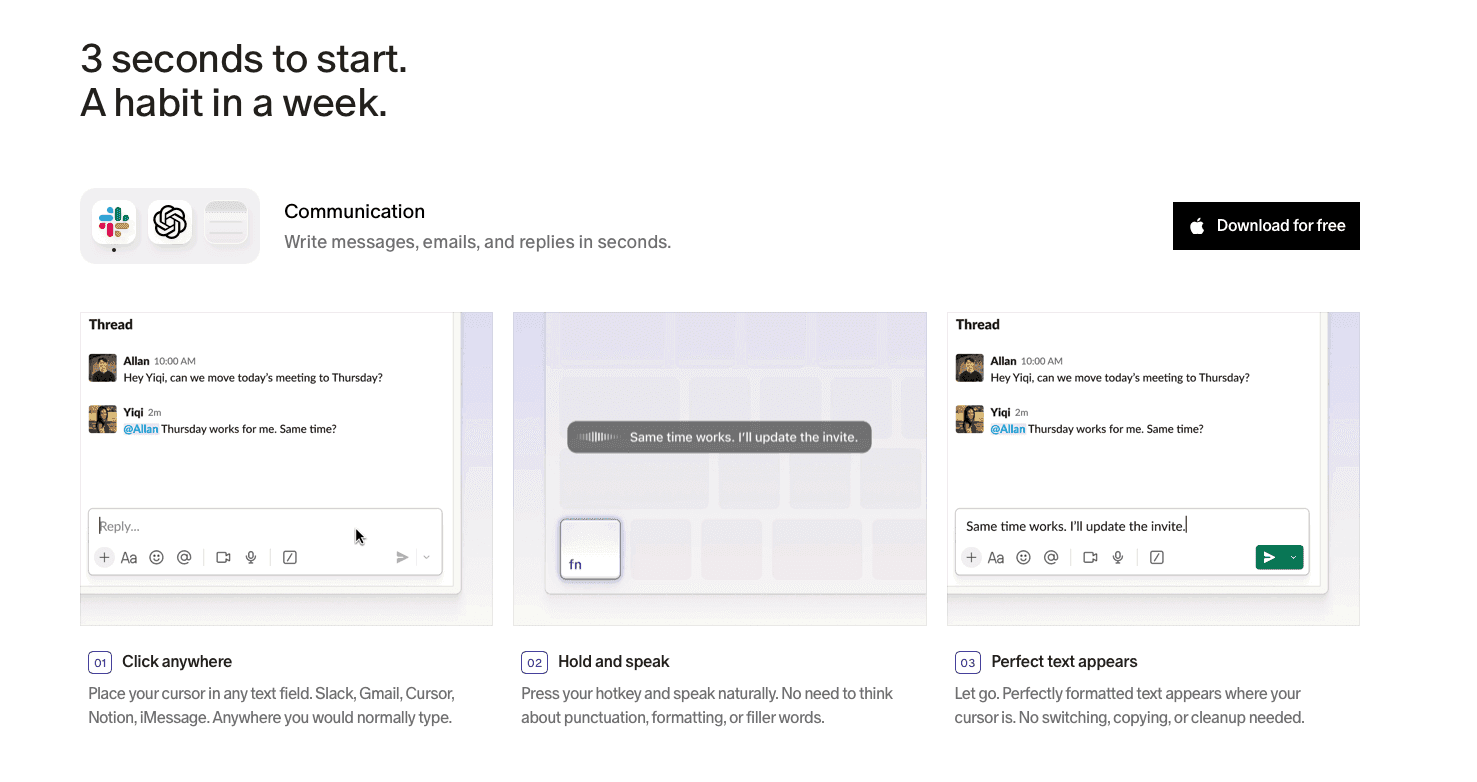
Most modern AI dictation tools work with a simple hotkey press and immediate speaking. Tools like Willow require no training or setup. Press fn on Mac or Alt+Space on Windows, speak naturally, and text appears instantly across any application on Mac, Windows, or iOS.
What's the difference between AI speech to text and basic voice typing?
AI speech-to-text uses advanced machine learning to understand context, adapt to your speaking style, and automatically format text based on where you're typing. Basic voice typing converts speech to raw text without understanding tone, technical terms, or formatting needs.
Can I use AI speech to text across all my applications?
This depends on the tool. Universal solutions like Willow work across Gmail, Slack, Notion, ChatGPT, and any Mac or Windows application, while browser-based tools like Voice In only work on websites, and Google Docs voice typing only works within Google Docs.
Can I use AI speech to text without storing my voice data anywhere?
Yes. Willow Voice uses a zero-data-retention architecture by default across all plan tiers. Audio is processed and discarded instead of stored. This applies from the free plan through Enterprise, with a signed Business Associate Agreement available for healthcare organizations that need an executable HIPAA contract. For workflows requiring fully local processing, Willow's Offline Mode is available on Mac and iOS.
What accuracy should I expect from AI speech-to-text tools in July 2026?
Leading tools now consistently achieve 92-98%+ accuracy in production environments, though performance drops sharply on technical vocabulary, clinical terminology, or names when the tool lacks a domain-specific vocabulary layer. Willow Voice reaches 98%+ accuracy with 3x fewer errors than built-in tools by combining a context-aware engine that reads your active documents with an Auto-Dictionary that learns your corrections over time.
Do I need a special microphone for AI voice dictation?
Microphone quality affects dictation accuracy by 10 to 15 percent. Built-in laptop microphones pick up background noise and keyboard sounds. A quality USB headset with a close-talk microphone, wireless earbuds, or a desktop USB condenser microphone paired with a tool like Willow achieves 98%+ accuracy without extra configuration.
Final thoughts on AI voice transcription tools
The gap between speaking and typing has closed, but scaling that speed across an organization requires the right architecture. Most solutions remain trapped in browsers or require manual configuration, while AI speech-to-text tools like Willow Voice provide the shared vocabulary and compliance controls teams need to standardize documentation. The choice comes down to finding software that works securely across every device your team uses. Download Willow for free and try it for a week across your normal work to see where voice accelerates your workflow.
Knowledge workers lose hours every week typing client follow-ups, meeting notes, Slack threads, and CRM updates when they could speak at 150 words per minute. The challenge isn't finding voice dictation software; it's finding a tool that fits professional workflows without imposing a heavy correction tax. Many AI speech-to-text solutions stop at the individual user, leaving teams with inconsistent vocabulary and no compliance trail. Here is a look at which tools scale for professional environments, handle mixed-device teams, and provide reliable continuity across Windows, Mac, and iOS without creating more work than they remove.
TLDR:
Willow Voice delivers 98%+ accuracy and 3x fewer errors than built-in tools, with ~200ms latency (compared to 700ms+ for competitors) across Mac, Windows, and iOS apps.
You can boost productivity 3x by speaking at 150 WPM versus typing at 40 WPM with context-aware AI.
In the last year, AI speech-to-text has crossed the threshold from "good enough" to truly professional-grade.
Universal compatibility across Gmail, Slack, Notion, and ChatGPT eliminates workflow interruptions.
The fastest AI dictation tools process speech in under 200 milliseconds, keeping you in flow state without waiting for text to catch up.
Willow's free plan provides genuinely unlimited AI dictation with no word cap and no credit card required.
What Is AI Speech to Text?
AI speech-to-text converts spoken words into written text using advanced machine learning algorithms and automatic speech recognition. These tools use neural networks and deep learning models to interpret audio signals and convert them into accurate transcriptions using automatic speech recognition (ASR) technology. State-of-the-art AI models now understand context, decipher accents, and adapt on the fly. They handle complex speech patterns, multiple accents, and background noise while continuously improving through machine learning.
Typing is an outdated input method that pulls time away from deep work. Modern AI-powered tools resolve this bottleneck by making voice dictation viable for high-volume professional communication, allowing teams to handle documentation and async updates at speaking speed.
The technology reached a meaningful threshold earlier in 2026 and has continued to advance heading into July. Leading models now consistently achieve sub-8% word-error rates in production environments, and accuracy in previously underserved languages jumped from the low 80s to above 96%. Enterprise adoption accelerated as models proved they could handle accents, background noise, and technical terminology without constant correction. Microsoft's MAI-Transcribe-1.5, released in early June 2026, shows how quickly the baseline is rising; each new model generation delivers measurably better recognition without requiring users to change how they speak.
How We Ranked AI Speech to Text Tools
We looked at each AI speech-to-text tool based on publicly available information about their features, performance claims, and user feedback. Our ranking considered accuracy rates, processing speed, ease of use, cross-device compatibility, privacy features, and real-world application performance.
We focused on three key factors:
High accuracy (with the lowest score on this list at 92%, as leading AI transcription tools as of July 2026 tend to achieve 92-96% accuracy),
Ease of use (since most options are basic enough that anyone can figure them out in seconds)
Availability of voice commands that let you add instructions while speaking
We also looked at pricing models, language support, and integration options to determine which tools deliver the best value for different user needs. The goal was finding solutions that actually replace typing instead of serving as occasional productivity boosts.
AI speech recognition has reached professional-grade accuracy where the best models achieve 98% accuracy (2 errors per 100 words), but not all tools deliver on their promises.
Our evaluation focused on tools that work across multiple applications instead of being confined to browsers or specific software. We looked for solutions with minimal setup requirements and an Apple-like user experience that "just works" without complex configuration.
Comparison Table
Tool | Type | Best For | Pricing | Key Features | Key Limitations |
|---|---|---|---|---|---|
Willow Voice | AI Dictation App | Cross-app dictation and team standardization | Pro plan from $12/mo; unlimited free plan and business/enterprise plans available | ~200ms latency, context-aware AI, shared custom dictionaries, SOC 2 Type II, Mac/Windows/iOS | Requires internet connection for cloud AI processing |
Dragon Professional | Desktop Software | Industry-specific vocabularies on Windows | $699+ one-time | Custom vocabulary training, offline processing, Windows only | May require initial setup and vocabulary customization to achieve optimal performance; latency Not published |
Google Docs Voice Typing | Built-in Browser Tool | Basic browser-based dictation | Free | Multi-language support, basic punctuation commands | Browser and Google Docs only; 500-700ms latency |
superwhisper | Local AI App | Offline processing for Mac, Windows, and iOS | $249.99 lifetime, subscriptions available | Local processing, multiple AI model sizes | Local processing speed varies by model and device hardware; Ultra model can reach 1-2 seconds |
Voice In | Chrome Extension | Browser-based workflows | Free tier, premium plans available | 50+ languages, custom voice commands | Trapped in browser applications |
1. Best Overall: Willow
Willow delivers AI-powered voice dictation that works across any application with 98%+ accuracy and ~200ms processing time. The context-aware engine reads active documents and codebases, so technical terms, names, and industry phrases are transcribed correctly on the first pass without manual dictionary setup.
Key strengths:
Cross-device continuity across Gmail, Slack, Notion, and any native application on Mac, Windows, and iOS
Speaking at 150 WPM versus typing at 40 WPM minimizes documentation overhead
Team-shared custom dictionaries standardize client terminology, project names, and codebase references org-wide
Zero-data-retention architecture means audio is processed and discarded by default
SOC 2 Type II and HIPAA compliant, featuring admin controls and team leaderboards to manage deployment across teams at Uber, Reddit, and companies across 20% of the Fortune 500
Willow Scribe goes beyond transcription to generate complete written content from voice prompts, reading email threads and Slack conversations to match your tone. Dictation Mode uses a single hotkey (Fn on Mac or Alt+Space on Windows), letting you speak text into any text field without switching windows; Willow Scribe uses Fn + Control on Mac and Alt+Shift+Space on Windows.
Settings and custom vocabulary sync across Mac, Windows, and iOS devices for both individual users and teams, removing the friction of per-device configuration. For mixed-device organizations, this cross-device continuity means shared terminology and shortcuts carry over without per-device setup, whether a user is on a Windows workstation at the office or a Mac or phone at home.
Pricing and Plans: Willow's Pro plan is built for power users and teams, delivering faster, more accurate dictation plus unlimited Willow Scribe starting at $12 per month. A Free plan is also available, providing genuinely unlimited AI dictation with no word cap and no credit card required, along with more advanced plans to support larger organizational requirements.
Bottom line: The simplest path to 3x productivity gains for anyone who types regularly.
2. Dragon Professional
Dragon Professional processes voice input through desktop applications with industry-specific vocabularies for legal, medical, and business use cases, claiming up to 99% recognition accuracy with optional offline processing. Getting there requires 20-30 minutes of setup, 1-2 weeks of corrections, and retraining when switching hardware.
What they offer
Desktop-based voice recognition with custom vocabulary training
Professional versions for specific industries like legal and medical
Voice command integration for application control and document formatting
Offline processing features that don't require internet connectivity
Limitation: The substantial cost (typically around $699 for a standard desktop license) and the extensive training time are severe limitations compared to more modern solutions.
Bottom line: A Windows-primary option for users willing to invest time in setup and training, though it lacks cross-device continuity for Mac or iOS.
3. Google Docs Voice Typing
Google Docs Voice Typing offers built-in speech-to-text functionality in Google Docs using Google's browser-based speech recognition technology. This free solution provides basic speech-to-text functionality without requiring additional software installation.
The feature supports basic punctuation commands and works across supported browsers. You activate it through the Tools menu and start speaking immediately.
What they offer
Free voice typing integrated directly into Google Docs interface
Basic punctuation commands like "comma," "period," and "new paragraph"
Multi-language support for international document creation
Simple activation through Tools menu without software installation
Limitation: Works only within Google Docs and browser limitations, with poor accuracy that often requires background noise reduction and external microphones. Those with professional multi-app workflows typically need dedicated voice dictation software for professionals to handle the full range of daily tasks.
Bottom line: Works well for voice input within Google Docs; its browser-only architecture means a separate voice input method is needed when working outside the browser.
4. superwhisper
superwhisper operates as a macOS, Windows, and iOS application that processes speech-to-text conversion with offline or cloud options using local AI models, providing cross-device support for mixed fleets. Built on whisper.cpp, it provides solid accuracy, especially with larger AI models, while keeping processing on your device. For a broader look at how it stacks up, our comparison of AI-powered dictation tools by speed and accuracy covers more options side by side.
The application offers multiple model sizes for different speed-accuracy trade-offs. You can choose between Nano for speed or Ultra for higher accuracy depending on your needs. Users also report that licenses purchased on iOS don't easily transfer to macOS.
What they offer
Optional offline operation with local processing
Multiple AI model options from Nano to Ultra for different performance needs
Custom modes for different writing scenarios like emails or notes
Menu bar integration with customizable keyboard shortcuts for quick activation
Lifetime license at $249.99, with monthly and annual subscription options available
Limitation: Local processing speed varies by model and device hardware. The Ultra model on older hardware can reach 1-2 seconds per transcription, while Nano and Fast models process more quickly.
Bottom line: Technical flexibility comes with complexity that overwhelms most users.
5. Voice In (Chrome Extension)
Voice In provides browser-based speech-to-text functionality through a Chrome extension that works across web applications. The extension works in over 50 languages and is among the most widely used speech-to-text extensions on the Chrome Web Store.
While it does not store data on its own servers, it relies on the browser's native cloud-based speech engines (like Google's servers for Chrome) instead of processing audio locally. The extension works on websites including Gmail, Google Docs, and social media applications.
What they offer
Browser-based dictation that works on most websites
Support for 50+ languages with automatic punctuation features
Custom voice commands for text editing and automation
Free tier with premium features available through paid plans
Limitation: Limited to browser applications only, which creates workflow gaps when using native desktop applications.
Bottom line: Decent for web-based work but incomplete coverage for full productivity needs.
If you're looking for alternatives to specific tools, we've written detailed comparisons covering AI speech-to-text tools like Dragon and Google Docs voice typing options.
Feature Comparison Table
Feature | Willow Voice | Dragon | Google Docs | Superwhisper | Voice In |
|---|---|---|---|---|---|
Universal App Support | ✅ | ✅ | ❌ | ✅ | ❌ |
Real-time Processing | ✅ | ✅ | ✅ | ⚠️ | ✅ |
Context Awareness | ✅ | ⚠️ | ❌ | ⚠️ | ❌ |
Multi-language Support | ✅ | ⚠️ | ✅ | ✅ | ✅ |
Custom Dictionaries | ✅ | ✅ | ⚠️ | ✅ | ⚠️ |
Privacy Protection | ✅ | ✅ | ⚠️ | ✅ | ⚠️ |
For specific use cases like coding environments or AI chat interfaces, specialized guides can help you optimize for those workflows.
Are AI Dictation Tools Secure for Professional and Healthcare Data?
Yes, modern AI dictation tools are secure for professional use, but security architectures vary widely between consumer and enterprise options. For organizations handling sensitive information, a zero-data-retention architecture is the critical requirement.
Willow Voice uses a zero-data-retention architecture by default across all plans, meaning audio is processed and discarded instead of stored. It meets SOC 2 Type II and HIPAA compliance, allowing org-wide rollout without separate security reviews. For clinical workflows, a signed Business Associate Agreement (BAA) is available. When comparing alternatives, IT teams should verify whether compliance requires an enterprise upgrade and if the tool relies on third-party AI providers that complicate data residency.
How Do AI Tools Handle Industry Jargon and Technical Terminology?
AI speech-to-text tools handle complex terminology much better than legacy dictation software, provided they have a domain vocabulary layer. Built-in OS tools often struggle with medical jargon, legal terms, or variable names, requiring manual correction that slows down the workflow.
Willow Voice solves this through its Auto-Dictionary, which learns your custom vocabulary over time, automatically picking up names, technical terms, and email contacts. For developers, Willow includes codebase auto-tagging that reads open files in Cursor and Windsurf to learn class names and functions without manual entry. Enterprise teams can deploy shared custom dictionaries to keep terminology consistent across the organization from day one.
Why Willow Is the Better Voice Dictation Tool for Modern Professionals
For organizations, individual dictation tools create a coordination gap: custom vocabulary doesn't transfer, admins lack visibility, and compliance remains unverified. Integrating the best AI productivity tools only multiplies output if they meet institutional security requirements. Willow's zero-data-retention architecture means audio is processed and discarded by default, removing a major exposure category for procurement teams.
Willow is SOC 2 Type II and HIPAA-compliant, allowing an org-wide rollout that fits within existing security reviews. Shared custom dictionaries standardize client names, product terminology, and internal shorthand across the organization without any per-user setup. Admin controls and team leaderboards give managers visibility into adoption across mixed-device fleets. For organizations running a mix of Windows workstations, Mac laptops, and mobile devices, this multi-device architecture makes sure dictation works consistently without per-device setup.
FAQs
How do I get started with AI dictation if I've never used it before?
Most modern AI dictation tools work with a simple hotkey press and immediate speaking. Tools like Willow require no training or setup. Press fn on Mac or Alt+Space on Windows, speak naturally, and text appears instantly across any application on Mac, Windows, or iOS.
What's the difference between AI speech to text and basic voice typing?
AI speech-to-text uses advanced machine learning to understand context, adapt to your speaking style, and automatically format text based on where you're typing. Basic voice typing converts speech to raw text without understanding tone, technical terms, or formatting needs.
Can I use AI speech to text across all my applications?
This depends on the tool. Universal solutions like Willow work across Gmail, Slack, Notion, ChatGPT, and any Mac or Windows application, while browser-based tools like Voice In only work on websites, and Google Docs voice typing only works within Google Docs.
Can I use AI speech to text without storing my voice data anywhere?
Yes. Willow Voice uses a zero-data-retention architecture by default across all plan tiers. Audio is processed and discarded instead of stored. This applies from the free plan through Enterprise, with a signed Business Associate Agreement available for healthcare organizations that need an executable HIPAA contract. For workflows requiring fully local processing, Willow's Offline Mode is available on Mac and iOS.
What accuracy should I expect from AI speech-to-text tools in July 2026?
Leading tools now consistently achieve 92-98%+ accuracy in production environments, though performance drops sharply on technical vocabulary, clinical terminology, or names when the tool lacks a domain-specific vocabulary layer. Willow Voice reaches 98%+ accuracy with 3x fewer errors than built-in tools by combining a context-aware engine that reads your active documents with an Auto-Dictionary that learns your corrections over time.
Do I need a special microphone for AI voice dictation?
Microphone quality affects dictation accuracy by 10 to 15 percent. Built-in laptop microphones pick up background noise and keyboard sounds. A quality USB headset with a close-talk microphone, wireless earbuds, or a desktop USB condenser microphone paired with a tool like Willow achieves 98%+ accuracy without extra configuration.
Final thoughts on AI voice transcription tools
The gap between speaking and typing has closed, but scaling that speed across an organization requires the right architecture. Most solutions remain trapped in browsers or require manual configuration, while AI speech-to-text tools like Willow Voice provide the shared vocabulary and compliance controls teams need to standardize documentation. The choice comes down to finding software that works securely across every device your team uses. Download Willow for free and try it for a week across your normal work to see where voice accelerates your workflow.

Try Willow for free
Instant, accurate voice dictation. No card required.
Try Willow for free
Instant, accurate voice dictation. No card required.
Other stories you’ll love
Other stories you’ll love



Your keyboard is optional now
" transform="translate(5 5)" width="9.791000051498413px"/></svg>)

The voice-first interface for modern work.
© Willow Care, Inc. 2026. All rights reserved
Your keyboard is optional now
The voice-first interface for modern work.
© Willow Care, Inc. 2026. All rights reserved
Your keyboard is optional now
The voice-first interface for modern work.
© Willow Care, Inc. 2026. All rights reserved