" transform="translate(5 2)" width="10px"/></svg>)

•
5 min read
Top 5 Medical Speech Recognition Software in June 2026

•
5 min read
Top 5 Medical Speech Recognition Software in June 2026
When clinics compare AI medical dictation software, compliance must lead the conversation. Viable tools must offer HIPAA compliance, SOC 2 Type II certification, zero data retention, and a signed Business Associate Agreement (BAA). Beyond these baselines, success depends on adapting to your documentation style and mixed-device fleets spanning Windows, Mac, and iOS. Most consumer-grade tools fail this test.
TLDR:
Clinical voice dictation saves physicians up to 70% of documentation time by speaking at 150 WPM versus typing at 40 WPM.
Dragon Medical One leads at $79/month but requires enterprise IT resources that most small practices lack.
Modern AI tools offer HIPAA-compliant dictation with ~200ms latency, admin controls, shared custom dictionaries, and team-ready security for org-wide deployment.
Multi-device coverage across Windows workstations, Mac laptops, and iOS bedside devices is a strict requirement for modern clinical environments.
Willow Voice delivers 98%+ accuracy on clinical terminology and requires zero direct EHR integration, keeping your workflow flexible across any app.
What Is Clinical Voice-to-Text Software?
Clinical voice-to-text software is built exclusively for healthcare. Unlike Apple's built-in dictation or Wispr Flow, these systems learn medical vocabularies: anatomical terms, drug names, procedural codes, and abbreviations that standard engines routinely miss.
A general tool might transcribe "metformin" as "met for men." Healthcare speech recognition handles clinical terms correctly by default, supporting secure workflows and HIPAA compliance standards that put generic tools out of reach for clinical use. Healthcare speech recognition handles these correctly by default and integrates with EHR systems and HIPAA compliance standards that put generic tools out of reach for clinical use.
Why Healthcare Professionals Need Specialized Dictation Tools
The administrative weight of notes, referrals, and prior authorizations limits patient capacity. For healthcare teams, this burden often extends past clinical hours, slowing down overall workplace productivity.
Physicians who adopt clinical voice-to-text save up to 2 hours daily on documentation. Research on physician adoption shows that faster charting and reduced administrative overhead are the primary benefits clinicians report. Speaking at 150 WPM versus typing at 40 WPM drastically reduces charting time. Consumer-grade tools like Wispr Flow or Apple's built-in voice dictation lack medical-vocabulary optimization to capture clinical terms accurately, creating manual correction loops that erase productivity gains.
Dragon Medical One Overview
Dragon Medical One is built on Nuance's cloud infrastructure. It offers deep EHR integrations with Epic and Cerner, as well as with most major systems, so physicians can speak directly into patient records. Its medical vocabulary handles most specialties without heavy customization.
At $79 to $99 per user per month, plus implementation fees, it falls outside the individual-purchase territory. For large health systems, this fits the enterprise budget. For solo providers or small practices, the math rarely works.
Pros
Deep EHR integration with Epic, Cerner, and most major systems lets physicians speak directly into patient records without switching applications.
Medical vocabulary trained across most specialties handles clinical terminology without heavy customization for common use cases.
Dragon Medical One is marketed by Nuance as achieving up to 99% accuracy with no voice profile training required.
Enterprise security and compliance infrastructure suits the procurement and IT requirements of large health systems.
Persistent voice profiles retain your corrections across sessions so accuracy improvements accumulate over time without starting from scratch.
Cons
At $79 to $99 per user per month plus implementation fees, the cost model works for large health systems but is hard to support for solo providers or small clinics.
A complex rollout requires dedicated IT resources to manage large-scale Windows desktop installations, a capability most small practices lack in-house.
Getting started takes longer than with lightweight alternatives. It requires 20-30 minutes of setup, 1-2 weeks of corrections, and retraining when switching hardware.
AWS HealthScribe / Amazon Transcribe Medical: API-Based Medical Transcription
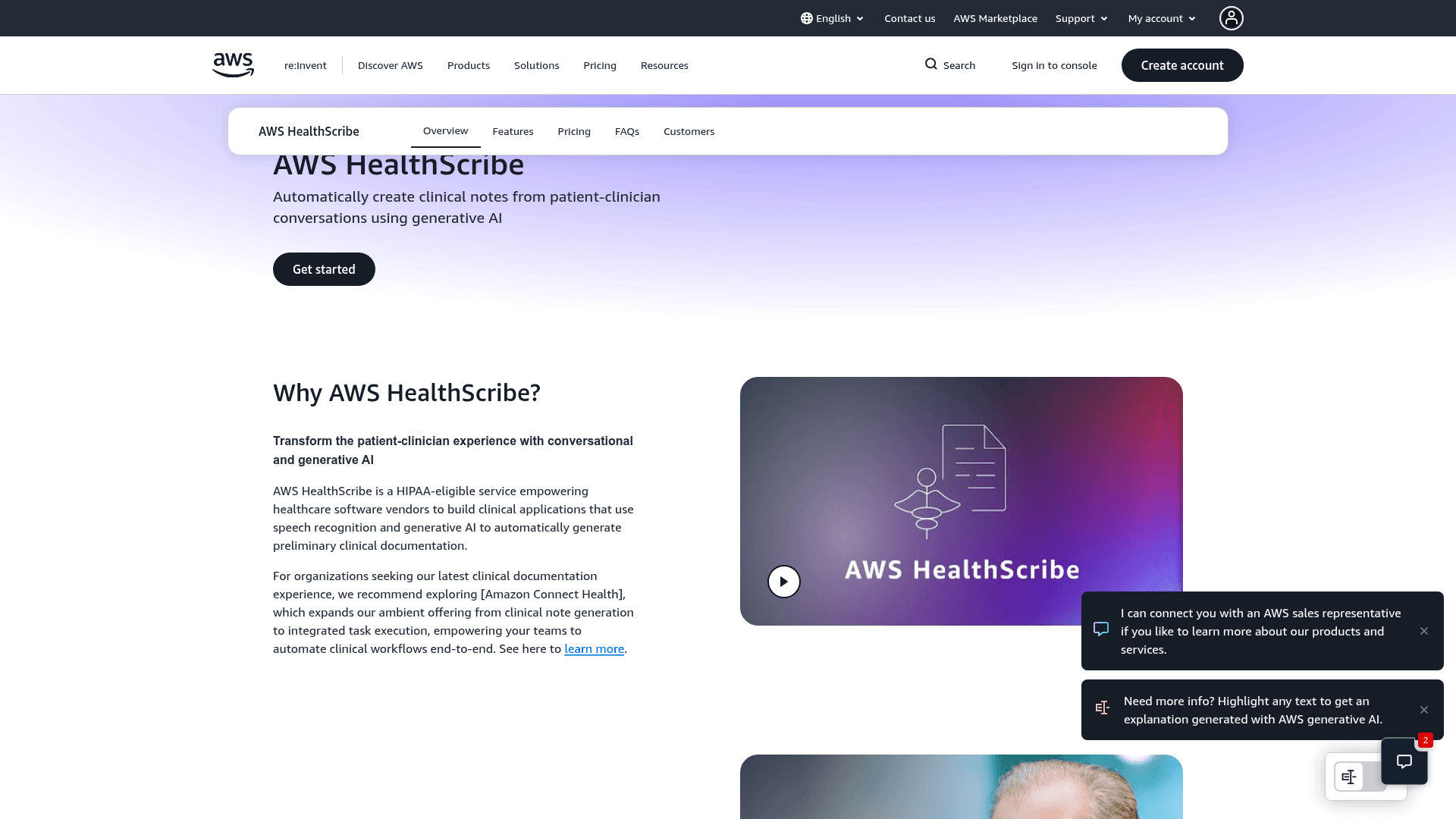
AWS offers healthcare-focused transcription tools like Amazon Transcribe Medical and HealthScribe. With no interface to install or vendor onboarding, you pipe audio in, get structured text back, and own the workflow.
Pricing is pay-as-you-go, billed per second of audio. That scales well for high-volume health systems already on AWS. The catch: meaningful engineering resources are required to set it up and connect it to EHR systems. For independent providers who just need to capture a note, this is the wrong tool.
AI Medical Scribes vs. Traditional Dictation Software
Traditional dictation is deliberate: finish the encounter, then speak your notes word-for-word. Ambient AI scribes listen passively during the visit to auto-generate a structured clinical note afterward.
Your choice depends on workflow. Physicians wanting tight control prefer post-visit dictation, while high-volume practices sometimes lean toward ambient scribes. Note that passive listening requires explicit patient consent and documented PHI handling procedures before deployment, and requires patients to be comfortable with an active recording device in the exam room. Modern AI dictation tools offer a practical middle ground: providers can record a brief, unstructured summary after the visit and let the AI format it into a complete SOAP note, avoiding the privacy hurdles of ambient listening while still saving charting time.
Key Features To Review in Medical Speech Recognition Tools
When reviewing a speech recognition tool for clinical rollout, enterprise readiness is a baseline requirement. Other features depend on practice size and workflow.
Must-Haves
HIPAA compliance, SOC 2 Type II certification, and zero data retention.
Shared custom dictionaries for team-wide standardization.
Admin controls giving practice managers visibility into adoption and usage.
98%+ accuracy on clinical terms and drug names.
Native multi-device support covering Windows, Mac, and iOS.
Nice-to-Haves
Mobile dictation for rounding or remote note-taking.
Ambient listening mode for passive capture during visits.
Offline capability for strict data residency.
Large health systems focus on deep EHR integration, but private practices increasingly choose flexible dictation layers that maintain continuity across Windows, Mac, and iOS devices to prevent vendor lock-in.
Medical Dictation Use Cases by Specialty
Different clinical teams place unique demands on speech recognition tools.
Primary Care and Family Medicine
High visit volume makes documentation speed the top priority. Tools that adapt to your writing style and format unstructured dictation directly into complete SOAP notes reduce per-note editing across 20 to 30 daily patient encounters without manual setup.
Radiology
Radiology tools must handle anatomical terminology and structured report formats accurately. Low latency matters, as waiting for text to appear breaks focus.
Emergency Medicine
ED documentation happens under pressure. Mobile dictation with iOS support lets physicians capture notes at the bedside to document patient handoffs faster, syncing custom vocabulary back to the Windows desktop at the nurses' station.
Mental Health and Behavioral Medicine
Session notes and treatment plans require accurate, precise language. Voice tools that learn a clinician's preferred phrasing and can automatically structure free-flowing session summaries into formal evaluations reduce the editing burden following each session.
Surgical and Procedural Specialties
Operative reports involve dense clinical terminology. Custom vocabulary support helps capture procedure-specific language without repeated corrections across similar cases.
Choosing Tools by Specialty Needs
Tool | Platforms | Pricing | Accuracy | HIPAA Compliant | Best For | Key Limitations |
|---|---|---|---|---|---|---|
Willow Voice | Mac, Windows, iOS | Pro plan from $12/month; unlimited free paln and business/enterprise plans available | 98%+ accuracy on clinical terms; learns writing style | Yes (SOC 2 Type II, HIPAA, zero data retention, signed BAA) | Healthcare organizations and private practices needing org-wide deployment across mixed Windows and Apple fleets without complex IT overhead | Not directly integrated with EHR systems (works as a dictation layer across any app or device). |
Dragon Medical One | Windows only | $79 to $99/user/month plus implementation fees | High accuracy after setup | Yes, enterprise-grade security | Large health systems with dedicated IT teams covering all major specialties at scale | High cost; requires 20-30 minutes of setup, 1-2 weeks of corrections, and retraining when switching hardware |
AWS HealthScribe / Amazon Transcribe Medical | API/Cloud | Pay-per-second of audio transcribed | Varies based on implementation | Yes, when properly configured | High-volume hospital systems and radiology groups are building custom workflows on AWS infrastructure | Requires engineering resources to set up, maintain, and connect to EHR systems |
Apple Built-in Dictation | Mac, iOS | Free with macOS/iOS | Poor with medical terminology | No BAA available; cannot be used for PHI | Personal use only: never clinical documentation | No medical vocabulary, no HIPAA compliance, no BAA |
Wispr Flow | Mac, iOS (Windows in limited rollout) | Free (2,000 words/week), Pro $15/month | Poor with medical terminology | May offer BAA on certain plans; no shared dictionaries | Cross-app general dictation | Not positioned as a medical-first tool with dedicated medical vocabulary optimization |
HIPAA Compliance and Security Requirements
Any vendor handling protected health information must sign a Business Associate Agreement before going live. Skip that step, and you are legally exposed regardless of how secure the tech appears.
Beyond the BAA, check for end-to-end encryption and zero-data-retention policies. Consumer dictation tools built for individual use rarely support enterprise readiness. A compliant tool processes audio without storing it after transcription completes. Willow Voice builds these protections into its core architecture, making compliance the default instead of a plan upgrade.
Vendor Security Checklist
HIPAA compliance and BAA availability: Verify the vendor will sign a Business Associate Agreement before any patient data is processed.
SOC 2 Type II certification: Confirms security controls have been independently audited within the last 12 months.
Data policies: Ask directly whether audio is stored after transcription completes or if zero-data-retention applies to all audio data immediately.
Admin controls: Role-based access controls and admin visibility matter in team environments that share an account.
Real-world testing: Test the tool with clinical terminology across the devices your team actually uses (Windows, Mac, iOS) before committing.
Medical Dictation Software for Small Practices and Solo Providers
Solo providers and clinic staff rarely have an IT department to manage software rollouts. Enterprise tools like Dragon Medical One assume otherwise: dedicated implementation teams, EHR admin access, and procurement budgets that simply do not exist in a growing practice.
Smaller practices actually need dictation that works on day one without a consultant. Low monthly costs, HIPAA compliance out of the box, and multi-device flexibility cover most requirements. Deep EHR integration often slows down practices that want the freedom to work in any text field or change charting systems in the future.
Multi-OS and Mixed-Device Fleet Considerations
Device coverage is a strict deployment requirement in clinical IT environments. Because many healthcare organizations are Windows-based, reliable native Windows support is critical for clinic rollouts. Enterprise tools like Dragon Medical One are primarily desktop-focused, requiring IT-managed Windows installations that make bedside or mobile documentation difficult. Willow Voice runs natively on Windows workstations, Mac laptops, and iOS devices, supporting mixed-device fleets with a single rollout. The custom iOS voice keyboard is highly relevant to bedside documentation and mobile charting workflows, letting providers speak directly into any clinical app. For teams running mixed-device environments, cross-device vocabulary sync means shared team dictionaries and shortcuts automatically follow you from a Windows desktop to an iPhone, eliminating the friction of per-device setup.
Implementation Timeline for Small Practices
For a solo provider or small clinic, getting from download to productive documentation should take hours, not weeks. Here is what a realistic rollout looks like:
Day 1: Download and install on Mac, Windows, or iOS. No IT setup required. Create an account and test with a sample clinical note. A family medicine physician, for example, can record a SOAP note that includes medications like metformin and lisinopril, confirm that the tool captures them correctly, and add a few practice-specific abbreviations to the custom dictionary in under five minutes.
First week: Use the tool for actual patient notes and let it begin learning your phrasing. Add specialty terms and drug names to your custom dictionary as you encounter gaps.
Weeks 2 to 4: The tool adapts to your writing style. Editing time per note drops as personalization takes hold. Add shared shortcuts for your most common phrases and note templates.
Month 2 and beyond: Most clinicians report that notes require minimal editing by this point. Documentation time drops to minutes per note instead of the end-of-day charting backlog.
Where Willow Fits for Medical Dictation
For healthcare organizations and private-practice clinics looking to cut documentation time without complex IT overhead, Willow Voice checks every enterprise-readiness box. It offers HIPAA compliance, SOC 2 Type II security, zero data retention, and a signed BAA. Explicitly, Willow Voice is not directly integrated with EHR systems. It is a dictation layer that works across any app on any device, and this is a deliberate architectural choice, not a limitation. This approach keeps your professional workflow flexible, letting providers move naturally from a Windows workstation at the front desk to an iPad in the exam room.
Willow learns your writing style over time, adapting to your clinical vocabulary so notes get done faster after every session.
At ~200ms latency, it keeps you in flow state instead of waiting for text to catch up, outperforming built-in tools that lag at 700ms+.
Admin controls and shared team dictionaries standardize medical terms and shortcuts across your entire staff, supporting org-wide deployment.
Team leaderboards give practice managers visibility into usage patterns and time saved across the group.
Wispr Flow and Apple's built-in voice dictation are lighter alternatives, but neither offers the same personalization or team-ready security.
Accuracy Expectations and Error Rates in Medical Transcription
No tool transcribes perfectly, but modern AI models have raised the baseline. Dragon Medical One is marketed by Nuance as achieving up to 99% accuracy without voice profile training, though real-world performance often varies from controlled test conditions. JAMA research on speech recognition confirms that accuracy directly impacts documentation speed across clinical settings. For comparison, specialized tools like Willow produce up to 3x fewer errors than standard operating system dictation.
The clinical setting matters more than any published benchmark. A radiologist recording in a quiet reading room may see 98%+ accuracy from day one. An ED physician taking notes between patient interruptions and background noise may initially see 92-95%. Vendors measure accuracy on clean audio with trained voice profiles; real clinical environments are rarely that consistent. Before accepting a published figure, ask whether it covers your specialty vocabulary and was measured under conditions that match your actual workflow.
Physician review before finalizing notes is a clinical requirement, regardless of which tool you use.
Real-World Factors That Affect Accuracy
Background noise and microphone quality account for 10 to 15% of accuracy outcomes. A USB headset with a close-talk mic consistently outperforms a built-in laptop mic in exam rooms with ambient noise. Quiet reading rooms and private offices produce the highest out-of-the-box accuracy.
Structured post-visit notes outperform conversational speech capture for accuracy. Deliberate, structured dictation after an encounter gives the engine cleaner audio and context than passive ambient listening during a live visit.
Accent, speech patterns, and the depth of specialty vocabulary affect error rates. A tool trained on general medical content mishandles subspecialty terminology. Tools that learn from your corrections improve faster for your specific clinical context, reducing the impact of accent variation over time.
Adaptation period affects real-world accuracy. A tool may publish a 99% accuracy figure but require several weeks of clinical use before hitting that number in your workflow.
A concrete example: "metformin 500 mg twice daily" is straightforward for a trained medical tool. A general dictation tool may produce "met for men 500 mg twice daily" or misread the dosage entirely. In a medication order, that error is clinical, not cosmetic.
Voice Training and Adaptation: What to Expect
Accuracy on day one is not the same as accuracy at month one. Modern clinical tools no longer require upfront manual training sessions to build a voice profile. Instead, they use passive learning to adapt to your ongoing corrections as you work, with most clinicians noticing gains within the first two weeks.
What the Adaptation Period Looks Like in Practice
Regardless of the tool, expect a short period where you spend more time editing than you will in steady state. The question is how long that period lasts and how much setup it demands:
Clinical AI tools with passive learning: one to two weeks of regular use before personalization takes hold and accuracy peaks. Some tools accelerate this with auto-dictionary features that capture unique abbreviations automatically.
General-purpose tools without medical vocabulary: editing overhead may not decrease over time if the tool lacks depth in clinical vocabulary.
Build the adaptation period into your evaluation timeline. Testing a tool for two days will not show you what it delivers after two weeks of regular clinical use.
How Willow Speeds Up Medical Documentation for Smaller Clinics
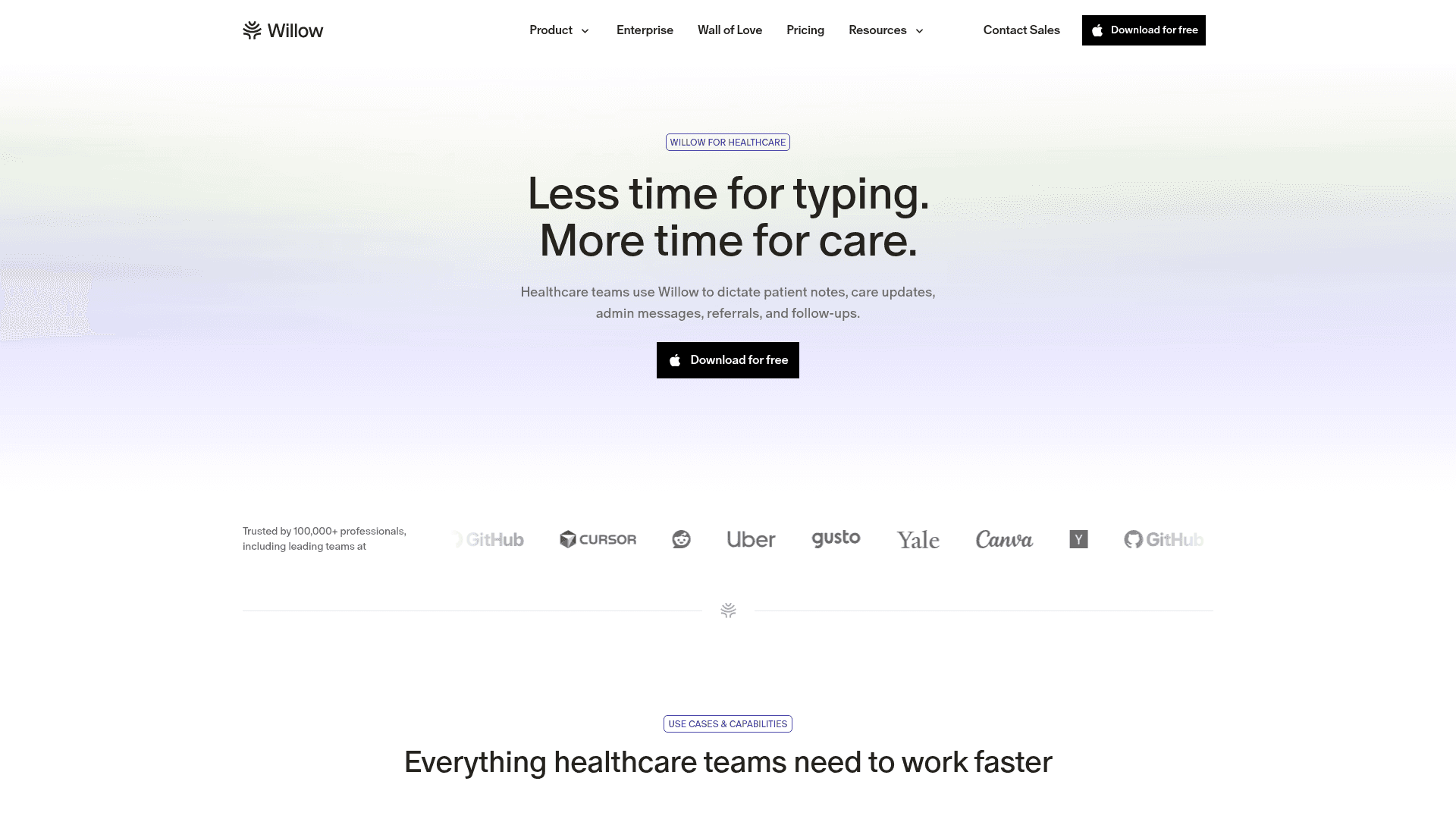
Willow Voice is built for healthcare organizations and private practices that need speed, accuracy, and enterprise-grade security without the complexity of deep EHR integrations, fully supporting teams that mix Windows PCs, Mac laptops, and iOS devices.
By letting providers speak at 160 words per minute versus typing at 40 words per minute, Willow reduces documentation overhead. On its paid tiers, Willow delivers faster, more accurate dictation with ~200ms latency and 98%+ accuracy, producing 3x fewer errors than built-in operating system tools, keeping you in a flow state instead of waiting for text to catch up. It also includes unlimited access to Willow Scribe, which goes further by generating complete written content from unstructured voice prompts instead of transcribing word-for-word. For organizations focusing on clinical productivity, these premium tiers offer the performance ceiling required for medical vocabulary, handling complex drug names and terminology natively on the first pass.
Willow helps you write faster SOAP notes by learning your writing style over time. It is SOC 2 Type II certified, HIPAA compliant, and features zero data retention by default. Admin controls and shared team dictionaries standardize medical terms and shortcuts across your entire staff, supporting org-wide deployment.
Why Smaller Clinics Choose Willow
With premium accuracy, Willow adapts to your clinical terminology and documentation style.
Enterprise-grade compliance (SOC 2 Type II, HIPAA, zero data retention, signed BAA) protects patient data without requiring dedicated IT overhead.
The Pro plan starts at $12/month and delivers faster, more accurate dictation plus unlimited Willow Scribe, shared dictionaries, and admin controls. An unlimited free dictation plan and other advanced options are also available.
FAQ
What's the main difference between medical speech recognition and general dictation tools like Apple's built-in voice typing?
Medical speech recognition tools are trained on clinical vocabularies, including drug names, anatomical terms, and procedural codes that general tools routinely misidentify. They also include HIPAA compliance, zero data retention, and signed Business Associate Agreements (BAA) required for clinical documentation, which consumer tools lack entirely.
Can I use Willow Voice for clinical documentation without direct EHR integration?
Yes. Willow is explicitly not directly integrated with EHR systems. It is a dictation layer that works across any app on any device, and this is a deliberate architectural choice, not a limitation. This keeps Willow flexible across your clinical workflow, allowing you to use it with Epic, Cerner, Athenahealth, or any other tool without getting locked into a single ecosystem.
Dragon Medical One vs Willow Voice for small clinic documentation?
Dragon Medical One offers deep EHR integration at $79 to $99 per user per month, plus implementation fees, and requires dedicated IT resources that most small practices lack. Willow delivers HIPAA-compliant security on its Pro plan from $12/month with ~200ms latency, learns your writing style over time, and requires zero IT setup to sync custom vocabulary across Windows, Mac, and iOS devices.
How accurate is medical dictation software on clinical terminology?
Specialized medical dictation tools handle clinical terminology correctly by default, often producing up to 3x fewer errors than built-in operating system dictation. Willow delivers 98%+ accuracy and is optimized for medical vocabulary, including terms like "Metformin," "SOAP note," and "discharge summary," without requiring manual dictionary configuration.
What compliance certifications should I verify before using voice dictation for patient documentation?
Verify SOC 2 Type II certification, HIPAA compliance, zero data retention policies, and availability of a signed Business Associate Agreement (BAA) before handling any protected health information. Request the vendor's BAA template and confirm the SOC 2 audit date is within the last 12 months.
Does medical dictation software store patient audio recordings?
Compliant clinical tools process audio without storing it. Willow Voice uses a zero-data-retention architecture across all plans, meaning audio is processed and discarded immediately by default to protect patient privacy and maintain HIPAA compliance.
Does medical dictation software work on Mac and mobile devices?
Legacy enterprise tools are frequently Windows-only. Modern AI tools like Willow Voice provide native support across Mac, Windows, and iOS. Custom vocabulary settings sync across all your devices, so you can speak notes on a Mac laptop or Windows workstation and transition to an iPad in the exam room.
How much time does voice dictation save doctors per day?
Physicians who adopt clinical voice-to-text save up to 2 hours per day on documentation. Speaking runs at 150 words per minute, compared with typing at 40 words per minute, yielding a 3x speed increase that reduces the administrative burden of charting.
Can AI dictation software generate a structured SOAP note?
Yes. Tools like Willow Scribe go beyond verbatim transcription by generating complete written content from voice prompts. Clinicians can record a brief, unstructured summary after a visit, and the AI formats it into a complete SOAP note automatically.
Final Thoughts on Finding the Right Medical Transcription Solution
Choosing AI medical dictation software comes down to whether it increases workplace productivity or just moves where you spend your editing time. Healthcare organizations need speed, 98%+ accuracy that improves with use, and enterprise readiness that handles team deployment across Windows, Mac, and iOS fleets without friction. Try Willow Voice if you need a tool that securely supports cross-device professional workflows. Documentation should take minutes, not hours.
When clinics compare AI medical dictation software, compliance must lead the conversation. Viable tools must offer HIPAA compliance, SOC 2 Type II certification, zero data retention, and a signed Business Associate Agreement (BAA). Beyond these baselines, success depends on adapting to your documentation style and mixed-device fleets spanning Windows, Mac, and iOS. Most consumer-grade tools fail this test.
TLDR:
Clinical voice dictation saves physicians up to 70% of documentation time by speaking at 150 WPM versus typing at 40 WPM.
Dragon Medical One leads at $79/month but requires enterprise IT resources that most small practices lack.
Modern AI tools offer HIPAA-compliant dictation with ~200ms latency, admin controls, shared custom dictionaries, and team-ready security for org-wide deployment.
Multi-device coverage across Windows workstations, Mac laptops, and iOS bedside devices is a strict requirement for modern clinical environments.
Willow Voice delivers 98%+ accuracy on clinical terminology and requires zero direct EHR integration, keeping your workflow flexible across any app.
What Is Clinical Voice-to-Text Software?
Clinical voice-to-text software is built exclusively for healthcare. Unlike Apple's built-in dictation or Wispr Flow, these systems learn medical vocabularies: anatomical terms, drug names, procedural codes, and abbreviations that standard engines routinely miss.
A general tool might transcribe "metformin" as "met for men." Healthcare speech recognition handles clinical terms correctly by default, supporting secure workflows and HIPAA compliance standards that put generic tools out of reach for clinical use. Healthcare speech recognition handles these correctly by default and integrates with EHR systems and HIPAA compliance standards that put generic tools out of reach for clinical use.
Why Healthcare Professionals Need Specialized Dictation Tools
The administrative weight of notes, referrals, and prior authorizations limits patient capacity. For healthcare teams, this burden often extends past clinical hours, slowing down overall workplace productivity.
Physicians who adopt clinical voice-to-text save up to 2 hours daily on documentation. Research on physician adoption shows that faster charting and reduced administrative overhead are the primary benefits clinicians report. Speaking at 150 WPM versus typing at 40 WPM drastically reduces charting time. Consumer-grade tools like Wispr Flow or Apple's built-in voice dictation lack medical-vocabulary optimization to capture clinical terms accurately, creating manual correction loops that erase productivity gains.
Dragon Medical One Overview
Dragon Medical One is built on Nuance's cloud infrastructure. It offers deep EHR integrations with Epic and Cerner, as well as with most major systems, so physicians can speak directly into patient records. Its medical vocabulary handles most specialties without heavy customization.
At $79 to $99 per user per month, plus implementation fees, it falls outside the individual-purchase territory. For large health systems, this fits the enterprise budget. For solo providers or small practices, the math rarely works.
Pros
Deep EHR integration with Epic, Cerner, and most major systems lets physicians speak directly into patient records without switching applications.
Medical vocabulary trained across most specialties handles clinical terminology without heavy customization for common use cases.
Dragon Medical One is marketed by Nuance as achieving up to 99% accuracy with no voice profile training required.
Enterprise security and compliance infrastructure suits the procurement and IT requirements of large health systems.
Persistent voice profiles retain your corrections across sessions so accuracy improvements accumulate over time without starting from scratch.
Cons
At $79 to $99 per user per month plus implementation fees, the cost model works for large health systems but is hard to support for solo providers or small clinics.
A complex rollout requires dedicated IT resources to manage large-scale Windows desktop installations, a capability most small practices lack in-house.
Getting started takes longer than with lightweight alternatives. It requires 20-30 minutes of setup, 1-2 weeks of corrections, and retraining when switching hardware.
AWS HealthScribe / Amazon Transcribe Medical: API-Based Medical Transcription
AWS offers healthcare-focused transcription tools like Amazon Transcribe Medical and HealthScribe. With no interface to install or vendor onboarding, you pipe audio in, get structured text back, and own the workflow.
Pricing is pay-as-you-go, billed per second of audio. That scales well for high-volume health systems already on AWS. The catch: meaningful engineering resources are required to set it up and connect it to EHR systems. For independent providers who just need to capture a note, this is the wrong tool.
AI Medical Scribes vs. Traditional Dictation Software
Traditional dictation is deliberate: finish the encounter, then speak your notes word-for-word. Ambient AI scribes listen passively during the visit to auto-generate a structured clinical note afterward.
Your choice depends on workflow. Physicians wanting tight control prefer post-visit dictation, while high-volume practices sometimes lean toward ambient scribes. Note that passive listening requires explicit patient consent and documented PHI handling procedures before deployment, and requires patients to be comfortable with an active recording device in the exam room. Modern AI dictation tools offer a practical middle ground: providers can record a brief, unstructured summary after the visit and let the AI format it into a complete SOAP note, avoiding the privacy hurdles of ambient listening while still saving charting time.
Key Features To Review in Medical Speech Recognition Tools
When reviewing a speech recognition tool for clinical rollout, enterprise readiness is a baseline requirement. Other features depend on practice size and workflow.
Must-Haves
HIPAA compliance, SOC 2 Type II certification, and zero data retention.
Shared custom dictionaries for team-wide standardization.
Admin controls giving practice managers visibility into adoption and usage.
98%+ accuracy on clinical terms and drug names.
Native multi-device support covering Windows, Mac, and iOS.
Nice-to-Haves
Mobile dictation for rounding or remote note-taking.
Ambient listening mode for passive capture during visits.
Offline capability for strict data residency.
Large health systems focus on deep EHR integration, but private practices increasingly choose flexible dictation layers that maintain continuity across Windows, Mac, and iOS devices to prevent vendor lock-in.
Medical Dictation Use Cases by Specialty
Different clinical teams place unique demands on speech recognition tools.
Primary Care and Family Medicine
High visit volume makes documentation speed the top priority. Tools that adapt to your writing style and format unstructured dictation directly into complete SOAP notes reduce per-note editing across 20 to 30 daily patient encounters without manual setup.
Radiology
Radiology tools must handle anatomical terminology and structured report formats accurately. Low latency matters, as waiting for text to appear breaks focus.
Emergency Medicine
ED documentation happens under pressure. Mobile dictation with iOS support lets physicians capture notes at the bedside to document patient handoffs faster, syncing custom vocabulary back to the Windows desktop at the nurses' station.
Mental Health and Behavioral Medicine
Session notes and treatment plans require accurate, precise language. Voice tools that learn a clinician's preferred phrasing and can automatically structure free-flowing session summaries into formal evaluations reduce the editing burden following each session.
Surgical and Procedural Specialties
Operative reports involve dense clinical terminology. Custom vocabulary support helps capture procedure-specific language without repeated corrections across similar cases.
Choosing Tools by Specialty Needs
Tool | Platforms | Pricing | Accuracy | HIPAA Compliant | Best For | Key Limitations |
|---|---|---|---|---|---|---|
Willow Voice | Mac, Windows, iOS | Pro plan from $12/month; unlimited free paln and business/enterprise plans available | 98%+ accuracy on clinical terms; learns writing style | Yes (SOC 2 Type II, HIPAA, zero data retention, signed BAA) | Healthcare organizations and private practices needing org-wide deployment across mixed Windows and Apple fleets without complex IT overhead | Not directly integrated with EHR systems (works as a dictation layer across any app or device). |
Dragon Medical One | Windows only | $79 to $99/user/month plus implementation fees | High accuracy after setup | Yes, enterprise-grade security | Large health systems with dedicated IT teams covering all major specialties at scale | High cost; requires 20-30 minutes of setup, 1-2 weeks of corrections, and retraining when switching hardware |
AWS HealthScribe / Amazon Transcribe Medical | API/Cloud | Pay-per-second of audio transcribed | Varies based on implementation | Yes, when properly configured | High-volume hospital systems and radiology groups are building custom workflows on AWS infrastructure | Requires engineering resources to set up, maintain, and connect to EHR systems |
Apple Built-in Dictation | Mac, iOS | Free with macOS/iOS | Poor with medical terminology | No BAA available; cannot be used for PHI | Personal use only: never clinical documentation | No medical vocabulary, no HIPAA compliance, no BAA |
Wispr Flow | Mac, iOS (Windows in limited rollout) | Free (2,000 words/week), Pro $15/month | Poor with medical terminology | May offer BAA on certain plans; no shared dictionaries | Cross-app general dictation | Not positioned as a medical-first tool with dedicated medical vocabulary optimization |
HIPAA Compliance and Security Requirements
Any vendor handling protected health information must sign a Business Associate Agreement before going live. Skip that step, and you are legally exposed regardless of how secure the tech appears.
Beyond the BAA, check for end-to-end encryption and zero-data-retention policies. Consumer dictation tools built for individual use rarely support enterprise readiness. A compliant tool processes audio without storing it after transcription completes. Willow Voice builds these protections into its core architecture, making compliance the default instead of a plan upgrade.
Vendor Security Checklist
HIPAA compliance and BAA availability: Verify the vendor will sign a Business Associate Agreement before any patient data is processed.
SOC 2 Type II certification: Confirms security controls have been independently audited within the last 12 months.
Data policies: Ask directly whether audio is stored after transcription completes or if zero-data-retention applies to all audio data immediately.
Admin controls: Role-based access controls and admin visibility matter in team environments that share an account.
Real-world testing: Test the tool with clinical terminology across the devices your team actually uses (Windows, Mac, iOS) before committing.
Medical Dictation Software for Small Practices and Solo Providers
Solo providers and clinic staff rarely have an IT department to manage software rollouts. Enterprise tools like Dragon Medical One assume otherwise: dedicated implementation teams, EHR admin access, and procurement budgets that simply do not exist in a growing practice.
Smaller practices actually need dictation that works on day one without a consultant. Low monthly costs, HIPAA compliance out of the box, and multi-device flexibility cover most requirements. Deep EHR integration often slows down practices that want the freedom to work in any text field or change charting systems in the future.
Multi-OS and Mixed-Device Fleet Considerations
Device coverage is a strict deployment requirement in clinical IT environments. Because many healthcare organizations are Windows-based, reliable native Windows support is critical for clinic rollouts. Enterprise tools like Dragon Medical One are primarily desktop-focused, requiring IT-managed Windows installations that make bedside or mobile documentation difficult. Willow Voice runs natively on Windows workstations, Mac laptops, and iOS devices, supporting mixed-device fleets with a single rollout. The custom iOS voice keyboard is highly relevant to bedside documentation and mobile charting workflows, letting providers speak directly into any clinical app. For teams running mixed-device environments, cross-device vocabulary sync means shared team dictionaries and shortcuts automatically follow you from a Windows desktop to an iPhone, eliminating the friction of per-device setup.
Implementation Timeline for Small Practices
For a solo provider or small clinic, getting from download to productive documentation should take hours, not weeks. Here is what a realistic rollout looks like:
Day 1: Download and install on Mac, Windows, or iOS. No IT setup required. Create an account and test with a sample clinical note. A family medicine physician, for example, can record a SOAP note that includes medications like metformin and lisinopril, confirm that the tool captures them correctly, and add a few practice-specific abbreviations to the custom dictionary in under five minutes.
First week: Use the tool for actual patient notes and let it begin learning your phrasing. Add specialty terms and drug names to your custom dictionary as you encounter gaps.
Weeks 2 to 4: The tool adapts to your writing style. Editing time per note drops as personalization takes hold. Add shared shortcuts for your most common phrases and note templates.
Month 2 and beyond: Most clinicians report that notes require minimal editing by this point. Documentation time drops to minutes per note instead of the end-of-day charting backlog.
Where Willow Fits for Medical Dictation
For healthcare organizations and private-practice clinics looking to cut documentation time without complex IT overhead, Willow Voice checks every enterprise-readiness box. It offers HIPAA compliance, SOC 2 Type II security, zero data retention, and a signed BAA. Explicitly, Willow Voice is not directly integrated with EHR systems. It is a dictation layer that works across any app on any device, and this is a deliberate architectural choice, not a limitation. This approach keeps your professional workflow flexible, letting providers move naturally from a Windows workstation at the front desk to an iPad in the exam room.
Willow learns your writing style over time, adapting to your clinical vocabulary so notes get done faster after every session.
At ~200ms latency, it keeps you in flow state instead of waiting for text to catch up, outperforming built-in tools that lag at 700ms+.
Admin controls and shared team dictionaries standardize medical terms and shortcuts across your entire staff, supporting org-wide deployment.
Team leaderboards give practice managers visibility into usage patterns and time saved across the group.
Wispr Flow and Apple's built-in voice dictation are lighter alternatives, but neither offers the same personalization or team-ready security.
Accuracy Expectations and Error Rates in Medical Transcription
No tool transcribes perfectly, but modern AI models have raised the baseline. Dragon Medical One is marketed by Nuance as achieving up to 99% accuracy without voice profile training, though real-world performance often varies from controlled test conditions. JAMA research on speech recognition confirms that accuracy directly impacts documentation speed across clinical settings. For comparison, specialized tools like Willow produce up to 3x fewer errors than standard operating system dictation.
The clinical setting matters more than any published benchmark. A radiologist recording in a quiet reading room may see 98%+ accuracy from day one. An ED physician taking notes between patient interruptions and background noise may initially see 92-95%. Vendors measure accuracy on clean audio with trained voice profiles; real clinical environments are rarely that consistent. Before accepting a published figure, ask whether it covers your specialty vocabulary and was measured under conditions that match your actual workflow.
Physician review before finalizing notes is a clinical requirement, regardless of which tool you use.
Real-World Factors That Affect Accuracy
Background noise and microphone quality account for 10 to 15% of accuracy outcomes. A USB headset with a close-talk mic consistently outperforms a built-in laptop mic in exam rooms with ambient noise. Quiet reading rooms and private offices produce the highest out-of-the-box accuracy.
Structured post-visit notes outperform conversational speech capture for accuracy. Deliberate, structured dictation after an encounter gives the engine cleaner audio and context than passive ambient listening during a live visit.
Accent, speech patterns, and the depth of specialty vocabulary affect error rates. A tool trained on general medical content mishandles subspecialty terminology. Tools that learn from your corrections improve faster for your specific clinical context, reducing the impact of accent variation over time.
Adaptation period affects real-world accuracy. A tool may publish a 99% accuracy figure but require several weeks of clinical use before hitting that number in your workflow.
A concrete example: "metformin 500 mg twice daily" is straightforward for a trained medical tool. A general dictation tool may produce "met for men 500 mg twice daily" or misread the dosage entirely. In a medication order, that error is clinical, not cosmetic.
Voice Training and Adaptation: What to Expect
Accuracy on day one is not the same as accuracy at month one. Modern clinical tools no longer require upfront manual training sessions to build a voice profile. Instead, they use passive learning to adapt to your ongoing corrections as you work, with most clinicians noticing gains within the first two weeks.
What the Adaptation Period Looks Like in Practice
Regardless of the tool, expect a short period where you spend more time editing than you will in steady state. The question is how long that period lasts and how much setup it demands:
Clinical AI tools with passive learning: one to two weeks of regular use before personalization takes hold and accuracy peaks. Some tools accelerate this with auto-dictionary features that capture unique abbreviations automatically.
General-purpose tools without medical vocabulary: editing overhead may not decrease over time if the tool lacks depth in clinical vocabulary.
Build the adaptation period into your evaluation timeline. Testing a tool for two days will not show you what it delivers after two weeks of regular clinical use.
How Willow Speeds Up Medical Documentation for Smaller Clinics
Willow Voice is built for healthcare organizations and private practices that need speed, accuracy, and enterprise-grade security without the complexity of deep EHR integrations, fully supporting teams that mix Windows PCs, Mac laptops, and iOS devices.
By letting providers speak at 160 words per minute versus typing at 40 words per minute, Willow reduces documentation overhead. On its paid tiers, Willow delivers faster, more accurate dictation with ~200ms latency and 98%+ accuracy, producing 3x fewer errors than built-in operating system tools, keeping you in a flow state instead of waiting for text to catch up. It also includes unlimited access to Willow Scribe, which goes further by generating complete written content from unstructured voice prompts instead of transcribing word-for-word. For organizations focusing on clinical productivity, these premium tiers offer the performance ceiling required for medical vocabulary, handling complex drug names and terminology natively on the first pass.
Willow helps you write faster SOAP notes by learning your writing style over time. It is SOC 2 Type II certified, HIPAA compliant, and features zero data retention by default. Admin controls and shared team dictionaries standardize medical terms and shortcuts across your entire staff, supporting org-wide deployment.
Why Smaller Clinics Choose Willow
With premium accuracy, Willow adapts to your clinical terminology and documentation style.
Enterprise-grade compliance (SOC 2 Type II, HIPAA, zero data retention, signed BAA) protects patient data without requiring dedicated IT overhead.
The Pro plan starts at $12/month and delivers faster, more accurate dictation plus unlimited Willow Scribe, shared dictionaries, and admin controls. An unlimited free dictation plan and other advanced options are also available.
FAQ
What's the main difference between medical speech recognition and general dictation tools like Apple's built-in voice typing?
Medical speech recognition tools are trained on clinical vocabularies, including drug names, anatomical terms, and procedural codes that general tools routinely misidentify. They also include HIPAA compliance, zero data retention, and signed Business Associate Agreements (BAA) required for clinical documentation, which consumer tools lack entirely.
Can I use Willow Voice for clinical documentation without direct EHR integration?
Yes. Willow is explicitly not directly integrated with EHR systems. It is a dictation layer that works across any app on any device, and this is a deliberate architectural choice, not a limitation. This keeps Willow flexible across your clinical workflow, allowing you to use it with Epic, Cerner, Athenahealth, or any other tool without getting locked into a single ecosystem.
Dragon Medical One vs Willow Voice for small clinic documentation?
Dragon Medical One offers deep EHR integration at $79 to $99 per user per month, plus implementation fees, and requires dedicated IT resources that most small practices lack. Willow delivers HIPAA-compliant security on its Pro plan from $12/month with ~200ms latency, learns your writing style over time, and requires zero IT setup to sync custom vocabulary across Windows, Mac, and iOS devices.
How accurate is medical dictation software on clinical terminology?
Specialized medical dictation tools handle clinical terminology correctly by default, often producing up to 3x fewer errors than built-in operating system dictation. Willow delivers 98%+ accuracy and is optimized for medical vocabulary, including terms like "Metformin," "SOAP note," and "discharge summary," without requiring manual dictionary configuration.
What compliance certifications should I verify before using voice dictation for patient documentation?
Verify SOC 2 Type II certification, HIPAA compliance, zero data retention policies, and availability of a signed Business Associate Agreement (BAA) before handling any protected health information. Request the vendor's BAA template and confirm the SOC 2 audit date is within the last 12 months.
Does medical dictation software store patient audio recordings?
Compliant clinical tools process audio without storing it. Willow Voice uses a zero-data-retention architecture across all plans, meaning audio is processed and discarded immediately by default to protect patient privacy and maintain HIPAA compliance.
Does medical dictation software work on Mac and mobile devices?
Legacy enterprise tools are frequently Windows-only. Modern AI tools like Willow Voice provide native support across Mac, Windows, and iOS. Custom vocabulary settings sync across all your devices, so you can speak notes on a Mac laptop or Windows workstation and transition to an iPad in the exam room.
How much time does voice dictation save doctors per day?
Physicians who adopt clinical voice-to-text save up to 2 hours per day on documentation. Speaking runs at 150 words per minute, compared with typing at 40 words per minute, yielding a 3x speed increase that reduces the administrative burden of charting.
Can AI dictation software generate a structured SOAP note?
Yes. Tools like Willow Scribe go beyond verbatim transcription by generating complete written content from voice prompts. Clinicians can record a brief, unstructured summary after a visit, and the AI formats it into a complete SOAP note automatically.
Final Thoughts on Finding the Right Medical Transcription Solution
Choosing AI medical dictation software comes down to whether it increases workplace productivity or just moves where you spend your editing time. Healthcare organizations need speed, 98%+ accuracy that improves with use, and enterprise readiness that handles team deployment across Windows, Mac, and iOS fleets without friction. Try Willow Voice if you need a tool that securely supports cross-device professional workflows. Documentation should take minutes, not hours.

Try Willow for free
Instant, accurate voice dictation. No card required.
Try Willow for free
Instant, accurate voice dictation. No card required.
Other stories you’ll love
Other stories you’ll love



Your keyboard is optional now
" transform="translate(5 5)" width="9.791000051498413px"/></svg>)

The voice-first interface for modern work.
© Willow Care, Inc. 2026. All rights reserved
Your keyboard is optional now
The voice-first interface for modern work.
© Willow Care, Inc. 2026. All rights reserved
Your keyboard is optional now
The voice-first interface for modern work.
© Willow Care, Inc. 2026. All rights reserved