" transform="translate(5 2)" width="10px"/></svg>)

•
5 min read
7 Ways to Reduce Doctor Documentation Time June 2026

•
5 min read
7 Ways to Reduce Doctor Documentation Time June 2026
Clinic wraps, the last patient leaves, and the real work begins: two more hours of notes. The bottleneck is simple math. You type about 40 words per minute, but you speak close to 150 words per minute. That gap is why reducing documentation time for doctors feels so hard. When you use modern voice dictation, notes that took an hour to type get captured in the time it takes to speak through the encounter once, without changing your EHR or hiring more staff. AI voice tools work in the background of any app, turn speech into text in about 200 milliseconds, and adapt to your terminology over time, so the hours you used to spend typing can start going back to patient care.
TLDR:
Doctors can cut documentation time by up to 70% by speaking at 150 WPM versus typing at 40 WPM.
2021 E/M coding changes let you bill by time or complexity without detailed history reviews.
Team-based documentation cuts physician in-basket volume by 16% when routed properly.
AI scribes save 20-30% on notes but require careful review to catch clinical errors.
Willow Voice is SOC 2 Type II and HIPAA compliant, with zero data retention and a signed BAA available. It runs natively on Windows, Mac, and iOS, making it purpose-built for healthcare organizations and private-practice clinics across any IT environment.
Use AI Voice Dictation for Real-Time Documentation
The math on voice dictation is simple: you can speak at 150 words per minute, while typing averages 40 words per minute. For doctors already pressed for time, that speed difference means the same note that took 20 minutes to type is captured in the time it takes to speak it through once.
What separates AI voice dictation from older speech-to-text tools is how the tech has caught up to clinical workflows. Willow Voice processes speech in roughly 200 milliseconds, which means text appears almost as fast as you speak. You're not waiting for transcription to catch up or breaking your train of thought between patient encounters. It runs natively on Windows and Mac, which matters in healthcare IT environments where Windows workstations are the standard, and on iOS as a custom voice keyboard for bedside documentation and mobile charting.
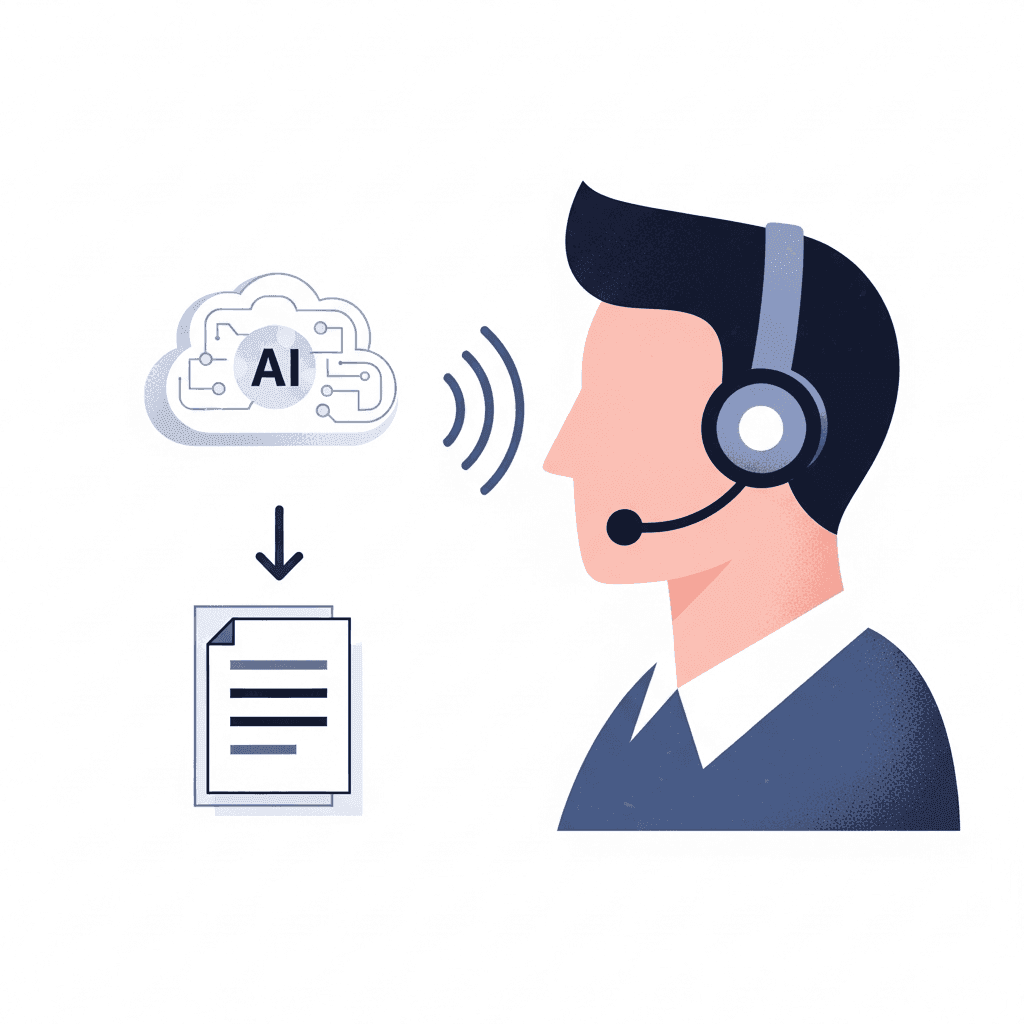
The real value comes from personalization. Willow Voice learns how you write over time, picking up your terminology, patient names, medication preferences, and documentation style. If you correct "Dr. Katz" once, the tool remembers it forever. That reduces editing time and gets you closer to zero-edit documentation with each use.
Context awareness matters in clinical settings where accuracy can't be compromised. The AI analyzes what you're working on to correctly transcribe technical terms and specialty-specific language. You're not spending time fixing transcription errors or reformatting notes after the fact.
Optimize EHR Templates and Workflows to Eliminate Redundant Clicks
Start with smart phrases and macros for documentation you repeat daily. Normal physical exam findings, common patient instructions, and standard treatment plans can all be inserted with a few keystrokes instead of clicking through multiple screens. Many EHRs let you create dot phrases where typing ".normal neuro" populates an entire neurological exam template.
Personalize Your EHR Workspace
Screen layout is where most EHR setups waste time. Arrange your information panels so active problems, current medications, and recent labs appear in your primary view without scrolling. Most EHR systems let you configure panel positions per provider, so put the data you reference on every encounter at the top.
Order panels deliver the biggest click reduction. Build specialty-specific panels, so you stop searching each time:
Annual physical panel: preventive care checklist, recommended screenings, immunization review
Diabetes follow-up panel: HbA1c trend, foot exam, nephropathy screening, renal function
Hypertension management panel: BP log, medication list, follow-up labs
Post-procedure panel: wound care instructions, follow-up imaging, specialist referrals
Preference list management compounds over time. Set up medication shortcuts so typing "met" populates Metformin 500mg with your standard dosing defaults. Review and update preference lists quarterly as your prescribing patterns change.
Batch charting recovers time lost to context switching. Some physicians complete notes for multiple patients in one focused session after the clinic instead of finishing each note before the next patient. Pair this approach with voice dictation to maintain accuracy while you concentrate your documentation into a single block.
The other opportunity is to remove fields that don't support patient care. Every checkbox and dropdown that exists out of habit adds time without adding value. Audit which documentation is actually used for clinical decisions, billing, or compliance, and cut everything else.
Implement Team-Based Documentation to Redistribute Administrative Tasks
Documentation doesn't have to fall entirely on the physician. Redistributing tasks across your care team can free up hours each week without compromising care quality.
Start with in-basket message routing. Most physicians' inboxes are clogged with requests that other team members can handle. Rerouting messages to appropriate clinical staff can cut physician in-basket volume by up to 16% in many cases. A practical delegation protocol assigns message types to specific staff roles from the start:
Inbox Delegation Protocol Examples:
Prescription refill requests (no clinical change): Medical assistant reviews chart, confirms no contraindications, routes to physician for approval signature only
Normal lab result notifications: Nurse reviews reference ranges, sends standardized patient message, flags only out-of-range results for physician review
Appointment scheduling and rescheduling: Front desk staff handles all calendar requests without physician involvement
Insurance pre-authorization requests: Medical assistant or billing coordinator pulls clinical documentation and submits; physician signs off on clinical necessity statement only
Referral coordination and status tracking: Care coordinator manages specialist communication, appointment confirmation, and patient follow-up
Post-visit patient education questions: Nurse handles standard follow-up questions about discharge instructions, medication side effects, and activity restrictions
Set up EHR filters and routing rules so each message type lands in the right staff member's queue instead of the physician's in-basket by default.

Pre-visit planning is where medical assistants make the biggest impact. A structured pre-visit workflow means you walk into the room with the chart already populated. Your job becomes reviewing and accepting, not building from scratch.
Pre-Visit MA Task Breakdown:
Patient intake and vitals: Record height, weight, blood pressure, pulse, and temperature; flag any out-of-range values for physician attention
Medication reconciliation: Confirm current medications, doses, and frequencies against the last visit; note any patient-reported changes
Chief complaint documentation: Capture the reason for the visit in the patient's own words and note symptom duration and severity
Preventive care gaps: Pull outstanding screenings, overdue immunizations, and health maintenance items so you can handle them during the visit
Relevant history updates: Confirm changes to allergies, surgical history, family history, and social history since the last encounter
Pre-authorization status: Flag any pending referrals or imaging orders that need follow-up so they don't create in-basket work after the visit
When MAs own this workflow, you spend less time in data entry and more time on clinical reasoning.
Choosing the Right Documentation Model for Your Practice
Not every practice needs every layer of team-based documentation. A solo internist in a two-room clinic has different constraints than a five-physician group practice. Use the table below to match your setup to the model that fits. Start with the layer that removes the most time for the least training lift, then add layers as your team gets comfortable. Most practices see the biggest return by combining MA pre-visit planning with inbox routing before introducing AI tools on top.
Documentation Model | Physician Time Saved | Best For | Setup Required |
|---|---|---|---|
Full Physician Documentation | Baseline | Solo practitioners with simple, low-volume workflows | None |
MA Pre-Visit Planning + Physician Charting | According to AAFP FPM, up to 1 hour of physician time is saved per day | Practices with 2 or more exam rooms and at least one MA | 1-2 weeks of MA workflow training |
Team-Based Inbox Routing | 16% reduction in in-basket volume | Multi-physician practices with high message volume | EHR routing rules configuration; 1 week setup |
Full Team-Based Model + AI Voice Dictation | According to the AMA, up to 8-10 hours of free time reclaimed per week | Any practice size ready to combine delegation with voice tools | Hotkey setup, delegation protocols, and brief team onboarding |
Adopt Updated E/M Coding Guidelines to Reduce Documentation Requirements
The 2021 E/M coding changes removed a major documentation burden: you no longer need an extensive review of systems or a detailed history to support billing levels.
You can now select E/M codes based solely on medical decision-making complexity or total time spent. If you spend 40 minutes managing a patient with multiple chronic conditions, you can bill a level 4 visit based on time alone without documenting every system review or past history element.
For straightforward visits, coding based on medical decision-making lets you focus your note on clinical reasoning: diagnosis complexity, data reviewed, and risk of complications. The best voice dictation software can help capture this efficiently. Documentation serves clinical purposes instead of checking billing boxes.
The impact is measurable. Physicians spend less time on notes when they stop writing to satisfy outdated coding requirements and write only what matters for patient care.
If you're still using templates built around old guidelines, you're doing unnecessary work. Rebuild your templates around current rules to reclaim that time.
Deploy AI Medical Scribes to Automate Clinical Note Generation
AI medical scribes represent a different approach: they listen to your entire patient encounter and automatically generate a complete draft note. Think of them as passive documentation assistants that capture the conversation while you focus on the patient.
The data shows real impact. Studies show AI scribes cut documentation time by 20% to 30% on average, with some implementations saving even more. You finish the visit, review the generated note, make edits where needed, and sign off. The scribe handles the structure, formatting, and initial content.
You can't treat AI-generated notes as final drafts. Common error types include misattributed medications, incorrect dosages, missed negations ("no chest pain" transcribed as "chest pain"), and hallucinated lab values. Build a review habit before signing:
Medications and dosages: Confirm every drug name, dose, and frequency matches what you discussed
Diagnoses and assessment: Verify the AI captured your clinical reasoning, not a plausible-sounding substitute
Negations and qualifiers: Check that "no", "denies", and "ruled out" are present where you said them
Plan items: Confirm all follow-up orders, referrals, and patient instructions are included
Feed corrections back into the scribe by flagging or editing in the tool. Most systems learn from your changes over time, reducing the same error class in future notes.
Strategy | Time Savings | Implementation | Typical ROI Timeline |
|---|---|---|---|
AI Voice Dictation | 70% reduction in documentation time | Works immediately across all applications; learns terminology over time | Day 1; savings begin on first use; full benefit within 2 weeks as terminology adapts |
Updated E/M Coding | Less time on notes | Code by time or medical decision-making; eliminate outdated history requirements | 1-2 weeks; rebuild templates once, and savings are immediate per encounter |
Team-Based Documentation | 16% reduction in physician inbox volume | Reroute messages to clinical staff; medical assistants handle pre-visit planning | 2-4 weeks; routing rules and MA training yield savings within the first month |
AI Medical Scribes | 20-30% reduction in documentation time | Passive listening during encounters; requires careful physician review before signing | 4-8 weeks; accuracy improves as the scribe learns your patterns; review time drops over the first month |
Sludge Audits | Measurable reduction through field removal | Remove low-value fields; requires a governance committee with frontline clinician input | 6-12 weeks; committee formation and field removal take time, but gains are permanent once complete |
Eliminate Low-Value Documentation through Governance and Sludge Audits
Not all documentation requirements exist for good reasons. Many persist because nobody has stopped to ask whether they still serve patient care or regulatory needs.
A sludge audit inventories every documentation field, policy, and workflow requirement, then asks: Does this information get used for clinical decisions, billing, or compliance? If the answer is no, it's a candidate for removal. Start with fields that clinicians complain about most often.
Form a documentation governance committee with frontline clinicians who can identify what actually matters versus what exists out of habit. Give them authority to remove requirements. The goal is to cut low-value work, not add more meetings.
Run the audit in four steps:
Step 1 - Inventory: Pull a complete list of all documentation fields, attestations, and policy requirements in your EHR. Include free-text fields, checkboxes, dropdowns, and any screen that requires a physician's signature. Most practices find 30 to 50% more fields than they expected.
Step 2 - Classify by use: For each item, ask one question: Does this get used for clinical decisions, billing, or regulatory compliance? Fields that answer no to all three are candidates for removal. Common examples include internal tracking codes, duplicate history fields carried over from paper workflows, and administrative attestations that duplicate information already captured elsewhere in the chart.
Step 3 - Validate with frontline staff: Before removing anything, confirm with the clinicians who actually complete those fields. Some fields appear unused but feed into downstream reports or quality metrics. Others exist only because a vendor defaulted them on during implementation. Your governance committee should sign off on every removal.
Step 4 - Remove, monitor, and repeat: Delete approved fields and track documentation time per note before and after. Some health systems have seen meaningful reductions in documentation time in a single audit cycle by removing fields that existed for internal tracking but served no clinical purpose. Repeat the audit annually, because EHR upgrades and new compliance policies tend to re-add fields over time.
Common first targets: redundant attestations, duplicate patient information across multiple screens, and review requirements for unchanged chronic problem lists. Speech recognition software can help capture what remains more quickly once the low-value fields are gone.
How Voice Dictation Solves Documentation Burden for Smaller Practices
Smaller practices face a different reality than large health systems: you can't afford full-time scribes, and you don't have IT teams to overhaul EHR workflows. The solution needs to work immediately across whatever systems you already use, from AI voice tools for document creation to EHR notes. Voice dictation fits that requirement because it works everywhere you document: your EHR, Gmail messages, referral letters, or prescription notes. You press a hotkey and start talking. No integration projects, no vendor negotiations, no waiting for IT approval.
Willow works as a dictation layer across any app or device, including EHR interfaces like Epic and Cerner, but is not directly integrated with those systems. That is a deliberate architectural choice: you speak into whichever EHR or clinical tool your practice uses without being locked into a single-device integration, keeping Willow flexible across your entire workflow. It runs natively on Windows and Mac, which matters for the healthcare IT environments where Windows workstations are the standard, and on iOS as a custom voice keyboard for bedside documentation and mobile charting without switching apps.
Clinical documentation has specific demands that most general tools weren't built around. Willow learns your writing style as you use it: correct a medication name or patient spelling once, and it remembers forever. That learning loop gets you closer to zero-edit notes with each session.
The ~200ms processing speed keeps you in flow state. You speak, text appears instantly, and you move to the next thought. Slower tools with noticeable lag can break your concentration and flow state between patients.
For healthcare organizations, compliance is built into the architecture, not bolted on later. Willow is SOC 2 Type II and HIPAA-compliant, with a signed Business Associate Agreement (BAA) available, covering patient notes, charting, and clinical documentation workflows. Some tools may offer HIPAA compliance on certain plans, but without dedicated medical vocabulary optimization or clear BAA guarantees. Medical vocabulary optimization covers drug names, clinical jargon, and specialty-specific terms: “Metformin,” “furosemide,” “troponin,” “SOAP note,” and “discharge summary” all get recognized correctly on the first pass without manual dictionary setup. A tool that meets your compliance requirements but misreads clinical terminology still adds time to every note.
A zero-data-retention architecture, enterprise-grade security, admin controls, and team-wide deployment make Willow a fit for practices and health systems that need to roll out documentation tooling at scale. IT teams get org-wide configuration and a consistent vocabulary for every clinician, instead of managing individual setups for each provider.
Over 100,000 professionals use Willow Voice for daily documentation, including teams at Uber and Reddit, as well as companies across 20% of the Fortune 500. It is Y Combinator-backed and built from the ground up for compliance-driven environments, not retrofitted for them.
Willow Voice is free to start. The forever-free plan gives you 2,000 words each week with no credit card required, enough to test it across a full clinic day before committing. Individual plans run $12 per month, billed annually. Team plans are $10 per user per month and include shared custom dictionaries, voice shortcuts, and admin controls for org-wide rollout. Enterprise pricing is custom and covers centralized deployment, a signed Business Associate Agreement (BAA), and advanced compliance documentation for health systems that need it.
FAQs
How much documentation time can voice dictation actually save doctors?
Voice dictation cuts documentation time by over 70% because you can speak at 150 words per minute compared to typing at 40 words per minute. With Willow's 200ms processing speed, text appears almost instantly as you speak, keeping you in flow state between patients.
Can I use voice dictation for all my clinical documentation in any EHR?
Yes, Willow works across any application where you document: your EHR, patient portal messages, referral letters, or prescription notes. It's SOC 2- and HIPAA-compliant, so you can use it for patient documentation without security concerns.
What makes AI voice dictation different from older speech-to-text tools?
AI voice dictation like Willow learns your writing style, terminology, and patient names over time. If you correct "Dr. Katz" once, it remembers forever, getting you closer to zero-edit notes with each use. The context-aware engine also understands technical terms and specialty-specific language to reduce transcription errors.
Final Thoughts on Solving the Documentation Problem
You do not need a new EHR or a six-month implementation plan to win back your evenings. Reducing documentation time for doctors comes from stacking practical changes: use voice dictation to capture notes at 150 words per minute, rebuild templates around current E/M rules, and shift routine inbox and intake tasks to your team. When you layer those fixes together, the hours add up fast. Tools like Willow make that first step simple by turning speech into accurate text across any application you already use, learning your terminology as you go. If you want to start today, try Willow Voice and see how much time you can reclaim from your notes this week.
Clinic wraps, the last patient leaves, and the real work begins: two more hours of notes. The bottleneck is simple math. You type about 40 words per minute, but you speak close to 150 words per minute. That gap is why reducing documentation time for doctors feels so hard. When you use modern voice dictation, notes that took an hour to type get captured in the time it takes to speak through the encounter once, without changing your EHR or hiring more staff. AI voice tools work in the background of any app, turn speech into text in about 200 milliseconds, and adapt to your terminology over time, so the hours you used to spend typing can start going back to patient care.
TLDR:
Doctors can cut documentation time by up to 70% by speaking at 150 WPM versus typing at 40 WPM.
2021 E/M coding changes let you bill by time or complexity without detailed history reviews.
Team-based documentation cuts physician in-basket volume by 16% when routed properly.
AI scribes save 20-30% on notes but require careful review to catch clinical errors.
Willow Voice is SOC 2 Type II and HIPAA compliant, with zero data retention and a signed BAA available. It runs natively on Windows, Mac, and iOS, making it purpose-built for healthcare organizations and private-practice clinics across any IT environment.
Use AI Voice Dictation for Real-Time Documentation
The math on voice dictation is simple: you can speak at 150 words per minute, while typing averages 40 words per minute. For doctors already pressed for time, that speed difference means the same note that took 20 minutes to type is captured in the time it takes to speak it through once.
What separates AI voice dictation from older speech-to-text tools is how the tech has caught up to clinical workflows. Willow Voice processes speech in roughly 200 milliseconds, which means text appears almost as fast as you speak. You're not waiting for transcription to catch up or breaking your train of thought between patient encounters. It runs natively on Windows and Mac, which matters in healthcare IT environments where Windows workstations are the standard, and on iOS as a custom voice keyboard for bedside documentation and mobile charting.
The real value comes from personalization. Willow Voice learns how you write over time, picking up your terminology, patient names, medication preferences, and documentation style. If you correct "Dr. Katz" once, the tool remembers it forever. That reduces editing time and gets you closer to zero-edit documentation with each use.
Context awareness matters in clinical settings where accuracy can't be compromised. The AI analyzes what you're working on to correctly transcribe technical terms and specialty-specific language. You're not spending time fixing transcription errors or reformatting notes after the fact.
Optimize EHR Templates and Workflows to Eliminate Redundant Clicks
Start with smart phrases and macros for documentation you repeat daily. Normal physical exam findings, common patient instructions, and standard treatment plans can all be inserted with a few keystrokes instead of clicking through multiple screens. Many EHRs let you create dot phrases where typing ".normal neuro" populates an entire neurological exam template.
Personalize Your EHR Workspace
Screen layout is where most EHR setups waste time. Arrange your information panels so active problems, current medications, and recent labs appear in your primary view without scrolling. Most EHR systems let you configure panel positions per provider, so put the data you reference on every encounter at the top.
Order panels deliver the biggest click reduction. Build specialty-specific panels, so you stop searching each time:
Annual physical panel: preventive care checklist, recommended screenings, immunization review
Diabetes follow-up panel: HbA1c trend, foot exam, nephropathy screening, renal function
Hypertension management panel: BP log, medication list, follow-up labs
Post-procedure panel: wound care instructions, follow-up imaging, specialist referrals
Preference list management compounds over time. Set up medication shortcuts so typing "met" populates Metformin 500mg with your standard dosing defaults. Review and update preference lists quarterly as your prescribing patterns change.
Batch charting recovers time lost to context switching. Some physicians complete notes for multiple patients in one focused session after the clinic instead of finishing each note before the next patient. Pair this approach with voice dictation to maintain accuracy while you concentrate your documentation into a single block.
The other opportunity is to remove fields that don't support patient care. Every checkbox and dropdown that exists out of habit adds time without adding value. Audit which documentation is actually used for clinical decisions, billing, or compliance, and cut everything else.
Implement Team-Based Documentation to Redistribute Administrative Tasks
Documentation doesn't have to fall entirely on the physician. Redistributing tasks across your care team can free up hours each week without compromising care quality.
Start with in-basket message routing. Most physicians' inboxes are clogged with requests that other team members can handle. Rerouting messages to appropriate clinical staff can cut physician in-basket volume by up to 16% in many cases. A practical delegation protocol assigns message types to specific staff roles from the start:
Inbox Delegation Protocol Examples:
Prescription refill requests (no clinical change): Medical assistant reviews chart, confirms no contraindications, routes to physician for approval signature only
Normal lab result notifications: Nurse reviews reference ranges, sends standardized patient message, flags only out-of-range results for physician review
Appointment scheduling and rescheduling: Front desk staff handles all calendar requests without physician involvement
Insurance pre-authorization requests: Medical assistant or billing coordinator pulls clinical documentation and submits; physician signs off on clinical necessity statement only
Referral coordination and status tracking: Care coordinator manages specialist communication, appointment confirmation, and patient follow-up
Post-visit patient education questions: Nurse handles standard follow-up questions about discharge instructions, medication side effects, and activity restrictions
Set up EHR filters and routing rules so each message type lands in the right staff member's queue instead of the physician's in-basket by default.
Pre-visit planning is where medical assistants make the biggest impact. A structured pre-visit workflow means you walk into the room with the chart already populated. Your job becomes reviewing and accepting, not building from scratch.
Pre-Visit MA Task Breakdown:
Patient intake and vitals: Record height, weight, blood pressure, pulse, and temperature; flag any out-of-range values for physician attention
Medication reconciliation: Confirm current medications, doses, and frequencies against the last visit; note any patient-reported changes
Chief complaint documentation: Capture the reason for the visit in the patient's own words and note symptom duration and severity
Preventive care gaps: Pull outstanding screenings, overdue immunizations, and health maintenance items so you can handle them during the visit
Relevant history updates: Confirm changes to allergies, surgical history, family history, and social history since the last encounter
Pre-authorization status: Flag any pending referrals or imaging orders that need follow-up so they don't create in-basket work after the visit
When MAs own this workflow, you spend less time in data entry and more time on clinical reasoning.
Choosing the Right Documentation Model for Your Practice
Not every practice needs every layer of team-based documentation. A solo internist in a two-room clinic has different constraints than a five-physician group practice. Use the table below to match your setup to the model that fits. Start with the layer that removes the most time for the least training lift, then add layers as your team gets comfortable. Most practices see the biggest return by combining MA pre-visit planning with inbox routing before introducing AI tools on top.
Documentation Model | Physician Time Saved | Best For | Setup Required |
|---|---|---|---|
Full Physician Documentation | Baseline | Solo practitioners with simple, low-volume workflows | None |
MA Pre-Visit Planning + Physician Charting | According to AAFP FPM, up to 1 hour of physician time is saved per day | Practices with 2 or more exam rooms and at least one MA | 1-2 weeks of MA workflow training |
Team-Based Inbox Routing | 16% reduction in in-basket volume | Multi-physician practices with high message volume | EHR routing rules configuration; 1 week setup |
Full Team-Based Model + AI Voice Dictation | According to the AMA, up to 8-10 hours of free time reclaimed per week | Any practice size ready to combine delegation with voice tools | Hotkey setup, delegation protocols, and brief team onboarding |
Adopt Updated E/M Coding Guidelines to Reduce Documentation Requirements
The 2021 E/M coding changes removed a major documentation burden: you no longer need an extensive review of systems or a detailed history to support billing levels.
You can now select E/M codes based solely on medical decision-making complexity or total time spent. If you spend 40 minutes managing a patient with multiple chronic conditions, you can bill a level 4 visit based on time alone without documenting every system review or past history element.
For straightforward visits, coding based on medical decision-making lets you focus your note on clinical reasoning: diagnosis complexity, data reviewed, and risk of complications. The best voice dictation software can help capture this efficiently. Documentation serves clinical purposes instead of checking billing boxes.
The impact is measurable. Physicians spend less time on notes when they stop writing to satisfy outdated coding requirements and write only what matters for patient care.
If you're still using templates built around old guidelines, you're doing unnecessary work. Rebuild your templates around current rules to reclaim that time.
Deploy AI Medical Scribes to Automate Clinical Note Generation
AI medical scribes represent a different approach: they listen to your entire patient encounter and automatically generate a complete draft note. Think of them as passive documentation assistants that capture the conversation while you focus on the patient.
The data shows real impact. Studies show AI scribes cut documentation time by 20% to 30% on average, with some implementations saving even more. You finish the visit, review the generated note, make edits where needed, and sign off. The scribe handles the structure, formatting, and initial content.
You can't treat AI-generated notes as final drafts. Common error types include misattributed medications, incorrect dosages, missed negations ("no chest pain" transcribed as "chest pain"), and hallucinated lab values. Build a review habit before signing:
Medications and dosages: Confirm every drug name, dose, and frequency matches what you discussed
Diagnoses and assessment: Verify the AI captured your clinical reasoning, not a plausible-sounding substitute
Negations and qualifiers: Check that "no", "denies", and "ruled out" are present where you said them
Plan items: Confirm all follow-up orders, referrals, and patient instructions are included
Feed corrections back into the scribe by flagging or editing in the tool. Most systems learn from your changes over time, reducing the same error class in future notes.
Strategy | Time Savings | Implementation | Typical ROI Timeline |
|---|---|---|---|
AI Voice Dictation | 70% reduction in documentation time | Works immediately across all applications; learns terminology over time | Day 1; savings begin on first use; full benefit within 2 weeks as terminology adapts |
Updated E/M Coding | Less time on notes | Code by time or medical decision-making; eliminate outdated history requirements | 1-2 weeks; rebuild templates once, and savings are immediate per encounter |
Team-Based Documentation | 16% reduction in physician inbox volume | Reroute messages to clinical staff; medical assistants handle pre-visit planning | 2-4 weeks; routing rules and MA training yield savings within the first month |
AI Medical Scribes | 20-30% reduction in documentation time | Passive listening during encounters; requires careful physician review before signing | 4-8 weeks; accuracy improves as the scribe learns your patterns; review time drops over the first month |
Sludge Audits | Measurable reduction through field removal | Remove low-value fields; requires a governance committee with frontline clinician input | 6-12 weeks; committee formation and field removal take time, but gains are permanent once complete |
Eliminate Low-Value Documentation through Governance and Sludge Audits
Not all documentation requirements exist for good reasons. Many persist because nobody has stopped to ask whether they still serve patient care or regulatory needs.
A sludge audit inventories every documentation field, policy, and workflow requirement, then asks: Does this information get used for clinical decisions, billing, or compliance? If the answer is no, it's a candidate for removal. Start with fields that clinicians complain about most often.
Form a documentation governance committee with frontline clinicians who can identify what actually matters versus what exists out of habit. Give them authority to remove requirements. The goal is to cut low-value work, not add more meetings.
Run the audit in four steps:
Step 1 - Inventory: Pull a complete list of all documentation fields, attestations, and policy requirements in your EHR. Include free-text fields, checkboxes, dropdowns, and any screen that requires a physician's signature. Most practices find 30 to 50% more fields than they expected.
Step 2 - Classify by use: For each item, ask one question: Does this get used for clinical decisions, billing, or regulatory compliance? Fields that answer no to all three are candidates for removal. Common examples include internal tracking codes, duplicate history fields carried over from paper workflows, and administrative attestations that duplicate information already captured elsewhere in the chart.
Step 3 - Validate with frontline staff: Before removing anything, confirm with the clinicians who actually complete those fields. Some fields appear unused but feed into downstream reports or quality metrics. Others exist only because a vendor defaulted them on during implementation. Your governance committee should sign off on every removal.
Step 4 - Remove, monitor, and repeat: Delete approved fields and track documentation time per note before and after. Some health systems have seen meaningful reductions in documentation time in a single audit cycle by removing fields that existed for internal tracking but served no clinical purpose. Repeat the audit annually, because EHR upgrades and new compliance policies tend to re-add fields over time.
Common first targets: redundant attestations, duplicate patient information across multiple screens, and review requirements for unchanged chronic problem lists. Speech recognition software can help capture what remains more quickly once the low-value fields are gone.
How Voice Dictation Solves Documentation Burden for Smaller Practices
Smaller practices face a different reality than large health systems: you can't afford full-time scribes, and you don't have IT teams to overhaul EHR workflows. The solution needs to work immediately across whatever systems you already use, from AI voice tools for document creation to EHR notes. Voice dictation fits that requirement because it works everywhere you document: your EHR, Gmail messages, referral letters, or prescription notes. You press a hotkey and start talking. No integration projects, no vendor negotiations, no waiting for IT approval.
Willow works as a dictation layer across any app or device, including EHR interfaces like Epic and Cerner, but is not directly integrated with those systems. That is a deliberate architectural choice: you speak into whichever EHR or clinical tool your practice uses without being locked into a single-device integration, keeping Willow flexible across your entire workflow. It runs natively on Windows and Mac, which matters for the healthcare IT environments where Windows workstations are the standard, and on iOS as a custom voice keyboard for bedside documentation and mobile charting without switching apps.
Clinical documentation has specific demands that most general tools weren't built around. Willow learns your writing style as you use it: correct a medication name or patient spelling once, and it remembers forever. That learning loop gets you closer to zero-edit notes with each session.
The ~200ms processing speed keeps you in flow state. You speak, text appears instantly, and you move to the next thought. Slower tools with noticeable lag can break your concentration and flow state between patients.
For healthcare organizations, compliance is built into the architecture, not bolted on later. Willow is SOC 2 Type II and HIPAA-compliant, with a signed Business Associate Agreement (BAA) available, covering patient notes, charting, and clinical documentation workflows. Some tools may offer HIPAA compliance on certain plans, but without dedicated medical vocabulary optimization or clear BAA guarantees. Medical vocabulary optimization covers drug names, clinical jargon, and specialty-specific terms: “Metformin,” “furosemide,” “troponin,” “SOAP note,” and “discharge summary” all get recognized correctly on the first pass without manual dictionary setup. A tool that meets your compliance requirements but misreads clinical terminology still adds time to every note.
A zero-data-retention architecture, enterprise-grade security, admin controls, and team-wide deployment make Willow a fit for practices and health systems that need to roll out documentation tooling at scale. IT teams get org-wide configuration and a consistent vocabulary for every clinician, instead of managing individual setups for each provider.
Over 100,000 professionals use Willow Voice for daily documentation, including teams at Uber and Reddit, as well as companies across 20% of the Fortune 500. It is Y Combinator-backed and built from the ground up for compliance-driven environments, not retrofitted for them.
Willow Voice is free to start. The forever-free plan gives you 2,000 words each week with no credit card required, enough to test it across a full clinic day before committing. Individual plans run $12 per month, billed annually. Team plans are $10 per user per month and include shared custom dictionaries, voice shortcuts, and admin controls for org-wide rollout. Enterprise pricing is custom and covers centralized deployment, a signed Business Associate Agreement (BAA), and advanced compliance documentation for health systems that need it.
FAQs
How much documentation time can voice dictation actually save doctors?
Voice dictation cuts documentation time by over 70% because you can speak at 150 words per minute compared to typing at 40 words per minute. With Willow's 200ms processing speed, text appears almost instantly as you speak, keeping you in flow state between patients.
Can I use voice dictation for all my clinical documentation in any EHR?
Yes, Willow works across any application where you document: your EHR, patient portal messages, referral letters, or prescription notes. It's SOC 2- and HIPAA-compliant, so you can use it for patient documentation without security concerns.
What makes AI voice dictation different from older speech-to-text tools?
AI voice dictation like Willow learns your writing style, terminology, and patient names over time. If you correct "Dr. Katz" once, it remembers forever, getting you closer to zero-edit notes with each use. The context-aware engine also understands technical terms and specialty-specific language to reduce transcription errors.
Final Thoughts on Solving the Documentation Problem
You do not need a new EHR or a six-month implementation plan to win back your evenings. Reducing documentation time for doctors comes from stacking practical changes: use voice dictation to capture notes at 150 words per minute, rebuild templates around current E/M rules, and shift routine inbox and intake tasks to your team. When you layer those fixes together, the hours add up fast. Tools like Willow make that first step simple by turning speech into accurate text across any application you already use, learning your terminology as you go. If you want to start today, try Willow Voice and see how much time you can reclaim from your notes this week.

Try Willow for free
Instant, accurate voice dictation. No card required.
Try Willow for free
Instant, accurate voice dictation. No card required.
Other stories you’ll love
Other stories you’ll love



Your keyboard is optional now
" transform="translate(5 5)" width="9.791000051498413px"/></svg>)

The voice-first interface for modern work.
© Willow Care, Inc. 2026. All rights reserved
Your keyboard is optional now
The voice-first interface for modern work.
© Willow Care, Inc. 2026. All rights reserved
Your keyboard is optional now
The voice-first interface for modern work.
© Willow Care, Inc. 2026. All rights reserved