" transform="translate(5 2)" width="10px"/></svg>)

•
5 min read
7 Proven Strategies to Reduce Nursing Charting Time in February 2026
•
5 min read
7 Proven Strategies to Reduce Nursing Charting Time in February 2026
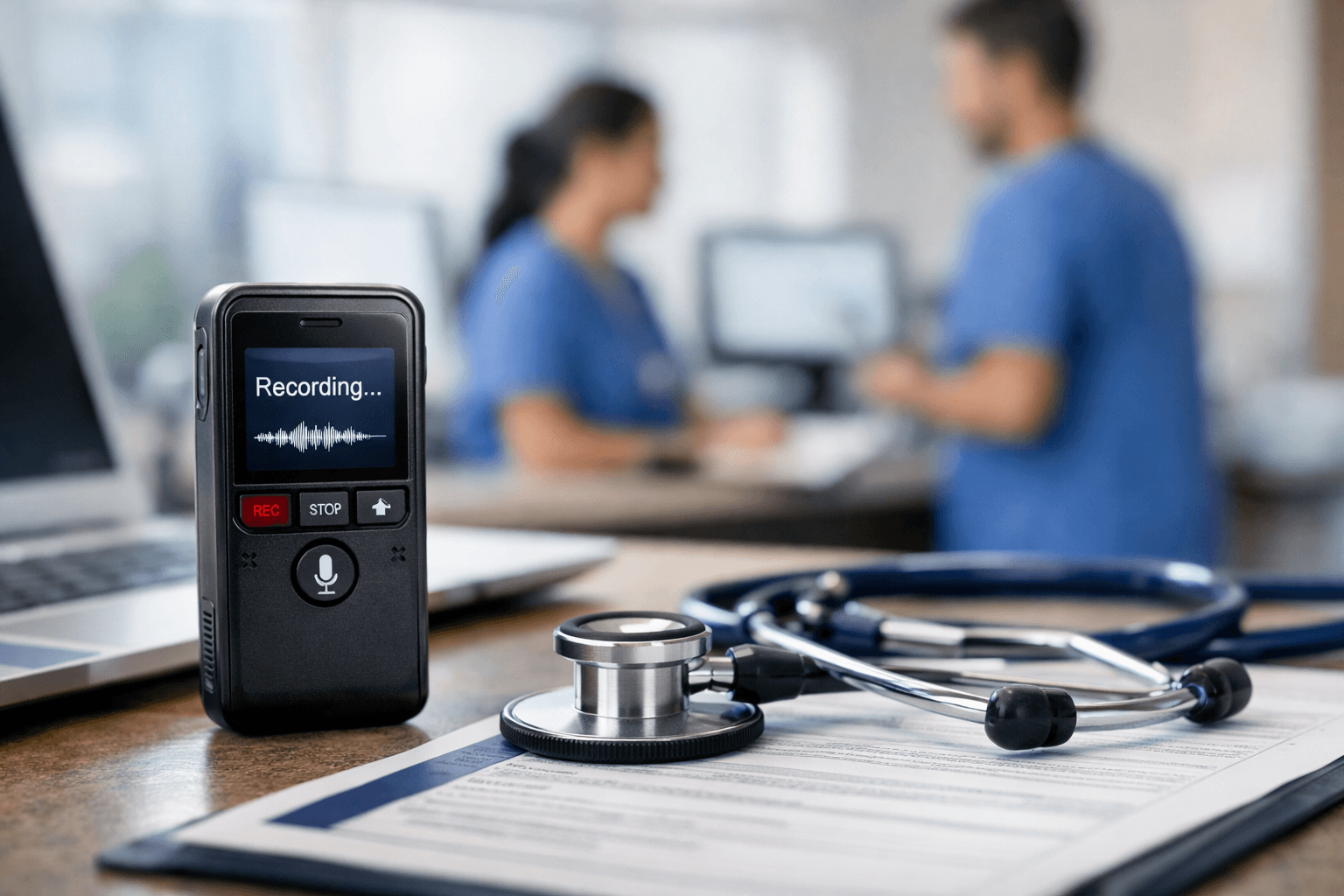
You care for patients all day, then spend hours catching up on charting after handoff. If you are searching for how to reduce nursing charting time, the issue is rarely effort or skill. It is workflow friction that adds minutes to every assessment, medication pass, and handoff note. Small changes can give you that time back. Charting in real time, using smarter templates, and speaking your notes instead of typing at 40 words per minute can cut documentation time fast. Some healthcare-focused voice tools can convert speech to text in milliseconds, adapt to your medical vocabulary, and work inside the systems you already use, helping you finish documentation before your shift ends.
TLDR:
Nurses spend over 31 minutes charting during a four-hour period. Chart in real time to cut errors and leave on time.
Voice dictation lets you document at 150 words per minute versus typing at 40 words per minute.
EHR templates reduced admission documentation time by 72% in clinical studies.
Document abnormal findings first to protect patients and yourself legally.
Certain solutions learn your writing style and medical terms with 200ms latency and HIPAA-compliant security built for healthcare teams.
Chart in Real Time during Patient Care
Chart directly at the bedside while details are fresh. Research shows nurses spend over 31 minutes charting in the EHR during a four-hour period. Waiting until the end of your shift forces you to reconstruct events from memory, which takes even longer and introduces errors that voice dictation software can help prevent.
Capture vital signs, medications, assessments, and patient responses immediately after completing each task. Keep your workstation on wheels nearby or use a mobile device to input key data points as you go. Even documenting assessments and medications in real time can considerably reduce post-shift charting for many nurses.
Use EHR Templates and Smart Phrases
Most EHRs include templates and Smart Phrases that auto-populate common documentation with a few keystrokes. Instead of typing "patient tolerated procedure well without complications," save it as a macro you can insert with a shortcut like ".tol" or "##tolerated."
Build templates for your most frequent scenarios. If you work in cardiology, create pre-filled assessments for chest pain, post-catheterization checks, and heart failure exacerbations. Customize dropdown menus and checkbox fields to match your unit's typical patient population, so you're clicking relevant options instead of typing the same phrases repeatedly.
Active documentation time for admission patient history dropped from 9.30 minutes to 2.55 minutes after implementing templates with an optimal data set. That's a 72% reduction per admission.
Chart Abnormal Findings First
Document abnormal findings, critical changes, and new symptoms first before filling in routine assessments. If a patient shows signs of respiratory distress or a concerning change in mental status, chart those observations immediately using voice dictation apps so the next shift or covering provider sees the most important clinical information right away.
Normal vital signs, stable assessments, and routine care can wait until you have a quieter moment. Triage your documentation the same way you triage patient care. Record what matters most for continuity and safety first, then backfill standard checkboxes and normal findings when patient acuity allows.
This method can help from a documentation and legal defensibility standpoint, too. If something urgent happens and you're pulled away mid-charting, the critical details are already documented and visible to the care team.
Delegate Non-Nursing Documentation Tasks
Work at the top of your license by delegating documentation that doesn't require RN clinical judgment. Medical assistants, unit clerks, and certified nursing assistants can handle data entry tasks like inputting vital signs already collected, updating patient demographics, documenting basic intake and output measurements, or completing supply charges.
Nurses spend approximately 10% of their time on delegable and non-nursing activities. Review your unit's scope of practice guidelines to identify which charting elements support staff can legally enter under your supervision, similar to how voice-to-text tools help professionals delegate documentation tasks. Focus your documentation time on assessments, clinical decision-making, patient education, and care plan updates that require your expertise.
Train support staff on proper documentation protocols and create clear workflows for which tasks they can complete. A medical assistant can enter weights and blood pressures into the chart after collection, while you verify accuracy and document your clinical interpretation of those findings.
Master Keyboard Shortcuts and EHR Navigation
Treat EHR navigation like any other clinical skill, just as you would master speech recognition software. Learning keyboard shortcuts and efficient workflows takes upfront investment, but the payoff compounds quickly. Nurses who master their system's hotkeys save seconds per action, adding up to hours each week.
Start by identifying your five most repetitive charting actions. Common candidates include opening patient charts, working between tabs, signing notes, copying forward previous assessments, and accessing medication administration records. Look up the keyboard shortcuts for these tasks in your EHR's help documentation or ask your unit's super users for a cheat sheet.
Practice one or two new shortcuts each week until they become muscle memory. Tab navigation, function keys for quick actions, and Alt or Ctrl combinations can remove dozens of mouse clicks per shift.
Set Boundaries and Time-Block Your Charting
Protect dedicated blocks of time for charting instead of letting documentation constantly interrupt patient care. Inpatient nurses were spending approximately 144 minutes during a 12-hour shift in the EHR, often scattered across the entire day. Batching your documentation into scheduled windows creates focus and prevents charting from bleeding into every patient interaction.
Block out two or three specific charting periods during your shift. Common windows include mid-morning after initial assessments, early afternoon during quieter hours, and end-of-shift wrap-up. Communicate these windows to your charge nurse and team members so they know when you're unavailable unless there's an urgent patient need.
Use Voice Dictation to Speed Up Documentation
Speaking is naturally faster than typing. Most people can type around 40 words per minute but can speak at 150 words per minute or more. Voice dictation turns that speed advantage into finished documentation without the physical strain of typing through long shifts.
Documentation Method | Speed | Time Saved Per Shift | Best Use Cases | Key Benefits |
|---|---|---|---|---|
Traditional Typing | 40 words per minute | Baseline (0 minutes saved) | Structured fields, checkboxes, dropdown menus | Familiar workflow, works for templated sections |
EHR Templates and Smart Phrases | Varies by implementation | Up to 6.75 minutes per admission (72% reduction in documentation time) | Routine assessments, common scenarios, standard procedures | Reduces repetitive typing, auto-populates common phrases with shortcuts |
Real-Time Bedside Charting | Immediate documentation during care | Up to 15 minutes per shift (eliminates post-shift catch-up) | Vital signs, medications, assessments, patient responses | Captures details while fresh, reduces memory-based errors, finish on time |
Voice Dictation (Modern AI Tools) | 150+ words per minute | Up to 4 minutes per assessment note (complete notes in under 1 minute vs 5 minutes typing) | Narrative notes, patient education, care plan updates, shift handoff summaries | 3.75x faster than typing, reduces physical strain, handles medical terminology |
Willow Voice Dictation | 150+ words per minute with 200ms latency | Compounds with other methods, minimal editing time due to learning | Narrative documentation across most applications | Learns your writing style, fastest response time, SOC 2 and HIPAA compliant, works with many EHR workflows (depending on your environment) |
AI speech-to-text tools have evolved past the clunky dictation systems that struggled with medical terms. Today's solutions handle clinical vocabulary, patient names, and medication pronunciations accurately while removing filler words and formatting text automatically. Many nurses can dictate the narrative portions of an assessment much faster than typing, then quickly review and sign.
Willow learns how you write over time, reducing edits. Its 200ms latency keeps you in flow state, and SOC 2 and HIPAA compliance protect patient data.
Voice dictation works best for narrative notes, patient education documentation, care plan updates, and shift handoff summaries, much like voice coding tools help developers with structured text entry. Speak your observations naturally while walking between patients or immediately after an interaction, then review and sign.
How Willow Helps Nurses Reduce Charting Time

We built Willow especially for professionals drowning in documentation, and nurses face some of the heaviest charting loads with the fewest support resources.
Willow learns your writing style and medical terminology over time. When you dictate "Dr. Patel prescribed Metoprolol for atrial fibrillation," it can capture provider names and medication terms more reliably over time, and learns from corrections so you spend less time editing. The auto-dictionary remembers corrections, so you spend less time editing.
Our 200ms latency means text appears as fast as you speak, keeping you in flow instead of waiting for dictation to catch up, while our voice dictation security protects patient information. You can complete a full assessment note in under a minute.
SOC 2 and HIPAA compliance protects patient information with zero data retention. Willow works in any application, from your EHR to secure messaging and care coordination tools, and even on iPhone speech-to-text, so you can dictate wherever you're documenting without switching between systems.
FAQs
How quickly can I see results from real-time charting?
Real-time charting at the bedside can cut your post-shift documentation by half immediately, and you'll reconstruct fewer details from memory on day one. Most nurses notice they leave closer to on-time within the first week of consistently documenting during patient care instead of waiting until shift end.
What types of documentation work best with voice dictation?
Voice dictation excels at narrative notes, patient education summaries, care plan updates, and shift handoff reports, anywhere you're writing in full sentences. Speaking at 150 words per minute versus typing at 40 words per minute saves the most time on assessments and progress notes that require detailed clinical descriptions.
How does Willow handle medical terminology and patient names?
Willow learns your clinical vocabulary and remembers corrections through its auto-dictionary feature. When you dictate medication names, provider names, or patient-specific terms, it captures them accurately and stores corrections for future use, reducing the time you spend fixing spelling errors in medical documentation.
Final Thoughts on Saving Time with Your Nursing Documentation
If you are serious about learning how to reduce nursing charting time, start by changing the parts of your day that slow you down most. Chart in real time, use templates that remove repeat typing, delegate what falls outside RN judgment, and replace 40-word-per-minute typing with 150-word-per-minute speech. Those small adjustments add up to hours saved each week and fewer late departures after handoff. Willow supports that workflow by turning your spoken assessments into accurate text inside any application you already use, learning your terminology over time so editing gets lighter with each shift. You can try Willow and see how much faster your documentation feels when you speak your notes instead of typing them.
You care for patients all day, then spend hours catching up on charting after handoff. If you are searching for how to reduce nursing charting time, the issue is rarely effort or skill. It is workflow friction that adds minutes to every assessment, medication pass, and handoff note. Small changes can give you that time back. Charting in real time, using smarter templates, and speaking your notes instead of typing at 40 words per minute can cut documentation time fast. Some healthcare-focused voice tools can convert speech to text in milliseconds, adapt to your medical vocabulary, and work inside the systems you already use, helping you finish documentation before your shift ends.
TLDR:
Nurses spend over 31 minutes charting during a four-hour period. Chart in real time to cut errors and leave on time.
Voice dictation lets you document at 150 words per minute versus typing at 40 words per minute.
EHR templates reduced admission documentation time by 72% in clinical studies.
Document abnormal findings first to protect patients and yourself legally.
Certain solutions learn your writing style and medical terms with 200ms latency and HIPAA-compliant security built for healthcare teams.
Chart in Real Time during Patient Care
Chart directly at the bedside while details are fresh. Research shows nurses spend over 31 minutes charting in the EHR during a four-hour period. Waiting until the end of your shift forces you to reconstruct events from memory, which takes even longer and introduces errors that voice dictation software can help prevent.
Capture vital signs, medications, assessments, and patient responses immediately after completing each task. Keep your workstation on wheels nearby or use a mobile device to input key data points as you go. Even documenting assessments and medications in real time can considerably reduce post-shift charting for many nurses.
Use EHR Templates and Smart Phrases
Most EHRs include templates and Smart Phrases that auto-populate common documentation with a few keystrokes. Instead of typing "patient tolerated procedure well without complications," save it as a macro you can insert with a shortcut like ".tol" or "##tolerated."
Build templates for your most frequent scenarios. If you work in cardiology, create pre-filled assessments for chest pain, post-catheterization checks, and heart failure exacerbations. Customize dropdown menus and checkbox fields to match your unit's typical patient population, so you're clicking relevant options instead of typing the same phrases repeatedly.
Active documentation time for admission patient history dropped from 9.30 minutes to 2.55 minutes after implementing templates with an optimal data set. That's a 72% reduction per admission.
Chart Abnormal Findings First
Document abnormal findings, critical changes, and new symptoms first before filling in routine assessments. If a patient shows signs of respiratory distress or a concerning change in mental status, chart those observations immediately using voice dictation apps so the next shift or covering provider sees the most important clinical information right away.
Normal vital signs, stable assessments, and routine care can wait until you have a quieter moment. Triage your documentation the same way you triage patient care. Record what matters most for continuity and safety first, then backfill standard checkboxes and normal findings when patient acuity allows.
This method can help from a documentation and legal defensibility standpoint, too. If something urgent happens and you're pulled away mid-charting, the critical details are already documented and visible to the care team.
Delegate Non-Nursing Documentation Tasks
Work at the top of your license by delegating documentation that doesn't require RN clinical judgment. Medical assistants, unit clerks, and certified nursing assistants can handle data entry tasks like inputting vital signs already collected, updating patient demographics, documenting basic intake and output measurements, or completing supply charges.
Nurses spend approximately 10% of their time on delegable and non-nursing activities. Review your unit's scope of practice guidelines to identify which charting elements support staff can legally enter under your supervision, similar to how voice-to-text tools help professionals delegate documentation tasks. Focus your documentation time on assessments, clinical decision-making, patient education, and care plan updates that require your expertise.
Train support staff on proper documentation protocols and create clear workflows for which tasks they can complete. A medical assistant can enter weights and blood pressures into the chart after collection, while you verify accuracy and document your clinical interpretation of those findings.
Master Keyboard Shortcuts and EHR Navigation
Treat EHR navigation like any other clinical skill, just as you would master speech recognition software. Learning keyboard shortcuts and efficient workflows takes upfront investment, but the payoff compounds quickly. Nurses who master their system's hotkeys save seconds per action, adding up to hours each week.
Start by identifying your five most repetitive charting actions. Common candidates include opening patient charts, working between tabs, signing notes, copying forward previous assessments, and accessing medication administration records. Look up the keyboard shortcuts for these tasks in your EHR's help documentation or ask your unit's super users for a cheat sheet.
Practice one or two new shortcuts each week until they become muscle memory. Tab navigation, function keys for quick actions, and Alt or Ctrl combinations can remove dozens of mouse clicks per shift.
Set Boundaries and Time-Block Your Charting
Protect dedicated blocks of time for charting instead of letting documentation constantly interrupt patient care. Inpatient nurses were spending approximately 144 minutes during a 12-hour shift in the EHR, often scattered across the entire day. Batching your documentation into scheduled windows creates focus and prevents charting from bleeding into every patient interaction.
Block out two or three specific charting periods during your shift. Common windows include mid-morning after initial assessments, early afternoon during quieter hours, and end-of-shift wrap-up. Communicate these windows to your charge nurse and team members so they know when you're unavailable unless there's an urgent patient need.
Use Voice Dictation to Speed Up Documentation
Speaking is naturally faster than typing. Most people can type around 40 words per minute but can speak at 150 words per minute or more. Voice dictation turns that speed advantage into finished documentation without the physical strain of typing through long shifts.
Documentation Method | Speed | Time Saved Per Shift | Best Use Cases | Key Benefits |
|---|---|---|---|---|
Traditional Typing | 40 words per minute | Baseline (0 minutes saved) | Structured fields, checkboxes, dropdown menus | Familiar workflow, works for templated sections |
EHR Templates and Smart Phrases | Varies by implementation | Up to 6.75 minutes per admission (72% reduction in documentation time) | Routine assessments, common scenarios, standard procedures | Reduces repetitive typing, auto-populates common phrases with shortcuts |
Real-Time Bedside Charting | Immediate documentation during care | Up to 15 minutes per shift (eliminates post-shift catch-up) | Vital signs, medications, assessments, patient responses | Captures details while fresh, reduces memory-based errors, finish on time |
Voice Dictation (Modern AI Tools) | 150+ words per minute | Up to 4 minutes per assessment note (complete notes in under 1 minute vs 5 minutes typing) | Narrative notes, patient education, care plan updates, shift handoff summaries | 3.75x faster than typing, reduces physical strain, handles medical terminology |
Willow Voice Dictation | 150+ words per minute with 200ms latency | Compounds with other methods, minimal editing time due to learning | Narrative documentation across most applications | Learns your writing style, fastest response time, SOC 2 and HIPAA compliant, works with many EHR workflows (depending on your environment) |
AI speech-to-text tools have evolved past the clunky dictation systems that struggled with medical terms. Today's solutions handle clinical vocabulary, patient names, and medication pronunciations accurately while removing filler words and formatting text automatically. Many nurses can dictate the narrative portions of an assessment much faster than typing, then quickly review and sign.
Willow learns how you write over time, reducing edits. Its 200ms latency keeps you in flow state, and SOC 2 and HIPAA compliance protect patient data.
Voice dictation works best for narrative notes, patient education documentation, care plan updates, and shift handoff summaries, much like voice coding tools help developers with structured text entry. Speak your observations naturally while walking between patients or immediately after an interaction, then review and sign.
How Willow Helps Nurses Reduce Charting Time
We built Willow especially for professionals drowning in documentation, and nurses face some of the heaviest charting loads with the fewest support resources.
Willow learns your writing style and medical terminology over time. When you dictate "Dr. Patel prescribed Metoprolol for atrial fibrillation," it can capture provider names and medication terms more reliably over time, and learns from corrections so you spend less time editing. The auto-dictionary remembers corrections, so you spend less time editing.
Our 200ms latency means text appears as fast as you speak, keeping you in flow instead of waiting for dictation to catch up, while our voice dictation security protects patient information. You can complete a full assessment note in under a minute.
SOC 2 and HIPAA compliance protects patient information with zero data retention. Willow works in any application, from your EHR to secure messaging and care coordination tools, and even on iPhone speech-to-text, so you can dictate wherever you're documenting without switching between systems.
FAQs
How quickly can I see results from real-time charting?
Real-time charting at the bedside can cut your post-shift documentation by half immediately, and you'll reconstruct fewer details from memory on day one. Most nurses notice they leave closer to on-time within the first week of consistently documenting during patient care instead of waiting until shift end.
What types of documentation work best with voice dictation?
Voice dictation excels at narrative notes, patient education summaries, care plan updates, and shift handoff reports, anywhere you're writing in full sentences. Speaking at 150 words per minute versus typing at 40 words per minute saves the most time on assessments and progress notes that require detailed clinical descriptions.
How does Willow handle medical terminology and patient names?
Willow learns your clinical vocabulary and remembers corrections through its auto-dictionary feature. When you dictate medication names, provider names, or patient-specific terms, it captures them accurately and stores corrections for future use, reducing the time you spend fixing spelling errors in medical documentation.
Final Thoughts on Saving Time with Your Nursing Documentation
If you are serious about learning how to reduce nursing charting time, start by changing the parts of your day that slow you down most. Chart in real time, use templates that remove repeat typing, delegate what falls outside RN judgment, and replace 40-word-per-minute typing with 150-word-per-minute speech. Those small adjustments add up to hours saved each week and fewer late departures after handoff. Willow supports that workflow by turning your spoken assessments into accurate text inside any application you already use, learning your terminology over time so editing gets lighter with each shift. You can try Willow and see how much faster your documentation feels when you speak your notes instead of typing them.

Try Willow for free
Instant, accurate voice dictation. No card required.
Try Willow for free
Instant, accurate voice dictation. No card required.
Other stories you’ll love
Other stories you’ll love



Your keyboard is optional now
" transform="translate(5 5)" width="9.791000051498413px"/></svg>)

The voice-first interface for modern work.
© Willow Care, Inc. 2026. All rights reserved
Your keyboard is optional now
The voice-first interface for modern work.
© Willow Care, Inc. 2026. All rights reserved
Your keyboard is optional now
The voice-first interface for modern work.
© Willow Care, Inc. 2026. All rights reserved