" transform="translate(5 2)" width="10px"/></svg>)

•
5 min read
7 Best Speech Recognition Tools August 2026
•
5 min read
7 Best Speech Recognition Tools August 2026
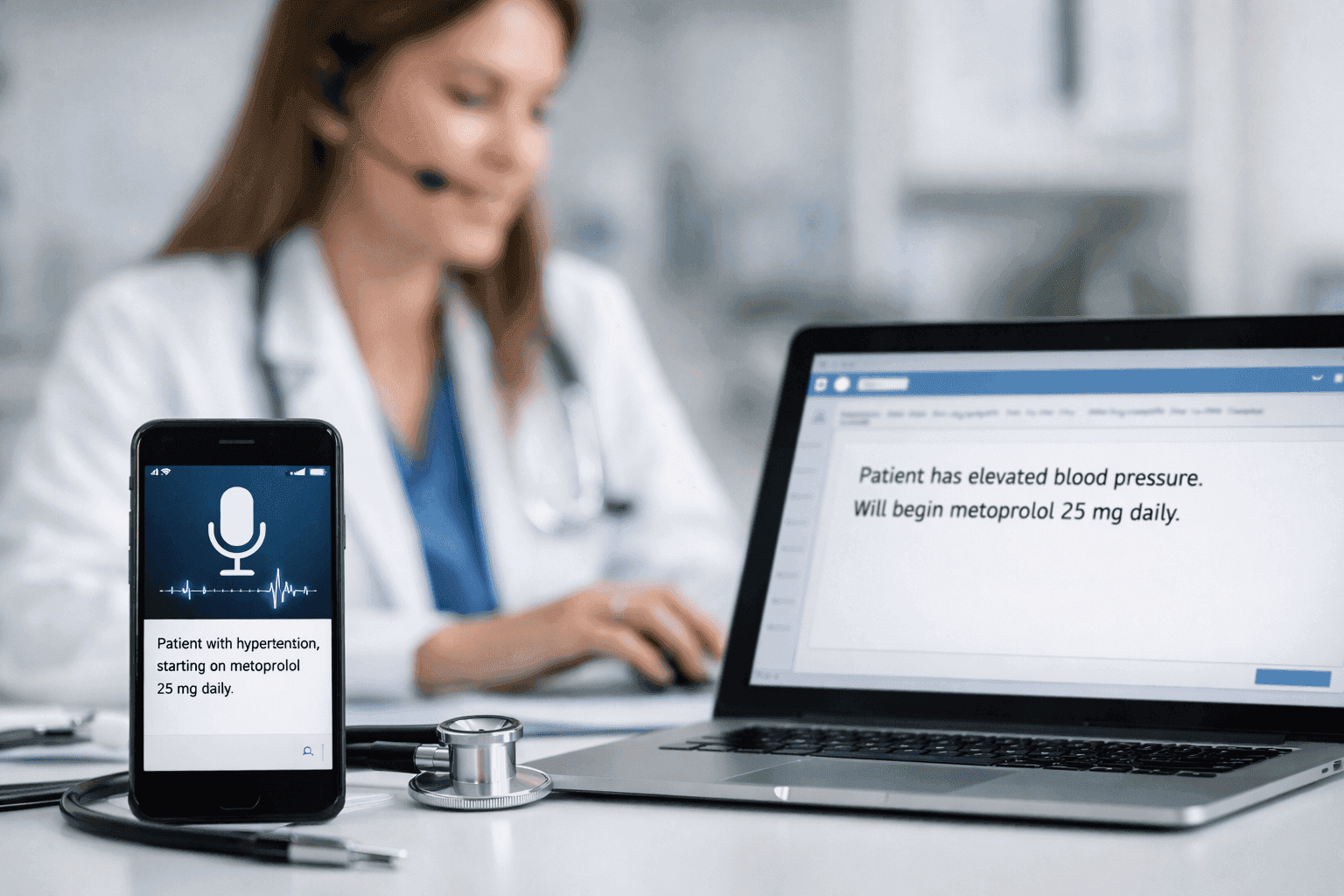
Every major operating system ships with free speech recognition software, so it’s fair to ask why you’d need anything else. The difference shows up once you rely on dictation for high-volume professional work. Built-in tools treat everyone the same, so you repeatedly fix the same company names, client details, and internal acronyms. Newer tools go further by learning from your corrections, responding in near real time, and working across your everyday apps. We compared 7 dictation tools to show which ones actually improve over time and which ones keep you stuck fixing the same errors.
TLDR:
Speech recognition software converts speech to text at 150 WPM vs. 40 WPM typing for 3x faster output.
Free options like Apple Dictation and Google Docs Voice Typing work for basic use but lack accuracy.
Best tools feature 98%+ accuracy and 3x fewer errors than built-in tools, sub-200ms latency, context awareness, and custom vocabulary for technical terms.
Most tools don’t improve over time, so you keep fixing the same mistakes instead of building accuracy.
Willow Voice stands out by learning your project vocabulary automatically, delivering ~200ms latency, and including SOC 2 Type II compliance for org-wide rollout across mixed-device teams.
Key Features That Make Speech Recognition Software Worth Using in 2026
While 95% baseline accuracy is expected, the best dictation software goes further. Look for context awareness that learns your writing style, sub-200ms latency that keeps you in flow, and custom vocabulary support for industry jargon. For team deployment, a true professional tool must also offer centralized admin controls, shared dictionaries, and work across Gmail, Slack, and your other daily apps without breaking existing workflows.
Tool | Latency | Accuracy | Learning Capability | Platform Support | Compliance |
|---|---|---|---|---|---|
Willow Voice | ~200ms | 98%+ accuracy and 3x fewer errors than built-in tools | Learns writing style and vocabulary automatically | Mac, Windows, iOS, works across most text fields | SOC 2 Type II, HIPAA |
Wispr Flow | 700ms-1s+ (server dependent) | 90-95% | Custom dictionary sync across devices | Mac, Windows, iOS, Android | SOC 2 Type II, ISO 27001, HIPAA |
superwhisper | Varies by model and hardware | High on advanced models | Local context memory (scales with model size) | Mac, Windows, iOS | SOC 2 Type II, HIPAA (via BAA) |
Apple Dictation | 700ms+ | Basic | Auto-punctuation and iCloud dictionary sync | macOS, iOS only | Apple consumer privacy guardrails |
Dragon Professional | 300ms-800ms (varies by hardware) | 99% after training | Requires lengthy voice training sessions | Windows only | Available in medical versions |
Windows Voice Access | ~500ms | Can struggle with certain accents or noisy environments | No personalization | Windows 11 only | None |
Google Docs Voice Typing | 500-700ms | Basic | Limited learning | Google Docs only | None |
What Speech Recognition Software Is and How It Works
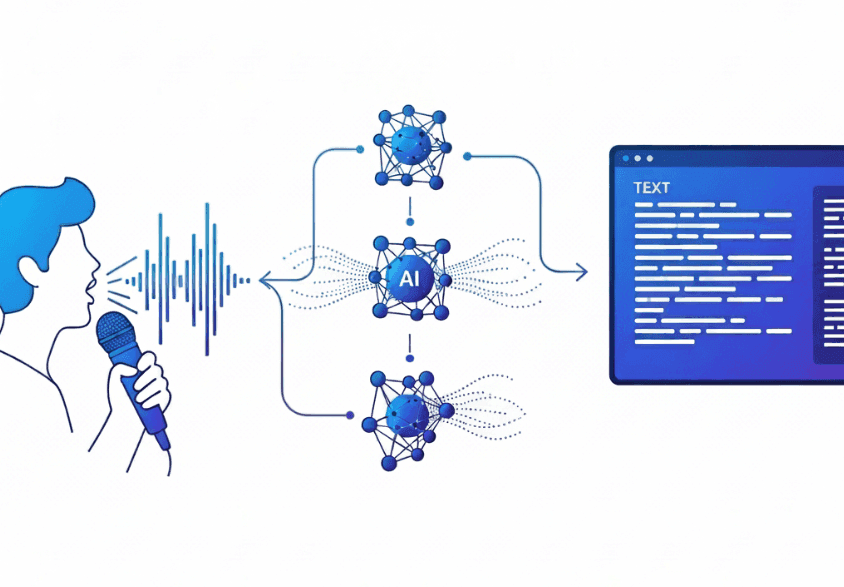
Speech recognition software converts spoken words into written text in real-time. Instead of typing at 40 words per minute, you can speak at 150 words per minute, making dictation three times faster than your keyboard.
When you speak, the software captures your audio and analyzes the sound waves. Instead of breaking words down into phonemes like older systems, modern deep learning architectures use end-to-end neural networks to map raw audio waveforms directly to text characters. This bypasses the phoneme step entirely to improve accuracy across accents. The best tools go further by learning your writing style over time, which helps them distinguish between "their" and "there" or correctly spell technical terms based on how you actually write.
As we move through 2026, dictation has transitioned from simple command-based transcription to context-aware AI. While enterprise cloud solutions remain popular, many users are moving toward on-device, edge-AI processing for data privacy and zero-latency performance. Modern systems pair speech recognition with lightweight language models to interpret intent, filter out filler words, and maintain short-term conversational context. Instead of just converting audio to text, these tools act as proactive assistants that can distinguish between direct dictation and ambient conversation.
Dictation is not an absolute replacement for the keyboard. According to 2026 workflow data from Weesper Neon Flow, users still face an editing tax. While speaking is faster, users must spend time editing punctuation, layout formatting, and structural mistakes. Voice input also struggles when processing source code, complex mathematical formulas, or precise technical identifiers. A hybrid workflow of speaking drafts and typing edits remains the industry best practice.
Free Speech Recognition Software for Every Operating System
Every major operating system includes free voice typing, but the experience varies depending on what you need.
Apple Dictation comes pre-installed on macOS and iOS. Press the microphone button or hit Fn twice to voice type into most text fields. It handles basic transcription without costing anything, though it struggles with technical terms and doesn't learn your writing patterns.
Windows 11 ships with Voice Access for hands-free PC control. The speech-to-text feature works across Windows applications, but accuracy drops with accents or background noise.
Google Docs Voice Typing works through Tools > Voice Typing in any Google Doc. It only functions inside Google Docs, so you can't use it in email, Slack, or other apps where you spend most of your day.
For those who need more than basic OS tools, Willow Voice offers a genuinely unlimited free plan. Wispr Flow offers a free tier, though it caps usage at roughly 2,000 words per week. Willow's free plan is genuinely unlimited with no word cap and no credit card required. It provides fast, accurate AI dictation across any application, making it an ideal upgrade for prosumers, students, and individual professionals who want high-quality voice input without paying a subscription.
Best Speech Recognition Software for Android Devices
Gboard gives Android users straightforward dictation by tapping the microphone icon on any keyboard. It now features Rambler, a built-in Gemini-powered dictation engine that actively filters out filler words and parses verbal self-corrections in real time. Google's AI can also learn your speech patterns and vocabulary to improve accuracy over time, provided you turn on the "Personalize for you" toggle in privacy settings to save transcripts locally on-device instead of to a global cloud model. It's free, pre-installed on most Android phones, and works in messaging apps, email, browsers, and note-taking tools.
Google Assistant extends functionality beyond dictation with voice commands that control your phone, compose messages, set reminders, or search the web hands-free. The trade-off is less control over formatting and editing compared to dedicated dictation tools or purpose-built options like Willow Voice.
Best Speech Recognition Software for iPhone and iOS
Apple Dictation comes pre-installed on every iPhone and activates through the keyboard microphone icon. It handles basic transcription but lacks memory for specialized terms.
Willow Voice's iOS app works as a voice keyboard inside any app. Tap the left keyboard button to speak, and text appears in under 200 milliseconds. The keyboard switcher lets you toggle between voice and typing without returning to Apple's default keyboard. Scribe is fully available on iOS in two sub-modes: Draft mode (speak prompts to generate complete messages) and Edit mode (select existing text and rewrite by voice).
Willow Voice learns how you write over time, remembering corrected spellings and adapting to your tone automatically.
Best Speech Recognition Software for Windows and Mac Desktop
Dragon Professional delivers high accuracy but requires lengthy voice training sessions and costs hundreds of dollars upfront. The interface feels dated, and it locks you into specific applications instead of working system-wide across your entire workflow.
Windows Voice Access and Apple Dictation offer free system-wide control through built-in OS features. Both activate via hotkey, but neither learns your writing style or handles technical terminology reliably. Latency hovers between 500ms and 700ms+, which breaks concentration when you're moving fast through emails or documentation.
Willow Voice is a cross-platform solution offering full feature parity across Mac, Windows, and iOS. It activates via the Fn key on Mac or Alt+Space on Windows, and works in Slack, Gmail, Notion, Cursor, or any text field. It learns how you write, remembering corrected terms and automatically adapting tone. At ~200ms latency, text appears faster than Wispr Flow or Apple's built-in voice dictation, keeping you in flow state. SOC 2 Type II and HIPAA certification, cross-device sync, and shared custom dictionaries make it ready for org-wide deployment on day one, solving the vocabulary consistency problem for mixed-device teams.
Dragon Professional and Legacy Alternatives
Dragon Professional by Nuance built its reputation on accuracy exceeding 99% after voice training. For legal and medical professionals handling specialized vocabulary, Dragon became the standard because it could reliably capture technical language that broke other tools.
That accuracy comes with trade-offs. Perpetual licenses for Dragon Professional v16 start at $699. The interface hasn't changed much since the 2000s, requiring dedicated voice training sessions before you see results. Some versions only run on Windows, and switching computers means retraining from scratch.
Dragon works best when locked into a single workstation with predictable workflows. Alternatives like Wispr Flow and Willow offer faster setup without training overhead. Willow learns your writing automatically, and includes SOC 2 and HIPAA compliance for team deployment.
Speech Recognition Software for Accessibility
Speech recognition removes barriers for students with dysgraphia, dyslexia, or motor impairments. Students using speech-to-text produced longer texts, allowing them to focus on ideas instead of mechanics.
Free tools like Apple's built-in voice dictation or Google Docs Voice Typing offer basic access. While Wispr Flow has a free tier, it caps usage at roughly 2,000 words per week, which a single essay can easily exhaust. Willow Voice's genuinely unlimited free tier provides a stronger alternative that personalizes over time by learning corrected spellings and adapting to each student's vocabulary, while ~200ms latency keeps students in flow without waiting for text. Because it has no word caps, students can draft entire essays and study notes without hitting a paywall.
Privacy and Security in Professional Speech Recognition Software
Voice data contains personally identifiable information that requires strict handling protocols. Organizations in healthcare, legal, and enterprise settings face regulatory requirements around data storage and transmission.
SOC 2 and HIPAA compliance create minimum standards for healthcare, legal, and enterprise settings. These certifications indicate that providers follow strict standards for handling and storing voice data. Speech recognition tools without these credentials may not meet requirements for patient notes, legal briefs, or confidential business records.
Standard dictation tools like Apple's built-in voice dictation don't carry third-party enterprise security certifications, though they inherit Apple's consumer privacy guardrails. Wispr Flow holds audited SOC 2 Type II and ISO 27001 certifications, features a zero-data-retention privacy mode, and natively supports HIPAA compliance.
How to Maximize Speech Recognition Accuracy and Speed

To maximize your dictation speed and accuracy, focus on a few core techniques:
Use a dedicated microphone: Built-in laptop mics pick up keyboard clicks and fan noise that confuse transcription algorithms. A dedicated USB microphone or quality headset isolates your voice and can noticeably reduce errors. Windows users should verify their Sound Settings from the taskbar tray and adjust input levels between 60 and 80% for optimal capture.
Speak at a normal pace: Slowing down doesn't improve accuracy on AI-powered tools; it just wastes time. The software expects natural rhythm and phrasing, not robotic pronunciation.
Train your vocabulary early: Add technical terms, company names, and industry jargon to custom dictionaries before you start speaking. Correcting "Kubernetes" or "Salesforce" once teaches the software permanently, saving dozens of future edits.
Control background conversations: Pick quiet spaces when possible, though good software handles coffee shop ambiance. Background conversations confuse voice detection more than steady noise like air conditioning.
The speech recognition market is projected to reach $24.88 billion by 2034 according to The Insight Partners, but your results depend on technique. Tools that learn your writing style improve faster than generic options, turning corrections into personalized accuracy gains.
Why Willow Voice Stands Out for Professional Voice Dictation
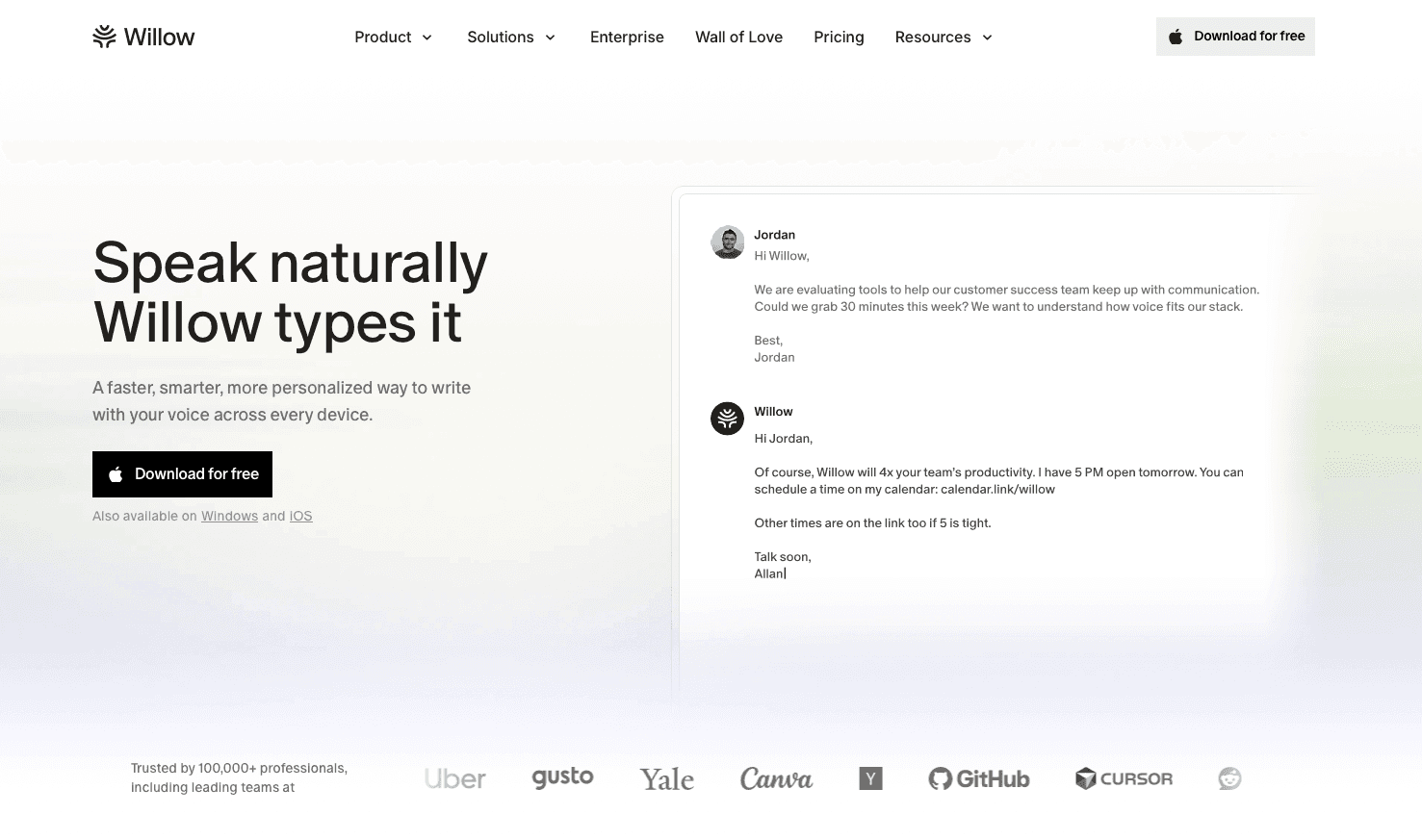
For enterprise teams, software developers, and healthcare professionals, dictation accuracy and output quality are mission-critical. Willow Voice's Pro plan ($12 per month) delivers faster, more accurate dictation plus unlimited Willow Scribe. While other plans are available to fit organizational needs, the Free plan provides unlimited free dictation.
In technical and compliance-heavy environments, Willow delivers 98%+ accuracy and sub-200ms latency, giving developers the speed to prompt AI coding tools like Cursor without manually correcting variable names, and letting clinicians draft patient notes with complex medical terminology recognized flawlessly on the first pass.
Whether you are clearing dense inboxes or writing detailed technical documentation, Willow replaces typing at 40 words per minute with speaking at 150 words per minute, delivering a 3x speed advantage. The context-aware engine learns your writing style and project vocabulary automatically. Because Willow works universally across any text field on Mac, Windows, and iOS, that personalized intelligence follows you from a Slack thread on your iPhone to a technical document on your Windows workstation.
Enterprise Readiness and Team Deployment
While consumer dictation tools are built for one person on one device, enterprise deployment requires a different architecture. Organizations need centralized admin controls, cross-device sync, and audit-ready compliance. Willow Voice scales from a single professional to an organization-wide rollout, providing the deployment visibility IT departments need.
The structural difference is the ability to share custom dictionaries and voice shortcuts org-wide across mixed-device teams. Because Willow's vocabulary and settings carry over natively between Windows, Mac, and iOS, every team member transcribes the same approved terminology without per-device configuration. Paired with SOC 2 Type II and HIPAA compliance, alongside team leaderboards, these shared resources make Willow Voice scalable team infrastructure instead of just a personal productivity tool. This 3x speed increase translates to massive time savings for high-value employees like developers, executives, and clinicians, delivering a measurable return on investment that has driven adoption across teams at Uber, Reddit, and companies across 20% of the Fortune 500.
The Best Speech Recognition Software for Medical Professionals
Medical professionals assessing speech recognition software face unique challenges around HIPAA compliance and clinical terminology. While standard dictation tools process data on consumer servers, clinical workflows require a Business Associate Agreement (BAA) and true zero-data-retention architecture to protect patient privacy. In addition, the software must recognize medical jargon, such as "Metformin," "furosemide," and "SOAP note," instantly without manual dictionary configuration.
Willow Voice is purpose-built for these clinical documentation workflows. It operates as a dictation layer across any application on Windows, Mac, and iOS, allowing clinicians to speak directly into Epic, Cerner, Athenahealth, or any text field without being locked into a single-EHR integration. At the Enterprise tier, Willow provides a signed BAA alongside SOC 2 Type II compliance and built-in medical vocabulary optimization, allowing healthcare providers to draft accurate patient notes on the first pass.
FAQs
What's the difference between Willow Voice and Apple Dictation for professional use?
Apple Dictation handles basic transcription but doesn't learn your vocabulary, runs at 700ms or higher latency, and offers no team features or compliance certifications. Willow Voice delivers 98%+ accuracy at ~200ms latency, learns your writing style and terminology automatically, and includes SOC 2 Type II and HIPAA compliance for org-wide deployment, making it a meaningful step up for anyone relying on dictation for high-volume professional work.
Best speech recognition software for teams that need HIPAA compliance and shared vocabulary?
Willow Voice is built for this deployment profile. Enterprise team deployments include shared custom dictionaries that standardize terminology across every team member from day one, centralized admin controls for org-wide configuration, and SOC 2 Type II and HIPAA compliance with zero data retention baked into the architecture. A signed BAA is also available for clinical workflows.
How does speech recognition software actually improve over time?
Tools that learn from your corrections, like Willow Voice's Auto-Dictionary, update their model each time you fix a name, technical term, or company acronym, so the same mistake stops appearing in future sessions. Built-in tools like Windows Voice Access and Apple Dictation don't maintain this kind of personalized learning loop, which means you keep correcting the same errors instead of building toward a cleaner baseline.
Can I use speech recognition software on both Windows and Mac without losing my custom vocabulary?
Yes, if the tool supports cross-device sync. Willow Voice runs as a native app on both Windows and Mac with full feature parity, and custom vocabulary syncs automatically across Mac, Windows, and iOS, so the terminology you've trained on a Windows workstation is already available when you switch to a Mac or iPhone, without any per-device reconfiguration.
Does voice dictation software work offline without an internet connection?
Most modern AI dictation software relies on cloud processing to deliver ultra-low latency and high accuracy. However, Willow Voice offers a hybrid architecture with an optional Offline Mode for Mac and iOS devices. This allows for fully private, local-only dictation when internet access is unavailable or when strict data residency policies prevent cloud processing.
How accurate is speech recognition software in 2026?
The best tools reach 95-98% baseline accuracy and handle diverse accents well out of the box. Personalized software like Willow Voice pushes this to 98%+ accuracy with 3x fewer errors than built-in tools by learning your specific speech patterns, technical terms, and writing style over time.
Final Thoughts on Professional Dictation Software
The best speech recognition software comes down to three things: speed, adaptability, and where it actually works. If text shows up instantly, learns your project vocabulary, and works across every app you use, dictation stops feeling like a personal workaround and becomes scalable team infrastructure. Built-in tools can handle quick notes, but they fall short once accuracy and consistency matter. Willow Voice stands out by learning from your corrections, keeping latency low enough to stay in flow, and working system-wide, making it possible to write faster without constantly fixing errors. Ready to start writing 3x faster? Download Willow Voice and upgrade your daily workflow today.
Every major operating system ships with free speech recognition software, so it’s fair to ask why you’d need anything else. The difference shows up once you rely on dictation for high-volume professional work. Built-in tools treat everyone the same, so you repeatedly fix the same company names, client details, and internal acronyms. Newer tools go further by learning from your corrections, responding in near real time, and working across your everyday apps. We compared 7 dictation tools to show which ones actually improve over time and which ones keep you stuck fixing the same errors.
TLDR:
Speech recognition software converts speech to text at 150 WPM vs. 40 WPM typing for 3x faster output.
Free options like Apple Dictation and Google Docs Voice Typing work for basic use but lack accuracy.
Best tools feature 98%+ accuracy and 3x fewer errors than built-in tools, sub-200ms latency, context awareness, and custom vocabulary for technical terms.
Most tools don’t improve over time, so you keep fixing the same mistakes instead of building accuracy.
Willow Voice stands out by learning your project vocabulary automatically, delivering ~200ms latency, and including SOC 2 Type II compliance for org-wide rollout across mixed-device teams.
Key Features That Make Speech Recognition Software Worth Using in 2026
While 95% baseline accuracy is expected, the best dictation software goes further. Look for context awareness that learns your writing style, sub-200ms latency that keeps you in flow, and custom vocabulary support for industry jargon. For team deployment, a true professional tool must also offer centralized admin controls, shared dictionaries, and work across Gmail, Slack, and your other daily apps without breaking existing workflows.
Tool | Latency | Accuracy | Learning Capability | Platform Support | Compliance |
|---|---|---|---|---|---|
Willow Voice | ~200ms | 98%+ accuracy and 3x fewer errors than built-in tools | Learns writing style and vocabulary automatically | Mac, Windows, iOS, works across most text fields | SOC 2 Type II, HIPAA |
Wispr Flow | 700ms-1s+ (server dependent) | 90-95% | Custom dictionary sync across devices | Mac, Windows, iOS, Android | SOC 2 Type II, ISO 27001, HIPAA |
superwhisper | Varies by model and hardware | High on advanced models | Local context memory (scales with model size) | Mac, Windows, iOS | SOC 2 Type II, HIPAA (via BAA) |
Apple Dictation | 700ms+ | Basic | Auto-punctuation and iCloud dictionary sync | macOS, iOS only | Apple consumer privacy guardrails |
Dragon Professional | 300ms-800ms (varies by hardware) | 99% after training | Requires lengthy voice training sessions | Windows only | Available in medical versions |
Windows Voice Access | ~500ms | Can struggle with certain accents or noisy environments | No personalization | Windows 11 only | None |
Google Docs Voice Typing | 500-700ms | Basic | Limited learning | Google Docs only | None |
What Speech Recognition Software Is and How It Works
Speech recognition software converts spoken words into written text in real-time. Instead of typing at 40 words per minute, you can speak at 150 words per minute, making dictation three times faster than your keyboard.
When you speak, the software captures your audio and analyzes the sound waves. Instead of breaking words down into phonemes like older systems, modern deep learning architectures use end-to-end neural networks to map raw audio waveforms directly to text characters. This bypasses the phoneme step entirely to improve accuracy across accents. The best tools go further by learning your writing style over time, which helps them distinguish between "their" and "there" or correctly spell technical terms based on how you actually write.
As we move through 2026, dictation has transitioned from simple command-based transcription to context-aware AI. While enterprise cloud solutions remain popular, many users are moving toward on-device, edge-AI processing for data privacy and zero-latency performance. Modern systems pair speech recognition with lightweight language models to interpret intent, filter out filler words, and maintain short-term conversational context. Instead of just converting audio to text, these tools act as proactive assistants that can distinguish between direct dictation and ambient conversation.
Dictation is not an absolute replacement for the keyboard. According to 2026 workflow data from Weesper Neon Flow, users still face an editing tax. While speaking is faster, users must spend time editing punctuation, layout formatting, and structural mistakes. Voice input also struggles when processing source code, complex mathematical formulas, or precise technical identifiers. A hybrid workflow of speaking drafts and typing edits remains the industry best practice.
Free Speech Recognition Software for Every Operating System
Every major operating system includes free voice typing, but the experience varies depending on what you need.
Apple Dictation comes pre-installed on macOS and iOS. Press the microphone button or hit Fn twice to voice type into most text fields. It handles basic transcription without costing anything, though it struggles with technical terms and doesn't learn your writing patterns.
Windows 11 ships with Voice Access for hands-free PC control. The speech-to-text feature works across Windows applications, but accuracy drops with accents or background noise.
Google Docs Voice Typing works through Tools > Voice Typing in any Google Doc. It only functions inside Google Docs, so you can't use it in email, Slack, or other apps where you spend most of your day.
For those who need more than basic OS tools, Willow Voice offers a genuinely unlimited free plan. Wispr Flow offers a free tier, though it caps usage at roughly 2,000 words per week. Willow's free plan is genuinely unlimited with no word cap and no credit card required. It provides fast, accurate AI dictation across any application, making it an ideal upgrade for prosumers, students, and individual professionals who want high-quality voice input without paying a subscription.
Best Speech Recognition Software for Android Devices
Gboard gives Android users straightforward dictation by tapping the microphone icon on any keyboard. It now features Rambler, a built-in Gemini-powered dictation engine that actively filters out filler words and parses verbal self-corrections in real time. Google's AI can also learn your speech patterns and vocabulary to improve accuracy over time, provided you turn on the "Personalize for you" toggle in privacy settings to save transcripts locally on-device instead of to a global cloud model. It's free, pre-installed on most Android phones, and works in messaging apps, email, browsers, and note-taking tools.
Google Assistant extends functionality beyond dictation with voice commands that control your phone, compose messages, set reminders, or search the web hands-free. The trade-off is less control over formatting and editing compared to dedicated dictation tools or purpose-built options like Willow Voice.
Best Speech Recognition Software for iPhone and iOS
Apple Dictation comes pre-installed on every iPhone and activates through the keyboard microphone icon. It handles basic transcription but lacks memory for specialized terms.
Willow Voice's iOS app works as a voice keyboard inside any app. Tap the left keyboard button to speak, and text appears in under 200 milliseconds. The keyboard switcher lets you toggle between voice and typing without returning to Apple's default keyboard. Scribe is fully available on iOS in two sub-modes: Draft mode (speak prompts to generate complete messages) and Edit mode (select existing text and rewrite by voice).
Willow Voice learns how you write over time, remembering corrected spellings and adapting to your tone automatically.
Best Speech Recognition Software for Windows and Mac Desktop
Dragon Professional delivers high accuracy but requires lengthy voice training sessions and costs hundreds of dollars upfront. The interface feels dated, and it locks you into specific applications instead of working system-wide across your entire workflow.
Windows Voice Access and Apple Dictation offer free system-wide control through built-in OS features. Both activate via hotkey, but neither learns your writing style or handles technical terminology reliably. Latency hovers between 500ms and 700ms+, which breaks concentration when you're moving fast through emails or documentation.
Willow Voice is a cross-platform solution offering full feature parity across Mac, Windows, and iOS. It activates via the Fn key on Mac or Alt+Space on Windows, and works in Slack, Gmail, Notion, Cursor, or any text field. It learns how you write, remembering corrected terms and automatically adapting tone. At ~200ms latency, text appears faster than Wispr Flow or Apple's built-in voice dictation, keeping you in flow state. SOC 2 Type II and HIPAA certification, cross-device sync, and shared custom dictionaries make it ready for org-wide deployment on day one, solving the vocabulary consistency problem for mixed-device teams.
Dragon Professional and Legacy Alternatives
Dragon Professional by Nuance built its reputation on accuracy exceeding 99% after voice training. For legal and medical professionals handling specialized vocabulary, Dragon became the standard because it could reliably capture technical language that broke other tools.
That accuracy comes with trade-offs. Perpetual licenses for Dragon Professional v16 start at $699. The interface hasn't changed much since the 2000s, requiring dedicated voice training sessions before you see results. Some versions only run on Windows, and switching computers means retraining from scratch.
Dragon works best when locked into a single workstation with predictable workflows. Alternatives like Wispr Flow and Willow offer faster setup without training overhead. Willow learns your writing automatically, and includes SOC 2 and HIPAA compliance for team deployment.
Speech Recognition Software for Accessibility
Speech recognition removes barriers for students with dysgraphia, dyslexia, or motor impairments. Students using speech-to-text produced longer texts, allowing them to focus on ideas instead of mechanics.
Free tools like Apple's built-in voice dictation or Google Docs Voice Typing offer basic access. While Wispr Flow has a free tier, it caps usage at roughly 2,000 words per week, which a single essay can easily exhaust. Willow Voice's genuinely unlimited free tier provides a stronger alternative that personalizes over time by learning corrected spellings and adapting to each student's vocabulary, while ~200ms latency keeps students in flow without waiting for text. Because it has no word caps, students can draft entire essays and study notes without hitting a paywall.
Privacy and Security in Professional Speech Recognition Software
Voice data contains personally identifiable information that requires strict handling protocols. Organizations in healthcare, legal, and enterprise settings face regulatory requirements around data storage and transmission.
SOC 2 and HIPAA compliance create minimum standards for healthcare, legal, and enterprise settings. These certifications indicate that providers follow strict standards for handling and storing voice data. Speech recognition tools without these credentials may not meet requirements for patient notes, legal briefs, or confidential business records.
Standard dictation tools like Apple's built-in voice dictation don't carry third-party enterprise security certifications, though they inherit Apple's consumer privacy guardrails. Wispr Flow holds audited SOC 2 Type II and ISO 27001 certifications, features a zero-data-retention privacy mode, and natively supports HIPAA compliance.
How to Maximize Speech Recognition Accuracy and Speed
To maximize your dictation speed and accuracy, focus on a few core techniques:
Use a dedicated microphone: Built-in laptop mics pick up keyboard clicks and fan noise that confuse transcription algorithms. A dedicated USB microphone or quality headset isolates your voice and can noticeably reduce errors. Windows users should verify their Sound Settings from the taskbar tray and adjust input levels between 60 and 80% for optimal capture.
Speak at a normal pace: Slowing down doesn't improve accuracy on AI-powered tools; it just wastes time. The software expects natural rhythm and phrasing, not robotic pronunciation.
Train your vocabulary early: Add technical terms, company names, and industry jargon to custom dictionaries before you start speaking. Correcting "Kubernetes" or "Salesforce" once teaches the software permanently, saving dozens of future edits.
Control background conversations: Pick quiet spaces when possible, though good software handles coffee shop ambiance. Background conversations confuse voice detection more than steady noise like air conditioning.
The speech recognition market is projected to reach $24.88 billion by 2034 according to The Insight Partners, but your results depend on technique. Tools that learn your writing style improve faster than generic options, turning corrections into personalized accuracy gains.
Why Willow Voice Stands Out for Professional Voice Dictation
For enterprise teams, software developers, and healthcare professionals, dictation accuracy and output quality are mission-critical. Willow Voice's Pro plan ($12 per month) delivers faster, more accurate dictation plus unlimited Willow Scribe. While other plans are available to fit organizational needs, the Free plan provides unlimited free dictation.
In technical and compliance-heavy environments, Willow delivers 98%+ accuracy and sub-200ms latency, giving developers the speed to prompt AI coding tools like Cursor without manually correcting variable names, and letting clinicians draft patient notes with complex medical terminology recognized flawlessly on the first pass.
Whether you are clearing dense inboxes or writing detailed technical documentation, Willow replaces typing at 40 words per minute with speaking at 150 words per minute, delivering a 3x speed advantage. The context-aware engine learns your writing style and project vocabulary automatically. Because Willow works universally across any text field on Mac, Windows, and iOS, that personalized intelligence follows you from a Slack thread on your iPhone to a technical document on your Windows workstation.
Enterprise Readiness and Team Deployment
While consumer dictation tools are built for one person on one device, enterprise deployment requires a different architecture. Organizations need centralized admin controls, cross-device sync, and audit-ready compliance. Willow Voice scales from a single professional to an organization-wide rollout, providing the deployment visibility IT departments need.
The structural difference is the ability to share custom dictionaries and voice shortcuts org-wide across mixed-device teams. Because Willow's vocabulary and settings carry over natively between Windows, Mac, and iOS, every team member transcribes the same approved terminology without per-device configuration. Paired with SOC 2 Type II and HIPAA compliance, alongside team leaderboards, these shared resources make Willow Voice scalable team infrastructure instead of just a personal productivity tool. This 3x speed increase translates to massive time savings for high-value employees like developers, executives, and clinicians, delivering a measurable return on investment that has driven adoption across teams at Uber, Reddit, and companies across 20% of the Fortune 500.
The Best Speech Recognition Software for Medical Professionals
Medical professionals assessing speech recognition software face unique challenges around HIPAA compliance and clinical terminology. While standard dictation tools process data on consumer servers, clinical workflows require a Business Associate Agreement (BAA) and true zero-data-retention architecture to protect patient privacy. In addition, the software must recognize medical jargon, such as "Metformin," "furosemide," and "SOAP note," instantly without manual dictionary configuration.
Willow Voice is purpose-built for these clinical documentation workflows. It operates as a dictation layer across any application on Windows, Mac, and iOS, allowing clinicians to speak directly into Epic, Cerner, Athenahealth, or any text field without being locked into a single-EHR integration. At the Enterprise tier, Willow provides a signed BAA alongside SOC 2 Type II compliance and built-in medical vocabulary optimization, allowing healthcare providers to draft accurate patient notes on the first pass.
FAQs
What's the difference between Willow Voice and Apple Dictation for professional use?
Apple Dictation handles basic transcription but doesn't learn your vocabulary, runs at 700ms or higher latency, and offers no team features or compliance certifications. Willow Voice delivers 98%+ accuracy at ~200ms latency, learns your writing style and terminology automatically, and includes SOC 2 Type II and HIPAA compliance for org-wide deployment, making it a meaningful step up for anyone relying on dictation for high-volume professional work.
Best speech recognition software for teams that need HIPAA compliance and shared vocabulary?
Willow Voice is built for this deployment profile. Enterprise team deployments include shared custom dictionaries that standardize terminology across every team member from day one, centralized admin controls for org-wide configuration, and SOC 2 Type II and HIPAA compliance with zero data retention baked into the architecture. A signed BAA is also available for clinical workflows.
How does speech recognition software actually improve over time?
Tools that learn from your corrections, like Willow Voice's Auto-Dictionary, update their model each time you fix a name, technical term, or company acronym, so the same mistake stops appearing in future sessions. Built-in tools like Windows Voice Access and Apple Dictation don't maintain this kind of personalized learning loop, which means you keep correcting the same errors instead of building toward a cleaner baseline.
Can I use speech recognition software on both Windows and Mac without losing my custom vocabulary?
Yes, if the tool supports cross-device sync. Willow Voice runs as a native app on both Windows and Mac with full feature parity, and custom vocabulary syncs automatically across Mac, Windows, and iOS, so the terminology you've trained on a Windows workstation is already available when you switch to a Mac or iPhone, without any per-device reconfiguration.
Does voice dictation software work offline without an internet connection?
Most modern AI dictation software relies on cloud processing to deliver ultra-low latency and high accuracy. However, Willow Voice offers a hybrid architecture with an optional Offline Mode for Mac and iOS devices. This allows for fully private, local-only dictation when internet access is unavailable or when strict data residency policies prevent cloud processing.
How accurate is speech recognition software in 2026?
The best tools reach 95-98% baseline accuracy and handle diverse accents well out of the box. Personalized software like Willow Voice pushes this to 98%+ accuracy with 3x fewer errors than built-in tools by learning your specific speech patterns, technical terms, and writing style over time.
Final Thoughts on Professional Dictation Software
The best speech recognition software comes down to three things: speed, adaptability, and where it actually works. If text shows up instantly, learns your project vocabulary, and works across every app you use, dictation stops feeling like a personal workaround and becomes scalable team infrastructure. Built-in tools can handle quick notes, but they fall short once accuracy and consistency matter. Willow Voice stands out by learning from your corrections, keeping latency low enough to stay in flow, and working system-wide, making it possible to write faster without constantly fixing errors. Ready to start writing 3x faster? Download Willow Voice and upgrade your daily workflow today.

Try Willow for free
Instant, accurate voice dictation. No card required.
Try Willow for free
Instant, accurate voice dictation. No card required.
Other stories you’ll love
Other stories you’ll love


Your keyboard is optional now
" transform="translate(5 5)" width="9.791000051498413px"/></svg>)

The voice-first interface for modern work.
© Willow Care, Inc. 2026. All rights reserved
Your keyboard is optional now
The voice-first interface for modern work.
© Willow Care, Inc. 2026. All rights reserved
Your keyboard is optional now
The voice-first interface for modern work.
© Willow Care, Inc. 2026. All rights reserved