" transform="translate(5 2)" width="10px"/></svg>)

•
5 min read
Willow: The Fastest Voice Dictation Tool for v0 in June 2026
•
5 min read
Willow: The Fastest Voice Dictation Tool for v0 in June 2026
Building in v0 means constant iteration. You describe a component, watch it generate, adjust the prompt, and repeat. The tool responds fast enough that typing starts to feel slow by comparison. At 40 WPM, crafting a specific, detailed prompt eats into the time you could be refining output. Voice dictation for v0 removes that friction entirely: speak your requirements at 150 WPM, get near-instant transcription into the v0 chat field, and spend more of your session building instead of typing.
TLDR:
Voice dictation lets you prompt v0 at 150 WPM vs. 40 WPM typing, closing the gap between thought and input.
v0 rewards detailed prompts; speaking feels natural and produces longer, more precise descriptions than typing.
A developer-focused dictation tool responds in ~200ms with 98%+ accuracy and learns technical terms like React components and Tailwind classes.
It works across your entire development workflow in ChatGPT, Linear, Slack, and anywhere else you type, beyond v0 alone.
Iteration cycles in v0 move fast, so input speed becomes a larger share of total session time, and reducing it compounds across every prompt in a build session.
What v0 Is and Why Voice Dictation Matters
v0 is Vercel's AI-powered UI generation tool. You describe a component or interface in plain text, and v0 writes the code. For developers who spend their days inside v0, the input method matters more than most people expect.
Typing a prompt is slow. At roughly 40 WPM for the average developer, getting a detailed, well-structured component description into v0 takes time and breaks concentration. Voice dictation changes that ratio considerably, with fluent speakers reaching 150 WPM or more.
Why the Input Bottleneck Hurts More in v0
v0 rewards specificity. Vague prompts produce generic output; detailed prompts produce usable code. That means developers who type their prompts are either spending more time on input or accepting lower-quality generations.
Voice dictation closes that gap in a few ways:
Speaking a detailed prompt feels natural because it mirrors how developers already explain requirements verbally to teammates, making the descriptions longer and more precise without extra effort.
Iteration cycles in v0 are fast, so the input step becomes a proportionally larger share of total time spent. Reducing it compounds quickly across a session.
Developers working across multiple browser tabs or app windows can speak prompts without shifting focus away from reference material they have open.
The case for voice dictation in v0 is less about novelty and more about where time actually goes during an active build session.
How Voice Dictation Speeds Up v0 Prompting
v0 moves fast. You describe a UI component, hit enter, and the tool starts generating code before you've finished thinking about the next prompt. The bottleneck moves immediately to you: how quickly can you articulate what you want next?
Typing slows that loop. Most developers type around 40 WPM under normal conditions, but spoken language flows at 150 WPM or more. That gap compounds across a long v0 session where you're iterating through layouts, adjusting component logic, and refining copy suggestions.
Voice dictation closes that gap by letting you prompt at the speed you think. Instead of stopping to type out a detailed component description, you speak it. The prompt lands in v0's input field fully formed.
Voice Input for AI Coding Workflows Beyond v0
Voice input has real value beyond v0 itself. Many developers who start using voice input in v0 quickly find they want the same speed across their entire coding environment.
Willow Voice works anywhere you can type, which means it carries over naturally into the tools that surround v0 workflows:
Writing prompts in ChatGPT or Claude when you need a second opinion on a component or want to think through architecture out loud before committing to code
Drafting tickets, comments, and specs in Linear or Notion without breaking focus
Composing Slack messages to your team about what you just shipped or what is blocked
Leaving voice notes in Loom or documentation tools when you want to explain a decision
The underlying reason this works is latency. At ~200ms, Willow stays close enough to real-time thought that switching between tools does not break your concentration. You are not pausing to wait for text to catch up; you are speaking and moving.
For developers already building in v0, that continuity across the whole workflow tends to matter more than any single feature inside one tool.
Technical Requirements for Voice Dictation with v0
Voice dictation for v0 has a short list of hard requirements, and each one follows directly from how v0 works.
The first is browser compatibility. v0 runs entirely in the browser, so dictation needs to work inside a web app without requiring a separate plugin or native window. System-level tools that only function in desktop apps simply do not fit that workflow.
Technical vocabulary is the second requirement. v0 prompts routinely include terms like "React component," "Tailwind class," "useState hook," or framework-specific syntax. A dictation tool that mishears or autocorrects those terms injects errors before the prompt ever reaches v0, and fixing them manually removes any time benefit from speaking in the first place.
Why Latency Matters More Here Than in Other Workflows
v0 responds quickly to each input, so the prompting step needs to keep pace. Waiting several seconds for transcription to catch up breaks the iterative rhythm the tool is built around. Near-real-time transcription, inserted directly into the chat field at your cursor position, keeps the loop moving without interruption.
Common Voice Dictation Tools Developers Use for v0
When developers build with v0, they're already working fast. Vercel's AI-powered UI generator moves quickly, and the tools around it need to keep up. Voice dictation has become a real part of that workflow, letting developers narrate component logic, describe UI behavior, or draft prompts without breaking focus to type.
A few tools come up repeatedly in developer circles for this use case.
Willow Voice

Willow Voice responds in around 200ms, which means text appears almost the instant you finish speaking. For v0 workflows where you're iterating rapidly on prompts and component descriptions, that latency matters. Willow also learns your vocabulary over time, picking up framework-specific terms, variable names, and the shorthand you actually use. Accuracy sits at 98%+, with roughly 3x fewer errors than built-in dictation options.
Tool | Response Latency | Accuracy & Learning | Technical Vocabulary |
|---|---|---|---|
Willow Voice | Around 200ms response time keeps pace with rapid v0 iteration cycles | 98%+ accuracy with 3x fewer errors than built-in options, learns your vocabulary over time including framework terms and variable names | Picks up framework-specific terms, variable names, and developer shorthand automatically through personalization layer |
Wispr Flow | Generally 700ms+ latency can interrupt flow during fast-paced sessions | Clean, minimal interface with general dictation capability, includes SOC 2 Type II, ISO 27001, and HIPAA compliance | Handles general dictation well across apps with a minimal setup |
Apple Built-in Dictation | Native macOS integration with no setup required for immediate use | Handles everyday dictation reasonably well but accuracy stays static with no personalization over time | Can struggle with technical vocabulary, framework names, and prompt-specific phrasing developers use in v0 |
Wispr Flow
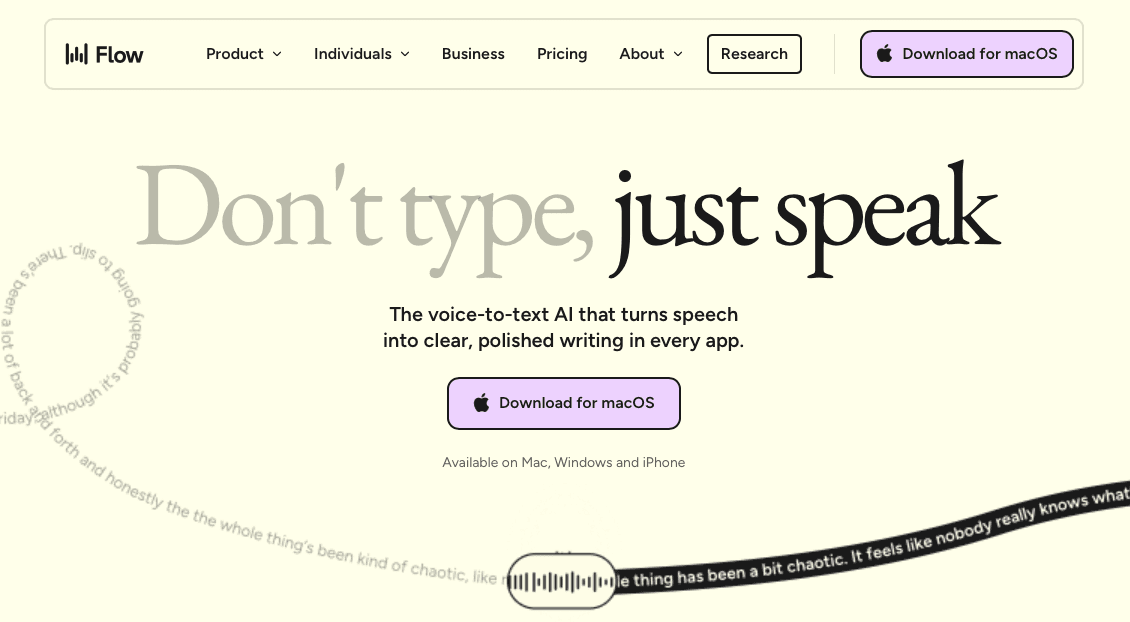
A popular choice among developers who want a clean, minimal interface. Wispr Flow works across apps and handles general dictation well. It has added SOC 2 Type II, ISO 27001, and HIPAA compliance, making it a credible option for teams with security requirements. Latency tends to run higher than Willow, generally in the 700ms+ range, which can interrupt flow during fast-paced sessions.
Apple Built-in Dictation
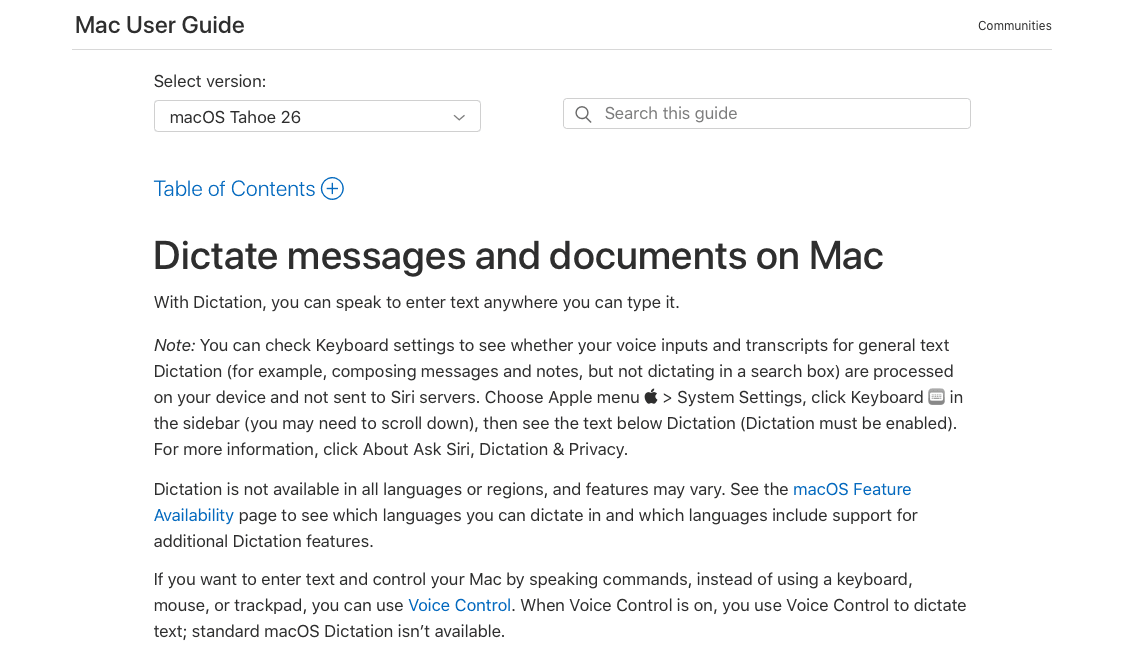
Available natively on macOS with no setup required. It handles everyday dictation reasonably well but can struggle with technical vocabulary, framework names, and prompt-specific phrasing. It has no personalization layer, so accuracy stays static regardless of how long you use it.
Setting Up Voice Dictation for v0 Chat Interface
Getting voice dictation running inside v0's chat interface takes about two minutes. Willow Voice works as a system-level input layer, so there's no plugin to install and no browser extension required.
Here's how to get started:
Download and install Willow, then set your preferred activation hotkey. Most users pick something that doesn't conflict with v0's own shortcuts, like
Option + Spaceon Mac orAlt + Spaceon Windows.Click into the v0 chat input field so it has focus. Willow reads your active cursor position and routes transcribed text directly to wherever you're typing.
Press your hotkey, speak your prompt naturally, and release. Text appears in the field in around 200ms, fast enough that you can keep building context without losing your train of thought.
Hit send as you normally would. Nothing about your v0 workflow changes except that you stopped typing.
Willow for v0: Speed and Accuracy Built for AI Prompting
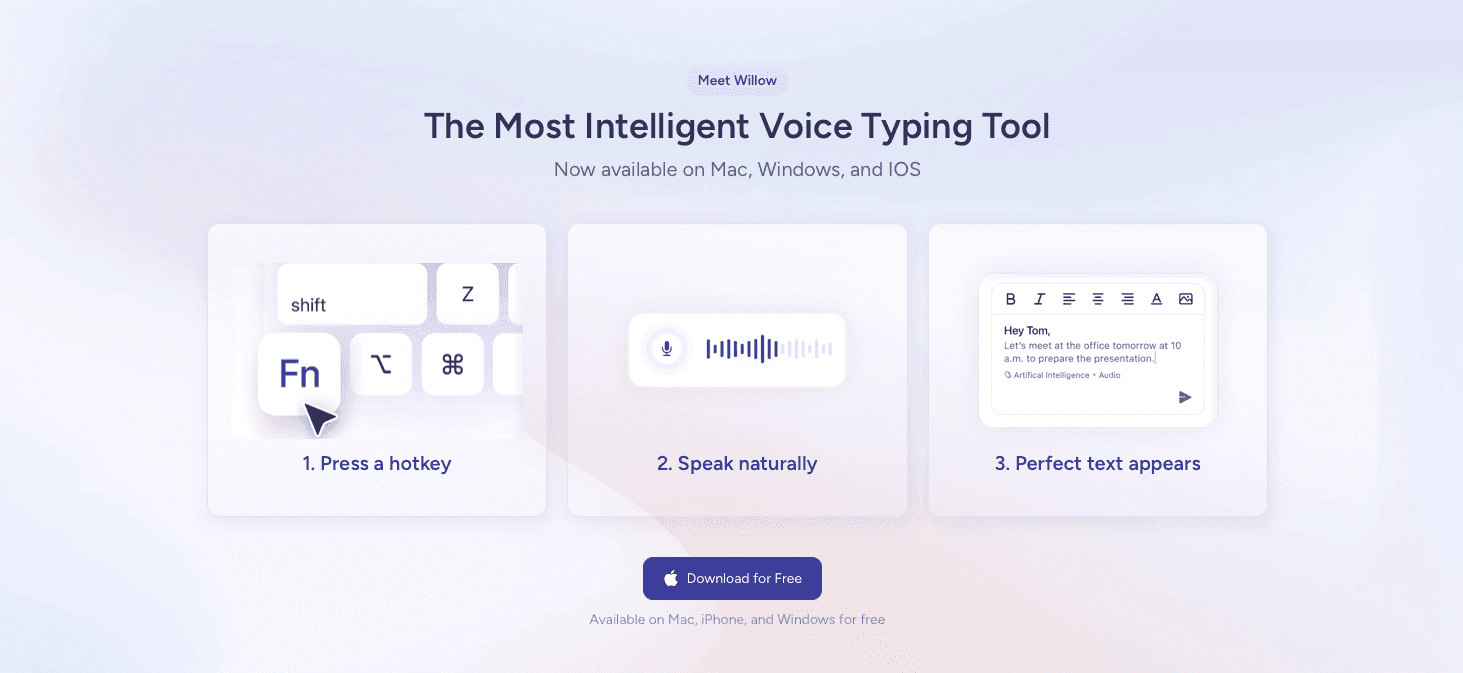
Willow Voice was built for exactly the kind of rapid, iterative prompting that v0 demands. When you're cycling through component variations, refining prompts, and describing UI logic out loud, the gap between thought and text matters more than in almost any other workflow.
Willow's ~200ms latency means your words appear on screen almost as fast as you say them. Competitors typically run at 700ms or more, and that delay compounds across dozens of prompts in a single session. At 150 WPM versus roughly 40 WPM typing, you can describe a full component layout in the time it would take to type a headline.
Accuracy holds up too. Willow learns your vocabulary over time, including the specific component names, design tokens, and framework terminology you use in v0 prompts. That kind of personalization means fewer corrections and less time re-prompting because a word got mangled.
A few things make Willow worth noting for v0 in particular:
The custom vocabulary feature lets you save terms like prop names, color variables, or recurring UI patterns so they transcribe correctly every time.
Works in the browser wherever you type, so there's no context switching or copy-paste step between your voice and the v0 prompt field.
Quiet Mode lets you speak in a shared space without disrupting anyone nearby.
FAQs
Can I use Willow Voice for v0 without installing a browser extension?
Yes. Willow works at the system level, so it routes spoken text directly into any browser field where you're typing, including v0's chat interface. You just click into the input field, press your hotkey, and speak.
Voice dictation for v0: Willow vs Apple's built-in dictation?
Willow responds in around 200ms and learns technical vocabulary like React hooks, Tailwind classes, and framework-specific syntax automatically, with 98%+ accuracy and 3x fewer errors than built-in tools. Apple's built-in dictation has no personalization layer and can struggle with the technical terms v0 prompts routinely include, meaning you spend more time fixing errors than you save by speaking.
How does voice dictation actually speed up v0 workflows?
Speaking flows at around 150 WPM versus roughly 40 WPM typing, letting you describe detailed component logic and UI behavior in a third of the time. That gap compounds quickly across iterative v0 sessions where you're cycling through layouts and refinement prompts.
Final Thoughts on Voice Dictation for v0 and Your Broader Dev Workflow
Voice dictation for v0 works because the tool itself moves fast and typing is the one part of the loop you can actually compress. Willow fits that workflow directly: ~200ms latency, 98%+ accuracy, and a personalization layer that learns the React components, Tailwind classes, and shorthand you actually use. If you spend meaningful time in v0, try Willow and see how much of your session is typing versus building.
Building in v0 means constant iteration. You describe a component, watch it generate, adjust the prompt, and repeat. The tool responds fast enough that typing starts to feel slow by comparison. At 40 WPM, crafting a specific, detailed prompt eats into the time you could be refining output. Voice dictation for v0 removes that friction entirely: speak your requirements at 150 WPM, get near-instant transcription into the v0 chat field, and spend more of your session building instead of typing.
TLDR:
Voice dictation lets you prompt v0 at 150 WPM vs. 40 WPM typing, closing the gap between thought and input.
v0 rewards detailed prompts; speaking feels natural and produces longer, more precise descriptions than typing.
A developer-focused dictation tool responds in ~200ms with 98%+ accuracy and learns technical terms like React components and Tailwind classes.
It works across your entire development workflow in ChatGPT, Linear, Slack, and anywhere else you type, beyond v0 alone.
Iteration cycles in v0 move fast, so input speed becomes a larger share of total session time, and reducing it compounds across every prompt in a build session.
What v0 Is and Why Voice Dictation Matters
v0 is Vercel's AI-powered UI generation tool. You describe a component or interface in plain text, and v0 writes the code. For developers who spend their days inside v0, the input method matters more than most people expect.
Typing a prompt is slow. At roughly 40 WPM for the average developer, getting a detailed, well-structured component description into v0 takes time and breaks concentration. Voice dictation changes that ratio considerably, with fluent speakers reaching 150 WPM or more.
Why the Input Bottleneck Hurts More in v0
v0 rewards specificity. Vague prompts produce generic output; detailed prompts produce usable code. That means developers who type their prompts are either spending more time on input or accepting lower-quality generations.
Voice dictation closes that gap in a few ways:
Speaking a detailed prompt feels natural because it mirrors how developers already explain requirements verbally to teammates, making the descriptions longer and more precise without extra effort.
Iteration cycles in v0 are fast, so the input step becomes a proportionally larger share of total time spent. Reducing it compounds quickly across a session.
Developers working across multiple browser tabs or app windows can speak prompts without shifting focus away from reference material they have open.
The case for voice dictation in v0 is less about novelty and more about where time actually goes during an active build session.
How Voice Dictation Speeds Up v0 Prompting
v0 moves fast. You describe a UI component, hit enter, and the tool starts generating code before you've finished thinking about the next prompt. The bottleneck moves immediately to you: how quickly can you articulate what you want next?
Typing slows that loop. Most developers type around 40 WPM under normal conditions, but spoken language flows at 150 WPM or more. That gap compounds across a long v0 session where you're iterating through layouts, adjusting component logic, and refining copy suggestions.
Voice dictation closes that gap by letting you prompt at the speed you think. Instead of stopping to type out a detailed component description, you speak it. The prompt lands in v0's input field fully formed.
Voice Input for AI Coding Workflows Beyond v0
Voice input has real value beyond v0 itself. Many developers who start using voice input in v0 quickly find they want the same speed across their entire coding environment.
Willow Voice works anywhere you can type, which means it carries over naturally into the tools that surround v0 workflows:
Writing prompts in ChatGPT or Claude when you need a second opinion on a component or want to think through architecture out loud before committing to code
Drafting tickets, comments, and specs in Linear or Notion without breaking focus
Composing Slack messages to your team about what you just shipped or what is blocked
Leaving voice notes in Loom or documentation tools when you want to explain a decision
The underlying reason this works is latency. At ~200ms, Willow stays close enough to real-time thought that switching between tools does not break your concentration. You are not pausing to wait for text to catch up; you are speaking and moving.
For developers already building in v0, that continuity across the whole workflow tends to matter more than any single feature inside one tool.
Technical Requirements for Voice Dictation with v0
Voice dictation for v0 has a short list of hard requirements, and each one follows directly from how v0 works.
The first is browser compatibility. v0 runs entirely in the browser, so dictation needs to work inside a web app without requiring a separate plugin or native window. System-level tools that only function in desktop apps simply do not fit that workflow.
Technical vocabulary is the second requirement. v0 prompts routinely include terms like "React component," "Tailwind class," "useState hook," or framework-specific syntax. A dictation tool that mishears or autocorrects those terms injects errors before the prompt ever reaches v0, and fixing them manually removes any time benefit from speaking in the first place.
Why Latency Matters More Here Than in Other Workflows
v0 responds quickly to each input, so the prompting step needs to keep pace. Waiting several seconds for transcription to catch up breaks the iterative rhythm the tool is built around. Near-real-time transcription, inserted directly into the chat field at your cursor position, keeps the loop moving without interruption.
Common Voice Dictation Tools Developers Use for v0
When developers build with v0, they're already working fast. Vercel's AI-powered UI generator moves quickly, and the tools around it need to keep up. Voice dictation has become a real part of that workflow, letting developers narrate component logic, describe UI behavior, or draft prompts without breaking focus to type.
A few tools come up repeatedly in developer circles for this use case.
Willow Voice
Willow Voice responds in around 200ms, which means text appears almost the instant you finish speaking. For v0 workflows where you're iterating rapidly on prompts and component descriptions, that latency matters. Willow also learns your vocabulary over time, picking up framework-specific terms, variable names, and the shorthand you actually use. Accuracy sits at 98%+, with roughly 3x fewer errors than built-in dictation options.
Tool | Response Latency | Accuracy & Learning | Technical Vocabulary |
|---|---|---|---|
Willow Voice | Around 200ms response time keeps pace with rapid v0 iteration cycles | 98%+ accuracy with 3x fewer errors than built-in options, learns your vocabulary over time including framework terms and variable names | Picks up framework-specific terms, variable names, and developer shorthand automatically through personalization layer |
Wispr Flow | Generally 700ms+ latency can interrupt flow during fast-paced sessions | Clean, minimal interface with general dictation capability, includes SOC 2 Type II, ISO 27001, and HIPAA compliance | Handles general dictation well across apps with a minimal setup |
Apple Built-in Dictation | Native macOS integration with no setup required for immediate use | Handles everyday dictation reasonably well but accuracy stays static with no personalization over time | Can struggle with technical vocabulary, framework names, and prompt-specific phrasing developers use in v0 |
Wispr Flow
A popular choice among developers who want a clean, minimal interface. Wispr Flow works across apps and handles general dictation well. It has added SOC 2 Type II, ISO 27001, and HIPAA compliance, making it a credible option for teams with security requirements. Latency tends to run higher than Willow, generally in the 700ms+ range, which can interrupt flow during fast-paced sessions.
Apple Built-in Dictation
Available natively on macOS with no setup required. It handles everyday dictation reasonably well but can struggle with technical vocabulary, framework names, and prompt-specific phrasing. It has no personalization layer, so accuracy stays static regardless of how long you use it.
Setting Up Voice Dictation for v0 Chat Interface
Getting voice dictation running inside v0's chat interface takes about two minutes. Willow Voice works as a system-level input layer, so there's no plugin to install and no browser extension required.
Here's how to get started:
Download and install Willow, then set your preferred activation hotkey. Most users pick something that doesn't conflict with v0's own shortcuts, like
Option + Spaceon Mac orAlt + Spaceon Windows.Click into the v0 chat input field so it has focus. Willow reads your active cursor position and routes transcribed text directly to wherever you're typing.
Press your hotkey, speak your prompt naturally, and release. Text appears in the field in around 200ms, fast enough that you can keep building context without losing your train of thought.
Hit send as you normally would. Nothing about your v0 workflow changes except that you stopped typing.
Willow for v0: Speed and Accuracy Built for AI Prompting
Willow Voice was built for exactly the kind of rapid, iterative prompting that v0 demands. When you're cycling through component variations, refining prompts, and describing UI logic out loud, the gap between thought and text matters more than in almost any other workflow.
Willow's ~200ms latency means your words appear on screen almost as fast as you say them. Competitors typically run at 700ms or more, and that delay compounds across dozens of prompts in a single session. At 150 WPM versus roughly 40 WPM typing, you can describe a full component layout in the time it would take to type a headline.
Accuracy holds up too. Willow learns your vocabulary over time, including the specific component names, design tokens, and framework terminology you use in v0 prompts. That kind of personalization means fewer corrections and less time re-prompting because a word got mangled.
A few things make Willow worth noting for v0 in particular:
The custom vocabulary feature lets you save terms like prop names, color variables, or recurring UI patterns so they transcribe correctly every time.
Works in the browser wherever you type, so there's no context switching or copy-paste step between your voice and the v0 prompt field.
Quiet Mode lets you speak in a shared space without disrupting anyone nearby.
FAQs
Can I use Willow Voice for v0 without installing a browser extension?
Yes. Willow works at the system level, so it routes spoken text directly into any browser field where you're typing, including v0's chat interface. You just click into the input field, press your hotkey, and speak.
Voice dictation for v0: Willow vs Apple's built-in dictation?
Willow responds in around 200ms and learns technical vocabulary like React hooks, Tailwind classes, and framework-specific syntax automatically, with 98%+ accuracy and 3x fewer errors than built-in tools. Apple's built-in dictation has no personalization layer and can struggle with the technical terms v0 prompts routinely include, meaning you spend more time fixing errors than you save by speaking.
How does voice dictation actually speed up v0 workflows?
Speaking flows at around 150 WPM versus roughly 40 WPM typing, letting you describe detailed component logic and UI behavior in a third of the time. That gap compounds quickly across iterative v0 sessions where you're cycling through layouts and refinement prompts.
Final Thoughts on Voice Dictation for v0 and Your Broader Dev Workflow
Voice dictation for v0 works because the tool itself moves fast and typing is the one part of the loop you can actually compress. Willow fits that workflow directly: ~200ms latency, 98%+ accuracy, and a personalization layer that learns the React components, Tailwind classes, and shorthand you actually use. If you spend meaningful time in v0, try Willow and see how much of your session is typing versus building.

Try Willow for free
Instant, accurate voice dictation. No card required.
Try Willow for free
Instant, accurate voice dictation. No card required.
Other stories you’ll love
Other stories you’ll love


Your keyboard is optional now
" transform="translate(5 5)" width="9.791000051498413px"/></svg>)

The voice-first interface for modern work.
© Willow Care, Inc. 2026. All rights reserved
Your keyboard is optional now
The voice-first interface for modern work.
© Willow Care, Inc. 2026. All rights reserved
Your keyboard is optional now
The voice-first interface for modern work.
© Willow Care, Inc. 2026. All rights reserved