" transform="translate(5 2)" width="10px"/></svg>)

•
5 min read
12 Best Vibe Coding Tools (June 2026)

•
5 min read
12 Best Vibe Coding Tools (June 2026)
AI coding assistants can build full applications in seconds, yet most developers still feed them prompts one keystroke at a time. That gap slows down the entire vibe coding workflow. Among the best vibe coding tools, the biggest gains now come from how quickly you can express ideas to the model, not from the model itself. A growing category of voice-first input tools lets developers speak prompts at over 150 words per minute instead of typing closer to 40, turning conversations with AI into a much faster feedback loop. Willow Voice is one example, built for coding workflows and active across Cursor, Claude Code, VS Code, and any browser tab. It works through three core capabilities: ~200ms latency that keeps developers in flow, a personalization engine that learns codebase vocabulary and variable names, and enterprise-grade security (SOC 2 Type II, HIPAA) for teams handling proprietary code.
TLDR:
Vibe coding tools let you describe code in natural language and AI builds it instantly.
Some modern solutions solve the input bottleneck: speak prompts at 150 WPM vs. typing at 40 WPM.
200ms latency keeps you in flow state while coding with Cursor, Claude Code, or any AI tool.
Personalization engine learns your codebase vocabulary for accurate technical terminology.
Dedicated voice dictation tools run on Mac, Windows, and iOS with SOC 2 Type II and HIPAA compliance, shared team dictionaries, and codebase auto-tagging for engineering teams.
What Are Vibe Coding Tools?
Vibe coding tools are AI-powered development environments where developers describe what they want in natural language and AI systems generate code in response. Coined by Andrej Karpathy in February 2025, the term became so widespread that Collins English Dictionary named it Word of the Year for 2025.
These tools split into two categories: AI code editors like Cursor and Windsurf that augment traditional IDEs, and full-stack app builders like Bolt and Lovable that generate complete applications from prompts. 92% of US developers now use AI coding tools daily.
How We Ranked the Best Vibe Coding Tools
We tested these tools based on public information, user feedback, and developer reviews across forums like Reddit and GitHub. The ranking focuses on what actually matters when you're coding with AI in 2026.
Our criteria include speed in converting voice to prompts, compatibility with AI coding assistants like Cursor and Claude Code, accuracy with technical terminology and programming syntax, integration across development environments, pricing structure for individuals and teams, and privacy features for handling proprietary code.
Voice dictation tools work differently from AI code generators. They're input methods that feed into vibe coding workflows instead of generating code themselves. We tested both categories but measured them against different benchmarks.
Tool | Type | Best For | Key Features | Pricing | Voice Input |
|---|---|---|---|---|---|
Willow Voice | Voice Dictation | Speaking prompts at 150+ WPM across any AI coding tool on Mac, Windows, and iOS | 200ms latency, personalization engine learns codebase vocabulary, codebase auto-tagging in Cursor and Windsurf, shared team dictionaries, works across all editors | Free (2K words/week); $12/mo individual; $10/user/mo team | Native with 200ms latency |
Cursor | AI Code Editor | Complex projects with AI embedded in VS Code fork | Composer autonomous agent, multi-file coding, tab completion, background agents, model switching | Premium pricing | Requires external dictation tool |
Claude Code | CLI AI Agent | Reasoning-intensive tasks like refactors and security reviews | Extended reasoning, 200K token context window, zero data retention, autonomous execution | Not specified | Requires external dictation tool |
Bolt | Full-Stack App Builder | Rapid prototyping web apps without backend setup | Browser-based, WebContainers, real-time preview, supports React/Vue/Svelte | Not specified | Not specified |
Replit | Browser-Based IDE | Rapid prototyping with real-time collaboration | AI agent builds apps from prompts, test and deploy without local setup, team collaboration | Not specified | Requires external dictation tool |
Lovable | AI App Builder | Non-technical founders building React apps quickly | Pre-configured integrations for Supabase and Stripe, chat-based prompts, one-click deployment | Not specified | Not specified |
Windsurf | AI Code Editor | Autonomous agent capabilities without terminal-first workflow | Cascade agent, VS Code-compatible, multi-step workflows with approval controls | $15/month | Requires external dictation tool |
Willow Voice

Willow Voice is the fastest way to communicate with AI coding tools. While Cursor and Claude Code generate the code, Willow Voice solves the actual bottleneck in vibe coding: getting your ideas into those tools quickly enough to stay in flow. You can speak at 150+ words per minute instead of typing at 40 WPM, a 4x speed increase that covers prompt crafting, PR descriptions, sprint tickets, and code review comments.
One keyboard shortcut activates it across Cursor, VS Code, ChatGPT, Claude, any terminal, or browser tab. It runs on Mac, Windows, and iOS, giving engineering teams on mixed-device setups consistent voice input regardless of which machine they're on. In Cursor and Windsurf, codebase auto-tagging reads open files to learn variable names, function names, and class references without manual setup.
Cursor
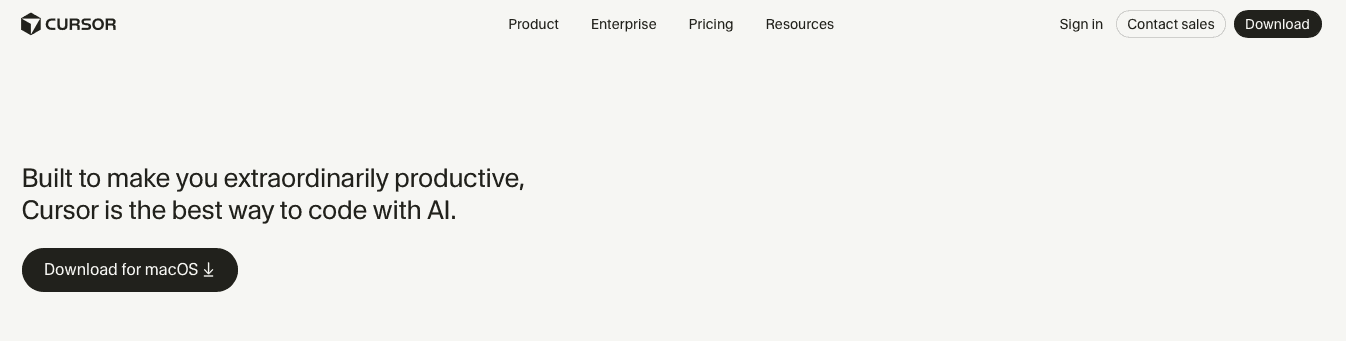
Cursor is a VS Code fork that embeds AI directly into your editor. It features Composer, an autonomous agent that handles multi-file coding tasks without constant supervision. You describe what you need, and Cursor reasons across your entire codebase to make it happen.
The editor includes tab completion, inline suggestions, and background agents that work while you code. You can switch between models from providers like Anthropic, OpenAI, or custom models depending on your task.
Cursor works for developers on complex projects who want AI baked into their IDE. The catch: it only runs as a VS Code fork, which may not suit developers using JetBrains tools. Cursor also lacks native voice input, so you'll type every prompt or add a dictation tool like Willow Voice to speak at 150+ WPM instead.
Claude Code
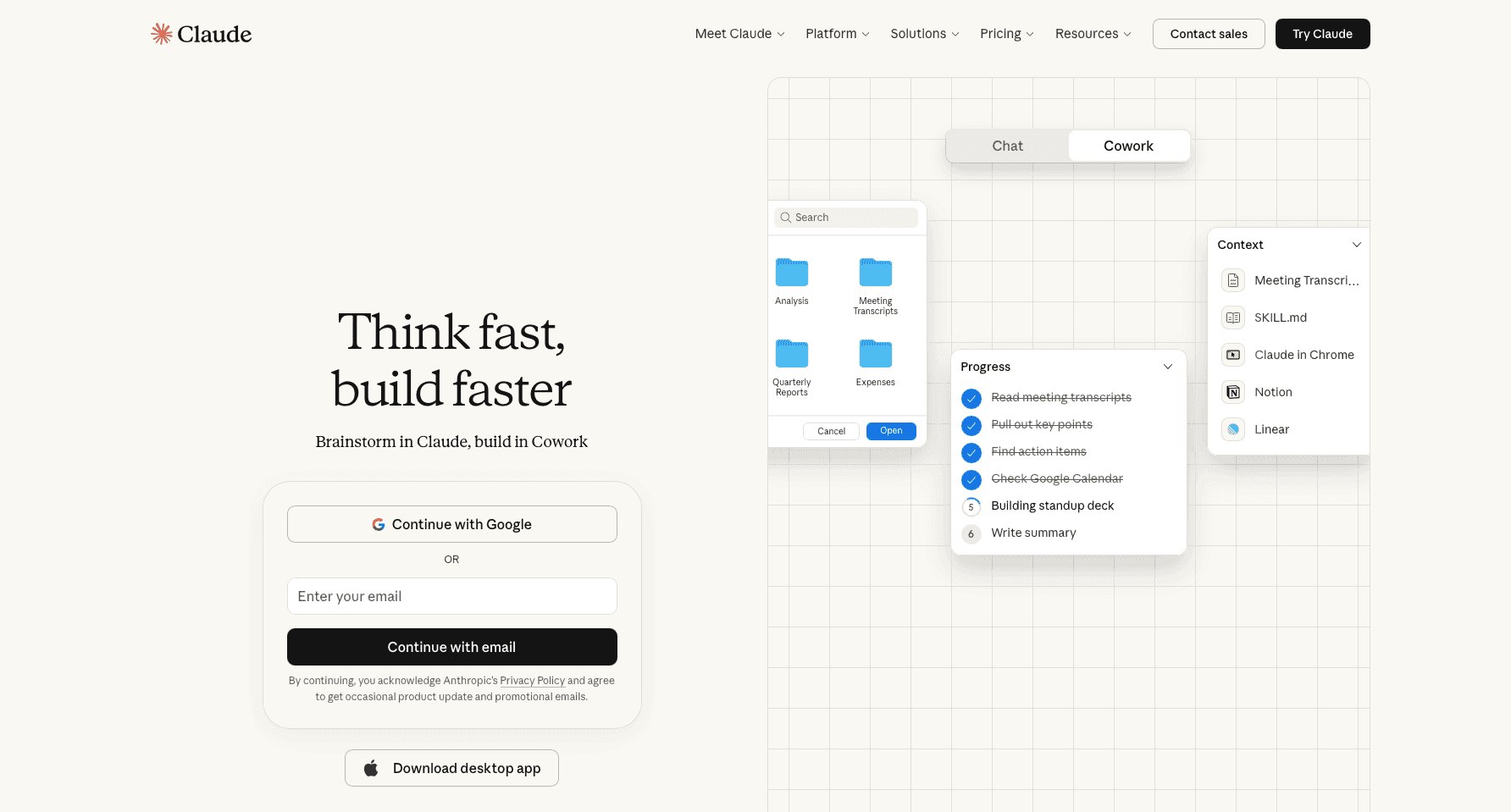
Claude Code is Anthropic's command-line AI coding agent that runs autonomously to plan and execute multi-step development tasks through terminal workflows. It operates agent-first, handling complex refactors and security reviews without constant back-and-forth.
The agent features extended reasoning for tasks that require deep analysis, a large context window designed to handle complex prompts and large codebases, and zero data retention for privacy-conscious teams. Its CLI-first design integrates directly into CI/CD pipelines.
Claude Code works for developers tackling reasoning-intensive tasks like large-scale refactors, security reviews, or legacy code analysis where autonomous execution beats interactive editing. The terminal-only interface requires pairing with a separate IDE. Voice input requires dictation software like Willow Voice for voice input at speaking speed instead of typing every multi-step prompt.
Bolt
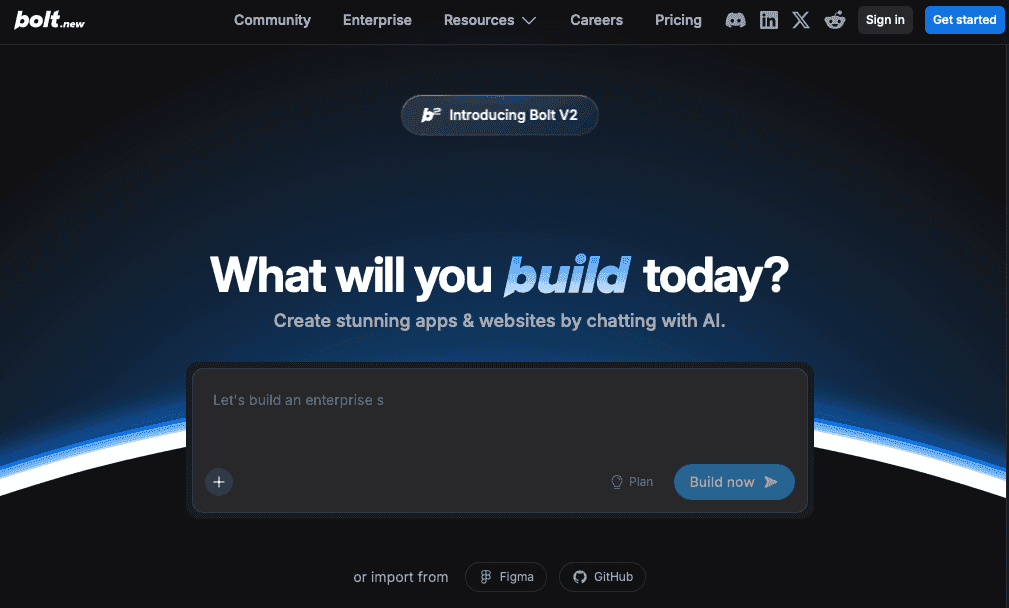
Bolt is a browser-based AI coding tool from StackBlitz that generates full-stack applications from text prompts. It uses WebContainers to create serverless sandboxes where you can build, preview, and deploy web apps without backend setup.
The tool supports React, Vue, and Svelte frameworks with real-time live preview as code generates. You describe your app in one prompt, and Bolt builds it instantly in your browser, which works well for rapid prototyping when you need to validate ideas without complex environment configuration.
Replit
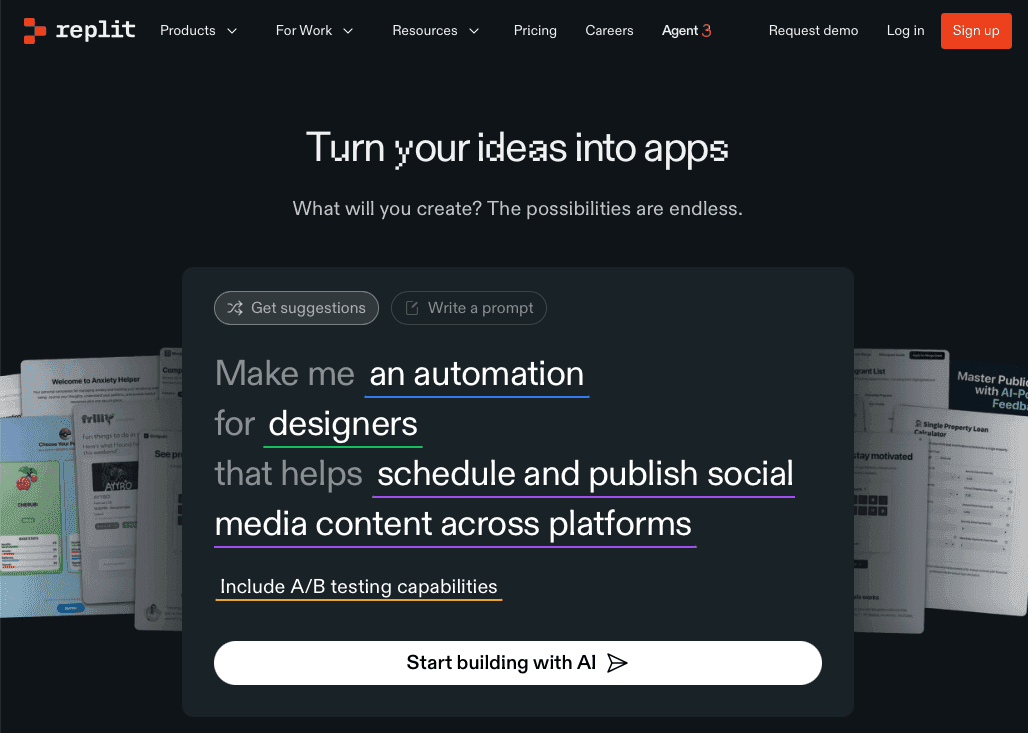
Replit is a browser-based IDE with an AI agent that builds apps from text prompts. You code, test, and deploy without local setup, while real-time collaboration tools let teams work on shared codebases instantly.
Best for rapid prototyping where speed beats infrastructure control. The catch: limited deployment flexibility and slower performance on heavy workloads. Without native voice input, typing every prompt slows you down unless you add dictation software like Willow Voice to reach 150+ WPM.
Lovable
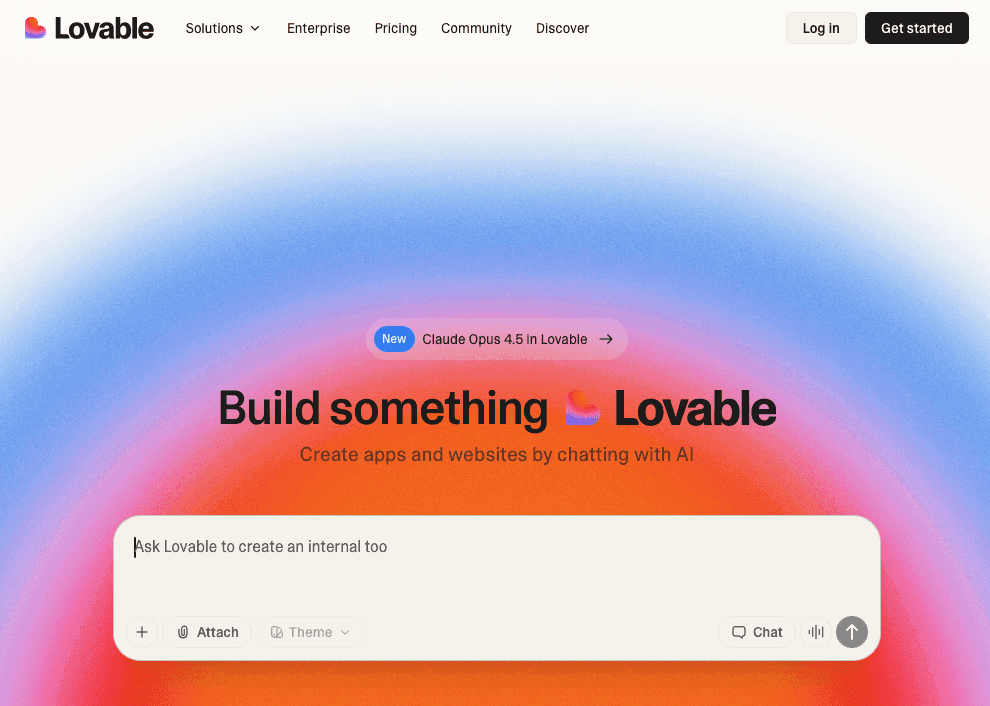
Lovable is an AI app builder for creating React applications with pre-configured integrations for Supabase, Stripe, and other services. You describe your app in chat, and it generates React/Next.js code with visual preview and one-click deployment.
The tool works well for non-technical founders who need to validate React-based web apps quickly without manual integration setup. You can iterate through chat-based prompts and see changes in real time.
Lovable focuses on React/Next.js, so projects requiring other frameworks would need different tooling. Projects that start simple can become harder to maintain as complexity grows.
Without native voice input, you'll type every prompt manually.
Windsurf
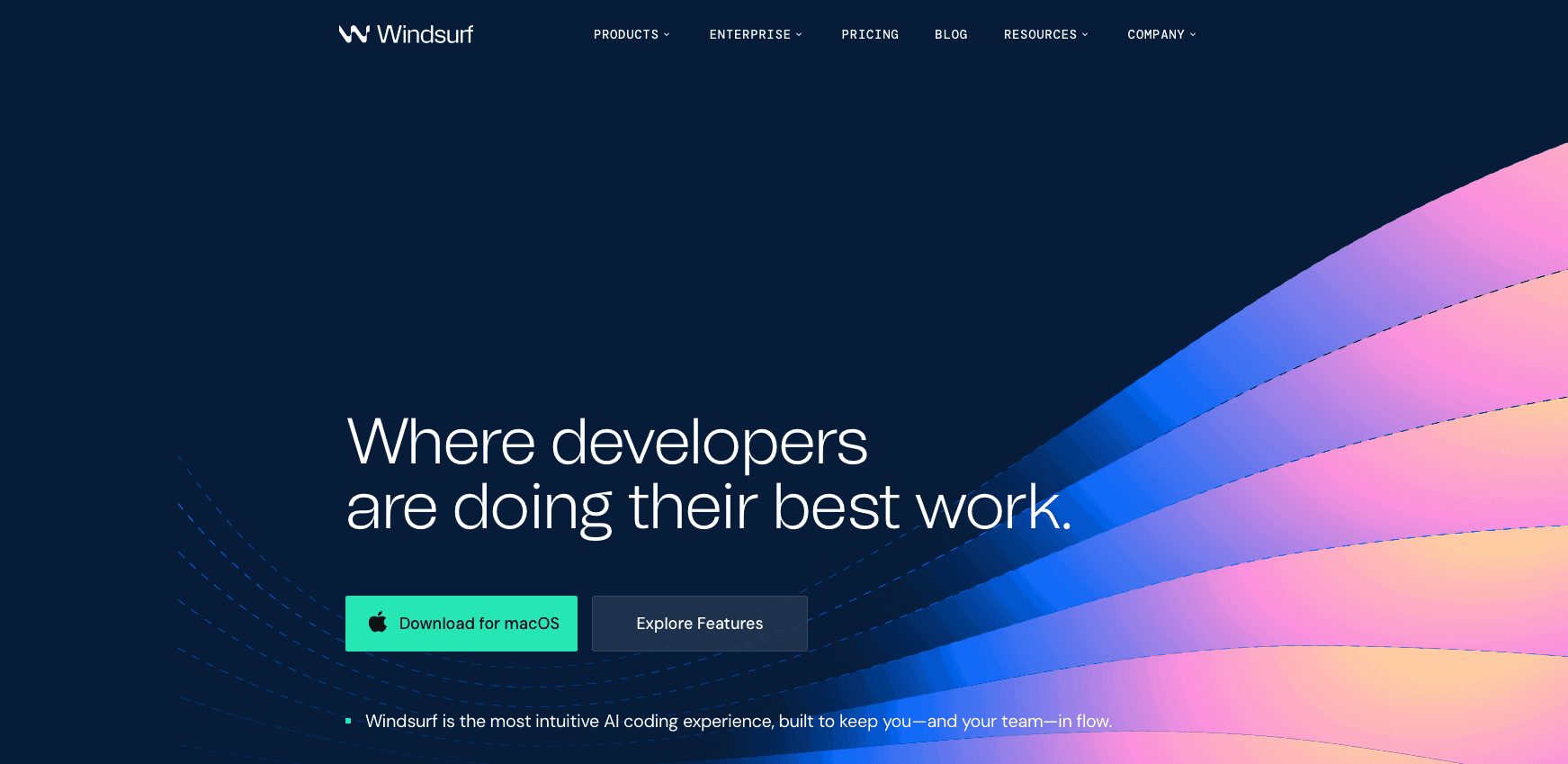
Windsurf is an AI-native code editor that sits between Cursor's interactive approach and Claude Code's full autonomy. Its Cascade agent handles multi-step workflows while keeping you in control, running inside a VS Code-compatible IDE at $15/month.
The editor works for developers who want autonomous agent capabilities without learning a terminal-first workflow or paying Cursor's premium pricing. You get real-time AI pair programming with agent-driven development that asks for approval before making sweeping changes.
Windsurf has gained attention in the AI coding editor space, though its long-term ecosystem and integrations are still evolving. The smaller community means fewer integrations than Cursor.
Why Willow Voice Is the Best Vibe Coding Tool
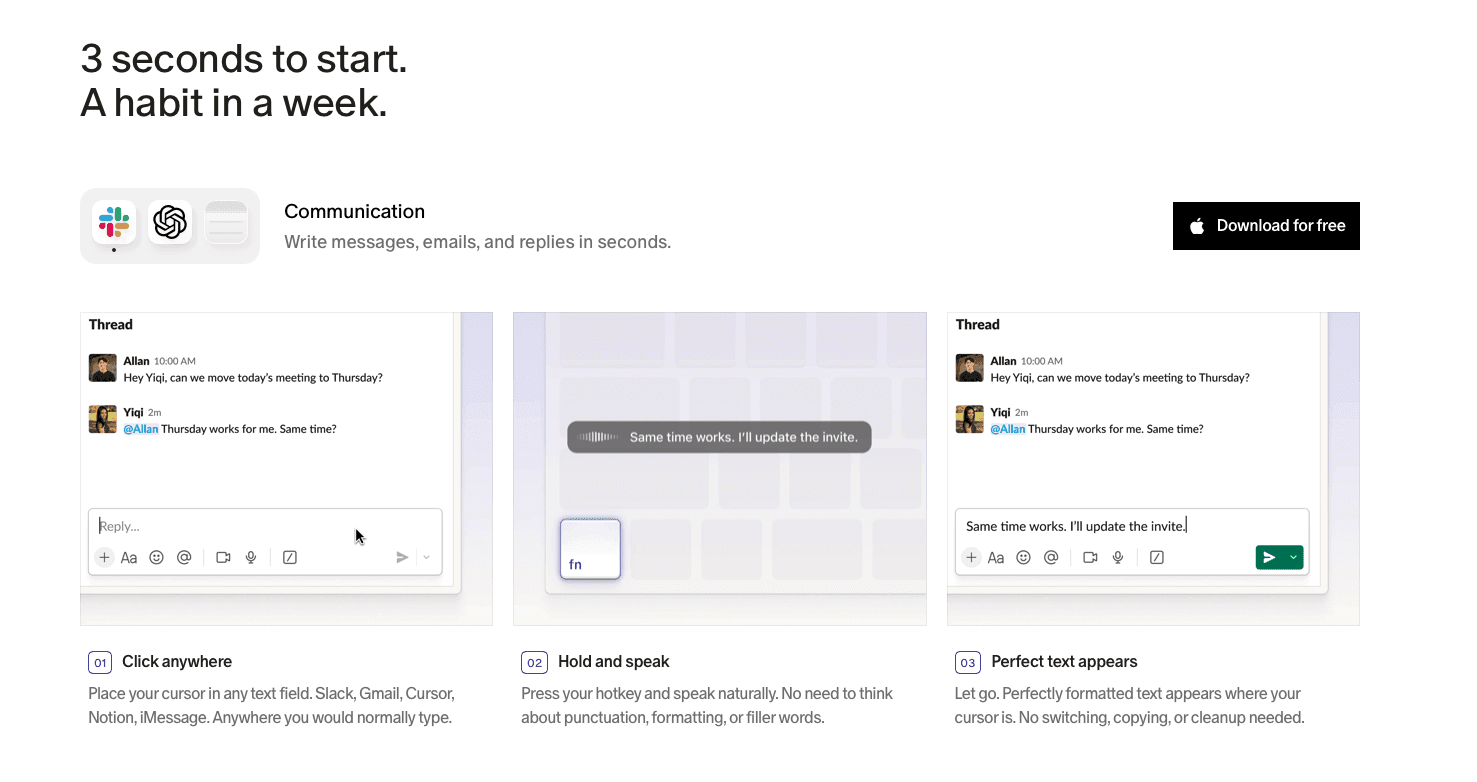
Vibe coding in 2026 isn't limited by what AI can build. It's limited by how fast you can describe what you want. Every tool we listed generates impressive code, but they all wait for you to type your prompt first.
Willow Voice removes that friction. Speaking at 150+ WPM instead of typing at 40 WPM gives you four times the input speed. You include edge cases, constraints, and context you'd normally skip when typing, producing better code on the first attempt.
Willow Voice runs at ~200ms latency so transcription feels instant. The personalization engine learns your codebase vocabulary, variable names, and file references. Engineering teams at top YC startups, Fortune 500 companies, and healthcare organizations use shared custom dictionaries, codebase auto-tagging in Cursor and Windsurf, and team leaderboards to track adoption and time saved. Available on Mac, Windows, and iOS with SOC 2 Type II and HIPAA compliance.
FAQs
Which vibe coding tool is best for beginners?
Bolt and Replit are best for beginners because they work in your browser without setup and generate full applications from simple prompts. Pair either with Willow Voice to speak prompts at 150+ WPM instead of typing at 40 WPM, which gives you 4x faster input speed while learning.
How do I choose between Cursor and Windsurf for my workflow?
Choose Cursor if you need the most mature ecosystem with extensive integrations and don't mind paying $20/month. Pick Windsurf at $15/month if you want similar agent capabilities with more control over autonomous changes and prefer lighter OpenAI integration.
Can I use voice dictation with any vibe coding tool?
Yes, but most AI code editors like Cursor, Claude Code, and Windsurf lack native voice input. Willow Voice works across all of them on Mac, Windows, and iOS with one keyboard shortcut, giving you 200ms latency, codebase auto-tagging, and shared team dictionaries for consistent vocabulary across your engineering org.
What's the difference between AI code editors and app builders?
AI code editors like Cursor and Windsurf augment your existing IDE with intelligent suggestions and multi-file reasoning for complex projects. App builders like Bolt and Lovable generate complete applications from prompts in your browser, best for rapid prototyping when you need to validate ideas quickly.
Why does dictation speed matter for vibe coding workflows?
The bottleneck in vibe coding isn't what AI can build but how fast you describe what you want. Speaking at 150+ WPM instead of typing at 40 WPM means you include edge cases, constraints, and context you'd normally skip, which creates better prompts and better code on the first attempt.
Final Thoughts on Vibe Coding Tools
The best vibe coding tools can generate impressive code, but the real constraint often comes from how fast you can communicate your intent. Typing prompts slows the process and cuts down the level of detail developers include when working with AI. Willow Voice changes that interaction by adding voice dictation with about 200ms latency across tools like Cursor, Claude Code, terminals, and browser-based editors. Speaking prompts at more than 150 words per minute lets developers explain edge cases, logic, and constraints in a more natural way, often leading to stronger results on the first pass. For developers looking to remove that prompt bottleneck, voice dictation tools like Willow Voice offer a path to speaking prompts at 150+ WPM across any AI coding tool.
AI coding assistants can build full applications in seconds, yet most developers still feed them prompts one keystroke at a time. That gap slows down the entire vibe coding workflow. Among the best vibe coding tools, the biggest gains now come from how quickly you can express ideas to the model, not from the model itself. A growing category of voice-first input tools lets developers speak prompts at over 150 words per minute instead of typing closer to 40, turning conversations with AI into a much faster feedback loop. Willow Voice is one example, built for coding workflows and active across Cursor, Claude Code, VS Code, and any browser tab. It works through three core capabilities: ~200ms latency that keeps developers in flow, a personalization engine that learns codebase vocabulary and variable names, and enterprise-grade security (SOC 2 Type II, HIPAA) for teams handling proprietary code.
TLDR:
Vibe coding tools let you describe code in natural language and AI builds it instantly.
Some modern solutions solve the input bottleneck: speak prompts at 150 WPM vs. typing at 40 WPM.
200ms latency keeps you in flow state while coding with Cursor, Claude Code, or any AI tool.
Personalization engine learns your codebase vocabulary for accurate technical terminology.
Dedicated voice dictation tools run on Mac, Windows, and iOS with SOC 2 Type II and HIPAA compliance, shared team dictionaries, and codebase auto-tagging for engineering teams.
What Are Vibe Coding Tools?
Vibe coding tools are AI-powered development environments where developers describe what they want in natural language and AI systems generate code in response. Coined by Andrej Karpathy in February 2025, the term became so widespread that Collins English Dictionary named it Word of the Year for 2025.
These tools split into two categories: AI code editors like Cursor and Windsurf that augment traditional IDEs, and full-stack app builders like Bolt and Lovable that generate complete applications from prompts. 92% of US developers now use AI coding tools daily.
How We Ranked the Best Vibe Coding Tools
We tested these tools based on public information, user feedback, and developer reviews across forums like Reddit and GitHub. The ranking focuses on what actually matters when you're coding with AI in 2026.
Our criteria include speed in converting voice to prompts, compatibility with AI coding assistants like Cursor and Claude Code, accuracy with technical terminology and programming syntax, integration across development environments, pricing structure for individuals and teams, and privacy features for handling proprietary code.
Voice dictation tools work differently from AI code generators. They're input methods that feed into vibe coding workflows instead of generating code themselves. We tested both categories but measured them against different benchmarks.
Tool | Type | Best For | Key Features | Pricing | Voice Input |
|---|---|---|---|---|---|
Willow Voice | Voice Dictation | Speaking prompts at 150+ WPM across any AI coding tool on Mac, Windows, and iOS | 200ms latency, personalization engine learns codebase vocabulary, codebase auto-tagging in Cursor and Windsurf, shared team dictionaries, works across all editors | Free (2K words/week); $12/mo individual; $10/user/mo team | Native with 200ms latency |
Cursor | AI Code Editor | Complex projects with AI embedded in VS Code fork | Composer autonomous agent, multi-file coding, tab completion, background agents, model switching | Premium pricing | Requires external dictation tool |
Claude Code | CLI AI Agent | Reasoning-intensive tasks like refactors and security reviews | Extended reasoning, 200K token context window, zero data retention, autonomous execution | Not specified | Requires external dictation tool |
Bolt | Full-Stack App Builder | Rapid prototyping web apps without backend setup | Browser-based, WebContainers, real-time preview, supports React/Vue/Svelte | Not specified | Not specified |
Replit | Browser-Based IDE | Rapid prototyping with real-time collaboration | AI agent builds apps from prompts, test and deploy without local setup, team collaboration | Not specified | Requires external dictation tool |
Lovable | AI App Builder | Non-technical founders building React apps quickly | Pre-configured integrations for Supabase and Stripe, chat-based prompts, one-click deployment | Not specified | Not specified |
Windsurf | AI Code Editor | Autonomous agent capabilities without terminal-first workflow | Cascade agent, VS Code-compatible, multi-step workflows with approval controls | $15/month | Requires external dictation tool |
Willow Voice
Willow Voice is the fastest way to communicate with AI coding tools. While Cursor and Claude Code generate the code, Willow Voice solves the actual bottleneck in vibe coding: getting your ideas into those tools quickly enough to stay in flow. You can speak at 150+ words per minute instead of typing at 40 WPM, a 4x speed increase that covers prompt crafting, PR descriptions, sprint tickets, and code review comments.
One keyboard shortcut activates it across Cursor, VS Code, ChatGPT, Claude, any terminal, or browser tab. It runs on Mac, Windows, and iOS, giving engineering teams on mixed-device setups consistent voice input regardless of which machine they're on. In Cursor and Windsurf, codebase auto-tagging reads open files to learn variable names, function names, and class references without manual setup.
Cursor
Cursor is a VS Code fork that embeds AI directly into your editor. It features Composer, an autonomous agent that handles multi-file coding tasks without constant supervision. You describe what you need, and Cursor reasons across your entire codebase to make it happen.
The editor includes tab completion, inline suggestions, and background agents that work while you code. You can switch between models from providers like Anthropic, OpenAI, or custom models depending on your task.
Cursor works for developers on complex projects who want AI baked into their IDE. The catch: it only runs as a VS Code fork, which may not suit developers using JetBrains tools. Cursor also lacks native voice input, so you'll type every prompt or add a dictation tool like Willow Voice to speak at 150+ WPM instead.
Claude Code
Claude Code is Anthropic's command-line AI coding agent that runs autonomously to plan and execute multi-step development tasks through terminal workflows. It operates agent-first, handling complex refactors and security reviews without constant back-and-forth.
The agent features extended reasoning for tasks that require deep analysis, a large context window designed to handle complex prompts and large codebases, and zero data retention for privacy-conscious teams. Its CLI-first design integrates directly into CI/CD pipelines.
Claude Code works for developers tackling reasoning-intensive tasks like large-scale refactors, security reviews, or legacy code analysis where autonomous execution beats interactive editing. The terminal-only interface requires pairing with a separate IDE. Voice input requires dictation software like Willow Voice for voice input at speaking speed instead of typing every multi-step prompt.
Bolt
Bolt is a browser-based AI coding tool from StackBlitz that generates full-stack applications from text prompts. It uses WebContainers to create serverless sandboxes where you can build, preview, and deploy web apps without backend setup.
The tool supports React, Vue, and Svelte frameworks with real-time live preview as code generates. You describe your app in one prompt, and Bolt builds it instantly in your browser, which works well for rapid prototyping when you need to validate ideas without complex environment configuration.
Replit
Replit is a browser-based IDE with an AI agent that builds apps from text prompts. You code, test, and deploy without local setup, while real-time collaboration tools let teams work on shared codebases instantly.
Best for rapid prototyping where speed beats infrastructure control. The catch: limited deployment flexibility and slower performance on heavy workloads. Without native voice input, typing every prompt slows you down unless you add dictation software like Willow Voice to reach 150+ WPM.
Lovable
Lovable is an AI app builder for creating React applications with pre-configured integrations for Supabase, Stripe, and other services. You describe your app in chat, and it generates React/Next.js code with visual preview and one-click deployment.
The tool works well for non-technical founders who need to validate React-based web apps quickly without manual integration setup. You can iterate through chat-based prompts and see changes in real time.
Lovable focuses on React/Next.js, so projects requiring other frameworks would need different tooling. Projects that start simple can become harder to maintain as complexity grows.
Without native voice input, you'll type every prompt manually.
Windsurf
Windsurf is an AI-native code editor that sits between Cursor's interactive approach and Claude Code's full autonomy. Its Cascade agent handles multi-step workflows while keeping you in control, running inside a VS Code-compatible IDE at $15/month.
The editor works for developers who want autonomous agent capabilities without learning a terminal-first workflow or paying Cursor's premium pricing. You get real-time AI pair programming with agent-driven development that asks for approval before making sweeping changes.
Windsurf has gained attention in the AI coding editor space, though its long-term ecosystem and integrations are still evolving. The smaller community means fewer integrations than Cursor.
Why Willow Voice Is the Best Vibe Coding Tool
Vibe coding in 2026 isn't limited by what AI can build. It's limited by how fast you can describe what you want. Every tool we listed generates impressive code, but they all wait for you to type your prompt first.
Willow Voice removes that friction. Speaking at 150+ WPM instead of typing at 40 WPM gives you four times the input speed. You include edge cases, constraints, and context you'd normally skip when typing, producing better code on the first attempt.
Willow Voice runs at ~200ms latency so transcription feels instant. The personalization engine learns your codebase vocabulary, variable names, and file references. Engineering teams at top YC startups, Fortune 500 companies, and healthcare organizations use shared custom dictionaries, codebase auto-tagging in Cursor and Windsurf, and team leaderboards to track adoption and time saved. Available on Mac, Windows, and iOS with SOC 2 Type II and HIPAA compliance.
FAQs
Which vibe coding tool is best for beginners?
Bolt and Replit are best for beginners because they work in your browser without setup and generate full applications from simple prompts. Pair either with Willow Voice to speak prompts at 150+ WPM instead of typing at 40 WPM, which gives you 4x faster input speed while learning.
How do I choose between Cursor and Windsurf for my workflow?
Choose Cursor if you need the most mature ecosystem with extensive integrations and don't mind paying $20/month. Pick Windsurf at $15/month if you want similar agent capabilities with more control over autonomous changes and prefer lighter OpenAI integration.
Can I use voice dictation with any vibe coding tool?
Yes, but most AI code editors like Cursor, Claude Code, and Windsurf lack native voice input. Willow Voice works across all of them on Mac, Windows, and iOS with one keyboard shortcut, giving you 200ms latency, codebase auto-tagging, and shared team dictionaries for consistent vocabulary across your engineering org.
What's the difference between AI code editors and app builders?
AI code editors like Cursor and Windsurf augment your existing IDE with intelligent suggestions and multi-file reasoning for complex projects. App builders like Bolt and Lovable generate complete applications from prompts in your browser, best for rapid prototyping when you need to validate ideas quickly.
Why does dictation speed matter for vibe coding workflows?
The bottleneck in vibe coding isn't what AI can build but how fast you describe what you want. Speaking at 150+ WPM instead of typing at 40 WPM means you include edge cases, constraints, and context you'd normally skip, which creates better prompts and better code on the first attempt.
Final Thoughts on Vibe Coding Tools
The best vibe coding tools can generate impressive code, but the real constraint often comes from how fast you can communicate your intent. Typing prompts slows the process and cuts down the level of detail developers include when working with AI. Willow Voice changes that interaction by adding voice dictation with about 200ms latency across tools like Cursor, Claude Code, terminals, and browser-based editors. Speaking prompts at more than 150 words per minute lets developers explain edge cases, logic, and constraints in a more natural way, often leading to stronger results on the first pass. For developers looking to remove that prompt bottleneck, voice dictation tools like Willow Voice offer a path to speaking prompts at 150+ WPM across any AI coding tool.

Try Willow for free
Instant, accurate voice dictation. No card required.
Try Willow for free
Instant, accurate voice dictation. No card required.
Other stories you’ll love
Other stories you’ll love


Your keyboard is optional now
" transform="translate(5 5)" width="9.791000051498413px"/></svg>)

The voice-first interface for modern work.
© Willow Care, Inc. 2026. All rights reserved
Your keyboard is optional now
The voice-first interface for modern work.
© Willow Care, Inc. 2026. All rights reserved
Your keyboard is optional now
The voice-first interface for modern work.
© Willow Care, Inc. 2026. All rights reserved