" transform="translate(5 2)" width="10px"/></svg>)

•
5 min read
How to Talk to Claude AI: Voice Input Tips for July 2026

•
5 min read
How to Talk to Claude AI: Voice Input Tips for July 2026
So you've picked a plan from Claude AI pricing, created your account, and now you're trying to use Claude at the pace your work actually demands. For developers, clinicians, and knowledge workers, the bottleneck is rarely Claude itself. It's the input. Speaking through your device's built-in dictation works to a point, but correction loops add up fast on longer prompts, technical vocabulary, or any workflow where the detail matters as much as the speed. Here's what it looks like when the input is set up properly.
TLDR:
Claude offers built-in Voice mode on supported mobile apps, while desktop users can also use system dictation (Mac: Fn+Fn, Windows: Win+H) or third-party voice dictation tools.
Claude Pro costs $20/month and raises usage limits; the free tier works for casual use but caps out fast for daily users.
Claude excels at long documents and complex reasoning; ChatGPT has a broader ecosystem of built-in tools, connectors, image generation, and integrations.
Claude Code added push-to-talk voice in March 2026 via the
/voicecommand in terminal, useful for explaining bugs hands-free.Specialized voice dictation tools let you speak Claude prompts at 150 WPM vs. 40 WPM typing, with ~200ms latency across Mac, Windows, and iOS.
How to Sign In and Create Your Claude AI Account
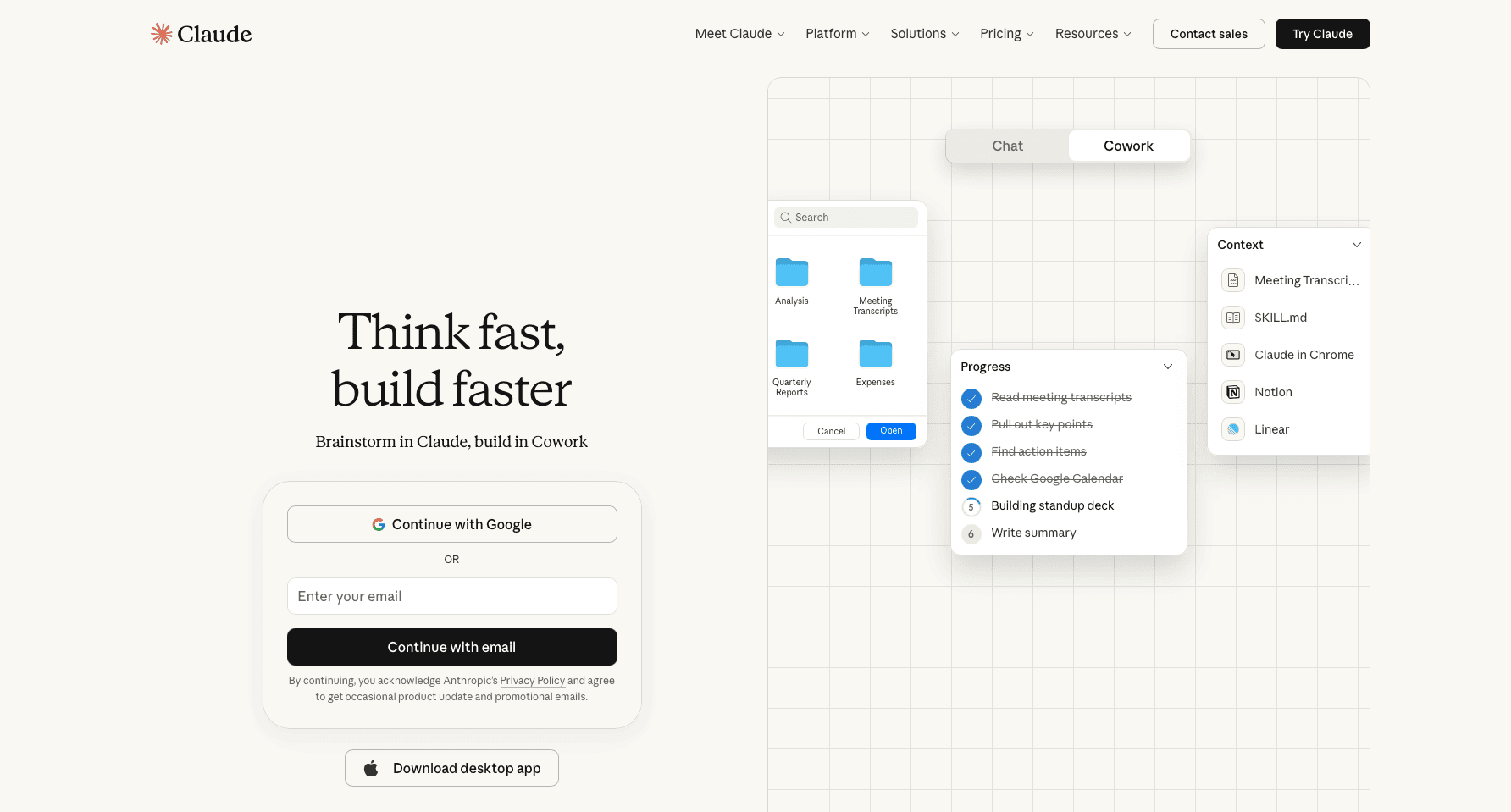
Getting started with Claude requires an account through Anthropic's website or the Claude app. The process takes under two minutes regardless of which sign-in method you choose.
Creating Your Account
Visit claude.ai and select "Sign up." You have three options:
Sign up with Google for the fastest setup, linking your existing Google account without a separate password.
Sign up with Apple ID if you prefer Apple's authentication ecosystem.
Sign up with email and password for a standalone Anthropic account unconnected to other services.
Claude AI Plans and Pricing: Free, Pro, Max, and Team
Anthropic offers four tiers for Claude, and knowing which one fits your situation saves you from either overpaying or hitting frustrating usage walls mid-conversation.
Here is a quick breakdown of what each plan covers:
The free tier gives you access to Claude via the web and app with a daily message limit. It is a reasonable starting point for casual use, but heavy users will notice the cap fairly quickly.
Claude Pro runs at $20 per month and raises usage limits substantially, adds priority access during peak hours, and unlocks Projects for organizing ongoing conversations.
Claude Max comes in at $100 per month (5x usage) or $200 per month (20x usage) for users who need consistent, high-volume output without hitting limits.
The Team plan is $30 per user per month and adds a shared workspace, higher context windows, and admin controls for managing members, making it the right fit for professional teams coordinating across ongoing projects.
For most people trying Claude for the first time, the free tier is the right place to start. Pro makes sense once you are using Claude daily for writing, research, or analysis and finding the caps disruptive.
How to Download the Claude AI App
Claude is available across every major device, and no single download covers all of them.
There are a few different ways to get it depending on where you work:
iOS: Search "Claude" in the App Store and install the official Anthropic app. It's free to download and connects to your account automatically on sign-in.
Android: Find it in the Google Play Store by searching "Claude." Same free download, same account access.
Browser: claude.ai works in any current browser with no installation required, making it the fastest starting point for most new users.
Mac: A native desktop app is available from anthropic.com for a dedicated window outside the browser.
Windows: Anthropic offers a Windows desktop app from their site, giving Windows users the same experience as Mac.
The mobile apps include free tier access once you sign in.
How to Use Claude AI Voice Mode
Claude now offers a built-in Voice mode on supported mobile apps with microphone support. Desktop users can use system dictation or third-party voice dictation tools when interacting with Claude, while the web interface primarily relies on typed input or your device's built-in dictation features.

What you can do is use your device's system-level dictation to speak your prompts into Claude's text field. On iPhone or Android, tap the microphone on your keyboard, speak your message, and the transcribed text goes into the Claude input box. On Windows or Mac, system dictation works the same way across any text field, including Claude's chat interface.
If you want a faster, more accurate version of this workflow, voice-to-text tools for developers and professional teams sit as a layer on top of Claude and every other app in your stack. Where the keyboard mic falls short, these tools learn domain vocabulary over time, whether that's codebase references for an engineering team, clinical terminology for a healthcare provider, or client and project names for a knowledge worker, and process audio fast enough that text appears before the next thought forms, across Windows, Mac, and iOS.
How to Talk to Claude AI for Coding: Claude Code Voice Mode
Claude Code, Anthropic's agentic command-line assistant, launched a Claude Code voice mode in March 2026. Activate it by typing /voice in the terminal on Mac or Windows. See the Claude Code voice dictation docs for version requirements, then hold to speak and release to send. Claude transcribes your input and processes it as a standard text prompt, returning output in the terminal as usual.
The push-to-talk model fits naturally into tasks that are slow or awkward to type:
Explaining a bug while looking directly at it, so the context stays intact instead of getting compressed into a terse comment
Providing architectural reasoning before a major refactor, where the thinking matters as much as the instruction
Narrating multi-step agentic tasks without losing detail to typing friction, which matters most in team environments where full context needs to carry across handoffs
Describing edge cases in full, without forcing them into shorthand that strips out the nuance. For Cursor users, AI voice dictation for Cursor makes this kind of narration fast and friction-free.
Claude AI vs ChatGPT: How They Compare
Both Claude and ChatGPT are capable AI assistants, but they are built around different priorities that become apparent depending on how you use them.
Claude, made by Anthropic, tends to perform better on tasks that require careful reasoning, longer context windows, and precise instruction-following. ChatGPT, made by OpenAI, has a broader ecosystem of plugins, tools, and integrations that many users find useful for general-purpose work.

Here is a practical breakdown of how they compare across the dimensions that matter most to everyday users:
Feature | Claude | ChatGPT |
|---|---|---|
Context window | Up to 200K tokens (Claude 3.5+) | Varies by model and plan; many current ChatGPT models support up to 128K tokens |
Reasoning quality | Strong on complex, multi-step tasks | Strong general-purpose reasoning |
Tone | Measured, thorough, cautious | Conversational, direct |
Free tier | Available with usage limits | Available with usage limits |
Built-in tools & integrations | Limited third-party integrations | Broad plugin and tool ecosystem |
Best for | Long documents, detailed writing, analysis | Broad tasks, coding, image generation |
Neither is universally better. If your work involves processing long documents, detailed research, or careful instruction-following, Claude tends to hold up better. Learn how voice dictation in Claude can speed up your interactions regardless of which assistant you favor. If you rely on third-party integrations or image generation, ChatGPT's ecosystem gives it an edge. For a deeper look at where each tool lands, Zapier's Claude vs ChatGPT comparison covers the tradeoffs in detail.
Claude AI Customer Support: How to Get Help
Anthropic does not operate a customer service phone number for Claude. Searches for a direct support line or publicly listed support email will come up empty because neither exists. Support runs through web-based channels only.
Here is how to reach the right one depending on your issue:
The Help Center at support.claude.ai covers account setup, billing questions, and common technical issues through self-serve documentation.
In-product feedback lets you flag a specific response or report a bug directly from the Claude interface.
Billing and refund requests go through a support ticket form at support.claude.ai, where you can submit account-specific requests including refund claims.
Free tier users are directed primarily to the Help Center. Pro, Max, and Team subscribers can submit support tickets directly and typically see faster turnaround on billing disputes and refund requests. For a deeper look at input options, the Claude Code voice input guide covers what works best across different plans.
Willow Voice: Speak Your Claude Prompts Faster Across Every App

For anyone using Claude at work, typing prompts is where time gets lost. Willow Voice lets you speak at roughly 150 words per minute versus 40 WPM typing, with ~200ms latency, across the Claude web app, Claude Code, Cursor, and any other text field on Mac, Windows, and iOS.
The more you use it, the more accurate it gets. Willow's Auto-Dictionary learns your vocabulary over time: function names for developers, clinical abbreviations for healthcare teams, and client terminology for knowledge workers, so your domain-specific language transcribes correctly from the start.
For teams, the gains scale org-wide. Shared custom dictionaries sync codebase terms and project names across every member, codebase auto-tagging in Cursor and Windsurf IDEs brings new developers up to speed from day one, and admin controls let leads deploy across mixed Windows, Mac, and iOS environments. Willow is SOC 2 Type II certified and HIPAA compliant with zero data retention, and a signed BAA is available for clinical workflows. See how enterprise teams use Willow to roll this out org-wide. For a full breakdown of options, see the best dictation software for Windows.
FAQs
Claude AI free vs Pro: which plan should I start with?
Start with the free tier, which gives you access via web and app with a daily message limit and requires no credit card. If you find yourself hitting usage caps during daily writing, research, or analysis work, Claude Pro at $20 per month raises those limits, adds priority access during peak hours, and unlocks Projects for organizing ongoing conversations.
What's the fastest way to get richer, more accurate responses from Claude AI?
Specify your desired format in the opening line, give Claude a clear role, and break complex tasks into staged steps instead of one large request. Spoken prompts tend to produce better-calibrated responses than typed ones because they carry more conversational context and detail, whether you're walking through a debugging scenario, dictating a clinical summary, or framing a research brief. Building voice input into longer or more complex prompts is worth the habit.
Claude AI vs ChatGPT: which one handles long documents and technical writing better?
Claude tends to hold up better for long documents, detailed research, and careful instruction-following, with a context window of up to 200K tokens compared to GPT-4o's 128K. ChatGPT has the edge if you rely on third-party integrations, plugins, or image generation. Neither is universally better; the right choice depends on whether your work is document-heavy and reasoning-intensive or broad and integration-dependent.
Final Thoughts on Getting the Most from Claude AI
Claude handles a wide range of tasks well, and with the right prompting habits, the quality of responses improves noticeably. Before committing to a plan, it's worth reviewing Claude AI pricing to make sure the tier you pick matches how often you'll actually use it. Voice input into Claude works through your device's dictation or a dedicated tool layered on top, and that distinction matters when your prompts are long, technical, or produced at the volume professional workflows require, whether your team runs on Windows, Mac, or a mix of both. If you want dictation that keeps up with your thinking across Claude and the rest of your team's stack, Willow Voice is worth trying.
So you've picked a plan from Claude AI pricing, created your account, and now you're trying to use Claude at the pace your work actually demands. For developers, clinicians, and knowledge workers, the bottleneck is rarely Claude itself. It's the input. Speaking through your device's built-in dictation works to a point, but correction loops add up fast on longer prompts, technical vocabulary, or any workflow where the detail matters as much as the speed. Here's what it looks like when the input is set up properly.
TLDR:
Claude offers built-in Voice mode on supported mobile apps, while desktop users can also use system dictation (Mac: Fn+Fn, Windows: Win+H) or third-party voice dictation tools.
Claude Pro costs $20/month and raises usage limits; the free tier works for casual use but caps out fast for daily users.
Claude excels at long documents and complex reasoning; ChatGPT has a broader ecosystem of built-in tools, connectors, image generation, and integrations.
Claude Code added push-to-talk voice in March 2026 via the
/voicecommand in terminal, useful for explaining bugs hands-free.Specialized voice dictation tools let you speak Claude prompts at 150 WPM vs. 40 WPM typing, with ~200ms latency across Mac, Windows, and iOS.
How to Sign In and Create Your Claude AI Account
Getting started with Claude requires an account through Anthropic's website or the Claude app. The process takes under two minutes regardless of which sign-in method you choose.
Creating Your Account
Visit claude.ai and select "Sign up." You have three options:
Sign up with Google for the fastest setup, linking your existing Google account without a separate password.
Sign up with Apple ID if you prefer Apple's authentication ecosystem.
Sign up with email and password for a standalone Anthropic account unconnected to other services.
Claude AI Plans and Pricing: Free, Pro, Max, and Team
Anthropic offers four tiers for Claude, and knowing which one fits your situation saves you from either overpaying or hitting frustrating usage walls mid-conversation.
Here is a quick breakdown of what each plan covers:
The free tier gives you access to Claude via the web and app with a daily message limit. It is a reasonable starting point for casual use, but heavy users will notice the cap fairly quickly.
Claude Pro runs at $20 per month and raises usage limits substantially, adds priority access during peak hours, and unlocks Projects for organizing ongoing conversations.
Claude Max comes in at $100 per month (5x usage) or $200 per month (20x usage) for users who need consistent, high-volume output without hitting limits.
The Team plan is $30 per user per month and adds a shared workspace, higher context windows, and admin controls for managing members, making it the right fit for professional teams coordinating across ongoing projects.
For most people trying Claude for the first time, the free tier is the right place to start. Pro makes sense once you are using Claude daily for writing, research, or analysis and finding the caps disruptive.
How to Download the Claude AI App
Claude is available across every major device, and no single download covers all of them.
There are a few different ways to get it depending on where you work:
iOS: Search "Claude" in the App Store and install the official Anthropic app. It's free to download and connects to your account automatically on sign-in.
Android: Find it in the Google Play Store by searching "Claude." Same free download, same account access.
Browser: claude.ai works in any current browser with no installation required, making it the fastest starting point for most new users.
Mac: A native desktop app is available from anthropic.com for a dedicated window outside the browser.
Windows: Anthropic offers a Windows desktop app from their site, giving Windows users the same experience as Mac.
The mobile apps include free tier access once you sign in.
How to Use Claude AI Voice Mode
Claude now offers a built-in Voice mode on supported mobile apps with microphone support. Desktop users can use system dictation or third-party voice dictation tools when interacting with Claude, while the web interface primarily relies on typed input or your device's built-in dictation features.
What you can do is use your device's system-level dictation to speak your prompts into Claude's text field. On iPhone or Android, tap the microphone on your keyboard, speak your message, and the transcribed text goes into the Claude input box. On Windows or Mac, system dictation works the same way across any text field, including Claude's chat interface.
If you want a faster, more accurate version of this workflow, voice-to-text tools for developers and professional teams sit as a layer on top of Claude and every other app in your stack. Where the keyboard mic falls short, these tools learn domain vocabulary over time, whether that's codebase references for an engineering team, clinical terminology for a healthcare provider, or client and project names for a knowledge worker, and process audio fast enough that text appears before the next thought forms, across Windows, Mac, and iOS.
How to Talk to Claude AI for Coding: Claude Code Voice Mode
Claude Code, Anthropic's agentic command-line assistant, launched a Claude Code voice mode in March 2026. Activate it by typing /voice in the terminal on Mac or Windows. See the Claude Code voice dictation docs for version requirements, then hold to speak and release to send. Claude transcribes your input and processes it as a standard text prompt, returning output in the terminal as usual.
The push-to-talk model fits naturally into tasks that are slow or awkward to type:
Explaining a bug while looking directly at it, so the context stays intact instead of getting compressed into a terse comment
Providing architectural reasoning before a major refactor, where the thinking matters as much as the instruction
Narrating multi-step agentic tasks without losing detail to typing friction, which matters most in team environments where full context needs to carry across handoffs
Describing edge cases in full, without forcing them into shorthand that strips out the nuance. For Cursor users, AI voice dictation for Cursor makes this kind of narration fast and friction-free.
Claude AI vs ChatGPT: How They Compare
Both Claude and ChatGPT are capable AI assistants, but they are built around different priorities that become apparent depending on how you use them.
Claude, made by Anthropic, tends to perform better on tasks that require careful reasoning, longer context windows, and precise instruction-following. ChatGPT, made by OpenAI, has a broader ecosystem of plugins, tools, and integrations that many users find useful for general-purpose work.
Here is a practical breakdown of how they compare across the dimensions that matter most to everyday users:
Feature | Claude | ChatGPT |
|---|---|---|
Context window | Up to 200K tokens (Claude 3.5+) | Varies by model and plan; many current ChatGPT models support up to 128K tokens |
Reasoning quality | Strong on complex, multi-step tasks | Strong general-purpose reasoning |
Tone | Measured, thorough, cautious | Conversational, direct |
Free tier | Available with usage limits | Available with usage limits |
Built-in tools & integrations | Limited third-party integrations | Broad plugin and tool ecosystem |
Best for | Long documents, detailed writing, analysis | Broad tasks, coding, image generation |
Neither is universally better. If your work involves processing long documents, detailed research, or careful instruction-following, Claude tends to hold up better. Learn how voice dictation in Claude can speed up your interactions regardless of which assistant you favor. If you rely on third-party integrations or image generation, ChatGPT's ecosystem gives it an edge. For a deeper look at where each tool lands, Zapier's Claude vs ChatGPT comparison covers the tradeoffs in detail.
Claude AI Customer Support: How to Get Help
Anthropic does not operate a customer service phone number for Claude. Searches for a direct support line or publicly listed support email will come up empty because neither exists. Support runs through web-based channels only.
Here is how to reach the right one depending on your issue:
The Help Center at support.claude.ai covers account setup, billing questions, and common technical issues through self-serve documentation.
In-product feedback lets you flag a specific response or report a bug directly from the Claude interface.
Billing and refund requests go through a support ticket form at support.claude.ai, where you can submit account-specific requests including refund claims.
Free tier users are directed primarily to the Help Center. Pro, Max, and Team subscribers can submit support tickets directly and typically see faster turnaround on billing disputes and refund requests. For a deeper look at input options, the Claude Code voice input guide covers what works best across different plans.
Willow Voice: Speak Your Claude Prompts Faster Across Every App
For anyone using Claude at work, typing prompts is where time gets lost. Willow Voice lets you speak at roughly 150 words per minute versus 40 WPM typing, with ~200ms latency, across the Claude web app, Claude Code, Cursor, and any other text field on Mac, Windows, and iOS.
The more you use it, the more accurate it gets. Willow's Auto-Dictionary learns your vocabulary over time: function names for developers, clinical abbreviations for healthcare teams, and client terminology for knowledge workers, so your domain-specific language transcribes correctly from the start.
For teams, the gains scale org-wide. Shared custom dictionaries sync codebase terms and project names across every member, codebase auto-tagging in Cursor and Windsurf IDEs brings new developers up to speed from day one, and admin controls let leads deploy across mixed Windows, Mac, and iOS environments. Willow is SOC 2 Type II certified and HIPAA compliant with zero data retention, and a signed BAA is available for clinical workflows. See how enterprise teams use Willow to roll this out org-wide. For a full breakdown of options, see the best dictation software for Windows.
FAQs
Claude AI free vs Pro: which plan should I start with?
Start with the free tier, which gives you access via web and app with a daily message limit and requires no credit card. If you find yourself hitting usage caps during daily writing, research, or analysis work, Claude Pro at $20 per month raises those limits, adds priority access during peak hours, and unlocks Projects for organizing ongoing conversations.
What's the fastest way to get richer, more accurate responses from Claude AI?
Specify your desired format in the opening line, give Claude a clear role, and break complex tasks into staged steps instead of one large request. Spoken prompts tend to produce better-calibrated responses than typed ones because they carry more conversational context and detail, whether you're walking through a debugging scenario, dictating a clinical summary, or framing a research brief. Building voice input into longer or more complex prompts is worth the habit.
Claude AI vs ChatGPT: which one handles long documents and technical writing better?
Claude tends to hold up better for long documents, detailed research, and careful instruction-following, with a context window of up to 200K tokens compared to GPT-4o's 128K. ChatGPT has the edge if you rely on third-party integrations, plugins, or image generation. Neither is universally better; the right choice depends on whether your work is document-heavy and reasoning-intensive or broad and integration-dependent.
Final Thoughts on Getting the Most from Claude AI
Claude handles a wide range of tasks well, and with the right prompting habits, the quality of responses improves noticeably. Before committing to a plan, it's worth reviewing Claude AI pricing to make sure the tier you pick matches how often you'll actually use it. Voice input into Claude works through your device's dictation or a dedicated tool layered on top, and that distinction matters when your prompts are long, technical, or produced at the volume professional workflows require, whether your team runs on Windows, Mac, or a mix of both. If you want dictation that keeps up with your thinking across Claude and the rest of your team's stack, Willow Voice is worth trying.

Try Willow for free
Instant, accurate voice dictation. No card required.
Try Willow for free
Instant, accurate voice dictation. No card required.
Other stories you’ll love
Other stories you’ll love



Your keyboard is optional now
" transform="translate(5 5)" width="9.791000051498413px"/></svg>)

The voice-first interface for modern work.
© Willow Care, Inc. 2026. All rights reserved
Your keyboard is optional now
The voice-first interface for modern work.
© Willow Care, Inc. 2026. All rights reserved
Your keyboard is optional now
The voice-first interface for modern work.
© Willow Care, Inc. 2026. All rights reserved