" transform="translate(5 2)" width="10px"/></svg>)

•
5 min read
10 Best Talk to Text Programs (June 2026)

•
5 min read
10 Best Talk to Text Programs (June 2026)
When was the last time you typed 150 words per minute? Most people top out near 40 on a keyboard, which makes typing the slowest part of writing emails, messages, and documentation. Your voice moves much faster, and modern talk-to-text programs finally keep pace with your speech while delivering accuracy that reduces the need for constant corrections. The tools that stand out today work across every app you use, adapt to your vocabulary over time, and display text almost instantly as you speak. The trick is finding one that works everywhere you need to write, across every app you use.
TLDR:
Talk-to-text programs let you speak at 150 WPM, compared to typing at 40 WPM, for faster emails and docs.
Free options like Apple Dictation and Google Docs voice typing work but lack accuracy and context.
Paid tools range from $10 to $12 per month and include features like custom dictionaries and offline modes.
Some modern tools learn your writing style over time, offer around 200ms latency, run on Mac and Windows, and support SOC 2/HIPAA compliance with shared dictionaries for team-wide deployment.
System-wide talk-to-text programs let you speak into Gmail, Slack, documents, and AI tools without switching apps.
What Are Talk-to-Text Programs
Talk-to-text programs convert your spoken words into written text in real time. You speak naturally, and the software transcribes your speech into any text field or application.
These tools use speech recognition tech that processes audio, identifies words, and outputs text. You can speak at around 150 words per minute compared to typing at 40 words per minute, which makes dictation faster for handling emails, documentation, or messaging throughout your workday.
How Talk-to-Text Programs Work
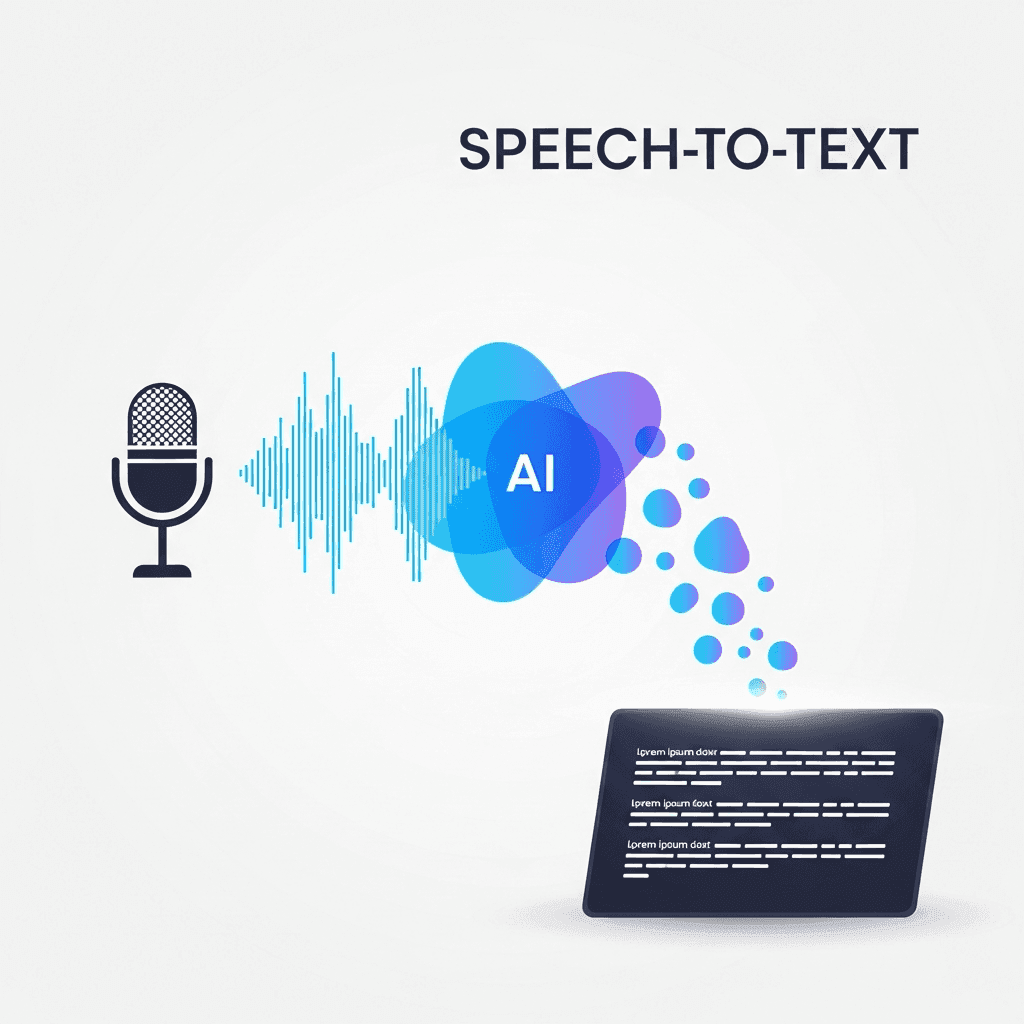
Most talk-to-text programs capture your voice through a microphone and break down the audio into small segments, analyzing sound waves to identify phonemes and speech patterns.
The AI engine matches these patterns against trained models to recognize words. AI speech-to-text tools like Willow Voice, Wispr Flow, and Apple's built-in voice dictation use machine learning to predict what you're saying based on context from surrounding words.
After identifying words, the software applies grammar rules to add punctuation and capitalization. Better programs analyze full sentence structure to place commas, periods, and question marks naturally.
Why Use Talk-to-Text Programs in June 2026
Speaking is three times faster than typing, letting you clear your inbox, draft documentation, and respond to messages in less time with the best voice dictation software. The speech recognition market will reach USD 30.0B in 2026 as more professionals adopt voice-based workflows.
Beyond speed, dictation reduces repetitive strain from constant keyboard use. You can work hands-free while walking, commuting, or switching between tasks. For users with disabilities or conditions like dyslexia and ADHD, voice input removes barriers that typing creates.
Tool | Pricing | Available On | Key Features | Best For |
|---|---|---|---|---|
Willow Voice | Free plan (2,000 words/week, no credit card required); $12/month individual (billed annually); $10/month per user for teams; enterprise custom pricing | Mac, Windows, iOS, system-wide | 200ms latency, 98%+ accuracy, 3x fewer errors than built-in tools; learns writing style, custom vocabulary, custom spelling overrides, codebase auto-tagging for Cursor and Windsurf; SOC 2 and HIPAA compliant, shared dictionaries for teams | Professional teams, developers, high-volume communication, and AI prompting |
Google Docs Voice Typing | Free | Chrome browser only, Google Docs only | Real-time transcription works directly in Google Docs, and keyboard shortcut activation | Basic document drafting within the Google ecosystem |
Apple Dictation | Free, pre-installed | Mac, iPhone, iPad, system-wide | Works across all apps, function key activation, no app switching required | Apple users who need basic system-wide dictation |
Dragon by Nuance | $500 professional edition | Windows, Mac | High accuracy after voice training, custom voice commands, macros for automation, and multi-step workflows | Professional transcriptionists in the legal and medical fields require custom commands |
Wispr Flow | Monthly subscription (pricing varies) | Mac, Windows, iOS, Android, system-wide | AI learns writing style, tone adaptation by channel, custom dictionaries, team sharing, HIPAA BAA available on select plans (verify with vendor) | Teams needing style-aware dictation across multiple channels |
Microsoft Word Dictation | Included with Office 365 subscription | Office 365 apps only (Word, PowerPoint, Outlook) | Cloud-based processing, microphone icon activation, integrated into the Office toolbar | Office 365 subscribers working within the Microsoft ecosystem |
Gboard Voice Typing | Free | Android, iOS mobile keyboards | Learns from corrections, works in any mobile app, pre-installed on Android | Mobile users needing quick voice input for messages and emails |
Google Docs Voice Typing
Google Docs offers free voice typing built directly into its word processor. Open any document, click Tools in the menu bar, and select Voice typing to activate the microphone. You can activate it from Tools → Voice typing or use Chrome extensions that provide keyboard shortcuts.
Once the microphone icon appears, click it and start speaking. Google Docs transcribes your words in real time. Voice typing only works in Google Docs in the Chrome, Edge, and Safari browsers, not in Gmail, Slack, or other applications where you might want to use it.
Apple Dictation
Apple Dictation comes pre-installed on every Mac, iPhone, and iPad at no cost. On Mac, use the configured Dictation shortcut (often pressing the function or globe key twice) to activate dictation in any application. On iPhone and iPad, tap the microphone icon on your keyboard.
Unlike Google Docs voice typing, Apple Dictation works system-wide across all apps, including Mail, Messages, Notes, Slack, and browsers. You can speak wherever you can type without switching windows or opening specific software.
The tradeoff is accuracy. Apple Dictation struggles with technical terms, proper nouns, and specialized vocabulary. For better accuracy, check out the best speech recognition software.
Dragon by Nuance
Dragon by Nuance has been the professional standard for dictation since the 1990s. The software delivers high accuracy once you complete voice training sessions that teach it your speech patterns and pronunciation.
Dragon supports custom voice commands that go beyond basic transcription. You can create macros to automate repetitive tasks like inserting email signatures, filling form templates, or executing multi-step workflows through spoken instructions.
The software costs $500 for the professional edition. Healthcare users can opt for Dragon Medical One, a subscription plan at around $99 per month with a $525 implementation fee.
Wispr Flow
Wispr Flow runs on Mac, Windows, iOS, and Android, working in any application where you type. The AI learns your writing style, adapting output to match your voice. If you write casually in Slack but formally in client emails, Wispr Flow adjusts tone based on where you're working. Teams can share custom dictionaries to keep technical terms and company jargon consistent across all members. A HIPAA Business Associate Agreement (BAA) is available for select plans; verify current compliance details directly with Wispr Flow.
Microsoft Word Dictation
Microsoft 365 includes built-in dictation in several apps, such as Word, PowerPoint, and Outlook. If you already subscribe to Office 365, dictation is available at no extra cost.
To activate dictation, click the microphone icon in the Home tab toolbar or use the keyboard shortcut Alt+` on Windows. The feature requires an internet connection because Microsoft processes audio on cloud servers instead of on your device.
Dictation stays confined to Office applications. You can't use it in Slack, browsers, messaging apps, or other programs outside the Microsoft ecosystem like you can with system-wide tools like Willow, Wispr Flow, or Apple's built-in voice dictation.
Gboard Voice Typing
Gboard is Google's keyboard app for Android and iOS, which includes voice typing via a microphone button. Tap the icon on your mobile keyboard, speak your message, and Gboard transcribes directly into text messages, emails, social media posts, or any app where you type on your phone.
The keyboard learns from your corrections over time, improving accuracy for words and phrases you use frequently. Gboard comes pre-installed on most Android devices and is free to download on iPhone.
Additional Talk-to-Text Programs Worth Considering
Otter.ai
Otter.ai specializes in meeting transcription, joining Zoom, Google Meet, or Microsoft Teams calls to create searchable notes with speaker labels and timestamps. You can share transcripts with teammates or export to note-taking apps, though it won't replace dedicated dictation tools for real-time writing.
Superwhisper
Superwhisper processes audio locally on your device, without relying on cloud servers, and stores sensitive recordings locally. Local processing means privacy for confidential work, but results in slower speeds and lower accuracy than Willow or other cloud-based options.
Dictation.io
Dictation.io runs in your web browser without installation. Click start, speak into your microphone to transcribe using Google's speech recognition API, then copy the text into other applications.
Fast, Accurate Voice Dictation Built for Teams
Willow Voice runs on Mac, Windows, and iOS, giving each device the same system-wide dictation experience. On Windows, press the configured hotkey to start speaking in any app (Gmail, Slack, Microsoft Word, your browser, or any text field) without switching windows or installing per-app plugins. On iOS, the custom voice keyboard lets you switch between voice and typed input without reverting to the default Apple keyboard. Your custom vocabulary and settings sync automatically across Mac, Windows, and iOS. Willow runs at ~200ms latency on Mac, Windows, and iOS, so text appears almost as fast as you speak. That speed gap matters. Built-in options like Apple Dictation and Google Docs voice typing run at 700ms+, creating a noticeable pause that breaks your concentration. Willow delivers 98%+ accuracy and produces 3x fewer errors than built-in tools like Apple Dictation. That means less time fixing mistakes and more time on the work itself.
Willow gets smarter the more you use it. The AI learns your writing style, picks up recurring terms, and builds a custom vocabulary from your own emails, messages, and documents. The Auto-Dictionary automatically adds names, company terms, emails, and other context-specific words so they transcribe correctly without manual setup. Over time, Willow recognizes how you write in Slack versus in a client email and adjusts output accordingly.
Most consumer dictation tools stop at the individual. There is no way to roll them out org-wide, enforce consistent terminology, or track adoption across a team. Willow is built to scale from a single user to an entire organization. IT admins deploy Willow across every Mac and Windows machine from a central admin panel with no manual setup on individual devices. Shared dictionaries and custom spelling overrides mean every team member transcribes company names, product terms, and client names the same way from day one. Shared shortcuts let the whole team trigger common phrases or boilerplate text with a spoken word. Team leaderboards give managers visibility into usage patterns and words transcribed across the organization, so adoption is measurable from week one.
For teams in compliance-sensitive industries, the compliance story is what separates Willow from consumer-only alternatives. Willow holds SOC 2 Type II and HIPAA compliance with zero-data-retention policies, and signed Business Associate Agreements are available for healthcare organizations. These are the credentials IT and legal teams check before approving any tool org-wide. Consumer options like Apple Dictation and Google Docs voice typing don't carry those credentials, which puts them out of reach for healthcare, legal, and enterprise security reviews. For healthcare teams, Willow works as a dictation layer across any device or app, including clinical documentation workflows, without requiring direct EHR integration.
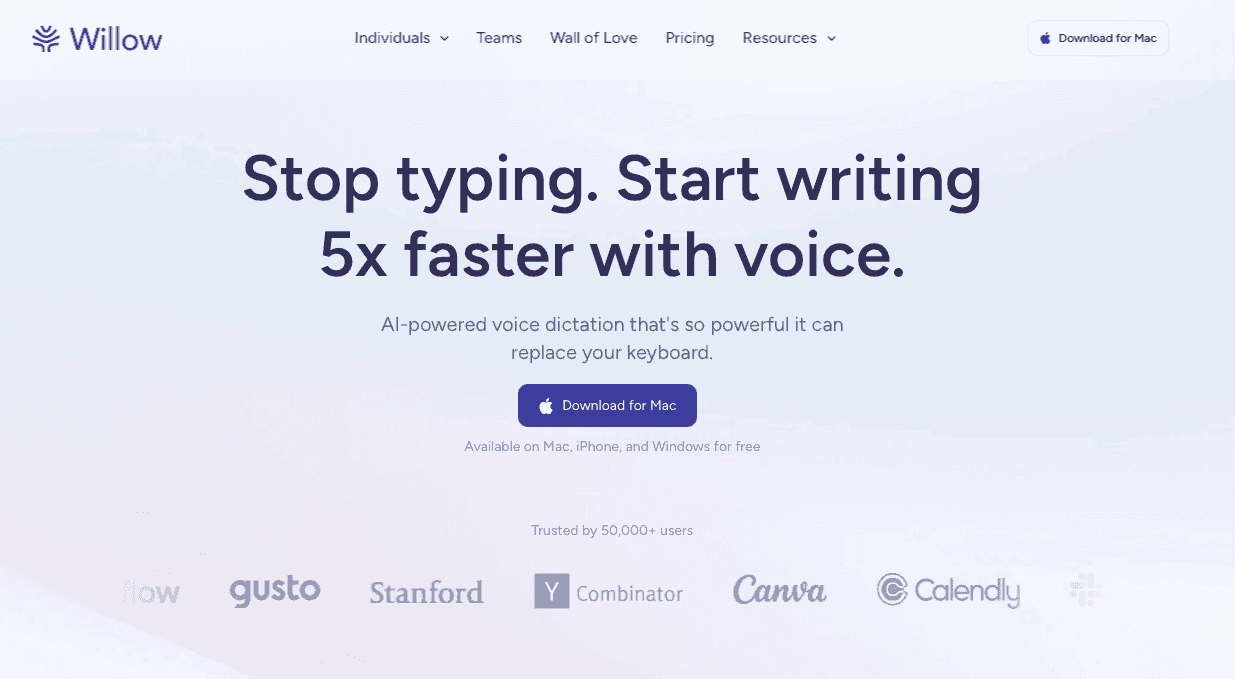
The free plan gives you 2,000 words that recharge every week with no credit card required. Individual plans run $12 per month, billed annually. Team plans run $10 per user per month and include shared dictionaries, team shortcuts, and admin controls for org-wide rollout. Enterprise pricing is available for larger organizations that need custom compliance agreements, signed BAAs, and advanced administration. You can download Willow and start on the free plan right away.
Willow Scribe
Willow Scribe is a separate mode that goes beyond transcription. Where Dictation Mode captures your words verbatim, Scribe takes a voice prompt and generates complete written content in response. Say "write a follow-up to the client about the design review," and Scribe drafts the full message. It can also read the context of an open email thread or Slack conversation and generate a reply based on what's already been said. For editing, select existing text, give a voice command like "make this more concise" or "rewrite this formally," and Scribe revises it in place. Scribe runs on Mac, Windows, and iOS, using a separate hotkey from standard dictation so the two modes never interfere.
FAQs
How do I activate the talk-to-text programs while working in different applications?
Most system-wide tools, like Willow and Apple Dictation, let you press a hotkey to start speaking in any application, including Gmail, Slack, and browsers. On Mac, Willow's default activation key is the Function (Fn) key. On Windows, press the hotkey you configured during setup to start typing by voice in any text field across apps, with no per-app plugins required. On iOS, the Willow voice keyboard has a dedicated button that starts dictation inside any app. Browser-specific options like Google Docs voice typing only work within their designated app.
What's the main difference between free and paid talk-to-text programs?
Free options like Apple Dictation and Google Docs voice typing offer basic transcription but struggle with technical terms and context awareness. Paid tools like Willow deliver 3x fewer errors than built-in tools, faster processing (200ms versus 700ms+), learn your writing style over time, and work system-wide across all your applications.
Can I use text-to-speech programs for sensitive medical or legal work?
Yes, but choose SOC 2 and HIPAA-compliant tools like Willow that offer zero-data-retention policies. Willow works as a dictation layer across devices and apps. It is not directly integrated with EHR systems, but it lets you speak into any clinical documentation workflow without requiring that integration. Local-only options like Superwhisper keep audio on your device but process it more slowly and less accurately than cloud-based alternatives that hold SOC 2 Type II and HIPAA compliance certifications, with signed BAAs available.
When should I add words to a custom dictionary?
Add company names, client names, technical jargon, and industry-specific terms that get consistently misspelled during transcription. This teaches the program to recognize specialized vocabulary from your field, reducing the need for manual corrections.
How can I improve accuracy if my accent causes recognition errors?
AI-powered programs like Willow Voice, Wispr Flow, and Apple's built-in voice dictation adapt to regional speech patterns and pronunciation through regular use. The more you speak, the better these tools learn your specific accent and speech rhythms.
Final Thoughts on Choosing Voice Typing Software
Switching to talk-to-text programs can remove one of the biggest bottlenecks in everyday writing. Speaking at around 150 words per minute, compared to typing at nearly 40, lets you draft emails, documents, and AI prompts far faster while reducing keyboard fatigue. Basic options like Google Voice Typing or Apple Dictation work for simple tasks, but modern AI tools improve accuracy by learning your vocabulary, writing style, and recurring terms over time. Willow brings those advantages together with fast transcription, system-wide compatibility across Mac, Windows, and iOS, and security features designed for professional teams. If you want to upgrade the way you write across your apps, start using Willow, one of the most effective talk-to-text programs available today.
When was the last time you typed 150 words per minute? Most people top out near 40 on a keyboard, which makes typing the slowest part of writing emails, messages, and documentation. Your voice moves much faster, and modern talk-to-text programs finally keep pace with your speech while delivering accuracy that reduces the need for constant corrections. The tools that stand out today work across every app you use, adapt to your vocabulary over time, and display text almost instantly as you speak. The trick is finding one that works everywhere you need to write, across every app you use.
TLDR:
Talk-to-text programs let you speak at 150 WPM, compared to typing at 40 WPM, for faster emails and docs.
Free options like Apple Dictation and Google Docs voice typing work but lack accuracy and context.
Paid tools range from $10 to $12 per month and include features like custom dictionaries and offline modes.
Some modern tools learn your writing style over time, offer around 200ms latency, run on Mac and Windows, and support SOC 2/HIPAA compliance with shared dictionaries for team-wide deployment.
System-wide talk-to-text programs let you speak into Gmail, Slack, documents, and AI tools without switching apps.
What Are Talk-to-Text Programs
Talk-to-text programs convert your spoken words into written text in real time. You speak naturally, and the software transcribes your speech into any text field or application.
These tools use speech recognition tech that processes audio, identifies words, and outputs text. You can speak at around 150 words per minute compared to typing at 40 words per minute, which makes dictation faster for handling emails, documentation, or messaging throughout your workday.
How Talk-to-Text Programs Work
Most talk-to-text programs capture your voice through a microphone and break down the audio into small segments, analyzing sound waves to identify phonemes and speech patterns.
The AI engine matches these patterns against trained models to recognize words. AI speech-to-text tools like Willow Voice, Wispr Flow, and Apple's built-in voice dictation use machine learning to predict what you're saying based on context from surrounding words.
After identifying words, the software applies grammar rules to add punctuation and capitalization. Better programs analyze full sentence structure to place commas, periods, and question marks naturally.
Why Use Talk-to-Text Programs in June 2026
Speaking is three times faster than typing, letting you clear your inbox, draft documentation, and respond to messages in less time with the best voice dictation software. The speech recognition market will reach USD 30.0B in 2026 as more professionals adopt voice-based workflows.
Beyond speed, dictation reduces repetitive strain from constant keyboard use. You can work hands-free while walking, commuting, or switching between tasks. For users with disabilities or conditions like dyslexia and ADHD, voice input removes barriers that typing creates.
Tool | Pricing | Available On | Key Features | Best For |
|---|---|---|---|---|
Willow Voice | Free plan (2,000 words/week, no credit card required); $12/month individual (billed annually); $10/month per user for teams; enterprise custom pricing | Mac, Windows, iOS, system-wide | 200ms latency, 98%+ accuracy, 3x fewer errors than built-in tools; learns writing style, custom vocabulary, custom spelling overrides, codebase auto-tagging for Cursor and Windsurf; SOC 2 and HIPAA compliant, shared dictionaries for teams | Professional teams, developers, high-volume communication, and AI prompting |
Google Docs Voice Typing | Free | Chrome browser only, Google Docs only | Real-time transcription works directly in Google Docs, and keyboard shortcut activation | Basic document drafting within the Google ecosystem |
Apple Dictation | Free, pre-installed | Mac, iPhone, iPad, system-wide | Works across all apps, function key activation, no app switching required | Apple users who need basic system-wide dictation |
Dragon by Nuance | $500 professional edition | Windows, Mac | High accuracy after voice training, custom voice commands, macros for automation, and multi-step workflows | Professional transcriptionists in the legal and medical fields require custom commands |
Wispr Flow | Monthly subscription (pricing varies) | Mac, Windows, iOS, Android, system-wide | AI learns writing style, tone adaptation by channel, custom dictionaries, team sharing, HIPAA BAA available on select plans (verify with vendor) | Teams needing style-aware dictation across multiple channels |
Microsoft Word Dictation | Included with Office 365 subscription | Office 365 apps only (Word, PowerPoint, Outlook) | Cloud-based processing, microphone icon activation, integrated into the Office toolbar | Office 365 subscribers working within the Microsoft ecosystem |
Gboard Voice Typing | Free | Android, iOS mobile keyboards | Learns from corrections, works in any mobile app, pre-installed on Android | Mobile users needing quick voice input for messages and emails |
Google Docs Voice Typing
Google Docs offers free voice typing built directly into its word processor. Open any document, click Tools in the menu bar, and select Voice typing to activate the microphone. You can activate it from Tools → Voice typing or use Chrome extensions that provide keyboard shortcuts.
Once the microphone icon appears, click it and start speaking. Google Docs transcribes your words in real time. Voice typing only works in Google Docs in the Chrome, Edge, and Safari browsers, not in Gmail, Slack, or other applications where you might want to use it.
Apple Dictation
Apple Dictation comes pre-installed on every Mac, iPhone, and iPad at no cost. On Mac, use the configured Dictation shortcut (often pressing the function or globe key twice) to activate dictation in any application. On iPhone and iPad, tap the microphone icon on your keyboard.
Unlike Google Docs voice typing, Apple Dictation works system-wide across all apps, including Mail, Messages, Notes, Slack, and browsers. You can speak wherever you can type without switching windows or opening specific software.
The tradeoff is accuracy. Apple Dictation struggles with technical terms, proper nouns, and specialized vocabulary. For better accuracy, check out the best speech recognition software.
Dragon by Nuance
Dragon by Nuance has been the professional standard for dictation since the 1990s. The software delivers high accuracy once you complete voice training sessions that teach it your speech patterns and pronunciation.
Dragon supports custom voice commands that go beyond basic transcription. You can create macros to automate repetitive tasks like inserting email signatures, filling form templates, or executing multi-step workflows through spoken instructions.
The software costs $500 for the professional edition. Healthcare users can opt for Dragon Medical One, a subscription plan at around $99 per month with a $525 implementation fee.
Wispr Flow
Wispr Flow runs on Mac, Windows, iOS, and Android, working in any application where you type. The AI learns your writing style, adapting output to match your voice. If you write casually in Slack but formally in client emails, Wispr Flow adjusts tone based on where you're working. Teams can share custom dictionaries to keep technical terms and company jargon consistent across all members. A HIPAA Business Associate Agreement (BAA) is available for select plans; verify current compliance details directly with Wispr Flow.
Microsoft Word Dictation
Microsoft 365 includes built-in dictation in several apps, such as Word, PowerPoint, and Outlook. If you already subscribe to Office 365, dictation is available at no extra cost.
To activate dictation, click the microphone icon in the Home tab toolbar or use the keyboard shortcut Alt+` on Windows. The feature requires an internet connection because Microsoft processes audio on cloud servers instead of on your device.
Dictation stays confined to Office applications. You can't use it in Slack, browsers, messaging apps, or other programs outside the Microsoft ecosystem like you can with system-wide tools like Willow, Wispr Flow, or Apple's built-in voice dictation.
Gboard Voice Typing
Gboard is Google's keyboard app for Android and iOS, which includes voice typing via a microphone button. Tap the icon on your mobile keyboard, speak your message, and Gboard transcribes directly into text messages, emails, social media posts, or any app where you type on your phone.
The keyboard learns from your corrections over time, improving accuracy for words and phrases you use frequently. Gboard comes pre-installed on most Android devices and is free to download on iPhone.
Additional Talk-to-Text Programs Worth Considering
Otter.ai
Otter.ai specializes in meeting transcription, joining Zoom, Google Meet, or Microsoft Teams calls to create searchable notes with speaker labels and timestamps. You can share transcripts with teammates or export to note-taking apps, though it won't replace dedicated dictation tools for real-time writing.
Superwhisper
Superwhisper processes audio locally on your device, without relying on cloud servers, and stores sensitive recordings locally. Local processing means privacy for confidential work, but results in slower speeds and lower accuracy than Willow or other cloud-based options.
Dictation.io
Dictation.io runs in your web browser without installation. Click start, speak into your microphone to transcribe using Google's speech recognition API, then copy the text into other applications.
Fast, Accurate Voice Dictation Built for Teams
Willow Voice runs on Mac, Windows, and iOS, giving each device the same system-wide dictation experience. On Windows, press the configured hotkey to start speaking in any app (Gmail, Slack, Microsoft Word, your browser, or any text field) without switching windows or installing per-app plugins. On iOS, the custom voice keyboard lets you switch between voice and typed input without reverting to the default Apple keyboard. Your custom vocabulary and settings sync automatically across Mac, Windows, and iOS. Willow runs at ~200ms latency on Mac, Windows, and iOS, so text appears almost as fast as you speak. That speed gap matters. Built-in options like Apple Dictation and Google Docs voice typing run at 700ms+, creating a noticeable pause that breaks your concentration. Willow delivers 98%+ accuracy and produces 3x fewer errors than built-in tools like Apple Dictation. That means less time fixing mistakes and more time on the work itself.
Willow gets smarter the more you use it. The AI learns your writing style, picks up recurring terms, and builds a custom vocabulary from your own emails, messages, and documents. The Auto-Dictionary automatically adds names, company terms, emails, and other context-specific words so they transcribe correctly without manual setup. Over time, Willow recognizes how you write in Slack versus in a client email and adjusts output accordingly.
Most consumer dictation tools stop at the individual. There is no way to roll them out org-wide, enforce consistent terminology, or track adoption across a team. Willow is built to scale from a single user to an entire organization. IT admins deploy Willow across every Mac and Windows machine from a central admin panel with no manual setup on individual devices. Shared dictionaries and custom spelling overrides mean every team member transcribes company names, product terms, and client names the same way from day one. Shared shortcuts let the whole team trigger common phrases or boilerplate text with a spoken word. Team leaderboards give managers visibility into usage patterns and words transcribed across the organization, so adoption is measurable from week one.
For teams in compliance-sensitive industries, the compliance story is what separates Willow from consumer-only alternatives. Willow holds SOC 2 Type II and HIPAA compliance with zero-data-retention policies, and signed Business Associate Agreements are available for healthcare organizations. These are the credentials IT and legal teams check before approving any tool org-wide. Consumer options like Apple Dictation and Google Docs voice typing don't carry those credentials, which puts them out of reach for healthcare, legal, and enterprise security reviews. For healthcare teams, Willow works as a dictation layer across any device or app, including clinical documentation workflows, without requiring direct EHR integration.
The free plan gives you 2,000 words that recharge every week with no credit card required. Individual plans run $12 per month, billed annually. Team plans run $10 per user per month and include shared dictionaries, team shortcuts, and admin controls for org-wide rollout. Enterprise pricing is available for larger organizations that need custom compliance agreements, signed BAAs, and advanced administration. You can download Willow and start on the free plan right away.
Willow Scribe
Willow Scribe is a separate mode that goes beyond transcription. Where Dictation Mode captures your words verbatim, Scribe takes a voice prompt and generates complete written content in response. Say "write a follow-up to the client about the design review," and Scribe drafts the full message. It can also read the context of an open email thread or Slack conversation and generate a reply based on what's already been said. For editing, select existing text, give a voice command like "make this more concise" or "rewrite this formally," and Scribe revises it in place. Scribe runs on Mac, Windows, and iOS, using a separate hotkey from standard dictation so the two modes never interfere.
FAQs
How do I activate the talk-to-text programs while working in different applications?
Most system-wide tools, like Willow and Apple Dictation, let you press a hotkey to start speaking in any application, including Gmail, Slack, and browsers. On Mac, Willow's default activation key is the Function (Fn) key. On Windows, press the hotkey you configured during setup to start typing by voice in any text field across apps, with no per-app plugins required. On iOS, the Willow voice keyboard has a dedicated button that starts dictation inside any app. Browser-specific options like Google Docs voice typing only work within their designated app.
What's the main difference between free and paid talk-to-text programs?
Free options like Apple Dictation and Google Docs voice typing offer basic transcription but struggle with technical terms and context awareness. Paid tools like Willow deliver 3x fewer errors than built-in tools, faster processing (200ms versus 700ms+), learn your writing style over time, and work system-wide across all your applications.
Can I use text-to-speech programs for sensitive medical or legal work?
Yes, but choose SOC 2 and HIPAA-compliant tools like Willow that offer zero-data-retention policies. Willow works as a dictation layer across devices and apps. It is not directly integrated with EHR systems, but it lets you speak into any clinical documentation workflow without requiring that integration. Local-only options like Superwhisper keep audio on your device but process it more slowly and less accurately than cloud-based alternatives that hold SOC 2 Type II and HIPAA compliance certifications, with signed BAAs available.
When should I add words to a custom dictionary?
Add company names, client names, technical jargon, and industry-specific terms that get consistently misspelled during transcription. This teaches the program to recognize specialized vocabulary from your field, reducing the need for manual corrections.
How can I improve accuracy if my accent causes recognition errors?
AI-powered programs like Willow Voice, Wispr Flow, and Apple's built-in voice dictation adapt to regional speech patterns and pronunciation through regular use. The more you speak, the better these tools learn your specific accent and speech rhythms.
Final Thoughts on Choosing Voice Typing Software
Switching to talk-to-text programs can remove one of the biggest bottlenecks in everyday writing. Speaking at around 150 words per minute, compared to typing at nearly 40, lets you draft emails, documents, and AI prompts far faster while reducing keyboard fatigue. Basic options like Google Voice Typing or Apple Dictation work for simple tasks, but modern AI tools improve accuracy by learning your vocabulary, writing style, and recurring terms over time. Willow brings those advantages together with fast transcription, system-wide compatibility across Mac, Windows, and iOS, and security features designed for professional teams. If you want to upgrade the way you write across your apps, start using Willow, one of the most effective talk-to-text programs available today.

Try Willow for free
Instant, accurate voice dictation. No card required.
Try Willow for free
Instant, accurate voice dictation. No card required.
Other stories you’ll love
Other stories you’ll love


Your keyboard is optional now
" transform="translate(5 5)" width="9.791000051498413px"/></svg>)

The voice-first interface for modern work.
© Willow Care, Inc. 2026. All rights reserved
Your keyboard is optional now
The voice-first interface for modern work.
© Willow Care, Inc. 2026. All rights reserved
Your keyboard is optional now
The voice-first interface for modern work.
© Willow Care, Inc. 2026. All rights reserved