" transform="translate(5 2)" width="10px"/></svg>)

•
5 min read
6 ADHD Apps for Adults Worth Using in August 2026

•
5 min read
6 ADHD Apps for Adults Worth Using in August 2026
The best apps for ADHD adults solve a different problem than the ones that just promise organization. It's less about sorting your priorities and more about closing the gap between intention and action. For ADHD adults, that gap tends to look the same: a thought gone before it reaches the keyboard, a task that sits untouched despite good intentions. Here's what's worth your time right now, and what each one is actually good for.
TLDR:
Research across 10 countries found that workers with ADHD had about 21.7 additional days per year of reduced work quantity compared with workers without ADHD; the right app reduces that gap by cutting initiation friction, going beyond simply organizing tasks you've already captured.
Speaking runs 3x faster than typing at 150 WPM vs. 40 WPM, which matters most for ADHD adults whose thoughts disappear before they reach the keyboard.
Most apps on this list solve one phase of the ADHD workflow: Todoist captures tasks, Tiimo visualizes time. None cover the moment a thought needs to get out of your head fast.
One system-wide AI voice dictation tool on this list operates at ~200ms latency across Mac, Windows, and iOS with a free plan that has no word cap and no credit card required.
For adults whose main bottleneck is generating written output, replacing typing with voice dictation tends to have a bigger impact than adding more organizational structure on top of it.
What Are Apps for ADHD Adults?
For the 15.5 million U.S. adults with an ADHD diagnosis, roughly half of whom were diagnosed as adults, most productivity software presents an immediate mismatch. It assumes you'll remember where you left off, start tasks with minimal friction, and work through a linear list without losing the thread.
ADHD apps exist to close that gap. They externalize working memory, reduce the steps between intention and action, and lower the cognitive overhead that drives task avoidance. The cost of going without that support is concrete: International research has found substantial workplace impairment associated with adult ADHD, including about 21.7 additional days per year of reduced work quantity among workers with ADHD compared with workers without ADHD.
This category is distinct from general productivity software because the core problem is not disorganization. It is initiation, persistence, and follow-through under conditions of variable executive function.
App | Best For | Platforms | Free Plan | Key Feature |
|---|---|---|---|---|
Willow Voice | Capturing thoughts fast before they disappear | Mac, Windows, iOS | Yes, unlimited | ~200ms system-wide voice dictation |
Todoist | Capturing tasks with minimal friction | Mac, Windows, iOS, Android, Web | Yes, limited | Natural language task entry |
Tiimo | Time blindness and routine building | iOS, Android, Web | Yes, limited on iOS and Android | Visual circular countdown timer |
Structured | Visual daily planning and time blocking | iOS, Android, Mac, Web | Yes, limited | Color-coded time-block timeline |
Notion | Consolidating a loose existing system | Mac, Windows, iOS, Android, Web | Yes, limited | All-in-one notes, tasks, and databases |
Sunsama | Professionals managing overcommitment | Mac, Windows, iOS, Android | No (trial only) | Guided daily planning ritual |
Best Overall App for ADHD Adults: Willow Voice

Willow Voice works system-wide across any app on Mac, Windows, and iOS. Press Fn on Mac or Alt+Space on Windows, speak, and text appears in whatever field is active. At 98%+ accuracy with filler words stripped automatically, the output is clean on the first pass. Speaking at 150 WPM versus typing at 40 WPM removes the translation step that causes thoughts to evaporate mid-sentence.
~200ms latency versus 700ms+ for built-in OS tools means text keeps up with how fast an ADHD brain moves between thoughts, with no jarring pause that breaks focus
AI dictation tools for ADHD essay writing use this approach: Willow Scribe (Fn + Control on Mac, Alt+Shift+Space on Windows) generates complete written output from a voice prompt instead of transcribing word-for-word, so a half-formed idea becomes a full draft
Free plan covers unlimited AI dictation with no word cap and no credit card required; Individual plan at $12/month (billed annually) adds faster, more accurate dictation and unlimited Willow Scribe; Team plan at $10/user/month (billed annually) adds shared dictionaries, admin controls, and team leaderboards
Todoist
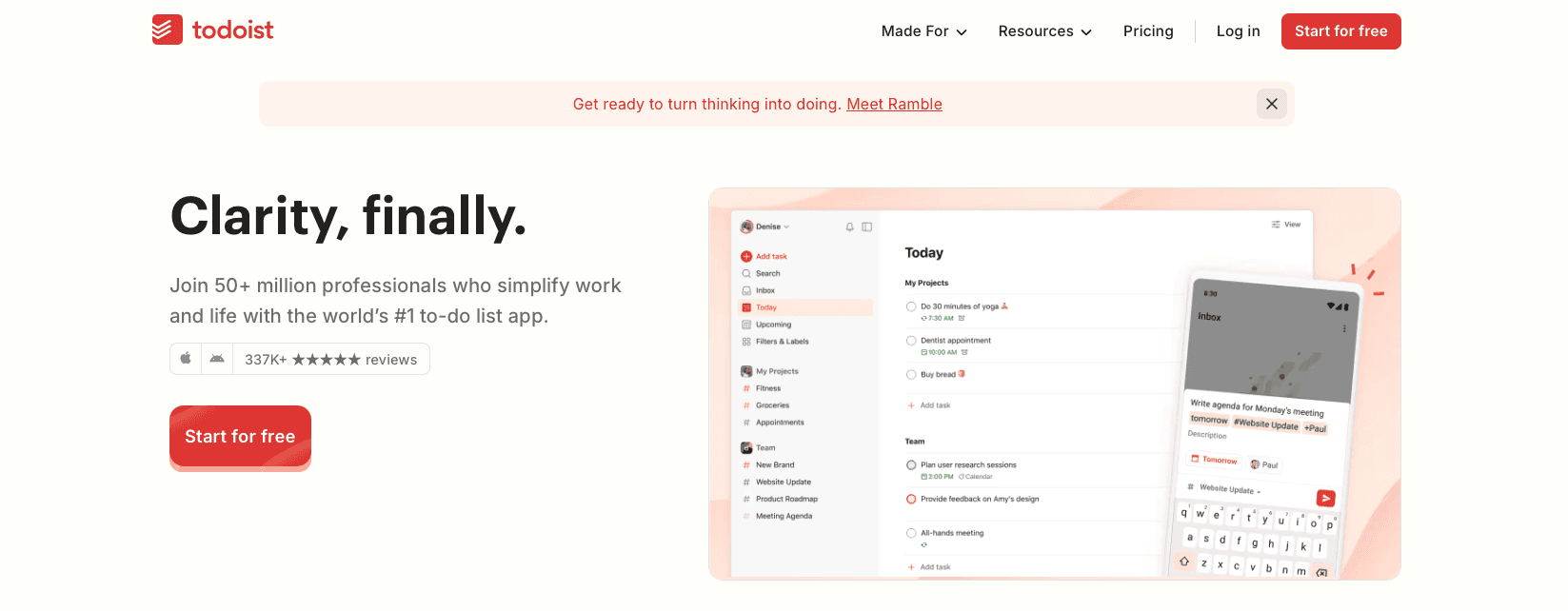
Todoist is a cross-platform task manager for iOS, Android, Mac, Windows, and web. Its standout feature is natural language input: type "email John tomorrow at 3pm" and Todoist converts it into a structured task with a due date, priority, and project automatically.
What It Offers
Natural language task entry that parses deadlines and priorities without manual configuration
Cross-device sync across every major platform
Project organization with labels, filters, and priority levels
Karma points and streaks for light gamification
Good for adults with ADHD whose main challenge is forgetting obligations before they get captured. The low-friction entry point means a task can go from thought to list in a few seconds. For setup details, see AI voice dictation in Todoist.
Todoist now includes Ramble, a built-in voice-to-tasks feature that turns spoken input into structured tasks. It captures what needs to be done but does not help with starting it, managing time blindness, or reducing writing friction once the task is on the list.
Tiimo
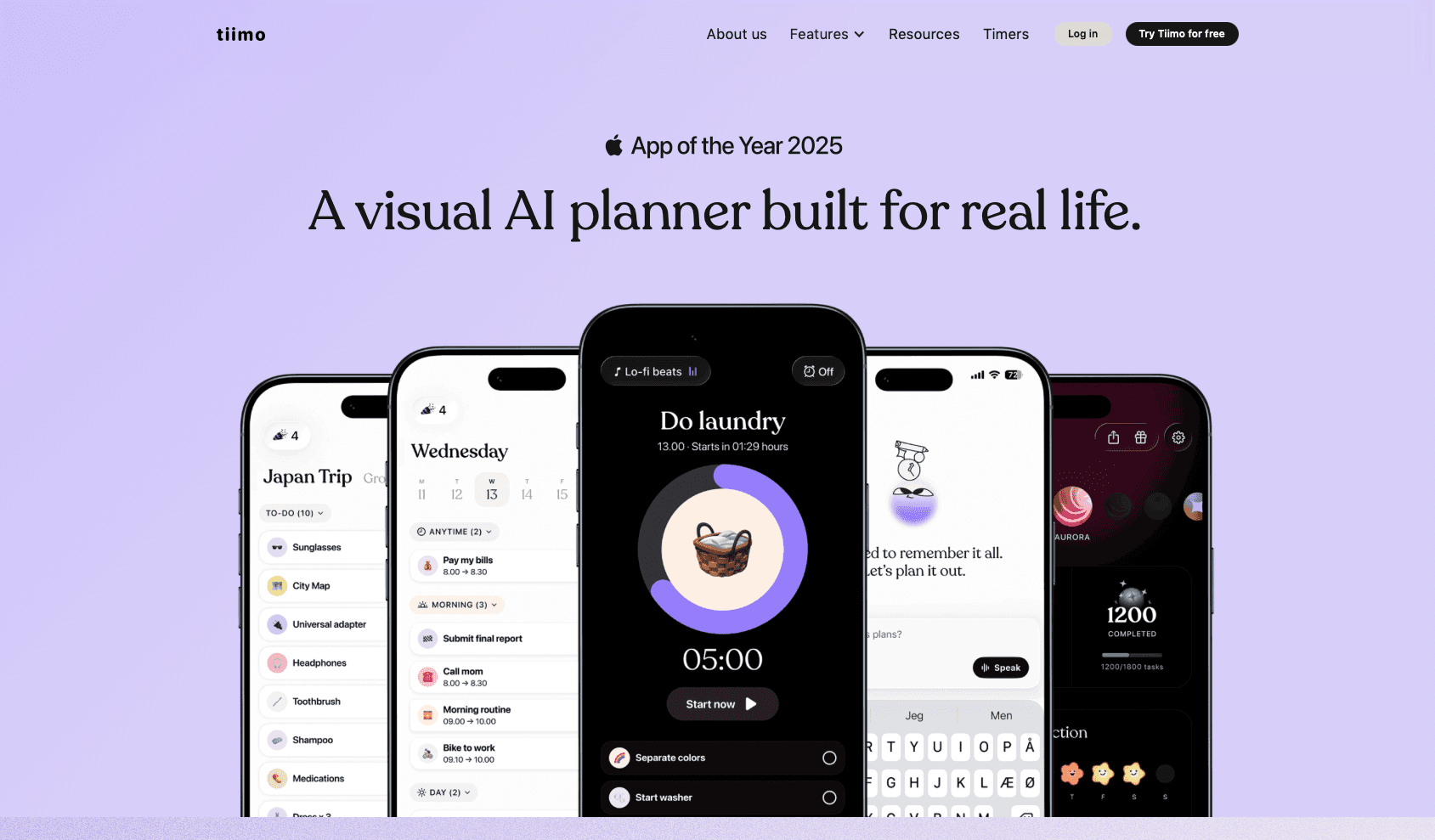
Tiimo is a visual daily planner built for neurodivergent users. Instead of a text list, it gives you a color-coded timeline, a circular countdown timer, and icon-tagged activity blocks. According to Tiimo's product page, over half a million people use it. It runs on iOS, Android, and web, with Apple Watch support.
What It Offers
Color-coded visual timeline with a circular timer that makes time blindness visible and concrete, not an abstract concept
3,000+ colors and custom icons for visual personalization to reduce the friction of planning itself
AI-assisted task breakdown that converts a brain dump into structured daily steps
Mood check-ins and personal insights for spotting focus and energy patterns over time
Good for ADHD and neurodivergent adults whose primary challenge is time blindness and routine inconsistency. The visual design is purpose-built for how neurodivergent brains process time, not adapted from a generic to-do format.
The limitation is scope. Tiimo handles planning and routines; it does not cover general-purpose dictation across other apps, so adults who need to capture thoughts fast or cut writing friction (a challenge where voice dictation cures writer's block) will find it solves only one part of the ADHD productivity puzzle. Full access requires a subscription.
Structured
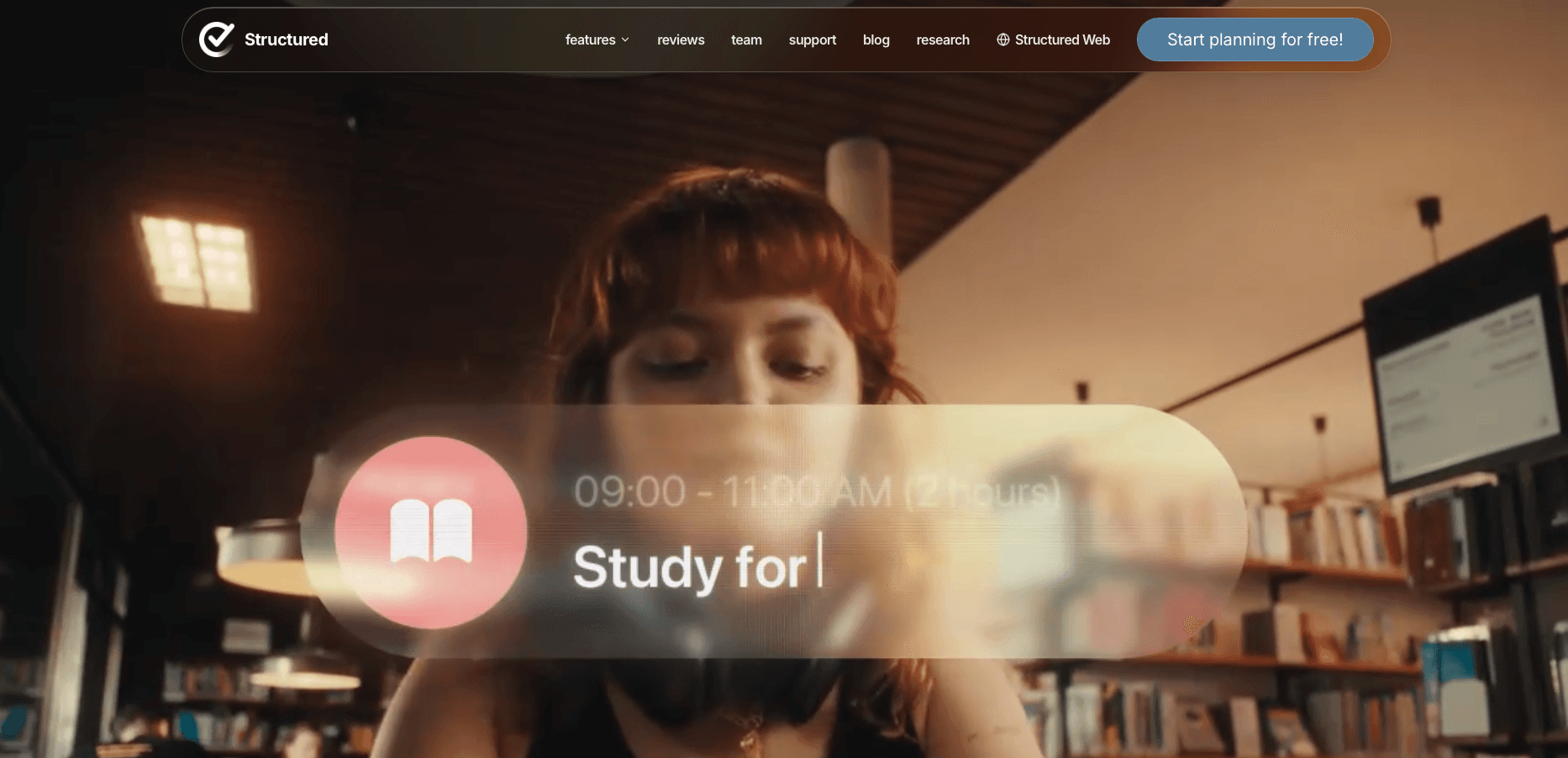
Structured is a daily planner and time-blocking app that turns your task list into a visual timeline. You assign durations to tasks, and your entire day appears at once as a color-coded schedule. It's built for ADHD minds and anyone who needs more than a flat list.
What It Offers
Color-coded timeline where every task has a visible start time and duration, so you can see the full shape of your day before it starts instead of working from an abstract list
Calendar sync that pulls existing events in so free time is immediately visible and blocks can be placed around real commitments
AI-assisted day planning that drafts a schedule from a task list, available on the Pro tier
Pomodoro focus timer and subtask support built directly into the timeline view
Good for visual thinkers with ADHD who need a concrete, visual picture of their day before it starts. Pairing it with flow state techniques can help.
The limitation is platform scope. There is no native Windows app, although Windows users can access Structured through its web version. Structured is also scoped to individual daily planning, with no team features, no voice input, and no writing friction tools.
Notion
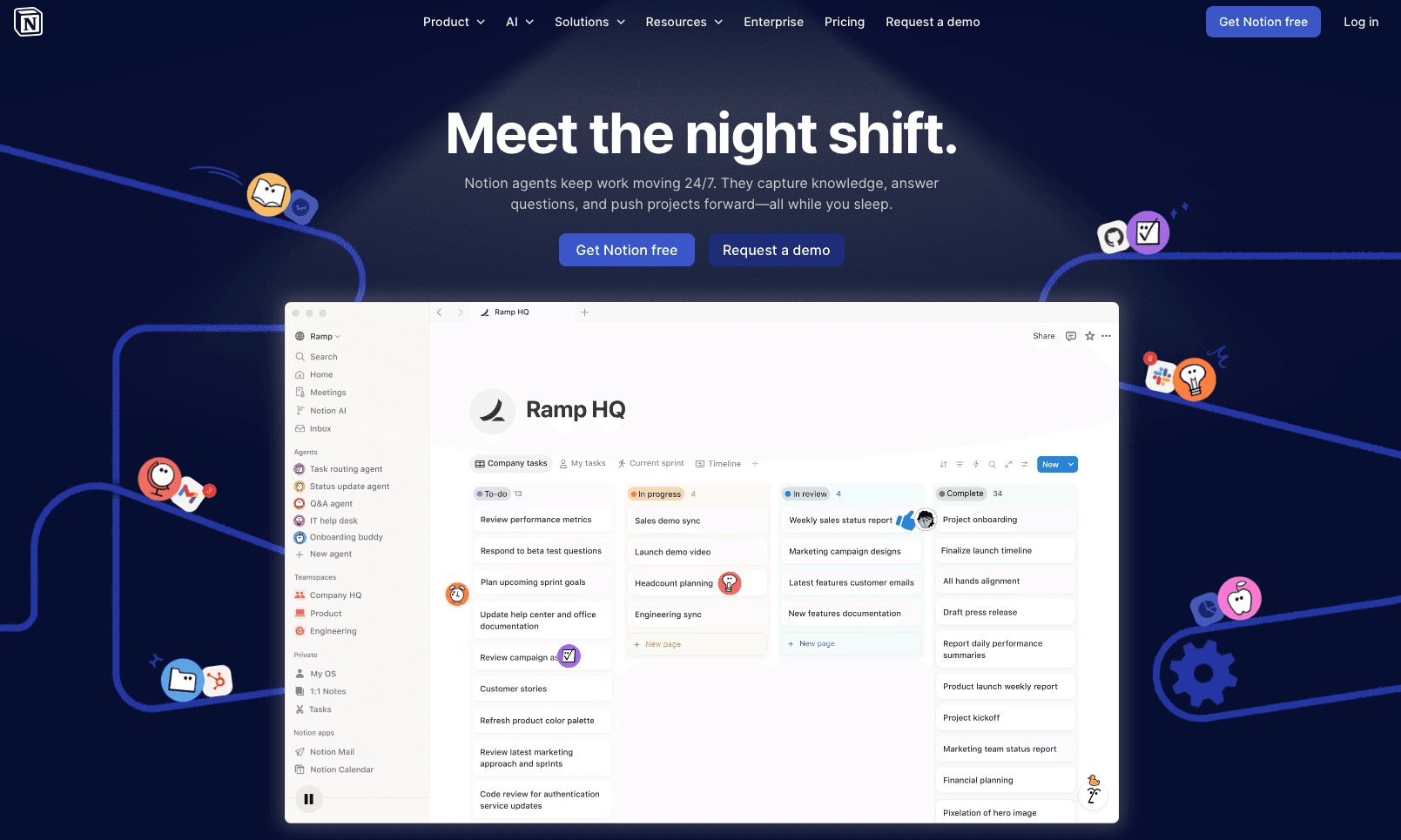
Notion is a customizable workspace combining notes, databases, kanban boards, and documents in one place. For ADHD adults, that flexibility cuts both ways: when used well, it becomes a single hub replacing scattered notes and to-do lists; when the setup stalls (which it often does), it becomes one more half-built system to feel guilty about.
What It Offers
All-in-one workspace consolidating notes, tasks, wikis, and databases in a single tool
Community templates with ADHD-specific structures including brain dump areas and micro-tasking sections
AI writing assistant for drafting and summarizing content within the workspace
Cross-device availability on Mac, Windows, iOS, Android, and web
Good for ADHD adults who already have a loose system they want to consolidate, and who have the executive function bandwidth to build and maintain a Notion structure past the initial setup phase.
Notion requires meaningful upfront investment before it works. There is no built-in voice dictation (see AI voice dictation in Notion for how to add that layer), no focus timer, no visual time awareness tools, and no filler word removal. For ADHD adults whose core friction is getting words onto the page quickly, Notion adds overhead instead of reducing it.
Sunsama
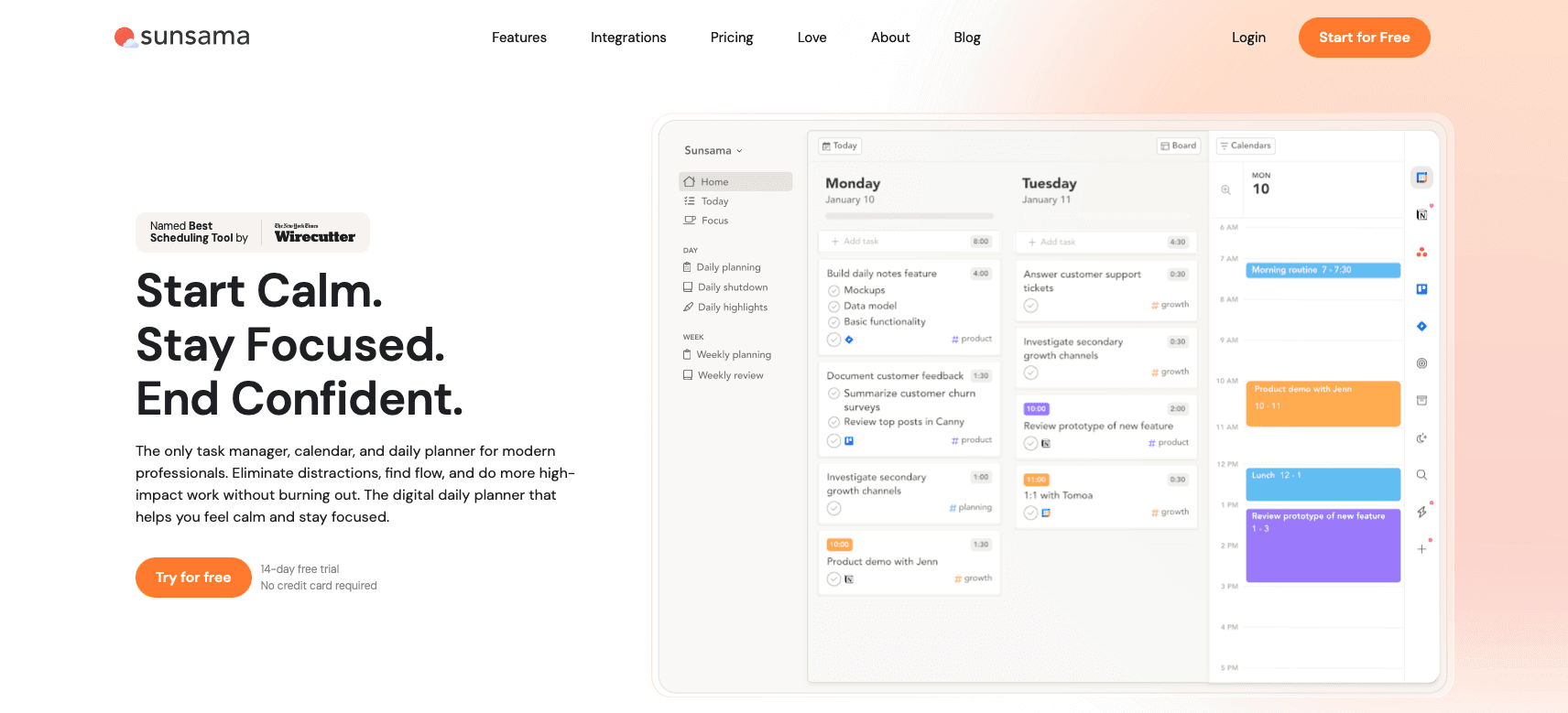
Sunsama is built for the professional whose to-do list is technically organized but emotionally unmanageable. Its guided daily ritual walks you through reviewing yesterday, setting realistic intentions, and time-blocking tasks into a schedule that reflects a real day. Available on Mac, Windows, iOS, and Android.
What It Offers
Guided morning ritual that structures reviewing yesterday, setting today's intentions, and time-boxing tasks before the day begins
Integrations with email, project management tools, and calendars that pull tasks into a single daily view
Focus mode showing only the current task during a work session to reduce visual distraction
Time tracking and analytics that provide a visual record of what was actually accomplished
Good for ADHD professionals juggling email, multiple project tools, and calendars who need one intentional daily view to prevent overcommitment. The ritual imposes structure that ADHD brains rarely generate on their own.
The limitation is cost and rigidity. Sunsama's Pro plan runs $17 per user per month with no free plan beyond a short trial. There is no voice input, so writing overhead stays fully on the keyboard. For users who prefer flexible, on-the-fly planning, the morning ritual can feel like a second job rather than a support system.
Why Willow Voice Is the Best App for ADHD Adults
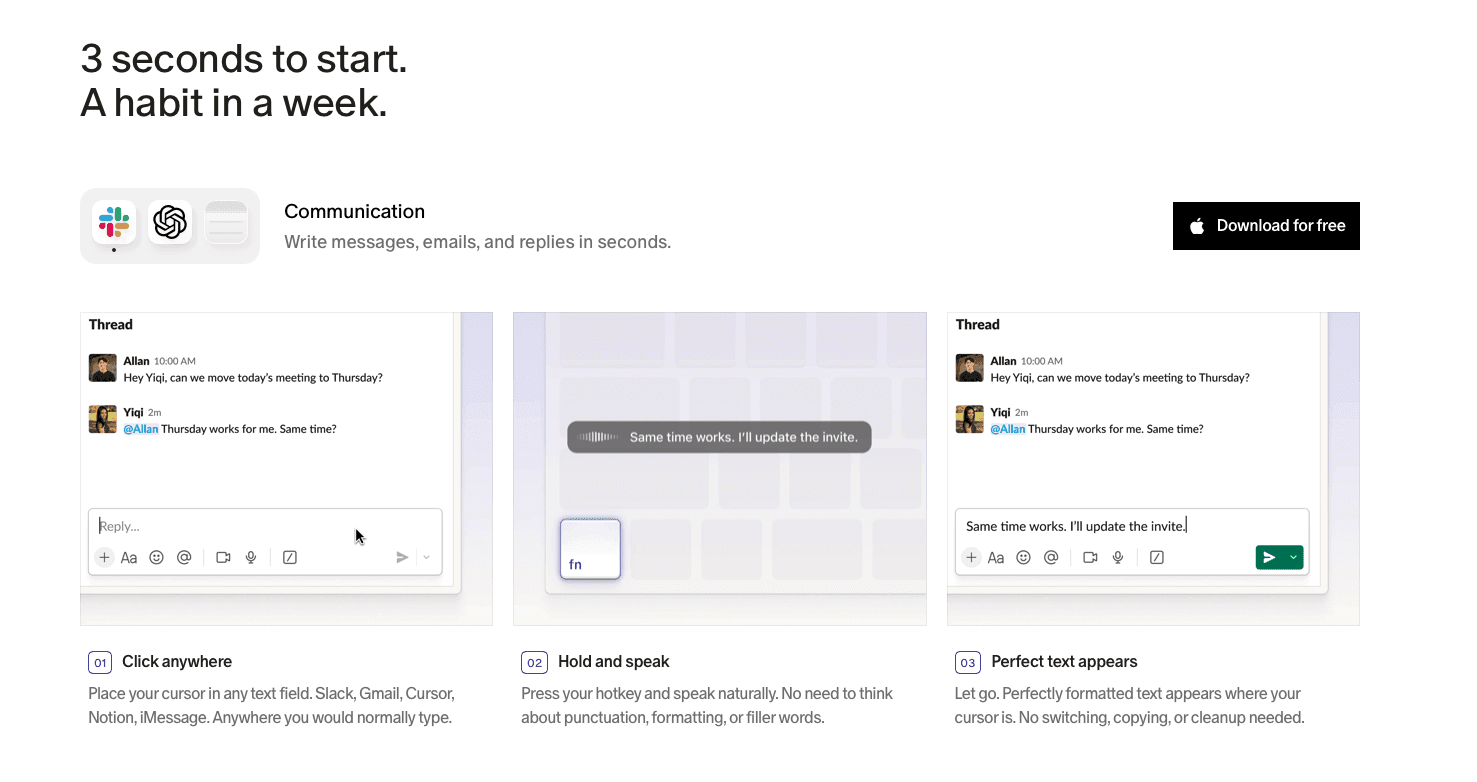
Thoughts arrive fast and disappear faster. Every other app on this list targets one phase of the ADHD workflow: capturing tasks, visualizing time, holding focus. None of them cover what breaks down before any of that starts, which is the gap between a complete thought and getting it out of your head.
Speaking at 150 WPM captures a full idea in the time it takes to type a fragment. Willow Voice's ~200ms latency means text appears the moment you finish a sentence, with no pause long enough to lose the thread.
Because Willow works system-wide with a single hotkey, Fn on Mac or Alt+Space on Windows, there is no new app to open. It runs inside whatever tool you are already using, including voice dictation in Todoist for hands-free task capture. The free plan is genuinely unlimited with no word cap and no credit card required.
FAQs
How do I choose the right app from this list for my specific ADHD challenges?
Identify your primary breakdown point: losing thoughts before capturing them points to Willow Voice; time blindness points to Tiimo or Structured. Most adults benefit from pairing a voice input tool with a visual planner or focus timer.
Do any of these apps offer a free plan with no usage cap?
Willow Voice has a genuinely unlimited free plan with no word cap and no credit card required. Todoist, Tiimo, Structured, and Notion offer limited free tiers. Sunsama has no free plan beyond a short trial.
Is it better to use one app or combine multiple tools from this list?
Most ADHD adults get more out of pairing two tools by phase than relying on one. A voice capture tool like Willow Voice handles the moment a thought arrives; a visual planner like Tiimo or Structured handles time awareness once tasks are on paper. Pick one tool per breakdown point rather than stacking several that solve the same problem.
Final Thoughts on Choosing ADHD Productivity Apps
The best apps for ADHD adults handle one or two things well, which means the right combination depends on where your day actually breaks down. If the writing step is a consistent sticking point, removing it through voice input tends to have a bigger effect than adding more structure on top of it. Start there, test what changes, and build from what works. Download Willow Voice to try the free plan with no word cap and no card required.
The best apps for ADHD adults solve a different problem than the ones that just promise organization. It's less about sorting your priorities and more about closing the gap between intention and action. For ADHD adults, that gap tends to look the same: a thought gone before it reaches the keyboard, a task that sits untouched despite good intentions. Here's what's worth your time right now, and what each one is actually good for.
TLDR:
Research across 10 countries found that workers with ADHD had about 21.7 additional days per year of reduced work quantity compared with workers without ADHD; the right app reduces that gap by cutting initiation friction, going beyond simply organizing tasks you've already captured.
Speaking runs 3x faster than typing at 150 WPM vs. 40 WPM, which matters most for ADHD adults whose thoughts disappear before they reach the keyboard.
Most apps on this list solve one phase of the ADHD workflow: Todoist captures tasks, Tiimo visualizes time. None cover the moment a thought needs to get out of your head fast.
One system-wide AI voice dictation tool on this list operates at ~200ms latency across Mac, Windows, and iOS with a free plan that has no word cap and no credit card required.
For adults whose main bottleneck is generating written output, replacing typing with voice dictation tends to have a bigger impact than adding more organizational structure on top of it.
What Are Apps for ADHD Adults?
For the 15.5 million U.S. adults with an ADHD diagnosis, roughly half of whom were diagnosed as adults, most productivity software presents an immediate mismatch. It assumes you'll remember where you left off, start tasks with minimal friction, and work through a linear list without losing the thread.
ADHD apps exist to close that gap. They externalize working memory, reduce the steps between intention and action, and lower the cognitive overhead that drives task avoidance. The cost of going without that support is concrete: International research has found substantial workplace impairment associated with adult ADHD, including about 21.7 additional days per year of reduced work quantity among workers with ADHD compared with workers without ADHD.
This category is distinct from general productivity software because the core problem is not disorganization. It is initiation, persistence, and follow-through under conditions of variable executive function.
App | Best For | Platforms | Free Plan | Key Feature |
|---|---|---|---|---|
Willow Voice | Capturing thoughts fast before they disappear | Mac, Windows, iOS | Yes, unlimited | ~200ms system-wide voice dictation |
Todoist | Capturing tasks with minimal friction | Mac, Windows, iOS, Android, Web | Yes, limited | Natural language task entry |
Tiimo | Time blindness and routine building | iOS, Android, Web | Yes, limited on iOS and Android | Visual circular countdown timer |
Structured | Visual daily planning and time blocking | iOS, Android, Mac, Web | Yes, limited | Color-coded time-block timeline |
Notion | Consolidating a loose existing system | Mac, Windows, iOS, Android, Web | Yes, limited | All-in-one notes, tasks, and databases |
Sunsama | Professionals managing overcommitment | Mac, Windows, iOS, Android | No (trial only) | Guided daily planning ritual |
Best Overall App for ADHD Adults: Willow Voice
Willow Voice works system-wide across any app on Mac, Windows, and iOS. Press Fn on Mac or Alt+Space on Windows, speak, and text appears in whatever field is active. At 98%+ accuracy with filler words stripped automatically, the output is clean on the first pass. Speaking at 150 WPM versus typing at 40 WPM removes the translation step that causes thoughts to evaporate mid-sentence.
~200ms latency versus 700ms+ for built-in OS tools means text keeps up with how fast an ADHD brain moves between thoughts, with no jarring pause that breaks focus
AI dictation tools for ADHD essay writing use this approach: Willow Scribe (Fn + Control on Mac, Alt+Shift+Space on Windows) generates complete written output from a voice prompt instead of transcribing word-for-word, so a half-formed idea becomes a full draft
Free plan covers unlimited AI dictation with no word cap and no credit card required; Individual plan at $12/month (billed annually) adds faster, more accurate dictation and unlimited Willow Scribe; Team plan at $10/user/month (billed annually) adds shared dictionaries, admin controls, and team leaderboards
Todoist
Todoist is a cross-platform task manager for iOS, Android, Mac, Windows, and web. Its standout feature is natural language input: type "email John tomorrow at 3pm" and Todoist converts it into a structured task with a due date, priority, and project automatically.
What It Offers
Natural language task entry that parses deadlines and priorities without manual configuration
Cross-device sync across every major platform
Project organization with labels, filters, and priority levels
Karma points and streaks for light gamification
Good for adults with ADHD whose main challenge is forgetting obligations before they get captured. The low-friction entry point means a task can go from thought to list in a few seconds. For setup details, see AI voice dictation in Todoist.
Todoist now includes Ramble, a built-in voice-to-tasks feature that turns spoken input into structured tasks. It captures what needs to be done but does not help with starting it, managing time blindness, or reducing writing friction once the task is on the list.
Tiimo
Tiimo is a visual daily planner built for neurodivergent users. Instead of a text list, it gives you a color-coded timeline, a circular countdown timer, and icon-tagged activity blocks. According to Tiimo's product page, over half a million people use it. It runs on iOS, Android, and web, with Apple Watch support.
What It Offers
Color-coded visual timeline with a circular timer that makes time blindness visible and concrete, not an abstract concept
3,000+ colors and custom icons for visual personalization to reduce the friction of planning itself
AI-assisted task breakdown that converts a brain dump into structured daily steps
Mood check-ins and personal insights for spotting focus and energy patterns over time
Good for ADHD and neurodivergent adults whose primary challenge is time blindness and routine inconsistency. The visual design is purpose-built for how neurodivergent brains process time, not adapted from a generic to-do format.
The limitation is scope. Tiimo handles planning and routines; it does not cover general-purpose dictation across other apps, so adults who need to capture thoughts fast or cut writing friction (a challenge where voice dictation cures writer's block) will find it solves only one part of the ADHD productivity puzzle. Full access requires a subscription.
Structured
Structured is a daily planner and time-blocking app that turns your task list into a visual timeline. You assign durations to tasks, and your entire day appears at once as a color-coded schedule. It's built for ADHD minds and anyone who needs more than a flat list.
What It Offers
Color-coded timeline where every task has a visible start time and duration, so you can see the full shape of your day before it starts instead of working from an abstract list
Calendar sync that pulls existing events in so free time is immediately visible and blocks can be placed around real commitments
AI-assisted day planning that drafts a schedule from a task list, available on the Pro tier
Pomodoro focus timer and subtask support built directly into the timeline view
Good for visual thinkers with ADHD who need a concrete, visual picture of their day before it starts. Pairing it with flow state techniques can help.
The limitation is platform scope. There is no native Windows app, although Windows users can access Structured through its web version. Structured is also scoped to individual daily planning, with no team features, no voice input, and no writing friction tools.
Notion
Notion is a customizable workspace combining notes, databases, kanban boards, and documents in one place. For ADHD adults, that flexibility cuts both ways: when used well, it becomes a single hub replacing scattered notes and to-do lists; when the setup stalls (which it often does), it becomes one more half-built system to feel guilty about.
What It Offers
All-in-one workspace consolidating notes, tasks, wikis, and databases in a single tool
Community templates with ADHD-specific structures including brain dump areas and micro-tasking sections
AI writing assistant for drafting and summarizing content within the workspace
Cross-device availability on Mac, Windows, iOS, Android, and web
Good for ADHD adults who already have a loose system they want to consolidate, and who have the executive function bandwidth to build and maintain a Notion structure past the initial setup phase.
Notion requires meaningful upfront investment before it works. There is no built-in voice dictation (see AI voice dictation in Notion for how to add that layer), no focus timer, no visual time awareness tools, and no filler word removal. For ADHD adults whose core friction is getting words onto the page quickly, Notion adds overhead instead of reducing it.
Sunsama
Sunsama is built for the professional whose to-do list is technically organized but emotionally unmanageable. Its guided daily ritual walks you through reviewing yesterday, setting realistic intentions, and time-blocking tasks into a schedule that reflects a real day. Available on Mac, Windows, iOS, and Android.
What It Offers
Guided morning ritual that structures reviewing yesterday, setting today's intentions, and time-boxing tasks before the day begins
Integrations with email, project management tools, and calendars that pull tasks into a single daily view
Focus mode showing only the current task during a work session to reduce visual distraction
Time tracking and analytics that provide a visual record of what was actually accomplished
Good for ADHD professionals juggling email, multiple project tools, and calendars who need one intentional daily view to prevent overcommitment. The ritual imposes structure that ADHD brains rarely generate on their own.
The limitation is cost and rigidity. Sunsama's Pro plan runs $17 per user per month with no free plan beyond a short trial. There is no voice input, so writing overhead stays fully on the keyboard. For users who prefer flexible, on-the-fly planning, the morning ritual can feel like a second job rather than a support system.
Why Willow Voice Is the Best App for ADHD Adults
Thoughts arrive fast and disappear faster. Every other app on this list targets one phase of the ADHD workflow: capturing tasks, visualizing time, holding focus. None of them cover what breaks down before any of that starts, which is the gap between a complete thought and getting it out of your head.
Speaking at 150 WPM captures a full idea in the time it takes to type a fragment. Willow Voice's ~200ms latency means text appears the moment you finish a sentence, with no pause long enough to lose the thread.
Because Willow works system-wide with a single hotkey, Fn on Mac or Alt+Space on Windows, there is no new app to open. It runs inside whatever tool you are already using, including voice dictation in Todoist for hands-free task capture. The free plan is genuinely unlimited with no word cap and no credit card required.
FAQs
How do I choose the right app from this list for my specific ADHD challenges?
Identify your primary breakdown point: losing thoughts before capturing them points to Willow Voice; time blindness points to Tiimo or Structured. Most adults benefit from pairing a voice input tool with a visual planner or focus timer.
Do any of these apps offer a free plan with no usage cap?
Willow Voice has a genuinely unlimited free plan with no word cap and no credit card required. Todoist, Tiimo, Structured, and Notion offer limited free tiers. Sunsama has no free plan beyond a short trial.
Is it better to use one app or combine multiple tools from this list?
Most ADHD adults get more out of pairing two tools by phase than relying on one. A voice capture tool like Willow Voice handles the moment a thought arrives; a visual planner like Tiimo or Structured handles time awareness once tasks are on paper. Pick one tool per breakdown point rather than stacking several that solve the same problem.
Final Thoughts on Choosing ADHD Productivity Apps
The best apps for ADHD adults handle one or two things well, which means the right combination depends on where your day actually breaks down. If the writing step is a consistent sticking point, removing it through voice input tends to have a bigger effect than adding more structure on top of it. Start there, test what changes, and build from what works. Download Willow Voice to try the free plan with no word cap and no card required.

Try Willow for free
Instant, accurate voice dictation. No card required.
Try Willow for free
Instant, accurate voice dictation. No card required.
Other stories you’ll love
Other stories you’ll love


Your keyboard is optional now
" transform="translate(5 5)" width="9.791000051498413px"/></svg>)

The voice-first interface for modern work.
© Willow Care, Inc. 2026. All rights reserved
Your keyboard is optional now
The voice-first interface for modern work.
© Willow Care, Inc. 2026. All rights reserved
Your keyboard is optional now
The voice-first interface for modern work.
© Willow Care, Inc. 2026. All rights reserved