" transform="translate(5 2)" width="10px"/></svg>)

•
5 min read
How to Write a Good Pull Request Description: Developer's Guide for May 2026
•
5 min read
How to Write a Good Pull Request Description: Developer's Guide for May 2026
You finish a feature, open a pull request, and assume the diff tells the story. It doesn't. Reviewers open it and immediately have questions: What problem does this solve? Why did you pick this approach over another? What should they watch for? Every missing answer turns into a comment thread that could have been avoided. Knowing how to write pull request descriptions well means giving reviewers three pieces of information up front: the scope of what changed, the reasoning behind it, and the technical decisions that matter. When those pieces are clear, reviews move faster and feedback lands where it actually helps.
TLDR:
Clear PR descriptions can reduce review time by up to 40% by answering what changed, why, and how.
Include specific testing details like environment, edge cases, and test coverage, beyond simply saying "tested locally."
Keep descriptions between 200-400 words depending on PR size, with tradeoffs surfaced early.
PR templates with 4-6 focused prompts produce better descriptions than exhaustive checklists.
Some modern tools let you speak PR descriptions mid-flow, learning your codebase vocabulary over time.
Why Pull Request Descriptions Matter for Code Review Success
Good pull request descriptions directly affect how fast your code gets reviewed and merged. When reviewers open a PR without context, they have to reconstruct your reasoning from the diff alone, which slows everything down and increases the chance of missing something important. GitHub's collaboration documentation stresses that well-structured PRs keep teams informed and improve review quality.
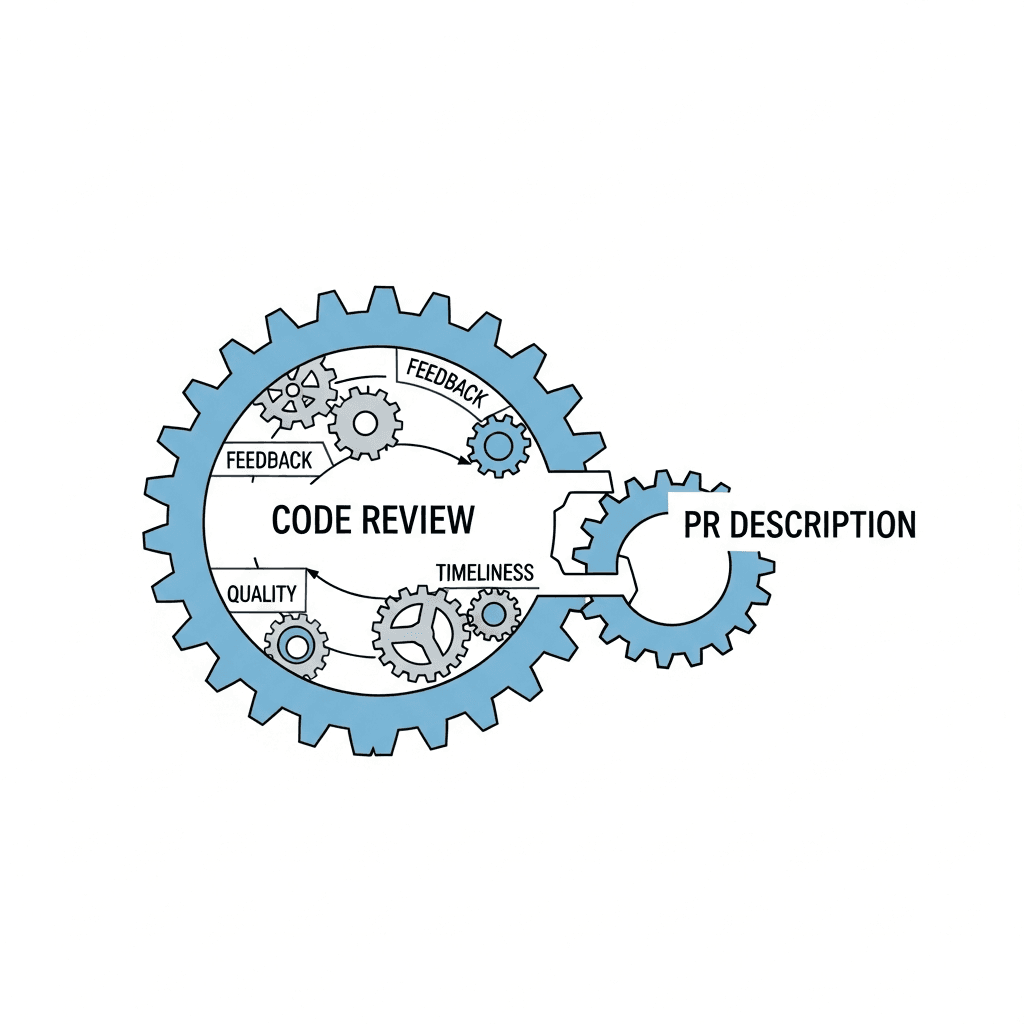
Research suggests that clear PR descriptions reduce review time 40%, partly because reviewers spend less time asking clarifying questions and more time assessing the actual changes.
A well-written description sets shared expectations before a single line of code is read.
The Core Components of an Effective Pull Request Description
A useful PR description answers three questions reviewers almost always need before they can review your work: what changed, why it was changed, and how it was done. Miss any one and the reviewer fills the gap with assumptions, which leads to more clarifying comments and slower merges.
Each component targets a specific gap in the reviewer's understanding.
Component | What it answers | Why reviewers need it |
|---|---|---|
What | The scope and nature of the change | Helps reviewers focus and spot unintended regressions |
Why | The motivation or problem being solved | Gives context for assessing design tradeoffs |
How | The implementation approach | Lets reviewers assess technical decisions accurately |
Writing the What: Summarizing Your Changes Clearly
The "what" of your PR description answers one simple question: what changed in this code? Reviewers should be able to read your summary and immediately understand the scope of work without opening a single file.
Keep it concise but specific. Avoid vague phrases like "fixed stuff" or "updated logic." Instead, name the component, behavior, or system you touched.
Tips for Writing a Clear Change Summary
State the primary change in the first sentence, so reviewers scanning a list of open PRs can grasp context instantly.
Scope your language to match the actual size of the change: a two-line fix deserves one sentence; a refactor spanning multiple modules warrants a short paragraph.
If your PR touches several areas, list each one briefly so nothing gets missed during review.
Explaining the Why: Providing Context and Motivation
Reviewers approve pull requests faster when they understand the reasoning behind a change, beyond what changed alone. A description that explains the "why" gives reviewers the context they need to judge whether the approach actually solves the right problem.

Start by stating the problem your change solves. One or two sentences is enough: what was broken, slow, or missing before this commit? From there, briefly explain why you chose this particular approach over alternatives you considered. You do not need to write an essay, but noting that you picked option A over option B because of X helps reviewers engage with your thinking instead of guessing at it.
If there are tradeoffs or known limitations in your implementation, say so upfront. This signals technical honesty and saves back-and-forth in review comments.
Describing the How: Technical Implementation Details
The "how" is where most PR descriptions thin out. You don't need to narrate every function call, but a few well-placed details save reviewers from reconstructing decisions they were never part of.
Focus on what the diff alone won't tell them:
Algorithm or data structure choices, particularly if you weighed alternatives before settling on one
Library additions or version bumps, with a brief reason for why that dependency was the right pick
Database schema changes, including how migrations are sequenced and whether they are reversible
Code paths that depart from patterns already in the codebase
That last point carries the most weight. When something is unconventional, say so explicitly instead of letting reviewers stumble on it mid-review. One sentence flagging an unusual approach, and why you took it, prevents a long comment thread and lets scrutiny land where it actually matters.
Testing Strategy and Verification Steps
Before listing what to include, know that a testing section in your PR description gives reviewers the confidence to approve without running the code themselves, or at least know exactly where to look if something feels off.
Any automated tests you added or updated, along with a plain description of what behavior they cover.
Manual testing you ran, including the environment where you ran it. Staging, local, a specific OS, browser version, or device type all matter here.
Edge cases you checked, so reviewers know the failure paths were considered (on top of the happy path).
What Good Looks Like
A weak testing note says "tested locally." A useful one says "ran unit tests for the auth middleware, manually verified login flow on Chrome 124 and Safari 17 in staging, and confirmed the session timeout edge case no longer throws a 500." That specificity tells reviewers exactly what ground is covered and what isn't.
Common Mistakes That Slow Down Pull Request Reviews
Four patterns consistently slow reviews down more than anything in the diff itself. Research on peer code review shows that process friction and missing context create the biggest delays.
Writing for yourself instead of your reviewer. If your description assumes the reader has been following the ticket for two weeks, they'll spend more time catching up than reviewing.
Leading with implementation details before stating the business or product reason for the change. Reviewers need to judge whether this was the right thing to build before they can assess how it was built.
Burying blockers or known limitations at the bottom. If there's a caveat reviewers need to weigh, put it near the top where it actually gets read.
Leaving scope undefined when a PR touches multiple systems. Reviewers will either spend too much time on the wrong area or miss the one that matters.
Using Pull Request Templates to Standardize Your Process
Pull request templates turn the advice in this guide into a repeatable default. Instead of relying on every developer to remember what context reviewers need, the template builds that structure directly into the PR creation flow.
Most Git hosting services let you add a pull request template as a PULL_REQUEST_TEMPLATE.md file to your repository's .github folder. Once committed, that file pre-populates the description field every time someone opens a new PR.
A useful template typically includes:
A summary section reminding the author to state what changed and why.
A testing section where the author confirms what they ran and what passed.
A checklist covering common review criteria like documentation updates or dependency changes.
Keep the template short enough that developers actually fill it out. A template with fifteen checkboxes tends to get ignored or rubber-stamped. Four to six focused prompts will produce better descriptions consistently than an exhaustive form that creates friction.
Optimizing Description Length and Readability
Keep descriptions between 200 and 400 words. Shorter than that and reviewers lack context; longer and the key details get buried under noise.
A few structural choices make a real difference in readability:
Lead with a one or two sentence summary of what the PR does and why, so reviewers can get their bearings before reading the diff.
Use short paragraphs instead of dense blocks of text. Four to six lines per paragraph keeps things scannable.
Break multi-step reasoning or lists of changes into bullets instead of embedding them in prose.
Matching Length to PR Size
Not every PR warrants the same level of description. A good rule of thumb:
PR Scope | Suggested Description Length |
|---|---|
Small bug fix or typo | 50 to 100 words |
Single feature or refactor | 150 to 250 words |
Multi-component change | 300 to 400 words |
Breaking change or migration | 400 words plus a migration note |
Resist the urge to write more just because the diff is large. A long diff still only needs a description that covers what changed, why, and what reviewers should watch for.
Formatting That Helps Reviewers
Many teams default to plain prose, but a few formatting habits speed up review considerably:
Start with an active verb so the first line reads as a clear action: "Adds retry logic to the payment service" instead of "This PR is about adding retry logic."
Separate the what from the why. One short paragraph on the change itself, one on the reasoning behind it.
If there are known tradeoffs or open questions, call them out explicitly instead of leaving reviewers to wonder.
Good formatting respects your reviewer's time, and a well-structured description tends to produce faster, more focused feedback.
Writing PR Descriptions with Voice Dictation Using Willow

Typing out PR descriptions mid-flow breaks concentration. You shift from thinking about code to hunting for words, and the context in your head starts to fade before you finish the first sentence.
Willow Voice lets you speak your description out loud, capturing the reasoning behind your changes the way you'd explain it to a teammate. You get the full thought down fast, without losing the thread.
Because Willow learns your vocabulary over time, domain-specific terms, library names, and variable references come through accurately without constant correction. The result is a description that sounds like you, not a template.
FAQs
Pull request description best practices for small fixes vs large refactors?
Small bug fixes need 50 to 100 words covering what broke and what you fixed, while multi-component changes warrant 300 to 400 words that map each area touched and flag any unconventional approaches. Match description depth to PR scope so reviewers know where to focus their attention.
Can you write PR descriptions faster without typing everything out?
Yes. Voice dictation tools like Willow Voice let you speak your description the way you'd explain it to a teammate, capturing your reasoning at 150 WPM instead of typing at 40 WPM. The tool learns technical terms and library names over time, so domain-specific vocabulary comes through accurately without constant correction.
How do PR templates help standardize pull request descriptions?
PR templates pre-populate the description field with prompts for what changed, why, and testing steps, turning good practices into a repeatable default. Keep templates to four to six focused prompts instead of exhaustive checklists, which tend to get ignored or rubber-stamped.
Final Thoughts on How to Write Pull Request Descriptions That Actually Get Reviewed
Knowing how to write pull request descriptions well is one of the quieter multipliers in a development team's output. The code itself doesn't change, but the speed and quality of feedback does. Whether you start with a template, commit to answering the three core questions every time, or use a tool like Willow Voice to speak your reasoning out loud the moment the code is fresh in your head, the habit compounds quickly across a team. The description that takes you two minutes to dictate can save your reviewer twenty minutes of guesswork.
You finish a feature, open a pull request, and assume the diff tells the story. It doesn't. Reviewers open it and immediately have questions: What problem does this solve? Why did you pick this approach over another? What should they watch for? Every missing answer turns into a comment thread that could have been avoided. Knowing how to write pull request descriptions well means giving reviewers three pieces of information up front: the scope of what changed, the reasoning behind it, and the technical decisions that matter. When those pieces are clear, reviews move faster and feedback lands where it actually helps.
TLDR:
Clear PR descriptions can reduce review time by up to 40% by answering what changed, why, and how.
Include specific testing details like environment, edge cases, and test coverage, beyond simply saying "tested locally."
Keep descriptions between 200-400 words depending on PR size, with tradeoffs surfaced early.
PR templates with 4-6 focused prompts produce better descriptions than exhaustive checklists.
Some modern tools let you speak PR descriptions mid-flow, learning your codebase vocabulary over time.
Why Pull Request Descriptions Matter for Code Review Success
Good pull request descriptions directly affect how fast your code gets reviewed and merged. When reviewers open a PR without context, they have to reconstruct your reasoning from the diff alone, which slows everything down and increases the chance of missing something important. GitHub's collaboration documentation stresses that well-structured PRs keep teams informed and improve review quality.
Research suggests that clear PR descriptions reduce review time 40%, partly because reviewers spend less time asking clarifying questions and more time assessing the actual changes.
A well-written description sets shared expectations before a single line of code is read.
The Core Components of an Effective Pull Request Description
A useful PR description answers three questions reviewers almost always need before they can review your work: what changed, why it was changed, and how it was done. Miss any one and the reviewer fills the gap with assumptions, which leads to more clarifying comments and slower merges.
Each component targets a specific gap in the reviewer's understanding.
Component | What it answers | Why reviewers need it |
|---|---|---|
What | The scope and nature of the change | Helps reviewers focus and spot unintended regressions |
Why | The motivation or problem being solved | Gives context for assessing design tradeoffs |
How | The implementation approach | Lets reviewers assess technical decisions accurately |
Writing the What: Summarizing Your Changes Clearly
The "what" of your PR description answers one simple question: what changed in this code? Reviewers should be able to read your summary and immediately understand the scope of work without opening a single file.
Keep it concise but specific. Avoid vague phrases like "fixed stuff" or "updated logic." Instead, name the component, behavior, or system you touched.
Tips for Writing a Clear Change Summary
State the primary change in the first sentence, so reviewers scanning a list of open PRs can grasp context instantly.
Scope your language to match the actual size of the change: a two-line fix deserves one sentence; a refactor spanning multiple modules warrants a short paragraph.
If your PR touches several areas, list each one briefly so nothing gets missed during review.
Explaining the Why: Providing Context and Motivation
Reviewers approve pull requests faster when they understand the reasoning behind a change, beyond what changed alone. A description that explains the "why" gives reviewers the context they need to judge whether the approach actually solves the right problem.
Start by stating the problem your change solves. One or two sentences is enough: what was broken, slow, or missing before this commit? From there, briefly explain why you chose this particular approach over alternatives you considered. You do not need to write an essay, but noting that you picked option A over option B because of X helps reviewers engage with your thinking instead of guessing at it.
If there are tradeoffs or known limitations in your implementation, say so upfront. This signals technical honesty and saves back-and-forth in review comments.
Describing the How: Technical Implementation Details
The "how" is where most PR descriptions thin out. You don't need to narrate every function call, but a few well-placed details save reviewers from reconstructing decisions they were never part of.
Focus on what the diff alone won't tell them:
Algorithm or data structure choices, particularly if you weighed alternatives before settling on one
Library additions or version bumps, with a brief reason for why that dependency was the right pick
Database schema changes, including how migrations are sequenced and whether they are reversible
Code paths that depart from patterns already in the codebase
That last point carries the most weight. When something is unconventional, say so explicitly instead of letting reviewers stumble on it mid-review. One sentence flagging an unusual approach, and why you took it, prevents a long comment thread and lets scrutiny land where it actually matters.
Testing Strategy and Verification Steps
Before listing what to include, know that a testing section in your PR description gives reviewers the confidence to approve without running the code themselves, or at least know exactly where to look if something feels off.
Any automated tests you added or updated, along with a plain description of what behavior they cover.
Manual testing you ran, including the environment where you ran it. Staging, local, a specific OS, browser version, or device type all matter here.
Edge cases you checked, so reviewers know the failure paths were considered (on top of the happy path).
What Good Looks Like
A weak testing note says "tested locally." A useful one says "ran unit tests for the auth middleware, manually verified login flow on Chrome 124 and Safari 17 in staging, and confirmed the session timeout edge case no longer throws a 500." That specificity tells reviewers exactly what ground is covered and what isn't.
Common Mistakes That Slow Down Pull Request Reviews
Four patterns consistently slow reviews down more than anything in the diff itself. Research on peer code review shows that process friction and missing context create the biggest delays.
Writing for yourself instead of your reviewer. If your description assumes the reader has been following the ticket for two weeks, they'll spend more time catching up than reviewing.
Leading with implementation details before stating the business or product reason for the change. Reviewers need to judge whether this was the right thing to build before they can assess how it was built.
Burying blockers or known limitations at the bottom. If there's a caveat reviewers need to weigh, put it near the top where it actually gets read.
Leaving scope undefined when a PR touches multiple systems. Reviewers will either spend too much time on the wrong area or miss the one that matters.
Using Pull Request Templates to Standardize Your Process
Pull request templates turn the advice in this guide into a repeatable default. Instead of relying on every developer to remember what context reviewers need, the template builds that structure directly into the PR creation flow.
Most Git hosting services let you add a pull request template as a PULL_REQUEST_TEMPLATE.md file to your repository's .github folder. Once committed, that file pre-populates the description field every time someone opens a new PR.
A useful template typically includes:
A summary section reminding the author to state what changed and why.
A testing section where the author confirms what they ran and what passed.
A checklist covering common review criteria like documentation updates or dependency changes.
Keep the template short enough that developers actually fill it out. A template with fifteen checkboxes tends to get ignored or rubber-stamped. Four to six focused prompts will produce better descriptions consistently than an exhaustive form that creates friction.
Optimizing Description Length and Readability
Keep descriptions between 200 and 400 words. Shorter than that and reviewers lack context; longer and the key details get buried under noise.
A few structural choices make a real difference in readability:
Lead with a one or two sentence summary of what the PR does and why, so reviewers can get their bearings before reading the diff.
Use short paragraphs instead of dense blocks of text. Four to six lines per paragraph keeps things scannable.
Break multi-step reasoning or lists of changes into bullets instead of embedding them in prose.
Matching Length to PR Size
Not every PR warrants the same level of description. A good rule of thumb:
PR Scope | Suggested Description Length |
|---|---|
Small bug fix or typo | 50 to 100 words |
Single feature or refactor | 150 to 250 words |
Multi-component change | 300 to 400 words |
Breaking change or migration | 400 words plus a migration note |
Resist the urge to write more just because the diff is large. A long diff still only needs a description that covers what changed, why, and what reviewers should watch for.
Formatting That Helps Reviewers
Many teams default to plain prose, but a few formatting habits speed up review considerably:
Start with an active verb so the first line reads as a clear action: "Adds retry logic to the payment service" instead of "This PR is about adding retry logic."
Separate the what from the why. One short paragraph on the change itself, one on the reasoning behind it.
If there are known tradeoffs or open questions, call them out explicitly instead of leaving reviewers to wonder.
Good formatting respects your reviewer's time, and a well-structured description tends to produce faster, more focused feedback.
Writing PR Descriptions with Voice Dictation Using Willow
Typing out PR descriptions mid-flow breaks concentration. You shift from thinking about code to hunting for words, and the context in your head starts to fade before you finish the first sentence.
Willow Voice lets you speak your description out loud, capturing the reasoning behind your changes the way you'd explain it to a teammate. You get the full thought down fast, without losing the thread.
Because Willow learns your vocabulary over time, domain-specific terms, library names, and variable references come through accurately without constant correction. The result is a description that sounds like you, not a template.
FAQs
Pull request description best practices for small fixes vs large refactors?
Small bug fixes need 50 to 100 words covering what broke and what you fixed, while multi-component changes warrant 300 to 400 words that map each area touched and flag any unconventional approaches. Match description depth to PR scope so reviewers know where to focus their attention.
Can you write PR descriptions faster without typing everything out?
Yes. Voice dictation tools like Willow Voice let you speak your description the way you'd explain it to a teammate, capturing your reasoning at 150 WPM instead of typing at 40 WPM. The tool learns technical terms and library names over time, so domain-specific vocabulary comes through accurately without constant correction.
How do PR templates help standardize pull request descriptions?
PR templates pre-populate the description field with prompts for what changed, why, and testing steps, turning good practices into a repeatable default. Keep templates to four to six focused prompts instead of exhaustive checklists, which tend to get ignored or rubber-stamped.
Final Thoughts on How to Write Pull Request Descriptions That Actually Get Reviewed
Knowing how to write pull request descriptions well is one of the quieter multipliers in a development team's output. The code itself doesn't change, but the speed and quality of feedback does. Whether you start with a template, commit to answering the three core questions every time, or use a tool like Willow Voice to speak your reasoning out loud the moment the code is fresh in your head, the habit compounds quickly across a team. The description that takes you two minutes to dictate can save your reviewer twenty minutes of guesswork.

Try Willow for free
Instant, accurate voice dictation. No card required.
Try Willow for free
Instant, accurate voice dictation. No card required.
Other stories you’ll love
Other stories you’ll love


Your keyboard is optional now
" transform="translate(5 5)" width="9.791000051498413px"/></svg>)

The voice-first interface for modern work.
© Willow Care, Inc. 2026. All rights reserved
Your keyboard is optional now
The voice-first interface for modern work.
© Willow Care, Inc. 2026. All rights reserved
Your keyboard is optional now
The voice-first interface for modern work.
© Willow Care, Inc. 2026. All rights reserved