" transform="translate(5 2)" width="10px"/></svg>)

•
5 min read
Code Reviews with AI Voice Dictation June 2026

•
5 min read
Code Reviews with AI Voice Dictation June 2026
By 2026, AI coding tools like Cursor, Copilot, and Claude Code have shifted where the slowdown happens. Writing code is fast. Reviewing it is not. Every PR description, inline comment, and Slack thread still gets typed out one character at a time at roughly 40 words per minute, while the PR queue grows. Faster code reviews with AI voice dictation close that gap. Tasks that take several minutes to type can often be spoken much more quickly.
TLDR:
Voice cuts PR review time by 3x since you speak at 150 WPM vs. typing at 40 WPM.
Technical terms and variable names are captured automatically from your codebase with minimal correction.
SOC 2 Type II certified with zero data retention across Mac, Windows, and iOS, so your code discussions stay private on every device your team uses.
Voice lets you capture full architectural reasoning and edge cases in one pass, reducing back-and-forth and follow-up comments.
Some voice-driven systems learn how you write and adapt with 200ms latency vs. 700ms+ from Wispr Flow and Apple dictation.
Why Code Reviews Have Become the Biggest Development Bottleneck in 2026
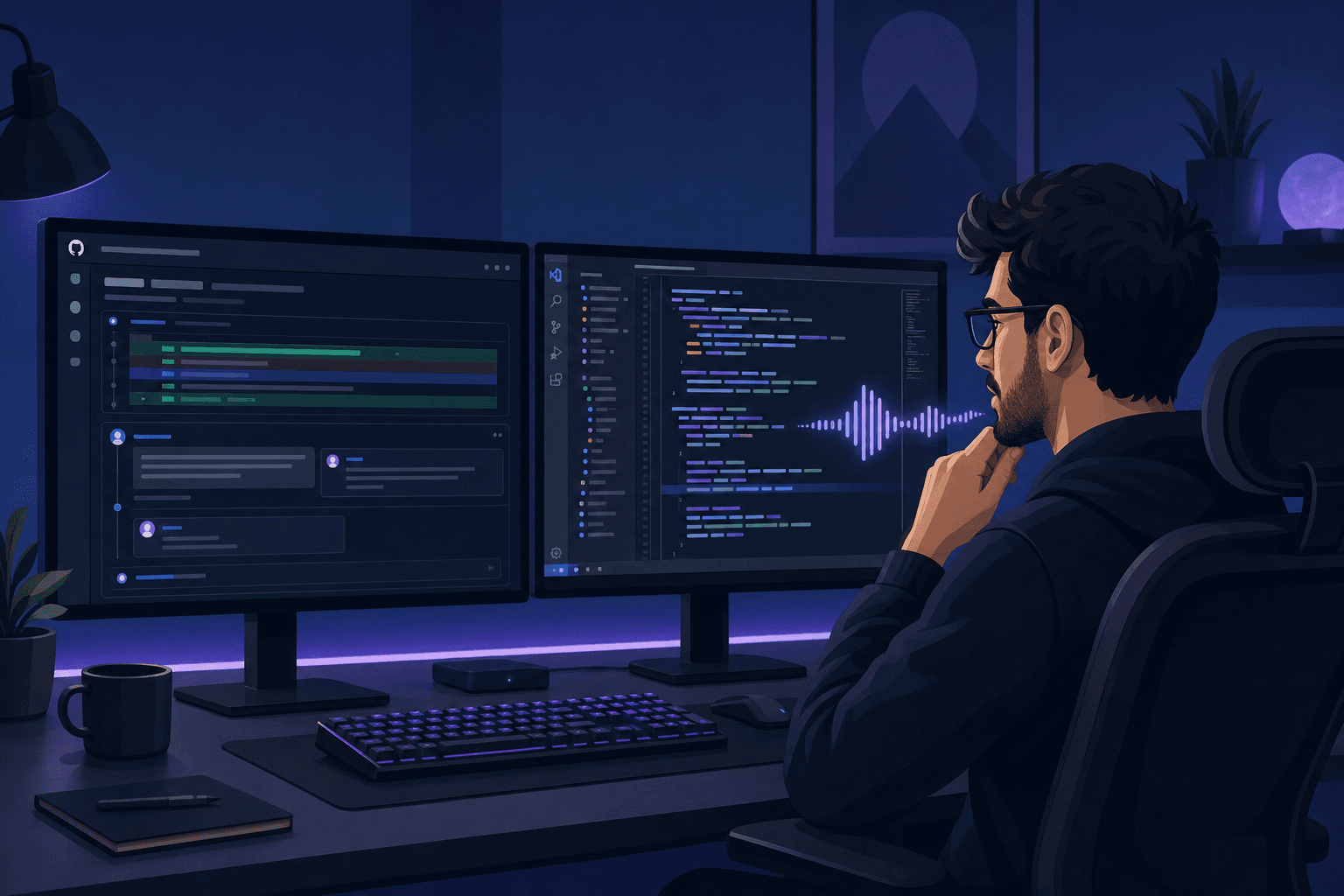
AI coding tools write code fast. The problem is someone still has to review all of it.
When engineers run Cursor sessions, Claude Code prompts, or Copilot completions back-to-back, PR volume has climbed sharply: not because the team grew, but because each developer ships more diffs per day. Review queues that used to clear in an hour now stretch across an afternoon. As AI-generated code becomes more common, reviewing and validating AI output has become an increasingly important developer skill.
And yet the tools developers use for review haven't kept up. Most review comments are still typed out manually, one character at a time.
The Hidden Time Cost of Typing Code Review Comments
Think about what a thorough code review actually requires: a detailed PR description, inline comments on logic choices, and a Slack thread to resolve the edge cases you flagged. Each piece gets typed out individually, at roughly 40 words per minute.
That adds up fast. A solid PR description alone can run 200 words. At typing speed, that's five minutes before you've left a single inline comment. Multiply that across a full review queue and you're spending a material chunk of your day just moving fingers across a keyboard.
Speaking, by contrast, runs around 150 words per minute. The same PR description takes under two minutes out loud.
Voice Dictation Delivers 3x Faster Communication for Code Reviews
The 3x speed gap changes what you're willing to write and how fast you write it.
When typing feels slow, you abbreviate. PR descriptions become one-liners. Inline comments get reduced to "fix this." Architectural reasoning never gets written down at all. Voice removes that friction. When speaking is fast enough, you actually explain the tradeoff you made, the edge case you caught, and why you chose that approach over the alternative.
Developers are already verbal thinkers. You talk through architecture with teammates. You explain bugs out loud before you fix them. Voice fits that thinking style naturally. Speaking a thorough review comment takes the same mental effort as the abbreviated version but produces something your teammate can actually act on.
Set Up Voice Dictation for Your Code Review Workflow
Getting started takes about two minutes on Mac or Windows, and the iOS app extends the same setup to mobile review contexts with your custom vocabulary synced across devices. Willow Voice works system-wide with no plugin to install per tool. Whether you're reviewing in GitHub, GitLab, Cursor, Linear, or a Slack thread, the same single hotkey activates dictation in any text field.
Press your activation hotkey (default:
Fn) anywhere to start speakingSay "bullet point" or "new line" to format comments as you speak
Use "dash" to insert list separators in PR descriptions
Reference file names or function names out loud; Willow Voice's codebase auto-tagging picks them up automatically in supported IDEs like Cursor and Windsurf
One thing worth configuring early: your custom dictionary. Add your repo names, internal libraries, and team-specific terms so Willow Voice transcribes them correctly from day one. It learns your project vocabulary over time, but seeding it upfront cuts down on corrections during live reviews.
Write Better Pull Request Descriptions in Minutes, Not Hours
Speaking out loud removes the temptation to abbreviate. A typed PR description often stops at what changed. A spoken one naturally covers the why, the edge cases, the tradeoffs you considered, and the testing steps a reviewer needs to actually verify your work.
Try speaking your next PR description using this structure:
What changed and why it was necessary
Any alternative approaches you ruled out and your reasoning
Testing steps the reviewer should run to verify the change
Related issues or tickets the PR closes
Here's what that sounds like in practice: "What changed: replaced the session cookie handler with a signed JWT to fix the token expiration edge case tracked in issue 412. Alternative considered: keeping the existing cookie setup and patching the expiry logic, but that left the race condition open. Testing: run the auth flow end-to-end in staging, starting with the logout-then-login path. Closes 412 and 418." That runs under 30 seconds to say and gives a reviewer everything they need to act without a follow-up thread.
Speaking through that checklist takes under two minutes. The reviewer gets enough context to approve or ask one focused question, not five scattered ones.
Use Voice for Faster Inline Code Review Comments
Inline comments are where review quality lives, and they're where most developers cut corners. For engineers doing async reviews across time zones, those comments are the entire conversation: there's no standup to clarify later. Typing a thorough explanation at 40 WPM makes it feel like extra work, so it gets compressed into "check this logic" instead.
With voice, you can click into a comment box on any line in GitHub or GitLab and just speak your observation. Architectural concerns, suggested refactors, edge case questions: all of it comes out faster and more completely than typing ever would. Your thought process stops compressing to fit the keyboard.
Flag logic concerns by narrating exactly what you'd say in a code walkthrough, giving the author real context instead of a vague warning.
Suggest refactors by describing the pattern you'd prefer and why. "Use X instead" alone leaves the author guessing, so they understand the intent behind the change.
Ask clarifying questions as full sentences so the author has enough context to respond without a back-and-forth thread.
A spoken inline comment looks like this: "This debounce delay is hardcoded at 300 milliseconds with no config option to adjust it. On a slow network, users will hit duplicate submissions. Move this to a constants file so it can be tuned per environment without touching the handler." That's a complete, actionable comment. Typed at 40 WPM it takes over a minute. Spoken, about 10 seconds.
Willow Voice activates from a single hotkey anywhere on screen, so you never leave your review context. Click the comment box, press the hotkey, speak, done.
Handle Technical Terminology and Code References While Speaking
Voice dictation accuracy breaks down fast in code reviews. "useState," "debounce," "onSubmit": Wispr Flow and Apple's built-in dictation mangle these constantly.
Context-aware transcription that recognizes technical terms, variable names, and framework-specific syntax in real time, so the output reads like code review feedback, not autocorrect chaos.
Custom dictionaries where you add repo names, internal libraries, and team jargon before they ever get transcribed wrong.
A learning engine that updates automatically when you correct a term, so the same mistake never happens twice.
If you use Cursor or Windsurf on Mac or Windows, Willow Voice reads your open files and learns class names, function names, and variable references directly from your codebase. Say handleAuthRedirect out loud and it lands correctly.
Referencing a method: Say "the backtick validateTokenExpiry backtick method doesn't handle the case where the token is null" and it lands as:
`validateTokenExpiry`method doesn't handle the case where the token is null.Calling out a file path: Say "this logic should live in src slash utils slash auth dot ts, not in the component" and it transcribes as: this logic should live in
src/utils/auth.ts, not in the component.Naming an error type: Say "throw a new TypeError here instead of returning undefined" and framework-aware transcription handles
TypeErrorcorrectly without spelling it out.
Why Enterprise Teams Need Secure Voice Dictation for Code Reviews
Reviewing proprietary code out loud raises a real question: where does that audio go? When you're narrating internal architecture decisions, authentication logic, or payment system tradeoffs, that context needs to stay private, not processed by a server you don't control.
Willow Voice is SOC 2 Type II certified and HIPAA compliant with zero data retention; your voice is processed and immediately discarded. For engineering orgs across Windows and Mac, shared custom dictionaries and admin controls let leads push vocabulary updates team-wide. Team leaderboards surface adoption and time-saved data org-wide. Offline mode runs locally for stricter environments.
Speed Up Your Code Reviews with Willow Voice Dictation

Code review moves faster when your dictation tool knows your codebase. Willow Voice adapts to your technical vocabulary, gets more accurate with every session, and keeps your custom dictionary consistent whether you switch between a Windows workstation, a MacBook, or your phone.
Three things make it work for engineering teams:
Personalization that recognizes your variable names, library references, and internal terminology without constant corrections, something generic tools like Wispr Flow and Apple's built-in voice dictation simply cannot match.
200ms latency that keeps you in flow state while switching between GitHub, Cursor, and Slack during a live review, compared to 700ms+ from every other option.
SOC 2 Type II and HIPAA compliance with zero data retention, shared team dictionaries, and team leaderboards that give engineering leads visibility into adoption and time saved across the org.
Tool | Latency | Code Vocabulary | Compliance | Best For |
|---|---|---|---|---|
Willow Voice | ~200ms | Codebase auto-tagging + custom dictionaries | SOC 2 Type II, HIPAA, zero data retention | Engineering teams reviewing proprietary code |
Wispr Flow | ~700ms | General vocabulary | SOC 2 Type II, HIPAA on certain plans | Individual professionals |
Superwhisper | Not published | General vocabulary | SOC 2 Type II, HIPAA | Individual developers |
Apple Dictation | 700ms+ | No technical vocabulary | None | Casual personal use |
FAQs
Can voice dictation actually keep up with code review speed without slowing me down?
Yes, if latency is under 300ms and the tool knows your technical vocabulary. Willow Voice processes at ~200ms versus 700ms+ from built-in tools, so text appears as you speak. You stay in flow across PR descriptions, inline comments, and async threads instead of waiting for transcription to catch up.
Voice dictation for code reviews vs just typing them out?
Voice runs at 150 WPM versus 40 WPM typing, a 3x advantage on prose-heavy tasks like PR descriptions and architectural explanations. The gap matters most when explaining tradeoffs or design decisions, where typing compresses your reasoning into abbreviated comments. Voice captures the full context in one pass.
Is voice dictation secure enough for reviewing proprietary code out loud?
Willow Voice is SOC 2 Type II certified and HIPAA compliant with zero data retention, your voice is processed and immediately discarded. For stricter requirements, offline mode runs entirely locally with no network calls.
Final Thoughts on AI Voice Dictation for Code Reviews
Code review volume keeps climbing, but typing speed stays fixed at 40 words per minute. Learning faster code reviews with AI just removes the keyboard friction so you can explain your reasoning at the speed you'd normally talk through it. Your teammates get better context, you spend less time in review queues, and nothing about your thinking process needs to change. Download Willow Voice and speak your next set of inline comments to see the difference.
By 2026, AI coding tools like Cursor, Copilot, and Claude Code have shifted where the slowdown happens. Writing code is fast. Reviewing it is not. Every PR description, inline comment, and Slack thread still gets typed out one character at a time at roughly 40 words per minute, while the PR queue grows. Faster code reviews with AI voice dictation close that gap. Tasks that take several minutes to type can often be spoken much more quickly.
TLDR:
Voice cuts PR review time by 3x since you speak at 150 WPM vs. typing at 40 WPM.
Technical terms and variable names are captured automatically from your codebase with minimal correction.
SOC 2 Type II certified with zero data retention across Mac, Windows, and iOS, so your code discussions stay private on every device your team uses.
Voice lets you capture full architectural reasoning and edge cases in one pass, reducing back-and-forth and follow-up comments.
Some voice-driven systems learn how you write and adapt with 200ms latency vs. 700ms+ from Wispr Flow and Apple dictation.
Why Code Reviews Have Become the Biggest Development Bottleneck in 2026
AI coding tools write code fast. The problem is someone still has to review all of it.
When engineers run Cursor sessions, Claude Code prompts, or Copilot completions back-to-back, PR volume has climbed sharply: not because the team grew, but because each developer ships more diffs per day. Review queues that used to clear in an hour now stretch across an afternoon. As AI-generated code becomes more common, reviewing and validating AI output has become an increasingly important developer skill.
And yet the tools developers use for review haven't kept up. Most review comments are still typed out manually, one character at a time.
The Hidden Time Cost of Typing Code Review Comments
Think about what a thorough code review actually requires: a detailed PR description, inline comments on logic choices, and a Slack thread to resolve the edge cases you flagged. Each piece gets typed out individually, at roughly 40 words per minute.
That adds up fast. A solid PR description alone can run 200 words. At typing speed, that's five minutes before you've left a single inline comment. Multiply that across a full review queue and you're spending a material chunk of your day just moving fingers across a keyboard.
Speaking, by contrast, runs around 150 words per minute. The same PR description takes under two minutes out loud.
Voice Dictation Delivers 3x Faster Communication for Code Reviews
The 3x speed gap changes what you're willing to write and how fast you write it.
When typing feels slow, you abbreviate. PR descriptions become one-liners. Inline comments get reduced to "fix this." Architectural reasoning never gets written down at all. Voice removes that friction. When speaking is fast enough, you actually explain the tradeoff you made, the edge case you caught, and why you chose that approach over the alternative.
Developers are already verbal thinkers. You talk through architecture with teammates. You explain bugs out loud before you fix them. Voice fits that thinking style naturally. Speaking a thorough review comment takes the same mental effort as the abbreviated version but produces something your teammate can actually act on.
Set Up Voice Dictation for Your Code Review Workflow
Getting started takes about two minutes on Mac or Windows, and the iOS app extends the same setup to mobile review contexts with your custom vocabulary synced across devices. Willow Voice works system-wide with no plugin to install per tool. Whether you're reviewing in GitHub, GitLab, Cursor, Linear, or a Slack thread, the same single hotkey activates dictation in any text field.
Press your activation hotkey (default:
Fn) anywhere to start speakingSay "bullet point" or "new line" to format comments as you speak
Use "dash" to insert list separators in PR descriptions
Reference file names or function names out loud; Willow Voice's codebase auto-tagging picks them up automatically in supported IDEs like Cursor and Windsurf
One thing worth configuring early: your custom dictionary. Add your repo names, internal libraries, and team-specific terms so Willow Voice transcribes them correctly from day one. It learns your project vocabulary over time, but seeding it upfront cuts down on corrections during live reviews.
Write Better Pull Request Descriptions in Minutes, Not Hours
Speaking out loud removes the temptation to abbreviate. A typed PR description often stops at what changed. A spoken one naturally covers the why, the edge cases, the tradeoffs you considered, and the testing steps a reviewer needs to actually verify your work.
Try speaking your next PR description using this structure:
What changed and why it was necessary
Any alternative approaches you ruled out and your reasoning
Testing steps the reviewer should run to verify the change
Related issues or tickets the PR closes
Here's what that sounds like in practice: "What changed: replaced the session cookie handler with a signed JWT to fix the token expiration edge case tracked in issue 412. Alternative considered: keeping the existing cookie setup and patching the expiry logic, but that left the race condition open. Testing: run the auth flow end-to-end in staging, starting with the logout-then-login path. Closes 412 and 418." That runs under 30 seconds to say and gives a reviewer everything they need to act without a follow-up thread.
Speaking through that checklist takes under two minutes. The reviewer gets enough context to approve or ask one focused question, not five scattered ones.
Use Voice for Faster Inline Code Review Comments
Inline comments are where review quality lives, and they're where most developers cut corners. For engineers doing async reviews across time zones, those comments are the entire conversation: there's no standup to clarify later. Typing a thorough explanation at 40 WPM makes it feel like extra work, so it gets compressed into "check this logic" instead.
With voice, you can click into a comment box on any line in GitHub or GitLab and just speak your observation. Architectural concerns, suggested refactors, edge case questions: all of it comes out faster and more completely than typing ever would. Your thought process stops compressing to fit the keyboard.
Flag logic concerns by narrating exactly what you'd say in a code walkthrough, giving the author real context instead of a vague warning.
Suggest refactors by describing the pattern you'd prefer and why. "Use X instead" alone leaves the author guessing, so they understand the intent behind the change.
Ask clarifying questions as full sentences so the author has enough context to respond without a back-and-forth thread.
A spoken inline comment looks like this: "This debounce delay is hardcoded at 300 milliseconds with no config option to adjust it. On a slow network, users will hit duplicate submissions. Move this to a constants file so it can be tuned per environment without touching the handler." That's a complete, actionable comment. Typed at 40 WPM it takes over a minute. Spoken, about 10 seconds.
Willow Voice activates from a single hotkey anywhere on screen, so you never leave your review context. Click the comment box, press the hotkey, speak, done.
Handle Technical Terminology and Code References While Speaking
Voice dictation accuracy breaks down fast in code reviews. "useState," "debounce," "onSubmit": Wispr Flow and Apple's built-in dictation mangle these constantly.
Context-aware transcription that recognizes technical terms, variable names, and framework-specific syntax in real time, so the output reads like code review feedback, not autocorrect chaos.
Custom dictionaries where you add repo names, internal libraries, and team jargon before they ever get transcribed wrong.
A learning engine that updates automatically when you correct a term, so the same mistake never happens twice.
If you use Cursor or Windsurf on Mac or Windows, Willow Voice reads your open files and learns class names, function names, and variable references directly from your codebase. Say handleAuthRedirect out loud and it lands correctly.
Referencing a method: Say "the backtick validateTokenExpiry backtick method doesn't handle the case where the token is null" and it lands as:
`validateTokenExpiry`method doesn't handle the case where the token is null.Calling out a file path: Say "this logic should live in src slash utils slash auth dot ts, not in the component" and it transcribes as: this logic should live in
src/utils/auth.ts, not in the component.Naming an error type: Say "throw a new TypeError here instead of returning undefined" and framework-aware transcription handles
TypeErrorcorrectly without spelling it out.
Why Enterprise Teams Need Secure Voice Dictation for Code Reviews
Reviewing proprietary code out loud raises a real question: where does that audio go? When you're narrating internal architecture decisions, authentication logic, or payment system tradeoffs, that context needs to stay private, not processed by a server you don't control.
Willow Voice is SOC 2 Type II certified and HIPAA compliant with zero data retention; your voice is processed and immediately discarded. For engineering orgs across Windows and Mac, shared custom dictionaries and admin controls let leads push vocabulary updates team-wide. Team leaderboards surface adoption and time-saved data org-wide. Offline mode runs locally for stricter environments.
Speed Up Your Code Reviews with Willow Voice Dictation
Code review moves faster when your dictation tool knows your codebase. Willow Voice adapts to your technical vocabulary, gets more accurate with every session, and keeps your custom dictionary consistent whether you switch between a Windows workstation, a MacBook, or your phone.
Three things make it work for engineering teams:
Personalization that recognizes your variable names, library references, and internal terminology without constant corrections, something generic tools like Wispr Flow and Apple's built-in voice dictation simply cannot match.
200ms latency that keeps you in flow state while switching between GitHub, Cursor, and Slack during a live review, compared to 700ms+ from every other option.
SOC 2 Type II and HIPAA compliance with zero data retention, shared team dictionaries, and team leaderboards that give engineering leads visibility into adoption and time saved across the org.
Tool | Latency | Code Vocabulary | Compliance | Best For |
|---|---|---|---|---|
Willow Voice | ~200ms | Codebase auto-tagging + custom dictionaries | SOC 2 Type II, HIPAA, zero data retention | Engineering teams reviewing proprietary code |
Wispr Flow | ~700ms | General vocabulary | SOC 2 Type II, HIPAA on certain plans | Individual professionals |
Superwhisper | Not published | General vocabulary | SOC 2 Type II, HIPAA | Individual developers |
Apple Dictation | 700ms+ | No technical vocabulary | None | Casual personal use |
FAQs
Can voice dictation actually keep up with code review speed without slowing me down?
Yes, if latency is under 300ms and the tool knows your technical vocabulary. Willow Voice processes at ~200ms versus 700ms+ from built-in tools, so text appears as you speak. You stay in flow across PR descriptions, inline comments, and async threads instead of waiting for transcription to catch up.
Voice dictation for code reviews vs just typing them out?
Voice runs at 150 WPM versus 40 WPM typing, a 3x advantage on prose-heavy tasks like PR descriptions and architectural explanations. The gap matters most when explaining tradeoffs or design decisions, where typing compresses your reasoning into abbreviated comments. Voice captures the full context in one pass.
Is voice dictation secure enough for reviewing proprietary code out loud?
Willow Voice is SOC 2 Type II certified and HIPAA compliant with zero data retention, your voice is processed and immediately discarded. For stricter requirements, offline mode runs entirely locally with no network calls.
Final Thoughts on AI Voice Dictation for Code Reviews
Code review volume keeps climbing, but typing speed stays fixed at 40 words per minute. Learning faster code reviews with AI just removes the keyboard friction so you can explain your reasoning at the speed you'd normally talk through it. Your teammates get better context, you spend less time in review queues, and nothing about your thinking process needs to change. Download Willow Voice and speak your next set of inline comments to see the difference.

Try Willow for free
Instant, accurate voice dictation. No card required.
Try Willow for free
Instant, accurate voice dictation. No card required.
Other stories you’ll love
Other stories you’ll love



Your keyboard is optional now
" transform="translate(5 5)" width="9.791000051498413px"/></svg>)

The voice-first interface for modern work.
© Willow Care, Inc. 2026. All rights reserved
Your keyboard is optional now
The voice-first interface for modern work.
© Willow Care, Inc. 2026. All rights reserved
Your keyboard is optional now
The voice-first interface for modern work.
© Willow Care, Inc. 2026. All rights reserved