" transform="translate(5 2)" width="10px"/></svg>)

•
5 min read
How to Write Code Comments: 10 Best Practices for Developers in June 2026

•
5 min read
How to Write Code Comments: 10 Best Practices for Developers in June 2026
You already know how to write code comments. What trips up most developers and teams is writing comments that survive refactors, explain the reasoning behind an unusual pattern, and don't repeat what the function name already says. That challenge compounds in larger engineering organizations: a comment that made sense to the original author during a sprint three months ago may send a new teammate on a thirty-minute debugging detour today. The underlying challenge is the same across languages and codebases: comments need to add information the code itself cannot express. Below are ten best practices for writing good code comments and code review comments that stay useful months later.
TLDR:
Research suggests developers spend roughly 58% of their time reading and understanding code instead of writing it; clear comments cut that time down.
Good comments explain why you made a decision, not what the code does line by line.
Write self-documenting code first with clear naming; comments should fill gaps code can't express.
Stale comments are worse than no comments; update them in the same commit as code changes.
Speaking comments aloud at around 150 WPM versus typing at 40 WPM lets you document decisions in real time without breaking focus on the code.
Why Code Comments Matter for Software Maintainability
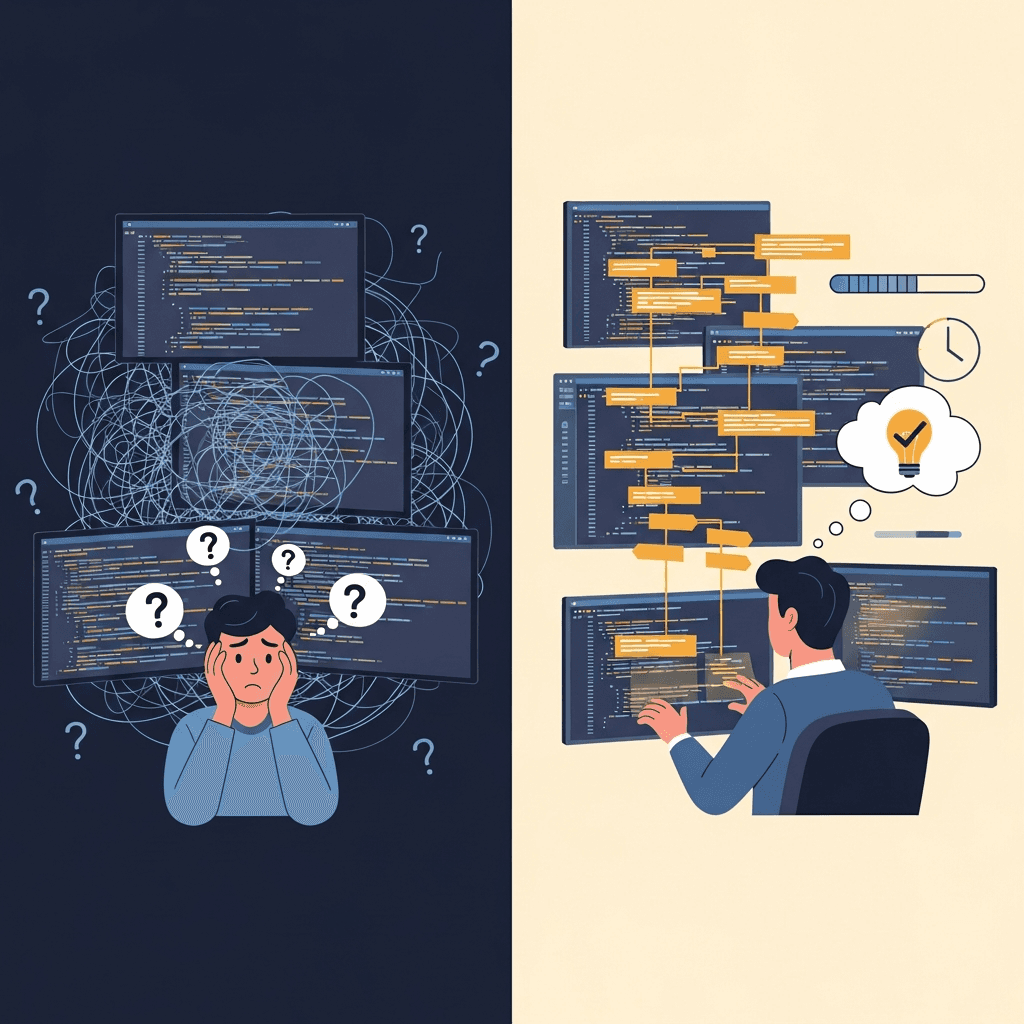
Research suggests developers spend roughly 58% of their time reading and understanding code instead of writing it. Clear, well-placed comments cut that time down, especially across large or legacy codebases where context gets lost. Code reviews become faster when comments explain the reasoning behind decisions, and teams catch logic errors before they ship. The friction is sharper in distributed or cross-functional teams: when reviews happen asynchronously across time zones, or when a service is maintained by engineers who didn't write the original code, comments become the primary channel for communicating intent. Documentation-heavy environments, from healthcare platforms to enterprise infrastructure teams, face this pattern at scale: without embedded context, critical knowledge disappears with every engineer who moves on.
Explain the Why, Not the What
Good comments explain why a decision was made, not merely what the code does. A reader can see that a loop iterates over a list; what they cannot see is why you chose that particular algorithm or what constraint forced an unusual solution. Stack Overflow's comment best practices treat this principle as foundational.
When you skip the reasoning, the next developer inherits a mystery. They may refactor away the "odd" logic without realizing it handles a specific edge case, introducing a bug that takes hours to trace.
Write Self-Documenting Code First, Then Add Comments
Before adding a comment, ask whether the code itself can carry that explanation. A well-named function or variable often does the job faster and more reliably than any annotation.
A function called calculateMonthlyInterest(principal, rate, months) explains itself. Rename it calc(p, r, m) and suddenly you need three lines of comments just to compensate for what naming should have handled.
The hierarchy runs: naming first, structure second, comments third. Well-named variables and focused functions carry most of the clarity burden. Comments fill the gaps those choices leave open. A codebase where every function needs a comment to be understood needs refactoring, not more comments.
Keep Comments Concise and Actionable
Long comments get skipped. A developer scanning a file moves on if the comment doesn't land in the first few words. Writing inline code comments faster helps maintain that discipline.
Aim for one sentence. If a comment runs past two lines, it's usually doing too much. Compare:
vs.
The second takes ten seconds to read and says less. Concise comments also age better, with less surface area to go stale when the underlying logic changes.
Update Comments When Code Changes
Stale comments are worse than no comments. A comment that described correct behavior six months ago but no longer does points developers in the wrong direction. They trust the comment over the code, and that confusion can compound into real bugs.
The simplest fix: treat comment updates as part of the same commit as any code change. During code review, check whether comments still match the surrounding logic, and whether the logic itself passes. In teams where reviews flow across Slack threads, GitHub PRs, and multiple IDEs on Windows and macOS, a stale comment can travel through several hands before anyone catches it. Some teams add linter rules or documentation validators like pydocstyle for Python or JSDoc validators to catch obvious drift before it ships. These tools won't catch every mismatch, but they raise the floor on what gets merged.
Use Standardized Formats for Functions and Classes
Pick one documentation standard and apply it everywhere. The choice depends on your language ecosystem, as shown in the table below.
Standardizing on one format means any developer can find parameter descriptions, return types, and exception notes in the same place every time, without reading the function body first.
Language | Standard Format | Key Tags | Primary Use Case |
|---|---|---|---|
Python | Docstrings following PEP 257 with Google or NumPy style | Parameters and return values documented in structured text blocks within triple quotes | Function and class documentation with support for automated API reference generation |
Java | Javadoc comments with block syntax | @param for parameters, @return for return values, @throws for exceptions | Machine-readable documentation that generates HTML reference pages automatically |
JavaScript and TypeScript | JSDoc with tag-based annotations | @param, @return, and @throws tags similar to Javadoc format | Type information and documentation for interpreted languages with IDE integration support |
Document Assumptions, Preconditions, and Edge Cases
When a function expects a non-null, sorted list, document that constraint at the function or module level before the first call is made. This tells the next developer exactly what state the code needs to be in before it runs.
Edge cases follow the same logic. A one-line comment explaining why an unusual code path exists saves real debugging time, especially for boundary conditions that only surface under specific inputs or environments.
When to Document Assumptions
These are worth capturing:
Preconditions on data shape, type, or ordering that the function relies on but cannot enforce itself.
Environment-specific behavior that only appears in production, on a particular OS, or with a specific dependency version.
Intentional omissions, such as cases the function was deliberately designed not to handle, so future developers do not waste time trying to add them.
Avoid Redundant and Obvious Comments
The most common commenting mistake is writing what the code already says out loud.
Getter methods are a frequent offender. The method name carries its own meaning; a comment restating it is noise. Writing // for loop iterates through items above a standard loop tells a reader nothing they couldn't see themselves.
Delete comments that exist only because the code exists. Keep ones that carry information the code cannot.
Use Comments Strategically for Complex Logic
Complex logic, edge cases, and non-obvious decisions genuinely need explanation. Focus your commenting energy on:
Business rules that aren't obvious from the code itself, like why a calculation uses a specific multiplier or why an edge case is handled in an unexpected way. AI voice dictation for Cursor lets you document these decisions as you code.
Workarounds for known bugs or external system quirks, where the code does something unusual for a reason that won't be clear six months later.
Algorithm choices where you picked one approach over a simpler alternative for performance or correctness reasons worth preserving.
Skip comments that just restate what the code already says. // increment i above i++ adds noise without value.
Maintain Consistent Style Across Your Codebase
Consistency matters because code gets read by people who didn't write it. A developer jumping between files shouldn't have to re-learn the commenting style in each one.
The fix: document your team's conventions in a contributing guide. Note whether comments go above or inline, which doc format applies where, and what level of detail is expected for public versus private methods. Linters can enforce some of this automatically, but a shared written standard sets the baseline automated tools can't check.
Code review is the enforcement layer. Flag inconsistent comment style the same way you'd flag inconsistent indentation. Voice dictation for VS Code can help maintain style consistency across a codebase.
How to Write Effective Code Review Comments
Code review comments serve a different purpose than inline code comments. They need to help a teammate improve specific code, so precision matters more than volume. In sprint-based teams where reviews happen asynchronously, a vague comment can stall a PR for an entire cycle while the author waits to clarify intent on a call.
With AI generating a growing share of production code in 2026, human reviewers often encounter unfamiliar logic they didn't write and didn't prompt. Writing better AI prompts by voice can help developers get clearer results. Specific feedback keeps that review loop useful:
Point to the exact line or block instead of a general area of the file, so the author knows exactly where to look.
Explain why something is a concern, and not merely that it is one, since understanding the reasoning is what leads to a lasting fix.
Offer a direction: "a guard clause here handles the null input case" gives the author somewhere to start, while "handle edge cases" does not.
Generic feedback like "this needs work" stops the conversation. Concrete feedback moves it forward. That distinction matters more in async-first teams, where a developer in a different time zone cannot resolve ambiguity with a quick question, and where every review comment is the whole conversation.
Use Voice Dictation to Write Better Code Comments Faster

Writing code comments consistently across a full codebase, under deadline pressure, is where voice dictation earns its place in a developer's workflow. The same discipline applies in any documentation-heavy environment, from enterprise engineering organizations managing large service surfaces to healthcare software teams capturing clinical context alongside code changes.
Willow Voice works across Windows and macOS, fitting into whatever IDE or editor your team runs. With Willow, you can speak your comments aloud as you write code, at around 150 WPM versus the 40 WPM most developers type. The same workflow carries across Cursor, Claude Code, and other AI coding tools where you're already typing long, context-heavy prompts. Learn more about using voice dictation in VS Code to integrate this into your existing workflow. The comment appears almost instantly, so you stay in the logic of what you just built instead of shifting gears to compose prose.
This works especially well for the comments that take the most cognitive effort: explaining the "why" behind a decision, summarizing a complex function, or flagging a known edge case for reviewers. For teams adopting Willow across an organization, the same voice-driven workflow extends to PR descriptions, sprint retrospective notes, async Slack updates, and meeting follow-ups, fitting into the professional tools engineers and product managers already use every day.
FAQs
Can I write good code comments without slowing down my development workflow?
Yes. Voice dictation tools like Willow Voice let you speak comments at around 150 WPM versus typing at 40 WPM, so you can explain complex logic or document edge cases in real time without breaking focus. The comment appears in seconds as you finish speaking, keeping you in the flow of what you just built instead of shifting gears to compose prose.
How to write comments in code that actually help future developers?
Focus on explaining why decisions were made instead of what the code does. Document the reasoning behind algorithm choices, constraints that forced unusual solutions, and edge cases the code handles. Keep each comment to one sentence where possible, and update comments in the same commit as any code change so they never drift out of sync with the logic.
How to write code review comments for AI-generated code?
Point to the exact line or block you're reviewing, explain why something is a concern (and not merely that it is one), and offer a specific direction forward. As AI generates more production code in 2026, reviewers often encounter unfamiliar logic they didn't write, so concrete feedback like "a guard clause here handles the null input case" moves the conversation forward while "this needs work" stops it.
Final Thoughts on Writing Better Code Comments
Knowing how to write code comments well comes down to one habit: add one sentence explaining why whenever you write a function that handles an edge case or makes a non-obvious choice. When you review code, check whether the comments still match the logic and update them in the same commit if they don't. That discipline matters more in teams, where a comment written during a solo coding session becomes a shared contract the moment the PR gets opened. Willow Voice, available on Windows and macOS, lets you speak those explanations at around 150 WPM instead of typing at 40 WPM, so you stay in the logic instead of switching to prose mode.
You already know how to write code comments. What trips up most developers and teams is writing comments that survive refactors, explain the reasoning behind an unusual pattern, and don't repeat what the function name already says. That challenge compounds in larger engineering organizations: a comment that made sense to the original author during a sprint three months ago may send a new teammate on a thirty-minute debugging detour today. The underlying challenge is the same across languages and codebases: comments need to add information the code itself cannot express. Below are ten best practices for writing good code comments and code review comments that stay useful months later.
TLDR:
Research suggests developers spend roughly 58% of their time reading and understanding code instead of writing it; clear comments cut that time down.
Good comments explain why you made a decision, not what the code does line by line.
Write self-documenting code first with clear naming; comments should fill gaps code can't express.
Stale comments are worse than no comments; update them in the same commit as code changes.
Speaking comments aloud at around 150 WPM versus typing at 40 WPM lets you document decisions in real time without breaking focus on the code.
Why Code Comments Matter for Software Maintainability
Research suggests developers spend roughly 58% of their time reading and understanding code instead of writing it. Clear, well-placed comments cut that time down, especially across large or legacy codebases where context gets lost. Code reviews become faster when comments explain the reasoning behind decisions, and teams catch logic errors before they ship. The friction is sharper in distributed or cross-functional teams: when reviews happen asynchronously across time zones, or when a service is maintained by engineers who didn't write the original code, comments become the primary channel for communicating intent. Documentation-heavy environments, from healthcare platforms to enterprise infrastructure teams, face this pattern at scale: without embedded context, critical knowledge disappears with every engineer who moves on.
Explain the Why, Not the What
Good comments explain why a decision was made, not merely what the code does. A reader can see that a loop iterates over a list; what they cannot see is why you chose that particular algorithm or what constraint forced an unusual solution. Stack Overflow's comment best practices treat this principle as foundational.
When you skip the reasoning, the next developer inherits a mystery. They may refactor away the "odd" logic without realizing it handles a specific edge case, introducing a bug that takes hours to trace.
Write Self-Documenting Code First, Then Add Comments
Before adding a comment, ask whether the code itself can carry that explanation. A well-named function or variable often does the job faster and more reliably than any annotation.
A function called calculateMonthlyInterest(principal, rate, months) explains itself. Rename it calc(p, r, m) and suddenly you need three lines of comments just to compensate for what naming should have handled.
The hierarchy runs: naming first, structure second, comments third. Well-named variables and focused functions carry most of the clarity burden. Comments fill the gaps those choices leave open. A codebase where every function needs a comment to be understood needs refactoring, not more comments.
Keep Comments Concise and Actionable
Long comments get skipped. A developer scanning a file moves on if the comment doesn't land in the first few words. Writing inline code comments faster helps maintain that discipline.
Aim for one sentence. If a comment runs past two lines, it's usually doing too much. Compare:
vs.
The second takes ten seconds to read and says less. Concise comments also age better, with less surface area to go stale when the underlying logic changes.
Update Comments When Code Changes
Stale comments are worse than no comments. A comment that described correct behavior six months ago but no longer does points developers in the wrong direction. They trust the comment over the code, and that confusion can compound into real bugs.
The simplest fix: treat comment updates as part of the same commit as any code change. During code review, check whether comments still match the surrounding logic, and whether the logic itself passes. In teams where reviews flow across Slack threads, GitHub PRs, and multiple IDEs on Windows and macOS, a stale comment can travel through several hands before anyone catches it. Some teams add linter rules or documentation validators like pydocstyle for Python or JSDoc validators to catch obvious drift before it ships. These tools won't catch every mismatch, but they raise the floor on what gets merged.
Use Standardized Formats for Functions and Classes
Pick one documentation standard and apply it everywhere. The choice depends on your language ecosystem, as shown in the table below.
Standardizing on one format means any developer can find parameter descriptions, return types, and exception notes in the same place every time, without reading the function body first.
Language | Standard Format | Key Tags | Primary Use Case |
|---|---|---|---|
Python | Docstrings following PEP 257 with Google or NumPy style | Parameters and return values documented in structured text blocks within triple quotes | Function and class documentation with support for automated API reference generation |
Java | Javadoc comments with block syntax | @param for parameters, @return for return values, @throws for exceptions | Machine-readable documentation that generates HTML reference pages automatically |
JavaScript and TypeScript | JSDoc with tag-based annotations | @param, @return, and @throws tags similar to Javadoc format | Type information and documentation for interpreted languages with IDE integration support |
Document Assumptions, Preconditions, and Edge Cases
When a function expects a non-null, sorted list, document that constraint at the function or module level before the first call is made. This tells the next developer exactly what state the code needs to be in before it runs.
Edge cases follow the same logic. A one-line comment explaining why an unusual code path exists saves real debugging time, especially for boundary conditions that only surface under specific inputs or environments.
When to Document Assumptions
These are worth capturing:
Preconditions on data shape, type, or ordering that the function relies on but cannot enforce itself.
Environment-specific behavior that only appears in production, on a particular OS, or with a specific dependency version.
Intentional omissions, such as cases the function was deliberately designed not to handle, so future developers do not waste time trying to add them.
Avoid Redundant and Obvious Comments
The most common commenting mistake is writing what the code already says out loud.
Getter methods are a frequent offender. The method name carries its own meaning; a comment restating it is noise. Writing // for loop iterates through items above a standard loop tells a reader nothing they couldn't see themselves.
Delete comments that exist only because the code exists. Keep ones that carry information the code cannot.
Use Comments Strategically for Complex Logic
Complex logic, edge cases, and non-obvious decisions genuinely need explanation. Focus your commenting energy on:
Business rules that aren't obvious from the code itself, like why a calculation uses a specific multiplier or why an edge case is handled in an unexpected way. AI voice dictation for Cursor lets you document these decisions as you code.
Workarounds for known bugs or external system quirks, where the code does something unusual for a reason that won't be clear six months later.
Algorithm choices where you picked one approach over a simpler alternative for performance or correctness reasons worth preserving.
Skip comments that just restate what the code already says. // increment i above i++ adds noise without value.
Maintain Consistent Style Across Your Codebase
Consistency matters because code gets read by people who didn't write it. A developer jumping between files shouldn't have to re-learn the commenting style in each one.
The fix: document your team's conventions in a contributing guide. Note whether comments go above or inline, which doc format applies where, and what level of detail is expected for public versus private methods. Linters can enforce some of this automatically, but a shared written standard sets the baseline automated tools can't check.
Code review is the enforcement layer. Flag inconsistent comment style the same way you'd flag inconsistent indentation. Voice dictation for VS Code can help maintain style consistency across a codebase.
How to Write Effective Code Review Comments
Code review comments serve a different purpose than inline code comments. They need to help a teammate improve specific code, so precision matters more than volume. In sprint-based teams where reviews happen asynchronously, a vague comment can stall a PR for an entire cycle while the author waits to clarify intent on a call.
With AI generating a growing share of production code in 2026, human reviewers often encounter unfamiliar logic they didn't write and didn't prompt. Writing better AI prompts by voice can help developers get clearer results. Specific feedback keeps that review loop useful:
Point to the exact line or block instead of a general area of the file, so the author knows exactly where to look.
Explain why something is a concern, and not merely that it is one, since understanding the reasoning is what leads to a lasting fix.
Offer a direction: "a guard clause here handles the null input case" gives the author somewhere to start, while "handle edge cases" does not.
Generic feedback like "this needs work" stops the conversation. Concrete feedback moves it forward. That distinction matters more in async-first teams, where a developer in a different time zone cannot resolve ambiguity with a quick question, and where every review comment is the whole conversation.
Use Voice Dictation to Write Better Code Comments Faster
Writing code comments consistently across a full codebase, under deadline pressure, is where voice dictation earns its place in a developer's workflow. The same discipline applies in any documentation-heavy environment, from enterprise engineering organizations managing large service surfaces to healthcare software teams capturing clinical context alongside code changes.
Willow Voice works across Windows and macOS, fitting into whatever IDE or editor your team runs. With Willow, you can speak your comments aloud as you write code, at around 150 WPM versus the 40 WPM most developers type. The same workflow carries across Cursor, Claude Code, and other AI coding tools where you're already typing long, context-heavy prompts. Learn more about using voice dictation in VS Code to integrate this into your existing workflow. The comment appears almost instantly, so you stay in the logic of what you just built instead of shifting gears to compose prose.
This works especially well for the comments that take the most cognitive effort: explaining the "why" behind a decision, summarizing a complex function, or flagging a known edge case for reviewers. For teams adopting Willow across an organization, the same voice-driven workflow extends to PR descriptions, sprint retrospective notes, async Slack updates, and meeting follow-ups, fitting into the professional tools engineers and product managers already use every day.
FAQs
Can I write good code comments without slowing down my development workflow?
Yes. Voice dictation tools like Willow Voice let you speak comments at around 150 WPM versus typing at 40 WPM, so you can explain complex logic or document edge cases in real time without breaking focus. The comment appears in seconds as you finish speaking, keeping you in the flow of what you just built instead of shifting gears to compose prose.
How to write comments in code that actually help future developers?
Focus on explaining why decisions were made instead of what the code does. Document the reasoning behind algorithm choices, constraints that forced unusual solutions, and edge cases the code handles. Keep each comment to one sentence where possible, and update comments in the same commit as any code change so they never drift out of sync with the logic.
How to write code review comments for AI-generated code?
Point to the exact line or block you're reviewing, explain why something is a concern (and not merely that it is one), and offer a specific direction forward. As AI generates more production code in 2026, reviewers often encounter unfamiliar logic they didn't write, so concrete feedback like "a guard clause here handles the null input case" moves the conversation forward while "this needs work" stops it.
Final Thoughts on Writing Better Code Comments
Knowing how to write code comments well comes down to one habit: add one sentence explaining why whenever you write a function that handles an edge case or makes a non-obvious choice. When you review code, check whether the comments still match the logic and update them in the same commit if they don't. That discipline matters more in teams, where a comment written during a solo coding session becomes a shared contract the moment the PR gets opened. Willow Voice, available on Windows and macOS, lets you speak those explanations at around 150 WPM instead of typing at 40 WPM, so you stay in the logic instead of switching to prose mode.

Try Willow for free
Instant, accurate voice dictation. No card required.
Try Willow for free
Instant, accurate voice dictation. No card required.
Other stories you’ll love
Other stories you’ll love


Your keyboard is optional now
" transform="translate(5 5)" width="9.791000051498413px"/></svg>)

The voice-first interface for modern work.
© Willow Care, Inc. 2026. All rights reserved
Your keyboard is optional now
The voice-first interface for modern work.
© Willow Care, Inc. 2026. All rights reserved
Your keyboard is optional now
The voice-first interface for modern work.
© Willow Care, Inc. 2026. All rights reserved