" transform="translate(5 2)" width="10px"/></svg>)

•
5 min read
Voice Dictation for VS Code: Code Faster (June 2026)

•
5 min read
Voice Dictation for VS Code: Code Faster (June 2026)
The engineering day doesn't live in one text field. You're drafting prompts in Cursor, writing commit messages, reviewing PRs, responding to sprint tickets, and leaving async comments in GitHub or Linear. Every one of those is a writing task with the same bottleneck: thinking runs faster than typing. On a Windows workstation, a Mac laptop, or both in the same team, speaking at 150 WPM versus 40 WPM typing that ratio at every touchpoint. With the right setup, every VS Code text field becomes voice-ready. Here is how to get there.
TLDR:
Voice dictation lets you speak at 150 WPM vs typing at 50-70 WPM for AI prompts and docs in VS Code.
A dedicated voice dictation tool works in any VS Code text field with 200ms latency, around 3x faster than alternatives at 700ms+.
The right tool learns your codebase vocabulary automatically, improving accuracy on technical terms over time.
Shared team dictionaries keep naming conventions consistent across all developers' AI prompts.
Enterprise-grade voice dictation tools offer SOC 2 Type II and HIPAA compliance with zero data retention for engineering teams.
Why Developers Use Voice Dictation Inside VS Code
Most developers are spending more time writing text than writing code. VS Code's 75.9% developer market share puts it at the center of that problem: every Cursor prompt, PR description, sprint ticket, inline comment, and architecture doc gets compressed when typing is the bottleneck, not because the developer lacks context, but because composing at the keyboard feels like stopping to write an essay mid-sprint.
The friction compounds across the full engineering day. A developer in flow doesn't want to stop, hand-type a detailed prompt, rebuild their mental model of the code, then repeat the cycle when the output falls short. The same cost applies to async work: a thorough code review comment takes two minutes to type and thirty seconds to speak. Documentation gets skipped. Sprint tickets get filed with just enough detail to ship, but not enough to hand off cleanly.
Here's the math worth caring about: even fast developers type 50-70 words per minute. Speaking lands closer to 150 WPM. That gap compounds across every prompt, every doc, every ticket you write in a day.
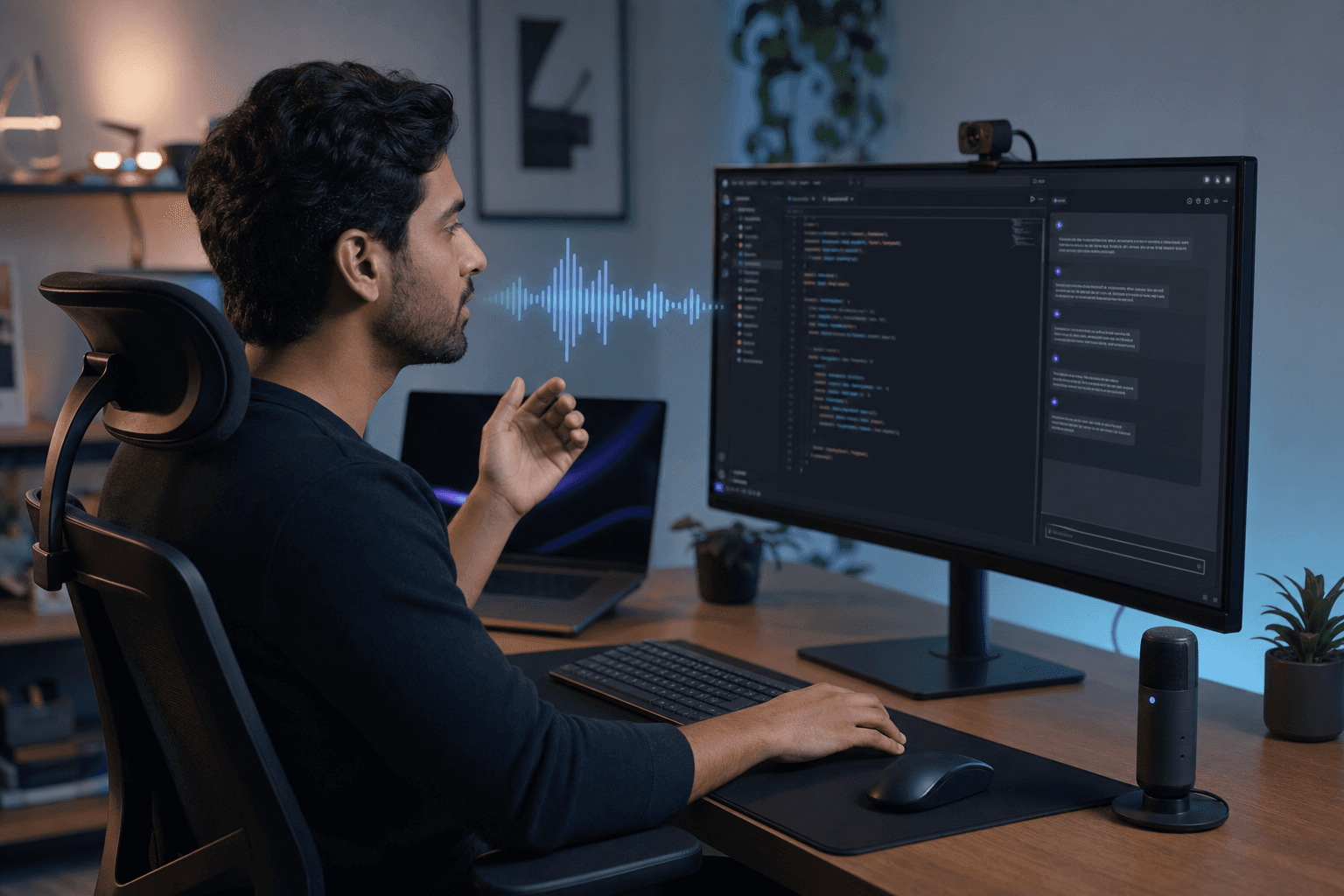
Generic dictation tools miss what makes a developer's actual workflow different: they treat every text field the same, without the technical vocabulary recognition or real-time responsiveness that VS Code users need. Willow Voice closes that gap with ~200ms latency and a context-aware engine that adapts to your codebase over time, so prompts, commit messages, and review comments land correctly on the first pass.
Installing Voice Dictation in VS Code: Step-by-Step Setup
VS Code's native Speech extension (published by Microsoft) gives you built-in voice input without a third-party tool. Here is how to get it running in under five minutes.
Install the extension: Open the Extensions panel (Ctrl+Shift+X), search for "VS Code Speech," and install the extension with ID
ms-vscode.vscode-speech. It is published by Microsoft and adds voice input directly inside the editor.Grant microphone permissions: On first use, your OS will prompt for microphone access. On Windows, go to Settings > Privacy & Security > Microphone and confirm VS Code is allowed. On Mac, grant permission under System Settings > Privacy & Security > Microphone. Restart VS Code after updating permissions.
Set your activation shortcut: The default shortcut to start voice input is Ctrl+Alt+V (Cmd+Alt+V on Mac). To reassign it, open the Keyboard Shortcuts panel (Ctrl+K, Ctrl+S), search for "voice dictation," and pick a combination that does not conflict with existing VS Code bindings.
Test your setup: Click inside any text field, the editor, terminal, or a comment line, and press your activation shortcut. Speak a short sentence. Your words should appear within 300-400ms. If nothing appears, check your microphone input level in system audio settings and confirm the correct device is selected.
For technical vocabulary recognition and sub-200ms latency, a dedicated tool like Willow handles what the built-in extension cannot: learning your codebase terms, removing filler words, and working across every text field at the OS level.
How Willow Voice Works with VS Code
No plugin required. No VS Code extension to configure. Willow Voice runs at the OS level on both Windows and Mac, which means it works inside any text field you can click into, including VS Code's editor, terminal, commit message box, chat panel, and every AI prompt interface you open alongside it.
The setup is one hotkey. Press it, speak, and your words appear where your cursor sits. Whether you're in the Cursor chat panel, a GitHub Copilot inline prompt, or writing a comment above a function, Willow Voice drops text exactly there without any context switching.
What separates it from tools like Wispr Flow or Apple's built-in voice dictation is the context-aware engine. It recognizes variable names, framework-specific terms, library references, and project vocabulary as you build. Say "useCallback" or "async fetchUserData" and it transcribes correctly. Over time, it learns your codebase so accuracy sharpens the more you use it.
The surfaces where this matters inside VS Code are broader than most developers expect:
AI prompts in Cursor, Copilot, or any chat panel
Inline comments and docstrings
Commit messages and PR descriptions
README and architecture documentation
Terminal commands and agentic CLI instructions
Every one of those is a text field. Willow Voice works in all of them.
What Speaking Inside VS Code Actually Looks Like
Here are a few real examples of what you say versus what lands in the editor:
You say | What appears in VS Code |
|---|---|
"Refactor this function to accept a user ID param and return an auth token, add a JSDoc comment above it" | Full Cursor prompt, JSDoc style noted, no editing required |
"This PR adds the OAuth refresh handler, fixes token expiry on idle sessions, closes issue 412" | Complete PR description, variable and issue reference preserved |
"TODO colon handle the edge case where fetch user data returns null before the loading state clears" |
|
"git commit dash m quote fix auth token refresh on idle logout quote" |
|
Willow Voice's context engine handles the technical terms, fetchUserData, OAuth, issue numbers, so what arrives in the prompt or commit box is ready to send without a correction pass.
Speaking AI Prompts and Natural Language Instructions in VS Code
Prompting Cursor, Copilot, or Claude Code well is genuinely hard work. AI output quality depends on prompt quality: vague requests return generic code, while precise prompts return production-ready solutions. Yet most developers type short prompts, not because they lack context, but because composing a thorough one by keyboard feels like stopping to write an essay mid-thought.
Why Voice Produces Better Prompts
Speaking changes that equation. You naturally explain constraints, describe edge cases, and reference specific functions without compressing your thoughts. LLMs perform best on focused, single-task prompts, and voice makes that specificity feel natural.
Willow Voice's filler-word removal and smart formatting mean what arrives in the prompt box is clean and structured, with no post-editing required. Its auto-dictionary picks up your variable names, library terms, and framework conventions over time, so the gap between what you say and what the AI receives keeps shrinking. At 200ms latency, there is no lag breaking your concentration while you compose a detailed prompt aloud.
Speed and Accuracy Built for Technical Workflows
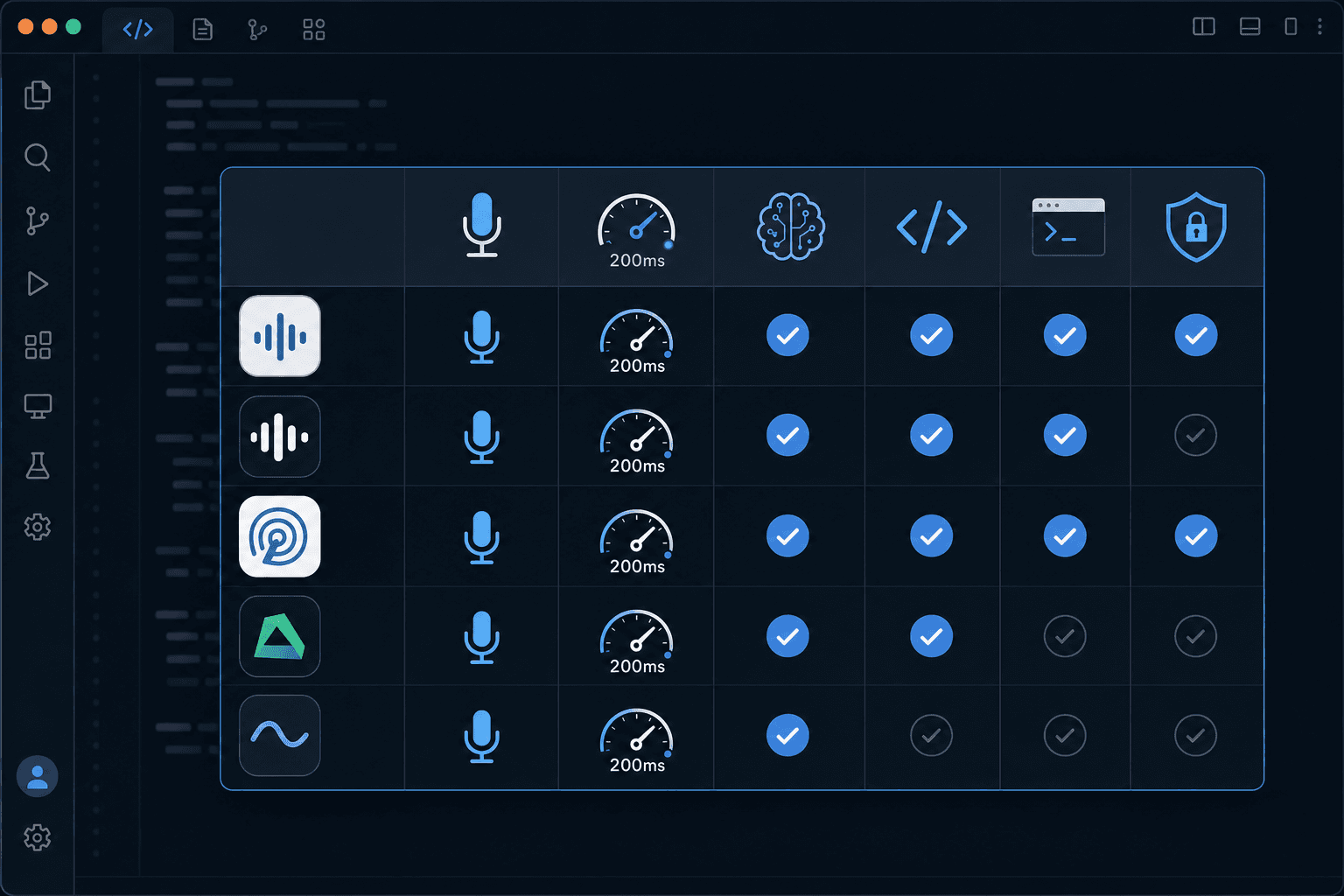
Flow state is fragile. A 700ms lag between speaking and seeing your words appear is enough to break it, whether you're drafting a Cursor prompt, writing a PR description, or a sprint ticket. Built-in tools and most AI dictation alternatives run at 700ms or higher. Willow Voice runs at ~200ms, which is effectively imperceptible.
Accuracy matters even more in code contexts than in prose. A misheard variable name or library reference sends you debugging a transcription error instead of your actual code. Willow Voice's personalization compounds here: it learns your specific terminology over time, so the longer you use it, the sharper it gets on your codebase.
Team-Wide Voice Dictation for Engineering Teams Using VS Code

The gains stack differently across an engineering team. Most dev org setups aren't uniform: some engineers run Windows workstations, others MacBooks. Willow Voice's shared vocabulary and settings sync across both platforms without per-device configuration, so every developer works from the same setup on day one regardless of hardware.
Shared custom dictionaries mean every developer uses the same naming conventions, product terms, and internal jargon automatically. In Cursor and Windsurf, codebase auto-tagging reads open project files to pick up class names, function names, and variable references, so new team members get accurate transcription from day one without building a dictionary by hand. When your team agrees that a component is called AuthTokenRefreshHandler, every member's dictation reflects that from first use.
Engineering leads get team leaderboards showing words and time saved per person, giving adoption visibility without extra tooling. Admin controls let you push shared vocabulary and shortcuts across the org without touching individual machines, so onboarding a new hire means adding them to the team, not reconfiguring their setup. For teams handling proprietary codebases, the security layer is a procurement requirement: Willow Voice is SOC 2 Type II certified and HIPAA compliant, with zero data retention. What you speak does not sit in third-party storage.
Teams at companies across 20% of the Fortune 500 and top YC startups have adopted it for exactly these reasons. You can review team deployment options here.
Pricing and Getting Started with Willow Voice for VS Code
Getting started costs nothing. The free trial gives you 2,000 words per week, recharged weekly, with no credit card required. That's enough to feel the difference in your actual VS Code workflow before committing to anything.
If it clicks, the Individual Plan runs $12/month billed annually. For engineering teams, the Team Plan drops to $10/user/month and includes shared dictionaries, custom spelling overrides, and the security layer your organization needs. Larger teams with compliance requirements can contact us for Enterprise pricing with custom configuration.
Free trial: 2,000 words/week, no card needed
Individual: $12/month (billed annually)
Team: $10/user/month
Enterprise: Custom pricing
FAQs
Can I use voice for AI prompts and code comments in VS Code without an extension?
Yes. Willow runs at the OS level, so it works in any VS Code text field (editor, terminal, commit messages, and AI chat panels) without requiring a plugin or extension. Press your hotkey, speak, and your words appear where your cursor sits.
How does Willow learn my codebase's technical terms?
Willow's context-aware engine automatically picks up variable names, framework-specific terms, and library references as you work. In supported IDEs like Cursor and Windsurf, codebase auto-tagging reads open project files to learn class names, function names, and variable references without manual dictionary entry.
What makes speaking better than typing for AI prompts in VS Code?
Speaking runs at 150 WPM versus 50-70 WPM typing, letting you compose detailed prompts with full context (constraints, edge cases, specific functions) without compressing your thoughts. At 200ms latency, there's no lag breaking concentration while you explain what the AI should generate.
Final Thoughts on Voice as a Developer's Primary Input
AI coding tools made every prompt a direct lever on output quality, and typing at 40 WPM is still the bottleneck. Speaking at 150 WPM into VS Code, your terminal, and your Cursor chat panel closes that gap at every touchpoint in the engineering day. Willow Voice handles what generic tools miss: technical vocabulary recognition, ~200ms latency that keeps you in flow, and SOC 2 Type II compliance for teams where proprietary code stays private. It runs natively on Windows, Mac, and iOS, so mixed-device teams and developers who move between desktop and mobile work from one tool across every device. The setup takes minutes.
The engineering day doesn't live in one text field. You're drafting prompts in Cursor, writing commit messages, reviewing PRs, responding to sprint tickets, and leaving async comments in GitHub or Linear. Every one of those is a writing task with the same bottleneck: thinking runs faster than typing. On a Windows workstation, a Mac laptop, or both in the same team, speaking at 150 WPM versus 40 WPM typing that ratio at every touchpoint. With the right setup, every VS Code text field becomes voice-ready. Here is how to get there.
TLDR:
Voice dictation lets you speak at 150 WPM vs typing at 50-70 WPM for AI prompts and docs in VS Code.
A dedicated voice dictation tool works in any VS Code text field with 200ms latency, around 3x faster than alternatives at 700ms+.
The right tool learns your codebase vocabulary automatically, improving accuracy on technical terms over time.
Shared team dictionaries keep naming conventions consistent across all developers' AI prompts.
Enterprise-grade voice dictation tools offer SOC 2 Type II and HIPAA compliance with zero data retention for engineering teams.
Why Developers Use Voice Dictation Inside VS Code
Most developers are spending more time writing text than writing code. VS Code's 75.9% developer market share puts it at the center of that problem: every Cursor prompt, PR description, sprint ticket, inline comment, and architecture doc gets compressed when typing is the bottleneck, not because the developer lacks context, but because composing at the keyboard feels like stopping to write an essay mid-sprint.
The friction compounds across the full engineering day. A developer in flow doesn't want to stop, hand-type a detailed prompt, rebuild their mental model of the code, then repeat the cycle when the output falls short. The same cost applies to async work: a thorough code review comment takes two minutes to type and thirty seconds to speak. Documentation gets skipped. Sprint tickets get filed with just enough detail to ship, but not enough to hand off cleanly.
Here's the math worth caring about: even fast developers type 50-70 words per minute. Speaking lands closer to 150 WPM. That gap compounds across every prompt, every doc, every ticket you write in a day.
Generic dictation tools miss what makes a developer's actual workflow different: they treat every text field the same, without the technical vocabulary recognition or real-time responsiveness that VS Code users need. Willow Voice closes that gap with ~200ms latency and a context-aware engine that adapts to your codebase over time, so prompts, commit messages, and review comments land correctly on the first pass.
Installing Voice Dictation in VS Code: Step-by-Step Setup
VS Code's native Speech extension (published by Microsoft) gives you built-in voice input without a third-party tool. Here is how to get it running in under five minutes.
Install the extension: Open the Extensions panel (Ctrl+Shift+X), search for "VS Code Speech," and install the extension with ID
ms-vscode.vscode-speech. It is published by Microsoft and adds voice input directly inside the editor.Grant microphone permissions: On first use, your OS will prompt for microphone access. On Windows, go to Settings > Privacy & Security > Microphone and confirm VS Code is allowed. On Mac, grant permission under System Settings > Privacy & Security > Microphone. Restart VS Code after updating permissions.
Set your activation shortcut: The default shortcut to start voice input is Ctrl+Alt+V (Cmd+Alt+V on Mac). To reassign it, open the Keyboard Shortcuts panel (Ctrl+K, Ctrl+S), search for "voice dictation," and pick a combination that does not conflict with existing VS Code bindings.
Test your setup: Click inside any text field, the editor, terminal, or a comment line, and press your activation shortcut. Speak a short sentence. Your words should appear within 300-400ms. If nothing appears, check your microphone input level in system audio settings and confirm the correct device is selected.
For technical vocabulary recognition and sub-200ms latency, a dedicated tool like Willow handles what the built-in extension cannot: learning your codebase terms, removing filler words, and working across every text field at the OS level.
How Willow Voice Works with VS Code
No plugin required. No VS Code extension to configure. Willow Voice runs at the OS level on both Windows and Mac, which means it works inside any text field you can click into, including VS Code's editor, terminal, commit message box, chat panel, and every AI prompt interface you open alongside it.
The setup is one hotkey. Press it, speak, and your words appear where your cursor sits. Whether you're in the Cursor chat panel, a GitHub Copilot inline prompt, or writing a comment above a function, Willow Voice drops text exactly there without any context switching.
What separates it from tools like Wispr Flow or Apple's built-in voice dictation is the context-aware engine. It recognizes variable names, framework-specific terms, library references, and project vocabulary as you build. Say "useCallback" or "async fetchUserData" and it transcribes correctly. Over time, it learns your codebase so accuracy sharpens the more you use it.
The surfaces where this matters inside VS Code are broader than most developers expect:
AI prompts in Cursor, Copilot, or any chat panel
Inline comments and docstrings
Commit messages and PR descriptions
README and architecture documentation
Terminal commands and agentic CLI instructions
Every one of those is a text field. Willow Voice works in all of them.
What Speaking Inside VS Code Actually Looks Like
Here are a few real examples of what you say versus what lands in the editor:
You say | What appears in VS Code |
|---|---|
"Refactor this function to accept a user ID param and return an auth token, add a JSDoc comment above it" | Full Cursor prompt, JSDoc style noted, no editing required |
"This PR adds the OAuth refresh handler, fixes token expiry on idle sessions, closes issue 412" | Complete PR description, variable and issue reference preserved |
"TODO colon handle the edge case where fetch user data returns null before the loading state clears" |
|
"git commit dash m quote fix auth token refresh on idle logout quote" |
|
Willow Voice's context engine handles the technical terms, fetchUserData, OAuth, issue numbers, so what arrives in the prompt or commit box is ready to send without a correction pass.
Speaking AI Prompts and Natural Language Instructions in VS Code
Prompting Cursor, Copilot, or Claude Code well is genuinely hard work. AI output quality depends on prompt quality: vague requests return generic code, while precise prompts return production-ready solutions. Yet most developers type short prompts, not because they lack context, but because composing a thorough one by keyboard feels like stopping to write an essay mid-thought.
Why Voice Produces Better Prompts
Speaking changes that equation. You naturally explain constraints, describe edge cases, and reference specific functions without compressing your thoughts. LLMs perform best on focused, single-task prompts, and voice makes that specificity feel natural.
Willow Voice's filler-word removal and smart formatting mean what arrives in the prompt box is clean and structured, with no post-editing required. Its auto-dictionary picks up your variable names, library terms, and framework conventions over time, so the gap between what you say and what the AI receives keeps shrinking. At 200ms latency, there is no lag breaking your concentration while you compose a detailed prompt aloud.
Speed and Accuracy Built for Technical Workflows
Flow state is fragile. A 700ms lag between speaking and seeing your words appear is enough to break it, whether you're drafting a Cursor prompt, writing a PR description, or a sprint ticket. Built-in tools and most AI dictation alternatives run at 700ms or higher. Willow Voice runs at ~200ms, which is effectively imperceptible.
Accuracy matters even more in code contexts than in prose. A misheard variable name or library reference sends you debugging a transcription error instead of your actual code. Willow Voice's personalization compounds here: it learns your specific terminology over time, so the longer you use it, the sharper it gets on your codebase.
Team-Wide Voice Dictation for Engineering Teams Using VS Code
The gains stack differently across an engineering team. Most dev org setups aren't uniform: some engineers run Windows workstations, others MacBooks. Willow Voice's shared vocabulary and settings sync across both platforms without per-device configuration, so every developer works from the same setup on day one regardless of hardware.
Shared custom dictionaries mean every developer uses the same naming conventions, product terms, and internal jargon automatically. In Cursor and Windsurf, codebase auto-tagging reads open project files to pick up class names, function names, and variable references, so new team members get accurate transcription from day one without building a dictionary by hand. When your team agrees that a component is called AuthTokenRefreshHandler, every member's dictation reflects that from first use.
Engineering leads get team leaderboards showing words and time saved per person, giving adoption visibility without extra tooling. Admin controls let you push shared vocabulary and shortcuts across the org without touching individual machines, so onboarding a new hire means adding them to the team, not reconfiguring their setup. For teams handling proprietary codebases, the security layer is a procurement requirement: Willow Voice is SOC 2 Type II certified and HIPAA compliant, with zero data retention. What you speak does not sit in third-party storage.
Teams at companies across 20% of the Fortune 500 and top YC startups have adopted it for exactly these reasons. You can review team deployment options here.
Pricing and Getting Started with Willow Voice for VS Code
Getting started costs nothing. The free trial gives you 2,000 words per week, recharged weekly, with no credit card required. That's enough to feel the difference in your actual VS Code workflow before committing to anything.
If it clicks, the Individual Plan runs $12/month billed annually. For engineering teams, the Team Plan drops to $10/user/month and includes shared dictionaries, custom spelling overrides, and the security layer your organization needs. Larger teams with compliance requirements can contact us for Enterprise pricing with custom configuration.
Free trial: 2,000 words/week, no card needed
Individual: $12/month (billed annually)
Team: $10/user/month
Enterprise: Custom pricing
FAQs
Can I use voice for AI prompts and code comments in VS Code without an extension?
Yes. Willow runs at the OS level, so it works in any VS Code text field (editor, terminal, commit messages, and AI chat panels) without requiring a plugin or extension. Press your hotkey, speak, and your words appear where your cursor sits.
How does Willow learn my codebase's technical terms?
Willow's context-aware engine automatically picks up variable names, framework-specific terms, and library references as you work. In supported IDEs like Cursor and Windsurf, codebase auto-tagging reads open project files to learn class names, function names, and variable references without manual dictionary entry.
What makes speaking better than typing for AI prompts in VS Code?
Speaking runs at 150 WPM versus 50-70 WPM typing, letting you compose detailed prompts with full context (constraints, edge cases, specific functions) without compressing your thoughts. At 200ms latency, there's no lag breaking concentration while you explain what the AI should generate.
Final Thoughts on Voice as a Developer's Primary Input
AI coding tools made every prompt a direct lever on output quality, and typing at 40 WPM is still the bottleneck. Speaking at 150 WPM into VS Code, your terminal, and your Cursor chat panel closes that gap at every touchpoint in the engineering day. Willow Voice handles what generic tools miss: technical vocabulary recognition, ~200ms latency that keeps you in flow, and SOC 2 Type II compliance for teams where proprietary code stays private. It runs natively on Windows, Mac, and iOS, so mixed-device teams and developers who move between desktop and mobile work from one tool across every device. The setup takes minutes.

Try Willow for free
Instant, accurate voice dictation. No card required.
Try Willow for free
Instant, accurate voice dictation. No card required.
Other stories you’ll love
Other stories you’ll love



Your keyboard is optional now
" transform="translate(5 5)" width="9.791000051498413px"/></svg>)

The voice-first interface for modern work.
© Willow Care, Inc. 2026. All rights reserved
Your keyboard is optional now
The voice-first interface for modern work.
© Willow Care, Inc. 2026. All rights reserved
Your keyboard is optional now
The voice-first interface for modern work.
© Willow Care, Inc. 2026. All rights reserved