" transform="translate(5 2)" width="10px"/></svg>)

•
5 min read
Willow vs. Wispr Flow vs. Apple Dictation for Replit – July 2026

•
5 min read
Willow vs. Wispr Flow vs. Apple Dictation for Replit – July 2026
Engineering teams building with Replit Agent spend as much time typing prompts as writing code. Agent output quality depends on prompt detail, and typing at 40 words per minute is a bottleneck. Replit voice input needs near-instant transcription to keep developers focused on architecture and logic. Built-in dictation tools introduce lag, cut sessions short, and misread terms like "JWT" or "Supabase." Voice tools built for coding workflows fix that with developer vocabulary learning, 200ms transcription, and cross-device support across Mac, Windows, and iOS.
TLDR:
Some modern platforms deliver 200ms transcription vs. ~700ms for Wispr Flow and 700ms+ for Apple Dictation, keeping you in flow state.
Speaking at 150 WPM vs. typing at 40 WPM makes detailed Replit Agent prompts nearly 4x faster to write.
Certain tools learn your codebase vocabulary automatically and improve transcription accuracy over time for your project.
SOC 2 Type II and HIPAA compliance with offline mode protects proprietary code without sending audio to external servers.
Certain AI-powered voice dictation tools work across Mac, Windows, and iOS, covering your entire development environment for $12/month.
Why Voice Input Matters for Replit Developers
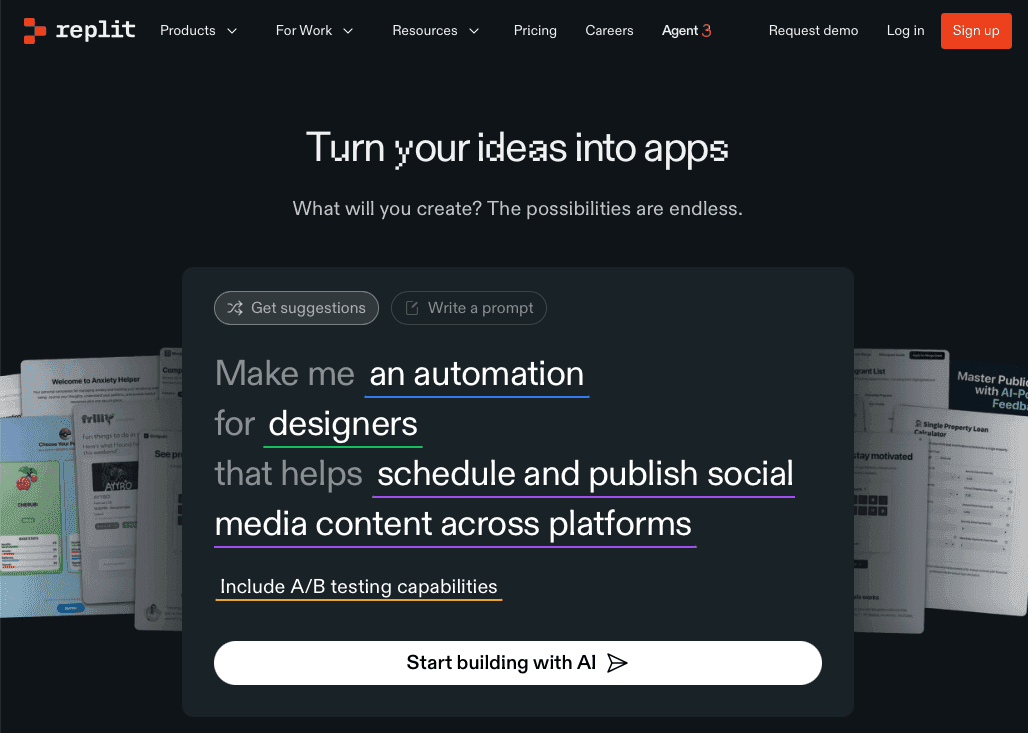
Replit added audio support to its AI integrations earlier in 2026, introducing four GPT-4o audio models for speech-to-text transcription and audio generation. By mid-2026, developers can build voice-supported applications or integrate speech workflows directly inside Replit projects.
AI Agents work better with detailed instructions. A typed prompt might say "build a login form." A spoken prompt becomes "build a login form with email validation, password strength requirements, and a forgot password flow that sends a magic link." Same time investment. Better output.
Replit’s audio capabilities currently exist through its AI integrations and models inside the Replit interface. You still need voice dictation that works across your entire workflow: terminal commands, documentation, code comments, PR descriptions, and prompts in other AI coding tools.
Tool | Transcription Speed | Accuracy vs Baseline | Platforms | Pricing | Developer Features |
|---|---|---|---|---|---|
Willow Voice | ~200ms latency | 98%+ accuracy; adaptive vocabulary learning reduces errors over time | Mac, Windows, iOS | $12/month Individual; $10/user/month Team; Enterprise custom pricing. Free plan available (unlimited, no credit card required). | Codebase auto-tagging in Cursor and Windsurf, variable name recognition, learns codebase vocabulary, SOC 2 Type II and HIPAA compliant, offline mode, shared custom dictionaries, admin controls, team leaderboards |
Wispr Flow | ~700ms latency | Good general accuracy; relies on Command Mode for corrections instead of adaptive personalization | Mac, iOS (Windows in limited rollout) | Free tier (word-capped); paid plans: see Wispr Flow site for current pricing | SOC 2 Type II, ISO 27001, and HIPAA available on certain plans; cloud-based processing; no codebase auto-tagging, no shared team dictionaries or admin controls |
Apple Dictation | 700ms+ latency | Baseline accuracy; no personalization or vocabulary learning | Mac, iOS | Free with macOS | Auto-stops after silence; can struggle with framework names and API endpoints; no session learning, no team features |
The Speed Advantage: 150 WPM Speaking vs. 40 WPM Typing
The average developer types at 40 words per minute. Speaking clocks in at 150 words per minute. That's a 3x speed advantage on every prompt, comment, and documentation block you write in Replit.
The gap matters most when explaining logic to an AI agent. Voice coding changes how you communicate with AI assistants. Typing "refactor this function" takes the same effort as speaking "refactor this authentication function to use JWT tokens instead of session cookies, keep the existing error handling, and add rate limiting to prevent brute force attacks." One takes three seconds. The other delivers context that saves two rounds of clarification and gets you working code faster.
Replit Agent Workflows: Where Voice Input Delivers Maximum Impact
Voice dictation changes how you work with Replit Agent across four core workflows. Speaking multi-step agentic prompts lets you describe architecture, constraints, and edge cases without abbreviating. Instead of typing "add auth," say "add authentication with OAuth2, store tokens in environment variables, handle token refresh automatically, and redirect to the dashboard after login." Speak README files and code comments to stay in flow state, and narrate pull request descriptions to capture the detail that typing compresses.
Apple Dictation Limitations for Developer Workflows
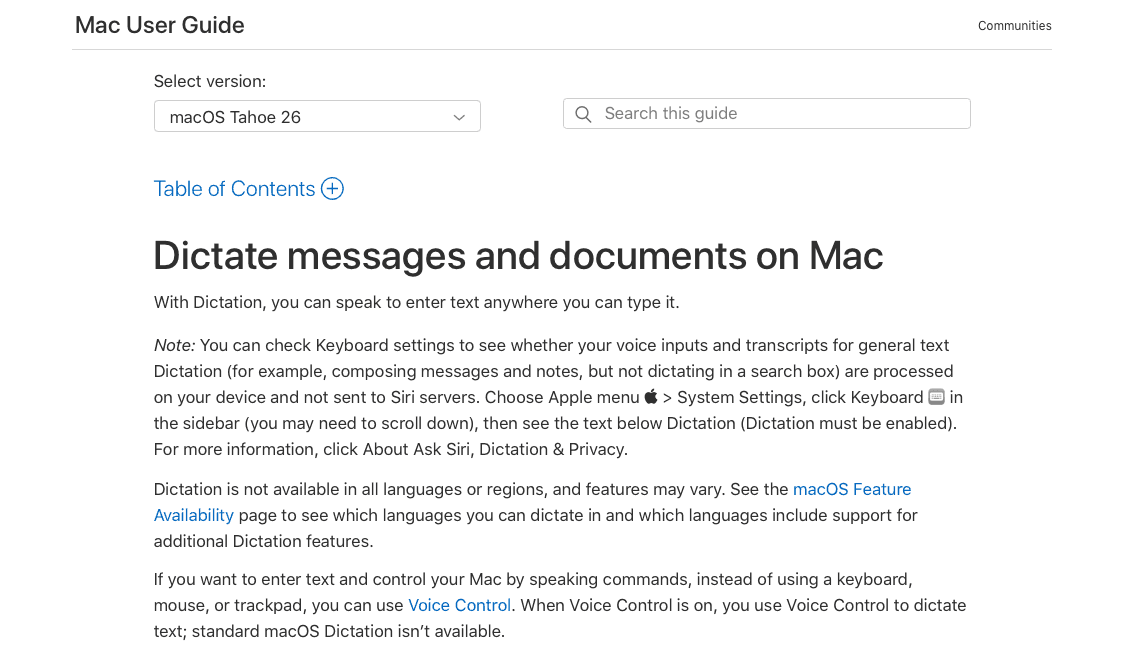
Apple’s built-in dictation may pause or require manual reactivation during longer dictation sessions, forcing restarts mid-prompt when describing multi-step Replit Agent instructions. General-purpose dictation tools may misinterpret technical terms such as framework names or API endpoints, transcribing "Supabase" as "super base" and "JWT" as "J.W.T." instead of recognizing developer terminology. Without personalization, it treats every session as isolated and won't learn project-specific terms. Response latency exceeds 700ms, while Willow delivers 200ms transcription that keeps developers in flow state.
Wispr Flow: Cross-Device Capability with Accuracy Tradeoffs
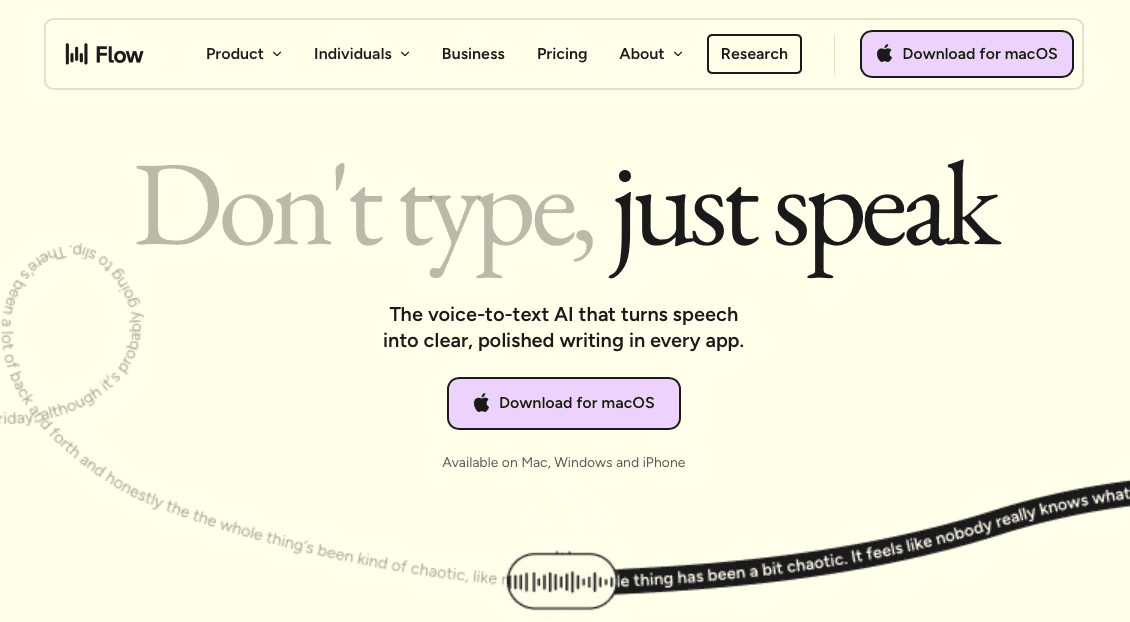
Wispr Flow runs on Mac, Windows, and iOS with cloud-based processing that delivers cross-device consistency. The subscription costs $15 per month, positioning it above Willow's $12/month pricing tier for individual users.
The cloud model introduces ~700ms latency per transcription request, compared to Willow's 200ms processing speed. For Replit developers describing agentic workflows or speaking multi-step prompts, the delay breaks flow state and creates perceptible lag between speaking and seeing text appear. Users report that the higher latency and lower accuracy make the dictation experience worse when prompting tools like Replit.
Wispr Flow now holds SOC 2 Type II, ISO 27001, and HIPAA certifications, so formal compliance is covered. For development teams with strict data residency requirements or on-device processing policies, though, reliance on third-party AI providers for cloud processing can still raise questions that Willow Voice's offline mode resolves by design. The tool also lacks developer-specific vocabulary recognition, requiring manual correction for file names, variable references, and framework terminology.
Willow's Technical Advantages for Replit Development

Willow Voice delivers three technical advantages for Replit development across Mac, Windows, and iOS: 200ms transcription latency keeps you in flow state, personalized learning improves accuracy over time, and SOC 2 Type II and HIPAA compliance protect production code on every device.
The personalization engine learns as you work. Speak a file name once, correct it if needed, and Willow remembers it for every future prompt. The same applies to variable names, function references, and framework terminology.
Automatic file tagging handles AI IDE workflows: when you reference files in a prompt, Willow tags them correctly, including camelCase and snake_case variable names.
Real-Time Transcription Speed and Developer Flow State
Flow state breaks when tools can't keep up. At 700ms latency, you finish speaking and watch the screen. Willow processes speech at 200ms, so text appears as you speak and your brain stays in problem-solving mode. When explaining a refactoring strategy to Replit Agent, you think through the logic once and keep moving.
How Willow Learns Your Development Vocabulary
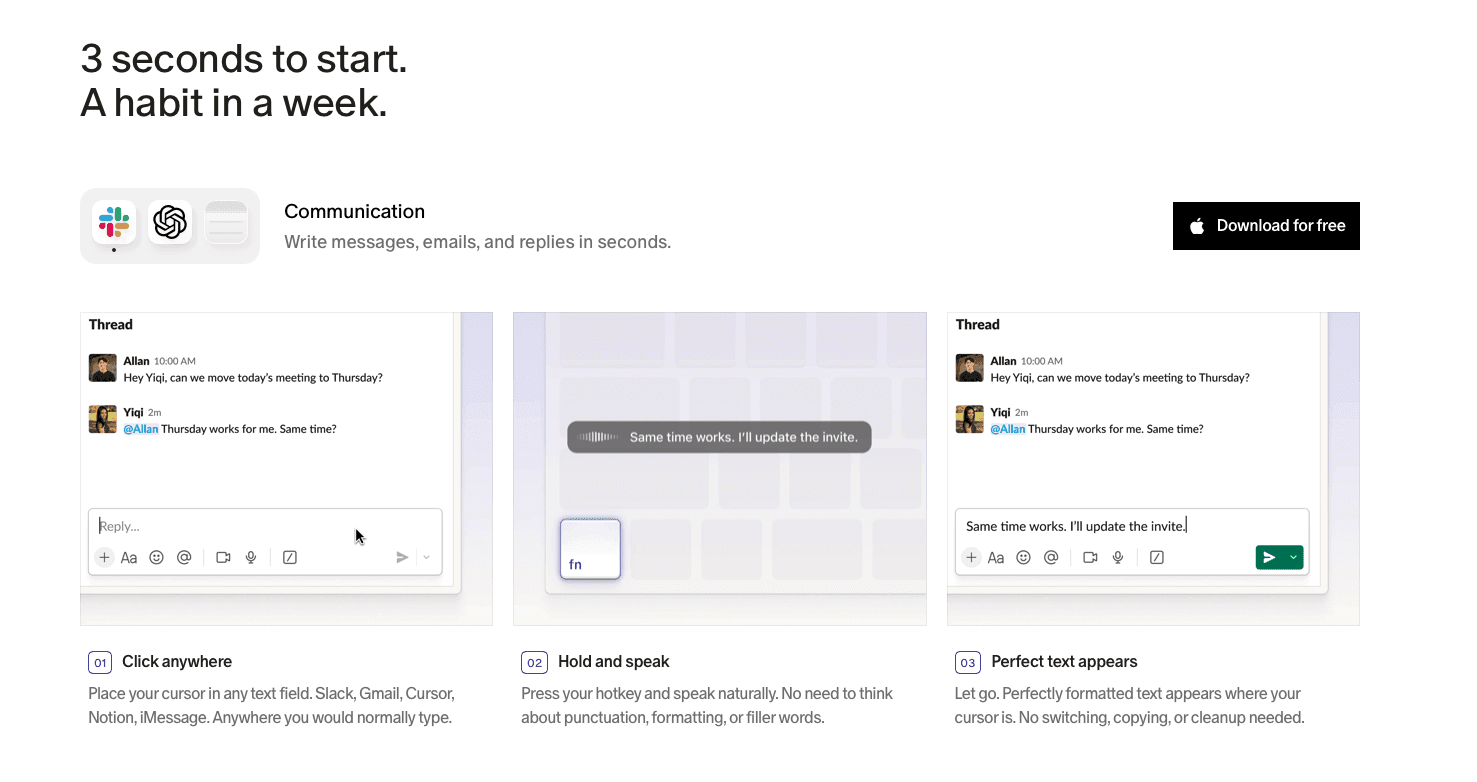
Willow builds a custom dictionary from every correction you make. Speak a file name, variable, or framework term once. If the transcription needs adjustment, correct it. Willow remembers that correction permanently and applies it to every future session.
The context-aware spelling engine identifies technical terms from your active workspace. When you reference "Supabase" or "JWT" in a Replit prompt, Willow recognizes them as project vocabulary instead of generic words. CamelCase and snake_case variable names appear correctly formatted without manual intervention.
Most general-purpose dictation tools rely on shared language models instead of adapting to a specific codebase. Willow improves with use, adapting to your terminology, library names, and function references automatically.
Privacy and Security for Development Teams
Engineering teams deploying voice dictation org-wide face requirements that consumer-focused tools were not built to handle: mixed-device fleets with Windows workstations, Mac laptops, and iOS phones; data residency requirements; and shared vocabulary that must stay consistent across the org.
Willow Voice is SOC 2 Type II certified and HIPAA compliant with zero data retention. Audio never gets stored. For healthcare, finance, or government engineering orgs, this removes compliance friction blocking org-wide rollout. Shared custom dictionaries, team-wide shortcuts, and admin controls let engineering leads standardize codebase vocabulary from one place. When one team member corrects a term, it propagates to every device in the fleet automatically.
Offline mode runs a local transcription model on-device (Mac and iOS) for teams with strict data residency policies, keeping all data local with no internet connection required. Team leaderboards surface adoption and time-saved data, giving engineering leads visibility into rollout health across a mixed fleet.
Setting Up Willow for Replit Workflows
Press the Function (fn) key on Mac or Alt+Space on Windows to activate Willow from anywhere. Speak your prompt, code comment, or documentation block. Text appears in Replit's browser interface in 200ms, keeping you in flow state while Wispr Flow and Apple Dictation lag at 700ms+.
Willow works across your entire development environment without app switching: the same hotkey covers Replit Agent prompts, README files, and code editors. Add project-specific terms by correcting them once, and Willow remembers file names and framework terminology automatically.
Voice Input as a Competitive Advantage for Replit Teams
Development teams using voice dictation for Replit ship code faster. Speaking at 150 WPM versus typing at 40 WPM means prompts get written with nearly 4x more throughput and more detail included, producing better agent output on the first attempt. Engineering teams at top YC startups and companies across 20% of the Fortune 500 use Willow Voice as the dictation layer for AI-assisted development.
Willow Voice learns how your team writes over time. Shared dictionaries sync technical vocabulary across developers, whether they are on a Windows workstation, Mac laptop, or iPhone reviewing a PR on the go. When one engineer corrects "Supabase" or a custom function name, every team member on every device benefits from that correction automatically. Wispr Flow and Apple Dictation treat every session as isolated.
SOC 2 Type II and HIPAA compliance removes friction for enterprise teams across Mac, Windows, and iOS. Offline mode keeps proprietary code local. Admin controls let engineering leads push shared vocabulary and shortcuts org-wide without touching individual installs, so new team members are productive from day one.
FAQs
How does Willow's 200ms transcription speed improve my Replit workflow?
At 200ms, text appears as you speak, keeping your brain in problem-solving mode instead of tool-monitoring mode. Wispr Flow and Apple Dictation lag at 700ms+, forcing context switches that break flow state when explaining refactoring strategies or multi-step prompts to Replit Agent.
Does Willow work outside of the Replit interface?
Willow works across your entire development environment with a single Function (fn) key hotkey. Speak into terminal commands, documentation, code comments, PR descriptions, and prompts in other AI coding tools without app switching or Replit-only limitations.
What happens to my audio when using Willow with proprietary code?
Audio never gets stored. Willow processes transcription in real time and deletes it immediately after with zero data retention policies, backed by SOC 2 and HIPAA compliance. Offline mode runs a local model directly on your machine so no data leaves your device.
How much faster is speaking compared to typing for Replit Agent prompts?
Speaking clocks in at 150 words per minute versus typing at 40 WPM, a 3.75x speed multiplier. You can describe architecture, constraints, and edge cases in the same time it takes to type a basic three-word prompt, producing better agent output on the first attempt.
Final Thoughts on Optimizing Replit Agent Prompts with Voice
AI agents in Replit produce stronger results when prompts include clear constraints, architecture details, and edge cases, yet typing those instructions slows the workflow. Replit voice input changes that interaction by letting developers speak prompts at around 150 words per minute instead of typing closer to 40. Willow Voice adds ~200ms transcription and vocabulary learning so framework names, file references, and variables appear correctly as you speak, on Mac, Windows, and iOS, from the same activation hotkey. Over time it adapts to your codebase, making longer and more detailed prompts easy to create without breaking focus. If you want to remove the prompt bottleneck and improve first-attempt results with Replit Agent, download Willow Voice and bring voice input into your development workflow.
Engineering teams building with Replit Agent spend as much time typing prompts as writing code. Agent output quality depends on prompt detail, and typing at 40 words per minute is a bottleneck. Replit voice input needs near-instant transcription to keep developers focused on architecture and logic. Built-in dictation tools introduce lag, cut sessions short, and misread terms like "JWT" or "Supabase." Voice tools built for coding workflows fix that with developer vocabulary learning, 200ms transcription, and cross-device support across Mac, Windows, and iOS.
TLDR:
Some modern platforms deliver 200ms transcription vs. ~700ms for Wispr Flow and 700ms+ for Apple Dictation, keeping you in flow state.
Speaking at 150 WPM vs. typing at 40 WPM makes detailed Replit Agent prompts nearly 4x faster to write.
Certain tools learn your codebase vocabulary automatically and improve transcription accuracy over time for your project.
SOC 2 Type II and HIPAA compliance with offline mode protects proprietary code without sending audio to external servers.
Certain AI-powered voice dictation tools work across Mac, Windows, and iOS, covering your entire development environment for $12/month.
Why Voice Input Matters for Replit Developers
Replit added audio support to its AI integrations earlier in 2026, introducing four GPT-4o audio models for speech-to-text transcription and audio generation. By mid-2026, developers can build voice-supported applications or integrate speech workflows directly inside Replit projects.
AI Agents work better with detailed instructions. A typed prompt might say "build a login form." A spoken prompt becomes "build a login form with email validation, password strength requirements, and a forgot password flow that sends a magic link." Same time investment. Better output.
Replit’s audio capabilities currently exist through its AI integrations and models inside the Replit interface. You still need voice dictation that works across your entire workflow: terminal commands, documentation, code comments, PR descriptions, and prompts in other AI coding tools.
Tool | Transcription Speed | Accuracy vs Baseline | Platforms | Pricing | Developer Features |
|---|---|---|---|---|---|
Willow Voice | ~200ms latency | 98%+ accuracy; adaptive vocabulary learning reduces errors over time | Mac, Windows, iOS | $12/month Individual; $10/user/month Team; Enterprise custom pricing. Free plan available (unlimited, no credit card required). | Codebase auto-tagging in Cursor and Windsurf, variable name recognition, learns codebase vocabulary, SOC 2 Type II and HIPAA compliant, offline mode, shared custom dictionaries, admin controls, team leaderboards |
Wispr Flow | ~700ms latency | Good general accuracy; relies on Command Mode for corrections instead of adaptive personalization | Mac, iOS (Windows in limited rollout) | Free tier (word-capped); paid plans: see Wispr Flow site for current pricing | SOC 2 Type II, ISO 27001, and HIPAA available on certain plans; cloud-based processing; no codebase auto-tagging, no shared team dictionaries or admin controls |
Apple Dictation | 700ms+ latency | Baseline accuracy; no personalization or vocabulary learning | Mac, iOS | Free with macOS | Auto-stops after silence; can struggle with framework names and API endpoints; no session learning, no team features |
The Speed Advantage: 150 WPM Speaking vs. 40 WPM Typing
The average developer types at 40 words per minute. Speaking clocks in at 150 words per minute. That's a 3x speed advantage on every prompt, comment, and documentation block you write in Replit.
The gap matters most when explaining logic to an AI agent. Voice coding changes how you communicate with AI assistants. Typing "refactor this function" takes the same effort as speaking "refactor this authentication function to use JWT tokens instead of session cookies, keep the existing error handling, and add rate limiting to prevent brute force attacks." One takes three seconds. The other delivers context that saves two rounds of clarification and gets you working code faster.
Replit Agent Workflows: Where Voice Input Delivers Maximum Impact
Voice dictation changes how you work with Replit Agent across four core workflows. Speaking multi-step agentic prompts lets you describe architecture, constraints, and edge cases without abbreviating. Instead of typing "add auth," say "add authentication with OAuth2, store tokens in environment variables, handle token refresh automatically, and redirect to the dashboard after login." Speak README files and code comments to stay in flow state, and narrate pull request descriptions to capture the detail that typing compresses.
Apple Dictation Limitations for Developer Workflows
Apple’s built-in dictation may pause or require manual reactivation during longer dictation sessions, forcing restarts mid-prompt when describing multi-step Replit Agent instructions. General-purpose dictation tools may misinterpret technical terms such as framework names or API endpoints, transcribing "Supabase" as "super base" and "JWT" as "J.W.T." instead of recognizing developer terminology. Without personalization, it treats every session as isolated and won't learn project-specific terms. Response latency exceeds 700ms, while Willow delivers 200ms transcription that keeps developers in flow state.
Wispr Flow: Cross-Device Capability with Accuracy Tradeoffs
Wispr Flow runs on Mac, Windows, and iOS with cloud-based processing that delivers cross-device consistency. The subscription costs $15 per month, positioning it above Willow's $12/month pricing tier for individual users.
The cloud model introduces ~700ms latency per transcription request, compared to Willow's 200ms processing speed. For Replit developers describing agentic workflows or speaking multi-step prompts, the delay breaks flow state and creates perceptible lag between speaking and seeing text appear. Users report that the higher latency and lower accuracy make the dictation experience worse when prompting tools like Replit.
Wispr Flow now holds SOC 2 Type II, ISO 27001, and HIPAA certifications, so formal compliance is covered. For development teams with strict data residency requirements or on-device processing policies, though, reliance on third-party AI providers for cloud processing can still raise questions that Willow Voice's offline mode resolves by design. The tool also lacks developer-specific vocabulary recognition, requiring manual correction for file names, variable references, and framework terminology.
Willow's Technical Advantages for Replit Development
Willow Voice delivers three technical advantages for Replit development across Mac, Windows, and iOS: 200ms transcription latency keeps you in flow state, personalized learning improves accuracy over time, and SOC 2 Type II and HIPAA compliance protect production code on every device.
The personalization engine learns as you work. Speak a file name once, correct it if needed, and Willow remembers it for every future prompt. The same applies to variable names, function references, and framework terminology.
Automatic file tagging handles AI IDE workflows: when you reference files in a prompt, Willow tags them correctly, including camelCase and snake_case variable names.
Real-Time Transcription Speed and Developer Flow State
Flow state breaks when tools can't keep up. At 700ms latency, you finish speaking and watch the screen. Willow processes speech at 200ms, so text appears as you speak and your brain stays in problem-solving mode. When explaining a refactoring strategy to Replit Agent, you think through the logic once and keep moving.
How Willow Learns Your Development Vocabulary
Willow builds a custom dictionary from every correction you make. Speak a file name, variable, or framework term once. If the transcription needs adjustment, correct it. Willow remembers that correction permanently and applies it to every future session.
The context-aware spelling engine identifies technical terms from your active workspace. When you reference "Supabase" or "JWT" in a Replit prompt, Willow recognizes them as project vocabulary instead of generic words. CamelCase and snake_case variable names appear correctly formatted without manual intervention.
Most general-purpose dictation tools rely on shared language models instead of adapting to a specific codebase. Willow improves with use, adapting to your terminology, library names, and function references automatically.
Privacy and Security for Development Teams
Engineering teams deploying voice dictation org-wide face requirements that consumer-focused tools were not built to handle: mixed-device fleets with Windows workstations, Mac laptops, and iOS phones; data residency requirements; and shared vocabulary that must stay consistent across the org.
Willow Voice is SOC 2 Type II certified and HIPAA compliant with zero data retention. Audio never gets stored. For healthcare, finance, or government engineering orgs, this removes compliance friction blocking org-wide rollout. Shared custom dictionaries, team-wide shortcuts, and admin controls let engineering leads standardize codebase vocabulary from one place. When one team member corrects a term, it propagates to every device in the fleet automatically.
Offline mode runs a local transcription model on-device (Mac and iOS) for teams with strict data residency policies, keeping all data local with no internet connection required. Team leaderboards surface adoption and time-saved data, giving engineering leads visibility into rollout health across a mixed fleet.
Setting Up Willow for Replit Workflows
Press the Function (fn) key on Mac or Alt+Space on Windows to activate Willow from anywhere. Speak your prompt, code comment, or documentation block. Text appears in Replit's browser interface in 200ms, keeping you in flow state while Wispr Flow and Apple Dictation lag at 700ms+.
Willow works across your entire development environment without app switching: the same hotkey covers Replit Agent prompts, README files, and code editors. Add project-specific terms by correcting them once, and Willow remembers file names and framework terminology automatically.
Voice Input as a Competitive Advantage for Replit Teams
Development teams using voice dictation for Replit ship code faster. Speaking at 150 WPM versus typing at 40 WPM means prompts get written with nearly 4x more throughput and more detail included, producing better agent output on the first attempt. Engineering teams at top YC startups and companies across 20% of the Fortune 500 use Willow Voice as the dictation layer for AI-assisted development.
Willow Voice learns how your team writes over time. Shared dictionaries sync technical vocabulary across developers, whether they are on a Windows workstation, Mac laptop, or iPhone reviewing a PR on the go. When one engineer corrects "Supabase" or a custom function name, every team member on every device benefits from that correction automatically. Wispr Flow and Apple Dictation treat every session as isolated.
SOC 2 Type II and HIPAA compliance removes friction for enterprise teams across Mac, Windows, and iOS. Offline mode keeps proprietary code local. Admin controls let engineering leads push shared vocabulary and shortcuts org-wide without touching individual installs, so new team members are productive from day one.
FAQs
How does Willow's 200ms transcription speed improve my Replit workflow?
At 200ms, text appears as you speak, keeping your brain in problem-solving mode instead of tool-monitoring mode. Wispr Flow and Apple Dictation lag at 700ms+, forcing context switches that break flow state when explaining refactoring strategies or multi-step prompts to Replit Agent.
Does Willow work outside of the Replit interface?
Willow works across your entire development environment with a single Function (fn) key hotkey. Speak into terminal commands, documentation, code comments, PR descriptions, and prompts in other AI coding tools without app switching or Replit-only limitations.
What happens to my audio when using Willow with proprietary code?
Audio never gets stored. Willow processes transcription in real time and deletes it immediately after with zero data retention policies, backed by SOC 2 and HIPAA compliance. Offline mode runs a local model directly on your machine so no data leaves your device.
How much faster is speaking compared to typing for Replit Agent prompts?
Speaking clocks in at 150 words per minute versus typing at 40 WPM, a 3.75x speed multiplier. You can describe architecture, constraints, and edge cases in the same time it takes to type a basic three-word prompt, producing better agent output on the first attempt.
Final Thoughts on Optimizing Replit Agent Prompts with Voice
AI agents in Replit produce stronger results when prompts include clear constraints, architecture details, and edge cases, yet typing those instructions slows the workflow. Replit voice input changes that interaction by letting developers speak prompts at around 150 words per minute instead of typing closer to 40. Willow Voice adds ~200ms transcription and vocabulary learning so framework names, file references, and variables appear correctly as you speak, on Mac, Windows, and iOS, from the same activation hotkey. Over time it adapts to your codebase, making longer and more detailed prompts easy to create without breaking focus. If you want to remove the prompt bottleneck and improve first-attempt results with Replit Agent, download Willow Voice and bring voice input into your development workflow.

Try Willow for free
Instant, accurate voice dictation. No card required.
Try Willow for free
Instant, accurate voice dictation. No card required.
Other stories you’ll love
Other stories you’ll love


Your keyboard is optional now
" transform="translate(5 5)" width="9.791000051498413px"/></svg>)

The voice-first interface for modern work.
© Willow Care, Inc. 2026. All rights reserved
Your keyboard is optional now
The voice-first interface for modern work.
© Willow Care, Inc. 2026. All rights reserved
Your keyboard is optional now
The voice-first interface for modern work.
© Willow Care, Inc. 2026. All rights reserved