" transform="translate(5 2)" width="10px"/></svg>)

•
5 min read
5 Best Speech to Text Tools for Windows in June 2026

•
5 min read
5 Best Speech to Text Tools for Windows in June 2026
You speak at 150 words per minute but type at 40, which means most of your workday is spent waiting for your hands to catch up with your brain. AI-powered speech to text software for Windows has closed that gap for developers prompting AI coding tools, healthcare staff capturing patient notes, and knowledge workers clearing inboxes. We ranked the options that turn your voice into clean, ready-to-send text without constant corrections.
TLDR:
Speech to text software lets you speak at 150 WPM versus typing at 40 WPM for 3x faster work.
The top-ranked tool delivers 200ms latency and learns your writing style for zero-edit dictation.
Dragon may require initial setup and vocabulary customization to achieve optimal performance; other tools lack offline modes or compliance.
SOC 2 and HIPAA certifications matter for teams handling sensitive or compliance-driven data.
The top-ranked tool works across all Windows apps and gets smarter with every correction you make.
What Is Speech to Text Software for Windows?
Speech to text software converts spoken words into written text in real time. Early tools were rigid. They required training sessions, tripped over accents, and collapsed under natural speech. Today's AI speech to text tools understand context and auto-format, while Willow goes further by adapting to your personal writing style over time.
The right speech to text tool changes how fast you can think and communicate. Research from Stanford shows speech recognition is three times faster than typing, with most people speaking at 150 WPM but typing closer to 40. That difference matters most for professionals with high writing demands: developers crafting detailed AI prompts in Cursor or Claude Code, healthcare staff working through clinical documentation, and managers responding to dozens of messages a day.
Speech vs Typing Speed Performance | |||
Method | Average Speed (WPM) | Time to Complete 500 Words | Accuracy Rate |
|---|---|---|---|
Manual Typing | 40 WPM | 12.5 minutes | 95-98% |
Speech Recognition | 150 WPM | 3.3 minutes | 95-99% |
Professional Transcriptionist | 80-100 WPM | 5-6 minutes | 99%+ |
How We Ranked Speech to Text Software for Windows
Every tool on this list was tested against the same criteria, with real-world Windows workflows in mind. Not lab conditions. Not cherry-picked demos.
Here's what we looked at:
Accuracy rates and zero-edit performance across natural speech
Processing speed and latency (how long before words actually appear)
Cross-app compatibility with Windows tools like Outlook, Slack, Notion, and browser-based apps
AI-powered features including automatic formatting, filler word removal, and context-awareness
Privacy and security certifications (SOC 2, HIPAA)
Pricing relative to what you actually get
Support beyond Windows for teams using multiple devices
Real-World Testing Scenarios
We tested each tool across three workflows: medical documentation with specialized terminology in EMR systems, legal case notes with Latin terms and citations in case management software, and rapid-fire business email and Slack messages switching between formal and casual tones. Tools requiring constant corrections or working cleanly in only a few apps dropped in rankings regardless of how polished the marketing looked.
Tool | Latency | Accuracy | Offline Mode | Compliance | Best For |
|---|---|---|---|---|---|
Willow | 200ms | 98%, improves over time | Yes | SOC 2, HIPAA, zero data retention | Professionals who need zero-edit dictation across all Windows apps |
Dragon Professional | Not disclosed | Up to 99% after training | Yes (offline-first) | Local data storage only | Offline-only workflows in medical or legal fields |
Typeless | Not disclosed | 90% | No | No verified SOC 2 or HIPAA | Budget users who want a free tier (4,000 words/week) |
Aqua Voice | Under 1 second | Not disclosed | No | Not disclosed | Desktop-only users who prefer manual voice commands |
Wispr Flow | 700ms+ | Not disclosed | No (cloud-only) | Privacy Mode available | Multi-device users across Mac and Windows |
Best Overall Speech to Text Software for Windows: Willow

Willow is the fastest speech to text software for Windows, full stop. At 200ms latency, transcription appears almost the instant you speak. Wispr Flow and Apple's built-in dictation both clock in at 700ms or more, which adds up fast across an entire workday. Lower transcription latency can help reduce interruptions and maintain flow during extended dictation sessions.
What separates Willow from everything else is how it gets smarter over time. The personalization engine learns your vocabulary, tone, and writing style so you end up with clean, ready-to-send text. Correct "blockchain" to "block chain" once and Willow applies your preference going forward. For developers using Cursor or Windsurf, Willow reads open files to learn class names, function names, and variable references without manual dictionary entry. That learning compounds over weeks.
For teams with real compliance requirements, Willow is SOC 2 and HIPAA certified with a zero data retention policy. That's the difference between a tool IT approves and one they block.
What Willow Offers
200ms latency that keeps you in flow state, well ahead of competitors sitting at 700ms+
A personalization engine that adapts to your writing style and vocabulary the more you use it
Willow Scribe, an AI-assisted writing mode that generates complete emails, messages, and documents from voice prompts, including context-aware replies that read email threads and Slack conversations to match tone and content
SOC 2 Type II and HIPAA compliance with zero data retention, plus a signed BAA for healthcare, meeting the security requirements for enterprise IT approval
Shared team shortcuts, custom dictionaries, and team leaderboards for consistent output and visibility across org-wide deployments
Works across every Windows app including Outlook, Slack, Notion, and browsers, with a single system-wide hotkey and no per-app setup
Settings, custom vocabulary, and shortcuts sync across Windows, Mac, and iOS, so mixed-device teams get consistent results on every machine
Good for: Windows professionals, enterprise teams, and organizations that need fast, accurate dictation which adapts to each user and scales to the whole team.
Dragon Professional
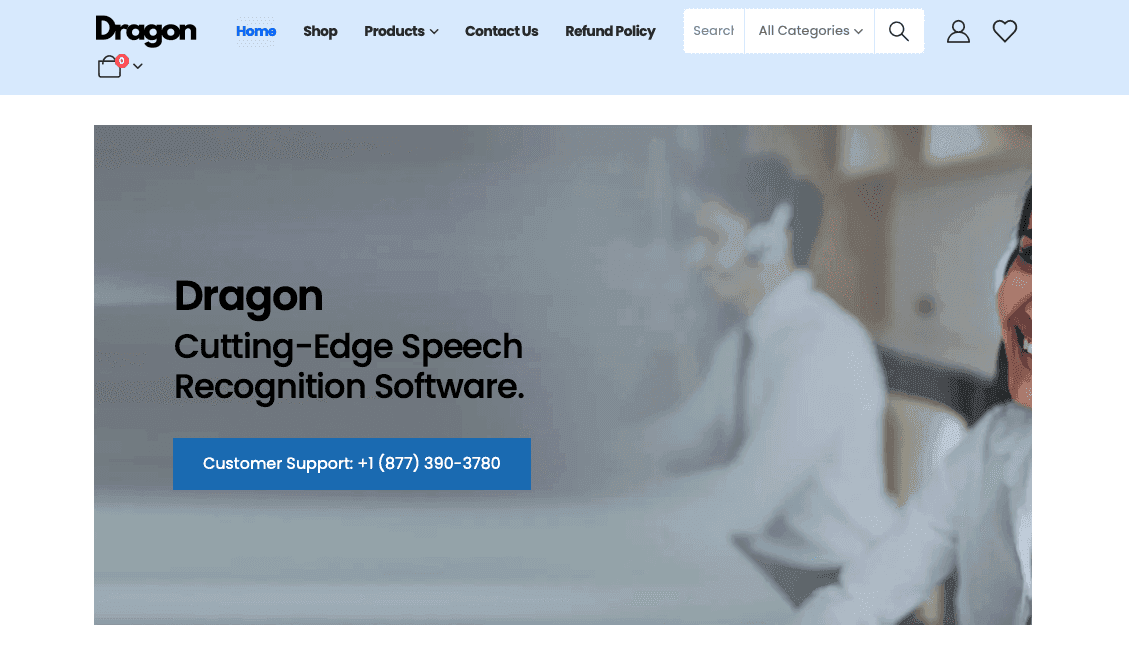
Dragon Professional built its reputation as the gold standard for enterprise dictation. On Windows, it remains one of the only serious offline-first options with deep custom vocabulary support for medical and legal workflows. The catch is the upfront investment: getting to high accuracy requires voice training, weeks of corrections, and real patience.
What Dragon Offers
Dragon reports high accuracy after setup and vocabulary customization, though that number assumes consistent use and careful correction over the first few weeks
Fully offline processing with all voice data stored locally, making it appealing for sensitive work environments
Custom vocabulary for medical, legal, and technical terminology built directly into the recognition engine
Voice commands for hands-free computer control beyond just dictation
Good for: Windows users who need strict offline processing for confidential work and are willing to invest time in training.
Limitation: Requires 20-30 minutes of setup, 1-2 weeks of corrections, and retraining when switching hardware. Development has slowed compared to newer AI-first tools.
Typeless

Typeless is an AI-driven voice dictation tool built for users who want to ditch the keyboard entirely. Speak naturally and it converts your words into polished messages, emails, and documents in real time.
What Typeless Offers
Filler word removal with auto-editing for repeated phrases
Support for 100+ languages with contextual tone adaptation
Available on both Mac and Windows
Designed to support rapid dictation workflows
Good for: Budget-conscious Windows users who want basic AI dictation with a generous free tier of 4,000 words per week.
Limitation: Some reports suggest voice data may be processed via cloud servers despite on-device claims, no verified SOC 2 or HIPAA compliance, and 90% accuracy versus Willow's 98%, meaning more manual corrections on sensitive documents.
Aqua Voice
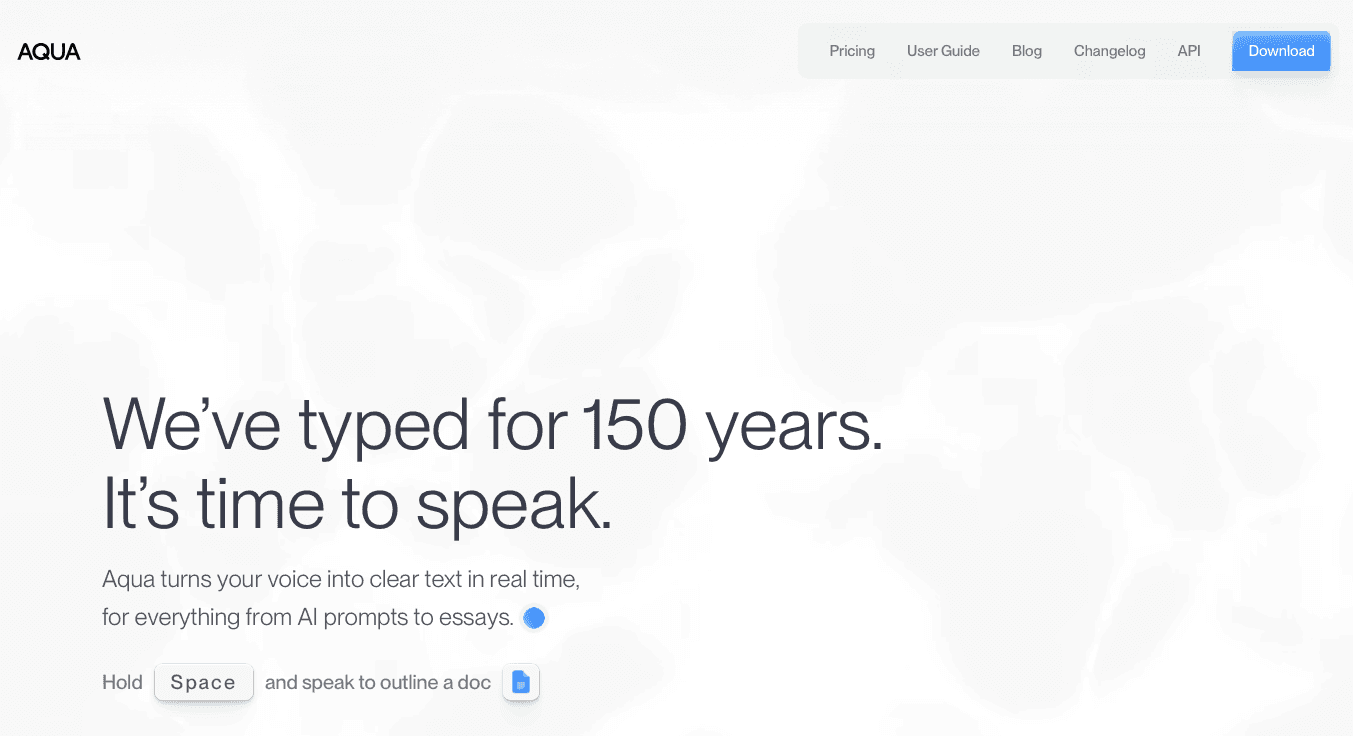
Aqua Voice pitches itself as faster than Superwhisper and Wispr Flow, with screen context awareness that reads what's on your display to sharpen transcription accuracy.
What Aqua Voice Offers
Fast processing with text insertion under one second
Screen context awareness for improved transcription accuracy
Voice-based editing commands for hands-free text control
Custom dictionary support for technical vocabularies
Good for: Windows users who work exclusively on desktop and want manual voice command control over formatting.
Limitation: No iOS support breaks workflow continuity for professionals who switch between desktop and mobile. Voice commands for formatting also require memorization, which adds cognitive load compared to tools that auto-format without prompting.
Wispr Flow
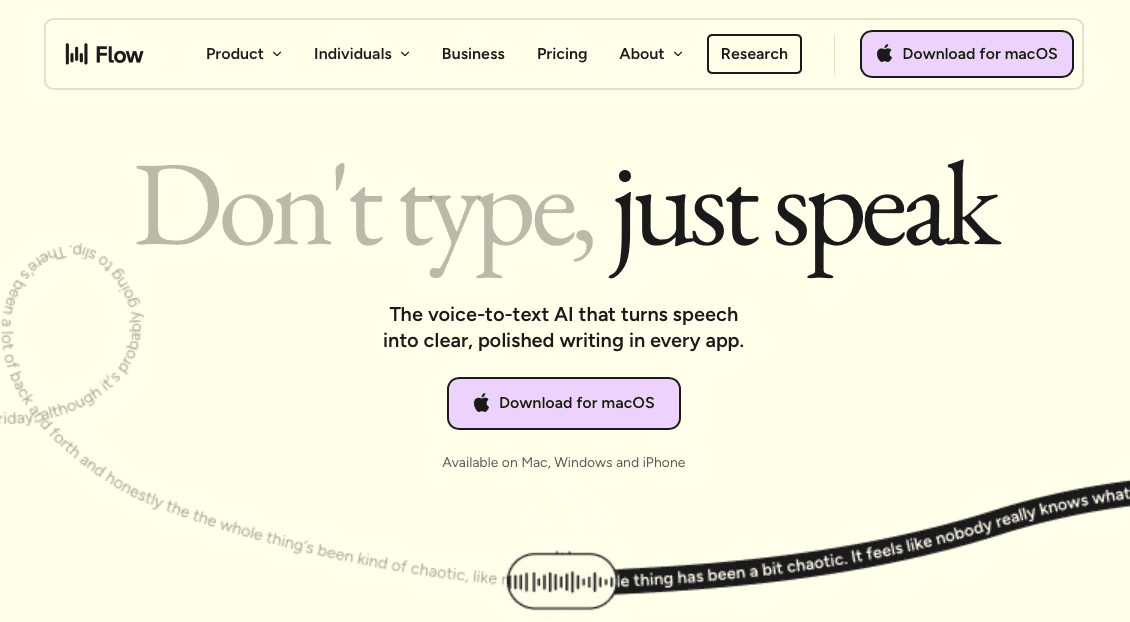
Wispr Flow is a well-funded multi-device option with genuine breadth across Mac, Windows, iOS, and Android.
What Wispr Flow Offers
Context-aware formatting across Slack, email, and code comments
Multilingual dictation with automatic language detection across 100+ languages
Personal dictionary and snippets that sync across devices
Privacy Mode for sensitive content
Good for: Windows users who split time across Mac and Windows and need consistent dictation across both.
Limitation: Idle RAM usage sits around 800MB, which strains older machines, and cloud-only processing means no internet equals no dictation. Willow may use fewer system resources for Windows users who care about speed and performance.
Why Willow Is the Best Speech to Text Software for Windows
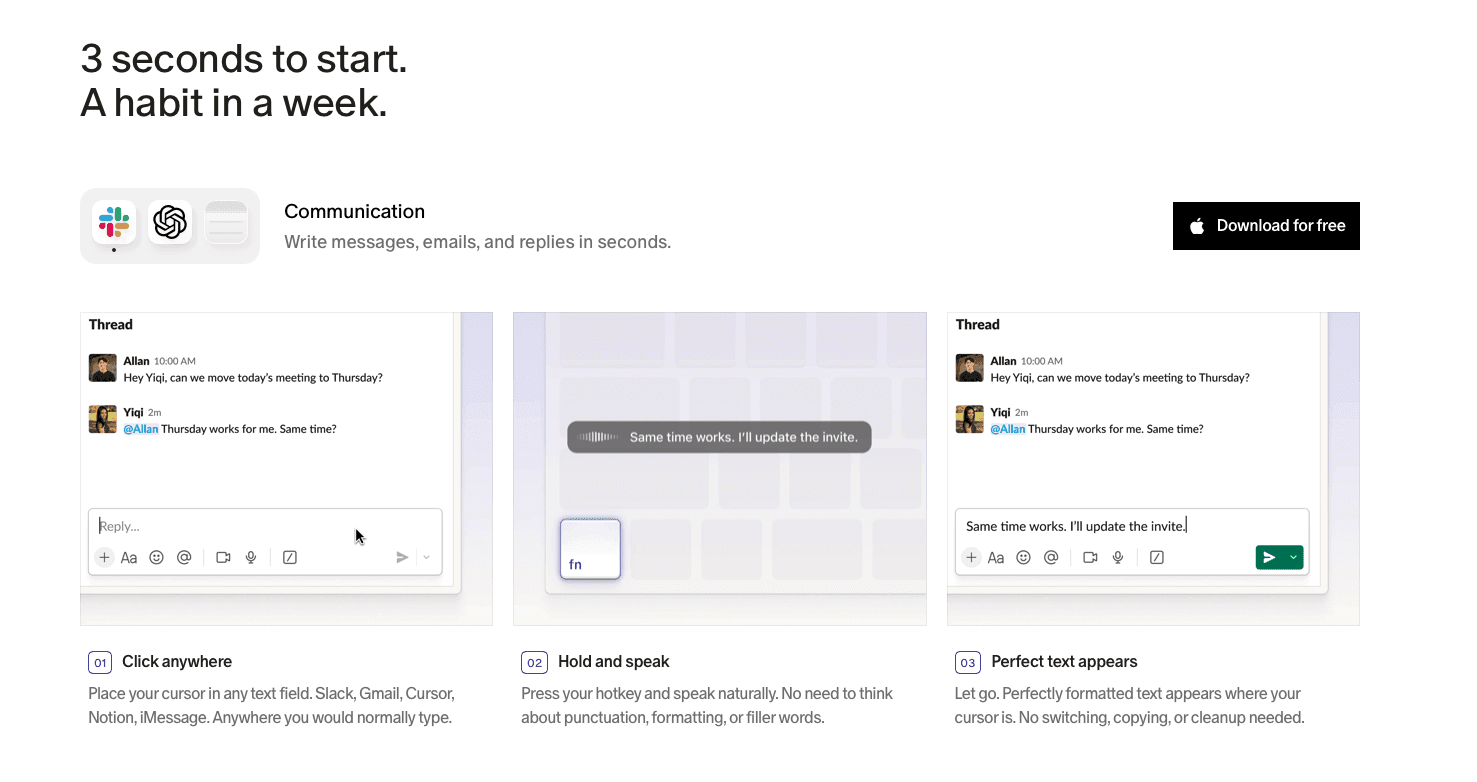
Three things matter most in a dictation tool: speed, accuracy, and whether it gets better over time. Willow wins on all three. And when knowledge workers spend 28% of their workweek on email alone, that speed advantage compounds fast.
At 200ms latency, no other Windows tool comes close. One hotkey works across every Windows application, from Outlook and Slack to Notion, with no per-app setup. Unlike Dragon, there is no training period or hardware dependency. Developer teams use it to prompt AI coding tools in Cursor and Windsurf, write PR descriptions, and capture code review feedback. Healthcare staff use it for patient documentation without breaking focus on care. Knowledge workers clear email and Slack backlogs at speaking speed.
For teams deploying across an organization, Willow holds up where consumer-focused tools stop short. SOC 2 Type II and HIPAA compliance with zero data retention, plus a signed BAA for healthcare, means IT sign-off doesn't require workarounds. A shared custom dictionary keeps product names, client terms, and internal jargon consistent across every team member. Shared shortcuts let the whole team trigger common phrases, and team leaderboards give managers visibility into adoption and cumulative time saved. Offline mode is available where cloud processing is restricted. That combination of compliance, admin-level controls, and collaboration features makes Willow practical for org-wide rollout in a way individual-user tools are not.
FAQs
Which speech to text software works best for Windows users who switch between devices?
Willow and Wispr Flow both offer device sync across Windows, Mac, and iOS, but Willow's 200ms latency and personalization engine that learns your writing style give it the edge for professionals who need consistent, fast dictation regardless of device.
How do I choose between offline-only and cloud-based speech to text tools?
If you handle highly sensitive data with no exceptions, Dragon Professional runs fully offline. For everyone else, Willow offers both cloud processing at 200ms and offline mode when needed, so you get speed without sacrificing privacy options.
What's the difference between tools that require voice training and ones that don't?
Dragon Professional requires 20-30 minutes of initial training plus weeks of corrections to reach peak accuracy. Willow works immediately without training and gets smarter automatically as you use it, learning your vocabulary and writing style without manual setup.
Final Thoughts on Finding the Right Speech to Text Tool for Windows
Most speech to text software for Windows forces you to choose between speed and accuracy, or between privacy and smart features. Willow Voice gives you all of it: 200ms response time, automatic learning that adapts to your writing style, and SOC 2 compliance that clears security reviews. It works the same way across Windows, Mac, and iOS, with your custom vocabulary and shortcuts following you between devices. If you're tired of waiting for words to catch up or fixing the same mistakes over and over, download Willow and see what zero-edit dictation actually feels like.
You speak at 150 words per minute but type at 40, which means most of your workday is spent waiting for your hands to catch up with your brain. AI-powered speech to text software for Windows has closed that gap for developers prompting AI coding tools, healthcare staff capturing patient notes, and knowledge workers clearing inboxes. We ranked the options that turn your voice into clean, ready-to-send text without constant corrections.
TLDR:
Speech to text software lets you speak at 150 WPM versus typing at 40 WPM for 3x faster work.
The top-ranked tool delivers 200ms latency and learns your writing style for zero-edit dictation.
Dragon may require initial setup and vocabulary customization to achieve optimal performance; other tools lack offline modes or compliance.
SOC 2 and HIPAA certifications matter for teams handling sensitive or compliance-driven data.
The top-ranked tool works across all Windows apps and gets smarter with every correction you make.
What Is Speech to Text Software for Windows?
Speech to text software converts spoken words into written text in real time. Early tools were rigid. They required training sessions, tripped over accents, and collapsed under natural speech. Today's AI speech to text tools understand context and auto-format, while Willow goes further by adapting to your personal writing style over time.
The right speech to text tool changes how fast you can think and communicate. Research from Stanford shows speech recognition is three times faster than typing, with most people speaking at 150 WPM but typing closer to 40. That difference matters most for professionals with high writing demands: developers crafting detailed AI prompts in Cursor or Claude Code, healthcare staff working through clinical documentation, and managers responding to dozens of messages a day.
Speech vs Typing Speed Performance | |||
Method | Average Speed (WPM) | Time to Complete 500 Words | Accuracy Rate |
|---|---|---|---|
Manual Typing | 40 WPM | 12.5 minutes | 95-98% |
Speech Recognition | 150 WPM | 3.3 minutes | 95-99% |
Professional Transcriptionist | 80-100 WPM | 5-6 minutes | 99%+ |
How We Ranked Speech to Text Software for Windows
Every tool on this list was tested against the same criteria, with real-world Windows workflows in mind. Not lab conditions. Not cherry-picked demos.
Here's what we looked at:
Accuracy rates and zero-edit performance across natural speech
Processing speed and latency (how long before words actually appear)
Cross-app compatibility with Windows tools like Outlook, Slack, Notion, and browser-based apps
AI-powered features including automatic formatting, filler word removal, and context-awareness
Privacy and security certifications (SOC 2, HIPAA)
Pricing relative to what you actually get
Support beyond Windows for teams using multiple devices
Real-World Testing Scenarios
We tested each tool across three workflows: medical documentation with specialized terminology in EMR systems, legal case notes with Latin terms and citations in case management software, and rapid-fire business email and Slack messages switching between formal and casual tones. Tools requiring constant corrections or working cleanly in only a few apps dropped in rankings regardless of how polished the marketing looked.
Tool | Latency | Accuracy | Offline Mode | Compliance | Best For |
|---|---|---|---|---|---|
Willow | 200ms | 98%, improves over time | Yes | SOC 2, HIPAA, zero data retention | Professionals who need zero-edit dictation across all Windows apps |
Dragon Professional | Not disclosed | Up to 99% after training | Yes (offline-first) | Local data storage only | Offline-only workflows in medical or legal fields |
Typeless | Not disclosed | 90% | No | No verified SOC 2 or HIPAA | Budget users who want a free tier (4,000 words/week) |
Aqua Voice | Under 1 second | Not disclosed | No | Not disclosed | Desktop-only users who prefer manual voice commands |
Wispr Flow | 700ms+ | Not disclosed | No (cloud-only) | Privacy Mode available | Multi-device users across Mac and Windows |
Best Overall Speech to Text Software for Windows: Willow
Willow is the fastest speech to text software for Windows, full stop. At 200ms latency, transcription appears almost the instant you speak. Wispr Flow and Apple's built-in dictation both clock in at 700ms or more, which adds up fast across an entire workday. Lower transcription latency can help reduce interruptions and maintain flow during extended dictation sessions.
What separates Willow from everything else is how it gets smarter over time. The personalization engine learns your vocabulary, tone, and writing style so you end up with clean, ready-to-send text. Correct "blockchain" to "block chain" once and Willow applies your preference going forward. For developers using Cursor or Windsurf, Willow reads open files to learn class names, function names, and variable references without manual dictionary entry. That learning compounds over weeks.
For teams with real compliance requirements, Willow is SOC 2 and HIPAA certified with a zero data retention policy. That's the difference between a tool IT approves and one they block.
What Willow Offers
200ms latency that keeps you in flow state, well ahead of competitors sitting at 700ms+
A personalization engine that adapts to your writing style and vocabulary the more you use it
Willow Scribe, an AI-assisted writing mode that generates complete emails, messages, and documents from voice prompts, including context-aware replies that read email threads and Slack conversations to match tone and content
SOC 2 Type II and HIPAA compliance with zero data retention, plus a signed BAA for healthcare, meeting the security requirements for enterprise IT approval
Shared team shortcuts, custom dictionaries, and team leaderboards for consistent output and visibility across org-wide deployments
Works across every Windows app including Outlook, Slack, Notion, and browsers, with a single system-wide hotkey and no per-app setup
Settings, custom vocabulary, and shortcuts sync across Windows, Mac, and iOS, so mixed-device teams get consistent results on every machine
Good for: Windows professionals, enterprise teams, and organizations that need fast, accurate dictation which adapts to each user and scales to the whole team.
Dragon Professional
Dragon Professional built its reputation as the gold standard for enterprise dictation. On Windows, it remains one of the only serious offline-first options with deep custom vocabulary support for medical and legal workflows. The catch is the upfront investment: getting to high accuracy requires voice training, weeks of corrections, and real patience.
What Dragon Offers
Dragon reports high accuracy after setup and vocabulary customization, though that number assumes consistent use and careful correction over the first few weeks
Fully offline processing with all voice data stored locally, making it appealing for sensitive work environments
Custom vocabulary for medical, legal, and technical terminology built directly into the recognition engine
Voice commands for hands-free computer control beyond just dictation
Good for: Windows users who need strict offline processing for confidential work and are willing to invest time in training.
Limitation: Requires 20-30 minutes of setup, 1-2 weeks of corrections, and retraining when switching hardware. Development has slowed compared to newer AI-first tools.
Typeless
Typeless is an AI-driven voice dictation tool built for users who want to ditch the keyboard entirely. Speak naturally and it converts your words into polished messages, emails, and documents in real time.
What Typeless Offers
Filler word removal with auto-editing for repeated phrases
Support for 100+ languages with contextual tone adaptation
Available on both Mac and Windows
Designed to support rapid dictation workflows
Good for: Budget-conscious Windows users who want basic AI dictation with a generous free tier of 4,000 words per week.
Limitation: Some reports suggest voice data may be processed via cloud servers despite on-device claims, no verified SOC 2 or HIPAA compliance, and 90% accuracy versus Willow's 98%, meaning more manual corrections on sensitive documents.
Aqua Voice
Aqua Voice pitches itself as faster than Superwhisper and Wispr Flow, with screen context awareness that reads what's on your display to sharpen transcription accuracy.
What Aqua Voice Offers
Fast processing with text insertion under one second
Screen context awareness for improved transcription accuracy
Voice-based editing commands for hands-free text control
Custom dictionary support for technical vocabularies
Good for: Windows users who work exclusively on desktop and want manual voice command control over formatting.
Limitation: No iOS support breaks workflow continuity for professionals who switch between desktop and mobile. Voice commands for formatting also require memorization, which adds cognitive load compared to tools that auto-format without prompting.
Wispr Flow
Wispr Flow is a well-funded multi-device option with genuine breadth across Mac, Windows, iOS, and Android.
What Wispr Flow Offers
Context-aware formatting across Slack, email, and code comments
Multilingual dictation with automatic language detection across 100+ languages
Personal dictionary and snippets that sync across devices
Privacy Mode for sensitive content
Good for: Windows users who split time across Mac and Windows and need consistent dictation across both.
Limitation: Idle RAM usage sits around 800MB, which strains older machines, and cloud-only processing means no internet equals no dictation. Willow may use fewer system resources for Windows users who care about speed and performance.
Why Willow Is the Best Speech to Text Software for Windows
Three things matter most in a dictation tool: speed, accuracy, and whether it gets better over time. Willow wins on all three. And when knowledge workers spend 28% of their workweek on email alone, that speed advantage compounds fast.
At 200ms latency, no other Windows tool comes close. One hotkey works across every Windows application, from Outlook and Slack to Notion, with no per-app setup. Unlike Dragon, there is no training period or hardware dependency. Developer teams use it to prompt AI coding tools in Cursor and Windsurf, write PR descriptions, and capture code review feedback. Healthcare staff use it for patient documentation without breaking focus on care. Knowledge workers clear email and Slack backlogs at speaking speed.
For teams deploying across an organization, Willow holds up where consumer-focused tools stop short. SOC 2 Type II and HIPAA compliance with zero data retention, plus a signed BAA for healthcare, means IT sign-off doesn't require workarounds. A shared custom dictionary keeps product names, client terms, and internal jargon consistent across every team member. Shared shortcuts let the whole team trigger common phrases, and team leaderboards give managers visibility into adoption and cumulative time saved. Offline mode is available where cloud processing is restricted. That combination of compliance, admin-level controls, and collaboration features makes Willow practical for org-wide rollout in a way individual-user tools are not.
FAQs
Which speech to text software works best for Windows users who switch between devices?
Willow and Wispr Flow both offer device sync across Windows, Mac, and iOS, but Willow's 200ms latency and personalization engine that learns your writing style give it the edge for professionals who need consistent, fast dictation regardless of device.
How do I choose between offline-only and cloud-based speech to text tools?
If you handle highly sensitive data with no exceptions, Dragon Professional runs fully offline. For everyone else, Willow offers both cloud processing at 200ms and offline mode when needed, so you get speed without sacrificing privacy options.
What's the difference between tools that require voice training and ones that don't?
Dragon Professional requires 20-30 minutes of initial training plus weeks of corrections to reach peak accuracy. Willow works immediately without training and gets smarter automatically as you use it, learning your vocabulary and writing style without manual setup.
Final Thoughts on Finding the Right Speech to Text Tool for Windows
Most speech to text software for Windows forces you to choose between speed and accuracy, or between privacy and smart features. Willow Voice gives you all of it: 200ms response time, automatic learning that adapts to your writing style, and SOC 2 compliance that clears security reviews. It works the same way across Windows, Mac, and iOS, with your custom vocabulary and shortcuts following you between devices. If you're tired of waiting for words to catch up or fixing the same mistakes over and over, download Willow and see what zero-edit dictation actually feels like.

Try Willow for free
Instant, accurate voice dictation. No card required.
Try Willow for free
Instant, accurate voice dictation. No card required.
Other stories you’ll love
Other stories you’ll love


Your keyboard is optional now
" transform="translate(5 5)" width="9.791000051498413px"/></svg>)

The voice-first interface for modern work.
© Willow Care, Inc. 2026. All rights reserved
Your keyboard is optional now
The voice-first interface for modern work.
© Willow Care, Inc. 2026. All rights reserved
Your keyboard is optional now
The voice-first interface for modern work.
© Willow Care, Inc. 2026. All rights reserved