" transform="translate(5 2)" width="10px"/></svg>)

•
5 min read
Start Coding by Voice in June 2026 Guide

•
5 min read
Start Coding by Voice in June 2026 Guide
AI coding tools changed your workflow, but typing prompts to Cursor or Claude Code at 40 words per minute creates a new bottleneck where there wasn't one before. You can think through what you want built at 150 words per minute, but your fingers can't keep up with detailed explanations of context, edge cases, and implementation details. Voice coding removes that gap by letting you speak your prompts, narrate code comments, and write documentation at the speed you think instead of the speed you type. We're covering how to get started with tools that actually understand technical terminology, where voice beats typing in your daily workflow, and which pitfalls trip up most developers when they first switch.
TLDR:
Voice coding lets you speak at 150 WPM vs typing at 40 WPM, closing the bottleneck in AI prompting workflows.
RSI from keyboard use has ended developer careers; voice coding offers both prevention and recovery paths.
Modern voice tools interpret code syntax and output properly formatted code: speaking "function get user" produces
getUserById().Dedicated voice coding tools learn your technical vocabulary, process speech in under 200ms, and work across most major IDEs and text editors with team-level security.
Shared custom dictionaries let engineering teams standardize codebase terminology across the org, while SOC 2 and HIPAA compliance keep voice input viable in enterprise environments.
Why Developers Are Turning to Voice Coding in 2026
The way developers write code has shifted dramatically. 92% of US developers now use AI coding tools on a daily basis, and these tools are generating 41% of all code written today.
AI tools like Cursor, Claude Code, and GitHub Copilot work best when you can communicate with them quickly and naturally. You're crafting detailed prompts, explaining context, reviewing AI-generated code, and writing documentation to support what the AI builds. With 40% of enterprise applications projected to include task-specific AI agents by the end of 2026, this prompting bottleneck has become an org-wide concern, affecting everyone from individual contributors to entire engineering teams.
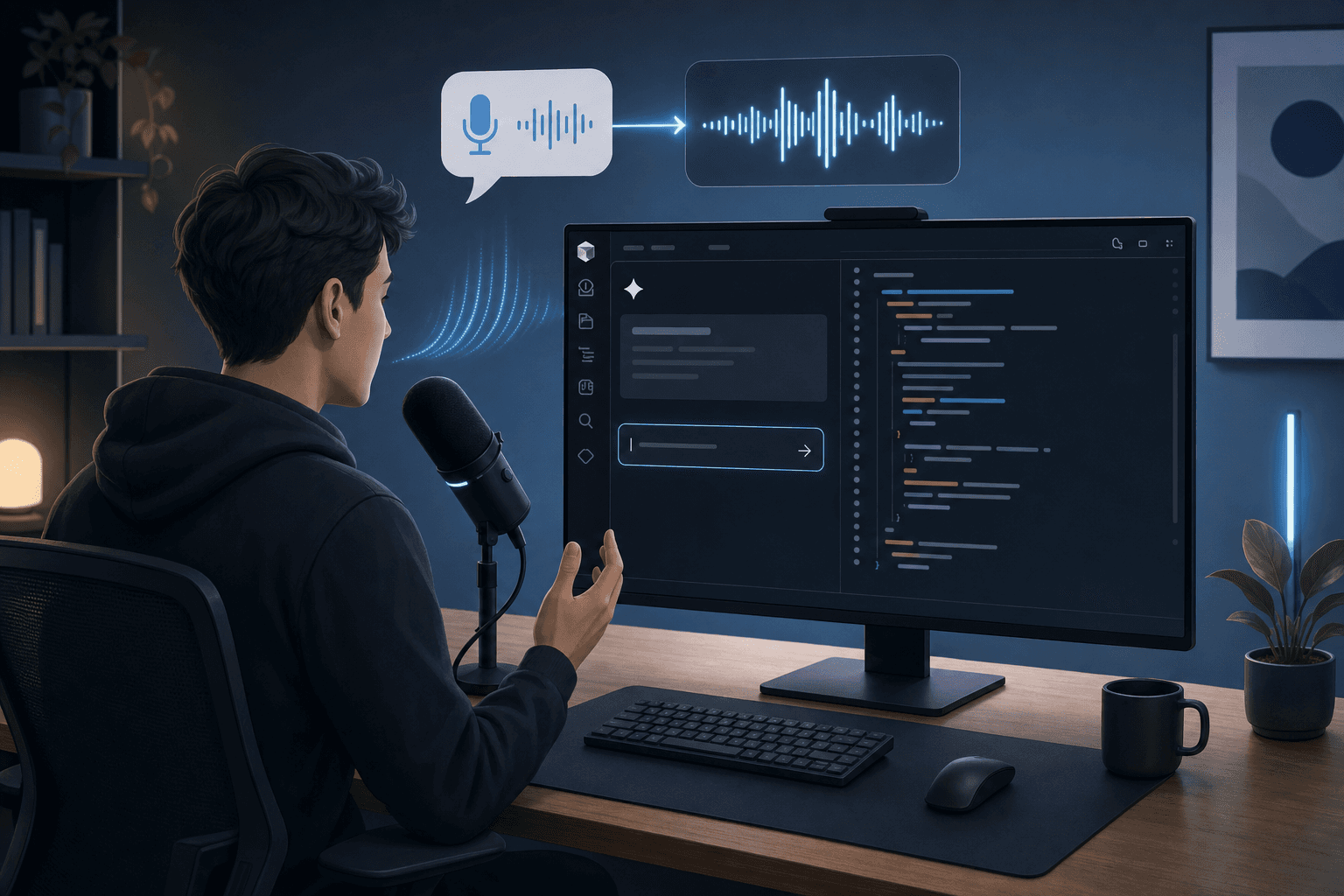
Voice coding solves this by letting you speak at 150 words per minute. You can describe what you want the AI to build, speak code comments, write PRDs, and review pull requests without touching your keyboard.
Understanding Voice Coding: Beyond Simple Dictation
Voice coding goes beyond basic dictation by understanding programming syntax instead of transcribing words literally. Standard dictation tools can't distinguish between natural language and code structure.
When you say "function get user by ID," basic dictation outputs literal text with spaces. Voice coding software interprets this as function getUserById() with proper camelCase, parentheses, and formatting.
Here is how that translation works across common coding patterns:
What you say | What appears |
|---|---|
"import use state from react" |
|
"class user model extends base model" |
|
"async function fetch data open paren URL close paren" |
|
"array dot filter where item dot active equals true" |
|
These tools recognize technical terminology in context. They distinguish between "class" as an English word versus a programming keyword, and understand when "dot" means punctuation versus dot notation in user.name.
Context awareness separates voice coding from regular text input. The software tracks your active application, programming language, and existing code to generate accurate syntax instead of plain text.
The Accessibility Case: How Voice Coding Saves Developer Careers
Repetitive strain injury has ended countless developer careers. Workplace keyboard use has driven a worldwide increase in RSIs of the arms, hands, neck, and shoulders since the 1970s, requiring long periods of repetitive motions in fixed postures.
For developers, RSI goes beyond discomfort. It's waking up unable to type more than a few sentences without pain shooting through your wrists. It's watching your ability to do the work you trained years for slip away because your body can't handle a keyboard anymore.
Consider a developer spending six or seven hours daily crafting prompts in Cursor and writing code review comments. When wrist soreness moves from occasional to a daily baseline, the kind that makes you pause before starting a new prompt, the calculus changes. Switching to voice for prompts, PR descriptions, and documentation, while keeping the keyboard only for short variable names and navigation, cuts consistent keyboard time from six hours to under ninety minutes. That kind of input shift is often what keeps a developer in the field.
Voice coding gives developers in this position a path back to their work. For those who haven't hit that threshold yet, the preventive argument is equally concrete: reducing daily keyboard hours and varying your input method lowers the cumulative strain that builds across years before it forces a career decision.
Setting Up Your Voice Coding Environment
Getting started with voice coding requires minimal hardware. Your built-in laptop mic works as a starting point, though a dedicated headset or USB microphone can noticeably improve transcription accuracy, particularly in noisy environments. On Windows, open Sound Settings from the taskbar tray and set your input level to 60 to 80% before your first session. On Mac, check System Settings > Sound > Input and confirm the correct device is selected.
Your environment matters more than your hardware. Background noise from fans, air conditioning, or office chatter reduces transcription accuracy. Find a quiet space when learning the system. Once comfortable, most voice coding tools can filter moderate background noise.
Test your setup before writing production code. Speak a few lines of pseudocode or comments in your IDE. Check how the software handles technical terminology in your preferred programming language. Note which words get transcribed incorrectly. Most tools learn from corrections over time, so your accuracy improves as you use them more frequently.
Voice Coding with AI Agentic IDEs
AI coding agents changed how you build software, but they introduced a new bottleneck: prompting. Getting good output from Cursor or Claude Code requires detailed instructions. You need to explain context, describe edge cases, and specify exactly what you want the AI to generate.
Typing these prompts takes time. When you can speak at 150 words per minute instead of typing at 40, you communicate with AI agents nearly four times faster. You can describe what you want in natural language while the AI translates your intent into working code.
Willow takes this further for developers working in AI IDEs like Cursor, Windsurf, and Claude Code. When you speak file names, Willow automatically tags them as files in your prompt editor. Say "update the user controller file," and Willow recognizes userController.js as a file reference your AI IDE can act on. Variable names get the same treatment. Speak "update the user ID variable," and Willow writes userId in the exact casing format your codebase uses, whether camelCase, snake_case, or any other convention. Your AI IDE receives clean, properly formatted references instead of ambiguous text, leading to more accurate code generation.
This workflow mirrors vibe coding, where developers focus on describing outcomes instead of writing syntax. Instead of typing for (let i = 0; i < array.length; i++), you say "filter array items by active status." The AI handles implementation while you stay focused on logic and architecture.
Optimizing Accuracy for Technical Terminology
Voice coding tools often misinterpret technical terms like "useState" or "Kubernetes" as common English phrases. Willow solves this with built-in technical jargon recognition that writes complex technical terminology correctly from the start. The system recognizes framework names, library functions, and infrastructure tools without manual corrections.
Fix remaining errors by correcting transcription mistakes as they happen. Most voice coding software remembers corrections, so when you change "use state" to "useState," it saves that preference for next time.
Common Pitfalls and How to Avoid Them
Background noise causes the most frustration for new voice coders. Air conditioning, keyboard clicks from coworkers, or ambient office chatter all reduce accuracy. Test your microphone in your actual work environment before committing to voice coding full-time.
Accents require an adaptation period. Most voice coding tools need time to calibrate to your speech patterns. Expect lower accuracy during your first week, with noticeable improvement after correcting the same technical terms repeatedly.
Voice works best as part of a mixed input approach. Short variable names like i or x are faster to type than speak. Single-character edits, cursor movements, and keyboard shortcuts stay faster on the keys.
Voice pulls ahead for anything longer than a sentence: AI prompts, inline comments, PR descriptions, commit messages, sprint ticket descriptions, and async documentation in Notion or Linear all come out faster spoken than typed. A practical workflow is to default to voice whenever you need more than a few words, then reach for the keyboard for precision edits and navigation. Developers who get the most from voice coding treat it as a complementary tool: keyboard for precision, voice for volume.
Voice fatigue hits after extended dictation sessions. Your throat gets tired from continuous speaking. Take breaks every 30 minutes and stay hydrated.
Willow Voice: The Fast, Accurate Solution for Coding Workflows

Willow learns how you write code over time. Correct "use effect" to "useEffect" once, and it remembers. Accuracy improves with each session as the tool adapts to your technical vocabulary.
For developers using AI IDEs, Willow automatically recognizes file names and variable names in your codebase. Speak "update the auth service file" and Willow tags authService.ts correctly in Cursor or Windsurf. Variable names get written in the exact casing your codebase uses, whether userId, user_id, or UserID.
SOC 2 and HIPAA compliance cover engineering codebases and clinical documentation workflows alike. Shared dictionaries let teams standardize terminology across projects, admin controls let leads push vocabulary and shortcuts without per-user setup, and team leaderboards surface adoption and time-saved data. For teams running across Windows, Mac, and iOS, vocabulary and settings carry over across devices.
Willow works in Cursor, VS Code, GitHub, Slack, Notion, and any IDE on Mac, Windows, and iOS. Press the function key, speak, and watch accurate text appear.
FAQs
How fast can I actually speak when coding by voice?
You can speak at around 150 words per minute when using voice coding tools, compared to typing at roughly 40 words per minute. This speed advantage is particularly valuable when crafting detailed prompts for AI coding tools like Cursor or Claude Code, where you need to explain context and requirements quickly.
When should I use my keyboard instead of voice while coding?
Use your keyboard for short variable names like i or x and single-character edits, which are faster to type than speak aloud. Voice works best for longer code blocks, detailed comments, documentation, AI prompts, and explaining complex logic where you're writing multiple sentences.
How do I prevent voice fatigue during long coding sessions?
Take breaks every 30 minutes and stay hydrated throughout the day. Your throat gets tired from continuous speaking, so alternating between voice and keyboard for different tasks helps prevent strain while still reducing your overall typing time.
Final Thoughts on Voice-Driven Development
Voice coding tools make the most sense when you're already using AI agents that need detailed instructions, whether you're a developer in Cursor, a product manager drafting sprint tickets, or a clinician working through patient documentation. Speaking at 150 words per minute beats typing at 40, which means you spend less time on the mechanical work of transcribing your thoughts and more time on the decisions that matter. Willow remembers how you write after you correct technical terms once, so your accuracy improves with each session while the 200ms latency keeps you in flow state. Download Willow and try it for a week across your normal work to see where voice speeds you up.
AI coding tools changed your workflow, but typing prompts to Cursor or Claude Code at 40 words per minute creates a new bottleneck where there wasn't one before. You can think through what you want built at 150 words per minute, but your fingers can't keep up with detailed explanations of context, edge cases, and implementation details. Voice coding removes that gap by letting you speak your prompts, narrate code comments, and write documentation at the speed you think instead of the speed you type. We're covering how to get started with tools that actually understand technical terminology, where voice beats typing in your daily workflow, and which pitfalls trip up most developers when they first switch.
TLDR:
Voice coding lets you speak at 150 WPM vs typing at 40 WPM, closing the bottleneck in AI prompting workflows.
RSI from keyboard use has ended developer careers; voice coding offers both prevention and recovery paths.
Modern voice tools interpret code syntax and output properly formatted code: speaking "function get user" produces
getUserById().Dedicated voice coding tools learn your technical vocabulary, process speech in under 200ms, and work across most major IDEs and text editors with team-level security.
Shared custom dictionaries let engineering teams standardize codebase terminology across the org, while SOC 2 and HIPAA compliance keep voice input viable in enterprise environments.
Why Developers Are Turning to Voice Coding in 2026
The way developers write code has shifted dramatically. 92% of US developers now use AI coding tools on a daily basis, and these tools are generating 41% of all code written today.
AI tools like Cursor, Claude Code, and GitHub Copilot work best when you can communicate with them quickly and naturally. You're crafting detailed prompts, explaining context, reviewing AI-generated code, and writing documentation to support what the AI builds. With 40% of enterprise applications projected to include task-specific AI agents by the end of 2026, this prompting bottleneck has become an org-wide concern, affecting everyone from individual contributors to entire engineering teams.
Voice coding solves this by letting you speak at 150 words per minute. You can describe what you want the AI to build, speak code comments, write PRDs, and review pull requests without touching your keyboard.
Understanding Voice Coding: Beyond Simple Dictation
Voice coding goes beyond basic dictation by understanding programming syntax instead of transcribing words literally. Standard dictation tools can't distinguish between natural language and code structure.
When you say "function get user by ID," basic dictation outputs literal text with spaces. Voice coding software interprets this as function getUserById() with proper camelCase, parentheses, and formatting.
Here is how that translation works across common coding patterns:
What you say | What appears |
|---|---|
"import use state from react" |
|
"class user model extends base model" |
|
"async function fetch data open paren URL close paren" |
|
"array dot filter where item dot active equals true" |
|
These tools recognize technical terminology in context. They distinguish between "class" as an English word versus a programming keyword, and understand when "dot" means punctuation versus dot notation in user.name.
Context awareness separates voice coding from regular text input. The software tracks your active application, programming language, and existing code to generate accurate syntax instead of plain text.
The Accessibility Case: How Voice Coding Saves Developer Careers
Repetitive strain injury has ended countless developer careers. Workplace keyboard use has driven a worldwide increase in RSIs of the arms, hands, neck, and shoulders since the 1970s, requiring long periods of repetitive motions in fixed postures.
For developers, RSI goes beyond discomfort. It's waking up unable to type more than a few sentences without pain shooting through your wrists. It's watching your ability to do the work you trained years for slip away because your body can't handle a keyboard anymore.
Consider a developer spending six or seven hours daily crafting prompts in Cursor and writing code review comments. When wrist soreness moves from occasional to a daily baseline, the kind that makes you pause before starting a new prompt, the calculus changes. Switching to voice for prompts, PR descriptions, and documentation, while keeping the keyboard only for short variable names and navigation, cuts consistent keyboard time from six hours to under ninety minutes. That kind of input shift is often what keeps a developer in the field.
Voice coding gives developers in this position a path back to their work. For those who haven't hit that threshold yet, the preventive argument is equally concrete: reducing daily keyboard hours and varying your input method lowers the cumulative strain that builds across years before it forces a career decision.
Setting Up Your Voice Coding Environment
Getting started with voice coding requires minimal hardware. Your built-in laptop mic works as a starting point, though a dedicated headset or USB microphone can noticeably improve transcription accuracy, particularly in noisy environments. On Windows, open Sound Settings from the taskbar tray and set your input level to 60 to 80% before your first session. On Mac, check System Settings > Sound > Input and confirm the correct device is selected.
Your environment matters more than your hardware. Background noise from fans, air conditioning, or office chatter reduces transcription accuracy. Find a quiet space when learning the system. Once comfortable, most voice coding tools can filter moderate background noise.
Test your setup before writing production code. Speak a few lines of pseudocode or comments in your IDE. Check how the software handles technical terminology in your preferred programming language. Note which words get transcribed incorrectly. Most tools learn from corrections over time, so your accuracy improves as you use them more frequently.
Voice Coding with AI Agentic IDEs
AI coding agents changed how you build software, but they introduced a new bottleneck: prompting. Getting good output from Cursor or Claude Code requires detailed instructions. You need to explain context, describe edge cases, and specify exactly what you want the AI to generate.
Typing these prompts takes time. When you can speak at 150 words per minute instead of typing at 40, you communicate with AI agents nearly four times faster. You can describe what you want in natural language while the AI translates your intent into working code.
Willow takes this further for developers working in AI IDEs like Cursor, Windsurf, and Claude Code. When you speak file names, Willow automatically tags them as files in your prompt editor. Say "update the user controller file," and Willow recognizes userController.js as a file reference your AI IDE can act on. Variable names get the same treatment. Speak "update the user ID variable," and Willow writes userId in the exact casing format your codebase uses, whether camelCase, snake_case, or any other convention. Your AI IDE receives clean, properly formatted references instead of ambiguous text, leading to more accurate code generation.
This workflow mirrors vibe coding, where developers focus on describing outcomes instead of writing syntax. Instead of typing for (let i = 0; i < array.length; i++), you say "filter array items by active status." The AI handles implementation while you stay focused on logic and architecture.
Optimizing Accuracy for Technical Terminology
Voice coding tools often misinterpret technical terms like "useState" or "Kubernetes" as common English phrases. Willow solves this with built-in technical jargon recognition that writes complex technical terminology correctly from the start. The system recognizes framework names, library functions, and infrastructure tools without manual corrections.
Fix remaining errors by correcting transcription mistakes as they happen. Most voice coding software remembers corrections, so when you change "use state" to "useState," it saves that preference for next time.
Common Pitfalls and How to Avoid Them
Background noise causes the most frustration for new voice coders. Air conditioning, keyboard clicks from coworkers, or ambient office chatter all reduce accuracy. Test your microphone in your actual work environment before committing to voice coding full-time.
Accents require an adaptation period. Most voice coding tools need time to calibrate to your speech patterns. Expect lower accuracy during your first week, with noticeable improvement after correcting the same technical terms repeatedly.
Voice works best as part of a mixed input approach. Short variable names like i or x are faster to type than speak. Single-character edits, cursor movements, and keyboard shortcuts stay faster on the keys.
Voice pulls ahead for anything longer than a sentence: AI prompts, inline comments, PR descriptions, commit messages, sprint ticket descriptions, and async documentation in Notion or Linear all come out faster spoken than typed. A practical workflow is to default to voice whenever you need more than a few words, then reach for the keyboard for precision edits and navigation. Developers who get the most from voice coding treat it as a complementary tool: keyboard for precision, voice for volume.
Voice fatigue hits after extended dictation sessions. Your throat gets tired from continuous speaking. Take breaks every 30 minutes and stay hydrated.
Willow Voice: The Fast, Accurate Solution for Coding Workflows
Willow learns how you write code over time. Correct "use effect" to "useEffect" once, and it remembers. Accuracy improves with each session as the tool adapts to your technical vocabulary.
For developers using AI IDEs, Willow automatically recognizes file names and variable names in your codebase. Speak "update the auth service file" and Willow tags authService.ts correctly in Cursor or Windsurf. Variable names get written in the exact casing your codebase uses, whether userId, user_id, or UserID.
SOC 2 and HIPAA compliance cover engineering codebases and clinical documentation workflows alike. Shared dictionaries let teams standardize terminology across projects, admin controls let leads push vocabulary and shortcuts without per-user setup, and team leaderboards surface adoption and time-saved data. For teams running across Windows, Mac, and iOS, vocabulary and settings carry over across devices.
Willow works in Cursor, VS Code, GitHub, Slack, Notion, and any IDE on Mac, Windows, and iOS. Press the function key, speak, and watch accurate text appear.
FAQs
How fast can I actually speak when coding by voice?
You can speak at around 150 words per minute when using voice coding tools, compared to typing at roughly 40 words per minute. This speed advantage is particularly valuable when crafting detailed prompts for AI coding tools like Cursor or Claude Code, where you need to explain context and requirements quickly.
When should I use my keyboard instead of voice while coding?
Use your keyboard for short variable names like i or x and single-character edits, which are faster to type than speak aloud. Voice works best for longer code blocks, detailed comments, documentation, AI prompts, and explaining complex logic where you're writing multiple sentences.
How do I prevent voice fatigue during long coding sessions?
Take breaks every 30 minutes and stay hydrated throughout the day. Your throat gets tired from continuous speaking, so alternating between voice and keyboard for different tasks helps prevent strain while still reducing your overall typing time.
Final Thoughts on Voice-Driven Development
Voice coding tools make the most sense when you're already using AI agents that need detailed instructions, whether you're a developer in Cursor, a product manager drafting sprint tickets, or a clinician working through patient documentation. Speaking at 150 words per minute beats typing at 40, which means you spend less time on the mechanical work of transcribing your thoughts and more time on the decisions that matter. Willow remembers how you write after you correct technical terms once, so your accuracy improves with each session while the 200ms latency keeps you in flow state. Download Willow and try it for a week across your normal work to see where voice speeds you up.

Try Willow for free
Instant, accurate voice dictation. No card required.
Try Willow for free
Instant, accurate voice dictation. No card required.
Other stories you’ll love
Other stories you’ll love



Your keyboard is optional now
" transform="translate(5 5)" width="9.791000051498413px"/></svg>)

The voice-first interface for modern work.
© Willow Care, Inc. 2026. All rights reserved
Your keyboard is optional now
The voice-first interface for modern work.
© Willow Care, Inc. 2026. All rights reserved
Your keyboard is optional now
The voice-first interface for modern work.
© Willow Care, Inc. 2026. All rights reserved