" transform="translate(5 2)" width="10px"/></svg>)

•
5 min read
Clear Inbox in 15 Minutes with Voice-to-Text (July 2026)

•
5 min read
Clear Inbox in 15 Minutes with Voice-to-Text (July 2026)
Typing email replies drains time faster than almost any other daily task, turning a quick inbox check into a full hour of work. Voice to text changes that equation by letting you speak replies at 150 words per minute instead of typing at 40, cutting through backlogs without lowering quality or tone. With Willow Voice, a voice-to-text tool built for real writing workflows, you can talk through responses as naturally as you'd explain them out loud, send polished emails in minutes, and move on without feeling stuck in your inbox all morning.
TLDR:
Voice dictation lets you speak at 150 WPM versus typing at 40 WPM.
Apply Inbox Zero with voice: delete, delegate, respond, defer, or do in under 15 minutes.
Some modern solutions process speech in 200ms and auto-format emails with context-aware accuracy.
Press fn (Mac) or Alt+Space (Windows) in any email client to speak responses that sound professional.
Certain AI voice tools are 3x more accurate than built-in dictation and work across most apps.
Why Email Management Takes So Much Time
Your inbox is already full before you've finished your morning coffee. Another ping. Another thread. Another "quick question" that requires a five-paragraph response.
The average professional spends 28% of their workday reading and answering email. That's 2.6 hours every single day managing messages. When you're receiving 120 emails daily, the math gets worse fast.

Typing creates the bottleneck. Most people type around 40 words per minute, and crafting a thoughtful email response takes mental energy and physical effort. You're juggling multiple threads, switching between your inbox and other apps, and losing focus every time you need to draft a reply.
The cost extends past time alone. Workers report that nearly 23% of their time goes to checking messages, not even responding to them. Email has become the work itself instead of a tool to get work done.
Voice to Text Is 3x Faster Than Typing
Speaking beats typing by a wide margin. The average person types around 40 words per minute when drafting emails. When you speak naturally, you hit 150 words per minute without breaking a sweat.
That gap creates a real productivity shift. Voice dictation is 3 times faster than typing, which roughly turns a 10-minute typing task into a 2.5-minute voice task.
If you're writing 2,000 words daily across emails, messages, and responses, voice dictation saves about 35 minutes compared to typing. Over a year, that's more than 140 hours returned to your calendar.
Metric | Typing | Voice Dictation (AI-Powered) |
|---|---|---|
Input speed | ~40 WPM | ~150 WPM |
Typical 40-word reply | ~1-2 minutes | ~15-20 seconds |
2,000 words of daily email | ~50 minutes | ~13-15 minutes |
Filler word cleanup | Manual | Automatic (AI removes "uh," "um") |
Accuracy on names and jargon | Depends on typing skill | 98%+ with context-aware AI |
Works across all email clients | Yes | Yes (Gmail, Outlook, Apple Mail, and more) |
Latency | None | ~200ms (AI tools); 700ms+ (built-in OS dictation) |
The speed advantage isn't about talking faster. When you type, you're translating thoughts into keystrokes. When you speak, you're just thinking out loud. Your brain processes language faster than your fingers can move, and voice dictation removes the middleman.
Understanding the Inbox Zero Method
Inbox Zero isn't about having zero emails. It's about making decisions quickly so your inbox doesn't become a todo list, archive, and reading pile all at once.
The method, created by productivity expert Merlin Mann, breaks email into five actions: delete, delegate, respond, defer, or do. Every message gets sorted into one of these buckets immediately.
The goal is to treat your inbox as a processing station, not storage. When you open an email, you decide what it needs right away. Quick replies go out instantly. Tasks get moved to your actual task manager. Reference materials get filed. Junk gets deleted.
This works because it removes decision fatigue. Instead of re-reading the same emails multiple times, you make one decision and move on.
When you pair Inbox Zero with voice dictation, the speed difference becomes dramatic. Decisions happen fast, and responses go out even faster.
The 15 Minute Voice to Text Email Clearing System
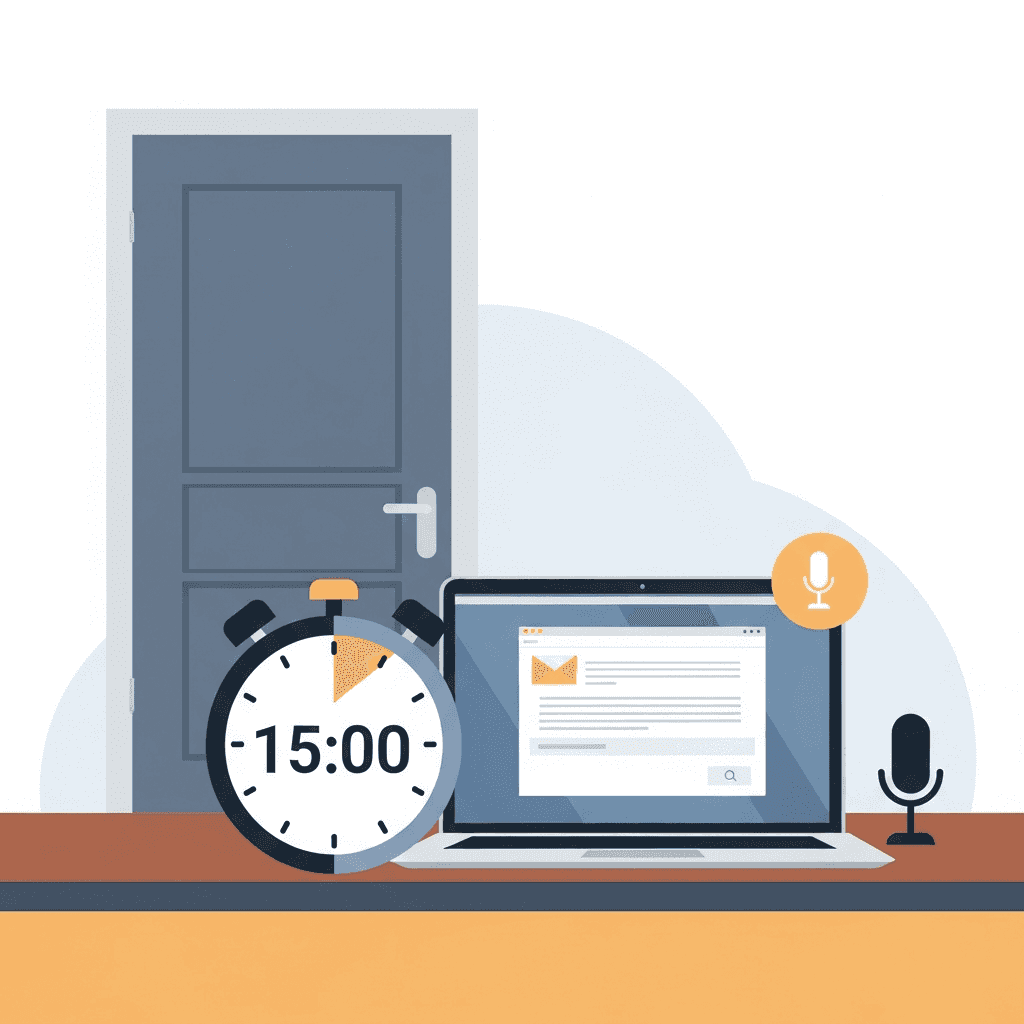
Start with a timer and a closed door. Fifteen minutes works because you're forcing fast decisions, not perfect ones.
Open your inbox and sort by unread or most recent. Scan the first email and ask if it needs a response. If not, archive or delete it using keyboard shortcuts. If it does, speak your reply.
Here's the flow: Read the email, press your voice dictation hotkey, and speak your response as if you're talking to the person. Don't script it in your head first. A two-sentence reply takes 10 seconds to speak versus two minutes to type.
For emails requiring more thought, apply the defer rule. Flag them or move them to a "needs review" folder and keep moving. The 15-minute window isn't for deep work.
Delegation emails get handled the same way. Speak a quick forward with context: "Hey Sarah, can you take this one? Client is asking about the Q1 report timeline."
Delete anything promotional, outdated, or irrelevant without guilt. If you haven't opened a newsletter in three emails, unsubscribe and move on.
You're not crafting prose. You're making decisions and speaking answers. Most emails typically need 20-40 words. At 150 words per minute, that's under 20 seconds of talking.
Batch similar emails together when possible. If you have five meeting requests, knock them out in one voice session: "Yes, Tuesday at 2 works." "Can we push to Wednesday instead?" "I'll pass, but keep me looped on notes."
When the timer hits 15 minutes, stop. Whatever's left can wait. AI voice tools make this process even faster.
Setting Up Voice Dictation for Email Management
Download Willow for Mac, Windows, or iOS and complete the setup wizard. The default activation hotkey is fn on Mac and Alt+Space on Windows. Both can be reassigned to any key combination you prefer in Preferences.
Voice dictation works across most major email clients. Open Gmail, Outlook, Apple Mail, or your CRM's email window. Click into the compose field, hit your hotkey, and start talking. Text appears in real time where your cursor sits.
Willow strips filler words such as "uh" and "ah" automatically.
Accuracy improves as you go. Willow learns your voice, corrects technical terms based on context, and remembers names you've corrected before. For teams, shared custom dictionaries push organization-wide vocabulary, client names, and internal terms to every member without individual configuration. Admins can manage deployment, adjust settings org-wide, and track adoption through team leaderboards. For noisy environments, turn on background noise filtering in settings. For privacy or regulated industries, Offline Mode keeps everything local, and Willow is SOC 2 Type II and HIPAA compliant for organizations with stricter data requirements.
How to Write Emails Much Faster With Voice
Start with the greeting, state your point, and wrap with a closing. The structure stays the same whether typing or speaking: context, answer, next step. "Hi Jordan, I reviewed the proposal. The pricing looks good but we need to adjust the timeline by two weeks. Can you send an updated schedule by Friday?"
Professional tone comes from word choice, not formality. Avoid filler sounds and casual shorthand when speaking your reply, and keep responses natural without pre-scripting sentences. Willow's AI cleans up filler words and matches tone based on where you're writing.
For longer emails, speak in chunks. Cover one paragraph at a time, pause to review, then continue. If a sentence comes out wrong, delete it and re-speak the thought.
Common worry: sounding too casual. Speak complete sentences and avoid conversational shortcuts. Instead of "gonna send this over," say "I'll send this over." The difference is one word, but it reads professionally.
Clear Your Inbox in 15 Minutes with Willow Voice Dictation

Press the activation hotkey in Gmail, Outlook, or any email client, speak your response, and watch it appear formatted in under a second.
The context-aware engine handles details that trip up basic dictation. When you mention "Dr. Martinez" or reference "Q4 OKRs," Willow recognizes technical terms and names based on your active work. Correct a spelling once, and the auto-dictionary remembers it for future dictations.
Smart formatting handles structure automatically. Speak naturally and Willow adds paragraph breaks, inserts greetings, and adjusts tone based on your recipient. Filler words disappear before text hits your screen. For teams, shared custom dictionaries and voice shortcuts let everyone work from the same terminology, so client names, product terms, and frequent responses stay consistent across the group whether members are on Mac, Windows, or iOS.
You speak at 150 words per minute while Willow processes in 200 milliseconds. Five emails that take 15 minutes to type take three minutes to speak.
FAQs
How does voice dictation actually save time when clearing email?
Speaking produces 150 words per minute compared to typing's 40 words per minute, turning a 10-minute typing task into a 2.5-minute voice task. Over a year of daily email writing, this returns more than 140 hours to your calendar.
What happens if I need to write a complex email with voice?
Speak in chunks by covering one paragraph at a time, pausing to review, then continuing. Use voice commands such as "next paragraph" for paragraph breaks and "add list item" for lists, and delete any sentence that comes out wrong to re-speak it immediately.
Can I use voice dictation in a quiet office without disturbing others?
Yes, Willow includes Quiet Mode that allows you to speak softly or whisper while maintaining transcription accuracy. Background noise filtering also works in reverse to capture quiet speech in shared workspaces.
Does the Inbox Zero method work if I receive over 100 emails daily?
The method works by forcing fast decisions on each email: delete, delegate, respond, defer, or do. When paired with voice dictation, you can speak 20-40 word responses in under 20 seconds, making high email volumes manageable within the 15-minute window.
Will voice dictation understand technical terms and names specific to my work?
Willow's context-aware engine analyzes your active work to correctly transcribe technical terms, company names, and specific phrases. When you correct a spelling once, the auto-dictionary remembers it for all future dictations.
Final Thoughts on Faster Email Responses With Voice
Email doesn't have to control your schedule or drag every workday to a crawl. Voice to text changes how inbox work feels by letting you respond at the speed of thought, turning short replies into spoken sentences instead of typed blocks. When paired with a focused 15-minute clearing habit, Willow Voice makes it easier to decide, respond, and move on without revisiting the same threads all day. For teams handling high volumes of correspondence, shared dictionaries, admin controls, and SOC 2 Type II compliance mean the same speed advantage scales from one person to an entire organization. If email is part of your daily workload, switching from typing to voice is one of the simplest ways to reclaim time without changing how you communicate.
Typing email replies drains time faster than almost any other daily task, turning a quick inbox check into a full hour of work. Voice to text changes that equation by letting you speak replies at 150 words per minute instead of typing at 40, cutting through backlogs without lowering quality or tone. With Willow Voice, a voice-to-text tool built for real writing workflows, you can talk through responses as naturally as you'd explain them out loud, send polished emails in minutes, and move on without feeling stuck in your inbox all morning.
TLDR:
Voice dictation lets you speak at 150 WPM versus typing at 40 WPM.
Apply Inbox Zero with voice: delete, delegate, respond, defer, or do in under 15 minutes.
Some modern solutions process speech in 200ms and auto-format emails with context-aware accuracy.
Press fn (Mac) or Alt+Space (Windows) in any email client to speak responses that sound professional.
Certain AI voice tools are 3x more accurate than built-in dictation and work across most apps.
Why Email Management Takes So Much Time
Your inbox is already full before you've finished your morning coffee. Another ping. Another thread. Another "quick question" that requires a five-paragraph response.
The average professional spends 28% of their workday reading and answering email. That's 2.6 hours every single day managing messages. When you're receiving 120 emails daily, the math gets worse fast.
Typing creates the bottleneck. Most people type around 40 words per minute, and crafting a thoughtful email response takes mental energy and physical effort. You're juggling multiple threads, switching between your inbox and other apps, and losing focus every time you need to draft a reply.
The cost extends past time alone. Workers report that nearly 23% of their time goes to checking messages, not even responding to them. Email has become the work itself instead of a tool to get work done.
Voice to Text Is 3x Faster Than Typing
Speaking beats typing by a wide margin. The average person types around 40 words per minute when drafting emails. When you speak naturally, you hit 150 words per minute without breaking a sweat.
That gap creates a real productivity shift. Voice dictation is 3 times faster than typing, which roughly turns a 10-minute typing task into a 2.5-minute voice task.
If you're writing 2,000 words daily across emails, messages, and responses, voice dictation saves about 35 minutes compared to typing. Over a year, that's more than 140 hours returned to your calendar.
Metric | Typing | Voice Dictation (AI-Powered) |
|---|---|---|
Input speed | ~40 WPM | ~150 WPM |
Typical 40-word reply | ~1-2 minutes | ~15-20 seconds |
2,000 words of daily email | ~50 minutes | ~13-15 minutes |
Filler word cleanup | Manual | Automatic (AI removes "uh," "um") |
Accuracy on names and jargon | Depends on typing skill | 98%+ with context-aware AI |
Works across all email clients | Yes | Yes (Gmail, Outlook, Apple Mail, and more) |
Latency | None | ~200ms (AI tools); 700ms+ (built-in OS dictation) |
The speed advantage isn't about talking faster. When you type, you're translating thoughts into keystrokes. When you speak, you're just thinking out loud. Your brain processes language faster than your fingers can move, and voice dictation removes the middleman.
Understanding the Inbox Zero Method
Inbox Zero isn't about having zero emails. It's about making decisions quickly so your inbox doesn't become a todo list, archive, and reading pile all at once.
The method, created by productivity expert Merlin Mann, breaks email into five actions: delete, delegate, respond, defer, or do. Every message gets sorted into one of these buckets immediately.
The goal is to treat your inbox as a processing station, not storage. When you open an email, you decide what it needs right away. Quick replies go out instantly. Tasks get moved to your actual task manager. Reference materials get filed. Junk gets deleted.
This works because it removes decision fatigue. Instead of re-reading the same emails multiple times, you make one decision and move on.
When you pair Inbox Zero with voice dictation, the speed difference becomes dramatic. Decisions happen fast, and responses go out even faster.
The 15 Minute Voice to Text Email Clearing System
Start with a timer and a closed door. Fifteen minutes works because you're forcing fast decisions, not perfect ones.
Open your inbox and sort by unread or most recent. Scan the first email and ask if it needs a response. If not, archive or delete it using keyboard shortcuts. If it does, speak your reply.
Here's the flow: Read the email, press your voice dictation hotkey, and speak your response as if you're talking to the person. Don't script it in your head first. A two-sentence reply takes 10 seconds to speak versus two minutes to type.
For emails requiring more thought, apply the defer rule. Flag them or move them to a "needs review" folder and keep moving. The 15-minute window isn't for deep work.
Delegation emails get handled the same way. Speak a quick forward with context: "Hey Sarah, can you take this one? Client is asking about the Q1 report timeline."
Delete anything promotional, outdated, or irrelevant without guilt. If you haven't opened a newsletter in three emails, unsubscribe and move on.
You're not crafting prose. You're making decisions and speaking answers. Most emails typically need 20-40 words. At 150 words per minute, that's under 20 seconds of talking.
Batch similar emails together when possible. If you have five meeting requests, knock them out in one voice session: "Yes, Tuesday at 2 works." "Can we push to Wednesday instead?" "I'll pass, but keep me looped on notes."
When the timer hits 15 minutes, stop. Whatever's left can wait. AI voice tools make this process even faster.
Setting Up Voice Dictation for Email Management
Download Willow for Mac, Windows, or iOS and complete the setup wizard. The default activation hotkey is fn on Mac and Alt+Space on Windows. Both can be reassigned to any key combination you prefer in Preferences.
Voice dictation works across most major email clients. Open Gmail, Outlook, Apple Mail, or your CRM's email window. Click into the compose field, hit your hotkey, and start talking. Text appears in real time where your cursor sits.
Willow strips filler words such as "uh" and "ah" automatically.
Accuracy improves as you go. Willow learns your voice, corrects technical terms based on context, and remembers names you've corrected before. For teams, shared custom dictionaries push organization-wide vocabulary, client names, and internal terms to every member without individual configuration. Admins can manage deployment, adjust settings org-wide, and track adoption through team leaderboards. For noisy environments, turn on background noise filtering in settings. For privacy or regulated industries, Offline Mode keeps everything local, and Willow is SOC 2 Type II and HIPAA compliant for organizations with stricter data requirements.
How to Write Emails Much Faster With Voice
Start with the greeting, state your point, and wrap with a closing. The structure stays the same whether typing or speaking: context, answer, next step. "Hi Jordan, I reviewed the proposal. The pricing looks good but we need to adjust the timeline by two weeks. Can you send an updated schedule by Friday?"
Professional tone comes from word choice, not formality. Avoid filler sounds and casual shorthand when speaking your reply, and keep responses natural without pre-scripting sentences. Willow's AI cleans up filler words and matches tone based on where you're writing.
For longer emails, speak in chunks. Cover one paragraph at a time, pause to review, then continue. If a sentence comes out wrong, delete it and re-speak the thought.
Common worry: sounding too casual. Speak complete sentences and avoid conversational shortcuts. Instead of "gonna send this over," say "I'll send this over." The difference is one word, but it reads professionally.
Clear Your Inbox in 15 Minutes with Willow Voice Dictation
Press the activation hotkey in Gmail, Outlook, or any email client, speak your response, and watch it appear formatted in under a second.
The context-aware engine handles details that trip up basic dictation. When you mention "Dr. Martinez" or reference "Q4 OKRs," Willow recognizes technical terms and names based on your active work. Correct a spelling once, and the auto-dictionary remembers it for future dictations.
Smart formatting handles structure automatically. Speak naturally and Willow adds paragraph breaks, inserts greetings, and adjusts tone based on your recipient. Filler words disappear before text hits your screen. For teams, shared custom dictionaries and voice shortcuts let everyone work from the same terminology, so client names, product terms, and frequent responses stay consistent across the group whether members are on Mac, Windows, or iOS.
You speak at 150 words per minute while Willow processes in 200 milliseconds. Five emails that take 15 minutes to type take three minutes to speak.
FAQs
How does voice dictation actually save time when clearing email?
Speaking produces 150 words per minute compared to typing's 40 words per minute, turning a 10-minute typing task into a 2.5-minute voice task. Over a year of daily email writing, this returns more than 140 hours to your calendar.
What happens if I need to write a complex email with voice?
Speak in chunks by covering one paragraph at a time, pausing to review, then continuing. Use voice commands such as "next paragraph" for paragraph breaks and "add list item" for lists, and delete any sentence that comes out wrong to re-speak it immediately.
Can I use voice dictation in a quiet office without disturbing others?
Yes, Willow includes Quiet Mode that allows you to speak softly or whisper while maintaining transcription accuracy. Background noise filtering also works in reverse to capture quiet speech in shared workspaces.
Does the Inbox Zero method work if I receive over 100 emails daily?
The method works by forcing fast decisions on each email: delete, delegate, respond, defer, or do. When paired with voice dictation, you can speak 20-40 word responses in under 20 seconds, making high email volumes manageable within the 15-minute window.
Will voice dictation understand technical terms and names specific to my work?
Willow's context-aware engine analyzes your active work to correctly transcribe technical terms, company names, and specific phrases. When you correct a spelling once, the auto-dictionary remembers it for all future dictations.
Final Thoughts on Faster Email Responses With Voice
Email doesn't have to control your schedule or drag every workday to a crawl. Voice to text changes how inbox work feels by letting you respond at the speed of thought, turning short replies into spoken sentences instead of typed blocks. When paired with a focused 15-minute clearing habit, Willow Voice makes it easier to decide, respond, and move on without revisiting the same threads all day. For teams handling high volumes of correspondence, shared dictionaries, admin controls, and SOC 2 Type II compliance mean the same speed advantage scales from one person to an entire organization. If email is part of your daily workload, switching from typing to voice is one of the simplest ways to reclaim time without changing how you communicate.

Try Willow for free
Instant, accurate voice dictation. No card required.
Try Willow for free
Instant, accurate voice dictation. No card required.
Other stories you’ll love
Other stories you’ll love


Your keyboard is optional now
" transform="translate(5 5)" width="9.791000051498413px"/></svg>)

The voice-first interface for modern work.
© Willow Care, Inc. 2026. All rights reserved
Your keyboard is optional now
The voice-first interface for modern work.
© Willow Care, Inc. 2026. All rights reserved
Your keyboard is optional now
The voice-first interface for modern work.
© Willow Care, Inc. 2026. All rights reserved