" transform="translate(5 2)" width="10px"/></svg>)

•
5 min read
Best AI Voice Tools for Email Productivity | August 2026

•
5 min read
Best AI Voice Tools for Email Productivity | August 2026
Every inbox hides that dreaded backlog of emails we keep putting off because typing replies feels painfully slow. Modern AI voice tools change that by turning half-hour typing marathons into quick, eight-minute conversations with your computer. You speak naturally, the AI writes polished text instantly, and your workflow never skips a beat. Modern tools lead this new wave of email productivity, delivering transcription in around 200 milliseconds, context-aware formatting, and universal compatibility across Mac, Windows, and iOS so you can clear your inbox at the speed of speech.
TLDR:
Voice dictation cuts email writing time by 75% since you speak at 150 WPM vs typing at 40 WPM
AI voice tools now offer 3x+ better accuracy than built-in options with context-aware formatting
Most solutions require ecosystem lock-in to Google, Microsoft, or Apple platforms
Context-aware AI adapts tone automatically for professional or casual messages
Privacy-first tools like Willow offer zero data retention and optional local-only offline processing
What Are AI Voice Tools for Email Productivity?
AI voice tools for email are speech-to-text applications that convert spoken words into written messages. You speak naturally, and the software transcribes your voice into text inside your email client.
These tools work across Gmail, Outlook, Apple Mail, and other email apps. The best ones remove filler words, apply proper formatting, and understand context to produce clean, professional messages without manual editing.
The speed difference matters. Most people type around 40 words per minute but speak at 150 words per minute. Voice dictation can cut email composition time by roughly 75%, turning a 30-minute typing session into eight minutes of speaking.
How We Ranked AI Voice Tools for Email Productivity
We tested each tool on five core criteria: transcription accuracy, processing speed, universal app compatibility, context awareness, and email-specific features. Accuracy matters most because even small errors require manual corrections that eliminate time savings. Speed ranks second since real-time transcription keeps your workflow moving.
We focused on tools that work directly in Gmail, Outlook, and Apple Mail without switching between applications. Context awareness separates basic speech-to-text from AI-powered dictation that understands professional tone, technical terminology, and proper email formatting.
The AI speech-to-text market will grow from $3.86 billion in 2025 to $36.91 billion by 2035. We focused on solutions built for this shift.
Tool | Platforms | Accuracy / Setup | Best For |
|---|---|---|---|
Willow | Mac, Windows, iOS | 3x fewer errors than built-in dictation, no training required | Professionals who want fast, accurate, context-aware email dictation across every app |
Dragon | Windows | 98%+ accuracy after an extensive training period | Specialized professional workflows worth the setup and licensing cost |
Apple Dictation | Mac, iPhone, iPad | Free, no training, basic accuracy | Casual dictation for Apple users |
Google Docs Voice Typing | Web (Google Workspace) | Free, requires a constant internet connection | Teams already working inside Google Docs |
Microsoft Word Dictation | Windows, Microsoft 365 | Free with Office, basic accuracy | Microsoft 365 users who want built-in dictation in Outlook |
Otter.ai | Web, iOS, Android | Free and paid tiers, built for meetings instead of real-time typing | Meeting transcription instead of email dictation |
Best Overall AI Voice Tool for Email Productivity: Willow

Willow is an AI voice dictation tool designed for professionals who spend hours writing emails, available on Mac, Windows, and iOS. Press the Function key in most major email clients and your speech converts to text almost instantly, typically within 200 milliseconds with 3x higher accuracy than Apple or Google's built-in options.
The context-aware AI reads what you're working on to capture technical terms, names, and company jargon correctly. Emails to executives get professional tone and formatting, while messages to teammates stay conversational without manual adjustments.
Core Advantages:
Hotkey activation works instantly in any application including Gmail, Outlook, Apple Mail, Slack, Notion, iMessage, browsers, ChatGPT, Cursor, and Google Docs
Custom dictionaries remember industry terms, colleague names, and email contacts after first use
Automatic filler word removal strips out "um," "uh," and repeated phrases
Privacy-focused with zero data retention policies, SOC 2 and HIPAA compliant
Free trial includes 2,000 words that recharges every week with no credit card required
Available across Mac, Windows, and iOS with a custom voice keyboard on mobile that allows fluid switching between voice and text input
Optional Offline Mode on Mac and iOS runs a local model for fully private dictation without an internet connection
Willow Assistant feature allows you to select text and command actions like 'reply to this email' or adjust tone without copy-pasting to ChatGPT
Most users speak nearly 95% of their written communication after trying Willow.
For teams, Willow scales beyond individual use. Admin controls let managers push shared custom dictionaries and voice shortcuts to the whole group without configuring each person separately, so client names and internal terminology stay consistent from day one. Team leaderboards give leads visibility into adoption and time saved without manual tracking, and SOC 2 Type II compliance keeps org-wide rollout within existing security review requirements, a structural difference from consumer-only dictation tools built for one person on one device.
Willow Scribe (AI-Assisted Content Generation)
Willow offers two distinct voice modes: Dictation Mode for verbatim transcription, activated with the Fn key, and Willow Scribe for AI-assisted content generation, activated with Fn + Control on Mac and Alt+Shift+Space on Windows. Instead of transcribing word-for-word, Scribe can draft a complete email from a voice prompt like "write a follow-up to John about the design review," generate context-aware replies by reading the existing email thread, and edit text already on the page through voice commands. Scribe is available on Mac and Windows to all users.
Dragon

Dragon is a desktop speech recognition software from Nuance that provides dictation capabilities for Windows applications, including email clients.
What They Offer
Desktop dictation with voice commands for formatting
Custom vocabulary support for industry terminology
Works with Microsoft Outlook and other email applications
98%+ accuracy after training period
Limitation: Requires extensive setup and training with expensive licensing that may not be worth the cost for basic email dictation needs.
Bottom line: Powerful but complex legacy solution better suited for specialized professional workflows than everyday email productivity.
Apple Dictation
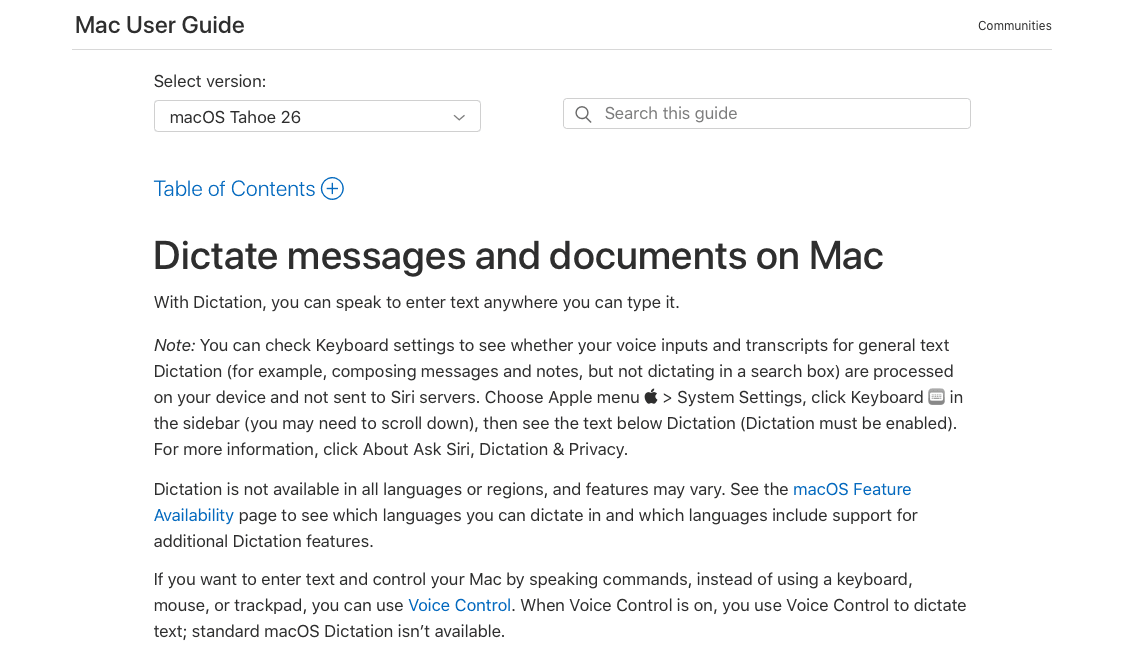
Apple Dictation is the built-in speech-to-text feature available across Mac, iPhone, and iPad devices for turning speech into text in any application.
Free with all Apple devices, it works in Apple Mail and third-party email apps with basic voice commands for punctuation and formatting across multiple languages.
Willow delivers 3x fewer errors than Apple's built-in dictation, along with the context awareness needed for professional email composition. Apple Dictation remains convenient for casual use but insufficient for professional email workflows.
Google Docs Voice Typing
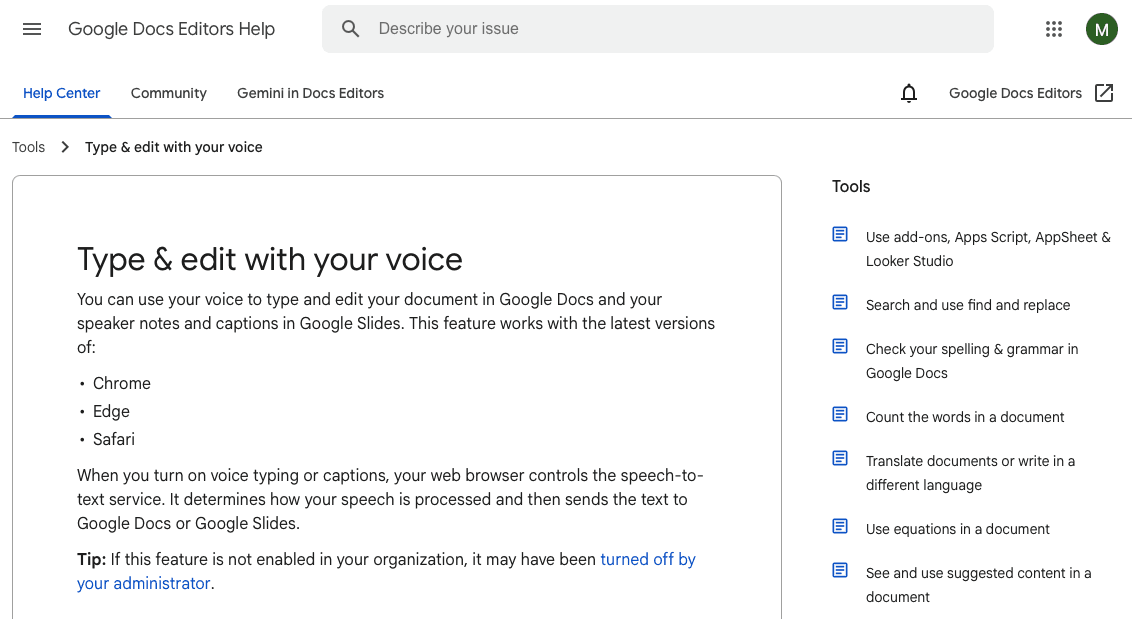
Google Docs Voice Typing is a web-based dictation feature that lets users compose documents and emails using voice input within Google's ecosystem.
What They Offer
Free voice typing within Google Docs with over 100 voice commands for text formatting and automatic punctuation
Works across Google Workspace applications for users already invested in the ecosystem
Limitation: Requires constant internet connection and only functions within Google applications, creating workflow gaps for users with diverse email setups.
Bottom line: Solid option for Google-centric workflows but limited compatibility restricts broader email productivity use.
Microsoft Word Dictation
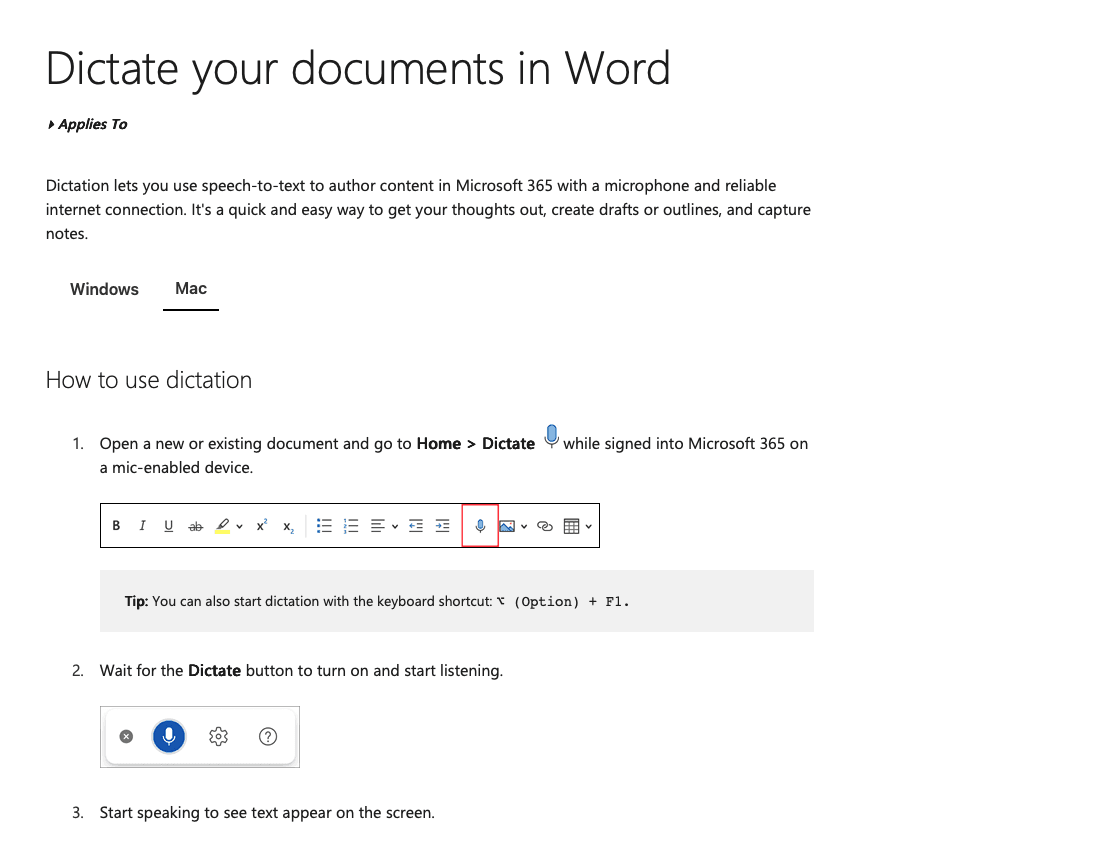
Microsoft Word Dictation provides speech-to-text capabilities integrated into the Microsoft Office suite including Outlook email composition.
What They Offer
Built-in dictation across Microsoft Office applications with voice commands for basic text formatting and editing
Integration with Microsoft 365 email workflows without requiring additional software installation
Limitation: Basic accuracy levels and limited AI processing compared to specialized voice tools, requiring frequent manual corrections for professional email content.
Bottom line: Adequate for Microsoft users but lacks the intelligence needed for efficient email composition.
Otter.ai
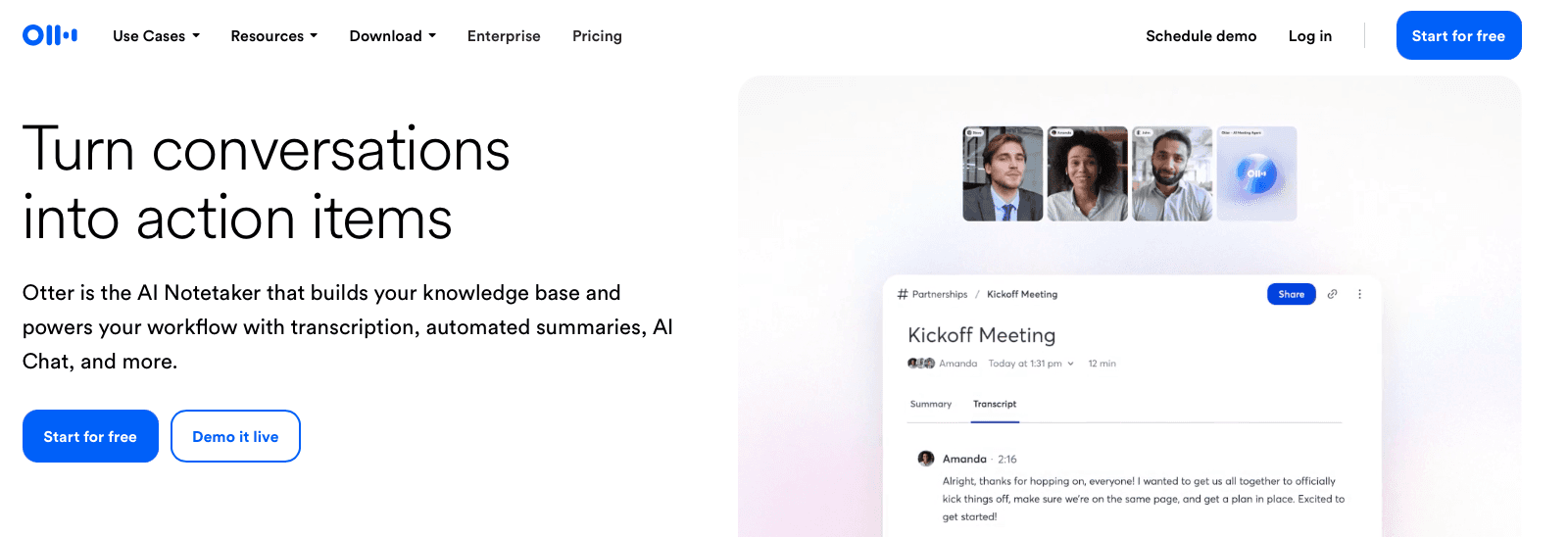
Otter.ai handles meeting transcription and offers dictation for documents and emails. The tool captures conversations but doesn't focus on real-time email dictation.
What They Offer
AI-powered transcription that identifies different speakers in multi-person conversations
Integration with Zoom, Google Meet, and Microsoft Teams to automatically generate meeting notes
Mobile app for creating voice notes and email drafts while away from your desk
Collaboration features that let teams share and access transcriptions together
Limitation: Built for meetings and conversations instead of real-time email dictation, which makes it less suitable for direct email productivity workflows.
Bottom line: Better for documenting meetings than composing emails through dictation.
Why Willow Is the Best AI Voice Tool for Email Productivity
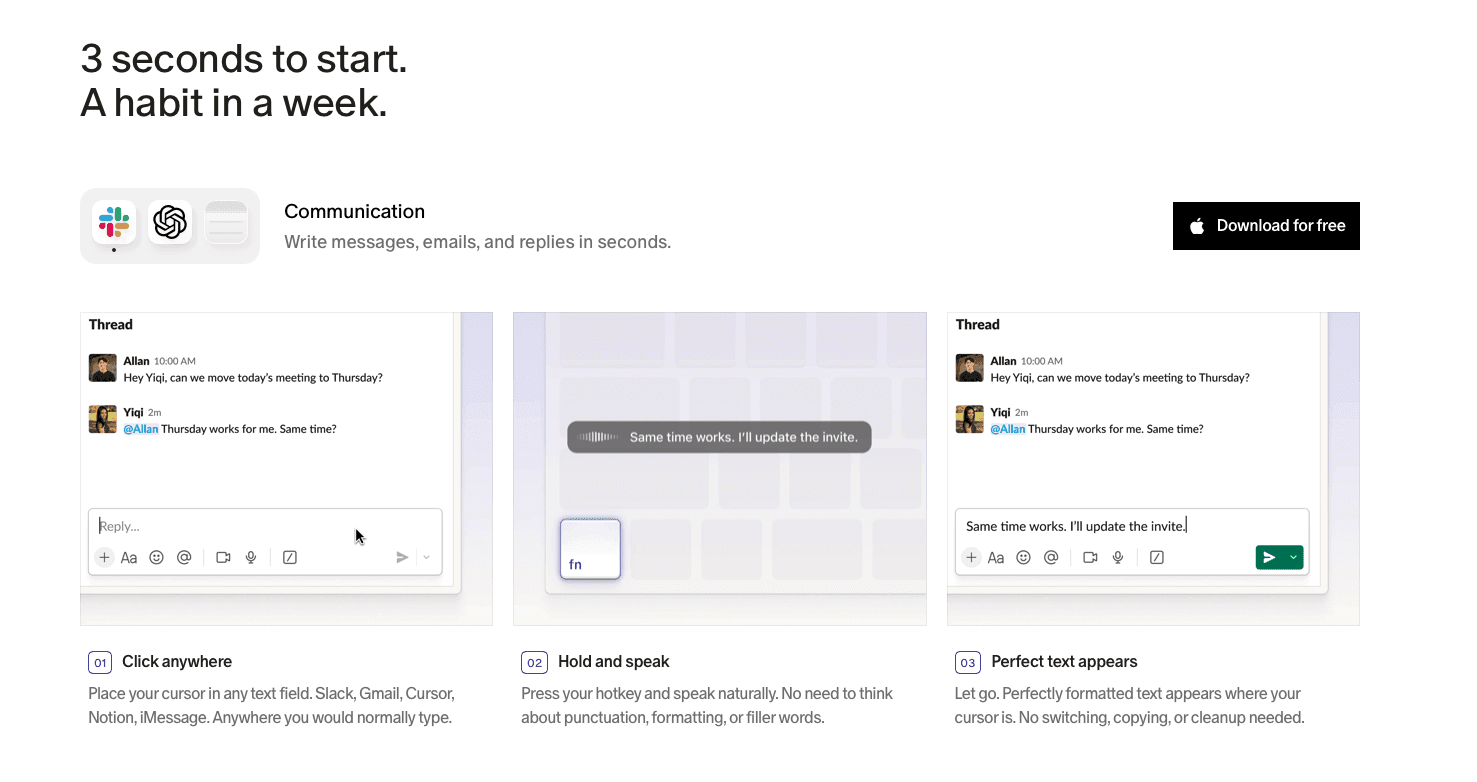
The challenge isn't finding voice dictation software but finding one that actually works across your entire workflow without constant corrections or setup headaches. Voice AI is improving workplace productivity for professionals ranging from customer support teams to healthcare providers managing patient correspondence, but most solutions require ecosystem lock-in or extensive training periods.
Willow delivers universal compatibility and accuracy needed for professional email workflows while maintaining the simplicity that makes voice dictation practical for daily use. Press Function in most major email clients and your words appear instantly, context-aware and properly formatted.
Unlike traditional dictation tools, Willow adapts to your communication style in real time, learning how you phrase messages, who you’re writing to, and the tone you prefer. Whether you’re drafting client updates, executive summaries, or quick team check-ins, it formats naturally and eliminates filler words automatically. The same vocabulary and formatting carry over whether you’re finishing a report on a Windows desktop or replying to email from your phone between meetings, so switching devices never means starting over. Its privacy-first architecture makes sure no voice data is stored or shared, giving professionals confidence to use it freely across sensitive projects. By combining speed, intelligence, and security, Willow turns everyday email writing into a smooth, conversational experience that keeps your focus where it belongs: on your ideas, not your keyboard.
FAQs
How much faster is voice dictation compared to typing for emails?
Voice dictation lets you speak at 150 words per minute versus typing at 40 words per minute, cutting email composition time by roughly 75%. A 30-minute typing session becomes eight minutes of speaking.
What's the main difference between AI voice tools and built-in dictation?
AI voice tools understand context, remove filler words automatically, and adapt tone based on where you're writing, while built-in options like Apple Dictation provide basic transcription without intelligent formatting or professional polish.
Can I use voice dictation in any email client?
The best AI voice tools work universally across Gmail, Outlook, Apple Mail, and other applications through hotkey activation, while some options like Google Docs Voice Typing only function within their specific ecosystem.
How accurate are modern AI voice tools for professional emails?
Top AI voice tools achieve 3x+ higher accuracy than built-in dictation by using context-aware processing that captures technical terms, names, and company jargon correctly without manual training.
Do I need to train voice dictation software before using it?
Modern AI voice tools like Willow require zero setup and work immediately, while legacy solutions like Dragon NaturallySpeaking need extensive training periods before reaching peak accuracy.
Final Thoughts on Voice Tools for Email Workflows
AI voice tools are redefining how professionals manage their inboxes, turning tedious typing into quick, smooth communication. The real advantage of modern dictation tools isn’t just speed, but how intelligently they understand tone, context, and intent to produce clean, ready-to-send messages with minimal editing. Willow brings this next generation of voice productivity to every email tool, helping you reclaim hours each week while keeping your workflow natural and distraction-free. The result is smarter, faster communication that feels as natural as conversation itself.
Every inbox hides that dreaded backlog of emails we keep putting off because typing replies feels painfully slow. Modern AI voice tools change that by turning half-hour typing marathons into quick, eight-minute conversations with your computer. You speak naturally, the AI writes polished text instantly, and your workflow never skips a beat. Modern tools lead this new wave of email productivity, delivering transcription in around 200 milliseconds, context-aware formatting, and universal compatibility across Mac, Windows, and iOS so you can clear your inbox at the speed of speech.
TLDR:
Voice dictation cuts email writing time by 75% since you speak at 150 WPM vs typing at 40 WPM
AI voice tools now offer 3x+ better accuracy than built-in options with context-aware formatting
Most solutions require ecosystem lock-in to Google, Microsoft, or Apple platforms
Context-aware AI adapts tone automatically for professional or casual messages
Privacy-first tools like Willow offer zero data retention and optional local-only offline processing
What Are AI Voice Tools for Email Productivity?
AI voice tools for email are speech-to-text applications that convert spoken words into written messages. You speak naturally, and the software transcribes your voice into text inside your email client.
These tools work across Gmail, Outlook, Apple Mail, and other email apps. The best ones remove filler words, apply proper formatting, and understand context to produce clean, professional messages without manual editing.
The speed difference matters. Most people type around 40 words per minute but speak at 150 words per minute. Voice dictation can cut email composition time by roughly 75%, turning a 30-minute typing session into eight minutes of speaking.
How We Ranked AI Voice Tools for Email Productivity
We tested each tool on five core criteria: transcription accuracy, processing speed, universal app compatibility, context awareness, and email-specific features. Accuracy matters most because even small errors require manual corrections that eliminate time savings. Speed ranks second since real-time transcription keeps your workflow moving.
We focused on tools that work directly in Gmail, Outlook, and Apple Mail without switching between applications. Context awareness separates basic speech-to-text from AI-powered dictation that understands professional tone, technical terminology, and proper email formatting.
The AI speech-to-text market will grow from $3.86 billion in 2025 to $36.91 billion by 2035. We focused on solutions built for this shift.
Tool | Platforms | Accuracy / Setup | Best For |
|---|---|---|---|
Willow | Mac, Windows, iOS | 3x fewer errors than built-in dictation, no training required | Professionals who want fast, accurate, context-aware email dictation across every app |
Dragon | Windows | 98%+ accuracy after an extensive training period | Specialized professional workflows worth the setup and licensing cost |
Apple Dictation | Mac, iPhone, iPad | Free, no training, basic accuracy | Casual dictation for Apple users |
Google Docs Voice Typing | Web (Google Workspace) | Free, requires a constant internet connection | Teams already working inside Google Docs |
Microsoft Word Dictation | Windows, Microsoft 365 | Free with Office, basic accuracy | Microsoft 365 users who want built-in dictation in Outlook |
Otter.ai | Web, iOS, Android | Free and paid tiers, built for meetings instead of real-time typing | Meeting transcription instead of email dictation |
Best Overall AI Voice Tool for Email Productivity: Willow
Willow is an AI voice dictation tool designed for professionals who spend hours writing emails, available on Mac, Windows, and iOS. Press the Function key in most major email clients and your speech converts to text almost instantly, typically within 200 milliseconds with 3x higher accuracy than Apple or Google's built-in options.
The context-aware AI reads what you're working on to capture technical terms, names, and company jargon correctly. Emails to executives get professional tone and formatting, while messages to teammates stay conversational without manual adjustments.
Core Advantages:
Hotkey activation works instantly in any application including Gmail, Outlook, Apple Mail, Slack, Notion, iMessage, browsers, ChatGPT, Cursor, and Google Docs
Custom dictionaries remember industry terms, colleague names, and email contacts after first use
Automatic filler word removal strips out "um," "uh," and repeated phrases
Privacy-focused with zero data retention policies, SOC 2 and HIPAA compliant
Free trial includes 2,000 words that recharges every week with no credit card required
Available across Mac, Windows, and iOS with a custom voice keyboard on mobile that allows fluid switching between voice and text input
Optional Offline Mode on Mac and iOS runs a local model for fully private dictation without an internet connection
Willow Assistant feature allows you to select text and command actions like 'reply to this email' or adjust tone without copy-pasting to ChatGPT
Most users speak nearly 95% of their written communication after trying Willow.
For teams, Willow scales beyond individual use. Admin controls let managers push shared custom dictionaries and voice shortcuts to the whole group without configuring each person separately, so client names and internal terminology stay consistent from day one. Team leaderboards give leads visibility into adoption and time saved without manual tracking, and SOC 2 Type II compliance keeps org-wide rollout within existing security review requirements, a structural difference from consumer-only dictation tools built for one person on one device.
Willow Scribe (AI-Assisted Content Generation)
Willow offers two distinct voice modes: Dictation Mode for verbatim transcription, activated with the Fn key, and Willow Scribe for AI-assisted content generation, activated with Fn + Control on Mac and Alt+Shift+Space on Windows. Instead of transcribing word-for-word, Scribe can draft a complete email from a voice prompt like "write a follow-up to John about the design review," generate context-aware replies by reading the existing email thread, and edit text already on the page through voice commands. Scribe is available on Mac and Windows to all users.
Dragon
Dragon is a desktop speech recognition software from Nuance that provides dictation capabilities for Windows applications, including email clients.
What They Offer
Desktop dictation with voice commands for formatting
Custom vocabulary support for industry terminology
Works with Microsoft Outlook and other email applications
98%+ accuracy after training period
Limitation: Requires extensive setup and training with expensive licensing that may not be worth the cost for basic email dictation needs.
Bottom line: Powerful but complex legacy solution better suited for specialized professional workflows than everyday email productivity.
Apple Dictation
Apple Dictation is the built-in speech-to-text feature available across Mac, iPhone, and iPad devices for turning speech into text in any application.
Free with all Apple devices, it works in Apple Mail and third-party email apps with basic voice commands for punctuation and formatting across multiple languages.
Willow delivers 3x fewer errors than Apple's built-in dictation, along with the context awareness needed for professional email composition. Apple Dictation remains convenient for casual use but insufficient for professional email workflows.
Google Docs Voice Typing
Google Docs Voice Typing is a web-based dictation feature that lets users compose documents and emails using voice input within Google's ecosystem.
What They Offer
Free voice typing within Google Docs with over 100 voice commands for text formatting and automatic punctuation
Works across Google Workspace applications for users already invested in the ecosystem
Limitation: Requires constant internet connection and only functions within Google applications, creating workflow gaps for users with diverse email setups.
Bottom line: Solid option for Google-centric workflows but limited compatibility restricts broader email productivity use.
Microsoft Word Dictation
Microsoft Word Dictation provides speech-to-text capabilities integrated into the Microsoft Office suite including Outlook email composition.
What They Offer
Built-in dictation across Microsoft Office applications with voice commands for basic text formatting and editing
Integration with Microsoft 365 email workflows without requiring additional software installation
Limitation: Basic accuracy levels and limited AI processing compared to specialized voice tools, requiring frequent manual corrections for professional email content.
Bottom line: Adequate for Microsoft users but lacks the intelligence needed for efficient email composition.
Otter.ai
Otter.ai handles meeting transcription and offers dictation for documents and emails. The tool captures conversations but doesn't focus on real-time email dictation.
What They Offer
AI-powered transcription that identifies different speakers in multi-person conversations
Integration with Zoom, Google Meet, and Microsoft Teams to automatically generate meeting notes
Mobile app for creating voice notes and email drafts while away from your desk
Collaboration features that let teams share and access transcriptions together
Limitation: Built for meetings and conversations instead of real-time email dictation, which makes it less suitable for direct email productivity workflows.
Bottom line: Better for documenting meetings than composing emails through dictation.
Why Willow Is the Best AI Voice Tool for Email Productivity
The challenge isn't finding voice dictation software but finding one that actually works across your entire workflow without constant corrections or setup headaches. Voice AI is improving workplace productivity for professionals ranging from customer support teams to healthcare providers managing patient correspondence, but most solutions require ecosystem lock-in or extensive training periods.
Willow delivers universal compatibility and accuracy needed for professional email workflows while maintaining the simplicity that makes voice dictation practical for daily use. Press Function in most major email clients and your words appear instantly, context-aware and properly formatted.
Unlike traditional dictation tools, Willow adapts to your communication style in real time, learning how you phrase messages, who you’re writing to, and the tone you prefer. Whether you’re drafting client updates, executive summaries, or quick team check-ins, it formats naturally and eliminates filler words automatically. The same vocabulary and formatting carry over whether you’re finishing a report on a Windows desktop or replying to email from your phone between meetings, so switching devices never means starting over. Its privacy-first architecture makes sure no voice data is stored or shared, giving professionals confidence to use it freely across sensitive projects. By combining speed, intelligence, and security, Willow turns everyday email writing into a smooth, conversational experience that keeps your focus where it belongs: on your ideas, not your keyboard.
FAQs
How much faster is voice dictation compared to typing for emails?
Voice dictation lets you speak at 150 words per minute versus typing at 40 words per minute, cutting email composition time by roughly 75%. A 30-minute typing session becomes eight minutes of speaking.
What's the main difference between AI voice tools and built-in dictation?
AI voice tools understand context, remove filler words automatically, and adapt tone based on where you're writing, while built-in options like Apple Dictation provide basic transcription without intelligent formatting or professional polish.
Can I use voice dictation in any email client?
The best AI voice tools work universally across Gmail, Outlook, Apple Mail, and other applications through hotkey activation, while some options like Google Docs Voice Typing only function within their specific ecosystem.
How accurate are modern AI voice tools for professional emails?
Top AI voice tools achieve 3x+ higher accuracy than built-in dictation by using context-aware processing that captures technical terms, names, and company jargon correctly without manual training.
Do I need to train voice dictation software before using it?
Modern AI voice tools like Willow require zero setup and work immediately, while legacy solutions like Dragon NaturallySpeaking need extensive training periods before reaching peak accuracy.
Final Thoughts on Voice Tools for Email Workflows
AI voice tools are redefining how professionals manage their inboxes, turning tedious typing into quick, smooth communication. The real advantage of modern dictation tools isn’t just speed, but how intelligently they understand tone, context, and intent to produce clean, ready-to-send messages with minimal editing. Willow brings this next generation of voice productivity to every email tool, helping you reclaim hours each week while keeping your workflow natural and distraction-free. The result is smarter, faster communication that feels as natural as conversation itself.

Try Willow for free
Instant, accurate voice dictation. No card required.
Try Willow for free
Instant, accurate voice dictation. No card required.
Other stories you’ll love
Other stories you’ll love



Your keyboard is optional now
" transform="translate(5 5)" width="9.791000051498413px"/></svg>)

The voice-first interface for modern work.
© Willow Care, Inc. 2026. All rights reserved
Your keyboard is optional now
The voice-first interface for modern work.
© Willow Care, Inc. 2026. All rights reserved
Your keyboard is optional now
The voice-first interface for modern work.
© Willow Care, Inc. 2026. All rights reserved