" transform="translate(5 2)" width="10px"/></svg>)

•
5 min read
Best Voice Dictation Software for Lawyers July 2026

•
5 min read
Best Voice Dictation Software for Lawyers July 2026
Most dictation software falls apart the moment legal language enters the picture. Say “voir dire” or "reference a case citation," and you’re back to fixing errors line by line. The best dictation software for lawyers should handle that complexity without slowing you down and keep up with how you actually think and speak. Newer tools are built to handle the way legal work actually happens, recognizing patterns in your documents, remembering terminology, and keeping up across different applications. If you’re considering a tool that fits naturally into your existing setup, it’s worth understanding how far legal dictation has come.
TLDR:
SOC 2 Type II compliance and zero data retention protect attorney-client privilege, with a signed BAA available for firms handling HIPAA-covered client data.
Lawyers speak 125-150 WPM but type only 40-50 WPM, making dictation 3x faster for briefs and client emails.
Standard tools like Apple's built-in dictation and Wispr Flow lack accuracy in legal terminology.
System-wide dictation reduces context switching among case management, email, and document-drafting tools.
Some advanced dictation tools learn your writing style over time, deliver ~200ms latency, and work with legal software on Mac and Windows.
Why Legal Professionals Need Specialized Dictation Software
Legal work demands constant documentation. Briefs, client correspondence, case notes, billing entries, and discovery responses create endless typing. 77% of small firms waste time, a burden that hits solo practitioners hardest.
Standard dictation tools like Apple's built-in voice typing or Wispr Flow weren't built for legal terminology. They stumble over "habeas corpus," misspell client names, and butcher case citations. Attorney-client privilege requires SOC 2 Type II and HIPAA compliance that generic consumer tools can't provide.
How Dictation Speeds Up Legal Documentation
Attorneys typically type between 40 and 50 words per minute. Speaking? You can hit 125 to 150 words per minute without breaking a sweat. Dictation software can improve documentation speed in some workflows, though a systematic review of AI speech recognition tools found the effect varies, with faster note-taking in some settings and added editing time in others. That review looked at clinical documentation, not legal work, but the same variable (how much specialized terminology the tool has to catch on the first pass) drives the outcome in legal dictation too.
That speed difference translates directly into billable hours. A 10-minute email becomes a two-minute voice memo. Case notes that would take 30 minutes to type are finished in 10.
The real win? Clearing the documentation backlog that eats into actual legal work.
Critical Features for Legal Dictation Software
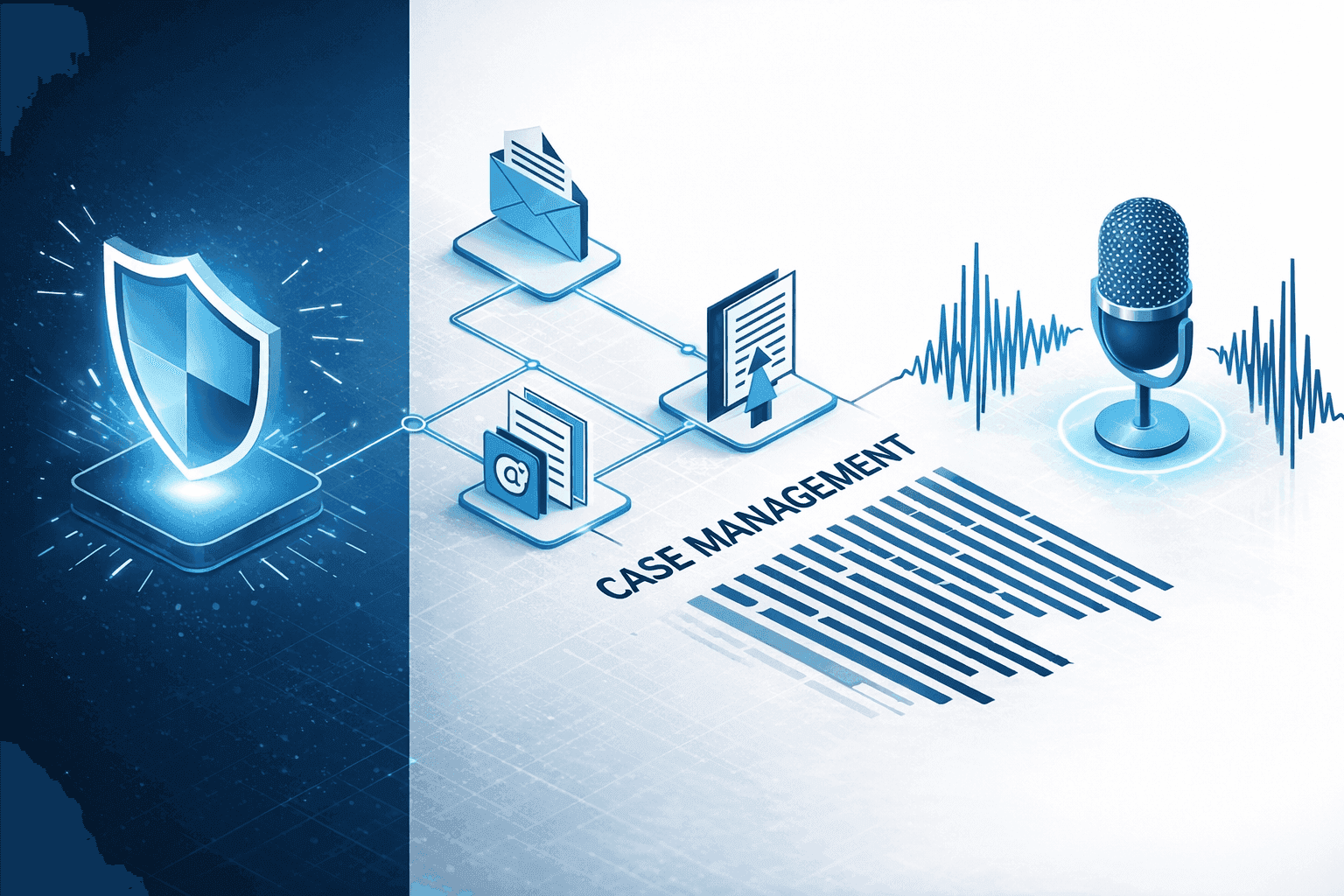
Legal dictation software must handle specialized terminology out of the box. Your tool should recognize Latin phrases such as "voir dire" and "in limine," complex case citations, and opposing counsel's names without manual correction. Generic tools weren't trained on legal language.
Not all dictation workflows are the same, and the distinction matters for attorneys. Front-end dictation (live speech-to-text) is built for real-time document creation at your desk: drafting a motion while reviewing case files, composing a client email between calls, or filling out billing entries as you finish each task. Text appears immediately, so the correction loop stays tight. Back-end dictation (recording audio for later transcription) fits contexts where stopping to correct text isn't practical: recording a case summary while walking between courtrooms, capturing witness impressions on your phone after a deposition, or narrating a contract review memo during your commute. The audio processes later, and you review the transcript in a single pass. Most attorneys need both: front-end for output-heavy desk work, back-end for capturing thoughts in the field.
Security protects attorney-client privilege. SOC 2 Type II and HIPAA compliance keep voice data secure for confidential communications. Cross-app support (case management systems like Clio, email clients, and Word plus firm-specific dictionaries and clause shortcuts) rounds out what a serious legal dictation tool requires.
Work across every app you use: case management systems like Clio, email clients, Word documents, and browser-based research tools. Look for customization options including firm-specific dictionaries, shortcuts for standard clauses, and templates for common filings.
Accuracy Requirements for Court Documents
Court filings demand flawless transcription. A single error in a case citation, client name, or statutory reference can undermine a motion or credibility before a judge.
Standard dictation tools like Apple's built-in voice typing and Wispr Flow average 85-90% accuracy on general content, but legal terminology drops that number further. Legal dictation tools deliver 3x higher accuracy while maintaining sub-second response time.
Every misidentified term requires manual review, erasing the time savings of dictation. Errors that slip through risk client trust or professional liability when you submit documents under penalty of perjury.
Comparing Built-In Dictation Tools vs. Dedicated Solutions
Apple's built-in voice dictation and Google Docs Voice Typing are free but lack support for legal terminology and can't learn firm-specific language. Wispr Flow operates on a subscription model and, while it may offer HIPAA and SOC 2 Type II compliance on certain plans, it is not purpose-built for privileged legal communications. Most of these tools are also locked to a single app or tool. Dedicated legal dictation software handles specialized language from the start and works across all applications with proper security safeguards.
Built-In Tools: Pros & Cons
Pro: Apple's built-in dictation, Google Docs Voice Typing, and Windows Speech Recognition are free with no setup required; Wispr Flow is subscription-based. Willow also offers a free plan with unlimited AI dictation and no credit card required, plus a paid plan for firms that want faster, more accurate dictation.
Pro: Apple's built-in dictation, Google Docs Voice Typing, and Wispr Flow work immediately; Windows Speech Recognition needs days to weeks of training to reach usable accuracy. Willow also works immediately, with no manual training required before you start speaking.
Con: No legal-vocabulary support; stumbles over Latin phrases, citations, and case names. Willow automatically builds a personalized legal dictionary from your corrections, with no manual training required.
Con: Apple's built-in dictation and Google Docs Voice Typing offer no SOC 2 Type II or HIPAA compliance; Wispr Flow's compliance varies by plan, but none are purpose-built for privileged communications. Willow Voice is SOC 2 Type II and HIPAA compliant with zero data retention, and a signed BAA is available for firms that need one.
Con: Most are locked to one app or tool, creating friction across legal workflows. Willow works across every application, including Clio, Outlook, and Word, without configuration.
Google Docs Voice Typing only works inside Google Docs. Windows Speech Recognition requires extensive training yet struggles with accuracy. None offer SOC 2 or HIPAA compliance that attorney-client privilege requires.
Dedicated legal dictation software handles specialized language immediately and works across all applications with proper security safeguards.
Software | Accuracy | Latency | Legal Terminology | Security Compliance | Cross-App Support | Pricing | Setup/Training Time | Best For | Transcription Type |
|---|---|---|---|---|---|---|---|---|---|
Willow Voice | 3x higher than standard tools, learns your writing style over time | 200ms processing time | Learns firm-specific vocabulary automatically, custom dictionaries | SOC 2 Type II and HIPAA compliant, zero data retention, signed BAA available | Works across all applications on Mac and Windows (Function key or Alt+Space), plus an iOS keyboard | Pro from $10/user/month (annual); Enterprise: custom pricing; free plan also available. | Minutes | Solo to large firm | Live dictation |
Dragon Legal | Deep customization with 400+ legal terms pre-trained | 700ms+ processing time | Extensive legal vocabulary database, custom voice commands for contract clauses | Local processing, no cloud storage | Windows only, requires manual window switching | $500+ one-time purchase | Hours to days | Solo to small firm | Both |
Apple Built-in Dictation | 85-90% accuracy on general content, drops lower on legal terms | 700ms+ processing time | No legal terminology training, struggles with Latin phrases and case citations | No SOC 2 or HIPAA compliance | Mac and iOS only, works in most apps | Free | Instant | Solo | Live dictation |
Wispr Flow | 85-90% accuracy on general content, not trained for legal language | 700ms+ processing time | No legal terminology support, requires manual corrections | HIPAA/SOC 2 Type II vary by plan; not purpose-built for legal privilege | Limited cross-app functionality | Subscription-based | Minutes | Solo | Live dictation |
Google Docs Voice Typing | 85-90% accuracy on general content | 700ms+ processing time | No legal terminology training | No SOC 2 or HIPAA compliance | Google Docs only, does not work outside browser | Free | Instant | Solo | Live dictation |
Windows Speech Recognition | Requires extensive training, struggles with accuracy | 700ms+ processing time | No specialized legal vocabulary | No SOC 2 or HIPAA compliance | Windows applications only | Free | Days to weeks | Solo | Live dictation |
Dragon Legal: The Legacy Standard
Dragon Legal has been the legacy standard in legal dictation for decades. Its vocabulary database includes over 400 legal terms trained for attorneys, from "affidavit" to "voir dire", with customization options like voice commands for contract clauses and firm-specific dictionaries. Getting there takes work, though: it runs Windows only, so Mac users need workarounds or a separate machine, and setup takes hours to days of voice training before it reliably handles your practice's language.
The $500+ one-time price tag looks appealing next to a subscription, until the follow-on costs show up. Major version upgrades typically require another purchase every few years, and each new attorney or workstation needs its own voice profile and manual dictionary entries built up over time. That setup burden falls on the attorney or the firm's IT staff. For firms already running Windows-only environments and willing to absorb the training time, Dragon Legal remains a workable option; for anyone who wants dictation that works immediately across Mac and Windows with no per-seat training, that setup cost is worth weighing against the alternatives.
Mobile Dictation for Lawyers on the Go
Legal work happens outside the office. You're drafting motions from the courthouse hallway, responding to clients between meetings, or reviewing contracts during your commute.
Mobile dictation extends the same productivity gains to your phone. Willow's iOS app functions as a custom voice keyboard that works in every app: email, messaging, case management software, and document editors. The keyboard switcher lets you toggle between voice and text input.
Android users often have fewer dedicated dictation options. Most dictation apps force you back to your standard keyboard after each voice entry, breaking workflow.
Latency and Response Time: Why Speed Matters
Dictation that lags behind your speech kills momentum. General speech-perception research, using pauses of roughly 250-500ms between words, shows how sensitive the brain is to timing in spoken language, a finding that applies to processing delays in any dictation context, including legal work. When your dictation tool takes longer than that to process words, you lose your train of thought.
Most dictation software processes voice at 700+ milliseconds. That half-second delay forces you to pause mid-sentence, checking if the text caught up. You forget what comes next or rephrase entirely.
Willow processes speech in roughly 200 milliseconds. Text appears as fast as you speak, keeping you in flow state instead of waiting for transcription to finish.
Security and Compliance Considerations
Attorney-client privilege requires airtight security. Voice data containing case details, client names, and legal strategy can't leak to third parties or sit in cloud storage after processing.
SOC 2 Type II and HIPAA compliance protect client confidentiality. These certifications mean your dictation tool follows strict protocols for handling sensitive data. Apple's built-in dictation lacks these safeguards, and while Wispr Flow may offer HIPAA and SOC 2 Type II on certain plans, neither tool is purpose-built for privileged communications with zero data retention architecture as a foundational design choice, which can limit their suitability for confidential legal work. For firms whose caseload touches HIPAA-covered health information, such as personal injury or healthcare-adjacent practices, Willow's Enterprise tier offers a signed Business Associate Agreement (BAA), turning compliance into an executable contract instead of a certification alone.
Zero data retention policies matter most. Willow processes and deletes your voice recordings immediately, never storing them on servers for model training or review.
Integration with Legal Workflow Tools
Dictation software only saves time if it works inside the tools you already use. Law firms rely on case management systems like Clio, MyCase, and PracticePanther.
Application-specific dictation creates friction. Google Docs Voice Typing stops working the moment you switch to your email. Dragon Legal requires manual window switching and compatibility checks for each software update. For attorneys who rely heavily on document output, voice-to-text for legal documents covers how system-wide dictation fits into brief writing, client correspondence, and case notes.
Willow works across Gmail, Outlook, Microsoft Word, Clio, messaging apps, and any text field without configuration. You speak naturally regardless of which app has focus, with 200ms latency that keeps you in flow state instead of waiting for text to catch up.
Training and Customization for Firm-Specific Language
Legal work requires precise terminology that varies by practice area. Client names, case citations, opposing counsel, and specialized legal phrases create unique challenges that standard dictation tools often mishandle. The right tool learns from your corrections automatically, with no manual training sessions required, and shared team dictionaries let every attorney benefit when one person corrects a client name or standard clause.
Willow learns how you write over time, automatically building a personalized dictionary from your corrections without manual training sessions. This personalization makes Willow the most accurate dictation tool for your specific legal vocabulary.
For firms, shared team dictionaries allow every attorney to benefit from a single correction. Add a client name or standard clause once, and the entire team's dictation recognizes it immediately.
Willow Voice: AI-Powered Dictation Built for Speed and Accuracy
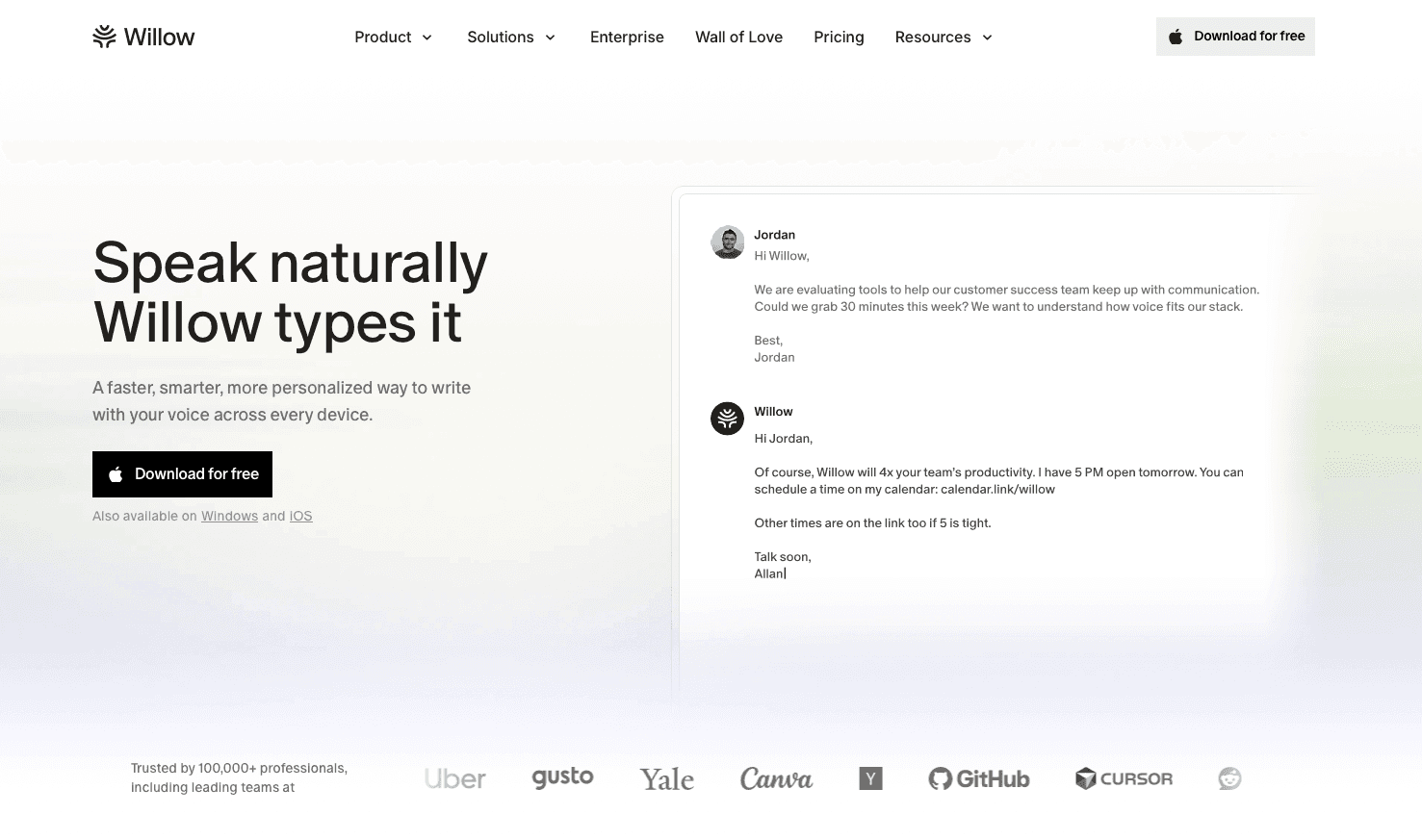
Willow Voice runs as a native desktop app on both Mac and Windows, and as a keyboard app on iOS, so firm IT environments running either operating system are fully covered. Press the Function key on Mac or Alt+Space on Windows and start speaking in Clio, Outlook, Word, or your browser (both shortcuts are reassignable). The tool learns your writing style over time, building a personalized dictionary from your corrections. At 200ms latency, Willow outpaces standard dictation tools, including Apple's built-in voice dictation and Wispr Flow, which run 700ms or slower. That speed keeps you in flow state when drafting motions or client emails.
SOC 2 Type II and HIPAA compliance protect privileged communications, and admin controls let firm IT push shared dictionaries and shortcuts to every attorney without configuring each device individually, while team leaderboards give managing partners visibility into adoption and time saved across the firm. The same compliance architecture and mixed-device deployment support engineering teams running AI coding tools and healthcare practices handling protected health information, so law firms are adopting infrastructure already proven across other compliance-heavy, high-stakes fields.
Over 100,000 professionals use Willow Voice for daily documentation, including teams at companies across 20% of the Fortune 500.
Willow Voice: Pros & Cons
Pro: 200ms latency keeps text appearing as fast as you speak, with no waiting and no lost thought.
Pro: SOC 2 Type II and HIPAA-compliant, with zero data retention; safe for privileged communications.
Pro: Works across all applications with no configuration, including Clio, Outlook, and Word.
Con: Subscription-based pricing means an ongoing cost instead of a single upfront payment, but it also offers continuous accuracy improvements with no repurchase required.
Con: New or uncommon legal terms require manual correction before Willow's personalized dictionary catches up, so early dictation sessions involve more editing than later ones.
Team features allow firms to share custom dictionaries and shortcuts among members.
Willow keeps pricing simple: a free plan and a paid Pro plan. The free plan offers unlimited AI dictation with no credit card required, useful for a solo attorney testing dictation before committing budget. The Pro plan adds faster, more accurate dictation plus unlimited Willow Scribe, starting at $12 per month billed annually for a single attorney, or $10 per user per month billed annually (also available at $12 per user per month billed monthly) for firms that need shared dictionaries, admin controls, and team leaderboards across multiple attorneys. Enterprise pricing is custom for firms that need centralized deployment and a signed BAA. Measured against billable hours, dictation pays for itself quickly: at $200 an hour, the Pro plan's $12 monthly cost is recovered with under four minutes of billable time saved.
FAQ
Can I use Apple's built-in dictation or Wispr Flow for attorney-client privileged communications?
Not reliably. Apple's built-in dictation offers no SOC 2 Type II or HIPAA compliance, and while Wispr Flow may offer HIPAA and SOC 2 Type II on certain plans, neither tool is purpose-built for privileged client communications. Willow Voice meets both standards with zero data retention, processing, and deleting voice recordings immediately after transcription.
What's the difference between Willow Voice and Dragon Legal for law firms?
Dragon Legal offers a deep prebuilt legal vocabulary and extensive customization, but runs only on Windows, requires hours to days of setup, and costs $500 or more upfront. Willow Voice works across Mac, Windows, and iOS with no manual training, learns your firm's terminology automatically, and processes speech in roughly 200 milliseconds, compared to Dragon's 700 milliseconds or slower, keeping you in flow instead of waiting for text to catch up.
How do I get dictation software to accurately recognize legal terminology, like Latin phrases and case citations?
Choose a tool with a learning engine that automatically builds a personalized dictionary from your corrections, instead of requiring manual vocabulary entry before you start. Willow Voice learns client names, case citations, opposing counsel, and legal phrases as you speak, and shared team dictionaries extend those corrections to every attorney at the firm the moment one person makes them.
Should I use front-end or back-end dictation for legal work?
Use front-end live dictation for desk-based drafting where a tight correction loop matters, such as motions, client emails, and billing entries. Reserve audio file transcription for field capture like courthouse notes, post-deposition impressions, or commute memos where stopping to correct text is not practical. Mixing both modes without a clear protocol creates rework; naming the boundary up front eliminates it.
How long does it take to train Willow Voice for my law practice?
Willow Voice requires no manual training sessions to become useful. The system automatically builds a personalized dictionary from your corrections as you work, and for firms, shared team dictionaries extend accuracy gains to every attorney immediately when one person corrects a client name or a standard clause.
How accurate is Willow compared to Apple's built-in dictation for legal terms?
Willow delivers 3x higher accuracy than standard dictation tools, Apple's built-in voice dictation, and Wispr Flow on legal terminology. The system learns your writing style and automatically builds a personalized dictionary from your corrections, improving accuracy for your specific legal vocabulary.
Why does dictation speed matter for legal documentation?
Latency above 200-500 milliseconds breaks your flow and forces you to pause mid-sentence. Willow processes speech in 200ms, keeping text appearing as fast as you speak. Most dictation tools run at 700ms or slower, making you wait for transcription to catch up and causing you to lose your train of thought.
Does Willow work with case management software like Clio?
Yes. Willow works with any application you write in, including Clio, MyCase, PracticePanther, Outlook, Word, and browser-based tools. Press fn on Mac or Alt+Space on Windows in any app and start speaking without switching windows or configuring compatibility settings.
Final Thoughts on Voice Dictation for Law Firms
Dictation only saves time if your tool keeps up with your speaking speed. The best dictation software for lawyers learns firm-specific vocabulary and processes voice in 200ms so you never wait for text to catch up. When your tools can handle complex terminology, keep up in real time, and improve as you use them, dictation stops slowing you down and starts compounding your output. Willow is built around that shift, giving you fast, adaptive dictation that works across the tools you rely on every day. If you’re searching for the best dictation software for lawyers, Willow helps you spend less time on text correction and more time advancing cases. Download Willow for free and start speaking your next brief, client email, or case note instead of typing it.
Most dictation software falls apart the moment legal language enters the picture. Say “voir dire” or "reference a case citation," and you’re back to fixing errors line by line. The best dictation software for lawyers should handle that complexity without slowing you down and keep up with how you actually think and speak. Newer tools are built to handle the way legal work actually happens, recognizing patterns in your documents, remembering terminology, and keeping up across different applications. If you’re considering a tool that fits naturally into your existing setup, it’s worth understanding how far legal dictation has come.
TLDR:
SOC 2 Type II compliance and zero data retention protect attorney-client privilege, with a signed BAA available for firms handling HIPAA-covered client data.
Lawyers speak 125-150 WPM but type only 40-50 WPM, making dictation 3x faster for briefs and client emails.
Standard tools like Apple's built-in dictation and Wispr Flow lack accuracy in legal terminology.
System-wide dictation reduces context switching among case management, email, and document-drafting tools.
Some advanced dictation tools learn your writing style over time, deliver ~200ms latency, and work with legal software on Mac and Windows.
Why Legal Professionals Need Specialized Dictation Software
Legal work demands constant documentation. Briefs, client correspondence, case notes, billing entries, and discovery responses create endless typing. 77% of small firms waste time, a burden that hits solo practitioners hardest.
Standard dictation tools like Apple's built-in voice typing or Wispr Flow weren't built for legal terminology. They stumble over "habeas corpus," misspell client names, and butcher case citations. Attorney-client privilege requires SOC 2 Type II and HIPAA compliance that generic consumer tools can't provide.
How Dictation Speeds Up Legal Documentation
Attorneys typically type between 40 and 50 words per minute. Speaking? You can hit 125 to 150 words per minute without breaking a sweat. Dictation software can improve documentation speed in some workflows, though a systematic review of AI speech recognition tools found the effect varies, with faster note-taking in some settings and added editing time in others. That review looked at clinical documentation, not legal work, but the same variable (how much specialized terminology the tool has to catch on the first pass) drives the outcome in legal dictation too.
That speed difference translates directly into billable hours. A 10-minute email becomes a two-minute voice memo. Case notes that would take 30 minutes to type are finished in 10.
The real win? Clearing the documentation backlog that eats into actual legal work.
Critical Features for Legal Dictation Software
Legal dictation software must handle specialized terminology out of the box. Your tool should recognize Latin phrases such as "voir dire" and "in limine," complex case citations, and opposing counsel's names without manual correction. Generic tools weren't trained on legal language.
Not all dictation workflows are the same, and the distinction matters for attorneys. Front-end dictation (live speech-to-text) is built for real-time document creation at your desk: drafting a motion while reviewing case files, composing a client email between calls, or filling out billing entries as you finish each task. Text appears immediately, so the correction loop stays tight. Back-end dictation (recording audio for later transcription) fits contexts where stopping to correct text isn't practical: recording a case summary while walking between courtrooms, capturing witness impressions on your phone after a deposition, or narrating a contract review memo during your commute. The audio processes later, and you review the transcript in a single pass. Most attorneys need both: front-end for output-heavy desk work, back-end for capturing thoughts in the field.
Security protects attorney-client privilege. SOC 2 Type II and HIPAA compliance keep voice data secure for confidential communications. Cross-app support (case management systems like Clio, email clients, and Word plus firm-specific dictionaries and clause shortcuts) rounds out what a serious legal dictation tool requires.
Work across every app you use: case management systems like Clio, email clients, Word documents, and browser-based research tools. Look for customization options including firm-specific dictionaries, shortcuts for standard clauses, and templates for common filings.
Accuracy Requirements for Court Documents
Court filings demand flawless transcription. A single error in a case citation, client name, or statutory reference can undermine a motion or credibility before a judge.
Standard dictation tools like Apple's built-in voice typing and Wispr Flow average 85-90% accuracy on general content, but legal terminology drops that number further. Legal dictation tools deliver 3x higher accuracy while maintaining sub-second response time.
Every misidentified term requires manual review, erasing the time savings of dictation. Errors that slip through risk client trust or professional liability when you submit documents under penalty of perjury.
Comparing Built-In Dictation Tools vs. Dedicated Solutions
Apple's built-in voice dictation and Google Docs Voice Typing are free but lack support for legal terminology and can't learn firm-specific language. Wispr Flow operates on a subscription model and, while it may offer HIPAA and SOC 2 Type II compliance on certain plans, it is not purpose-built for privileged legal communications. Most of these tools are also locked to a single app or tool. Dedicated legal dictation software handles specialized language from the start and works across all applications with proper security safeguards.
Built-In Tools: Pros & Cons
Pro: Apple's built-in dictation, Google Docs Voice Typing, and Windows Speech Recognition are free with no setup required; Wispr Flow is subscription-based. Willow also offers a free plan with unlimited AI dictation and no credit card required, plus a paid plan for firms that want faster, more accurate dictation.
Pro: Apple's built-in dictation, Google Docs Voice Typing, and Wispr Flow work immediately; Windows Speech Recognition needs days to weeks of training to reach usable accuracy. Willow also works immediately, with no manual training required before you start speaking.
Con: No legal-vocabulary support; stumbles over Latin phrases, citations, and case names. Willow automatically builds a personalized legal dictionary from your corrections, with no manual training required.
Con: Apple's built-in dictation and Google Docs Voice Typing offer no SOC 2 Type II or HIPAA compliance; Wispr Flow's compliance varies by plan, but none are purpose-built for privileged communications. Willow Voice is SOC 2 Type II and HIPAA compliant with zero data retention, and a signed BAA is available for firms that need one.
Con: Most are locked to one app or tool, creating friction across legal workflows. Willow works across every application, including Clio, Outlook, and Word, without configuration.
Google Docs Voice Typing only works inside Google Docs. Windows Speech Recognition requires extensive training yet struggles with accuracy. None offer SOC 2 or HIPAA compliance that attorney-client privilege requires.
Dedicated legal dictation software handles specialized language immediately and works across all applications with proper security safeguards.
Software | Accuracy | Latency | Legal Terminology | Security Compliance | Cross-App Support | Pricing | Setup/Training Time | Best For | Transcription Type |
|---|---|---|---|---|---|---|---|---|---|
Willow Voice | 3x higher than standard tools, learns your writing style over time | 200ms processing time | Learns firm-specific vocabulary automatically, custom dictionaries | SOC 2 Type II and HIPAA compliant, zero data retention, signed BAA available | Works across all applications on Mac and Windows (Function key or Alt+Space), plus an iOS keyboard | Pro from $10/user/month (annual); Enterprise: custom pricing; free plan also available. | Minutes | Solo to large firm | Live dictation |
Dragon Legal | Deep customization with 400+ legal terms pre-trained | 700ms+ processing time | Extensive legal vocabulary database, custom voice commands for contract clauses | Local processing, no cloud storage | Windows only, requires manual window switching | $500+ one-time purchase | Hours to days | Solo to small firm | Both |
Apple Built-in Dictation | 85-90% accuracy on general content, drops lower on legal terms | 700ms+ processing time | No legal terminology training, struggles with Latin phrases and case citations | No SOC 2 or HIPAA compliance | Mac and iOS only, works in most apps | Free | Instant | Solo | Live dictation |
Wispr Flow | 85-90% accuracy on general content, not trained for legal language | 700ms+ processing time | No legal terminology support, requires manual corrections | HIPAA/SOC 2 Type II vary by plan; not purpose-built for legal privilege | Limited cross-app functionality | Subscription-based | Minutes | Solo | Live dictation |
Google Docs Voice Typing | 85-90% accuracy on general content | 700ms+ processing time | No legal terminology training | No SOC 2 or HIPAA compliance | Google Docs only, does not work outside browser | Free | Instant | Solo | Live dictation |
Windows Speech Recognition | Requires extensive training, struggles with accuracy | 700ms+ processing time | No specialized legal vocabulary | No SOC 2 or HIPAA compliance | Windows applications only | Free | Days to weeks | Solo | Live dictation |
Dragon Legal: The Legacy Standard
Dragon Legal has been the legacy standard in legal dictation for decades. Its vocabulary database includes over 400 legal terms trained for attorneys, from "affidavit" to "voir dire", with customization options like voice commands for contract clauses and firm-specific dictionaries. Getting there takes work, though: it runs Windows only, so Mac users need workarounds or a separate machine, and setup takes hours to days of voice training before it reliably handles your practice's language.
The $500+ one-time price tag looks appealing next to a subscription, until the follow-on costs show up. Major version upgrades typically require another purchase every few years, and each new attorney or workstation needs its own voice profile and manual dictionary entries built up over time. That setup burden falls on the attorney or the firm's IT staff. For firms already running Windows-only environments and willing to absorb the training time, Dragon Legal remains a workable option; for anyone who wants dictation that works immediately across Mac and Windows with no per-seat training, that setup cost is worth weighing against the alternatives.
Mobile Dictation for Lawyers on the Go
Legal work happens outside the office. You're drafting motions from the courthouse hallway, responding to clients between meetings, or reviewing contracts during your commute.
Mobile dictation extends the same productivity gains to your phone. Willow's iOS app functions as a custom voice keyboard that works in every app: email, messaging, case management software, and document editors. The keyboard switcher lets you toggle between voice and text input.
Android users often have fewer dedicated dictation options. Most dictation apps force you back to your standard keyboard after each voice entry, breaking workflow.
Latency and Response Time: Why Speed Matters
Dictation that lags behind your speech kills momentum. General speech-perception research, using pauses of roughly 250-500ms between words, shows how sensitive the brain is to timing in spoken language, a finding that applies to processing delays in any dictation context, including legal work. When your dictation tool takes longer than that to process words, you lose your train of thought.
Most dictation software processes voice at 700+ milliseconds. That half-second delay forces you to pause mid-sentence, checking if the text caught up. You forget what comes next or rephrase entirely.
Willow processes speech in roughly 200 milliseconds. Text appears as fast as you speak, keeping you in flow state instead of waiting for transcription to finish.
Security and Compliance Considerations
Attorney-client privilege requires airtight security. Voice data containing case details, client names, and legal strategy can't leak to third parties or sit in cloud storage after processing.
SOC 2 Type II and HIPAA compliance protect client confidentiality. These certifications mean your dictation tool follows strict protocols for handling sensitive data. Apple's built-in dictation lacks these safeguards, and while Wispr Flow may offer HIPAA and SOC 2 Type II on certain plans, neither tool is purpose-built for privileged communications with zero data retention architecture as a foundational design choice, which can limit their suitability for confidential legal work. For firms whose caseload touches HIPAA-covered health information, such as personal injury or healthcare-adjacent practices, Willow's Enterprise tier offers a signed Business Associate Agreement (BAA), turning compliance into an executable contract instead of a certification alone.
Zero data retention policies matter most. Willow processes and deletes your voice recordings immediately, never storing them on servers for model training or review.
Integration with Legal Workflow Tools
Dictation software only saves time if it works inside the tools you already use. Law firms rely on case management systems like Clio, MyCase, and PracticePanther.
Application-specific dictation creates friction. Google Docs Voice Typing stops working the moment you switch to your email. Dragon Legal requires manual window switching and compatibility checks for each software update. For attorneys who rely heavily on document output, voice-to-text for legal documents covers how system-wide dictation fits into brief writing, client correspondence, and case notes.
Willow works across Gmail, Outlook, Microsoft Word, Clio, messaging apps, and any text field without configuration. You speak naturally regardless of which app has focus, with 200ms latency that keeps you in flow state instead of waiting for text to catch up.
Training and Customization for Firm-Specific Language
Legal work requires precise terminology that varies by practice area. Client names, case citations, opposing counsel, and specialized legal phrases create unique challenges that standard dictation tools often mishandle. The right tool learns from your corrections automatically, with no manual training sessions required, and shared team dictionaries let every attorney benefit when one person corrects a client name or standard clause.
Willow learns how you write over time, automatically building a personalized dictionary from your corrections without manual training sessions. This personalization makes Willow the most accurate dictation tool for your specific legal vocabulary.
For firms, shared team dictionaries allow every attorney to benefit from a single correction. Add a client name or standard clause once, and the entire team's dictation recognizes it immediately.
Willow Voice: AI-Powered Dictation Built for Speed and Accuracy
Willow Voice runs as a native desktop app on both Mac and Windows, and as a keyboard app on iOS, so firm IT environments running either operating system are fully covered. Press the Function key on Mac or Alt+Space on Windows and start speaking in Clio, Outlook, Word, or your browser (both shortcuts are reassignable). The tool learns your writing style over time, building a personalized dictionary from your corrections. At 200ms latency, Willow outpaces standard dictation tools, including Apple's built-in voice dictation and Wispr Flow, which run 700ms or slower. That speed keeps you in flow state when drafting motions or client emails.
SOC 2 Type II and HIPAA compliance protect privileged communications, and admin controls let firm IT push shared dictionaries and shortcuts to every attorney without configuring each device individually, while team leaderboards give managing partners visibility into adoption and time saved across the firm. The same compliance architecture and mixed-device deployment support engineering teams running AI coding tools and healthcare practices handling protected health information, so law firms are adopting infrastructure already proven across other compliance-heavy, high-stakes fields.
Over 100,000 professionals use Willow Voice for daily documentation, including teams at companies across 20% of the Fortune 500.
Willow Voice: Pros & Cons
Pro: 200ms latency keeps text appearing as fast as you speak, with no waiting and no lost thought.
Pro: SOC 2 Type II and HIPAA-compliant, with zero data retention; safe for privileged communications.
Pro: Works across all applications with no configuration, including Clio, Outlook, and Word.
Con: Subscription-based pricing means an ongoing cost instead of a single upfront payment, but it also offers continuous accuracy improvements with no repurchase required.
Con: New or uncommon legal terms require manual correction before Willow's personalized dictionary catches up, so early dictation sessions involve more editing than later ones.
Team features allow firms to share custom dictionaries and shortcuts among members.
Willow keeps pricing simple: a free plan and a paid Pro plan. The free plan offers unlimited AI dictation with no credit card required, useful for a solo attorney testing dictation before committing budget. The Pro plan adds faster, more accurate dictation plus unlimited Willow Scribe, starting at $12 per month billed annually for a single attorney, or $10 per user per month billed annually (also available at $12 per user per month billed monthly) for firms that need shared dictionaries, admin controls, and team leaderboards across multiple attorneys. Enterprise pricing is custom for firms that need centralized deployment and a signed BAA. Measured against billable hours, dictation pays for itself quickly: at $200 an hour, the Pro plan's $12 monthly cost is recovered with under four minutes of billable time saved.
FAQ
Can I use Apple's built-in dictation or Wispr Flow for attorney-client privileged communications?
Not reliably. Apple's built-in dictation offers no SOC 2 Type II or HIPAA compliance, and while Wispr Flow may offer HIPAA and SOC 2 Type II on certain plans, neither tool is purpose-built for privileged client communications. Willow Voice meets both standards with zero data retention, processing, and deleting voice recordings immediately after transcription.
What's the difference between Willow Voice and Dragon Legal for law firms?
Dragon Legal offers a deep prebuilt legal vocabulary and extensive customization, but runs only on Windows, requires hours to days of setup, and costs $500 or more upfront. Willow Voice works across Mac, Windows, and iOS with no manual training, learns your firm's terminology automatically, and processes speech in roughly 200 milliseconds, compared to Dragon's 700 milliseconds or slower, keeping you in flow instead of waiting for text to catch up.
How do I get dictation software to accurately recognize legal terminology, like Latin phrases and case citations?
Choose a tool with a learning engine that automatically builds a personalized dictionary from your corrections, instead of requiring manual vocabulary entry before you start. Willow Voice learns client names, case citations, opposing counsel, and legal phrases as you speak, and shared team dictionaries extend those corrections to every attorney at the firm the moment one person makes them.
Should I use front-end or back-end dictation for legal work?
Use front-end live dictation for desk-based drafting where a tight correction loop matters, such as motions, client emails, and billing entries. Reserve audio file transcription for field capture like courthouse notes, post-deposition impressions, or commute memos where stopping to correct text is not practical. Mixing both modes without a clear protocol creates rework; naming the boundary up front eliminates it.
How long does it take to train Willow Voice for my law practice?
Willow Voice requires no manual training sessions to become useful. The system automatically builds a personalized dictionary from your corrections as you work, and for firms, shared team dictionaries extend accuracy gains to every attorney immediately when one person corrects a client name or a standard clause.
How accurate is Willow compared to Apple's built-in dictation for legal terms?
Willow delivers 3x higher accuracy than standard dictation tools, Apple's built-in voice dictation, and Wispr Flow on legal terminology. The system learns your writing style and automatically builds a personalized dictionary from your corrections, improving accuracy for your specific legal vocabulary.
Why does dictation speed matter for legal documentation?
Latency above 200-500 milliseconds breaks your flow and forces you to pause mid-sentence. Willow processes speech in 200ms, keeping text appearing as fast as you speak. Most dictation tools run at 700ms or slower, making you wait for transcription to catch up and causing you to lose your train of thought.
Does Willow work with case management software like Clio?
Yes. Willow works with any application you write in, including Clio, MyCase, PracticePanther, Outlook, Word, and browser-based tools. Press fn on Mac or Alt+Space on Windows in any app and start speaking without switching windows or configuring compatibility settings.
Final Thoughts on Voice Dictation for Law Firms
Dictation only saves time if your tool keeps up with your speaking speed. The best dictation software for lawyers learns firm-specific vocabulary and processes voice in 200ms so you never wait for text to catch up. When your tools can handle complex terminology, keep up in real time, and improve as you use them, dictation stops slowing you down and starts compounding your output. Willow is built around that shift, giving you fast, adaptive dictation that works across the tools you rely on every day. If you’re searching for the best dictation software for lawyers, Willow helps you spend less time on text correction and more time advancing cases. Download Willow for free and start speaking your next brief, client email, or case note instead of typing it.

Try Willow for free
Instant, accurate voice dictation. No card required.
Try Willow for free
Instant, accurate voice dictation. No card required.
Other stories you’ll love
Other stories you’ll love



Your keyboard is optional now
" transform="translate(5 5)" width="9.791000051498413px"/></svg>)

The voice-first interface for modern work.
© Willow Care, Inc. 2026. All rights reserved
Your keyboard is optional now
The voice-first interface for modern work.
© Willow Care, Inc. 2026. All rights reserved
Your keyboard is optional now
The voice-first interface for modern work.
© Willow Care, Inc. 2026. All rights reserved