" transform="translate(5 2)" width="10px"/></svg>)

•
5 min read
Vibe Coding Tutorial for Beginners June 2026

•
5 min read
Vibe Coding Tutorial for Beginners June 2026
Most guides to vibe coding for beginners walk you through tools and examples, but miss what actually slows you down day to day. You can think through features quickly, but typing forces you to compress ideas and break your flow as you prompt AI tools. That friction adds up across every iteration. When you remove it, you can describe what you want more naturally, move through changes faster, and keep momentum as you build.
TLDR:
Vibe coding lets you build apps by describing what you want while AI writes the code.
92% of US developers use AI coding tools daily, with 41% of all code now AI-generated.
Start with popular frameworks like React or Next.js for better AI code generation.
Voice input at 150 WPM beats typing at 40 WPM for writing AI prompts faster.
Voice dictation tools with ~200ms latency, shared team vocabularies, and Mac/Windows/iOS support give engineering teams consistent input across every device they use.
What Vibe Coding Is and Why It Matters in 2026
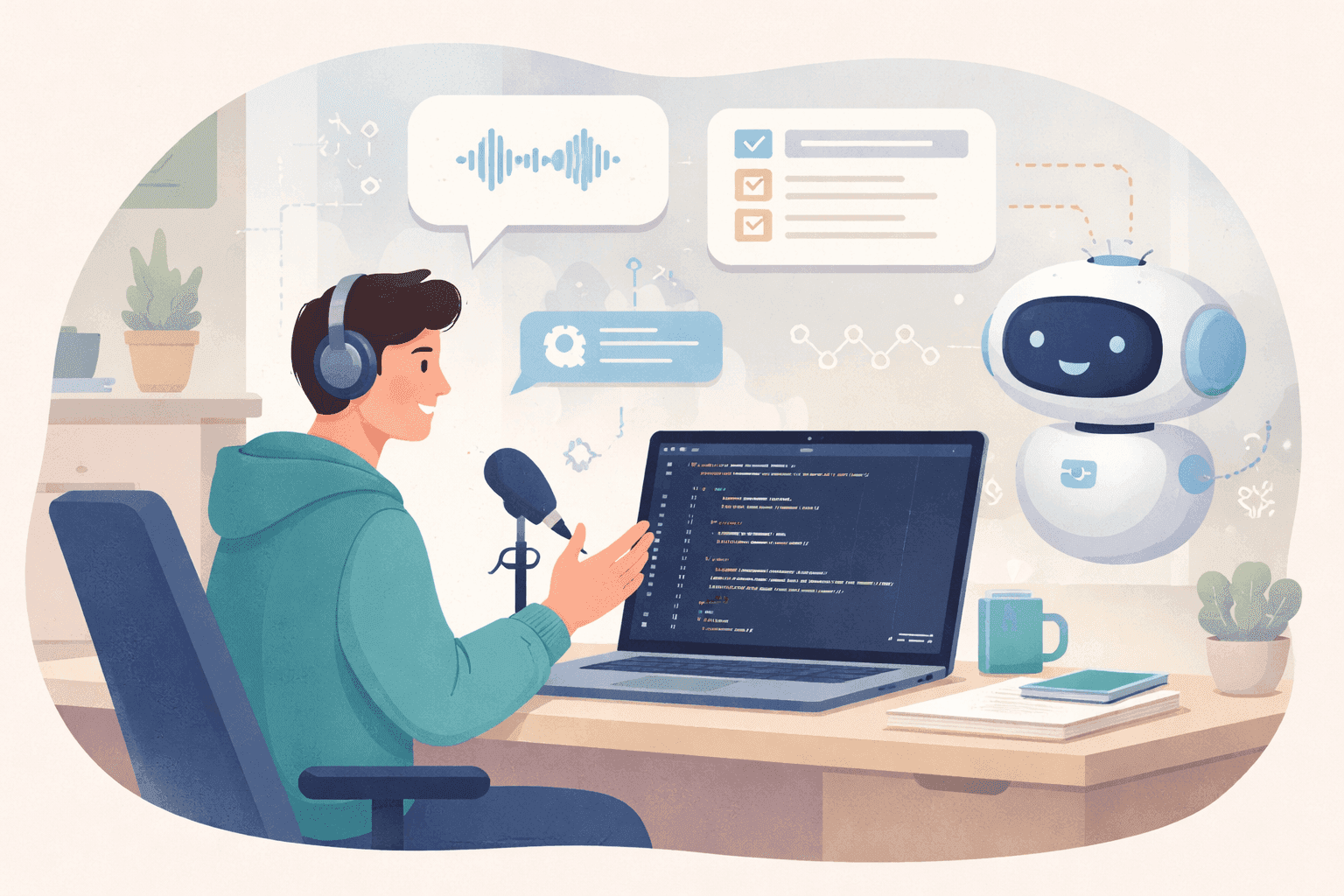
Vibe coding is building software by describing what you want while AI tools write the code. The term was popularized by Andrej Karpathy in early 2025: you explain your intent, the AI generates code, and you guide the process instead of typing every line.
92% of US developers use AI coding tools daily, and 41% of all code written globally is now AI-generated. Vibe coding isn't experimental anymore; it's a common part of developer workflows in 2026.
When to Use Vibe Coding vs Traditional Coding
Scenario | Vibe Coding | Traditional Coding |
|---|---|---|
Prototyping new ideas | Excellent, build and test in minutes | Slower, more setup |
Production apps at scale | Requires code review and testing | More control and predictability |
Complex business logic | Needs careful validation | Easier to debug and maintain |
Your job is to communicate intent clearly. The AI handles syntax, boilerplate, and repetitive patterns while you focus on architecture, logic, and solving the right problems.
Core AI Coding Tools for Vibe Coding
Tool | Best For | Key Strength | Environment |
|---|---|---|---|
Cursor | Full stack development with traditional IDE feel | Inline editing and codebase chat with context across entire project | VS Code-based editor |
Windsurf | Multi-file operations and architectural changes | Handles complex edits across multiple files simultaneously | VS Code-based editor |
Replit Agent | Rapid prototyping and small projects | End-to-end app creation from single prompt with automatic deployment | Cloud-based IDE |
Claude Code | Command line workflows and DevOps tasks | Terminal-based multi-step task execution through conversation | Terminal agent |
Cursor and Windsurf
Cursor and Windsurf are AI-powered code editors built on VS Code. Both let you chat with your codebase, generate functions from plain descriptions, and edit multiple files at once. Cursor's inline editing feels closer to traditional coding, while Windsurf focuses on multi-file operations and architectural changes.
Replit Agent
Replit Agent handles end-to-end app creation from one prompt: it sets up the environment, installs dependencies, writes code, and deploys the result. It works well for rapid prototyping and small projects, though it offers less granular control than IDEs like Cursor.
Claude Code and Terminal Agents
Claude Code runs in the terminal and handles multi-step tasks through conversation, executing commands, editing files, and managing your development environment. It suits developers who prefer the command line and want an AI that handles DevOps tasks alongside coding. Beyond terminal work, Claude Code handles sprint ticket descriptions, PR summaries, and async documentation when you give it a clear natural-language breakdown of the planned work. For voice AI dictation in Claude Code workflows, speaking your terminal commands and file edits at 150 WPM removes the typing bottleneck entirely.
The Five Core Skills for Effective Vibe Coding
Think in Procedures, Not Features
Break your project into clear steps before you prompt. Instead of asking for "a todo app," describe the sequence: user authentication first, then task creation, then marking items complete. AI tools perform better when you feed them one piece at a time.
Start with Popular Frameworks
Pick a tech stack the AI knows well. React, Next.js, Flask, and FastAPI appear often in public code, so AI tools produce more usable results with them. Obscure libraries force the AI to guess, and you'll spend more time debugging than building.
Build Verification Points into Your Workflow
Test after each major change: run the app, check the output, and confirm it works before the next feature. Vibe coding moves fast, so it's easy to stack changes without validation.
Debug by Isolating and Describing
When code fails, identify which function is breaking, describe what you expected versus what happened, and include the error message. Vague prompts like "it's not working" waste iterations. A strong prompt looks like: "The form submits but email validation isn't working. Check the validateEmail function in LoginForm.js."
Use the "that works, but..." pattern to refine without breaking what already works. If you're stuck after two or three attempts, break the problem into smaller pieces and ask the AI to handle one function at a time.
Control What the AI Sees
Give the AI the right context files, variable names, and function signatures so it understands your codebase. Tools like Cursor and Windsurf let you tag specific files in your prompt. The more relevant information the AI has, the less it hallucinates.
Building Your First Vibe Coding Project Step by Step
Start with a one-sentence project idea: "Build a todo list where users can add tasks, mark them complete, and filter by status." Then sketch a wireframe in Excalidraw or on paper to map the main screens before you prompt.
Pick your stack. For beginners, Replit Agent handles setup automatically, tell it "Create a todo app using React and Tailwind with an input field, a submit button, and a list below" and it scaffolds a working starting point. Build in small chunks: get the input form working, then add the task display, then the delete button. Each step should take one or two prompts.
Test each feature like a user: submit a task, verify it appears, then try edge cases like empty input and special characters. Scan the code after each generation to catch missing error handling or hardcoded values. Once the basic flow works, deploy early on Vercel, Netlify, or Replit's built-in hosting.
Prompting Strategies That Actually Work
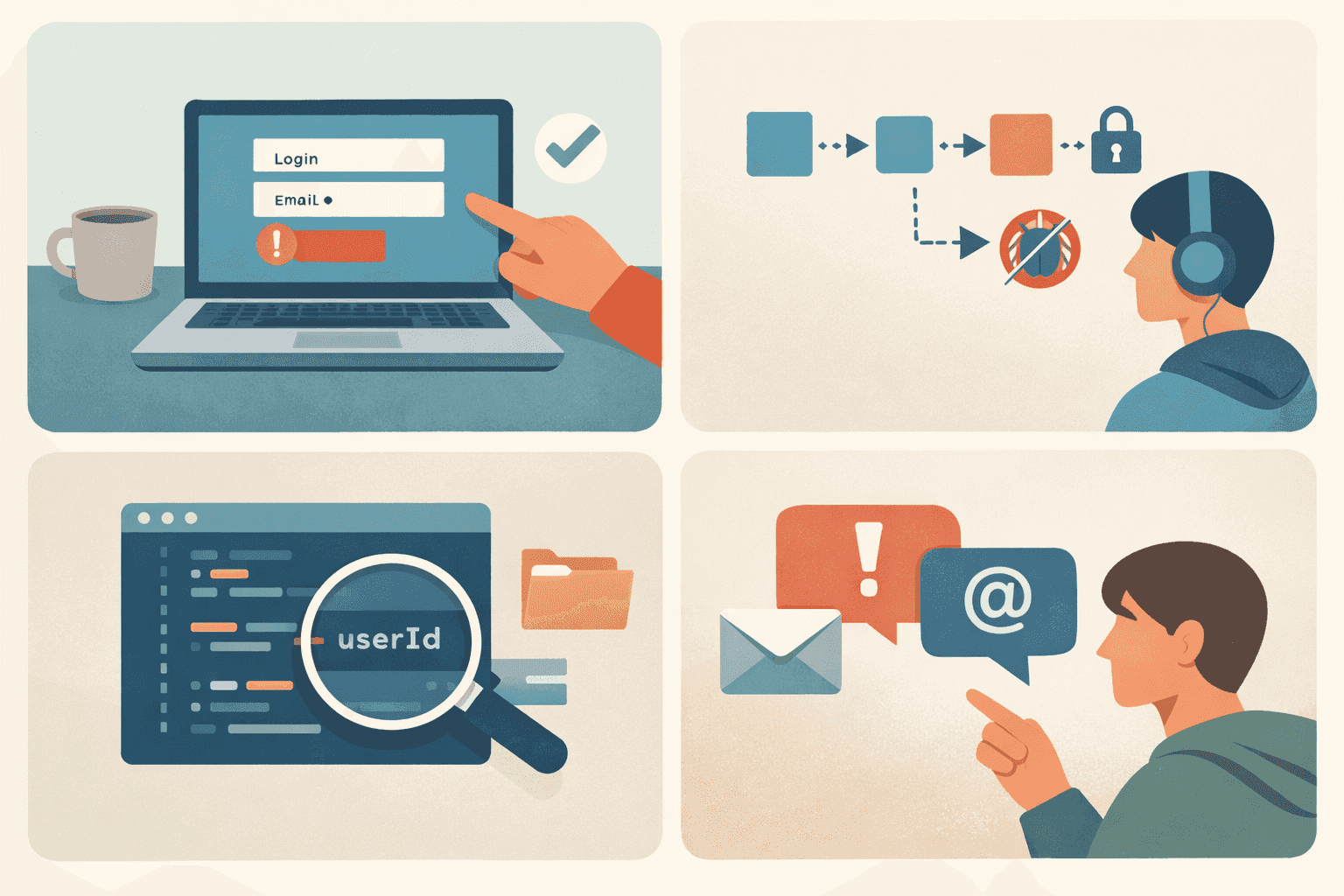
Describe what you want in complete sentences with clear constraints. Instead of "make a login page," say "create a login form with email and password fields, a submit button, and error messages below each field when validation fails." One instruction per prompt: build the authentication logic first, test it, then move to password reset. Stacked requests are harder to debug when something breaks.
Include relevant file names and variable references in your prompt so tools like Cursor and Windsurf understand your code structure and write functions that integrate cleanly. When results miss the mark, say what went wrong and what you expected: "The form submits without validating the email format" beats "fix the form." For longer prompts covering sprint requirements, PR descriptions, or architecture decisions, Willow Voice at ~200ms latency lets you speak instructions faster than you can type, with the same keyboard shortcut across Mac, Windows, and iOS.
Common Vibe Coding Mistakes and How to Avoid Them
The biggest beginner mistake is accepting AI-generated code without reading it. When something breaks, you won't know where to start. Building too much at once compounds this: 63% of developers have spent more time debugging AI-generated code than writing it themselves at least once, so build one feature, verify it, then move to the next.
Security gets overlooked in rapid prototyping. AI tools can skip input validation, expose API keys, or create vulnerable auth flows. Review any code that handles credentials or sensitive data before deploying. Test edge cases and error handling locally; code that runs on your machine doesn't always behave the same way in production.
Vibe Coding Limitations and When to Get Help
Vibe coding gets you 80% of the way there fast. The last 20%, optimization, security hardening, and edge case handling, often needs traditional skills or expert review. Vibe code the UI and basic flow, but have a senior developer review security-sensitive code before going live. Teams in environments like healthcare, fintech, or enterprise software with SOC 2 or HIPAA requirements need that review as a fixed step, not an afterthought.
When you're stuck on the same problem after three or four cycles, it's usually faster to search the docs or ask an experienced developer than to keep prompting. Production apps also need testing, monitoring, and maintenance beyond the initial generation.
Speed Up Your Vibe Coding Workflow with Voice Dictation

Voice dictation changes how fast you can translate ideas into working code. The bottleneck in vibe coding isn't the AI; it's how quickly you can describe what you want. Speaking at 150 words per minute versus typing at 40 words per minute is roughly 3x faster, and that gap compounds across every prompt you write in a day.
The bigger gain is context. When you speak with voice-to-text tools for developers, you describe edge cases, mention constraints, and explain the why without condensing your thoughts to save keystrokes. A typed prompt says "add user auth." A spoken prompt becomes: "Add user authentication with email and password, store the JWT in local storage, and redirect to the dashboard after login." Same time. Better output on the first try.
Willow Voice handles developer vocabulary and automatically tags open files, variables, and function names in Cursor and Windsurf so codebase terms are recognized from the first session. It runs on Mac, Windows, and iOS at ~200ms latency, faster than standard dictation tools, Wispr Flow, or Apple's built-in voice dictation. Shared custom dictionaries let engineering teams work from the same project vocabulary, and team leaderboards give leads visibility into adoption across the group. Willow is SOC 2 Type II certified, so org-wide deployment fits within existing security review requirements. Weighing your options? This roundup of the best voice dictation tools for vibe coding breaks down how the main choices compare.
FAQs
What's the difference between vibe coding and traditional programming?
Traditional programming requires you to write every line of code manually, while vibe coding lets you describe what you want in natural language and AI generates the code. You focus on architecture and logic while the AI handles syntax and boilerplate, making many development tasks faster, especially prototyping and repetitive coding work.
Which AI coding tool should I start with as a beginner?
Start with Replit Agent if you want to build something fast without setup hassle. It handles everything from dependencies to deployment automatically. If you prefer more control over your codebase, use Cursor or Windsurf, which work like traditional code editors but with AI built in.
How do I know if my AI-generated code is secure?
Review any code that handles user credentials, API keys, or sensitive data before deploying. AI tools often skip input validation or expose secrets in client-side code, so check authentication flows, keep API keys server-side, and test error handling for edge cases. For teams with compliance requirements such as SOC 2, HIPAA, or PCI, add a dedicated review of data handling, logging, and access control before any data touches the app.
Final Thoughts on Vibe Coding Workflows
Most developers get stuck trying to perfect vibe coding before they've built anything. Start, iterate, and learn. Don't overthink the setup. The real gains come from moving quickly, testing often, and refining how you communicate with AI as you go. That applies whether you're a solo builder or part of an engineering team running sprints across Windows and Mac workstations. Willow Voice speeds that up by turning your spoken thoughts into clear, context-rich prompts at ~200ms latency. Start small, ship something real, and improve through repetition instead of theory.
Most guides to vibe coding for beginners walk you through tools and examples, but miss what actually slows you down day to day. You can think through features quickly, but typing forces you to compress ideas and break your flow as you prompt AI tools. That friction adds up across every iteration. When you remove it, you can describe what you want more naturally, move through changes faster, and keep momentum as you build.
TLDR:
Vibe coding lets you build apps by describing what you want while AI writes the code.
92% of US developers use AI coding tools daily, with 41% of all code now AI-generated.
Start with popular frameworks like React or Next.js for better AI code generation.
Voice input at 150 WPM beats typing at 40 WPM for writing AI prompts faster.
Voice dictation tools with ~200ms latency, shared team vocabularies, and Mac/Windows/iOS support give engineering teams consistent input across every device they use.
What Vibe Coding Is and Why It Matters in 2026
Vibe coding is building software by describing what you want while AI tools write the code. The term was popularized by Andrej Karpathy in early 2025: you explain your intent, the AI generates code, and you guide the process instead of typing every line.
92% of US developers use AI coding tools daily, and 41% of all code written globally is now AI-generated. Vibe coding isn't experimental anymore; it's a common part of developer workflows in 2026.
When to Use Vibe Coding vs Traditional Coding
Scenario | Vibe Coding | Traditional Coding |
|---|---|---|
Prototyping new ideas | Excellent, build and test in minutes | Slower, more setup |
Production apps at scale | Requires code review and testing | More control and predictability |
Complex business logic | Needs careful validation | Easier to debug and maintain |
Your job is to communicate intent clearly. The AI handles syntax, boilerplate, and repetitive patterns while you focus on architecture, logic, and solving the right problems.
Core AI Coding Tools for Vibe Coding
Tool | Best For | Key Strength | Environment |
|---|---|---|---|
Cursor | Full stack development with traditional IDE feel | Inline editing and codebase chat with context across entire project | VS Code-based editor |
Windsurf | Multi-file operations and architectural changes | Handles complex edits across multiple files simultaneously | VS Code-based editor |
Replit Agent | Rapid prototyping and small projects | End-to-end app creation from single prompt with automatic deployment | Cloud-based IDE |
Claude Code | Command line workflows and DevOps tasks | Terminal-based multi-step task execution through conversation | Terminal agent |
Cursor and Windsurf
Cursor and Windsurf are AI-powered code editors built on VS Code. Both let you chat with your codebase, generate functions from plain descriptions, and edit multiple files at once. Cursor's inline editing feels closer to traditional coding, while Windsurf focuses on multi-file operations and architectural changes.
Replit Agent
Replit Agent handles end-to-end app creation from one prompt: it sets up the environment, installs dependencies, writes code, and deploys the result. It works well for rapid prototyping and small projects, though it offers less granular control than IDEs like Cursor.
Claude Code and Terminal Agents
Claude Code runs in the terminal and handles multi-step tasks through conversation, executing commands, editing files, and managing your development environment. It suits developers who prefer the command line and want an AI that handles DevOps tasks alongside coding. Beyond terminal work, Claude Code handles sprint ticket descriptions, PR summaries, and async documentation when you give it a clear natural-language breakdown of the planned work. For voice AI dictation in Claude Code workflows, speaking your terminal commands and file edits at 150 WPM removes the typing bottleneck entirely.
The Five Core Skills for Effective Vibe Coding
Think in Procedures, Not Features
Break your project into clear steps before you prompt. Instead of asking for "a todo app," describe the sequence: user authentication first, then task creation, then marking items complete. AI tools perform better when you feed them one piece at a time.
Start with Popular Frameworks
Pick a tech stack the AI knows well. React, Next.js, Flask, and FastAPI appear often in public code, so AI tools produce more usable results with them. Obscure libraries force the AI to guess, and you'll spend more time debugging than building.
Build Verification Points into Your Workflow
Test after each major change: run the app, check the output, and confirm it works before the next feature. Vibe coding moves fast, so it's easy to stack changes without validation.
Debug by Isolating and Describing
When code fails, identify which function is breaking, describe what you expected versus what happened, and include the error message. Vague prompts like "it's not working" waste iterations. A strong prompt looks like: "The form submits but email validation isn't working. Check the validateEmail function in LoginForm.js."
Use the "that works, but..." pattern to refine without breaking what already works. If you're stuck after two or three attempts, break the problem into smaller pieces and ask the AI to handle one function at a time.
Control What the AI Sees
Give the AI the right context files, variable names, and function signatures so it understands your codebase. Tools like Cursor and Windsurf let you tag specific files in your prompt. The more relevant information the AI has, the less it hallucinates.
Building Your First Vibe Coding Project Step by Step
Start with a one-sentence project idea: "Build a todo list where users can add tasks, mark them complete, and filter by status." Then sketch a wireframe in Excalidraw or on paper to map the main screens before you prompt.
Pick your stack. For beginners, Replit Agent handles setup automatically, tell it "Create a todo app using React and Tailwind with an input field, a submit button, and a list below" and it scaffolds a working starting point. Build in small chunks: get the input form working, then add the task display, then the delete button. Each step should take one or two prompts.
Test each feature like a user: submit a task, verify it appears, then try edge cases like empty input and special characters. Scan the code after each generation to catch missing error handling or hardcoded values. Once the basic flow works, deploy early on Vercel, Netlify, or Replit's built-in hosting.
Prompting Strategies That Actually Work
Describe what you want in complete sentences with clear constraints. Instead of "make a login page," say "create a login form with email and password fields, a submit button, and error messages below each field when validation fails." One instruction per prompt: build the authentication logic first, test it, then move to password reset. Stacked requests are harder to debug when something breaks.
Include relevant file names and variable references in your prompt so tools like Cursor and Windsurf understand your code structure and write functions that integrate cleanly. When results miss the mark, say what went wrong and what you expected: "The form submits without validating the email format" beats "fix the form." For longer prompts covering sprint requirements, PR descriptions, or architecture decisions, Willow Voice at ~200ms latency lets you speak instructions faster than you can type, with the same keyboard shortcut across Mac, Windows, and iOS.
Common Vibe Coding Mistakes and How to Avoid Them
The biggest beginner mistake is accepting AI-generated code without reading it. When something breaks, you won't know where to start. Building too much at once compounds this: 63% of developers have spent more time debugging AI-generated code than writing it themselves at least once, so build one feature, verify it, then move to the next.
Security gets overlooked in rapid prototyping. AI tools can skip input validation, expose API keys, or create vulnerable auth flows. Review any code that handles credentials or sensitive data before deploying. Test edge cases and error handling locally; code that runs on your machine doesn't always behave the same way in production.
Vibe Coding Limitations and When to Get Help
Vibe coding gets you 80% of the way there fast. The last 20%, optimization, security hardening, and edge case handling, often needs traditional skills or expert review. Vibe code the UI and basic flow, but have a senior developer review security-sensitive code before going live. Teams in environments like healthcare, fintech, or enterprise software with SOC 2 or HIPAA requirements need that review as a fixed step, not an afterthought.
When you're stuck on the same problem after three or four cycles, it's usually faster to search the docs or ask an experienced developer than to keep prompting. Production apps also need testing, monitoring, and maintenance beyond the initial generation.
Speed Up Your Vibe Coding Workflow with Voice Dictation
Voice dictation changes how fast you can translate ideas into working code. The bottleneck in vibe coding isn't the AI; it's how quickly you can describe what you want. Speaking at 150 words per minute versus typing at 40 words per minute is roughly 3x faster, and that gap compounds across every prompt you write in a day.
The bigger gain is context. When you speak with voice-to-text tools for developers, you describe edge cases, mention constraints, and explain the why without condensing your thoughts to save keystrokes. A typed prompt says "add user auth." A spoken prompt becomes: "Add user authentication with email and password, store the JWT in local storage, and redirect to the dashboard after login." Same time. Better output on the first try.
Willow Voice handles developer vocabulary and automatically tags open files, variables, and function names in Cursor and Windsurf so codebase terms are recognized from the first session. It runs on Mac, Windows, and iOS at ~200ms latency, faster than standard dictation tools, Wispr Flow, or Apple's built-in voice dictation. Shared custom dictionaries let engineering teams work from the same project vocabulary, and team leaderboards give leads visibility into adoption across the group. Willow is SOC 2 Type II certified, so org-wide deployment fits within existing security review requirements. Weighing your options? This roundup of the best voice dictation tools for vibe coding breaks down how the main choices compare.
FAQs
What's the difference between vibe coding and traditional programming?
Traditional programming requires you to write every line of code manually, while vibe coding lets you describe what you want in natural language and AI generates the code. You focus on architecture and logic while the AI handles syntax and boilerplate, making many development tasks faster, especially prototyping and repetitive coding work.
Which AI coding tool should I start with as a beginner?
Start with Replit Agent if you want to build something fast without setup hassle. It handles everything from dependencies to deployment automatically. If you prefer more control over your codebase, use Cursor or Windsurf, which work like traditional code editors but with AI built in.
How do I know if my AI-generated code is secure?
Review any code that handles user credentials, API keys, or sensitive data before deploying. AI tools often skip input validation or expose secrets in client-side code, so check authentication flows, keep API keys server-side, and test error handling for edge cases. For teams with compliance requirements such as SOC 2, HIPAA, or PCI, add a dedicated review of data handling, logging, and access control before any data touches the app.
Final Thoughts on Vibe Coding Workflows
Most developers get stuck trying to perfect vibe coding before they've built anything. Start, iterate, and learn. Don't overthink the setup. The real gains come from moving quickly, testing often, and refining how you communicate with AI as you go. That applies whether you're a solo builder or part of an engineering team running sprints across Windows and Mac workstations. Willow Voice speeds that up by turning your spoken thoughts into clear, context-rich prompts at ~200ms latency. Start small, ship something real, and improve through repetition instead of theory.

Try Willow for free
Instant, accurate voice dictation. No card required.
Try Willow for free
Instant, accurate voice dictation. No card required.
Other stories you’ll love
Other stories you’ll love


Your keyboard is optional now
" transform="translate(5 5)" width="9.791000051498413px"/></svg>)

The voice-first interface for modern work.
© Willow Care, Inc. 2026. All rights reserved
Your keyboard is optional now
The voice-first interface for modern work.
© Willow Care, Inc. 2026. All rights reserved
Your keyboard is optional now
The voice-first interface for modern work.
© Willow Care, Inc. 2026. All rights reserved