" transform="translate(5 2)" width="10px"/></svg>)

•
5 min read
23 Best Time Management Software Tools July 2026

•
5 min read
23 Best Time Management Software Tools July 2026
Your task list keeps growing, your calendar is a mess of overlapping blocks, and you're toggling between four different productivity tools for time management to figure out what's due next. You already know time management matters. What you need is a setup that reduces overhead. The right combination of tools organizes your work and gets out of your way so you can actually do it.
TLDR:
Time management tools help recover roughly 5 hours of every 8-hour workday lost to unproductive time.
Free tools like Todoist and Google Calendar handle most needs; paid tiers add team features and automation.
Pair tools with proven methods like time-blocking or the Pomodoro Technique to reduce decision fatigue at work.
AI schedulers automatically adjust your calendar as priorities shift, so you stop rebuilding plans manually.
Willow Voice converts speech at 150 WPM vs. 40 WPM typing, and it learns your writing style over time for fewer edits.
What Time Management Tools Are and Why You Need Them
Time management tools are apps, systems, and techniques that help you organize tasks, track how you spend your time, and stay focused on what actually moves the needle. They range from simple to-do lists to AI-powered schedulers, and they work across every context, whether you're a student juggling deadlines or a professional buried in meetings.

The need for them is real. 82% of people don't have a proper time-management plan, leaving them reactive instead of intentional. The average employee is truly productive for only 2 hours and 53 minutes out of an eight-hour workday. Some of that gap comes from overhead most people never notice: Harvard Business Review research finds that workers lose nearly an hour every day simply switching between applications and websites [Harvard Business Review, 2022], time that compounds into roughly five working weeks lost per year to context switching alone. That points to a systems problem, not a focus problem, and the right tools are what close it.
The data on tool adoption reinforces this. A PwC study found that 77% of high-performing projects are run by teams using project management software [PwC], reflecting better organization and collective visibility. When a team can see what's assigned, what's blocked, and what's due in a shared view, coordination work no longer gets routed through Slack threads and status-update meetings. And the productivity impact is measurable: the same PwC research found that digital project management software can improve overall productivity by 15-20% [PwC]. That's a meaningful gain: a five-person team recovers the equivalent of one full-time workday every week without adding headcount. That gap between hours logged and work actually done is exactly where the right tools make a difference. No single tool closes that gap alone, though. The setups that work best pair a task manager, a calendar, and a fast way to get information into both without breaking focus, which is where a voice dictation tool like Willow Voice fits into the stack.
Key Features to Look For in Time Management Software
Not every tool earns a spot in your workflow. The ones worth using tend to share a few core capabilities.
Task prioritization: the ability to rank and sort work by urgency or impact instead of dumping everything into a list
Time tracking: built-in logging so you can see where hours actually go
Calendar integration: tasks and schedules that sync together
Collaboration: shared task views, comments, and assignments for team contexts
Automation: recurring tasks and smart reminders that run without you, often powered by AI productivity tools
Reporting: clear summaries showing productivity trends over days and weeks
Students can usually get by with free tiers and a clean interface. Professionals and teams should also look for security, admin controls, and deeper integrations with tools they already use.
Task Management and Project Planning Tools
Solo Task Managers: Lightweight Tools That Get Out of Your Way
Task management tools give every piece of work a home. Instead of leaving you to track to-dos across sticky notes and scattered email threads, tools like Asana, Trello, ClickUp, and Monday.com let you assign tasks, set deadlines, and see everything in one place.
Todoist and Notion work well for solo workflows, especially if you want something lightweight to start. Todoist's natural language input means you can type "submit report Friday at 3 pm" and it parses the task, date, and time automatically, no clicking through dropdowns. Notion doubles as a second brain: you can store meeting notes, track projects, and manage tasks in the same workspace, which reduces the context switching that comes from running separate apps for each job.
Team Task Managers: Shared Visibility and Dependency Tracking
Asana and ClickUp scale better for teams, offering dependency tracking, project timelines, and workload views that show who's overloaded and who has capacity. When everyone can see what's assigned, due, and blocked, work stops falling through the cracks. Dependency tracking is the feature most solo tools skip: if Task B can't start until Task A ships, Asana flags that relationship and surfaces it on the timeline automatically. ClickUp adds custom fields and automation rules, for example, automatically moving a task to "In Review" when a subtask is marked complete, so the system does coordination work that would otherwise eat a manager's afternoon.
Comparison of Top Time Management Tools
Tool | Category | Best For | Key Features | Pricing | Mobile App | Integrations | Learning Curve | Ideal Team Size |
|---|---|---|---|---|---|---|---|---|
Todoist | Task Management | Solo workflows and students | Task prioritization, natural language input, recurring tasks, project organization | Free tier available, Premium starts at $4/month | iOS & Android | Google Calendar, Slack, Gmail | Easy | Solo |
Asana | Task & Project Management | Teams and collaboration | Dependency tracking, project timelines, workload views, team assignments | Free for basic use, Premium starts at $10.99/user/month | iOS & Android | Slack, Google Drive, Zoom | Moderate | Small, Large |
ClickUp | Task & Project Management | Teams needing customization | Custom views, automation, time tracking, goal tracking, voice dictation support | Free tier available, Unlimited starts at $7/user/month | iOS & Android | Slack, GitHub, Google Drive | Steep | Small, Large |
Notion | Task Management & Notes | Students and personal use | Notes and assignment tracking, databases, wikis, free for students | Free for students, Plus starts at $8/month | iOS & Android | Slack, Google Drive, Zapier | Moderate | Solo, Small |
Clockify | Time Tracking | Freelancers and teams | Manual timers, project categorization, basic reporting, unlimited users on free plan | Free tier available, Basic starts at $3.99/user/month | iOS & Android | Asana, Trello, Jira | Easy | Solo, Large |
Toggl Track | Time Tracking | Project-based tracking | Manual timers per project or task, detailed reports, browser extension | Free tier available, Starter starts at $9/user/month | iOS & Android | Asana, Jira, Linear | Easy | Solo, Small |
RescueTime | Productivity Monitoring | Automatic time tracking | Silent background tracking, auto-categorization of apps and websites, productivity scoring | Free tier available, Premium starts at $12/month | Android only | Slack, Google Calendar, Zapier | Easy | Solo |
Google Calendar | Scheduling | Everyone, especially students | Time blocking, recurring events, calendar sync, focus time protection | Free | iOS & Android | Todoist, Zoom, Slack | Easy | Solo, Large |
Time Tracking and Productivity Monitoring Tools
Manual Timers: Track Time Project by Project
Knowing you're busy is not the same as knowing where your time goes. These tools close that gap.
Clockify and Toggl Track use manual timers you start and stop per project or task. Both offer browser extensions so you can start a timer from inside Notion, Asana, or a Jira ticket without switching apps. Toggl Track's detailed project reports make it easy to see at week's end exactly how many hours went to client work versus internal meetings, the kind of breakdown that informs rate-setting and scope negotiations that gut feel can't.
Automatic Trackers: Passive Monitoring Without the Friction
RescueTime runs silently in the background, auto-categorizing apps and websites into productive versus unproductive blocks. TimeCamp blends both approaches, adding billing and reporting features that make it a practical pick for freelancers tracking client hours. The setup cost is near zero: install it, let it run for a week, and the data is waiting for you, no timer discipline required.
The data tends to be humbling. Most people find their actual focused work windows are shorter than expected, with context switching eating up hours they never noticed. A typical pattern: two hours logged to email and Slack for every hour of deep work, a ratio that only becomes visible once a passive tracker names it. That visibility is what makes the category genuinely useful, not because the tool changes behavior, but because the data does.
Calendar and Scheduling Tools
Blocking Focus Time: Protecting Your Most Productive Hours
Calendars do more than keep meetings straight. Google Calendar lets you block focus time, set recurring routines, and protect the hours that matter most. A two-hour deep-work block every morning, marked as busy, with notifications silenced, serves as a commitment device: colleagues see it as unavailable time and stop scheduling over it. Without that block, the calendar fills from the outside in, and focused work gets whatever's left.
Automated Scheduling: Eliminating the Back-and-Forth
Calendly removes the scheduling email chain entirely. You share a link; the other person selects a slot from your live availability; a calendar invite is automatically sent to both of you. For professionals who book more than a handful of external meetings a week, the cumulative time saved by eliminating that back-and-forth adds up to meaningful hours over the course of a month. Syncing your calendar with your task manager ties your to-do list to actual time slots, which is where most time management systems fall apart. A task without a time slot is a wish; a task with a time slot is a commitment.
Focus and Distraction Management Tools
Why Distraction Costs More Time Than You Think
The average person checks their phone 186 times a day, and every interruption costs more time than the distraction itself. Research from the University of California, Irvine finds it takes an average of 23 minutes to fully regain focus after an interruption, meaning a 30-second phone check can consume the better part of half an hour of productive capacity. At that cost, distraction management is not a nice-to-have; it is a cost that compounds across the entire workday.

A few tools that cut through the noise:
Forest: grow a virtual tree during focused sessions; leave the app, and it dies
Freedom: blocks distracting sites across all devices simultaneously
Cold Turkey: stricter than Freedom, with scheduled locks you can't override
Focus Booster and Be Focused: Pomodoro timers that break work into 25-minute intervals, with built-in short breaks.
The Pomodoro Technique: Building Urgency Into Your Workday
The Pomodoro technique works because it stops you from treating time as infinite. Capped sprints create urgency, and forced breaks prevent the burnout that turns a long workday into a low-output slog. The mechanics are simple: 25 minutes of focused work, a 5-minute break, and a longer 15- to 30-minute break every four cycles. Apps like Focus Booster track the intervals automatically, so you're not watching a clock; you're just working until the timer sounds. After a few cycles, the constraint starts to feel like structure instead of restriction, and tasks that felt open-ended get contained.
Time Management Tools for Students
Free Tools That Cover the Essentials
Nearly 47% of college students say procrastination and time management are their biggest struggles. The good news: most tools that actually help are free.
Notion: free for students, great for notes and assignment tracking in one place, you can build a semester dashboard with a database for each course, due dates, and linked reading notes
Google Calendar: sync class schedules and block focused study sessions; color-code by subject so your week is readable at a glance
Todoist: the free tier handles most student to-do needs cleanly, with natural language input that converts a task like "paper due Thursday 11:59 pm" into a scheduled item instantly
MyStudyLife: purpose-built for class schedules and homework reminders, including rotating timetables that most generic calendar apps can't handle
The One Habit That Makes Any Tool Work
Students who schedule study time the same way they schedule classes consistently meet deadlines with less last-minute scrambling because the work is never left to willpower alone.
The habit that makes these tools work is pairing tasks with actual time slots. Without that, assignments stay on lists indefinitely, and deadlines sneak up regardless of which app you use.
Free vs. Paid Time Management Tools
Free tools handle the basics well. Clockify, Todoist, and Google Calendar cover task tracking, scheduling, and time logging without spending a dime.
Paid tiers unlock deeper features like advanced analytics, integrations, and priority support. For most students or solo users, free plans are plenty. Teams and professionals often find the added structure of paid tools worth the cost as workloads grow.
Voice dictation follows the same pattern. Willow Voice's Free plan is genuinely unlimited: no word cap, no credit card required, and it covers every core dictation feature. The Pro plan, the umbrella for paid options like the Individual tier ($12/month billed annually) and Team tier ($10 per user per month billed annually), adds faster, more accurate dictation plus unlimited Willow Scribe, shared dictionaries, and admin controls for group rollout. For most students and solo users, the Free plan covers everything you need; teams and professionals who depend on dictation daily tend to find the accuracy gains and shared setup on the Pro plan worth the cost.
AI-Powered Time Management and Automation
AI Schedulers: Calendars That Reorganize Themselves
AI scheduling tools like Reclaim.ai and Motion auto-block time for deep work, adjusting your calendar when meetings get added or priorities shift. The practical difference from a standard calendar: when a meeting lands at 2 pm and pushes your scheduled focus block, the AI automatically reschedules that block to the next available slot, instead of leaving it orphaned or forcing you to manually rebuild your afternoon plan. Pairing voice dictation with tools like Asana speeds up the manual side of that process, letting you capture and route a new task into the right project by speaking instead of typing. The same hotkey habit carries over to other surfaces: a developer can speak a ticket description straight into Linear or a PR comment in GitHub, and a clinician can capture a follow-up task into a scheduling tool between patient visits, all without switching input methods. The AI handles the calendar rebuilding, and dictation handles the fast task entry.
Workflow Automation: Connecting Your Tools So They Work Together
Zapier and Make go further by automating repetitive coordination: routing tasks between apps, triggering reminders, and logging completed work without manual input. A common example: a new row in a Google Sheet automatically creates a task in Todoist, sends a Slack notification, and logs the entry in a project tracker, a chain that would otherwise require three manual steps every time. Less time managing the system means more time actually using it. The highest-impact automations are the ones you set up once and forget; the compounding effect shows up over weeks, not days.
Choosing the Right Time Management Tool for Your Workflow
The right tool depends on your work style, goals, and budget. A student juggling deadlines needs something different than a freelancer tracking billable hours or a team coordinating across time zones. Before committing, ask yourself whether you need task management, time tracking, focus support, or a mix. Free tiers work well for personal use, while teams often need sharing features and integrations. Match the tool to the problem you actually have, then deliberately pair it with one or two complementary tools that fill the gaps it leaves. Voice dictation is one of the few additions that pairs with almost any stack: a tool like Willow Voice speeds up how tasks and notes get into whichever apps you land on.
Real-World Tool Combinations That Work
Most productivity breakdowns happen not because someone chose the wrong tool, but because they chose a single tool and expected it to handle everything. The setups that actually stick tend to be small, intentional stacks, two or three tools with clearly defined roles and no overlap.
Solo Freelancer Setup: Todoist + Toggl Track + Google Calendar
The workflow problem here is threefold: tasks pile up without urgency, hours disappear without a record, and client calls keep eating into focused work time. Todoist handles the task list; natural language input means you can type "invoice client Thursday at noon" and it's scheduled in under three seconds. Toggl Track's browser extension lets you start a project timer from inside Todoist without switching tabs, so every billable hour is logged at the moment it starts instead of reconstructed at week's end. Google Calendar holds the time blocks: deep work in the morning, client calls in the afternoon, and nothing scheduled on top of either. The three tools share a common currency, time, but each one owns a distinct layer of it: tasks, hours, and calendar slots.
Student Productivity System: Notion + Google Calendar + Todoist (free tiers throughout)
The budget is zero; the problem is that assignments, readings, and exams live in three different places and deadlines still feel like surprises. Notion holds the semester dashboard: one database per course, with columns for assignment name, due date, status, and linked reading notes. Google Calendar translates those due dates into time blocks; a Thursday essay deadline becomes a two-hour writing block on Tuesday night and a review block Wednesday morning, both marked busy so study time doesn't get scheduled over. Todoist handles the daily list: each morning, pull three tasks from Notion into Todoist's Today view using natural-language input. The daily list stays short and actionable; the semester dashboard stays thorough. Context switching between apps is minimal because each tool has a job that doesn't overlap with the others.
Small Team Collaboration: Asana + Clockify + Google Calendar + Slack (5-10 people)
The coordination problem for small teams is visibility: who owns what, when is it due, and how much of the week is already spoken for. Asana owns the work: tasks, dependencies, and project timelines live there, with each team member's workload visible in a single dashboard. Clockify tracks the hours; every team member logs time against Asana projects using the browser extension, so by month's end the data is already there instead of assembled from memory. Google Calendar holds the shared commitments: recurring standups, focus blocks, and client calls are visible across the whole team, which cuts the scheduling emails that otherwise fragment everyone's morning. Slack connects the three: Asana posts task updates to the relevant channel automatically, and Clockify reminders prompt people to start their timer when they claim a task. The integration chain is simple enough that setup takes an afternoon, not a week.
How to Implement Time Management Tools Successfully
Start Small: One Problem, One Tool
The best tool sits unused if nobody adopts it. Start with one area causing friction: missed deadlines, untracked time, or a calendar that fills up before deep work gets scheduled. Solve that first, and add tools only after the first habit sticks. A common failure mode is adopting three new tools at once: the overhead of learning them competes with the time savings they're supposed to produce, and all three get abandoned within a month. Picking something good and using it consistently beats hunting for the perfect solution indefinitely.
Team Rollouts: Get Buy-In Before You Mandate
For teams, involve people in the selection before mandating a system. Run a two-week pilot with a small group, gather candid feedback on the friction the tool introduced and what it solved, and adjust before rolling it out to everyone. Buy-in at the start prevents abandonment later; a tool that three people helped choose is a tool those three people will actually use.
Measure Weekly: Data Tells You Whether It's Working
Measure results weekly: are deadlines being hit? Is context-switching down? Is the time you blocked for deep work actually being protected? If the data does not improve after two to three weeks, adjust the system before blaming the tool. Often the issue isn't the app; it's an unclear ownership structure, tasks without owners, or blocks that get overridden by meetings. The weekly review surfaces those patterns early, before they become habits.
Voice Dictation for Faster Task Completion with Willow
Why Input Speed Is a Time Management Problem
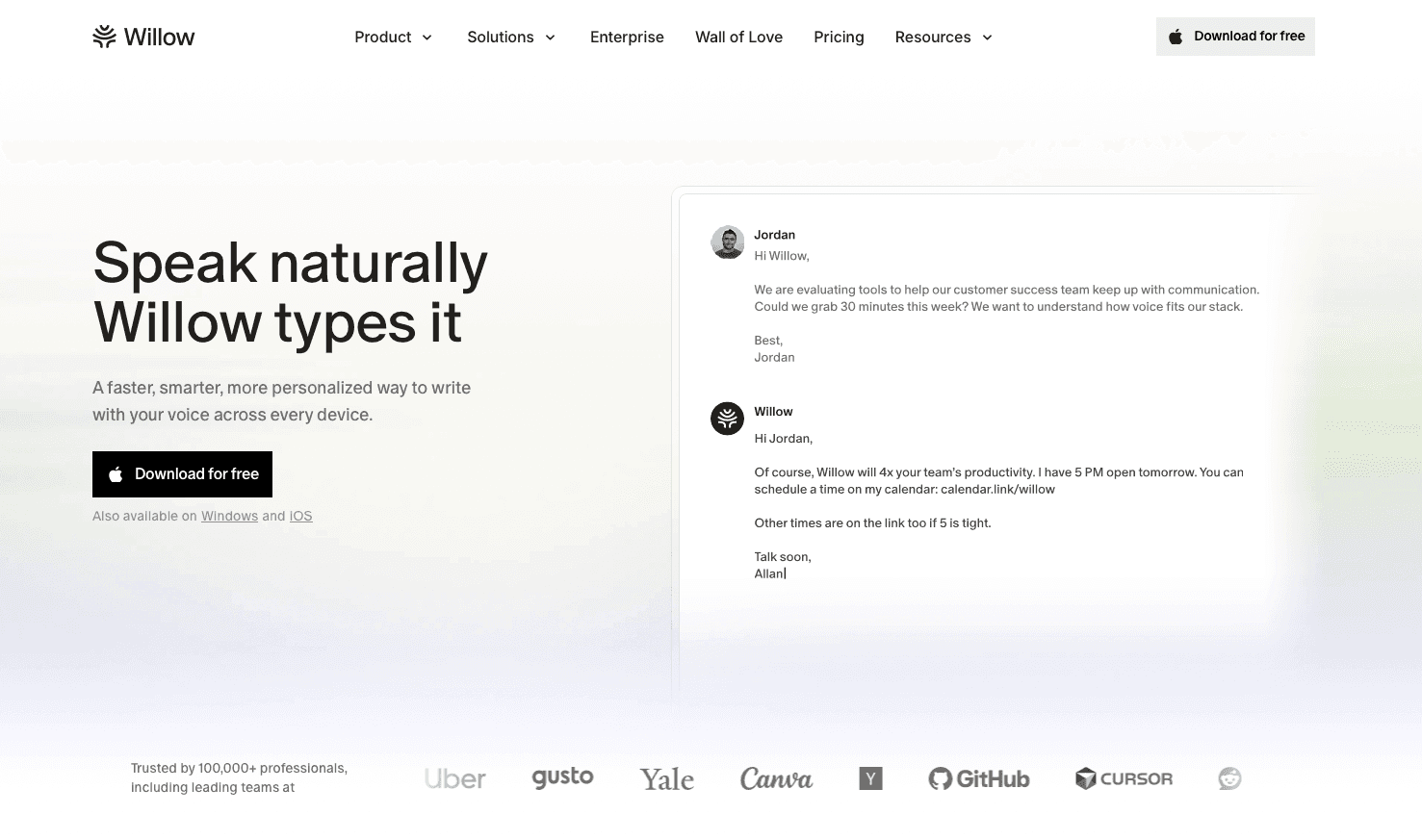
Typing out tasks, notes, and updates slows you down more than you realize, whether you're clearing a Slack backlog, speaking a PR description in Cursor, or charting a patient note between appointments. Willow lets you speak instead, converting your voice into clean, accurate text across any app you're already using.
How Willow Compares to Other Dictation Tools
At ~200ms latency, Willow is the fastest dictation tool available, keeping you in flow state instead of waiting for text to catch up. Wispr Flow runs at ~700ms, and Apple's built-in voice dictation runs at 700ms or more, a gap that feels small in isolation but breaks focus across a long work session. Willow also delivers 98%+ transcription accuracy, about 3x fewer errors than built-in tools, and learns how you write over time, adapting to your vocabulary and phrasing so the correction loop shrinks with use. Willow runs as a native app on Mac and Windows, with the same hotkey-activated experience on both (Fn on Mac, Alt+Space on Windows, reassignable to any key combination you prefer). An engineering team split between Windows workstations and Mac laptops, or a clinic running Windows desktops at the front office and iPads at the bedside, gets identical speed and accuracy no matter which machine anyone is on. On iOS, Willow's custom voice keyboard brings that same dictation quality to any app on your phone, handy for logging a task or updating a calendar note between meetings.
Enterprise Readiness: Scaling Willow from Individual Use to Org-Wide Rollout
Most consumer dictation tools stop at a single user profile: install it, train it to your voice, and that's the extent of it. Willow is built to move past that ceiling. Team and Enterprise plans deliver the same faster, more accurate dictation as the Individual plan, so speed and accuracy hold up as usage scales from one person to an entire org. Team plans add shared custom dictionaries and shortcuts that IT can deploy across an entire org at once, so client names, product terms, and internal shorthand are recognized correctly for every team member from their first session, instead of being reconfigured one person at a time. Engineering teams can seed those dictionaries with codebase terminology so that class names, function names, and project-specific jargon are recognized correctly in Cursor and Windsurf from day one, and healthcare organizations can do the same with drug names and clinical shorthand across all providers. Admin controls let a team lead push vocabulary updates and formatting shortcuts to the whole group without touching individual installs, and team leaderboards show words spoken and time saved per person, giving managers a clear read on adoption without manual check-ins.
Native apps on Mac and Windows, plus a custom voice keyboard on iOS, mean a mixed-device team (some on Windows desktops, others on Mac laptops or an iPhone in the field) works from the same shared vocabulary and settings without per-device setup. That deployment reality is backed by SOC 2 Type II certification and HIPAA compliance, with zero data retention built into the architecture instead of added as an afterthought, and a signed BAA available for organizations that need one. For an organization comparing time management tools at scale, that combination of cross-device consistency, compliance, and admin visibility is what separates a tool built for one person from one built for an entire org.
When every minute counts, the way you input information matters. Speaking at 150 WPM versus typing at 40 WPM means you capture tasks, notes, and updates in a fraction of the time, leaving more room for the actual work. For anyone serious about reclaiming their day, Willow turns dictation into a genuine time management advantage.
FAQ
What's the difference between Willow Voice and Wispr Flow for time management workflows?
Willow Voice processes audio at ~200ms, versus Wispr Flow's ~700ms, which matters when you're capturing tasks and notes over a full workday; the gap compounds over dozens of dictations. Willow also learns your vocabulary over time through its Auto-Dictionary, so task names, project terms, and contact names transcribe correctly without manual correction, reducing the editing overhead that defeats the purpose of voice input in the first place.
Can I use voice dictation to capture tasks and notes without switching between time management apps?
Yes. A system-wide dictation tool like Willow Voice works across any text field, Todoist, Notion, Asana, Google Calendar, Slack, Gmail, from a single hotkey, with no per-app setup required. Speaking at 150 WPM versus typing at 40 WPM means you capture a task, meeting note, or Slack update in a fraction of the time, and the same hotkey works whether you're in a project tracker or a calendar event.
How do I choose between free and paid time management tools?
Start by matching the tool to the specific friction you feel, task overload, scheduling gaps, distraction, or untracked time, and test the free tier before committing to a paid plan. Free plans from Clockify, Todoist, and Google Calendar cover the core needs for students and solo users; paid tiers add team features, automation, and deeper integrations that become worth the cost once workloads and coordination needs grow.
What's the best tool stack for a solo freelancer to manage tasks, track time, and schedule?
Todoist handles task capture with natural language input, Toggl Track logs billable hours per project via a browser extension, and Google Calendar holds the time blocks that protect focused work from meeting creep. Each tool owns a distinct layer: tasks, hours, and calendar slots, with minimal overlap, so the stack stays lean instead of creating its own coordination overhead.
How do AI scheduling tools like Reclaim.ai automatically handle calendar conflicts?
When a new meeting lands and pushes an existing focus block, Reclaim.ai scans your remaining calendar for the next slot that meets your configured criteria (minimum block length, time-of-day preferences, buffer rules) and moves the block there without any manual input. You see the updated schedule instead of the conflict; the renegotiation happens in the background so you spend no time rebuilding your afternoon plan.
Time tracking app free vs paid: which should I choose?
Free time tracking apps like Clockify and Toggl Track handle the basics well: manual timers, project categorization, and basic reports. Paid tiers add advanced analytics, deeper integrations, and priority support that teams and professionals often need as workloads scale. For students or solo users, free plans are usually enough.
Can I use voice dictation to speed up task entry instead of typing everything?
Yes. Willow converts your voice into clean, accurate text in about 200ms, making it faster than typing tasks, notes, and updates by hand, with 98%+ transcription accuracy and about 3x fewer errors than built-in tools. Wispr Flow lags at ~700ms and Apple's built-in voice dictation at 700ms or more. Willow learns how you write over time, becoming the most accurate dictation tool for you, so you spend less time making edits.
How do I manage my time for daily study without getting distracted?
Block focused study sessions directly in your calendar, treat them like unmovable appointments, and use distraction-blocking tools like Forest or Freedom to lock out distracting sites during those windows. Pair this with the Pomodoro technique (25-minute focused sprints with short breaks) to create urgency and prevent burnout across long study sessions.
Final Thoughts on Time Management Software That Actually Fits Your Workflow
The best productivity tools for time management depend on whether you need focus time, task tracking, or better scheduling. Students juggling assignments benefit most from free calendar apps and simple to-do lists, while teams need shared views and automation. Match your tool to the problem you're solving right now, not the one you think you'll have later, and your workflow stays lean instead of bloated. If voice input is the piece missing from your stack, download Willow for free and start turning tasks and notes into text as fast as you can speak them.
Your task list keeps growing, your calendar is a mess of overlapping blocks, and you're toggling between four different productivity tools for time management to figure out what's due next. You already know time management matters. What you need is a setup that reduces overhead. The right combination of tools organizes your work and gets out of your way so you can actually do it.
TLDR:
Time management tools help recover roughly 5 hours of every 8-hour workday lost to unproductive time.
Free tools like Todoist and Google Calendar handle most needs; paid tiers add team features and automation.
Pair tools with proven methods like time-blocking or the Pomodoro Technique to reduce decision fatigue at work.
AI schedulers automatically adjust your calendar as priorities shift, so you stop rebuilding plans manually.
Willow Voice converts speech at 150 WPM vs. 40 WPM typing, and it learns your writing style over time for fewer edits.
What Time Management Tools Are and Why You Need Them
Time management tools are apps, systems, and techniques that help you organize tasks, track how you spend your time, and stay focused on what actually moves the needle. They range from simple to-do lists to AI-powered schedulers, and they work across every context, whether you're a student juggling deadlines or a professional buried in meetings.
The need for them is real. 82% of people don't have a proper time-management plan, leaving them reactive instead of intentional. The average employee is truly productive for only 2 hours and 53 minutes out of an eight-hour workday. Some of that gap comes from overhead most people never notice: Harvard Business Review research finds that workers lose nearly an hour every day simply switching between applications and websites [Harvard Business Review, 2022], time that compounds into roughly five working weeks lost per year to context switching alone. That points to a systems problem, not a focus problem, and the right tools are what close it.
The data on tool adoption reinforces this. A PwC study found that 77% of high-performing projects are run by teams using project management software [PwC], reflecting better organization and collective visibility. When a team can see what's assigned, what's blocked, and what's due in a shared view, coordination work no longer gets routed through Slack threads and status-update meetings. And the productivity impact is measurable: the same PwC research found that digital project management software can improve overall productivity by 15-20% [PwC]. That's a meaningful gain: a five-person team recovers the equivalent of one full-time workday every week without adding headcount. That gap between hours logged and work actually done is exactly where the right tools make a difference. No single tool closes that gap alone, though. The setups that work best pair a task manager, a calendar, and a fast way to get information into both without breaking focus, which is where a voice dictation tool like Willow Voice fits into the stack.
Key Features to Look For in Time Management Software
Not every tool earns a spot in your workflow. The ones worth using tend to share a few core capabilities.
Task prioritization: the ability to rank and sort work by urgency or impact instead of dumping everything into a list
Time tracking: built-in logging so you can see where hours actually go
Calendar integration: tasks and schedules that sync together
Collaboration: shared task views, comments, and assignments for team contexts
Automation: recurring tasks and smart reminders that run without you, often powered by AI productivity tools
Reporting: clear summaries showing productivity trends over days and weeks
Students can usually get by with free tiers and a clean interface. Professionals and teams should also look for security, admin controls, and deeper integrations with tools they already use.
Task Management and Project Planning Tools
Solo Task Managers: Lightweight Tools That Get Out of Your Way
Task management tools give every piece of work a home. Instead of leaving you to track to-dos across sticky notes and scattered email threads, tools like Asana, Trello, ClickUp, and Monday.com let you assign tasks, set deadlines, and see everything in one place.
Todoist and Notion work well for solo workflows, especially if you want something lightweight to start. Todoist's natural language input means you can type "submit report Friday at 3 pm" and it parses the task, date, and time automatically, no clicking through dropdowns. Notion doubles as a second brain: you can store meeting notes, track projects, and manage tasks in the same workspace, which reduces the context switching that comes from running separate apps for each job.
Team Task Managers: Shared Visibility and Dependency Tracking
Asana and ClickUp scale better for teams, offering dependency tracking, project timelines, and workload views that show who's overloaded and who has capacity. When everyone can see what's assigned, due, and blocked, work stops falling through the cracks. Dependency tracking is the feature most solo tools skip: if Task B can't start until Task A ships, Asana flags that relationship and surfaces it on the timeline automatically. ClickUp adds custom fields and automation rules, for example, automatically moving a task to "In Review" when a subtask is marked complete, so the system does coordination work that would otherwise eat a manager's afternoon.
Comparison of Top Time Management Tools
Tool | Category | Best For | Key Features | Pricing | Mobile App | Integrations | Learning Curve | Ideal Team Size |
|---|---|---|---|---|---|---|---|---|
Todoist | Task Management | Solo workflows and students | Task prioritization, natural language input, recurring tasks, project organization | Free tier available, Premium starts at $4/month | iOS & Android | Google Calendar, Slack, Gmail | Easy | Solo |
Asana | Task & Project Management | Teams and collaboration | Dependency tracking, project timelines, workload views, team assignments | Free for basic use, Premium starts at $10.99/user/month | iOS & Android | Slack, Google Drive, Zoom | Moderate | Small, Large |
ClickUp | Task & Project Management | Teams needing customization | Custom views, automation, time tracking, goal tracking, voice dictation support | Free tier available, Unlimited starts at $7/user/month | iOS & Android | Slack, GitHub, Google Drive | Steep | Small, Large |
Notion | Task Management & Notes | Students and personal use | Notes and assignment tracking, databases, wikis, free for students | Free for students, Plus starts at $8/month | iOS & Android | Slack, Google Drive, Zapier | Moderate | Solo, Small |
Clockify | Time Tracking | Freelancers and teams | Manual timers, project categorization, basic reporting, unlimited users on free plan | Free tier available, Basic starts at $3.99/user/month | iOS & Android | Asana, Trello, Jira | Easy | Solo, Large |
Toggl Track | Time Tracking | Project-based tracking | Manual timers per project or task, detailed reports, browser extension | Free tier available, Starter starts at $9/user/month | iOS & Android | Asana, Jira, Linear | Easy | Solo, Small |
RescueTime | Productivity Monitoring | Automatic time tracking | Silent background tracking, auto-categorization of apps and websites, productivity scoring | Free tier available, Premium starts at $12/month | Android only | Slack, Google Calendar, Zapier | Easy | Solo |
Google Calendar | Scheduling | Everyone, especially students | Time blocking, recurring events, calendar sync, focus time protection | Free | iOS & Android | Todoist, Zoom, Slack | Easy | Solo, Large |
Time Tracking and Productivity Monitoring Tools
Manual Timers: Track Time Project by Project
Knowing you're busy is not the same as knowing where your time goes. These tools close that gap.
Clockify and Toggl Track use manual timers you start and stop per project or task. Both offer browser extensions so you can start a timer from inside Notion, Asana, or a Jira ticket without switching apps. Toggl Track's detailed project reports make it easy to see at week's end exactly how many hours went to client work versus internal meetings, the kind of breakdown that informs rate-setting and scope negotiations that gut feel can't.
Automatic Trackers: Passive Monitoring Without the Friction
RescueTime runs silently in the background, auto-categorizing apps and websites into productive versus unproductive blocks. TimeCamp blends both approaches, adding billing and reporting features that make it a practical pick for freelancers tracking client hours. The setup cost is near zero: install it, let it run for a week, and the data is waiting for you, no timer discipline required.
The data tends to be humbling. Most people find their actual focused work windows are shorter than expected, with context switching eating up hours they never noticed. A typical pattern: two hours logged to email and Slack for every hour of deep work, a ratio that only becomes visible once a passive tracker names it. That visibility is what makes the category genuinely useful, not because the tool changes behavior, but because the data does.
Calendar and Scheduling Tools
Blocking Focus Time: Protecting Your Most Productive Hours
Calendars do more than keep meetings straight. Google Calendar lets you block focus time, set recurring routines, and protect the hours that matter most. A two-hour deep-work block every morning, marked as busy, with notifications silenced, serves as a commitment device: colleagues see it as unavailable time and stop scheduling over it. Without that block, the calendar fills from the outside in, and focused work gets whatever's left.
Automated Scheduling: Eliminating the Back-and-Forth
Calendly removes the scheduling email chain entirely. You share a link; the other person selects a slot from your live availability; a calendar invite is automatically sent to both of you. For professionals who book more than a handful of external meetings a week, the cumulative time saved by eliminating that back-and-forth adds up to meaningful hours over the course of a month. Syncing your calendar with your task manager ties your to-do list to actual time slots, which is where most time management systems fall apart. A task without a time slot is a wish; a task with a time slot is a commitment.
Focus and Distraction Management Tools
Why Distraction Costs More Time Than You Think
The average person checks their phone 186 times a day, and every interruption costs more time than the distraction itself. Research from the University of California, Irvine finds it takes an average of 23 minutes to fully regain focus after an interruption, meaning a 30-second phone check can consume the better part of half an hour of productive capacity. At that cost, distraction management is not a nice-to-have; it is a cost that compounds across the entire workday.
A few tools that cut through the noise:
Forest: grow a virtual tree during focused sessions; leave the app, and it dies
Freedom: blocks distracting sites across all devices simultaneously
Cold Turkey: stricter than Freedom, with scheduled locks you can't override
Focus Booster and Be Focused: Pomodoro timers that break work into 25-minute intervals, with built-in short breaks.
The Pomodoro Technique: Building Urgency Into Your Workday
The Pomodoro technique works because it stops you from treating time as infinite. Capped sprints create urgency, and forced breaks prevent the burnout that turns a long workday into a low-output slog. The mechanics are simple: 25 minutes of focused work, a 5-minute break, and a longer 15- to 30-minute break every four cycles. Apps like Focus Booster track the intervals automatically, so you're not watching a clock; you're just working until the timer sounds. After a few cycles, the constraint starts to feel like structure instead of restriction, and tasks that felt open-ended get contained.
Time Management Tools for Students
Free Tools That Cover the Essentials
Nearly 47% of college students say procrastination and time management are their biggest struggles. The good news: most tools that actually help are free.
Notion: free for students, great for notes and assignment tracking in one place, you can build a semester dashboard with a database for each course, due dates, and linked reading notes
Google Calendar: sync class schedules and block focused study sessions; color-code by subject so your week is readable at a glance
Todoist: the free tier handles most student to-do needs cleanly, with natural language input that converts a task like "paper due Thursday 11:59 pm" into a scheduled item instantly
MyStudyLife: purpose-built for class schedules and homework reminders, including rotating timetables that most generic calendar apps can't handle
The One Habit That Makes Any Tool Work
Students who schedule study time the same way they schedule classes consistently meet deadlines with less last-minute scrambling because the work is never left to willpower alone.
The habit that makes these tools work is pairing tasks with actual time slots. Without that, assignments stay on lists indefinitely, and deadlines sneak up regardless of which app you use.
Free vs. Paid Time Management Tools
Free tools handle the basics well. Clockify, Todoist, and Google Calendar cover task tracking, scheduling, and time logging without spending a dime.
Paid tiers unlock deeper features like advanced analytics, integrations, and priority support. For most students or solo users, free plans are plenty. Teams and professionals often find the added structure of paid tools worth the cost as workloads grow.
Voice dictation follows the same pattern. Willow Voice's Free plan is genuinely unlimited: no word cap, no credit card required, and it covers every core dictation feature. The Pro plan, the umbrella for paid options like the Individual tier ($12/month billed annually) and Team tier ($10 per user per month billed annually), adds faster, more accurate dictation plus unlimited Willow Scribe, shared dictionaries, and admin controls for group rollout. For most students and solo users, the Free plan covers everything you need; teams and professionals who depend on dictation daily tend to find the accuracy gains and shared setup on the Pro plan worth the cost.
AI-Powered Time Management and Automation
AI Schedulers: Calendars That Reorganize Themselves
AI scheduling tools like Reclaim.ai and Motion auto-block time for deep work, adjusting your calendar when meetings get added or priorities shift. The practical difference from a standard calendar: when a meeting lands at 2 pm and pushes your scheduled focus block, the AI automatically reschedules that block to the next available slot, instead of leaving it orphaned or forcing you to manually rebuild your afternoon plan. Pairing voice dictation with tools like Asana speeds up the manual side of that process, letting you capture and route a new task into the right project by speaking instead of typing. The same hotkey habit carries over to other surfaces: a developer can speak a ticket description straight into Linear or a PR comment in GitHub, and a clinician can capture a follow-up task into a scheduling tool between patient visits, all without switching input methods. The AI handles the calendar rebuilding, and dictation handles the fast task entry.
Workflow Automation: Connecting Your Tools So They Work Together
Zapier and Make go further by automating repetitive coordination: routing tasks between apps, triggering reminders, and logging completed work without manual input. A common example: a new row in a Google Sheet automatically creates a task in Todoist, sends a Slack notification, and logs the entry in a project tracker, a chain that would otherwise require three manual steps every time. Less time managing the system means more time actually using it. The highest-impact automations are the ones you set up once and forget; the compounding effect shows up over weeks, not days.
Choosing the Right Time Management Tool for Your Workflow
The right tool depends on your work style, goals, and budget. A student juggling deadlines needs something different than a freelancer tracking billable hours or a team coordinating across time zones. Before committing, ask yourself whether you need task management, time tracking, focus support, or a mix. Free tiers work well for personal use, while teams often need sharing features and integrations. Match the tool to the problem you actually have, then deliberately pair it with one or two complementary tools that fill the gaps it leaves. Voice dictation is one of the few additions that pairs with almost any stack: a tool like Willow Voice speeds up how tasks and notes get into whichever apps you land on.
Real-World Tool Combinations That Work
Most productivity breakdowns happen not because someone chose the wrong tool, but because they chose a single tool and expected it to handle everything. The setups that actually stick tend to be small, intentional stacks, two or three tools with clearly defined roles and no overlap.
Solo Freelancer Setup: Todoist + Toggl Track + Google Calendar
The workflow problem here is threefold: tasks pile up without urgency, hours disappear without a record, and client calls keep eating into focused work time. Todoist handles the task list; natural language input means you can type "invoice client Thursday at noon" and it's scheduled in under three seconds. Toggl Track's browser extension lets you start a project timer from inside Todoist without switching tabs, so every billable hour is logged at the moment it starts instead of reconstructed at week's end. Google Calendar holds the time blocks: deep work in the morning, client calls in the afternoon, and nothing scheduled on top of either. The three tools share a common currency, time, but each one owns a distinct layer of it: tasks, hours, and calendar slots.
Student Productivity System: Notion + Google Calendar + Todoist (free tiers throughout)
The budget is zero; the problem is that assignments, readings, and exams live in three different places and deadlines still feel like surprises. Notion holds the semester dashboard: one database per course, with columns for assignment name, due date, status, and linked reading notes. Google Calendar translates those due dates into time blocks; a Thursday essay deadline becomes a two-hour writing block on Tuesday night and a review block Wednesday morning, both marked busy so study time doesn't get scheduled over. Todoist handles the daily list: each morning, pull three tasks from Notion into Todoist's Today view using natural-language input. The daily list stays short and actionable; the semester dashboard stays thorough. Context switching between apps is minimal because each tool has a job that doesn't overlap with the others.
Small Team Collaboration: Asana + Clockify + Google Calendar + Slack (5-10 people)
The coordination problem for small teams is visibility: who owns what, when is it due, and how much of the week is already spoken for. Asana owns the work: tasks, dependencies, and project timelines live there, with each team member's workload visible in a single dashboard. Clockify tracks the hours; every team member logs time against Asana projects using the browser extension, so by month's end the data is already there instead of assembled from memory. Google Calendar holds the shared commitments: recurring standups, focus blocks, and client calls are visible across the whole team, which cuts the scheduling emails that otherwise fragment everyone's morning. Slack connects the three: Asana posts task updates to the relevant channel automatically, and Clockify reminders prompt people to start their timer when they claim a task. The integration chain is simple enough that setup takes an afternoon, not a week.
How to Implement Time Management Tools Successfully
Start Small: One Problem, One Tool
The best tool sits unused if nobody adopts it. Start with one area causing friction: missed deadlines, untracked time, or a calendar that fills up before deep work gets scheduled. Solve that first, and add tools only after the first habit sticks. A common failure mode is adopting three new tools at once: the overhead of learning them competes with the time savings they're supposed to produce, and all three get abandoned within a month. Picking something good and using it consistently beats hunting for the perfect solution indefinitely.
Team Rollouts: Get Buy-In Before You Mandate
For teams, involve people in the selection before mandating a system. Run a two-week pilot with a small group, gather candid feedback on the friction the tool introduced and what it solved, and adjust before rolling it out to everyone. Buy-in at the start prevents abandonment later; a tool that three people helped choose is a tool those three people will actually use.
Measure Weekly: Data Tells You Whether It's Working
Measure results weekly: are deadlines being hit? Is context-switching down? Is the time you blocked for deep work actually being protected? If the data does not improve after two to three weeks, adjust the system before blaming the tool. Often the issue isn't the app; it's an unclear ownership structure, tasks without owners, or blocks that get overridden by meetings. The weekly review surfaces those patterns early, before they become habits.
Voice Dictation for Faster Task Completion with Willow
Why Input Speed Is a Time Management Problem
Typing out tasks, notes, and updates slows you down more than you realize, whether you're clearing a Slack backlog, speaking a PR description in Cursor, or charting a patient note between appointments. Willow lets you speak instead, converting your voice into clean, accurate text across any app you're already using.
How Willow Compares to Other Dictation Tools
At ~200ms latency, Willow is the fastest dictation tool available, keeping you in flow state instead of waiting for text to catch up. Wispr Flow runs at ~700ms, and Apple's built-in voice dictation runs at 700ms or more, a gap that feels small in isolation but breaks focus across a long work session. Willow also delivers 98%+ transcription accuracy, about 3x fewer errors than built-in tools, and learns how you write over time, adapting to your vocabulary and phrasing so the correction loop shrinks with use. Willow runs as a native app on Mac and Windows, with the same hotkey-activated experience on both (Fn on Mac, Alt+Space on Windows, reassignable to any key combination you prefer). An engineering team split between Windows workstations and Mac laptops, or a clinic running Windows desktops at the front office and iPads at the bedside, gets identical speed and accuracy no matter which machine anyone is on. On iOS, Willow's custom voice keyboard brings that same dictation quality to any app on your phone, handy for logging a task or updating a calendar note between meetings.
Enterprise Readiness: Scaling Willow from Individual Use to Org-Wide Rollout
Most consumer dictation tools stop at a single user profile: install it, train it to your voice, and that's the extent of it. Willow is built to move past that ceiling. Team and Enterprise plans deliver the same faster, more accurate dictation as the Individual plan, so speed and accuracy hold up as usage scales from one person to an entire org. Team plans add shared custom dictionaries and shortcuts that IT can deploy across an entire org at once, so client names, product terms, and internal shorthand are recognized correctly for every team member from their first session, instead of being reconfigured one person at a time. Engineering teams can seed those dictionaries with codebase terminology so that class names, function names, and project-specific jargon are recognized correctly in Cursor and Windsurf from day one, and healthcare organizations can do the same with drug names and clinical shorthand across all providers. Admin controls let a team lead push vocabulary updates and formatting shortcuts to the whole group without touching individual installs, and team leaderboards show words spoken and time saved per person, giving managers a clear read on adoption without manual check-ins.
Native apps on Mac and Windows, plus a custom voice keyboard on iOS, mean a mixed-device team (some on Windows desktops, others on Mac laptops or an iPhone in the field) works from the same shared vocabulary and settings without per-device setup. That deployment reality is backed by SOC 2 Type II certification and HIPAA compliance, with zero data retention built into the architecture instead of added as an afterthought, and a signed BAA available for organizations that need one. For an organization comparing time management tools at scale, that combination of cross-device consistency, compliance, and admin visibility is what separates a tool built for one person from one built for an entire org.
When every minute counts, the way you input information matters. Speaking at 150 WPM versus typing at 40 WPM means you capture tasks, notes, and updates in a fraction of the time, leaving more room for the actual work. For anyone serious about reclaiming their day, Willow turns dictation into a genuine time management advantage.
FAQ
What's the difference between Willow Voice and Wispr Flow for time management workflows?
Willow Voice processes audio at ~200ms, versus Wispr Flow's ~700ms, which matters when you're capturing tasks and notes over a full workday; the gap compounds over dozens of dictations. Willow also learns your vocabulary over time through its Auto-Dictionary, so task names, project terms, and contact names transcribe correctly without manual correction, reducing the editing overhead that defeats the purpose of voice input in the first place.
Can I use voice dictation to capture tasks and notes without switching between time management apps?
Yes. A system-wide dictation tool like Willow Voice works across any text field, Todoist, Notion, Asana, Google Calendar, Slack, Gmail, from a single hotkey, with no per-app setup required. Speaking at 150 WPM versus typing at 40 WPM means you capture a task, meeting note, or Slack update in a fraction of the time, and the same hotkey works whether you're in a project tracker or a calendar event.
How do I choose between free and paid time management tools?
Start by matching the tool to the specific friction you feel, task overload, scheduling gaps, distraction, or untracked time, and test the free tier before committing to a paid plan. Free plans from Clockify, Todoist, and Google Calendar cover the core needs for students and solo users; paid tiers add team features, automation, and deeper integrations that become worth the cost once workloads and coordination needs grow.
What's the best tool stack for a solo freelancer to manage tasks, track time, and schedule?
Todoist handles task capture with natural language input, Toggl Track logs billable hours per project via a browser extension, and Google Calendar holds the time blocks that protect focused work from meeting creep. Each tool owns a distinct layer: tasks, hours, and calendar slots, with minimal overlap, so the stack stays lean instead of creating its own coordination overhead.
How do AI scheduling tools like Reclaim.ai automatically handle calendar conflicts?
When a new meeting lands and pushes an existing focus block, Reclaim.ai scans your remaining calendar for the next slot that meets your configured criteria (minimum block length, time-of-day preferences, buffer rules) and moves the block there without any manual input. You see the updated schedule instead of the conflict; the renegotiation happens in the background so you spend no time rebuilding your afternoon plan.
Time tracking app free vs paid: which should I choose?
Free time tracking apps like Clockify and Toggl Track handle the basics well: manual timers, project categorization, and basic reports. Paid tiers add advanced analytics, deeper integrations, and priority support that teams and professionals often need as workloads scale. For students or solo users, free plans are usually enough.
Can I use voice dictation to speed up task entry instead of typing everything?
Yes. Willow converts your voice into clean, accurate text in about 200ms, making it faster than typing tasks, notes, and updates by hand, with 98%+ transcription accuracy and about 3x fewer errors than built-in tools. Wispr Flow lags at ~700ms and Apple's built-in voice dictation at 700ms or more. Willow learns how you write over time, becoming the most accurate dictation tool for you, so you spend less time making edits.
How do I manage my time for daily study without getting distracted?
Block focused study sessions directly in your calendar, treat them like unmovable appointments, and use distraction-blocking tools like Forest or Freedom to lock out distracting sites during those windows. Pair this with the Pomodoro technique (25-minute focused sprints with short breaks) to create urgency and prevent burnout across long study sessions.
Final Thoughts on Time Management Software That Actually Fits Your Workflow
The best productivity tools for time management depend on whether you need focus time, task tracking, or better scheduling. Students juggling assignments benefit most from free calendar apps and simple to-do lists, while teams need shared views and automation. Match your tool to the problem you're solving right now, not the one you think you'll have later, and your workflow stays lean instead of bloated. If voice input is the piece missing from your stack, download Willow for free and start turning tasks and notes into text as fast as you can speak them.

Try Willow for free
Instant, accurate voice dictation. No card required.
Try Willow for free
Instant, accurate voice dictation. No card required.
Other stories you’ll love
Other stories you’ll love


Your keyboard is optional now
" transform="translate(5 5)" width="9.791000051498413px"/></svg>)

The voice-first interface for modern work.
© Willow Care, Inc. 2026. All rights reserved
Your keyboard is optional now
The voice-first interface for modern work.
© Willow Care, Inc. 2026. All rights reserved
Your keyboard is optional now
The voice-first interface for modern work.
© Willow Care, Inc. 2026. All rights reserved