" transform="translate(5 2)" width="10px"/></svg>)

•
5 min read
How Writers Prompt AI Tools Faster with Willow

•
5 min read
How Writers Prompt AI Tools Faster with Willow
TLDR:
Voice dictation runs 120-150 WPM versus typing's 40 WPM, letting you craft detailed AI prompts in seconds instead of minutes.
Willow learns your writing style over time for personalized accuracy that reduces edits with every session.
At 200ms latency, Willow is 3-4x faster than Wispr Flow and Apple's built-in voice dictation, keeping you in flow state.
Works in ChatGPT, Claude, Notion, Google Docs, and any text field on Mac, Windows, and iOS with no setup required.
Willow offers SOC 2 and HIPAA compliance plus shared team dictionaries for agencies and collaborative writing teams. Works for solo users too.
Why Writers Struggle to Keep Up with AI Prompting
Writers are spending more time typing into AI tools than actually writing. About 40% of all work-related ChatGPT messages in July 2025 were for writing tasks, and with 97% of content marketers planning to use AI for content efforts in 2026, the volume of prompting is only growing.
The problem is not the AI itself. ChatGPT, Claude, Gemini, they all work. The bottleneck is the input. Typing a thorough, context-rich prompt takes effort, so most writers default to something short and vague. The AI responds with something generic. Then comes the follow-up, the clarification, the third attempt. What should have been one good prompt becomes a five-message back-and-forth.
Multiply that across every draft revision, every brainstorm, every editing pass, and you start to see how much time gets swallowed by the keyboard. Writers who rely on AI prompting as part of their workflow spend real chunks of their day managing input friction with dictation for ChatGPT, not producing better work.
How Voice Dictation Changes the Way Writers Handle AI Prompting
The math here is straightforward. The average typing speed sits around 40 WPM, while speaking runs 120 to 150 WPM. For writers prompting AI tools all day, that gap adds up fast. A prompt you would compress into ten typed words becomes a full, detailed brief when you use voice prompting with ChatGPT. Claude or ChatGPT gets your actual intent, not a shorthand sketch of it.
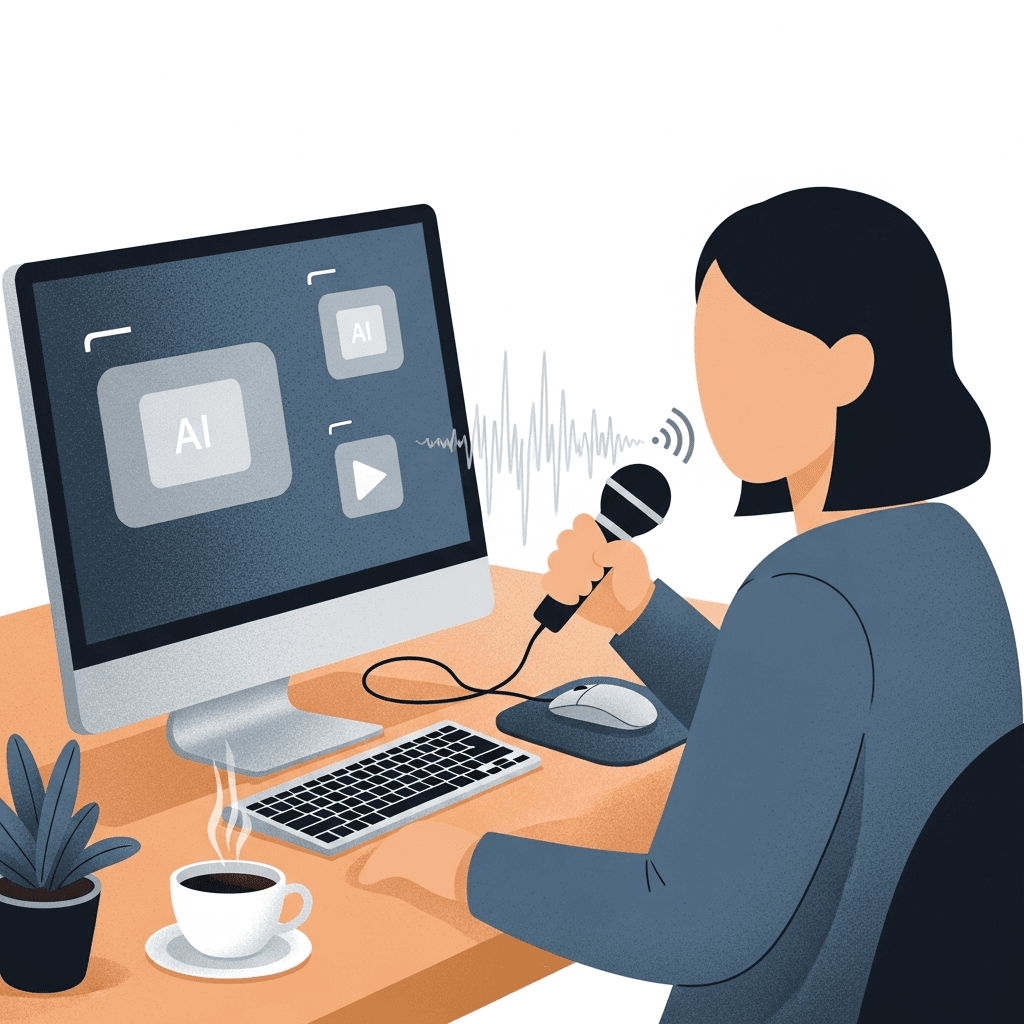
Raw speed is only part of the story. Three things separate voice dictation that actually works from what tools like Wispr Flow and Apple's built-in voice dictation offer:
Personalization: Willow learns your writing voice over time. The more you use it, the fewer edits you make. Accuracy compounds with every session.
Latency: At 200ms, text appears before you've finished thinking about it. No waiting, no flow state interruption when using voice dictation in Claude. Competing tools run 700ms or higher.
Security: SOC 2 and HIPAA compliance, plus shared team dictionaries, make Willow workable for collaborative writing teams, agencies, and solo users too.
Your prompts get longer, richer, and more specific without requiring more effort.
What Makes Willow the Right Fit for Writers
Three things set Willow apart for writers, and they map directly onto where AI prompting breaks down.
Personalization comes first. Willow builds a private model of your vocabulary, style, and speech patterns over time, setting it apart from Wispr Flow, Apple's built-in voice dictation, and other AI speech-to-text tools. Wispr Flow and Apple's built-in voice dictation hit a ceiling quickly. Willow keeps improving the more you use it, so the less you edit, which matters when you're prompting AI dozens of times a day.
Speed is the second pillar. At 200ms latency, text appears nearly as fast as you think it. Wispr Flow, Apple's built-in dictation, and most alternatives sit at 700ms or higher. That gap breaks your flow on every single prompt.
The third is team-readiness. Agencies and collaborative writing teams need more than personal accuracy. Willow's team features include shared custom dictionaries that standardize brand voice and terminology across everyone, plus SOC 2 and HIPAA compliance for environments where data security is non-negotiable. Solo users get the same core features.
Key Willow Features That Support AI Prompting
Four features do the most work for writers who prompt AI tools regularly. Here's how they translate into practical outcomes:
Feature | How It Supports AI Prompting |
|---|---|
Universal compatibility | Works in ChatGPT, Claude, Gemini with voice dictation, Notion, Google Docs, and any text field |
Filler word removal | Automatically strips um, uh, and repeated words for clean prompts |
Auto-dictionary | Learns character names, technical terms, and project-specific vocabulary |
Voice commands | Structure prompts with new paragraph, bullet point, or formatting on the fly |
The auto-dictionary is especially useful for writers. Character names, series-specific terms, brand voice words, proper nouns that tools like Wispr Flow or Apple's built-in dictation consistently mangle. Willow picks them up as you correct them and adds them permanently, so you stop fighting the tool over the same words.
Voice commands keep prompts structured without breaking your pace, helping you write faster. Say "new paragraph" or "bullet point" mid-thought and Willow formats as you speak. What you drop into Claude arrives organized, not as a wall of text the AI has to parse.
Two additional capabilities are worth knowing about. Quiet Mode lets you whisper prompts in shared offices without losing accuracy. Offline Mode keeps dictation running locally for privacy-sensitive projects where cloud processing is off the table.
Real-World Impact: Writers Using Willow for AI Prompting
A freelance writer is drafting a 2,000-word article on SaaS onboarding trends, using Claude for research synthesis and ChatGPT to pressure-test tone.
Without Willow, the prompts look like this: "summarize onboarding research" or "make this section more conversational." Claude returns something too broad. ChatGPT softens the wrong things. Three follow-ups later, the writer has spent more time wrangling AI than writing.
With Willow, the same writer speaks a single prompt: "Summarize the last three years of B2B SaaS onboarding research for a VP of Product audience. Focus on activation metrics, not adoption philosophy. Keep citations specific. Tone should match Harvard Business Review, not a startup blog." That takes about twelve seconds to say. Typed, it would have taken two minutes, and most writers cut it in half out of frustration.
The output lands right the first time. No iteration spiral.
Speaking a prompt naturally produces what typing rarely does: full context, actual constraints, and a specific audience. The AI responds accordingly.
Content marketers, authors, and freelancers who prompt AI with voice dictation in ChatGPT dozens of times a day feel this most sharply. The compounding effect across multiple drafts per week is real.
Willow Across Every App Writers Already Uses
Willow works in any text field on Mac, Windows, and iOS. There's no setup per app, no switching tools, no adjusting your workflow. If you can type there, you can speak there.
For writers, that covers everything:
ChatGPT with speech-to-text apps and Claude for AI prompting and research synthesis
Notion and Google Docs for drafts, briefs, and outlines
Scrivener and Ulysses for long-form projects where deep focus matters most

Check the full list of supported apps at willowvoice.com/integrations.
On iOS, the experience holds up. Willow runs as a custom voice keyboard, and the switcher lets you toggle between voice and standard typing without getting kicked back to Apple's default keyboard. For writers who draft on the go, that matters. Tools like Wispr Flow and Apple's built-in voice dictation break the moment you need to type a URL or edit a word mid-sentence. Willow doesn't. Learn more about the iOS experience.
You keep your existing apps. Willow just makes every text field faster.
Getting Started: Plans Built for Writers
Getting started takes about two minutes. The free trial gives you 2,000 words per week with no credit card required, which is enough to run a full day of AI prompting and feel the difference firsthand.
When you're ready to commit:
Solo writers: $12/month billed annually, giving you full access to Willow's personalization, 200ms transcription speed, and every app you already write in.
Agencies and editorial teams: $10/user/month, with shared dictionaries and team-wide vocabulary that keep brand voice consistent across every writer, backed by SOC 2 and HIPAA compliance.
If you spend any meaningful portion of your day prompting ChatGPT, Claude, or Gemini, the math on the individual plan closes fast. One hour of reclaimed prompting time per week pays for itself before the month ends.
Download Willow and start your free trial, or get started at willowvoice.com/start. Your first prompt will tell you everything you need to know.
FAQ
How does voice dictation make AI prompting faster than typing?
Speaking runs at 120-150 words per minute versus typing at 40 WPM, letting you deliver full context-rich prompts in seconds instead of minutes. Willow's 200ms latency means text appears before you've finished thinking, keeping you in flow state while tools like Wispr Flow and Apple's built-in voice dictation lag at 700ms or higher.
What makes Willow more accurate than other dictation tools?
Willow builds a private model of your vocabulary, style, and speech patterns over time, so accuracy improves with every session while Wispr Flow and Apple's built-in voice dictation hit a ceiling quickly. The auto-dictionary learns character names, technical terms, and project-specific words you correct once, then remembers them permanently.
Can I use Willow across all my writing apps?
Yes, Willow works in any text field on Mac, Windows, and iOS including ChatGPT, Claude, Notion, Google Docs, Scrivener, and Ulysses. On iOS, the custom voice keyboard lets you toggle between voice and typing without reverting to Apple's default keyboard, so you can draft anywhere without switching tools.
Does Willow work for writing teams and agencies?
Willow includes shared custom dictionaries that standardize brand voice and terminology across your entire team, plus SOC 2 and HIPAA compliance for environments where data security matters. Team plans start at $10 per user per month with full collaboration features built in.
How much does Willow cost for solo writers?
The free trial gives you 2,000 words per week with no credit card required, enough to test a full day of AI prompting. Solo writers pay $12 per month billed annually for unlimited access to personalization, 200ms transcription speed, and compatibility with every app you already write in.
TLDR:
Voice dictation runs 120-150 WPM versus typing's 40 WPM, letting you craft detailed AI prompts in seconds instead of minutes.
Willow learns your writing style over time for personalized accuracy that reduces edits with every session.
At 200ms latency, Willow is 3-4x faster than Wispr Flow and Apple's built-in voice dictation, keeping you in flow state.
Works in ChatGPT, Claude, Notion, Google Docs, and any text field on Mac, Windows, and iOS with no setup required.
Willow offers SOC 2 and HIPAA compliance plus shared team dictionaries for agencies and collaborative writing teams. Works for solo users too.
Why Writers Struggle to Keep Up with AI Prompting
Writers are spending more time typing into AI tools than actually writing. About 40% of all work-related ChatGPT messages in July 2025 were for writing tasks, and with 97% of content marketers planning to use AI for content efforts in 2026, the volume of prompting is only growing.
The problem is not the AI itself. ChatGPT, Claude, Gemini, they all work. The bottleneck is the input. Typing a thorough, context-rich prompt takes effort, so most writers default to something short and vague. The AI responds with something generic. Then comes the follow-up, the clarification, the third attempt. What should have been one good prompt becomes a five-message back-and-forth.
Multiply that across every draft revision, every brainstorm, every editing pass, and you start to see how much time gets swallowed by the keyboard. Writers who rely on AI prompting as part of their workflow spend real chunks of their day managing input friction with dictation for ChatGPT, not producing better work.
How Voice Dictation Changes the Way Writers Handle AI Prompting
The math here is straightforward. The average typing speed sits around 40 WPM, while speaking runs 120 to 150 WPM. For writers prompting AI tools all day, that gap adds up fast. A prompt you would compress into ten typed words becomes a full, detailed brief when you use voice prompting with ChatGPT. Claude or ChatGPT gets your actual intent, not a shorthand sketch of it.
Raw speed is only part of the story. Three things separate voice dictation that actually works from what tools like Wispr Flow and Apple's built-in voice dictation offer:
Personalization: Willow learns your writing voice over time. The more you use it, the fewer edits you make. Accuracy compounds with every session.
Latency: At 200ms, text appears before you've finished thinking about it. No waiting, no flow state interruption when using voice dictation in Claude. Competing tools run 700ms or higher.
Security: SOC 2 and HIPAA compliance, plus shared team dictionaries, make Willow workable for collaborative writing teams, agencies, and solo users too.
Your prompts get longer, richer, and more specific without requiring more effort.
What Makes Willow the Right Fit for Writers
Three things set Willow apart for writers, and they map directly onto where AI prompting breaks down.
Personalization comes first. Willow builds a private model of your vocabulary, style, and speech patterns over time, setting it apart from Wispr Flow, Apple's built-in voice dictation, and other AI speech-to-text tools. Wispr Flow and Apple's built-in voice dictation hit a ceiling quickly. Willow keeps improving the more you use it, so the less you edit, which matters when you're prompting AI dozens of times a day.
Speed is the second pillar. At 200ms latency, text appears nearly as fast as you think it. Wispr Flow, Apple's built-in dictation, and most alternatives sit at 700ms or higher. That gap breaks your flow on every single prompt.
The third is team-readiness. Agencies and collaborative writing teams need more than personal accuracy. Willow's team features include shared custom dictionaries that standardize brand voice and terminology across everyone, plus SOC 2 and HIPAA compliance for environments where data security is non-negotiable. Solo users get the same core features.
Key Willow Features That Support AI Prompting
Four features do the most work for writers who prompt AI tools regularly. Here's how they translate into practical outcomes:
Feature | How It Supports AI Prompting |
|---|---|
Universal compatibility | Works in ChatGPT, Claude, Gemini with voice dictation, Notion, Google Docs, and any text field |
Filler word removal | Automatically strips um, uh, and repeated words for clean prompts |
Auto-dictionary | Learns character names, technical terms, and project-specific vocabulary |
Voice commands | Structure prompts with new paragraph, bullet point, or formatting on the fly |
The auto-dictionary is especially useful for writers. Character names, series-specific terms, brand voice words, proper nouns that tools like Wispr Flow or Apple's built-in dictation consistently mangle. Willow picks them up as you correct them and adds them permanently, so you stop fighting the tool over the same words.
Voice commands keep prompts structured without breaking your pace, helping you write faster. Say "new paragraph" or "bullet point" mid-thought and Willow formats as you speak. What you drop into Claude arrives organized, not as a wall of text the AI has to parse.
Two additional capabilities are worth knowing about. Quiet Mode lets you whisper prompts in shared offices without losing accuracy. Offline Mode keeps dictation running locally for privacy-sensitive projects where cloud processing is off the table.
Real-World Impact: Writers Using Willow for AI Prompting
A freelance writer is drafting a 2,000-word article on SaaS onboarding trends, using Claude for research synthesis and ChatGPT to pressure-test tone.
Without Willow, the prompts look like this: "summarize onboarding research" or "make this section more conversational." Claude returns something too broad. ChatGPT softens the wrong things. Three follow-ups later, the writer has spent more time wrangling AI than writing.
With Willow, the same writer speaks a single prompt: "Summarize the last three years of B2B SaaS onboarding research for a VP of Product audience. Focus on activation metrics, not adoption philosophy. Keep citations specific. Tone should match Harvard Business Review, not a startup blog." That takes about twelve seconds to say. Typed, it would have taken two minutes, and most writers cut it in half out of frustration.
The output lands right the first time. No iteration spiral.
Speaking a prompt naturally produces what typing rarely does: full context, actual constraints, and a specific audience. The AI responds accordingly.
Content marketers, authors, and freelancers who prompt AI with voice dictation in ChatGPT dozens of times a day feel this most sharply. The compounding effect across multiple drafts per week is real.
Willow Across Every App Writers Already Uses
Willow works in any text field on Mac, Windows, and iOS. There's no setup per app, no switching tools, no adjusting your workflow. If you can type there, you can speak there.
For writers, that covers everything:
ChatGPT with speech-to-text apps and Claude for AI prompting and research synthesis
Notion and Google Docs for drafts, briefs, and outlines
Scrivener and Ulysses for long-form projects where deep focus matters most
Check the full list of supported apps at willowvoice.com/integrations.
On iOS, the experience holds up. Willow runs as a custom voice keyboard, and the switcher lets you toggle between voice and standard typing without getting kicked back to Apple's default keyboard. For writers who draft on the go, that matters. Tools like Wispr Flow and Apple's built-in voice dictation break the moment you need to type a URL or edit a word mid-sentence. Willow doesn't. Learn more about the iOS experience.
You keep your existing apps. Willow just makes every text field faster.
Getting Started: Plans Built for Writers
Getting started takes about two minutes. The free trial gives you 2,000 words per week with no credit card required, which is enough to run a full day of AI prompting and feel the difference firsthand.
When you're ready to commit:
Solo writers: $12/month billed annually, giving you full access to Willow's personalization, 200ms transcription speed, and every app you already write in.
Agencies and editorial teams: $10/user/month, with shared dictionaries and team-wide vocabulary that keep brand voice consistent across every writer, backed by SOC 2 and HIPAA compliance.
If you spend any meaningful portion of your day prompting ChatGPT, Claude, or Gemini, the math on the individual plan closes fast. One hour of reclaimed prompting time per week pays for itself before the month ends.
Download Willow and start your free trial, or get started at willowvoice.com/start. Your first prompt will tell you everything you need to know.
FAQ
How does voice dictation make AI prompting faster than typing?
Speaking runs at 120-150 words per minute versus typing at 40 WPM, letting you deliver full context-rich prompts in seconds instead of minutes. Willow's 200ms latency means text appears before you've finished thinking, keeping you in flow state while tools like Wispr Flow and Apple's built-in voice dictation lag at 700ms or higher.
What makes Willow more accurate than other dictation tools?
Willow builds a private model of your vocabulary, style, and speech patterns over time, so accuracy improves with every session while Wispr Flow and Apple's built-in voice dictation hit a ceiling quickly. The auto-dictionary learns character names, technical terms, and project-specific words you correct once, then remembers them permanently.
Can I use Willow across all my writing apps?
Yes, Willow works in any text field on Mac, Windows, and iOS including ChatGPT, Claude, Notion, Google Docs, Scrivener, and Ulysses. On iOS, the custom voice keyboard lets you toggle between voice and typing without reverting to Apple's default keyboard, so you can draft anywhere without switching tools.
Does Willow work for writing teams and agencies?
Willow includes shared custom dictionaries that standardize brand voice and terminology across your entire team, plus SOC 2 and HIPAA compliance for environments where data security matters. Team plans start at $10 per user per month with full collaboration features built in.
How much does Willow cost for solo writers?
The free trial gives you 2,000 words per week with no credit card required, enough to test a full day of AI prompting. Solo writers pay $12 per month billed annually for unlimited access to personalization, 200ms transcription speed, and compatibility with every app you already write in.

Try Willow for free
Instant, accurate voice dictation. No card required.
Try Willow for free
Instant, accurate voice dictation. No card required.
Other stories you’ll love
Other stories you’ll love


Your keyboard is optional now
" transform="translate(5 5)" width="9.791000051498413px"/></svg>)

The voice-first interface for modern work.
© Willow Care, Inc. 2026. All rights reserved
Your keyboard is optional now
The voice-first interface for modern work.
© Willow Care, Inc. 2026. All rights reserved
Your keyboard is optional now
The voice-first interface for modern work.
© Willow Care, Inc. 2026. All rights reserved