" transform="translate(5 2)" width="10px"/></svg>)

•
5 min read
SuperWhisper vs Otter AI: Which Voice Tool Wins in August 2026?

•
5 min read
SuperWhisper vs Otter AI: Which Voice Tool Wins in August 2026?
Superwhisper and Otter AI show up in the same searches but solve different problems. Superwhisper processes audio locally on your device, targeting privacy-focused users who want offline dictation without a cloud dependency. Otter AI records and transcribes meetings, delivering summaries and action items once the call ends. Neither tool is built for real-time, system-wide voice input that works across every app in your workday. Writing emails, drafting Slack messages, filling in documents: these happen outside meetings and outside a configuration menu. This comparison covers both tools honestly, where each fits, and which Superwhisper alternative handles day-to-day dictation without the tradeoffs either tool brings.
TLDR:
Superwhisper processes speech locally with no cloud dependency, but model selection and configuration take real time before you get consistent results.
Otter AI transcribes meetings automatically and generates summaries, but it cannot type into documents, emails, or apps in real time: it is a meeting tool, not a dictation tool.
The gap both tools leave is real-time, system-wide voice input that works across every app without a meeting to record or models to configure.
Willow Voice fills that gap: ~200ms latency keeps text in sync with speech while most tools run at 700ms+, and personalization compounds accuracy over time.
For teams, Willow Voice adds shared dictionaries, SOC 2 Type II and HIPAA compliance, and admin controls: capabilities neither Superwhisper nor Otter AI offers for org-wide rollout.
What Is Superwhisper and How Does it Work?
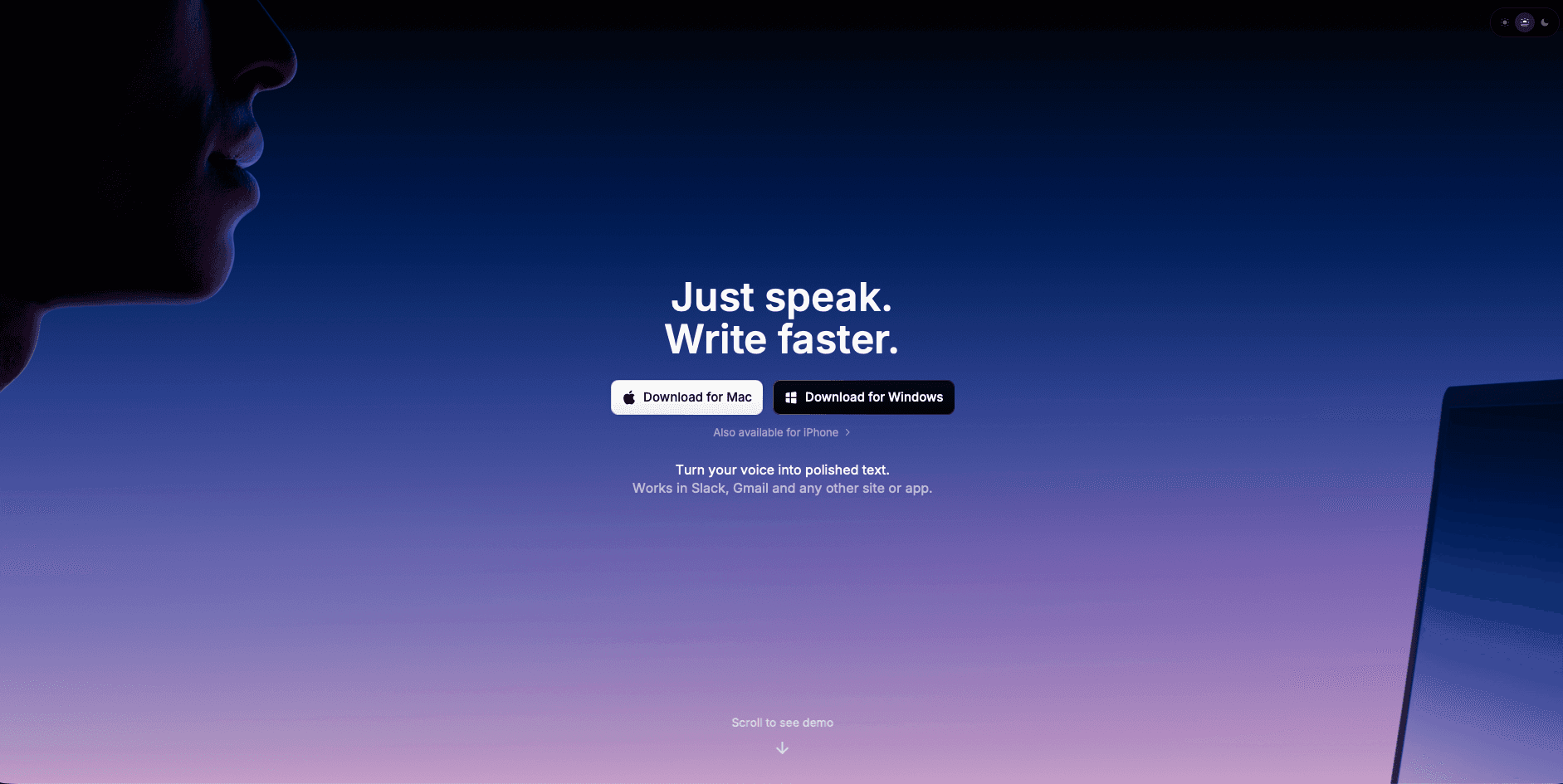
Superwhisper is a voice dictation tool for macOS, Windows, and iOS that processes speech locally using on-device AI models. It works through keyboard shortcuts and menu bar integration, offering four model tiers (Nano, Fast, Pro, Ultra) that let you trade processing speed for accuracy. Because everything runs on-device, your voice data stays on your machine with no cloud connection required.
The offline capability and 100+ language support are genuine strengths. The tradeoff is setup complexity. Choosing the right model, configuring custom prompts, and tuning vocabulary requires technical patience before you can start writing consistently.
Superwhisper Features
Superwhisper's four model tiers (Nano through Ultra) let you tune the speed-accuracy tradeoff for your hardware. The Ultra model delivers near-perfect accuracy; Nano processes faster at lower precision. The app works system-wide with no cloud connection, supports 100+ languages with automatic detection, and lets you configure custom vocabularies and keyboard shortcuts for any application.
Accessing these features requires navigating multiple configuration screens and understanding each model's processing requirements. Getting consistent results means matching the right model to your use case, your hardware, and your accuracy threshold.
Superwhisper Key Limitations and Gaps
The configuration burden is the core issue. Selecting the right model means understanding the accuracy-speed tradeoff, custom vocabulary setup is manual, and the interface is designed for developer workflows over everyday productivity. Resource consumption varies by model, and the larger, more accurate options demand enough processing power that older hardware slows noticeably.
Most users want dictation that improves automatically, stays fast enough to be invisible, and works from the first session. The voice typing manifesto we believe in puts simplicity first. Tools should remove friction from your workflow, not add a layer of technical overhead before you can use them.
Who Should Use Superwhisper
Superwhisper fits privacy-focused users with technical comfort who need offline, local-only processing and don't mind time spent on configuration. If you value data control above simplicity and have patience for model selection, it covers the basics well for multilingual dictation and specialized vocabulary. If you want dictation that adapts to you automatically and works from the first session, the configuration overhead will feel like friction.
Feature | Superwhisper | Otter AI | Willow | MacWhisper | Wispr Flow |
|---|---|---|---|---|---|
Primary use case | Real-time voice dictation across apps, offline | Meeting transcription and automated note-taking | Real-time system-wide dictation with personalization | One-off audio file transcription | Voice dictation across apps, cloud-only |
Setup | Manual model and mode configuration required | Quick account setup, bot joins calls automatically | Works right away, no configuration needed | Simple, but limited to file uploads | Quick install, fully cloud-dependent |
Real-time dictation | Yes, across any app | No — transcribes meetings only, cannot type into apps | Yes, ~200ms latency across any app | No (post-processing only) | Yes, but 700ms+ latency with slow startup |
Meeting notes | No | Yes — auto summaries, action items, speaker ID | No | No | No |
Offline mode | Offline only | Cloud only, no offline option | Optional offline mode alongside cloud processing | Local file processing | Cloud only, no offline option |
Device support | Mac, Windows, and iOS | Mac, Windows, iOS, and Android | Mac, Windows, and iOS | Mac only | Mac and Windows |
Team features | None | Shared workspaces, admin controls, calendar and Slack sync | Shared dictionaries and shortcuts, SOC 2 Type II and HIPAA compliance | None | Limited |
Learns from corrections | No | No | Yes — accuracy compounds over time | No | No |
Best for | Privacy-focused users who need offline dictation | Teams who want automatic meeting notes and action items | Individuals and teams who need fast, accurate dictation across every app | One-off audio file transcription | Users comfortable with cloud-only processing |
What Is Otter AI and How Does It Work?
Otter AI is a cloud-based AI meeting assistant built around automatic transcription and note-taking. It joins video calls on Zoom, Google Meet, and Microsoft Teams as a bot participant, transcribing speech in real time and generating summaries, action items, and key takeaways once the meeting ends. It also supports in-app recording for in-person conversations. Because all processing happens in the cloud, it requires a constant internet connection for every feature.
The core focus is meetings, not general voice dictation. Otter AI is designed to capture what happens in a call and surface the output afterward, rather than letting you dictate documents, emails, or messages in real time across your apps.
Otter AI Features
Otter AI transcribes meetings in real time and automatically produces a summary with action items once the call ends. Its Meeting Agent can answer questions during a live call by drawing on the transcript. Speaker identification separates participants by voice, and the transcript is searchable afterward. It integrates with calendar apps to join scheduled calls automatically and syncs with Slack, Notion, and other tools to share notes. A free plan is available, with paid tiers removing monthly transcription minute limits and adding team features like admin controls and shared workspaces.
Otter AI Key Limitations and Gaps
Otter AI is a meeting transcription tool, not a real-time voice dictation tool. It cannot type into documents, emails, Slack messages, or any app as you speak. If your goal is to replace keyboard input across your daily workflow, Otter AI does not cover that use case. All processing is cloud-only, so offline work and sensitive conversations that cannot leave your device are out of scope. Accuracy can drop in noisy environments or with heavy accents, and the bot joining your call as a visible participant raises privacy questions in some client or legal contexts. It also does not learn from your corrections over time the way a personalized dictation tool does.
Who Should Use Otter AI
Otter AI is a good fit for teams that spend a large part of their day in video meetings and want automatic notes without a human notetaker. Managers, sales teams, and recruiters who need a searchable record of every call get clear value from it. It is not the right tool for someone looking to speed up writing workflows, dictate content across apps, or replace typing in day-to-day work. If you need both meeting transcription and real-time voice dictation, you will need two separate tools.
Voice Dictation Alternatives
1. Best Overall: Willow

Superwhisper optimizes for offline control. Willow optimizes for real-world productivity. It personalizes dictation over time, eliminates configuration friction, and stays fast enough to disappear while you work.
Willow runs at approximately 200 milliseconds of latency. The text keeps up with your speech instead of trailing behind it. Most dictation tools operate at 700ms+ latency, which is slow enough to break flow state. Given the average speaking rate compared to typing, low latency is what lets dictation keep pace with how fast people talk. The software includes context-aware AI and custom dictionaries without complex configuration requirements, and it runs natively on Mac and Windows, with a custom iOS keyboard that carries dictation over to mobile for mixed-device teams.
Every correction you make in Willow compounds future accuracy. Names, phrasing, and vocabulary are remembered automatically, so you spend less time editing and more time actually writing.
Willow is built for teams as well as solo users, with admin controls that let IT and security teams manage rollout across an org instead of configuring each seat by hand. SOC 2 Type II compliance and HIPAA compliance, zero data retention, and shared dictionaries and shortcuts make it usable inside real organizations, scaling from a single desk to a company-wide deployment.
2. Developer-Only Tool: MacWhisper
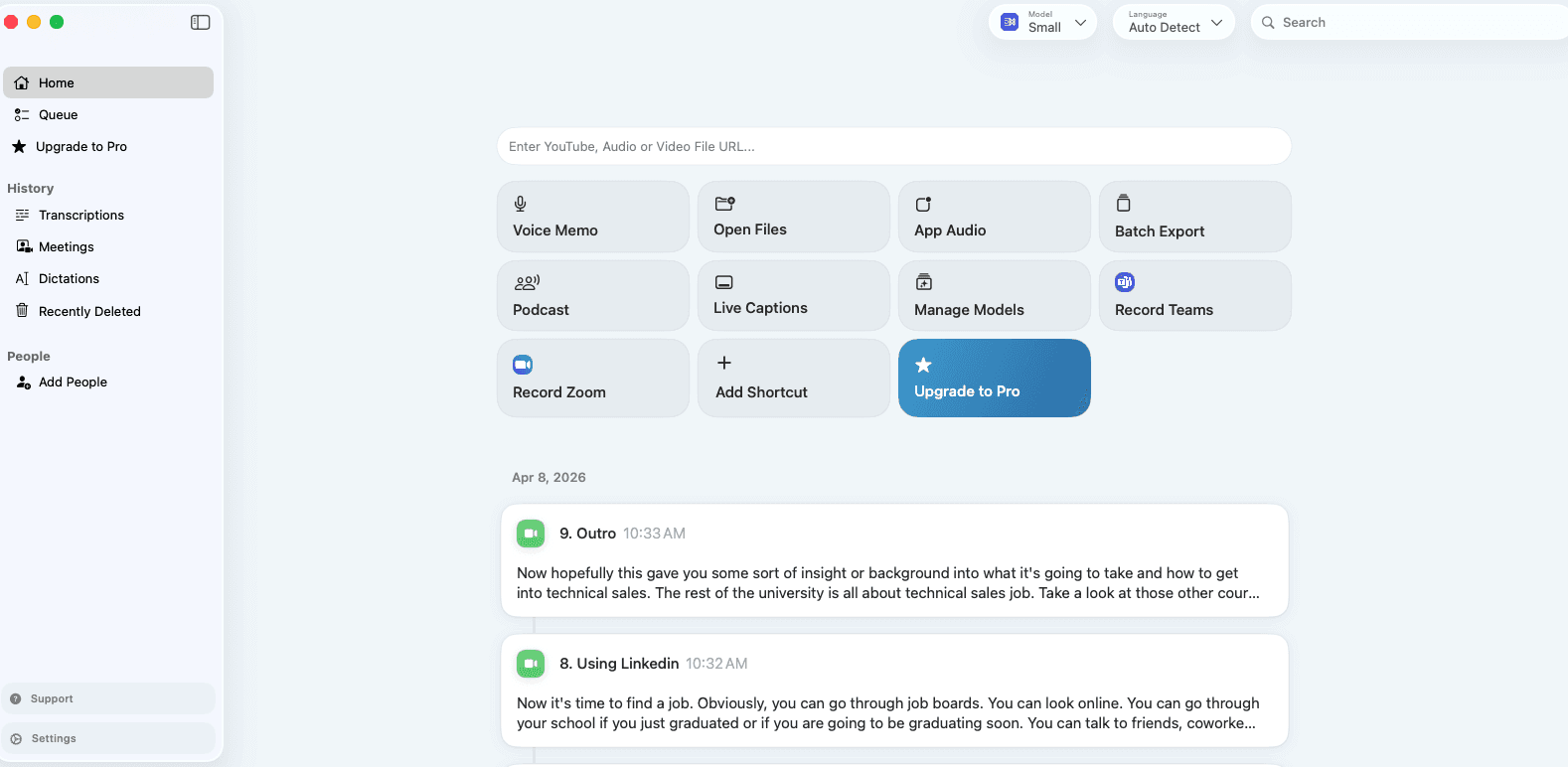
MacWhisper is a powerful yet user-friendly macOS application designed to simplify audio transcription. Developed by Jordi Bruin, it uses OpenAI's Whisper speech recognition model to convert audio files into text.
However, MacWhisper focuses primarily on file transcription instead of real-time voice input. It's sufficient for short voice messages but may require additional post-edits for longer content.
The tool requires more time to set up and learn, especially for non-technical users. While it allows basic text editing, it doesn't offer advanced AI-based error correction or formatting that modern workflows demand.
MacWhisper works well for specific transcription tasks but falls short for daily productivity workflows requiring smooth voice input. The Superwhisper alternatives comparison shows how specialized tools often miss broader use cases.
3. Solid Alternative: Wispr Flow
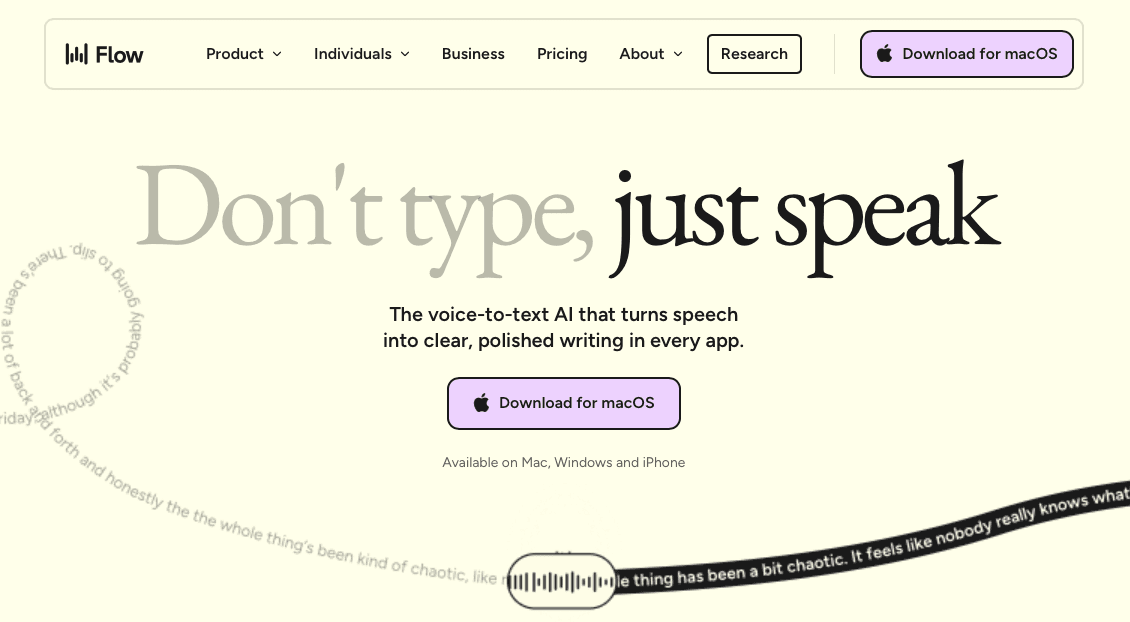
Wispr Flow provides voice dictation across applications with whispering features and tone matching options. The tool attempts universal compatibility but relies entirely on cloud processing for functionality.
However, constant internet connectivity requirements and ongoing privacy considerations limit its practical utility for users handling sensitive information. Resource consumption around 800MB of RAM creates performance strain on many systems.
8-10 second startup times disrupt workflow speed, making it impractical for quick dictation needs. While Wispr Flow offers some interesting features, the performance issues outweigh the benefits for most users.
Many users find that testimonials from actual productivity professionals matter more than feature lists when choosing dictation tools.
How to Choose the Best Voice Dictation Tool
The choice between Superwhisper and Otter AI comes down to what you need voice to do. If your primary use case is meeting documentation, capturing what happened on a call and getting an organized summary afterward, Otter AI is purpose-built for that. If you need offline, local processing and you're comfortable configuring models and tuning settings, Superwhisper gives you that control.
Most professionals need something neither tool covers: real-time dictation that works in any app, at any point in the workday, without a meeting to record or models to configure.
Privacy requirements shape the choice too. Superwhisper keeps everything on-device by design. Otter AI runs entirely in the cloud. Willow Voice offers both: cloud processing for ~200ms latency in standard use, and an optional offline mode on Mac and iOS for workflows where audio cannot leave the device.
Teams also need more than individual dictation. Superwhisper has no team features. Otter AI offers shared meeting workspaces but no voice dictation layer for everyday writing tasks. Willow Voice covers both the individual workflow and org-wide rollout, with shared dictionaries and admin controls that keep terminology consistent across every team member.
The best fit depends on where your work actually happens. Teams spending most of their day in video meetings get clear value from Otter AI. Users who need private, local transcription and don't mind configuration time will find what they need in Superwhisper. If you need dictation that works system-wide, adapts to how you write, and scales across a team, that's a different category than either of these tools was built for.
Why Willow Is Worth Trying Over Superwhisper and Otter AI
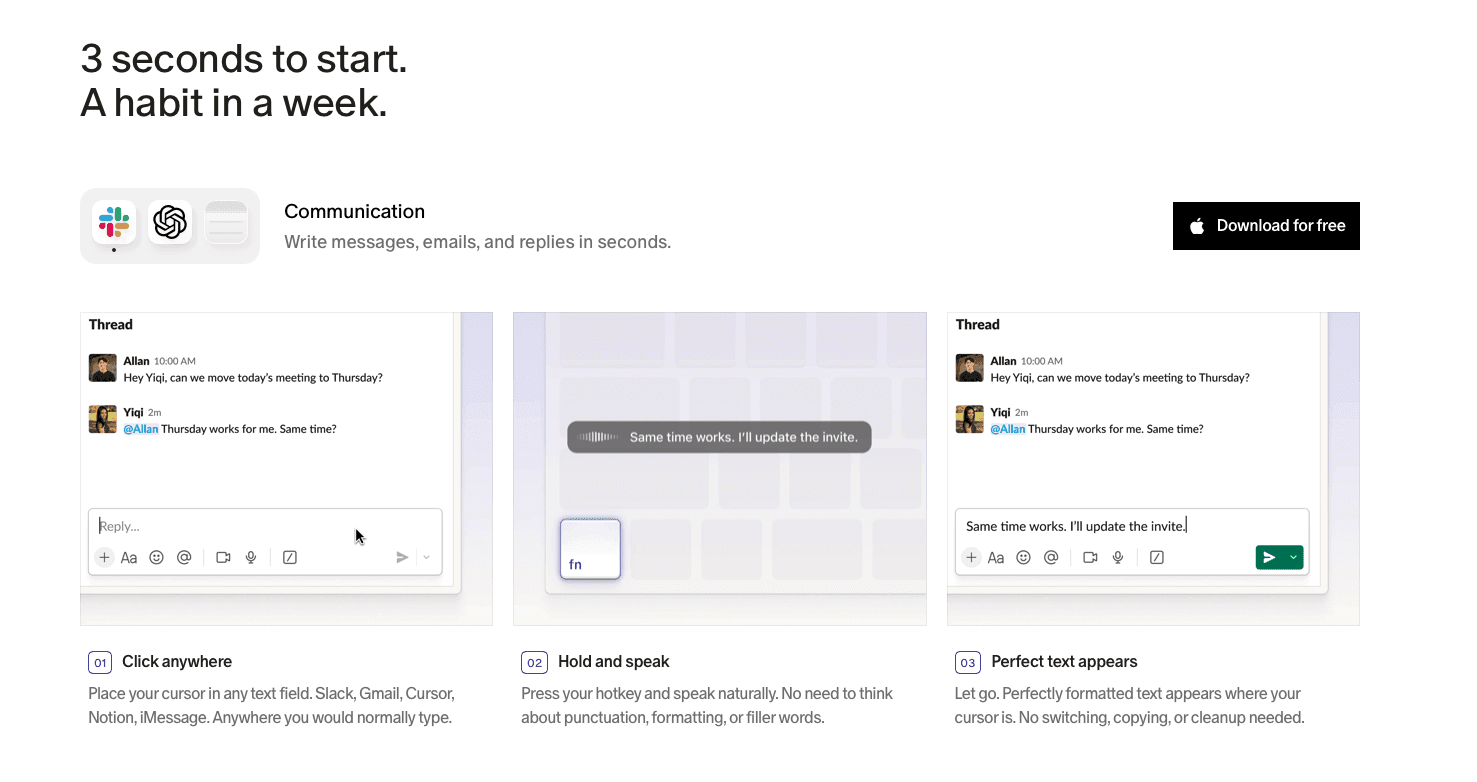
If you've looked at Superwhisper and Otter AI and found that one requires more configuration than it's worth and the other works only inside meetings, Willow Voice is built for the opposite experience. Open the app, start talking, and dictation is already accurate on the first sentence, with no models to configure, no meeting bot to add, and no setup overhead before it works the way you need.
Willow also holds up once an entire team needs voice input, beyond a single person. Admin controls let IT and security roll it out across an organization without configuring each device by hand, and SOC 2 Type II and HIPAA compliance make it usable in industries where Superwhisper's local-only setup and lack of team tooling fall short. Shared dictionaries and shortcuts keep everyone on a team consistent on names, terms, and phrasing without repeating the setup for each person.
Willow runs natively on Mac and Windows, with a custom iOS keyboard that carries the same dictation to mobile, so mixed-device teams aren't stuck picking one operating system over another. You can try Willow for free and see how it compares to whatever you're using now.
FAQs
How accurate is Superwhisper compared to Otter AI?
Superwhisper's accuracy depends on which AI model you select and how well you configure it. The Ultra model provides near-perfect accuracy but requires considerable processing time, while faster models trade some precision for speed. Otter AI performs well in clean meeting audio with distinct speakers, though accuracy drops in noisy environments or with heavy accents. Neither tool learns from your corrections over time. Willow Voice reaches 98%+ accuracy and keeps improving as it adapts to your vocabulary, names, and phrasing.
Does Superwhisper work without internet connection?
Yes, Superwhisper works entirely offline once installed and configured. This is one of its main selling points for privacy-conscious users who don't want their voice data sent to cloud servers.
Is Superwhisper or Otter AI better for everyday writing tasks?
Neither is built for everyday writing tasks. Superwhisper requires model selection and configuration before you get consistent results, and that work covers dictation only. Otter AI is designed for meetings: it does not type into documents, emails, or Slack in real time. If your goal is to replace typing across your daily workflow, Willow Voice covers that from the first session, with ~200ms latency and personalization that compounds accuracy over time.
How do Superwhisper and Otter AI handle technical terminology?
Superwhisper supports custom vocabulary setup, but configuring it requires manual work. Otter AI handles general meeting conversation well, but technical terms, product names, and domain-specific jargon can misfire in transcription and there is no persistent vocabulary learning across sessions. Willow Voice builds vocabulary automatically from your corrections, so names, technical terms, and company-specific phrasing improve without any manual dictionary configuration.
Final Thoughts: Superwhisper vs Otter AI
Superwhisper and Otter AI are both useful tools built around specific constraints. Superwhisper covers offline, local transcription for users who value data control. Otter AI covers meeting documentation for teams that want automatic notes without a human notetaker. What both leave out is real-time, system-wide voice input that gets more accurate over time and works across every app. Willow Voice is the Superwhisper alternative built for that use case: dictation at ~200ms latency that adapts to how you write, runs natively on Mac, Windows, and iOS, and scales from a single desk to an org-wide rollout with shared dictionaries, admin controls, and SOC 2 Type II and HIPAA compliance.
Superwhisper and Otter AI show up in the same searches but solve different problems. Superwhisper processes audio locally on your device, targeting privacy-focused users who want offline dictation without a cloud dependency. Otter AI records and transcribes meetings, delivering summaries and action items once the call ends. Neither tool is built for real-time, system-wide voice input that works across every app in your workday. Writing emails, drafting Slack messages, filling in documents: these happen outside meetings and outside a configuration menu. This comparison covers both tools honestly, where each fits, and which Superwhisper alternative handles day-to-day dictation without the tradeoffs either tool brings.
TLDR:
Superwhisper processes speech locally with no cloud dependency, but model selection and configuration take real time before you get consistent results.
Otter AI transcribes meetings automatically and generates summaries, but it cannot type into documents, emails, or apps in real time: it is a meeting tool, not a dictation tool.
The gap both tools leave is real-time, system-wide voice input that works across every app without a meeting to record or models to configure.
Willow Voice fills that gap: ~200ms latency keeps text in sync with speech while most tools run at 700ms+, and personalization compounds accuracy over time.
For teams, Willow Voice adds shared dictionaries, SOC 2 Type II and HIPAA compliance, and admin controls: capabilities neither Superwhisper nor Otter AI offers for org-wide rollout.
What Is Superwhisper and How Does it Work?
Superwhisper is a voice dictation tool for macOS, Windows, and iOS that processes speech locally using on-device AI models. It works through keyboard shortcuts and menu bar integration, offering four model tiers (Nano, Fast, Pro, Ultra) that let you trade processing speed for accuracy. Because everything runs on-device, your voice data stays on your machine with no cloud connection required.
The offline capability and 100+ language support are genuine strengths. The tradeoff is setup complexity. Choosing the right model, configuring custom prompts, and tuning vocabulary requires technical patience before you can start writing consistently.
Superwhisper Features
Superwhisper's four model tiers (Nano through Ultra) let you tune the speed-accuracy tradeoff for your hardware. The Ultra model delivers near-perfect accuracy; Nano processes faster at lower precision. The app works system-wide with no cloud connection, supports 100+ languages with automatic detection, and lets you configure custom vocabularies and keyboard shortcuts for any application.
Accessing these features requires navigating multiple configuration screens and understanding each model's processing requirements. Getting consistent results means matching the right model to your use case, your hardware, and your accuracy threshold.
Superwhisper Key Limitations and Gaps
The configuration burden is the core issue. Selecting the right model means understanding the accuracy-speed tradeoff, custom vocabulary setup is manual, and the interface is designed for developer workflows over everyday productivity. Resource consumption varies by model, and the larger, more accurate options demand enough processing power that older hardware slows noticeably.
Most users want dictation that improves automatically, stays fast enough to be invisible, and works from the first session. The voice typing manifesto we believe in puts simplicity first. Tools should remove friction from your workflow, not add a layer of technical overhead before you can use them.
Who Should Use Superwhisper
Superwhisper fits privacy-focused users with technical comfort who need offline, local-only processing and don't mind time spent on configuration. If you value data control above simplicity and have patience for model selection, it covers the basics well for multilingual dictation and specialized vocabulary. If you want dictation that adapts to you automatically and works from the first session, the configuration overhead will feel like friction.
Feature | Superwhisper | Otter AI | Willow | MacWhisper | Wispr Flow |
|---|---|---|---|---|---|
Primary use case | Real-time voice dictation across apps, offline | Meeting transcription and automated note-taking | Real-time system-wide dictation with personalization | One-off audio file transcription | Voice dictation across apps, cloud-only |
Setup | Manual model and mode configuration required | Quick account setup, bot joins calls automatically | Works right away, no configuration needed | Simple, but limited to file uploads | Quick install, fully cloud-dependent |
Real-time dictation | Yes, across any app | No — transcribes meetings only, cannot type into apps | Yes, ~200ms latency across any app | No (post-processing only) | Yes, but 700ms+ latency with slow startup |
Meeting notes | No | Yes — auto summaries, action items, speaker ID | No | No | No |
Offline mode | Offline only | Cloud only, no offline option | Optional offline mode alongside cloud processing | Local file processing | Cloud only, no offline option |
Device support | Mac, Windows, and iOS | Mac, Windows, iOS, and Android | Mac, Windows, and iOS | Mac only | Mac and Windows |
Team features | None | Shared workspaces, admin controls, calendar and Slack sync | Shared dictionaries and shortcuts, SOC 2 Type II and HIPAA compliance | None | Limited |
Learns from corrections | No | No | Yes — accuracy compounds over time | No | No |
Best for | Privacy-focused users who need offline dictation | Teams who want automatic meeting notes and action items | Individuals and teams who need fast, accurate dictation across every app | One-off audio file transcription | Users comfortable with cloud-only processing |
What Is Otter AI and How Does It Work?
Otter AI is a cloud-based AI meeting assistant built around automatic transcription and note-taking. It joins video calls on Zoom, Google Meet, and Microsoft Teams as a bot participant, transcribing speech in real time and generating summaries, action items, and key takeaways once the meeting ends. It also supports in-app recording for in-person conversations. Because all processing happens in the cloud, it requires a constant internet connection for every feature.
The core focus is meetings, not general voice dictation. Otter AI is designed to capture what happens in a call and surface the output afterward, rather than letting you dictate documents, emails, or messages in real time across your apps.
Otter AI Features
Otter AI transcribes meetings in real time and automatically produces a summary with action items once the call ends. Its Meeting Agent can answer questions during a live call by drawing on the transcript. Speaker identification separates participants by voice, and the transcript is searchable afterward. It integrates with calendar apps to join scheduled calls automatically and syncs with Slack, Notion, and other tools to share notes. A free plan is available, with paid tiers removing monthly transcription minute limits and adding team features like admin controls and shared workspaces.
Otter AI Key Limitations and Gaps
Otter AI is a meeting transcription tool, not a real-time voice dictation tool. It cannot type into documents, emails, Slack messages, or any app as you speak. If your goal is to replace keyboard input across your daily workflow, Otter AI does not cover that use case. All processing is cloud-only, so offline work and sensitive conversations that cannot leave your device are out of scope. Accuracy can drop in noisy environments or with heavy accents, and the bot joining your call as a visible participant raises privacy questions in some client or legal contexts. It also does not learn from your corrections over time the way a personalized dictation tool does.
Who Should Use Otter AI
Otter AI is a good fit for teams that spend a large part of their day in video meetings and want automatic notes without a human notetaker. Managers, sales teams, and recruiters who need a searchable record of every call get clear value from it. It is not the right tool for someone looking to speed up writing workflows, dictate content across apps, or replace typing in day-to-day work. If you need both meeting transcription and real-time voice dictation, you will need two separate tools.
Voice Dictation Alternatives
1. Best Overall: Willow
Superwhisper optimizes for offline control. Willow optimizes for real-world productivity. It personalizes dictation over time, eliminates configuration friction, and stays fast enough to disappear while you work.
Willow runs at approximately 200 milliseconds of latency. The text keeps up with your speech instead of trailing behind it. Most dictation tools operate at 700ms+ latency, which is slow enough to break flow state. Given the average speaking rate compared to typing, low latency is what lets dictation keep pace with how fast people talk. The software includes context-aware AI and custom dictionaries without complex configuration requirements, and it runs natively on Mac and Windows, with a custom iOS keyboard that carries dictation over to mobile for mixed-device teams.
Every correction you make in Willow compounds future accuracy. Names, phrasing, and vocabulary are remembered automatically, so you spend less time editing and more time actually writing.
Willow is built for teams as well as solo users, with admin controls that let IT and security teams manage rollout across an org instead of configuring each seat by hand. SOC 2 Type II compliance and HIPAA compliance, zero data retention, and shared dictionaries and shortcuts make it usable inside real organizations, scaling from a single desk to a company-wide deployment.
2. Developer-Only Tool: MacWhisper
MacWhisper is a powerful yet user-friendly macOS application designed to simplify audio transcription. Developed by Jordi Bruin, it uses OpenAI's Whisper speech recognition model to convert audio files into text.
However, MacWhisper focuses primarily on file transcription instead of real-time voice input. It's sufficient for short voice messages but may require additional post-edits for longer content.
The tool requires more time to set up and learn, especially for non-technical users. While it allows basic text editing, it doesn't offer advanced AI-based error correction or formatting that modern workflows demand.
MacWhisper works well for specific transcription tasks but falls short for daily productivity workflows requiring smooth voice input. The Superwhisper alternatives comparison shows how specialized tools often miss broader use cases.
3. Solid Alternative: Wispr Flow
Wispr Flow provides voice dictation across applications with whispering features and tone matching options. The tool attempts universal compatibility but relies entirely on cloud processing for functionality.
However, constant internet connectivity requirements and ongoing privacy considerations limit its practical utility for users handling sensitive information. Resource consumption around 800MB of RAM creates performance strain on many systems.
8-10 second startup times disrupt workflow speed, making it impractical for quick dictation needs. While Wispr Flow offers some interesting features, the performance issues outweigh the benefits for most users.
Many users find that testimonials from actual productivity professionals matter more than feature lists when choosing dictation tools.
How to Choose the Best Voice Dictation Tool
The choice between Superwhisper and Otter AI comes down to what you need voice to do. If your primary use case is meeting documentation, capturing what happened on a call and getting an organized summary afterward, Otter AI is purpose-built for that. If you need offline, local processing and you're comfortable configuring models and tuning settings, Superwhisper gives you that control.
Most professionals need something neither tool covers: real-time dictation that works in any app, at any point in the workday, without a meeting to record or models to configure.
Privacy requirements shape the choice too. Superwhisper keeps everything on-device by design. Otter AI runs entirely in the cloud. Willow Voice offers both: cloud processing for ~200ms latency in standard use, and an optional offline mode on Mac and iOS for workflows where audio cannot leave the device.
Teams also need more than individual dictation. Superwhisper has no team features. Otter AI offers shared meeting workspaces but no voice dictation layer for everyday writing tasks. Willow Voice covers both the individual workflow and org-wide rollout, with shared dictionaries and admin controls that keep terminology consistent across every team member.
The best fit depends on where your work actually happens. Teams spending most of their day in video meetings get clear value from Otter AI. Users who need private, local transcription and don't mind configuration time will find what they need in Superwhisper. If you need dictation that works system-wide, adapts to how you write, and scales across a team, that's a different category than either of these tools was built for.
Why Willow Is Worth Trying Over Superwhisper and Otter AI
If you've looked at Superwhisper and Otter AI and found that one requires more configuration than it's worth and the other works only inside meetings, Willow Voice is built for the opposite experience. Open the app, start talking, and dictation is already accurate on the first sentence, with no models to configure, no meeting bot to add, and no setup overhead before it works the way you need.
Willow also holds up once an entire team needs voice input, beyond a single person. Admin controls let IT and security roll it out across an organization without configuring each device by hand, and SOC 2 Type II and HIPAA compliance make it usable in industries where Superwhisper's local-only setup and lack of team tooling fall short. Shared dictionaries and shortcuts keep everyone on a team consistent on names, terms, and phrasing without repeating the setup for each person.
Willow runs natively on Mac and Windows, with a custom iOS keyboard that carries the same dictation to mobile, so mixed-device teams aren't stuck picking one operating system over another. You can try Willow for free and see how it compares to whatever you're using now.
FAQs
How accurate is Superwhisper compared to Otter AI?
Superwhisper's accuracy depends on which AI model you select and how well you configure it. The Ultra model provides near-perfect accuracy but requires considerable processing time, while faster models trade some precision for speed. Otter AI performs well in clean meeting audio with distinct speakers, though accuracy drops in noisy environments or with heavy accents. Neither tool learns from your corrections over time. Willow Voice reaches 98%+ accuracy and keeps improving as it adapts to your vocabulary, names, and phrasing.
Does Superwhisper work without internet connection?
Yes, Superwhisper works entirely offline once installed and configured. This is one of its main selling points for privacy-conscious users who don't want their voice data sent to cloud servers.
Is Superwhisper or Otter AI better for everyday writing tasks?
Neither is built for everyday writing tasks. Superwhisper requires model selection and configuration before you get consistent results, and that work covers dictation only. Otter AI is designed for meetings: it does not type into documents, emails, or Slack in real time. If your goal is to replace typing across your daily workflow, Willow Voice covers that from the first session, with ~200ms latency and personalization that compounds accuracy over time.
How do Superwhisper and Otter AI handle technical terminology?
Superwhisper supports custom vocabulary setup, but configuring it requires manual work. Otter AI handles general meeting conversation well, but technical terms, product names, and domain-specific jargon can misfire in transcription and there is no persistent vocabulary learning across sessions. Willow Voice builds vocabulary automatically from your corrections, so names, technical terms, and company-specific phrasing improve without any manual dictionary configuration.
Final Thoughts: Superwhisper vs Otter AI
Superwhisper and Otter AI are both useful tools built around specific constraints. Superwhisper covers offline, local transcription for users who value data control. Otter AI covers meeting documentation for teams that want automatic notes without a human notetaker. What both leave out is real-time, system-wide voice input that gets more accurate over time and works across every app. Willow Voice is the Superwhisper alternative built for that use case: dictation at ~200ms latency that adapts to how you write, runs natively on Mac, Windows, and iOS, and scales from a single desk to an org-wide rollout with shared dictionaries, admin controls, and SOC 2 Type II and HIPAA compliance.

Try Willow for free
Instant, accurate voice dictation. No card required.
Try Willow for free
Instant, accurate voice dictation. No card required.
Other stories you’ll love
Other stories you’ll love



Your keyboard is optional now
" transform="translate(5 5)" width="9.791000051498413px"/></svg>)

The voice-first interface for modern work.
© Willow Care, Inc. 2026. All rights reserved
Your keyboard is optional now
The voice-first interface for modern work.
© Willow Care, Inc. 2026. All rights reserved
Your keyboard is optional now
The voice-first interface for modern work.
© Willow Care, Inc. 2026. All rights reserved