" transform="translate(5 2)" width="10px"/></svg>)

•
5 min read
How to Reduce Documentation Time for Product Managers: Proven Strategies for March 2026

•
5 min read
How to Reduce Documentation Time for Product Managers: Proven Strategies for March 2026
Product managers spend a surprising portion of their week writing PRDs, status updates, meeting notes, and stakeholder emails, often repeating the same information across multiple tools and formats. Learning how to reduce documentation time for product managers starts with rethinking how that information gets captured in the first place. PMs already explain product ideas clearly in meetings and discussions, yet when those ideas need to become documentation they slow down and type everything from scratch. Voice-first writing tools let PMs capture that same explanation while speaking, turning conversations into structured drafts inside the apps they already use. Instead of treating documentation as typing, it can work more like a conversation where the writing appears while you talk.
TLDR:
Product managers can lose 12 hours weekly to documentation, mostly reformatting the same info for different audiences.
Voice dictation at 150 WPM vs. 40 WPM typing cuts documentation time by 3x for first drafts.
Templates and async documentation replace status meetings that consume half your workday.
Documentation should exist to move decisions forward, not to record every possible detail.
Some modern solutions learn your product terminology and writing style with 200ms latency for PRDs and specs that need zero editing.
Why Product Managers Spend Too Much Time on Documentation
Product managers face a time crisis that quietly derails strategic work. Research shows that PMs spend 12 hours weekly on documentation, while 52% of their time gets consumed by unplanned work. That leaves little room for high-value activities that actually move products forward.

The problem starts with fragmented communication. You're documenting the same feature updates across Slack, email, Jira tickets, and slide decks. Each stakeholder needs a different format, so you end up rewriting the same information multiple times. Engineering wants technical specs. Leadership wants strategic summaries. Sales needs customer-facing messaging.
Identify Your Biggest Documentation Time Wasters
Start by tracking your documentation activities for a week. Write down every doc task: PRDs, status updates, meeting notes, roadmap revisions, Slack summaries.
You'll likely find most time goes to three categories. First is reformatting the same information for different audiences. You write a feature spec in Jira, then rewrite it as a Slack update, then create slides for leadership, then draft a customer FAQ. The core information stays the same, but you're packaging it four times.
Second is synchronization work across tools. You update a roadmap in ProductBoard, then copy dates into a spreadsheet for finance, then paste milestones into Confluence for engineering, then summarize everything in an email. Each tool needs manual updates because nothing syncs automatically.
Third is documentation nobody reads. Meeting notes that get filed away. Status reports sent to distribution lists where recipients skim the subject line. Detailed specs written before anyone validates the problem. These docs feel productive in the moment but create zero impact.
Build Reusable Documentation Templates and Frameworks
Templates eliminate the blank page problem. When you need a PRD, a pre-built structure gives you prompts to fill in instead of forcing decisions about what to include. The same logic applies to release notes, feature specs, and meeting summaries.
Start with your four most common docs. For each one, outline the sections that repeat. A feature spec might need problem statement, user stories, success metrics, and technical constraints. Release notes might follow: what changed, why it matters, who it affects, next steps.
Save these as starter files in your team's tool. Google Docs, Notion, or Confluence works. Add placeholder text that guides what belongs in each section. "Describe the user problem in one sentence" beats a blank line under "Problem Statement."
Review your templates quarterly. If you keep deleting a section, remove it. If you always add the same missing piece, bake it into the structure.
Use Voice Dictation to Write 4x Faster
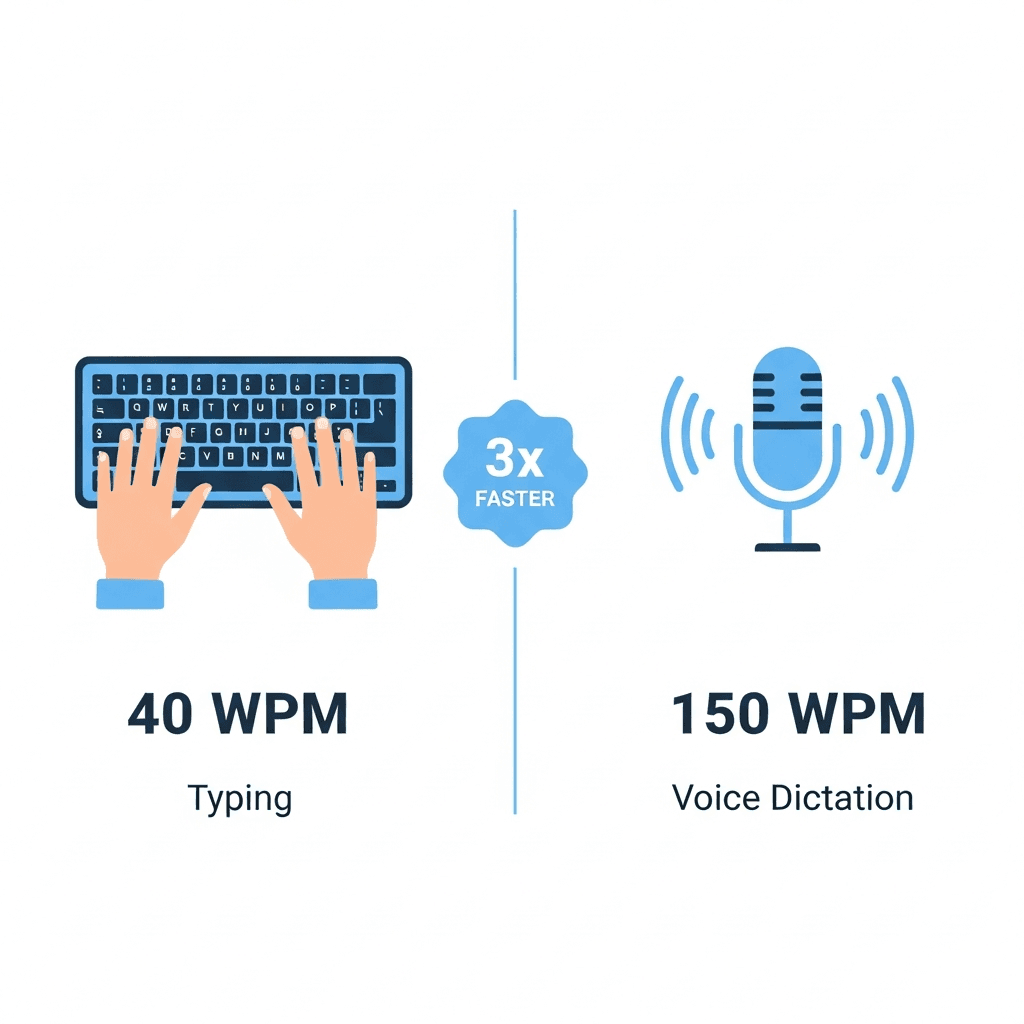
Speaking is faster than typing. Research from Stanford shows people speak at 150 words per minute on average, while typing clocks in around 40 words per minute. That's a 4x speed advantage before you account for the mental load of choosing words while your fingers hunt for keys.
Voice dictation turns that speed into documentation output. Instead of typing a PRD paragraph by paragraph, you talk through your thinking as if explaining the feature to a teammate. The initial draft appears on screen while you're still in flow, capturing ideas before they slip away.
This approach works best for first drafts. Speak to get content out of your head: meeting notes right after a call ends, user story context while the customer conversation is fresh, email responses when you need to clear your inbox fast. The goal isn't perfect prose but capturing substance at speaking speed, then editing with your keyboard.
Tool | Latency | Personalization | Team Features |
|---|---|---|---|
Willow | 200ms for real-time flow | Learns your writing patterns and product terminology | Shared dictionaries, SOC 2 and HIPAA compliance |
Wispr Flow | Wispr Flow noticeable latency during dictation | Output often requires additional editing | Individual use only |
Apple Voice Dictation | Apple Voice Dictation noticeable latency depending on device and connection | No learning or adaptation | Individual use only |
Some standard dictation tools rely on cloud processing, introduce delays that interrupt speaking flow, fail to capture personal writing style, and require additional editing afterward. Better options learn your writing style, fix grammar automatically, and keep up with your actual speaking pace without lag.
Automate Repetitive Documentation Tasks with AI
AI tools take over the mechanical documentation work that consumes hours without requiring your judgment. They work best on tasks involving reformatting instead of creating: converting meeting transcripts into action items, expanding bullets into paragraphs, or adapting technical notes for executives.
Meeting summaries deliver the fastest wins. After stakeholder calls, feed raw notes into an AI assistant to extract decisions, action items, and open questions. You get structured output in seconds versus 15 minutes of manual reformatting.
The same applies to stakeholder communications. Write technical notes in shorthand, then let AI expand them into polished leadership updates with adjusted tone and context. Draft feature bullets and convert them into properly structured specs.
You delegate translation and formatting, not thinking. You still decide what matters. AI handles the typing.
Simplify Cross-Functional Documentation Workflows
Pick one home for each piece of information. When roadmap dates live in three different tools, you spend hours keeping them synchronized. Choose where the truth lives: roadmap in ProductBoard, specs in Confluence, releases in Jira. Everyone references these sources instead of requesting custom summaries.
Set expectations about access over delivery. Tell stakeholders where to find information instead of pushing updates to them. Engineering checks Confluence for specs. Leadership reviews roadmap dashboards when they need status. Sales reads release notes in your shared folder. You maintain one version instead of creating five.
Refuse formatting requests. When someone asks for "the roadmap but as a spreadsheet," direct them to the existing source. The content exists. They can consume it where it lives. Train your cross-functional partners to pull information from shared sources. Your job is keeping those sources current, not reformatting them on demand.
Shift from Complete to Just-Enough Documentation
Documentation doesn't need to be exhaustive to be useful. The best docs answer one question: what does someone need to know to make a decision or take action right now?
Before writing anything, ask if documentation is the right format. Quick questions belong in Slack. Opinions need discussion, not docs. Updates fit standup or email. Documentation makes sense when multiple people need the same reference over time or when you're creating a decision record.
When you do document, write to the minimum viable detail. A PRD doesn't need every edge case mapped before engineering starts. It needs enough context to build the first version. Add details when teams ask questions, not preemptively.
Stop documenting work in progress. Drafts and brainstorms belong in conversations. Write docs when thinking solidifies into decisions worth preserving.
Replace Meetings with Async Documentation Practices
Product managers can spend about half their workday in meetings, many of which exist just to share status updates. Those hours vanish into calendar blocks that could have been spent shipping features.
Replace standing status meetings with written updates. Instead of a 30-minute sync where three people share progress, post a weekly summary in your team's shared space. Include what shipped, what's blocked, and what's next. Stakeholders read it when convenient, ask questions in comments, and you get that meeting time back.
Record product demos instead of presenting live. Walk through features while narrating context and trade-offs. Send the link to stakeholders who watch at their own pace, and the video becomes permanent reference material for future team members. You explain the feature once, but it reaches people across time zones and schedules.
Save meetings for decisions that need real-time debate. Async documentation handles everything else.
How Willow Helps Product Managers Reduce Documentation Time

Willow turns documentation from a typing marathon into a speaking exercise. You press the function key in any app and talk through your thinking at 150 words per minute. PRDs, meeting notes, user stories, and stakeholder emails appear on screen while you're still explaining them.
The difference comes down to three things. First, personalization means Willow learns your writing patterns and product terminology. When you mention "API rate limiting" or "customer cohort analysis," it spells technical terms correctly because it understands how you write.
Second, 200ms latency keeps your thoughts and text synchronized. Other tools like Apple's built-in voice dictation and Wispr Flow lag at 700ms or more, creating pauses that break your flow. Words appear almost instantly, so you stay focused on what you're saying.
Third, team features make documentation consistent across your product org. Shared dictionaries mean everyone's voice input recognizes the same feature names and company terminology. SOC 2 and HIPAA compliance handles enterprise security requirements without you thinking about it.
FAQs
What types of product documentation work best with voice dictation?
Voice works best for first drafts of PRDs, meeting notes, stakeholder emails, and user stories where you're capturing thinking in real-time. You'll still edit with your keyboard, but voice gets content out of your head fast while ideas are fresh.
Can I use voice dictation in all my PM tools like Jira and Slack?
Tools like Willow work in any application where you type: Gmail, Slack, Notion, Jira, Confluence, Google Docs, or your browser. You press a hotkey and speak, and text appears wherever your cursor sits without switching windows or copying between tools.
Should I document everything in detail before engineering starts building?
Write to the minimum viable detail that moves the decision or action forward. A PRD needs enough context to start building, not every edge case mapped preemptively. Add details when teams ask questions, not while documenting work in progress.
Final Thoughts on Documentation Time Management
Reducing documentation overhead starts with changing how information gets captured. When product managers stop typing every first draft and begin speaking their ideas while they work, documentation becomes faster and less disruptive to product thinking. That is the core of how to reduce documentation time for product managers: capture ideas at speaking speed, maintain a single source of truth, and cut the repeated rewriting that fills a PM’s calendar. Tools like Willow support this approach by turning spoken explanations into structured drafts inside the apps teams already use, helping product managers document decisions, specs, and updates while staying focused on product work.
Product managers spend a surprising portion of their week writing PRDs, status updates, meeting notes, and stakeholder emails, often repeating the same information across multiple tools and formats. Learning how to reduce documentation time for product managers starts with rethinking how that information gets captured in the first place. PMs already explain product ideas clearly in meetings and discussions, yet when those ideas need to become documentation they slow down and type everything from scratch. Voice-first writing tools let PMs capture that same explanation while speaking, turning conversations into structured drafts inside the apps they already use. Instead of treating documentation as typing, it can work more like a conversation where the writing appears while you talk.
TLDR:
Product managers can lose 12 hours weekly to documentation, mostly reformatting the same info for different audiences.
Voice dictation at 150 WPM vs. 40 WPM typing cuts documentation time by 3x for first drafts.
Templates and async documentation replace status meetings that consume half your workday.
Documentation should exist to move decisions forward, not to record every possible detail.
Some modern solutions learn your product terminology and writing style with 200ms latency for PRDs and specs that need zero editing.
Why Product Managers Spend Too Much Time on Documentation
Product managers face a time crisis that quietly derails strategic work. Research shows that PMs spend 12 hours weekly on documentation, while 52% of their time gets consumed by unplanned work. That leaves little room for high-value activities that actually move products forward.
The problem starts with fragmented communication. You're documenting the same feature updates across Slack, email, Jira tickets, and slide decks. Each stakeholder needs a different format, so you end up rewriting the same information multiple times. Engineering wants technical specs. Leadership wants strategic summaries. Sales needs customer-facing messaging.
Identify Your Biggest Documentation Time Wasters
Start by tracking your documentation activities for a week. Write down every doc task: PRDs, status updates, meeting notes, roadmap revisions, Slack summaries.
You'll likely find most time goes to three categories. First is reformatting the same information for different audiences. You write a feature spec in Jira, then rewrite it as a Slack update, then create slides for leadership, then draft a customer FAQ. The core information stays the same, but you're packaging it four times.
Second is synchronization work across tools. You update a roadmap in ProductBoard, then copy dates into a spreadsheet for finance, then paste milestones into Confluence for engineering, then summarize everything in an email. Each tool needs manual updates because nothing syncs automatically.
Third is documentation nobody reads. Meeting notes that get filed away. Status reports sent to distribution lists where recipients skim the subject line. Detailed specs written before anyone validates the problem. These docs feel productive in the moment but create zero impact.
Build Reusable Documentation Templates and Frameworks
Templates eliminate the blank page problem. When you need a PRD, a pre-built structure gives you prompts to fill in instead of forcing decisions about what to include. The same logic applies to release notes, feature specs, and meeting summaries.
Start with your four most common docs. For each one, outline the sections that repeat. A feature spec might need problem statement, user stories, success metrics, and technical constraints. Release notes might follow: what changed, why it matters, who it affects, next steps.
Save these as starter files in your team's tool. Google Docs, Notion, or Confluence works. Add placeholder text that guides what belongs in each section. "Describe the user problem in one sentence" beats a blank line under "Problem Statement."
Review your templates quarterly. If you keep deleting a section, remove it. If you always add the same missing piece, bake it into the structure.
Use Voice Dictation to Write 4x Faster
Speaking is faster than typing. Research from Stanford shows people speak at 150 words per minute on average, while typing clocks in around 40 words per minute. That's a 4x speed advantage before you account for the mental load of choosing words while your fingers hunt for keys.
Voice dictation turns that speed into documentation output. Instead of typing a PRD paragraph by paragraph, you talk through your thinking as if explaining the feature to a teammate. The initial draft appears on screen while you're still in flow, capturing ideas before they slip away.
This approach works best for first drafts. Speak to get content out of your head: meeting notes right after a call ends, user story context while the customer conversation is fresh, email responses when you need to clear your inbox fast. The goal isn't perfect prose but capturing substance at speaking speed, then editing with your keyboard.
Tool | Latency | Personalization | Team Features |
|---|---|---|---|
Willow | 200ms for real-time flow | Learns your writing patterns and product terminology | Shared dictionaries, SOC 2 and HIPAA compliance |
Wispr Flow | Wispr Flow noticeable latency during dictation | Output often requires additional editing | Individual use only |
Apple Voice Dictation | Apple Voice Dictation noticeable latency depending on device and connection | No learning or adaptation | Individual use only |
Some standard dictation tools rely on cloud processing, introduce delays that interrupt speaking flow, fail to capture personal writing style, and require additional editing afterward. Better options learn your writing style, fix grammar automatically, and keep up with your actual speaking pace without lag.
Automate Repetitive Documentation Tasks with AI
AI tools take over the mechanical documentation work that consumes hours without requiring your judgment. They work best on tasks involving reformatting instead of creating: converting meeting transcripts into action items, expanding bullets into paragraphs, or adapting technical notes for executives.
Meeting summaries deliver the fastest wins. After stakeholder calls, feed raw notes into an AI assistant to extract decisions, action items, and open questions. You get structured output in seconds versus 15 minutes of manual reformatting.
The same applies to stakeholder communications. Write technical notes in shorthand, then let AI expand them into polished leadership updates with adjusted tone and context. Draft feature bullets and convert them into properly structured specs.
You delegate translation and formatting, not thinking. You still decide what matters. AI handles the typing.
Simplify Cross-Functional Documentation Workflows
Pick one home for each piece of information. When roadmap dates live in three different tools, you spend hours keeping them synchronized. Choose where the truth lives: roadmap in ProductBoard, specs in Confluence, releases in Jira. Everyone references these sources instead of requesting custom summaries.
Set expectations about access over delivery. Tell stakeholders where to find information instead of pushing updates to them. Engineering checks Confluence for specs. Leadership reviews roadmap dashboards when they need status. Sales reads release notes in your shared folder. You maintain one version instead of creating five.
Refuse formatting requests. When someone asks for "the roadmap but as a spreadsheet," direct them to the existing source. The content exists. They can consume it where it lives. Train your cross-functional partners to pull information from shared sources. Your job is keeping those sources current, not reformatting them on demand.
Shift from Complete to Just-Enough Documentation
Documentation doesn't need to be exhaustive to be useful. The best docs answer one question: what does someone need to know to make a decision or take action right now?
Before writing anything, ask if documentation is the right format. Quick questions belong in Slack. Opinions need discussion, not docs. Updates fit standup or email. Documentation makes sense when multiple people need the same reference over time or when you're creating a decision record.
When you do document, write to the minimum viable detail. A PRD doesn't need every edge case mapped before engineering starts. It needs enough context to build the first version. Add details when teams ask questions, not preemptively.
Stop documenting work in progress. Drafts and brainstorms belong in conversations. Write docs when thinking solidifies into decisions worth preserving.
Replace Meetings with Async Documentation Practices
Product managers can spend about half their workday in meetings, many of which exist just to share status updates. Those hours vanish into calendar blocks that could have been spent shipping features.
Replace standing status meetings with written updates. Instead of a 30-minute sync where three people share progress, post a weekly summary in your team's shared space. Include what shipped, what's blocked, and what's next. Stakeholders read it when convenient, ask questions in comments, and you get that meeting time back.
Record product demos instead of presenting live. Walk through features while narrating context and trade-offs. Send the link to stakeholders who watch at their own pace, and the video becomes permanent reference material for future team members. You explain the feature once, but it reaches people across time zones and schedules.
Save meetings for decisions that need real-time debate. Async documentation handles everything else.
How Willow Helps Product Managers Reduce Documentation Time
Willow turns documentation from a typing marathon into a speaking exercise. You press the function key in any app and talk through your thinking at 150 words per minute. PRDs, meeting notes, user stories, and stakeholder emails appear on screen while you're still explaining them.
The difference comes down to three things. First, personalization means Willow learns your writing patterns and product terminology. When you mention "API rate limiting" or "customer cohort analysis," it spells technical terms correctly because it understands how you write.
Second, 200ms latency keeps your thoughts and text synchronized. Other tools like Apple's built-in voice dictation and Wispr Flow lag at 700ms or more, creating pauses that break your flow. Words appear almost instantly, so you stay focused on what you're saying.
Third, team features make documentation consistent across your product org. Shared dictionaries mean everyone's voice input recognizes the same feature names and company terminology. SOC 2 and HIPAA compliance handles enterprise security requirements without you thinking about it.
FAQs
What types of product documentation work best with voice dictation?
Voice works best for first drafts of PRDs, meeting notes, stakeholder emails, and user stories where you're capturing thinking in real-time. You'll still edit with your keyboard, but voice gets content out of your head fast while ideas are fresh.
Can I use voice dictation in all my PM tools like Jira and Slack?
Tools like Willow work in any application where you type: Gmail, Slack, Notion, Jira, Confluence, Google Docs, or your browser. You press a hotkey and speak, and text appears wherever your cursor sits without switching windows or copying between tools.
Should I document everything in detail before engineering starts building?
Write to the minimum viable detail that moves the decision or action forward. A PRD needs enough context to start building, not every edge case mapped preemptively. Add details when teams ask questions, not while documenting work in progress.
Final Thoughts on Documentation Time Management
Reducing documentation overhead starts with changing how information gets captured. When product managers stop typing every first draft and begin speaking their ideas while they work, documentation becomes faster and less disruptive to product thinking. That is the core of how to reduce documentation time for product managers: capture ideas at speaking speed, maintain a single source of truth, and cut the repeated rewriting that fills a PM’s calendar. Tools like Willow support this approach by turning spoken explanations into structured drafts inside the apps teams already use, helping product managers document decisions, specs, and updates while staying focused on product work.

Try Willow for free
Instant, accurate voice dictation. No card required.
Try Willow for free
Instant, accurate voice dictation. No card required.
Other stories you’ll love
Other stories you’ll love


Your keyboard is optional now
" transform="translate(5 5)" width="9.791000051498413px"/></svg>)

The voice-first interface for modern work.
© Willow Care, Inc. 2026. All rights reserved
Your keyboard is optional now
The voice-first interface for modern work.
© Willow Care, Inc. 2026. All rights reserved
Your keyboard is optional now
The voice-first interface for modern work.
© Willow Care, Inc. 2026. All rights reserved