" transform="translate(5 2)" width="10px"/></svg>)

•
5 min read
Best Speech to Text Tools for Notion (August 2026)

•
5 min read
Best Speech to Text Tools for Notion (August 2026)
We've all been there: staring at a blank Notion page, fingers hovering over the keyboard, knowing exactly what we want to say but dreading the time it'll take to type it all out. That's why developers, product managers, and busy professionals are turning to Notion speech to text tools to speed up their workflow and capture ideas at the speed of thought. Most people type at around 40 words per minute, but research on average speaking rates puts natural conversational speech at around 150 words per minute, which is nearly 4x faster productivity just waiting to be unlocked.
TLDR:
Voice dictation can increase your Notion productivity by speaking at 150 WPM versus typing at 40 WPM, a nearly 4x speed advantage.
One dedicated AI dictation tool offers universal compatibility on Mac, Windows, and iOS, with hotkey activation that works across both the desktop app and web versions of Notion, plus a genuinely unlimited free plan with no word cap and no credit card required.
Free options like Apple Dictation exist but stop after 30 seconds of silence and lack custom vocabulary support, making them a poor fit for professional Notion work.
Browser extensions like Voice In work only in web-based Notion and stop working when you switch to the desktop app.
Notion's native voice input requires a paid plan and routes speech into AI prompts instead of typing continuous text directly into page blocks.
Definition and Context
For developers writing technical docs, product managers drafting PRDs and sprint updates, and knowledge workers building team wikis, dictation is a natural evolution from traditional typing methods.
For Notion users, dictation tools shine when creating extensive documentation, brainstorming sessions, meeting notes, and quick capture scenarios. The challenge lies in finding a solution that works smoothly with Notion while maintaining accuracy and ease of use.
What's Changed in Mid-2026
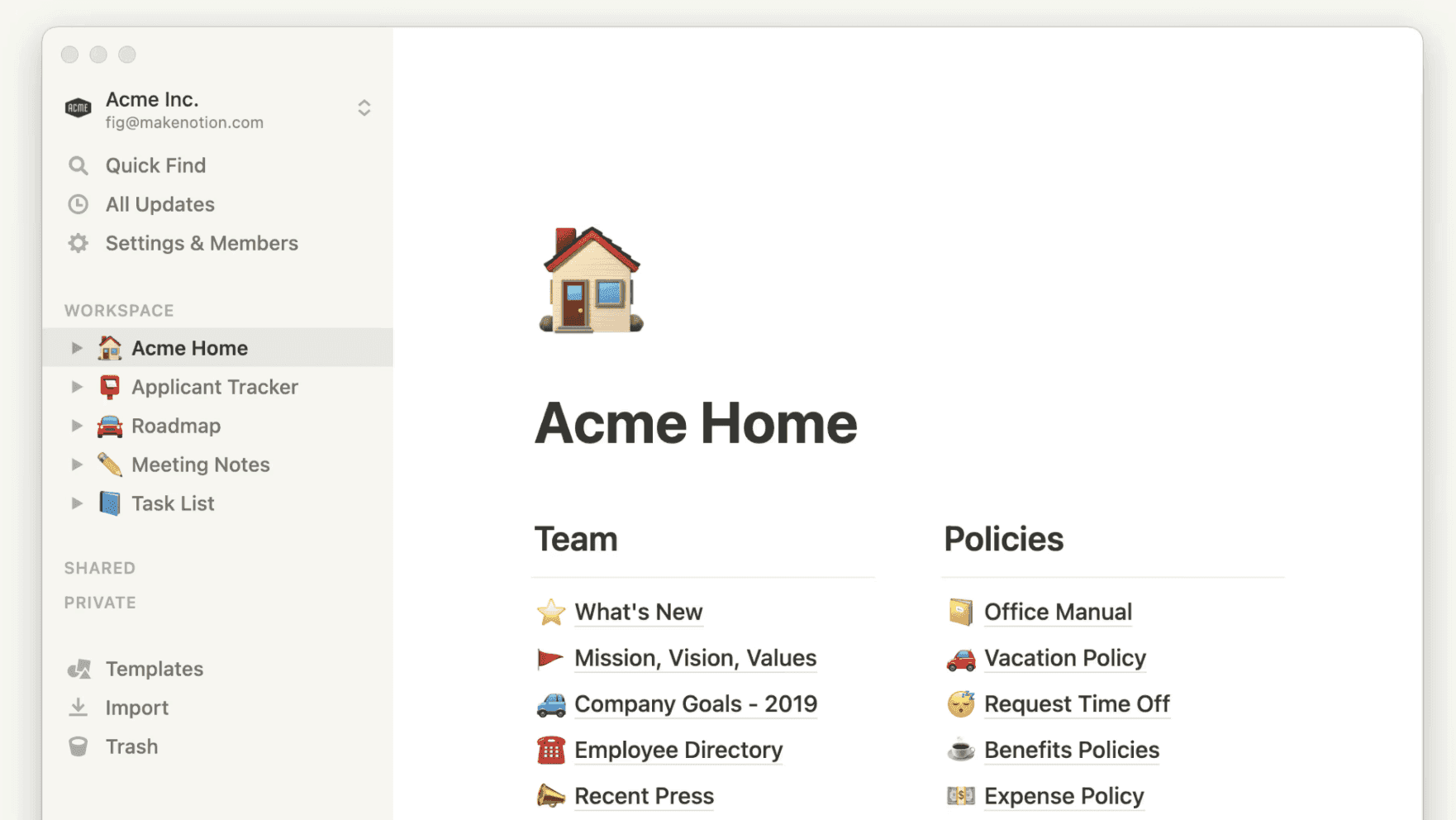
The voice input space has moved quickly in the first half of 2026, and a few developments are worth knowing before you choose a tool. Notion rolled out desktop voice input in April 2026, though as covered in the product section below, that feature feeds Notion AI prompts instead of typing continuous text directly into page blocks. More recently, Notion's AI Meeting Notes gained speaker identification, using microphone activity and calendar context to label who said what in a transcript. That's a meaningful step for meeting capture workflows, even if it doesn't close the gap on general page dictation.
The broader market signals the same direction: the global AI speech-to-text market was valued at $5.63 billion in 2026 according to a speech-to-text API market size report, projected to reach $25.28 billion by 2034. More practically, the accuracy ceiling for AI-powered dictation tools has risen to the point where sub-1-second transcription with domain vocabulary handling is now a baseline expectation and no longer a premium feature, which raises the bar for any tool you consider today.
Evaluation Methodology
We tested dictation tools based on criteria most relevant to Notion users: universal compatibility, accuracy rates, processing speed, ease of setup, language support, and pricing value. Our testing focused on tools that work well with Notion; for a broader look at the category, see our comparison of the best AI dictation tools across use cases. Our testing here focused on tools that work well with Notion, not general transcription services.
Tool | Works In | Accuracy | Latency | Free Plan | Best For |
|---|---|---|---|---|---|
Willow Voice | Desktop + Web (Mac, Windows, iOS) | 98%+ | ~200ms | Yes, unlimited | Universal Notion dictation across desktop and web |
Voice In | Web (Chrome only) | Standard | Varies by connection | Yes, basic features | Browser-based Notion users |
Notion Native Dictation | Notion only (AI prompts on desktop) | Standard | N/A | No (paid plan required) | Notion AI prompt input |
Wispr Flow | Desktop + Web (Mac, iOS; Windows limited) | ~90% | ~700ms | Yes, ~2,000 words/week cap | Cross-app dictation with AI formatting |
Apple Dictation | Mac + iOS only | Lower, no custom vocabulary | N/A | Yes, included with macOS | Basic, zero-cost Mac dictation |
1. Best Overall for Notion: Willow

Willow Voice delivers AI-powered dictation that works universally across applications with exceptional accuracy and speed. The solution provides smooth integration with Notion through simple hotkey activation, removing the need to switch between interfaces or remember different commands.
Key strengths:
Context-aware AI that understands technical terms and names for accurate Notion content
Hotkey activation (fn on Mac, Alt+Space on Windows) provides instant access without switching apps
Sub-1 second processing with 50%+ higher accuracy than built-in dictation tools
Custom dictionaries for company names and industry terminology
Works natively on Mac, Windows, and iOS, across both the desktop and web versions of Notion
Willow Voice offers a free plan with unlimited AI dictation (no word cap, no credit card required), so you can get started without committing to a subscription. For power users who want faster, more accurate dictation plus unlimited Willow Scribe (AI-assisted content generation from voice prompts), paid plans start at $12/month billed annually. Custom vocabulary and settings sync across Mac, Windows, and iOS, so your personalization carries over on every device you use.
2. Browser-Only Solution: Voice In
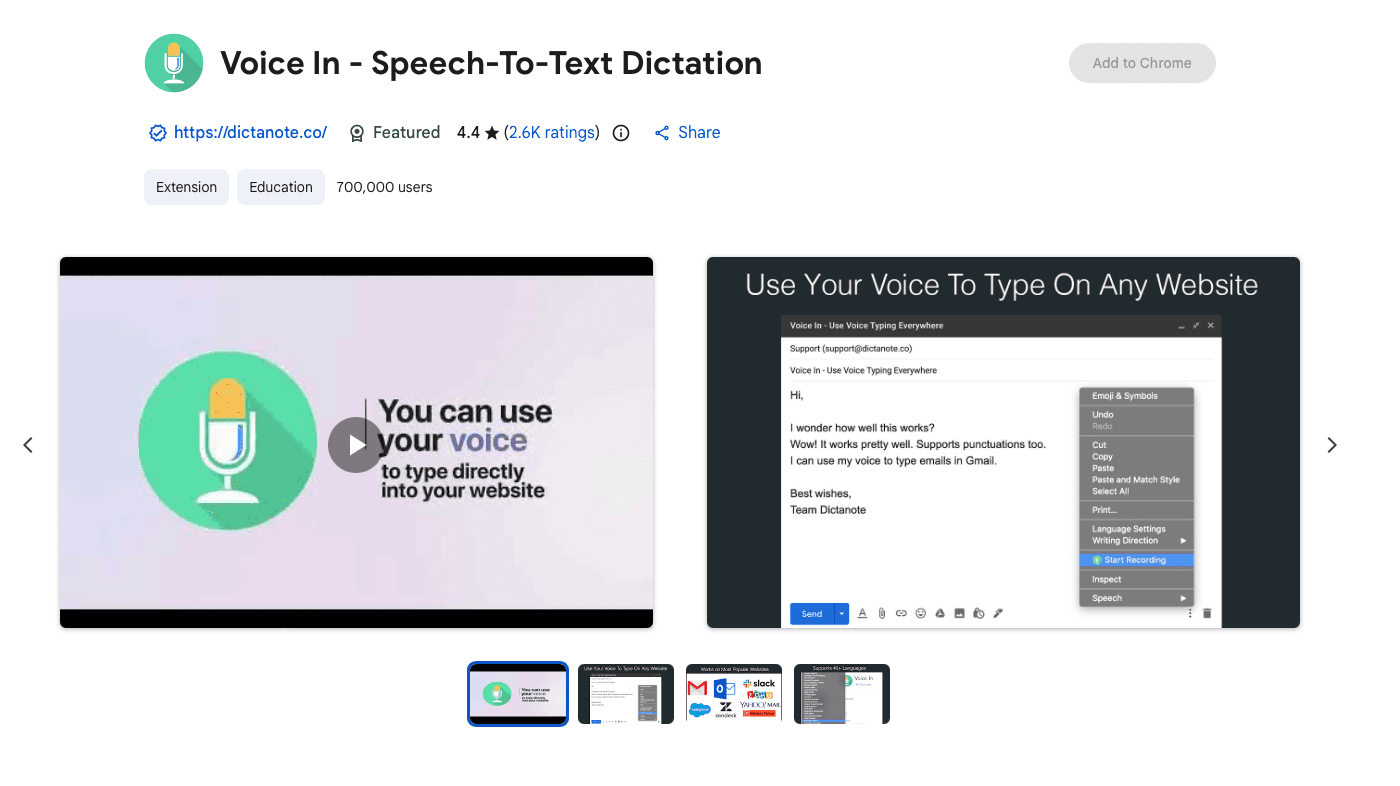
Voice In operates as a Chrome extension that allows speech recognition across thousands of websites including Notion's web interface. The tool provides basic dictation functionality for users who primarily work in browser-based environments.
Key strengths:
Free Chrome extension with straightforward setup
Works directly in Notion's web interface
Supports multiple languages
No subscription required for basic features
Voice In requires using Notion exclusively in Chrome browser instead of the desktop app, which limits flexibility for users who prefer native applications. The extension doesn't offer advanced features like custom dictionaries or context-aware corrections that professional users often need.
3. Paid Plan Required: Notion Native Dictation
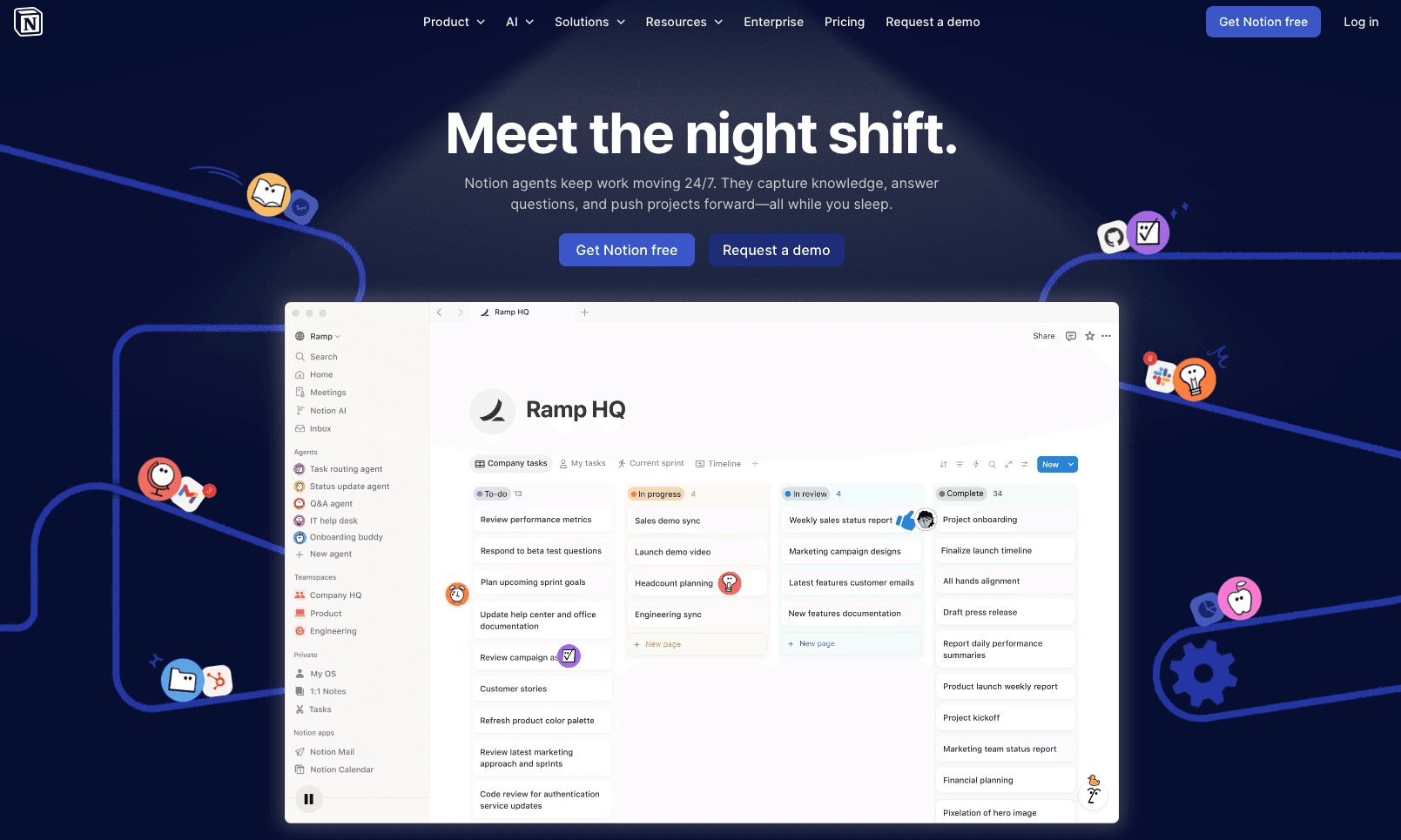
Notion added desktop voice input in April 2026, but with an important limitation: on desktop (Mac and Windows), voice input feeds Notion AI prompts only (the Agent sidebar, inline AI blocks, and meeting-note triggers) instead of typing continuous text directly into page blocks. On mobile, Notion defers to the phone keyboard's built-in dictation. For users on paid plans, the shortcut is convenient for AI-assisted tasks, but it does not replace a system-wide dictation tool for note-taking directly into headings, lists, and text blocks.
Key strengths:
Native integration within Notion interface
Real-time transcription with automatic formatting
No additional software installation required
Works across all Notion content types
The voice input feature requires a Notion paid plan, starting at $10 per seat/month (billed annually for the Plus tier). This restricts free-plan users from testing voice input without committing to a subscription, and even on paid plans, the desktop feature is scoped to AI prompt input, not general page dictation.
4. Setup-Intrusive Option: Wispr Flow
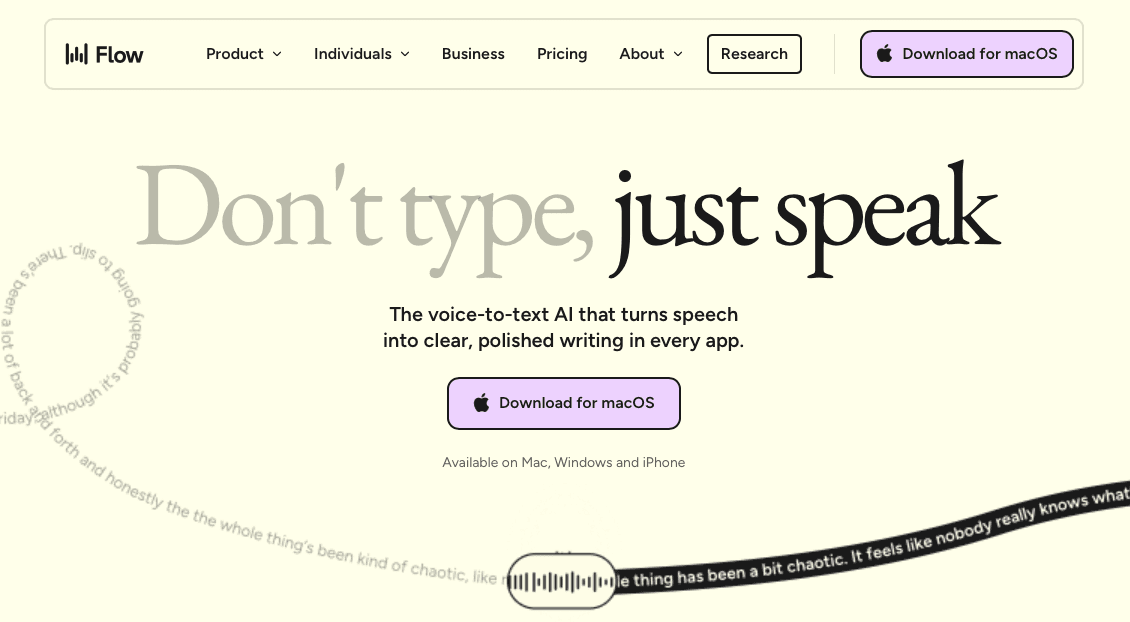
Flow provides AI-powered voice dictation with system-level integration across applications including Notion. The platform focuses on tone adaptation and context awareness for different writing scenarios.
Key strengths:
AI-powered tone adaptation for different contexts
Multi-language support with personal dictionary features
System-level integration across multiple apps
Advanced formatting and editing features
Flow has grown considerably since earlier versions. It now runs natively on Mac, Windows, iPhone, and Android, removing the Electron overhead that earlier versions carried. The tool's system-level integration is deep by design: it installs components that write into any application, which some users find more intrusive than a lightweight hotkey-activated tool. For a full breakdown of costs and how it stacks up against alternatives, see our Wispr Flow pricing and alternatives review. The onboarding experience and configuration options are more involved than plug-and-play alternatives, which requires time investment to optimize for individual workflows.
5. Free but Limited: Apple Dictation
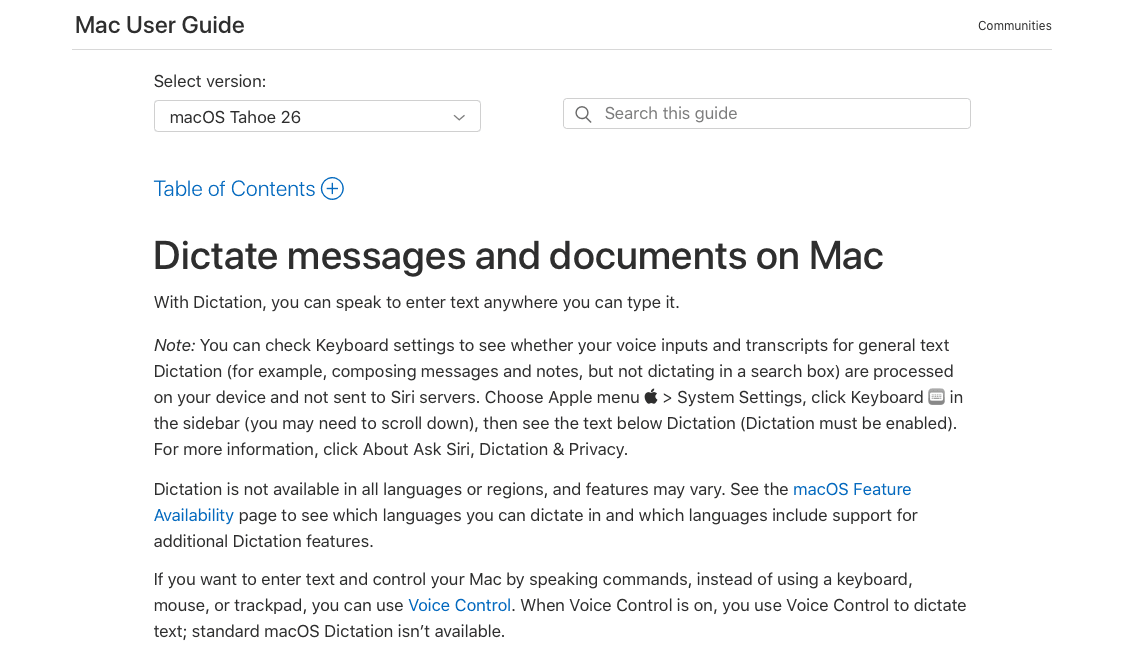
Apple's built-in dictation feature ships with macOS systems and provides basic voice input across all Mac applications including Notion. The Siri-powered tool offers zero-cost access to voice typing functions.
Key strengths:
Included free with macOS systems
Works across all Mac applications including Notion
No additional software installation required
Integrates with system accessibility features
Apple Dictation requires internet connectivity for optimal performance and auto-stops after 30 seconds of silence. There is no hard session-length cap on macOS Tahoe (version 26), but the silence-triggered cutoff makes it frustrating for extensive Notion content creation where longer, uninterrupted dictation sessions are common.
Why Willow Voice Works for Notion Users
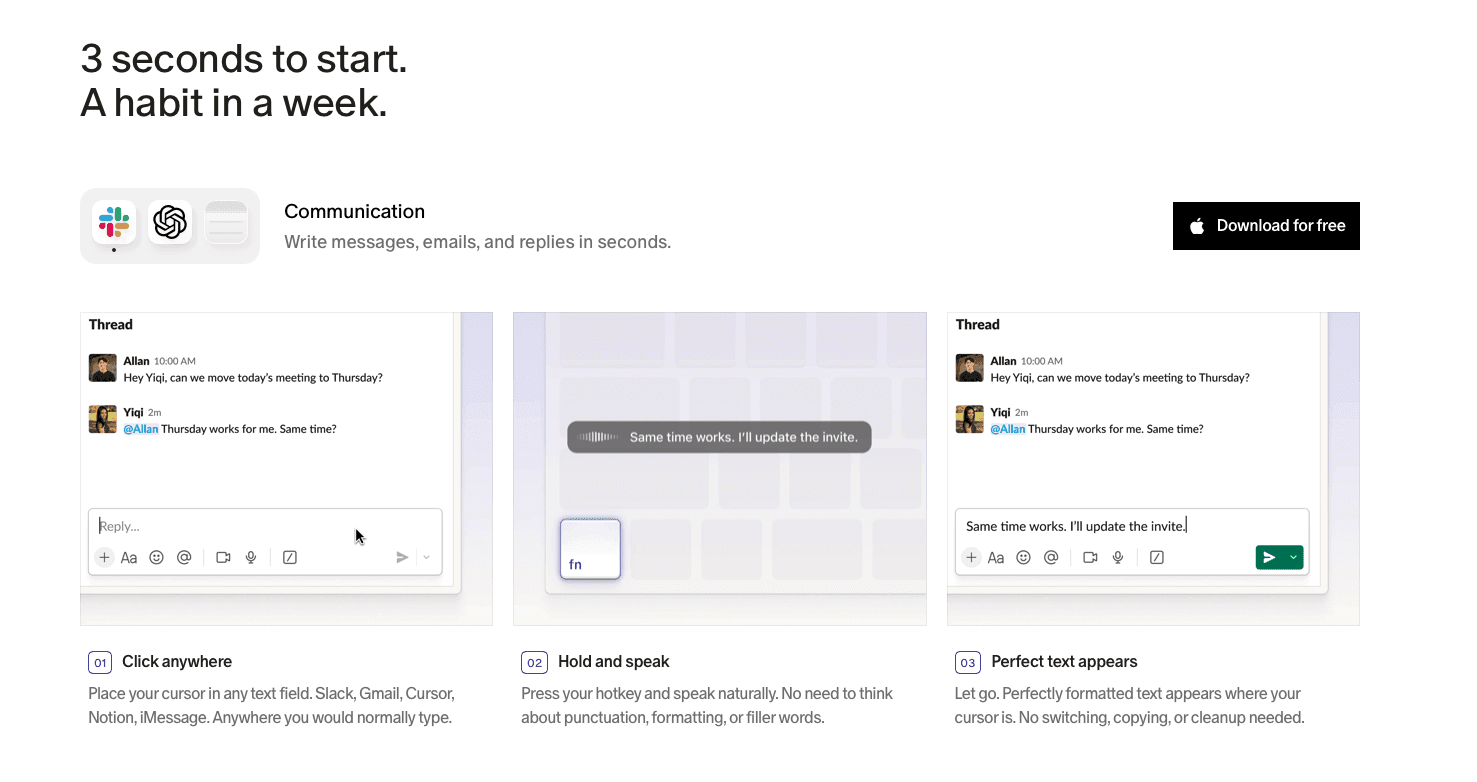
Developers filing sprint tickets, product managers writing PRDs, and most Notion users rarely stay in a single window. Most dictation tools break somewhere in that path: browser extensions stop at the desktop app boundary, and Notion's own voice input routes spoken words into AI prompts instead of typing text directly into headings and page blocks. Willow sidesteps both constraints. One hotkey (fn on Mac, Alt+Space on Windows) activates dictation in any application, so spoken words land directly into any Notion text field whether you're in the desktop app or the browser.
Accuracy matters more in Notion than it sounds. A workspace packed with sprint names, API references, internal terminology, and company shorthand will expose gaps that generic tools miss. Willow's context-aware engine handles those terms, and the Auto-Dictionary learns corrections so they stop recurring. For longer content, Willow Scribe (Fn + Control on Mac, Alt+Shift+Space on Windows) goes further by generating complete, structured content from a voice prompt, not a raw transcript. The free plan is genuinely unlimited with no word cap and no credit card required.
Teams using Notion as a shared knowledge base get an additional layer of value. Shared custom dictionaries push project names and internal terminology to every team member at once, keeping documentation consistent from day one. Admin controls handle vocabulary changes org-wide, and for engineering teams running across Windows and Mac, custom vocabulary syncs without per-device setup. Willow is SOC 2 Type II certified and HIPAA compliant with zero data retention, so org-wide rollout fits within existing security reviews without a separate procurement cycle.
FAQs
What's the difference between Willow Voice and Notion's native voice input for typing into pages?
Notion's built-in voice input (added April 2026) feeds AI prompts in the Agent sidebar and inline AI blocks. It does not type continuous text directly into headings, lists, or page blocks on desktop. Willow Voice works system-wide via a single hotkey (fn on Mac, Alt+Space on Windows), so spoken words land directly into any Notion text field, across both the desktop app and the web version, without routing through an AI prompt layer first.
Willow Voice vs. Voice In for Notion: which should I use?
Voice In works only in Chrome's browser-based Notion, which means you lose access if you prefer the desktop app or switch tabs. Willow Voice activates from any application on Mac, Windows, and iOS with the same hotkey, with no browser required and no app switching. If you work primarily in the Notion desktop app or move between multiple tools throughout your day, Voice In's browser boundary becomes a genuine workflow blocker, a real constraint instead of a minor inconvenience.
Do I need internet connectivity to use voice dictation in Notion?
Most AI-powered dictation tools process audio in the cloud and require an internet connection for full accuracy, and Willow Voice is no exception in its primary mode. Apple Dictation also depends on cloud processing for best results and imposes roughly 30-second silence cutoffs that make longer Notion sessions frustrating. Willow offers an Offline Mode on Mac and iOS for fully local processing when connectivity is restricted, though cloud mode is the default for the sub-200ms latency that makes real-time dictation feel natural.
Final Thoughts on Dictation Tools for Notion Users
The days of slowly typing out your thoughts in Notion are behind us. You can capture ideas at speaking speed (nearly 4x faster than traditional typing) and change how you work with your notes and documents. Willow makes voice input for Notion smooth, letting you focus on your ideas instead of the mechanics of getting them down. Your productivity doesn't have to be limited by your typing speed when you can think, speak, and create at the speed of thought.
We've all been there: staring at a blank Notion page, fingers hovering over the keyboard, knowing exactly what we want to say but dreading the time it'll take to type it all out. That's why developers, product managers, and busy professionals are turning to Notion speech to text tools to speed up their workflow and capture ideas at the speed of thought. Most people type at around 40 words per minute, but research on average speaking rates puts natural conversational speech at around 150 words per minute, which is nearly 4x faster productivity just waiting to be unlocked.
TLDR:
Voice dictation can increase your Notion productivity by speaking at 150 WPM versus typing at 40 WPM, a nearly 4x speed advantage.
One dedicated AI dictation tool offers universal compatibility on Mac, Windows, and iOS, with hotkey activation that works across both the desktop app and web versions of Notion, plus a genuinely unlimited free plan with no word cap and no credit card required.
Free options like Apple Dictation exist but stop after 30 seconds of silence and lack custom vocabulary support, making them a poor fit for professional Notion work.
Browser extensions like Voice In work only in web-based Notion and stop working when you switch to the desktop app.
Notion's native voice input requires a paid plan and routes speech into AI prompts instead of typing continuous text directly into page blocks.
Definition and Context
For developers writing technical docs, product managers drafting PRDs and sprint updates, and knowledge workers building team wikis, dictation is a natural evolution from traditional typing methods.
For Notion users, dictation tools shine when creating extensive documentation, brainstorming sessions, meeting notes, and quick capture scenarios. The challenge lies in finding a solution that works smoothly with Notion while maintaining accuracy and ease of use.
What's Changed in Mid-2026
The voice input space has moved quickly in the first half of 2026, and a few developments are worth knowing before you choose a tool. Notion rolled out desktop voice input in April 2026, though as covered in the product section below, that feature feeds Notion AI prompts instead of typing continuous text directly into page blocks. More recently, Notion's AI Meeting Notes gained speaker identification, using microphone activity and calendar context to label who said what in a transcript. That's a meaningful step for meeting capture workflows, even if it doesn't close the gap on general page dictation.
The broader market signals the same direction: the global AI speech-to-text market was valued at $5.63 billion in 2026 according to a speech-to-text API market size report, projected to reach $25.28 billion by 2034. More practically, the accuracy ceiling for AI-powered dictation tools has risen to the point where sub-1-second transcription with domain vocabulary handling is now a baseline expectation and no longer a premium feature, which raises the bar for any tool you consider today.
Evaluation Methodology
We tested dictation tools based on criteria most relevant to Notion users: universal compatibility, accuracy rates, processing speed, ease of setup, language support, and pricing value. Our testing focused on tools that work well with Notion; for a broader look at the category, see our comparison of the best AI dictation tools across use cases. Our testing here focused on tools that work well with Notion, not general transcription services.
Tool | Works In | Accuracy | Latency | Free Plan | Best For |
|---|---|---|---|---|---|
Willow Voice | Desktop + Web (Mac, Windows, iOS) | 98%+ | ~200ms | Yes, unlimited | Universal Notion dictation across desktop and web |
Voice In | Web (Chrome only) | Standard | Varies by connection | Yes, basic features | Browser-based Notion users |
Notion Native Dictation | Notion only (AI prompts on desktop) | Standard | N/A | No (paid plan required) | Notion AI prompt input |
Wispr Flow | Desktop + Web (Mac, iOS; Windows limited) | ~90% | ~700ms | Yes, ~2,000 words/week cap | Cross-app dictation with AI formatting |
Apple Dictation | Mac + iOS only | Lower, no custom vocabulary | N/A | Yes, included with macOS | Basic, zero-cost Mac dictation |
1. Best Overall for Notion: Willow
Willow Voice delivers AI-powered dictation that works universally across applications with exceptional accuracy and speed. The solution provides smooth integration with Notion through simple hotkey activation, removing the need to switch between interfaces or remember different commands.
Key strengths:
Context-aware AI that understands technical terms and names for accurate Notion content
Hotkey activation (fn on Mac, Alt+Space on Windows) provides instant access without switching apps
Sub-1 second processing with 50%+ higher accuracy than built-in dictation tools
Custom dictionaries for company names and industry terminology
Works natively on Mac, Windows, and iOS, across both the desktop and web versions of Notion
Willow Voice offers a free plan with unlimited AI dictation (no word cap, no credit card required), so you can get started without committing to a subscription. For power users who want faster, more accurate dictation plus unlimited Willow Scribe (AI-assisted content generation from voice prompts), paid plans start at $12/month billed annually. Custom vocabulary and settings sync across Mac, Windows, and iOS, so your personalization carries over on every device you use.
2. Browser-Only Solution: Voice In
Voice In operates as a Chrome extension that allows speech recognition across thousands of websites including Notion's web interface. The tool provides basic dictation functionality for users who primarily work in browser-based environments.
Key strengths:
Free Chrome extension with straightforward setup
Works directly in Notion's web interface
Supports multiple languages
No subscription required for basic features
Voice In requires using Notion exclusively in Chrome browser instead of the desktop app, which limits flexibility for users who prefer native applications. The extension doesn't offer advanced features like custom dictionaries or context-aware corrections that professional users often need.
3. Paid Plan Required: Notion Native Dictation
Notion added desktop voice input in April 2026, but with an important limitation: on desktop (Mac and Windows), voice input feeds Notion AI prompts only (the Agent sidebar, inline AI blocks, and meeting-note triggers) instead of typing continuous text directly into page blocks. On mobile, Notion defers to the phone keyboard's built-in dictation. For users on paid plans, the shortcut is convenient for AI-assisted tasks, but it does not replace a system-wide dictation tool for note-taking directly into headings, lists, and text blocks.
Key strengths:
Native integration within Notion interface
Real-time transcription with automatic formatting
No additional software installation required
Works across all Notion content types
The voice input feature requires a Notion paid plan, starting at $10 per seat/month (billed annually for the Plus tier). This restricts free-plan users from testing voice input without committing to a subscription, and even on paid plans, the desktop feature is scoped to AI prompt input, not general page dictation.
4. Setup-Intrusive Option: Wispr Flow
Flow provides AI-powered voice dictation with system-level integration across applications including Notion. The platform focuses on tone adaptation and context awareness for different writing scenarios.
Key strengths:
AI-powered tone adaptation for different contexts
Multi-language support with personal dictionary features
System-level integration across multiple apps
Advanced formatting and editing features
Flow has grown considerably since earlier versions. It now runs natively on Mac, Windows, iPhone, and Android, removing the Electron overhead that earlier versions carried. The tool's system-level integration is deep by design: it installs components that write into any application, which some users find more intrusive than a lightweight hotkey-activated tool. For a full breakdown of costs and how it stacks up against alternatives, see our Wispr Flow pricing and alternatives review. The onboarding experience and configuration options are more involved than plug-and-play alternatives, which requires time investment to optimize for individual workflows.
5. Free but Limited: Apple Dictation
Apple's built-in dictation feature ships with macOS systems and provides basic voice input across all Mac applications including Notion. The Siri-powered tool offers zero-cost access to voice typing functions.
Key strengths:
Included free with macOS systems
Works across all Mac applications including Notion
No additional software installation required
Integrates with system accessibility features
Apple Dictation requires internet connectivity for optimal performance and auto-stops after 30 seconds of silence. There is no hard session-length cap on macOS Tahoe (version 26), but the silence-triggered cutoff makes it frustrating for extensive Notion content creation where longer, uninterrupted dictation sessions are common.
Why Willow Voice Works for Notion Users
Developers filing sprint tickets, product managers writing PRDs, and most Notion users rarely stay in a single window. Most dictation tools break somewhere in that path: browser extensions stop at the desktop app boundary, and Notion's own voice input routes spoken words into AI prompts instead of typing text directly into headings and page blocks. Willow sidesteps both constraints. One hotkey (fn on Mac, Alt+Space on Windows) activates dictation in any application, so spoken words land directly into any Notion text field whether you're in the desktop app or the browser.
Accuracy matters more in Notion than it sounds. A workspace packed with sprint names, API references, internal terminology, and company shorthand will expose gaps that generic tools miss. Willow's context-aware engine handles those terms, and the Auto-Dictionary learns corrections so they stop recurring. For longer content, Willow Scribe (Fn + Control on Mac, Alt+Shift+Space on Windows) goes further by generating complete, structured content from a voice prompt, not a raw transcript. The free plan is genuinely unlimited with no word cap and no credit card required.
Teams using Notion as a shared knowledge base get an additional layer of value. Shared custom dictionaries push project names and internal terminology to every team member at once, keeping documentation consistent from day one. Admin controls handle vocabulary changes org-wide, and for engineering teams running across Windows and Mac, custom vocabulary syncs without per-device setup. Willow is SOC 2 Type II certified and HIPAA compliant with zero data retention, so org-wide rollout fits within existing security reviews without a separate procurement cycle.
FAQs
What's the difference between Willow Voice and Notion's native voice input for typing into pages?
Notion's built-in voice input (added April 2026) feeds AI prompts in the Agent sidebar and inline AI blocks. It does not type continuous text directly into headings, lists, or page blocks on desktop. Willow Voice works system-wide via a single hotkey (fn on Mac, Alt+Space on Windows), so spoken words land directly into any Notion text field, across both the desktop app and the web version, without routing through an AI prompt layer first.
Willow Voice vs. Voice In for Notion: which should I use?
Voice In works only in Chrome's browser-based Notion, which means you lose access if you prefer the desktop app or switch tabs. Willow Voice activates from any application on Mac, Windows, and iOS with the same hotkey, with no browser required and no app switching. If you work primarily in the Notion desktop app or move between multiple tools throughout your day, Voice In's browser boundary becomes a genuine workflow blocker, a real constraint instead of a minor inconvenience.
Do I need internet connectivity to use voice dictation in Notion?
Most AI-powered dictation tools process audio in the cloud and require an internet connection for full accuracy, and Willow Voice is no exception in its primary mode. Apple Dictation also depends on cloud processing for best results and imposes roughly 30-second silence cutoffs that make longer Notion sessions frustrating. Willow offers an Offline Mode on Mac and iOS for fully local processing when connectivity is restricted, though cloud mode is the default for the sub-200ms latency that makes real-time dictation feel natural.
Final Thoughts on Dictation Tools for Notion Users
The days of slowly typing out your thoughts in Notion are behind us. You can capture ideas at speaking speed (nearly 4x faster than traditional typing) and change how you work with your notes and documents. Willow makes voice input for Notion smooth, letting you focus on your ideas instead of the mechanics of getting them down. Your productivity doesn't have to be limited by your typing speed when you can think, speak, and create at the speed of thought.

Try Willow for free
Instant, accurate voice dictation. No card required.
Try Willow for free
Instant, accurate voice dictation. No card required.
Other stories you’ll love
Other stories you’ll love



Your keyboard is optional now
" transform="translate(5 5)" width="9.791000051498413px"/></svg>)

The voice-first interface for modern work.
© Willow Care, Inc. 2026. All rights reserved
Your keyboard is optional now
The voice-first interface for modern work.
© Willow Care, Inc. 2026. All rights reserved
Your keyboard is optional now
The voice-first interface for modern work.
© Willow Care, Inc. 2026. All rights reserved