" transform="translate(5 2)" width="10px"/></svg>)

•
5 min read
10 Essential Claude Code Best Practices for Developers in May 2026

•
5 min read
10 Essential Claude Code Best Practices for Developers in May 2026
Claude code best practices involve a lot of typing: CLAUDE.md files, custom slash commands, sub-agent configs, and permission rules that stack up fast. Speaking those instructions instead of typing them keeps you in flow state while your AI workflow runs in the background. Voice dictation with 200ms latency means your words appear before you finish your next thought, so you can review agent outputs, update hooks, and refine prompts without ever slowing down to catch up with your keyboard.
TLDR:
CLAUDE.md under 300 lines gives Claude your stack, commands, and style rules at session start.
Some MCP server configurations have raised security concerns around credential storage and access control; lock permissions with managed-settings.json.
Sub-agents offload discrete tasks to isolated contexts, returning only summaries to the main session.
Slash commands automate repetitive prompts; hooks fire guardrails at lifecycle events automatically.
A dedicated voice dictation tool handles Claude Code prompts at 200ms latency while Wispr Flow and Apple's built-in voice dictation run 700ms+.
Craft a CLAUDE.md File That Actually Works
CLAUDE.md is the configuration file Claude Code reads automatically at the start of every session, much like how voice coding requires initial setup to work smoothly. Without it, Claude starts cold every time, unaware of your stack, your conventions, or what "done" looks like in your repo. That context gap is where wasted iterations come from.
Run /init first. It scans your project structure and generates a baseline file you can build from. The goal after that is curation, not accumulation.
Here is what belongs in CLAUDE.md:
Tech stack and architecture summary
Build, test, and lint commands
Code style and naming conventions
Hard rules for things Claude should never do without asking
What does not belong: lengthy documentation, full API references, anything that rarely changes. Those live in separate files you pull in via @file imports.
Keep it under 300 lines. Past that, you are feeding Claude noise instead of signal. Put the most actionable context at the top and link extended docs only when needed. See this CLAUDE.md configuration guide for detailed examples.
Secure Your Development Environment with MCP Server Controls
MCP servers give Claude access to databases, APIs, and external services. That power comes with real risk. Some MCP server configurations have raised security concerns around credential storage and access control, making misconfiguration a genuine production concern worth fixing before deployment. Follow MCP security best practices to protect your development environment.

Start with managed-settings.json. It controls which MCP servers are allowed in your environment and overrides project-level configuration. For teams, it's the right place to lock down connections instead of leaving those decisions to individual developers.
Set per-server permission tiers using allow/ask/deny lists. Use ask for anything that writes or deletes, and deny for capabilities that have no business running in your setup. Avoid enableAllProjectMcpServers entirely as it bypasses the permission layer and grants access to any MCP server a project defines.
Manage Context Windows with Sub-Agents
Context bloat is one of the most common reasons long Claude Code sessions go sideways. As a conversation grows, Claude spends more attention on old work than current work. Sub-agents fix this by offloading discrete tasks into isolated context windows, returning only summaries to the parent session.
When should you delegate? If a task produces output you'll reference later but don't need to watch execute step-by-step, it's a good sub-agent candidate. Code analysis, test generation, documentation passes, and multi-file refactors all fit this pattern. Keep the main conversation for work that needs active review.
Setting Up Custom Sub-Agents
Add markdown files to .claude/agents/ to create custom agents. Each file sets the agent's name, description, available tools, and system prompt. You can scope tool access per agent individually: read-only for a documentation agent, write permissions for a refactor agent. See the Claude Code sub-agents docs for the full configuration schema.
The tradeoff is visibility. Sub-agents run in the background and return summaries only, so intermediate steps stay hidden unless you build logging in. For well-defined, repeatable tasks, that's a worthwhile exchange. For high-stakes changes, the main context gives you more oversight.
Structure Prompts for Agentic Workflows
The plan-then-execute pattern catches wrong assumptions before they compound across files. Ask Claude to outline its approach first, review it, then proceed. One checkpoint costs thirty seconds. A misaligned multi-file change costs far more.
Be specific over generic. Name the files, state the constraint, define what correct output looks like when developers prompt AI tools. Scope investigations with phrases like "check only these two modules" to prevent Claude from pulling in far more context than the task needs.
When the outcome is clear, be prescriptive. When you need options surfaced, go exploratory. Close the trust-then-verify gap by ending each agentic task with a confirmation prompt: what changed, what got skipped, and why.
Use Git Workflows and Version Control Integration
Branch before Claude touches anything. Parallel branches isolate work, keep main clean, and produce a clear diff when Claude finishes.
Claude Code can read GitHub issues and open pull requests directly. Point it at an issue number, let it execute, then review the output the same way you would code from a new hire. AI-generated code can still contain wrong assumptions about side effects or state, which is why voice dictation in Cursor pairs well with thorough review.
Prefer reversible actions. If Claude wants to delete, rename, or restructure across files, confirm you're on a branch first. Clean branch history makes rollback trivial.
Optimize Performance With Custom Slash Commands and Hooks
Repetitive instructions typed session after session are a signal that something should be automated. Slash commands and hooks are how you close that loop.
Store slash commands in .claude/commands/ as markdown files. Claude reads them when you type the command name. One useful trick: embed shell output directly using $() syntax, so a /review command can pull your current git diff inline before Claude ever sees the prompt.
Hooks work differently. They fire automatically at lifecycle events, like before a tool call or after a test run, with no user input needed. Use hooks for guardrails and deterministic steps you want running regardless of what the session is doing. See the Claude Code hooks reference for the full list of supported events and configuration options.
The Practical Split
Slash commands for workflows you trigger intentionally, such as code review, PR description generation, and test suite runs, work well with voice input tools for Cursor.
Hooks for enforcement logic that should never depend on you remembering to ask, covering lint checks, file write confirmations, and output logging.
Together, they cut the repetitive instruction overhead that accumulates across long projects.
Control Tool Access and Permissions
Blanket access is the wrong default. Scope to specific invocations instead of permitting a tool category broadly: Bash(git diff:*) allows only git diff commands while leaving the rest of bash blocked. That granularity matters when Claude Code runs across a team with developers at different trust levels.
For sensitive paths, use deny rules on directories you never want touched: secrets files, .env configs, and migration scripts. Network commands with no reason to reach external hosts belong there too.
Sub-agents don't inherit the full parent session permission set. A documentation agent should have read access only. Set tool lists individually in each agent's markdown definition file to keep scope tight.
Develop Code Quality Gates and Review Processes
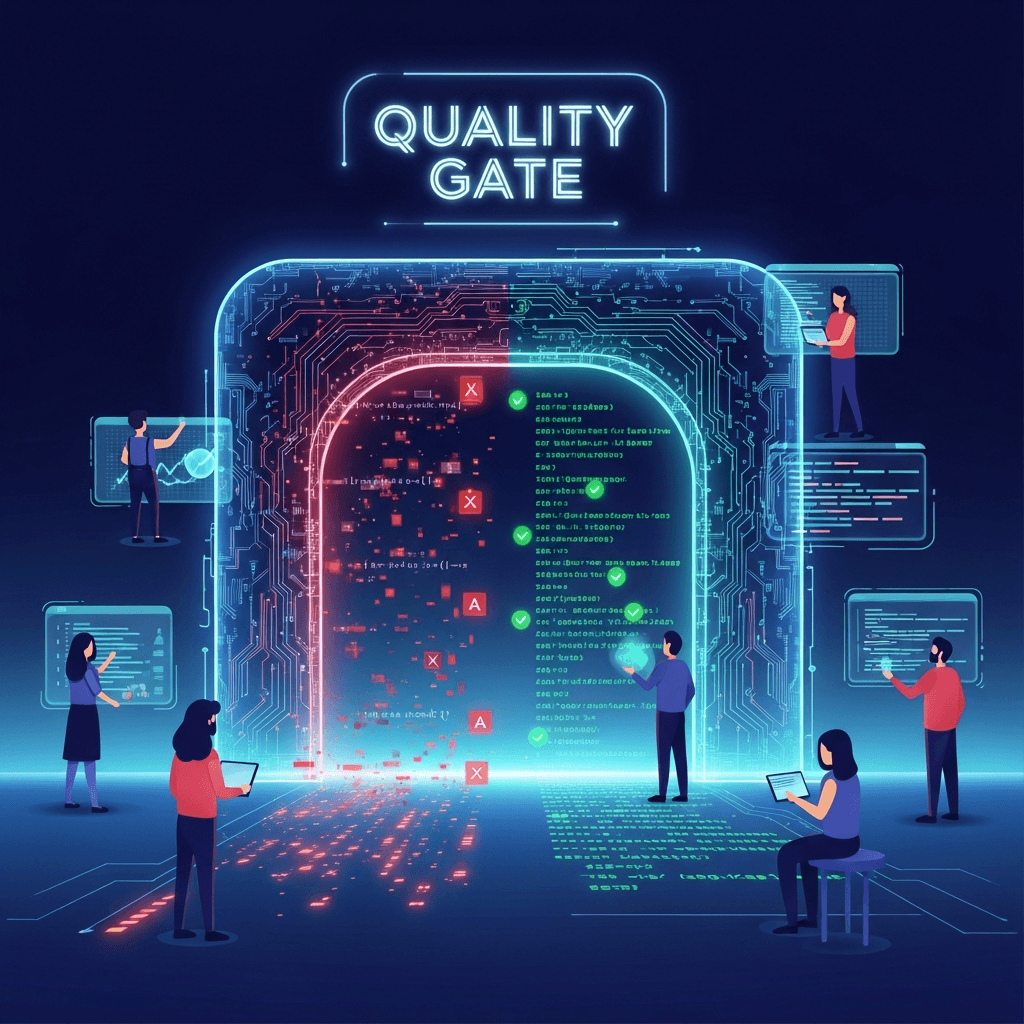
Automated quality gates give Claude a clear standard to meet and help you ship code faster with voice. Run linters and formatters automatically, require passing test suites before merging AI-generated code, and define review checklists in your CLAUDE.md so expectations are explicit from the start.
Apply Progressive Disclosure to Project Documentation
Large codebases break the flat documentation model fast. You can't put everything in CLAUDE.md, and you shouldn't try.
The fix is a tiered structure. Keep CLAUDE.md as your always-loaded layer, then create task-specific docs Claude pulls in only when relevant. A /docs/auth.md file doesn't need to be in context during a database refactor.
Use file:line pointers instead of copying code into documentation, freeing up time for AI voice dictation in Cursor. Reference the actual source so Claude reads the current version, not a snapshot that might already be stale.
Organize it like this:
Layer | What Goes Here | When Claude Reads It |
|---|---|---|
CLAUDE.md | Stack, commands, hard rules | Every session |
Task docs | Feature-specific context | On @import or reference |
Source pointers | file:line references | On demand |
The goal is relevance, not completeness. Claude reads what you give it, so give it only what the current task needs.
Team-Wide Standards and Shared Configurations

Committing .claude/ to version control distributes your slash commands, hooks, and agent configs to every developer who clones the repo with no manual setup required. Maintain a shared CLAUDE.md template that teams fork and customize per project, paired with a shared dictionary file covering internal product names and acronyms.
Define these task boundaries clearly across your team:
Well-scoped, reversible tasks are the right fit for AI assistance.
Architectural decisions and security-critical paths need human-led review first.
Compliance-adjacent code needs deliberate sign-off before AI-suggested changes reach production.
Typing out detailed prompts for Claude Code takes longer than most developers expect. Willow is a voice dictation tool built for this kind of work, with 200ms latency that keeps you in flow state while competitors sit at 700ms or more.
Speak your CLAUDE.md updates, slash commands, or agent instructions naturally using AI voice dictation for coding, and Willow transcribes them with accuracy that improves over time as it learns your writing style. Built for teams, Willow delivers enterprise-grade security (SOC 2, HIPAA) and collaboration features like shared shortcuts and dictionary terms that accelerate productivity across your entire development team.
FAQs
Can I build a Claude Code workflow without constantly retyping my project context?
Yes. Create a CLAUDE.md file in your project root with your tech stack, build commands, and code conventions. Claude reads it automatically at the start of every session. Keep it under 300 lines and put the most actionable context at the top.
Claude Code sub-agents vs keeping everything in one conversation?
Sub-agents isolate discrete tasks (like test generation or documentation) into separate context windows and return only summaries, preventing context bloat. Use them for well-defined, repeatable tasks where you don't need to watch every execution step, but stick with the main conversation for changes requiring active review.
What's the fastest way to write complex Claude Code prompts without breaking flow state?
Use voice dictation with Willow, which transcribes technical instructions at 200ms latency while you stay focused on architecture decisions. Willow learns your writing style over time and handles company-specific terminology automatically, so you can dictate CLAUDE.md updates or multi-step agent instructions hands-free.
Final Thoughts on Refining Your Claude Code Setup
Strong Claude Code best practices save time by cutting out ambiguity before Claude starts executing. Your config files define the guardrails, your prompts set the scope, and your review process catches what automation misses. Willow helps close the gap when typing slows you down during rapid iteration. Better setup produces better results consistently.
Claude code best practices involve a lot of typing: CLAUDE.md files, custom slash commands, sub-agent configs, and permission rules that stack up fast. Speaking those instructions instead of typing them keeps you in flow state while your AI workflow runs in the background. Voice dictation with 200ms latency means your words appear before you finish your next thought, so you can review agent outputs, update hooks, and refine prompts without ever slowing down to catch up with your keyboard.
TLDR:
CLAUDE.md under 300 lines gives Claude your stack, commands, and style rules at session start.
Some MCP server configurations have raised security concerns around credential storage and access control; lock permissions with managed-settings.json.
Sub-agents offload discrete tasks to isolated contexts, returning only summaries to the main session.
Slash commands automate repetitive prompts; hooks fire guardrails at lifecycle events automatically.
A dedicated voice dictation tool handles Claude Code prompts at 200ms latency while Wispr Flow and Apple's built-in voice dictation run 700ms+.
Craft a CLAUDE.md File That Actually Works
CLAUDE.md is the configuration file Claude Code reads automatically at the start of every session, much like how voice coding requires initial setup to work smoothly. Without it, Claude starts cold every time, unaware of your stack, your conventions, or what "done" looks like in your repo. That context gap is where wasted iterations come from.
Run /init first. It scans your project structure and generates a baseline file you can build from. The goal after that is curation, not accumulation.
Here is what belongs in CLAUDE.md:
Tech stack and architecture summary
Build, test, and lint commands
Code style and naming conventions
Hard rules for things Claude should never do without asking
What does not belong: lengthy documentation, full API references, anything that rarely changes. Those live in separate files you pull in via @file imports.
Keep it under 300 lines. Past that, you are feeding Claude noise instead of signal. Put the most actionable context at the top and link extended docs only when needed. See this CLAUDE.md configuration guide for detailed examples.
Secure Your Development Environment with MCP Server Controls
MCP servers give Claude access to databases, APIs, and external services. That power comes with real risk. Some MCP server configurations have raised security concerns around credential storage and access control, making misconfiguration a genuine production concern worth fixing before deployment. Follow MCP security best practices to protect your development environment.
Start with managed-settings.json. It controls which MCP servers are allowed in your environment and overrides project-level configuration. For teams, it's the right place to lock down connections instead of leaving those decisions to individual developers.
Set per-server permission tiers using allow/ask/deny lists. Use ask for anything that writes or deletes, and deny for capabilities that have no business running in your setup. Avoid enableAllProjectMcpServers entirely as it bypasses the permission layer and grants access to any MCP server a project defines.
Manage Context Windows with Sub-Agents
Context bloat is one of the most common reasons long Claude Code sessions go sideways. As a conversation grows, Claude spends more attention on old work than current work. Sub-agents fix this by offloading discrete tasks into isolated context windows, returning only summaries to the parent session.
When should you delegate? If a task produces output you'll reference later but don't need to watch execute step-by-step, it's a good sub-agent candidate. Code analysis, test generation, documentation passes, and multi-file refactors all fit this pattern. Keep the main conversation for work that needs active review.
Setting Up Custom Sub-Agents
Add markdown files to .claude/agents/ to create custom agents. Each file sets the agent's name, description, available tools, and system prompt. You can scope tool access per agent individually: read-only for a documentation agent, write permissions for a refactor agent. See the Claude Code sub-agents docs for the full configuration schema.
The tradeoff is visibility. Sub-agents run in the background and return summaries only, so intermediate steps stay hidden unless you build logging in. For well-defined, repeatable tasks, that's a worthwhile exchange. For high-stakes changes, the main context gives you more oversight.
Structure Prompts for Agentic Workflows
The plan-then-execute pattern catches wrong assumptions before they compound across files. Ask Claude to outline its approach first, review it, then proceed. One checkpoint costs thirty seconds. A misaligned multi-file change costs far more.
Be specific over generic. Name the files, state the constraint, define what correct output looks like when developers prompt AI tools. Scope investigations with phrases like "check only these two modules" to prevent Claude from pulling in far more context than the task needs.
When the outcome is clear, be prescriptive. When you need options surfaced, go exploratory. Close the trust-then-verify gap by ending each agentic task with a confirmation prompt: what changed, what got skipped, and why.
Use Git Workflows and Version Control Integration
Branch before Claude touches anything. Parallel branches isolate work, keep main clean, and produce a clear diff when Claude finishes.
Claude Code can read GitHub issues and open pull requests directly. Point it at an issue number, let it execute, then review the output the same way you would code from a new hire. AI-generated code can still contain wrong assumptions about side effects or state, which is why voice dictation in Cursor pairs well with thorough review.
Prefer reversible actions. If Claude wants to delete, rename, or restructure across files, confirm you're on a branch first. Clean branch history makes rollback trivial.
Optimize Performance With Custom Slash Commands and Hooks
Repetitive instructions typed session after session are a signal that something should be automated. Slash commands and hooks are how you close that loop.
Store slash commands in .claude/commands/ as markdown files. Claude reads them when you type the command name. One useful trick: embed shell output directly using $() syntax, so a /review command can pull your current git diff inline before Claude ever sees the prompt.
Hooks work differently. They fire automatically at lifecycle events, like before a tool call or after a test run, with no user input needed. Use hooks for guardrails and deterministic steps you want running regardless of what the session is doing. See the Claude Code hooks reference for the full list of supported events and configuration options.
The Practical Split
Slash commands for workflows you trigger intentionally, such as code review, PR description generation, and test suite runs, work well with voice input tools for Cursor.
Hooks for enforcement logic that should never depend on you remembering to ask, covering lint checks, file write confirmations, and output logging.
Together, they cut the repetitive instruction overhead that accumulates across long projects.
Control Tool Access and Permissions
Blanket access is the wrong default. Scope to specific invocations instead of permitting a tool category broadly: Bash(git diff:*) allows only git diff commands while leaving the rest of bash blocked. That granularity matters when Claude Code runs across a team with developers at different trust levels.
For sensitive paths, use deny rules on directories you never want touched: secrets files, .env configs, and migration scripts. Network commands with no reason to reach external hosts belong there too.
Sub-agents don't inherit the full parent session permission set. A documentation agent should have read access only. Set tool lists individually in each agent's markdown definition file to keep scope tight.
Develop Code Quality Gates and Review Processes
Automated quality gates give Claude a clear standard to meet and help you ship code faster with voice. Run linters and formatters automatically, require passing test suites before merging AI-generated code, and define review checklists in your CLAUDE.md so expectations are explicit from the start.
Apply Progressive Disclosure to Project Documentation
Large codebases break the flat documentation model fast. You can't put everything in CLAUDE.md, and you shouldn't try.
The fix is a tiered structure. Keep CLAUDE.md as your always-loaded layer, then create task-specific docs Claude pulls in only when relevant. A /docs/auth.md file doesn't need to be in context during a database refactor.
Use file:line pointers instead of copying code into documentation, freeing up time for AI voice dictation in Cursor. Reference the actual source so Claude reads the current version, not a snapshot that might already be stale.
Organize it like this:
Layer | What Goes Here | When Claude Reads It |
|---|---|---|
CLAUDE.md | Stack, commands, hard rules | Every session |
Task docs | Feature-specific context | On @import or reference |
Source pointers | file:line references | On demand |
The goal is relevance, not completeness. Claude reads what you give it, so give it only what the current task needs.
Team-Wide Standards and Shared Configurations
Committing .claude/ to version control distributes your slash commands, hooks, and agent configs to every developer who clones the repo with no manual setup required. Maintain a shared CLAUDE.md template that teams fork and customize per project, paired with a shared dictionary file covering internal product names and acronyms.
Define these task boundaries clearly across your team:
Well-scoped, reversible tasks are the right fit for AI assistance.
Architectural decisions and security-critical paths need human-led review first.
Compliance-adjacent code needs deliberate sign-off before AI-suggested changes reach production.
Typing out detailed prompts for Claude Code takes longer than most developers expect. Willow is a voice dictation tool built for this kind of work, with 200ms latency that keeps you in flow state while competitors sit at 700ms or more.
Speak your CLAUDE.md updates, slash commands, or agent instructions naturally using AI voice dictation for coding, and Willow transcribes them with accuracy that improves over time as it learns your writing style. Built for teams, Willow delivers enterprise-grade security (SOC 2, HIPAA) and collaboration features like shared shortcuts and dictionary terms that accelerate productivity across your entire development team.
FAQs
Can I build a Claude Code workflow without constantly retyping my project context?
Yes. Create a CLAUDE.md file in your project root with your tech stack, build commands, and code conventions. Claude reads it automatically at the start of every session. Keep it under 300 lines and put the most actionable context at the top.
Claude Code sub-agents vs keeping everything in one conversation?
Sub-agents isolate discrete tasks (like test generation or documentation) into separate context windows and return only summaries, preventing context bloat. Use them for well-defined, repeatable tasks where you don't need to watch every execution step, but stick with the main conversation for changes requiring active review.
What's the fastest way to write complex Claude Code prompts without breaking flow state?
Use voice dictation with Willow, which transcribes technical instructions at 200ms latency while you stay focused on architecture decisions. Willow learns your writing style over time and handles company-specific terminology automatically, so you can dictate CLAUDE.md updates or multi-step agent instructions hands-free.
Final Thoughts on Refining Your Claude Code Setup
Strong Claude Code best practices save time by cutting out ambiguity before Claude starts executing. Your config files define the guardrails, your prompts set the scope, and your review process catches what automation misses. Willow helps close the gap when typing slows you down during rapid iteration. Better setup produces better results consistently.

Try Willow for free
Instant, accurate voice dictation. No card required.
Try Willow for free
Instant, accurate voice dictation. No card required.
Other stories you’ll love
Other stories you’ll love


Your keyboard is optional now
" transform="translate(5 5)" width="9.791000051498413px"/></svg>)

The voice-first interface for modern work.
© Willow Care, Inc. 2026. All rights reserved
Your keyboard is optional now
The voice-first interface for modern work.
© Willow Care, Inc. 2026. All rights reserved
Your keyboard is optional now
The voice-first interface for modern work.
© Willow Care, Inc. 2026. All rights reserved