" transform="translate(5 2)" width="10px"/></svg>)

•
5 min read
Willow Voice vs. Wispr Flow for Academia (July 2026)

•
5 min read
Willow Voice vs. Wispr Flow for Academia (July 2026)
Most people searching Wispr Flow vs. Willow for Universities and Higher Education are focused on features like latency or accuracy. Those matter, but the bigger split is architectural. One tool was designed around a single user's workflow. The other was built for org-wide deployment, shared vocabulary, and the kind of compliance infrastructure that higher education IT teams actually need to sign off on.
TLDR:
Willow Voice processes audio at ~200ms vs. Wispr Flow's ~700ms, a gap that compounds across long academic writing sessions.
Willow reaches 98%+ accuracy with domain vocabulary, running 3x fewer errors than built-in tools on field-specific terminology.
Wispr Flow does not publish a dedicated institutional licensing model, which can create friction for IT procurement teams deploying at scale.
Zero data retention and a signed BAA make Willow well suited for organizations with FERPA- and IRB-related data handling requirements.
Willow Voice runs on Mac, Windows, and iOS with shared custom dictionaries, letting mixed-device departments work from one vocabulary baseline.
What Is Wispr Flow?
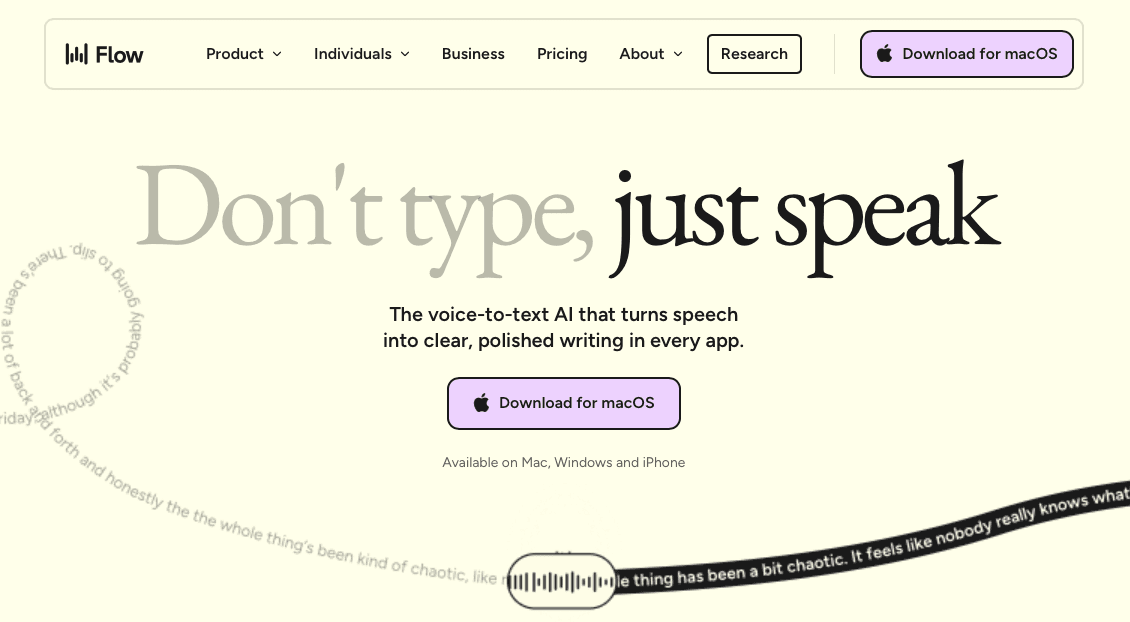
Wispr Flow is an AI-powered voice dictation tool built primarily for Mac and iPhone users who want fast, context-aware transcription without switching apps. It works as a system-wide overlay, meaning you can speak into virtually any text field across your operating system instead of being locked to a single application.
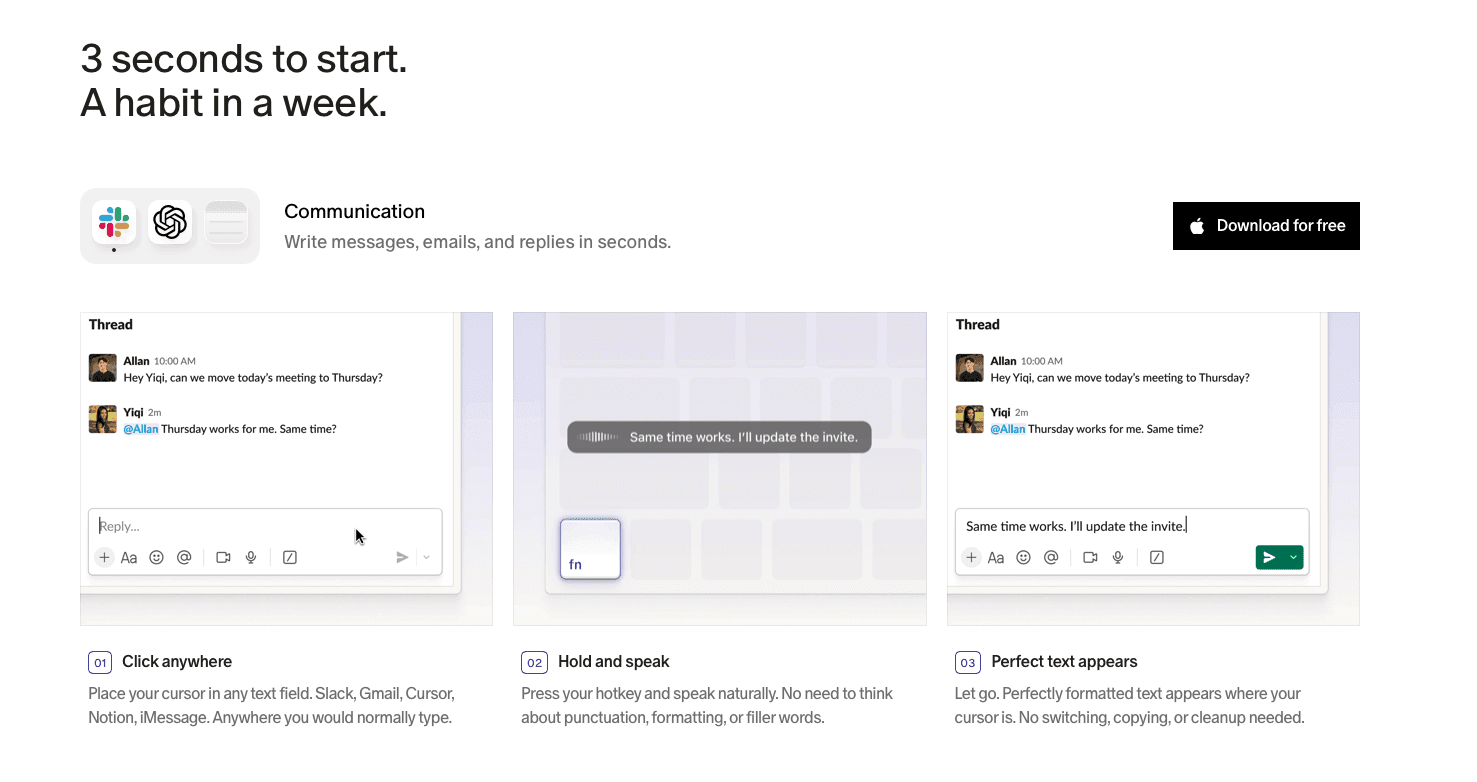
The tool is designed around a push-to-talk workflow: you hold a key, speak, and Wispr Flow transcribes and lightly formats your input before inserting it. Its latency runs at roughly ~700ms from the moment you stop speaking.
What Is Willow Voice?

Willow Voice is an AI dictation tool built for speed, accuracy, and personalization across Mac, Windows, and iOS. The core design philosophy is zero-edit dictation: text appears at approximately 200ms, into any application, as fast as you speak.
Where most dictation tools treat vocabulary as a static library, Willow learns how you write over time. It picks up names, technical terms, and recurring phrases through its Auto-Dictionary, so accuracy improves without manual configuration. In university environments, that means field-specific terminology across disciplines, from pharmacology to contract law to engineering notation, stops requiring correction after the first few sessions.
Willow is also built for organizational deployment beyond individual use. SOC 2 Type II and HIPAA compliance, shared custom dictionaries, admin controls, and team leaderboards make it viable for IT-managed rollouts across departments. Wispr Flow, by contrast, was designed primarily as a personal productivity tool and scales to teams as a secondary consideration. For a deeper look, see our Willow Voice vs Wispr Flow comparison.
Willow Voice vs. Wispr Flow: At a Glance
Feature | Willow Voice | Wispr Flow |
|---|---|---|
Latency | ~200ms | ~700ms |
Accuracy | 98%+ with personalization | Strong general accuracy |
Custom vocabulary | Yes, with Auto-Dictionary | Limited |
Platforms | Mac, Windows, iOS | Mac, iOS |
SOC 2 Type II | Yes | Yes |
HIPAA compliant | Yes | Yes, on certain plans |
Team features | Shared dictionaries, admin controls, leaderboards | Individual-focused |
Pricing model | Per seat, team plans available | Individual subscription |
Speed and Accuracy for Academic Work
Academic writing moves fast. A researcher mid-thought, a faculty member recording grant notes between meetings, a student capturing ideas before they dissolve: all of them need transcription that keeps pace without introducing a correction loop that costs more time than typing would have.

What Each Tool Delivers
Willow Voice processes audio at ~200ms with fast voice dictation, meaning text appears before the next thought forms. Wispr Flow runs at approximately ~700ms, a gap that compounds across a long dictation session.
On accuracy, Willow reaches 98%+ with domain vocabulary intact, running 3x fewer errors than built-in tools. Wispr Flow performs well in general speech but has less specialization for academic terminology: field-specific jargon, citation formats, and discipline-specific phrasing may require more manual correction passes.
Privacy and Institutional Data Security
Universities handle data that sits at the intersection of federal law, institutional policy, and individual rights. FERPA governs student records. IRB protocols cover research data. Sponsored research agreements impose their own confidentiality requirements. When a voice tool enters that environment, it touches all of it.
Willow Voice is SOC 2 Type II and HIPAA compliant, with a zero data retention architecture built into the core product. Audio is processed and discarded, never stored for model training.
Wispr Flow has expanded its compliance posture and is now SOC 2 Type II, ISO 27001, and HIPAA-eligible on certain plans. That matters and is worth acknowledging. The distinction that bears scrutiny is one of design priority: Willow's compliance infrastructure is central to the product architecture, not a plan-gated add-on.
For higher education IT and procurement teams, a few specific considerations tend to drive the evaluation:
FERPA-sensitive workflows require that student record data not persist outside institutional control. Zero data retention is an important requirement for many institutions and use cases with strict data governance policies.
Research data under IRB protocols or federal grant agreements often carries explicit data handling restrictions that need to be traced back to a vendor's processing architecture.
Admin controls and org-wide deployment matter at scale. Managing dictation access across a department or institution requires visibility into who is using the tool and how, without relying on individual self-configuration.
Willow's admin dashboard gives IT teams centralized control over deployment, user management, and shared vocabulary configuration across the organization. Learn more about enterprise team deployment.
Deployment, Administration, and IT Considerations
Deploying voice dictation across a university means managing hundreds or thousands of users across faculties, departments, and research groups, each with different device configurations and data sensitivity requirements.
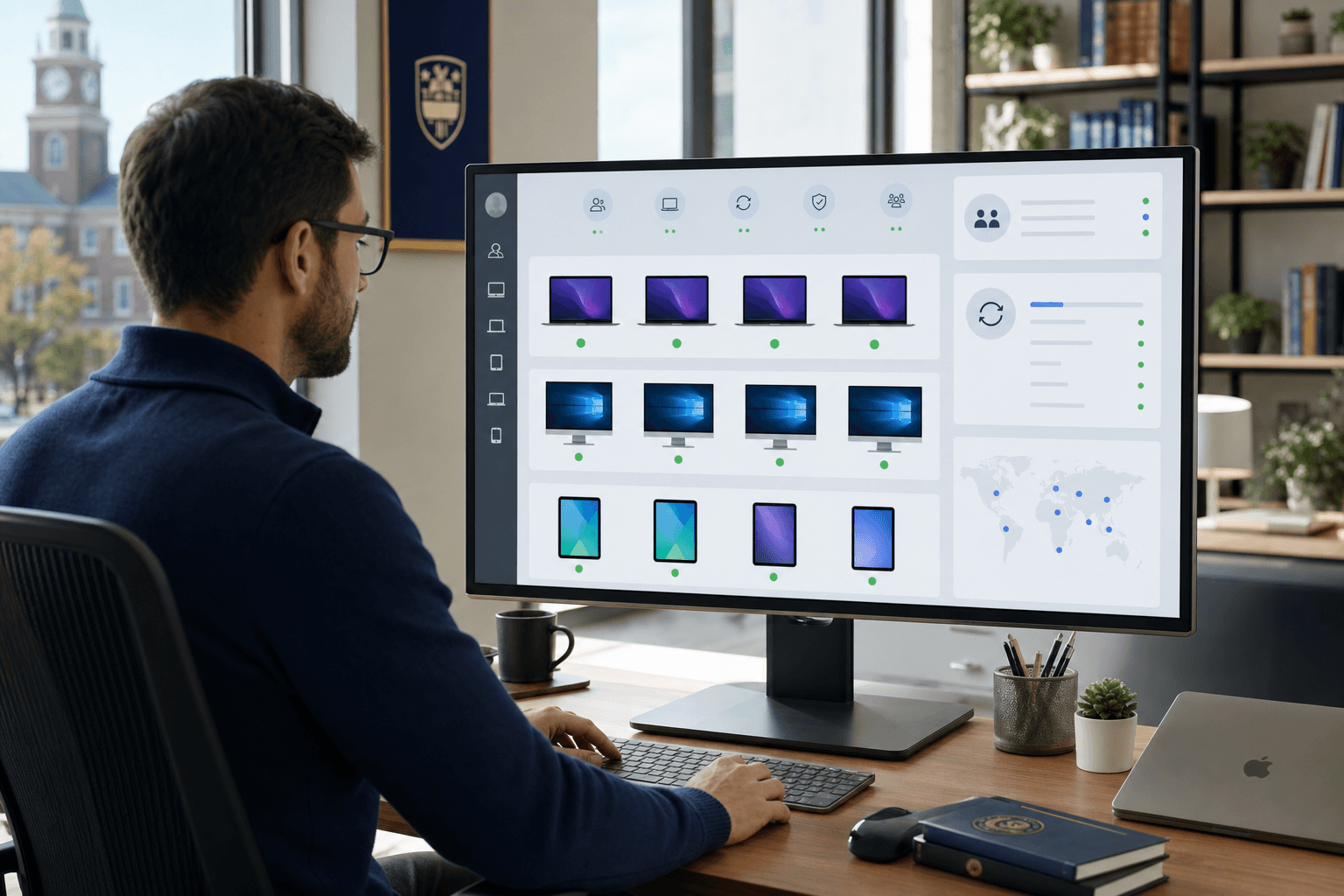
Wispr Flow's deployment story is largely individual. Accounts are tied to personal logins, with no published admin layer for provisioning users at scale, monitoring adoption, or pushing shared configurations. For IT teams, that means relying on individual self-configuration with no centralized visibility across a department or research group.
Willow is built for organizational rollout. Admins can manage users, push shared custom dictionaries across teams, and monitor usage through team leaderboards that surface adoption data by group. For an IT director rolling out voice dictation to a faculty of 200, that visibility matters.
Willow also runs natively on Mac, Windows, and iOS, which matters in higher education environments where device diversity is the norm. A department running a mix of Windows lab machines and faculty MacBooks works from the same shared vocabulary configuration without per-device setup.
Academic Vocabulary, Personalization, and Accessibility
Both Willow Voice and Wispr Flow handle general speech well, but university environments surface vocabulary that breaks generic models fast. A faculty member recording a lecture on immunogenicity, a PhD student narrating a methods section on spectroscopic analysis, or a disability services coordinator documenting accommodation requests all need their terminology to land correctly on the first pass.
Willow's Auto-Dictionary learns domain vocabulary over time, picking up specialized terms, proper nouns, and field-specific jargon without manual entry. Beyond transcription, Willow Scribe can generate full written content from voice prompts. For departments where terminology is consistent across a team, shared custom dictionaries let the whole group work from the same vocabulary baseline.
Wispr Flow improves with use but does not offer the same team-level vocabulary infrastructure, making it better suited to individual workflows than department-wide rollouts.
Accessibility is another area where the tools diverge structurally. Students with motor disabilities, RSI, or dyslexia often rely on voice input as a required accommodation. At ~200ms, Willow's correction loop stays short enough for real-time use; Wispr Flow's ~700ms window is more disruptive when voice is the primary input method. For an overview of how speech-to-text tools support students with disabilities, Amberscript's breakdown covers the broader accessibility space.
Pricing and Access for Students, Faculty, and Institutions
Wispr Flow offers a free tier with limited usage and a Pro plan at $14/month (or $10/month billed annually). There is no publicly listed institutional or campus licensing option, which can create friction for IT procurement teams trying to deploy at scale.
Willow Voice offers individual plans starting at a comparable price point, but the more relevant consideration for higher education is its enterprise and team licensing model. Institutions can negotiate org-wide rollout with admin controls, shared custom dictionaries, and SOC 2 Type II and HIPAA compliance baked in, without managing dozens of individual subscriptions.
Why Willow Voice Is the Better Choice for Universities
Willow Voice is built for what academic work actually demands: researchers voicing literature reviews, faculty drafting grant proposals, and students producing written work across devices and apps. At ~200ms, text appears before the next thought forms. The Auto-Dictionary learns domain vocabulary without manual setup, so accuracy compounds over time. Hear from users who switched to Willow about the difference in practice.
Built for the Institutional Context
Higher education procurement isn't an individual decision. IT administrators need SOC 2 Type II and HIPAA compliance, audit controls, and org-wide deployment options before a tool can move past a pilot. Willow is built for that environment: shared custom dictionaries let departments standardize terminology across the team, admin controls support org-wide configuration, and cross-device vocabulary sync means a professor on a Windows desktop works from the same setup as on iOS between classes.
FAQs
How do the two tools handle academic and discipline-specific vocabulary differently?
Willow's Auto-Dictionary learns domain terminology over time, picking up field-specific jargon, proper nouns, and recurring phrases without manual entry, and shared custom dictionaries let entire departments work from the same vocabulary baseline. Wispr Flow improves with use but lacks the team-level vocabulary infrastructure, which means terminology consistency across a research group or faculty depends on individual configuration instead of shared setup.
Does the latency difference between the two tools actually matter for academic work?
For most general-purpose writing, a 500ms gap may feel minor. For a graduate student working through a long literature review or a faculty member speaking between thoughts mid-session, Willow's ~200ms processing versus Wispr Flow's ~700ms compounds across the session, and each pause interrupts the rhythm of thinking. For students using voice as an accessibility accommodation and not simply a convenience, that correction loop has a more direct impact on usability.
Can a university deploy Willow Voice across a mixed Windows and Mac environment without separate configurations?
Yes. Willow runs natively on Mac, Windows, and iOS with full feature parity across all three, and shared custom dictionaries sync across devices. A department running Windows lab machines alongside faculty MacBooks works from the same vocabulary configuration without per-device setup, which is a meaningful practical difference from tools that require individual account management or lack Windows parity.
Final Thoughts on Voice Dictation for Universities: Wispr Flow vs. Willow Voice
Both tools transcribe accurately in general speech, so the Wispr Flow vs. Willow for Universities and Higher Education comparison comes down to fit. Wispr Flow is designed for personal use and works best in single-user, Mac-centric workflows. Willow Voice is built for the conditions universities actually run on: cross-device teams, domain vocabulary, and institutional compliance requirements that need more than a checkbox. If your institution is ready to move past the pilot stage, download Willow Voice today.
Most people searching Wispr Flow vs. Willow for Universities and Higher Education are focused on features like latency or accuracy. Those matter, but the bigger split is architectural. One tool was designed around a single user's workflow. The other was built for org-wide deployment, shared vocabulary, and the kind of compliance infrastructure that higher education IT teams actually need to sign off on.
TLDR:
Willow Voice processes audio at ~200ms vs. Wispr Flow's ~700ms, a gap that compounds across long academic writing sessions.
Willow reaches 98%+ accuracy with domain vocabulary, running 3x fewer errors than built-in tools on field-specific terminology.
Wispr Flow does not publish a dedicated institutional licensing model, which can create friction for IT procurement teams deploying at scale.
Zero data retention and a signed BAA make Willow well suited for organizations with FERPA- and IRB-related data handling requirements.
Willow Voice runs on Mac, Windows, and iOS with shared custom dictionaries, letting mixed-device departments work from one vocabulary baseline.
What Is Wispr Flow?
Wispr Flow is an AI-powered voice dictation tool built primarily for Mac and iPhone users who want fast, context-aware transcription without switching apps. It works as a system-wide overlay, meaning you can speak into virtually any text field across your operating system instead of being locked to a single application.
The tool is designed around a push-to-talk workflow: you hold a key, speak, and Wispr Flow transcribes and lightly formats your input before inserting it. Its latency runs at roughly ~700ms from the moment you stop speaking.
What Is Willow Voice?
Willow Voice is an AI dictation tool built for speed, accuracy, and personalization across Mac, Windows, and iOS. The core design philosophy is zero-edit dictation: text appears at approximately 200ms, into any application, as fast as you speak.
Where most dictation tools treat vocabulary as a static library, Willow learns how you write over time. It picks up names, technical terms, and recurring phrases through its Auto-Dictionary, so accuracy improves without manual configuration. In university environments, that means field-specific terminology across disciplines, from pharmacology to contract law to engineering notation, stops requiring correction after the first few sessions.
Willow is also built for organizational deployment beyond individual use. SOC 2 Type II and HIPAA compliance, shared custom dictionaries, admin controls, and team leaderboards make it viable for IT-managed rollouts across departments. Wispr Flow, by contrast, was designed primarily as a personal productivity tool and scales to teams as a secondary consideration. For a deeper look, see our Willow Voice vs Wispr Flow comparison.
Willow Voice vs. Wispr Flow: At a Glance
Feature | Willow Voice | Wispr Flow |
|---|---|---|
Latency | ~200ms | ~700ms |
Accuracy | 98%+ with personalization | Strong general accuracy |
Custom vocabulary | Yes, with Auto-Dictionary | Limited |
Platforms | Mac, Windows, iOS | Mac, iOS |
SOC 2 Type II | Yes | Yes |
HIPAA compliant | Yes | Yes, on certain plans |
Team features | Shared dictionaries, admin controls, leaderboards | Individual-focused |
Pricing model | Per seat, team plans available | Individual subscription |
Speed and Accuracy for Academic Work
Academic writing moves fast. A researcher mid-thought, a faculty member recording grant notes between meetings, a student capturing ideas before they dissolve: all of them need transcription that keeps pace without introducing a correction loop that costs more time than typing would have.
What Each Tool Delivers
Willow Voice processes audio at ~200ms with fast voice dictation, meaning text appears before the next thought forms. Wispr Flow runs at approximately ~700ms, a gap that compounds across a long dictation session.
On accuracy, Willow reaches 98%+ with domain vocabulary intact, running 3x fewer errors than built-in tools. Wispr Flow performs well in general speech but has less specialization for academic terminology: field-specific jargon, citation formats, and discipline-specific phrasing may require more manual correction passes.
Privacy and Institutional Data Security
Universities handle data that sits at the intersection of federal law, institutional policy, and individual rights. FERPA governs student records. IRB protocols cover research data. Sponsored research agreements impose their own confidentiality requirements. When a voice tool enters that environment, it touches all of it.
Willow Voice is SOC 2 Type II and HIPAA compliant, with a zero data retention architecture built into the core product. Audio is processed and discarded, never stored for model training.
Wispr Flow has expanded its compliance posture and is now SOC 2 Type II, ISO 27001, and HIPAA-eligible on certain plans. That matters and is worth acknowledging. The distinction that bears scrutiny is one of design priority: Willow's compliance infrastructure is central to the product architecture, not a plan-gated add-on.
For higher education IT and procurement teams, a few specific considerations tend to drive the evaluation:
FERPA-sensitive workflows require that student record data not persist outside institutional control. Zero data retention is an important requirement for many institutions and use cases with strict data governance policies.
Research data under IRB protocols or federal grant agreements often carries explicit data handling restrictions that need to be traced back to a vendor's processing architecture.
Admin controls and org-wide deployment matter at scale. Managing dictation access across a department or institution requires visibility into who is using the tool and how, without relying on individual self-configuration.
Willow's admin dashboard gives IT teams centralized control over deployment, user management, and shared vocabulary configuration across the organization. Learn more about enterprise team deployment.
Deployment, Administration, and IT Considerations
Deploying voice dictation across a university means managing hundreds or thousands of users across faculties, departments, and research groups, each with different device configurations and data sensitivity requirements.
Wispr Flow's deployment story is largely individual. Accounts are tied to personal logins, with no published admin layer for provisioning users at scale, monitoring adoption, or pushing shared configurations. For IT teams, that means relying on individual self-configuration with no centralized visibility across a department or research group.
Willow is built for organizational rollout. Admins can manage users, push shared custom dictionaries across teams, and monitor usage through team leaderboards that surface adoption data by group. For an IT director rolling out voice dictation to a faculty of 200, that visibility matters.
Willow also runs natively on Mac, Windows, and iOS, which matters in higher education environments where device diversity is the norm. A department running a mix of Windows lab machines and faculty MacBooks works from the same shared vocabulary configuration without per-device setup.
Academic Vocabulary, Personalization, and Accessibility
Both Willow Voice and Wispr Flow handle general speech well, but university environments surface vocabulary that breaks generic models fast. A faculty member recording a lecture on immunogenicity, a PhD student narrating a methods section on spectroscopic analysis, or a disability services coordinator documenting accommodation requests all need their terminology to land correctly on the first pass.
Willow's Auto-Dictionary learns domain vocabulary over time, picking up specialized terms, proper nouns, and field-specific jargon without manual entry. Beyond transcription, Willow Scribe can generate full written content from voice prompts. For departments where terminology is consistent across a team, shared custom dictionaries let the whole group work from the same vocabulary baseline.
Wispr Flow improves with use but does not offer the same team-level vocabulary infrastructure, making it better suited to individual workflows than department-wide rollouts.
Accessibility is another area where the tools diverge structurally. Students with motor disabilities, RSI, or dyslexia often rely on voice input as a required accommodation. At ~200ms, Willow's correction loop stays short enough for real-time use; Wispr Flow's ~700ms window is more disruptive when voice is the primary input method. For an overview of how speech-to-text tools support students with disabilities, Amberscript's breakdown covers the broader accessibility space.
Pricing and Access for Students, Faculty, and Institutions
Wispr Flow offers a free tier with limited usage and a Pro plan at $14/month (or $10/month billed annually). There is no publicly listed institutional or campus licensing option, which can create friction for IT procurement teams trying to deploy at scale.
Willow Voice offers individual plans starting at a comparable price point, but the more relevant consideration for higher education is its enterprise and team licensing model. Institutions can negotiate org-wide rollout with admin controls, shared custom dictionaries, and SOC 2 Type II and HIPAA compliance baked in, without managing dozens of individual subscriptions.
Why Willow Voice Is the Better Choice for Universities
Willow Voice is built for what academic work actually demands: researchers voicing literature reviews, faculty drafting grant proposals, and students producing written work across devices and apps. At ~200ms, text appears before the next thought forms. The Auto-Dictionary learns domain vocabulary without manual setup, so accuracy compounds over time. Hear from users who switched to Willow about the difference in practice.
Built for the Institutional Context
Higher education procurement isn't an individual decision. IT administrators need SOC 2 Type II and HIPAA compliance, audit controls, and org-wide deployment options before a tool can move past a pilot. Willow is built for that environment: shared custom dictionaries let departments standardize terminology across the team, admin controls support org-wide configuration, and cross-device vocabulary sync means a professor on a Windows desktop works from the same setup as on iOS between classes.
FAQs
How do the two tools handle academic and discipline-specific vocabulary differently?
Willow's Auto-Dictionary learns domain terminology over time, picking up field-specific jargon, proper nouns, and recurring phrases without manual entry, and shared custom dictionaries let entire departments work from the same vocabulary baseline. Wispr Flow improves with use but lacks the team-level vocabulary infrastructure, which means terminology consistency across a research group or faculty depends on individual configuration instead of shared setup.
Does the latency difference between the two tools actually matter for academic work?
For most general-purpose writing, a 500ms gap may feel minor. For a graduate student working through a long literature review or a faculty member speaking between thoughts mid-session, Willow's ~200ms processing versus Wispr Flow's ~700ms compounds across the session, and each pause interrupts the rhythm of thinking. For students using voice as an accessibility accommodation and not simply a convenience, that correction loop has a more direct impact on usability.
Can a university deploy Willow Voice across a mixed Windows and Mac environment without separate configurations?
Yes. Willow runs natively on Mac, Windows, and iOS with full feature parity across all three, and shared custom dictionaries sync across devices. A department running Windows lab machines alongside faculty MacBooks works from the same vocabulary configuration without per-device setup, which is a meaningful practical difference from tools that require individual account management or lack Windows parity.
Final Thoughts on Voice Dictation for Universities: Wispr Flow vs. Willow Voice
Both tools transcribe accurately in general speech, so the Wispr Flow vs. Willow for Universities and Higher Education comparison comes down to fit. Wispr Flow is designed for personal use and works best in single-user, Mac-centric workflows. Willow Voice is built for the conditions universities actually run on: cross-device teams, domain vocabulary, and institutional compliance requirements that need more than a checkbox. If your institution is ready to move past the pilot stage, download Willow Voice today.

Try Willow for free
Instant, accurate voice dictation. No card required.
Try Willow for free
Instant, accurate voice dictation. No card required.
Other stories you’ll love
Other stories you’ll love



Your keyboard is optional now
" transform="translate(5 5)" width="9.791000051498413px"/></svg>)

The voice-first interface for modern work.
© Willow Care, Inc. 2026. All rights reserved
Your keyboard is optional now
The voice-first interface for modern work.
© Willow Care, Inc. 2026. All rights reserved
Your keyboard is optional now
The voice-first interface for modern work.
© Willow Care, Inc. 2026. All rights reserved