" transform="translate(5 2)" width="10px"/></svg>)

•
5 min read
Windsurf Vibe Coding Guide August 2026

•
5 min read
Windsurf Vibe Coding Guide August 2026
The real limitation in Windsurf vibe coding isn't the AI agent. It's how fast you can tell it what to do. Typing caps you at 40 words per minute, so you write shorter prompts with less context, and the agent guesses instead of knowing. Speaking at 150 WPM gives you room to explain the reasoning, describe constraints, and name the edge cases that matter. Most voice tools break down here because they weren't built for developers, and the latency pulls you out of focus every time.
TLDR:
Vibe coding lets you describe what you want and AI builds it, replacing 40 WPM typing with 150 WPM voice input.
A dedicated voice dictation tool delivers ~200ms latency and learns your codebase vocabulary automatically, so spoken prompts land in Windsurf, Cursor IDE, or Claude Code faster and with more context than typed ones.
A single hotkey (fn on Mac, Alt+Space on Windows) activates voice input inside any text field: Windsurf, Cursor IDE, terminal agents, PR descriptions, Slack, and more.
Purpose-built voice dictation is SOC 2 Type II and HIPAA compliant with zero data retention, trusted by developers at top YC startups and companies across 20% of Fortune 500.
A cross-platform voice dictation tool adapts to your codebase vocabulary and team naming conventions across Mac, Windows, and iOS, so every device in a mixed-device setup works the same way.
Windsurf Vibe Coding Explained
Vibe coding is a way of building software where you describe what you want and let AI handle the implementation. No more writing every function line by line. You state your intent, the AI generates the code, and you stay focused on solving problems instead of typing syntax.
The term gained traction alongside tools like Windsurf and Cursor IDE, which introduced AI agents capable of reading your entire codebase and acting on natural language instructions. Ask it to refactor a component, build an API endpoint, or fix a bug across multiple files and it does exactly that.
What separates vibe coding from basic autocomplete is scope. You are communicating goals to an agent, beyond finishing a line. The developer moves from author to director, and the speed of building changes entirely.
How We Tested Vibe Coding Tools for Developers
Good benchmarks cut through marketing. Here's what we actually looked at when comparing tools for vibe coding workflows:
Input speed: Typing averages 40 words per minute, while voice can hit 150 WPM. That gap matters when your entire workflow runs on prompting AI agents.
Transcription accuracy for technical terms: Generic voice-to-text tools like Wispr Flow and Apple's built-in voice dictation struggle with variable names, library names, and framework-specific syntax. A tool that mishears
useStateas "use state" breaks your flow.Compatibility with AI coding tools: Does it work inside Windsurf, Cursor IDE, and terminal agents on Mac and Windows without switching apps or copying text?
Latency: Sub-200ms feels instant. Anything above 700ms feels like lag and pulls you out of focus.
Privacy and security: Enterprise teams and compliance-heavy industries require SOC 2 Type II and, depending on the use case, HIPAA compliance with zero data retention. Tools built for individual use may not carry the compliance infrastructure that org-wide deployment requires.
Every one of these criteria shows up in your daily workflow, whether you're prompting a Windsurf agent to refactor a service or narrating a pull request description from scratch.
Tool | Pricing | IDE Support | Core AI Feature | Latency with Willow Voice |
|---|---|---|---|---|
Windsurf (Codeium) | Free; Pro at $20/month; Max at $200/month; enterprise plans available | 40+ IDEs including VS Code, JetBrains, Vim, Neovim, Xcode | Cascade agent reads full codebase, runs multi-file edits and terminal commands autonomously | 200ms via Willow voice input |
Cursor IDE (Anysphere) | Pro at $20/month; Teams at $40/user/month; enterprise plans available | Own VS Code fork only - no JetBrains or Xcode support | Agent mode proposes edits, runs tests, and validates across files; Background Agents run async in cloud sandboxes | 200ms via Willow voice input |
Copilot (GitHub) | Free tier available; Pro at $10/month; Enterprise plans available | VS Code, JetBrains, Visual Studio, Neovim | Copilot can help with edits, terminal-centric workflows, debugging, and issue-based coding tasks | 200ms via Willow voice input |
Willow (voice layer) | Free tier available; see willowvoice.com | Works in every text field on any app - no IDE restriction | 150 WPM voice input with 200ms latency, technical vocabulary learning, SOC 2 and HIPAA compliant | Native - 200ms latency by design |
Willow Voice: Built for Vibe Coding Workflows

Willow is the voice layer that makes vibe coding feel like a real conversation. Engineers at YC companies use it to prompt Windsurf, Cursor IDE, and Claude Code at 150 words per minute, from any machine, Mac or Windows, compared to 40 WPM typing. That's a 3x speed advantage on every single prompt you send.
When you speak, you naturally explain more, edge cases, constraints, context the AI actually needs. Richer prompts return better first drafts with fewer iterations. Willow captures all of that at 200ms latency, compared to the 700ms+ from Apple's built-in dictation.
Here's what Willow brings to a vibe coding workflow:
150 WPM voice input vs. 40 WPM typing, so prompting your AI agent takes seconds instead of minutes
~200ms latency keeps you in flow state instead of watching a spinner
Context-aware AI that learns your variable names, function names, library references, and codebase vocabulary without manual setup
Works across Mac, Windows, and iOS, press fn on Mac or Alt+Space on Windows, in Windsurf, Cursor IDE, Claude Code, PR descriptions, Slack, and every other text field with no configuration
SOC 2 Type II and HIPAA compliant with zero data retention, used by developers at top YC startups and companies across 20% of Fortune 500
Press fn on Mac or Alt+Space on Windows, the same hotkey reaches every text field. No switching apps, no hunting for a mic button. You're prompting Windsurf's agent one second, dropping a code review comment the next, and drafting a sprint ticket the one after that.
Windsurf
Update (July 2026): Cognition, the company behind Devin AI, has acquired Windsurf. While the vibe coding principles in this guide remain accurate, Windsurf's core features and team are currently transitioning directly into Devin.
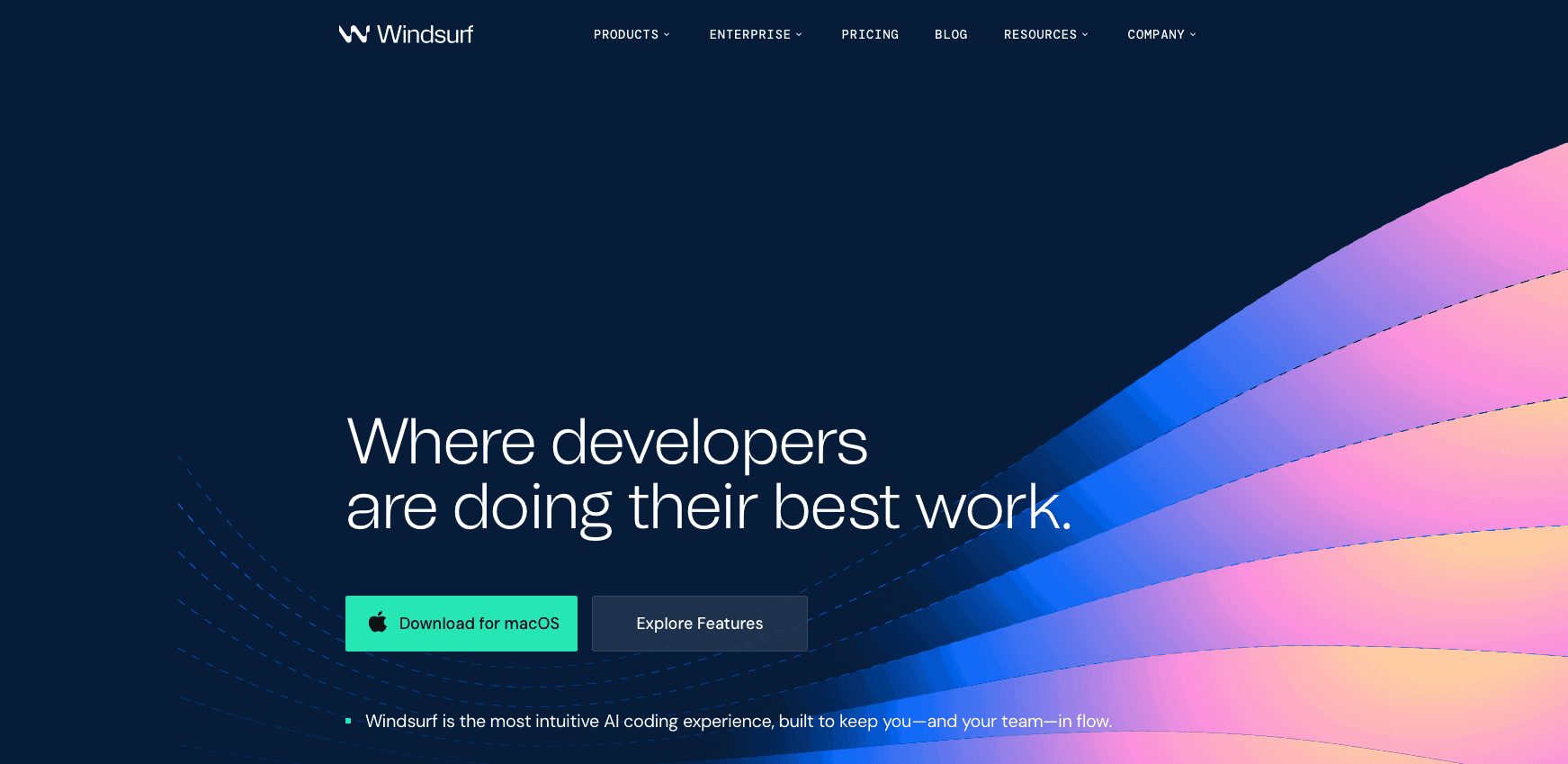
Windsurf is an AI IDE originally developed by Codeium, forked from VS Code, with a free tier and paid plans for individuals and teams.
At the core is Cascade, an agentic AI that reads your entire codebase and executes multi-file edits and terminal commands autonomously. It auto-fixes lint errors it generates, and Codeium supports 40+ IDEs including VS Code, JetBrains, Vim, Neovim, and Xcode.
One real limitation: larger files can slow the agent down in bigger repos, and the free tier can run out quickly in heavier workflows.
Cascade does its best work when it receives detailed, contextual prompts. Short or vague input produces verbose, inaccurate output that needs cleanup. For the full breakdown of the best vibe coding tools for developers, see our complete comparison. Voice input through Willow solves that directly, since speaking naturally produces richer prompts than typing ever does.
The Cursor Editor
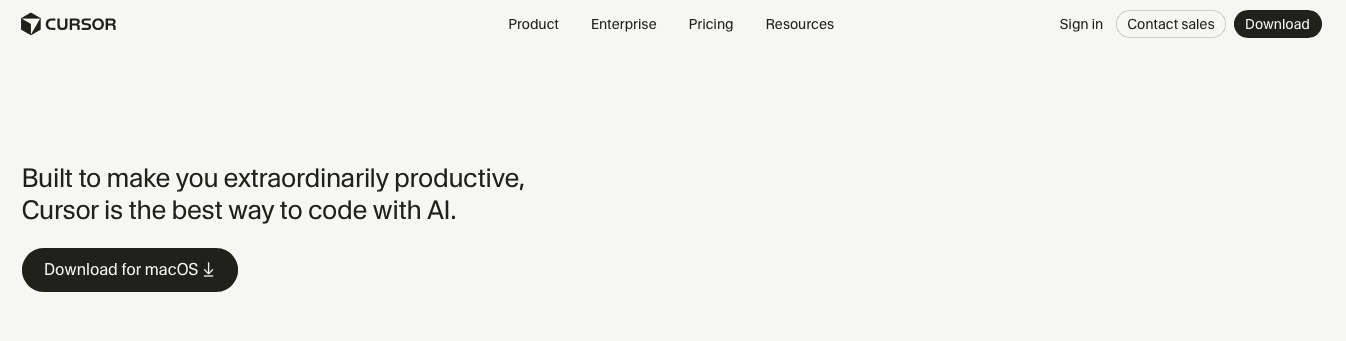
Cursor IDE is an AI editor built by Anysphere, also forked from VS Code, and it helped popularize the agent-driven coding workflow that vibe coding now runs on.
Here is what sets Cursor IDE apart from other AI editors in its class:
Agent mode analyzes code, proposes edits, runs tests, and validates results across multiple files at once
Background Agents run async in cloud sandboxes on separate branches
Cursor IDE includes tools that can review pull requests and suggest fixes
Codebase learning scales with your project, no matter how large
Pricing starts at $20/month for Pro and $40 per user per month for Teams, making it pricier than Windsurf on an individual seat basis.
Cursor IDE only works inside its own VS Code fork, with no JetBrains or Xcode support. It's a power tool, but that precision comes at the cost of IDE flexibility.
Cursor shines with detailed, iterative prompts, and voice input through Willow cuts the time between idea and instruction.
Copilot by GitHub
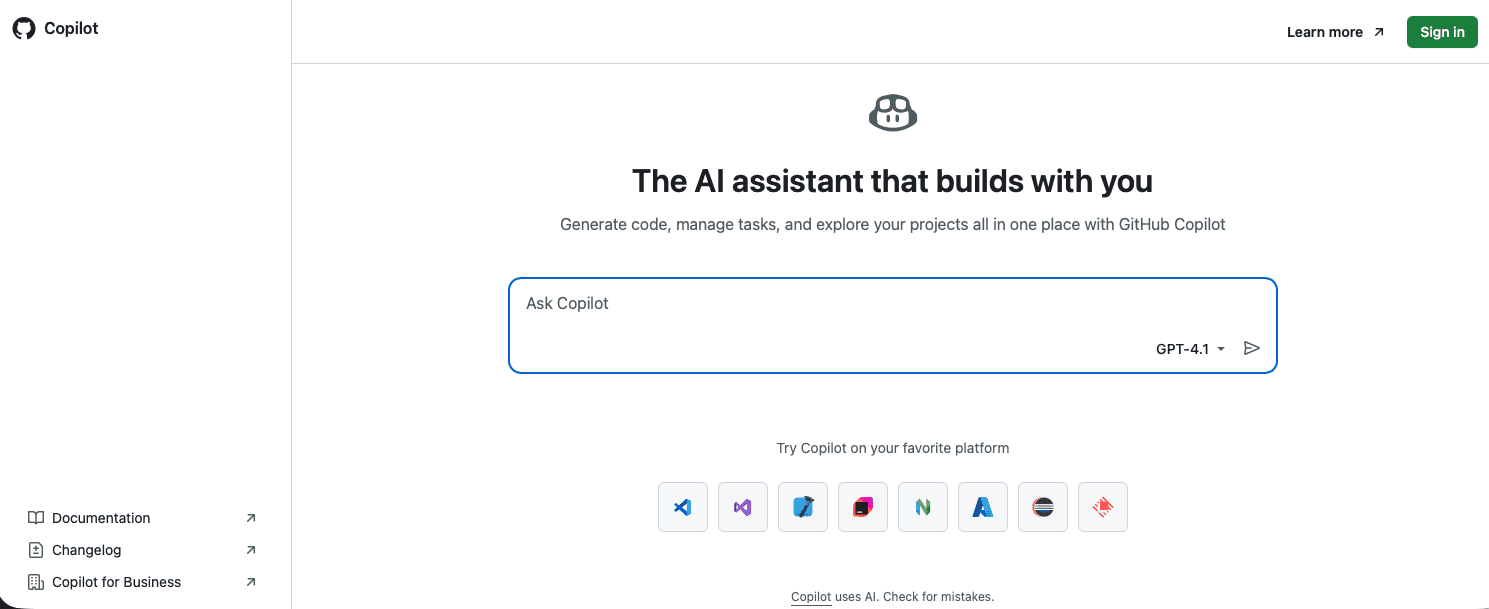
Backed by Microsoft and OpenAI, Copilot is the most widely adopted AI coding assistant, embedded natively across VS Code, JetBrains, Visual Studio, and Neovim.
Copilot Chat can suggest edits, help run commands, and assist with debugging through guided interactions
Copilot can assist with generating pull request content and code suggestions based on issues
Pricing includes Free, Pro at $10/month, and Pro+ plans, with business and enterprise options also available
Microsoft has reported that Copilot can generate roughly 46% of code in supported development workflows, but multi-model access without visibility into which model wrote what creates real friction for debugging and compliance. It is the right choice for teams already inside the GitHub ecosystem who want AI assistance without changing tools.
How Willow Voice Is the Best Voice Tool for Windsurf Vibe Coding
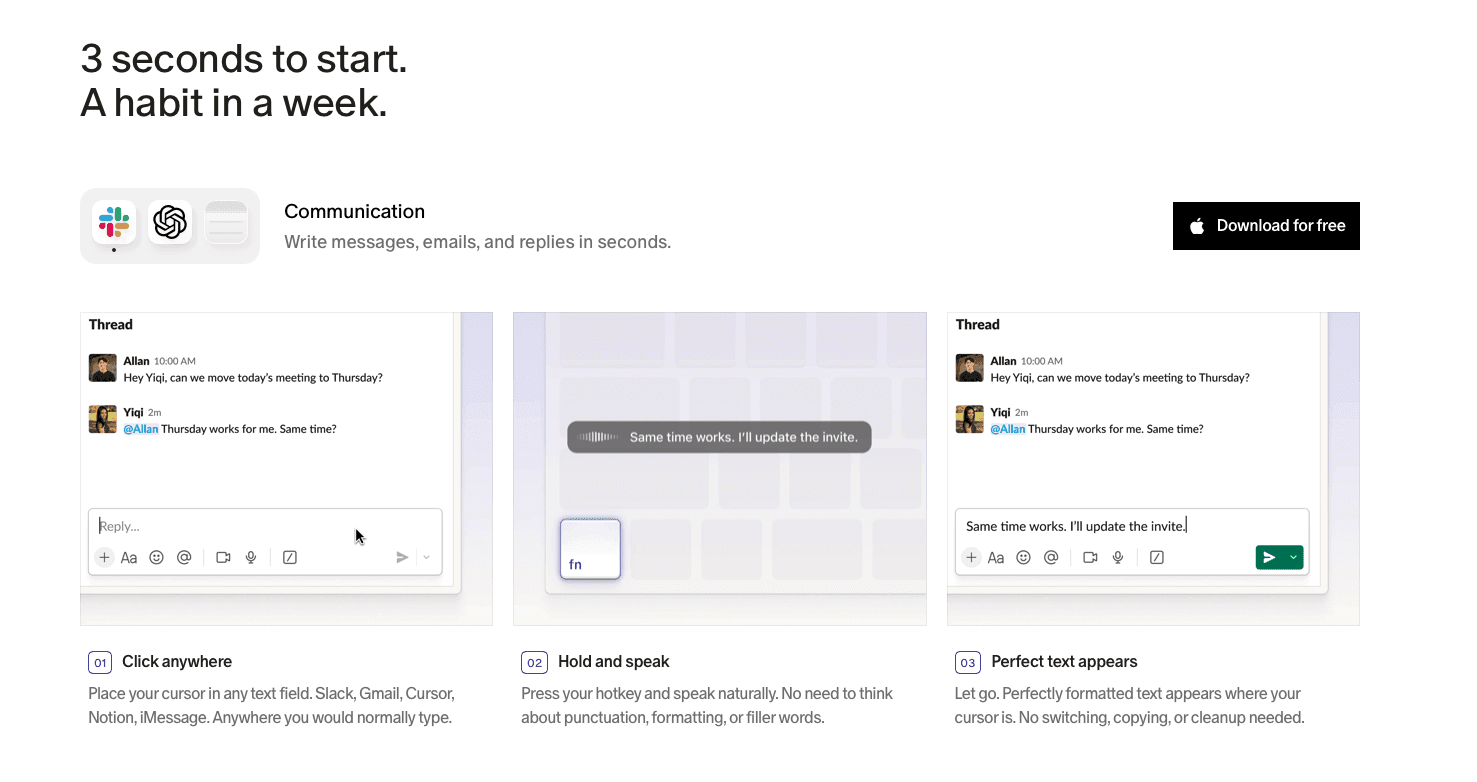
The bottleneck in vibe coding has never been the AI. It's the speed at which you communicate intent to it. Typing forces brevity: you cut context, skip edge cases, and send a prompt that's good enough instead of complete. Learn how to start coding by voice to close that gap.
Speaking at 150 WPM changes that. You explain the reasoning, name the constraints, describe the behavior you want. Willow captures every word at 200ms latency and drops it exactly where your cursor sits, whether that's Windsurf's Cascade, Cursor IDE's agent, or a Copilot chat, on a Mac or Windows workstation. Press fn on Mac or Alt+Space on Windows. That's the entire setup.
It also learns. Variable names, function names, library references, your team's naming conventions. The same vocabulary carries over when you move from writing a prompt to drafting a PR description, leaving a code review comment, or dropping a sprint ticket into Linear. Willow gets sharper the more you use it, and that learning syncs across Mac, Windows, and iOS.
For engineering teams running mixed-device setups, Windows workstations alongside Mac laptops, SOC 2 Type II and HIPAA compliance means org-wide deployment fits inside existing security reviews without a separate procurement cycle. Try it free at willowvoice.com.
FAQs
How do I choose between Windsurf, Cursor IDE, and Copilot?
Pick based on your IDE setup and budget. Windsurf supports more than 40 IDE integrations through the Codeium ecosystem, while Windsurf Pro starts at $20/month, Cursor IDE delivers the most capable agent at $20/month but only works in its VS Code fork, and Copilot at $10/month fits teams already locked into GitHub's ecosystem.
Can I use voice input with AI coding agents?
Yes. Voice works with any text field, which means you can prompt Windsurf's Cascade, Cursor IDE's agent mode, or Copilot's chat directly. Willow captures technical terms like useState and library names accurately, while generic tools like Wispr Flow and Apple's built-in voice dictation mishear syntax and break your flow.
What makes Willow faster than other voice dictation tools?
Willow delivers 200ms latency compared to 700ms+ from Wispr Flow and Apple's built-in voice dictation. That sub-200ms speed feels instant, keeps you in flow state, and matches how fast you think without forcing you to wait for text to appear.
Does voice dictation meet security requirements for professional development?
Willow is SOC 2 and HIPAA compliant with zero data retention, used by teams at large companies. It also includes offline mode for fully local dictation when internet connectivity or data privacy requirements demand it.
Final Thoughts on Voice Input for Windsurf and Cursor IDE
Windsurf vibe coding works best when your prompts match the depth of your thinking, and typing rarely keeps up. Willow brings voice into that loop at full speed, capturing detailed instructions at 150 WPM with 200ms latency so your agent has the context it needs from the start. The result is fewer back-and-forth iterations and cleaner output on the first pass. If you want your workflow to move at the pace of your ideas, try Willow and remove the keyboard as the bottleneck.
The real limitation in Windsurf vibe coding isn't the AI agent. It's how fast you can tell it what to do. Typing caps you at 40 words per minute, so you write shorter prompts with less context, and the agent guesses instead of knowing. Speaking at 150 WPM gives you room to explain the reasoning, describe constraints, and name the edge cases that matter. Most voice tools break down here because they weren't built for developers, and the latency pulls you out of focus every time.
TLDR:
Vibe coding lets you describe what you want and AI builds it, replacing 40 WPM typing with 150 WPM voice input.
A dedicated voice dictation tool delivers ~200ms latency and learns your codebase vocabulary automatically, so spoken prompts land in Windsurf, Cursor IDE, or Claude Code faster and with more context than typed ones.
A single hotkey (fn on Mac, Alt+Space on Windows) activates voice input inside any text field: Windsurf, Cursor IDE, terminal agents, PR descriptions, Slack, and more.
Purpose-built voice dictation is SOC 2 Type II and HIPAA compliant with zero data retention, trusted by developers at top YC startups and companies across 20% of Fortune 500.
A cross-platform voice dictation tool adapts to your codebase vocabulary and team naming conventions across Mac, Windows, and iOS, so every device in a mixed-device setup works the same way.
Windsurf Vibe Coding Explained
Vibe coding is a way of building software where you describe what you want and let AI handle the implementation. No more writing every function line by line. You state your intent, the AI generates the code, and you stay focused on solving problems instead of typing syntax.
The term gained traction alongside tools like Windsurf and Cursor IDE, which introduced AI agents capable of reading your entire codebase and acting on natural language instructions. Ask it to refactor a component, build an API endpoint, or fix a bug across multiple files and it does exactly that.
What separates vibe coding from basic autocomplete is scope. You are communicating goals to an agent, beyond finishing a line. The developer moves from author to director, and the speed of building changes entirely.
How We Tested Vibe Coding Tools for Developers
Good benchmarks cut through marketing. Here's what we actually looked at when comparing tools for vibe coding workflows:
Input speed: Typing averages 40 words per minute, while voice can hit 150 WPM. That gap matters when your entire workflow runs on prompting AI agents.
Transcription accuracy for technical terms: Generic voice-to-text tools like Wispr Flow and Apple's built-in voice dictation struggle with variable names, library names, and framework-specific syntax. A tool that mishears
useStateas "use state" breaks your flow.Compatibility with AI coding tools: Does it work inside Windsurf, Cursor IDE, and terminal agents on Mac and Windows without switching apps or copying text?
Latency: Sub-200ms feels instant. Anything above 700ms feels like lag and pulls you out of focus.
Privacy and security: Enterprise teams and compliance-heavy industries require SOC 2 Type II and, depending on the use case, HIPAA compliance with zero data retention. Tools built for individual use may not carry the compliance infrastructure that org-wide deployment requires.
Every one of these criteria shows up in your daily workflow, whether you're prompting a Windsurf agent to refactor a service or narrating a pull request description from scratch.
Tool | Pricing | IDE Support | Core AI Feature | Latency with Willow Voice |
|---|---|---|---|---|
Windsurf (Codeium) | Free; Pro at $20/month; Max at $200/month; enterprise plans available | 40+ IDEs including VS Code, JetBrains, Vim, Neovim, Xcode | Cascade agent reads full codebase, runs multi-file edits and terminal commands autonomously | 200ms via Willow voice input |
Cursor IDE (Anysphere) | Pro at $20/month; Teams at $40/user/month; enterprise plans available | Own VS Code fork only - no JetBrains or Xcode support | Agent mode proposes edits, runs tests, and validates across files; Background Agents run async in cloud sandboxes | 200ms via Willow voice input |
Copilot (GitHub) | Free tier available; Pro at $10/month; Enterprise plans available | VS Code, JetBrains, Visual Studio, Neovim | Copilot can help with edits, terminal-centric workflows, debugging, and issue-based coding tasks | 200ms via Willow voice input |
Willow (voice layer) | Free tier available; see willowvoice.com | Works in every text field on any app - no IDE restriction | 150 WPM voice input with 200ms latency, technical vocabulary learning, SOC 2 and HIPAA compliant | Native - 200ms latency by design |
Willow Voice: Built for Vibe Coding Workflows
Willow is the voice layer that makes vibe coding feel like a real conversation. Engineers at YC companies use it to prompt Windsurf, Cursor IDE, and Claude Code at 150 words per minute, from any machine, Mac or Windows, compared to 40 WPM typing. That's a 3x speed advantage on every single prompt you send.
When you speak, you naturally explain more, edge cases, constraints, context the AI actually needs. Richer prompts return better first drafts with fewer iterations. Willow captures all of that at 200ms latency, compared to the 700ms+ from Apple's built-in dictation.
Here's what Willow brings to a vibe coding workflow:
150 WPM voice input vs. 40 WPM typing, so prompting your AI agent takes seconds instead of minutes
~200ms latency keeps you in flow state instead of watching a spinner
Context-aware AI that learns your variable names, function names, library references, and codebase vocabulary without manual setup
Works across Mac, Windows, and iOS, press fn on Mac or Alt+Space on Windows, in Windsurf, Cursor IDE, Claude Code, PR descriptions, Slack, and every other text field with no configuration
SOC 2 Type II and HIPAA compliant with zero data retention, used by developers at top YC startups and companies across 20% of Fortune 500
Press fn on Mac or Alt+Space on Windows, the same hotkey reaches every text field. No switching apps, no hunting for a mic button. You're prompting Windsurf's agent one second, dropping a code review comment the next, and drafting a sprint ticket the one after that.
Windsurf
Update (July 2026): Cognition, the company behind Devin AI, has acquired Windsurf. While the vibe coding principles in this guide remain accurate, Windsurf's core features and team are currently transitioning directly into Devin.
Windsurf is an AI IDE originally developed by Codeium, forked from VS Code, with a free tier and paid plans for individuals and teams.
At the core is Cascade, an agentic AI that reads your entire codebase and executes multi-file edits and terminal commands autonomously. It auto-fixes lint errors it generates, and Codeium supports 40+ IDEs including VS Code, JetBrains, Vim, Neovim, and Xcode.
One real limitation: larger files can slow the agent down in bigger repos, and the free tier can run out quickly in heavier workflows.
Cascade does its best work when it receives detailed, contextual prompts. Short or vague input produces verbose, inaccurate output that needs cleanup. For the full breakdown of the best vibe coding tools for developers, see our complete comparison. Voice input through Willow solves that directly, since speaking naturally produces richer prompts than typing ever does.
The Cursor Editor
Cursor IDE is an AI editor built by Anysphere, also forked from VS Code, and it helped popularize the agent-driven coding workflow that vibe coding now runs on.
Here is what sets Cursor IDE apart from other AI editors in its class:
Agent mode analyzes code, proposes edits, runs tests, and validates results across multiple files at once
Background Agents run async in cloud sandboxes on separate branches
Cursor IDE includes tools that can review pull requests and suggest fixes
Codebase learning scales with your project, no matter how large
Pricing starts at $20/month for Pro and $40 per user per month for Teams, making it pricier than Windsurf on an individual seat basis.
Cursor IDE only works inside its own VS Code fork, with no JetBrains or Xcode support. It's a power tool, but that precision comes at the cost of IDE flexibility.
Cursor shines with detailed, iterative prompts, and voice input through Willow cuts the time between idea and instruction.
Copilot by GitHub
Backed by Microsoft and OpenAI, Copilot is the most widely adopted AI coding assistant, embedded natively across VS Code, JetBrains, Visual Studio, and Neovim.
Copilot Chat can suggest edits, help run commands, and assist with debugging through guided interactions
Copilot can assist with generating pull request content and code suggestions based on issues
Pricing includes Free, Pro at $10/month, and Pro+ plans, with business and enterprise options also available
Microsoft has reported that Copilot can generate roughly 46% of code in supported development workflows, but multi-model access without visibility into which model wrote what creates real friction for debugging and compliance. It is the right choice for teams already inside the GitHub ecosystem who want AI assistance without changing tools.
How Willow Voice Is the Best Voice Tool for Windsurf Vibe Coding
The bottleneck in vibe coding has never been the AI. It's the speed at which you communicate intent to it. Typing forces brevity: you cut context, skip edge cases, and send a prompt that's good enough instead of complete. Learn how to start coding by voice to close that gap.
Speaking at 150 WPM changes that. You explain the reasoning, name the constraints, describe the behavior you want. Willow captures every word at 200ms latency and drops it exactly where your cursor sits, whether that's Windsurf's Cascade, Cursor IDE's agent, or a Copilot chat, on a Mac or Windows workstation. Press fn on Mac or Alt+Space on Windows. That's the entire setup.
It also learns. Variable names, function names, library references, your team's naming conventions. The same vocabulary carries over when you move from writing a prompt to drafting a PR description, leaving a code review comment, or dropping a sprint ticket into Linear. Willow gets sharper the more you use it, and that learning syncs across Mac, Windows, and iOS.
For engineering teams running mixed-device setups, Windows workstations alongside Mac laptops, SOC 2 Type II and HIPAA compliance means org-wide deployment fits inside existing security reviews without a separate procurement cycle. Try it free at willowvoice.com.
FAQs
How do I choose between Windsurf, Cursor IDE, and Copilot?
Pick based on your IDE setup and budget. Windsurf supports more than 40 IDE integrations through the Codeium ecosystem, while Windsurf Pro starts at $20/month, Cursor IDE delivers the most capable agent at $20/month but only works in its VS Code fork, and Copilot at $10/month fits teams already locked into GitHub's ecosystem.
Can I use voice input with AI coding agents?
Yes. Voice works with any text field, which means you can prompt Windsurf's Cascade, Cursor IDE's agent mode, or Copilot's chat directly. Willow captures technical terms like useState and library names accurately, while generic tools like Wispr Flow and Apple's built-in voice dictation mishear syntax and break your flow.
What makes Willow faster than other voice dictation tools?
Willow delivers 200ms latency compared to 700ms+ from Wispr Flow and Apple's built-in voice dictation. That sub-200ms speed feels instant, keeps you in flow state, and matches how fast you think without forcing you to wait for text to appear.
Does voice dictation meet security requirements for professional development?
Willow is SOC 2 and HIPAA compliant with zero data retention, used by teams at large companies. It also includes offline mode for fully local dictation when internet connectivity or data privacy requirements demand it.
Final Thoughts on Voice Input for Windsurf and Cursor IDE
Windsurf vibe coding works best when your prompts match the depth of your thinking, and typing rarely keeps up. Willow brings voice into that loop at full speed, capturing detailed instructions at 150 WPM with 200ms latency so your agent has the context it needs from the start. The result is fewer back-and-forth iterations and cleaner output on the first pass. If you want your workflow to move at the pace of your ideas, try Willow and remove the keyboard as the bottleneck.

Try Willow for free
Instant, accurate voice dictation. No card required.
Try Willow for free
Instant, accurate voice dictation. No card required.
Other stories you’ll love
Other stories you’ll love



Your keyboard is optional now
" transform="translate(5 5)" width="9.791000051498413px"/></svg>)

The voice-first interface for modern work.
© Willow Care, Inc. 2026. All rights reserved
Your keyboard is optional now
The voice-first interface for modern work.
© Willow Care, Inc. 2026. All rights reserved
Your keyboard is optional now
The voice-first interface for modern work.
© Willow Care, Inc. 2026. All rights reserved