" transform="translate(5 2)" width="10px"/></svg>)

•
5 min read
SuperWhisper vs Otter AI: Which Voice Tool Wins 2026?

•
5 min read
SuperWhisper vs Otter AI: Which Voice Tool Wins 2026?
People comparing Superwhisper and Otter AI are often surprised to find they are looking at two tools built for entirely different jobs. Superwhisper converts your speech to text in real time, anywhere you can type on Mac, Windows, or iOS. Otter AI records your meetings, transcribes them, and generates summaries, action items, and speaker-labeled notes.
Both handle voice. The overlap stops there. Picking the wrong one means paying for a solution to a problem you do not have. If you want a better option for either use case, Willow Voice covers both faster and with less setup than either tool.
TLDR:
• Superwhisper is a real-time in-app dictation tool available on Mac, Windows, and iOS; it requires manual model selection and technical configuration to get consistent results
• Otter AI is a meeting transcription and notetaking tool; it does not do system-wide real-time dictation, and HIPAA compliance is an Enterprise add-on only
• Willow Voice delivers real-time dictation at ~200ms latency, personalizes over time, and supports teams with shared dictionaries, shortcuts, and admin controls
• For daily writing workflows, email, Slack, documents, and AI prompting, Willow is 3x more accurate than built-in tools and stays fast enough that text keeps up with your speech
• If you need meeting transcription and real-time dictation in one tool, Willow handles both without switching apps or products
What is Superwhisper and How Does it Work?
Superwhisper is a voice dictation tool for Mac, Windows, and iOS. It converts your speech to text in real time, working inside any application where you can type. There is no copy-paste step, and you don't need to leave the app you are working in.
The tool can be run via keyboard shortcuts and a menu bar icon. When you press your hotkey, it begins listening and transcribes what you say. You can choose between four AI models: Nano, Fast, Pro, and Ultra. Nano processes quickly with lower accuracy; Ultra takes longer but produces more precise results. Choosing the right model for each task is a manual decision made by the user.
Superwhisper processes everything locally on your device by default. Your voice data stays on your Mac or iPhone, which matters for users who prefer to keep audio off cloud servers. It supports 100+ languages with automatic language detection, helping bilingual users switch between languages throughout the day.
Superwhisper Features
Superwhisper includes offline-first processing, system-wide keyboard activation, custom prompt controls, and multi-language support. You can configure specific vocabulary for technical terms, names, or industry jargon that standard dictation tools tend to miss.
The four-model architecture gives technically comfortable users direct control over the accuracy-versus-speed tradeoff. The Nano model returns results quickly; the Ultra model trades processing time for higher accuracy on complex or technical content.
Superwhisper is SOC 2 Type II and HIPAA compliant. Its local processing keeps voice data on-device by default, which suits privacy-focused users and some regulated-industry workflows.
Superwhisper Limitations
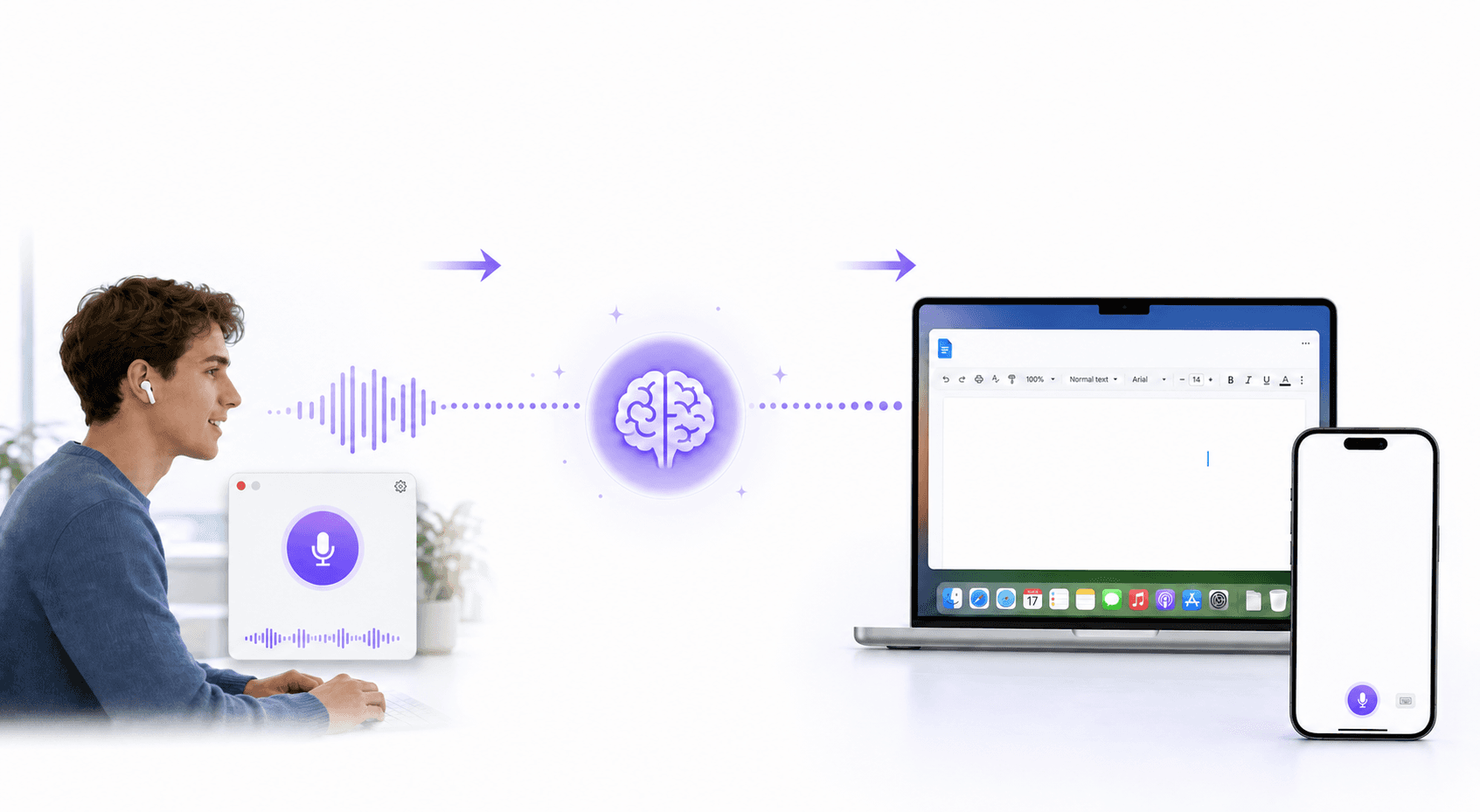
Superwhisper rewards users who are willing to configure it. Choosing between four models, setting custom prompts, and tuning vocabulary requires time investment before results become consistent. Users who want dictation that works well from day one, without adjusting settings, often find the setup friction higher than expected.
There are no team-wide features. Shared dictionaries, org-level shortcuts, and admin controls are not available. Each user manages their own configuration independently. For organizations rolling out dictation across multiple team members, this creates setup overhead that compounds with headcount.
Processing time on the larger models can interrupt flow state on tasks where speed matters. The tool is strong for users who want granular control; it is less suited to high-frequency, always-on dictation where automatic personalization would be more useful.
Who Should Use Superwhisper
Superwhisper is a good fit for technically comfortable users who value offline privacy, want fine-grained model control, and prefer a one-time purchase over a subscription. Researchers and academics working with sensitive data often find the local-only approach appealing. Developers who want to tune Nano mode for quick notes or Ultra for high-accuracy technical transcription get real value from the configurability.
Multilingual professionals also benefit from Superwhisper's automatic language detection across 100+ languages, which handles mid-dictation language switching reasonably well.
The tool starts to strain in high-frequency writing workflows where you want dictation to improve automatically over time, or in team environments where consistent terminology needs to carry across multiple users. For those contexts, a tool that personalizes itself and supports shared configuration is a better fit.
The pricing structure of most dictation tools reflects their target audience. Superwhisper's one-time purchase model appeals to technical users, while subscription tools typically offer better ongoing support and updates.
What is Otter AI and How Does it Work?
Otter AI is a meeting transcription and note-taking tool. It joins your Zoom, Microsoft Teams, or Google Meet calls as an AI notetaker, records the conversation, and produces a transcript with speaker identification, a summary, and action items. You can also record directly from the Otter desktop app on Mac or Windows without a bot joining the call.
Otter is available on Mac, Windows, iOS, and Android. It integrates with Zoom, Slack, Salesforce, HubSpot, Google Calendar, and other tools in the meeting workflow. The AI Chat feature lets you search across your meeting history and generate follow-up content from past conversations.
What Otter does not do: it does not transcribe your speech in real time as you type in other apps. There is no system-wide hotkey that lets you dictate into Gmail, Slack, or a document. Otter is a passive recording tool for structured meetings, not an active dictation layer for daily writing.
Otter AI Features
Otter AI's core strength is meeting capture. It records audio, identifies speakers, and generates summaries with decisions and action items. Live transcription during calls is clear enough for most professional meetings, a quality noted in PCMag's Otter AI review. The AI Chat feature searches across your meeting history, which is useful for teams that need to reference what was said in a past conversation.
Otter supports multi-language transcription and offers custom vocabulary for names and jargon at the team level on Business plans. Admin controls, usage analytics, and activity logs are available on Business and Enterprise tiers. Integration with CRM tools like Salesforce and HubSpot makes it useful for sales teams that want meeting notes pushed directly to their pipeline.
Pricing is tiered: a free plan covers 300 transcription minutes per month; Pro costs $8.33 per user per month, billed annually (1,200 minutes); Business costs $19.99 per user per month, billed annually (unlimited recordings). HIPAA compliance is an add-on available only on Enterprise plans.
Otter AI Limitations
Otter AI is built for meetings. It does not support system-wide dictation, so you cannot use it to write an email, draft a Slack message, or compose a document by voice outside of its own recording context. Users who want a voice input layer across all their apps will find Otter does not cover that need.
HIPAA compliance is an Enterprise add-on, not included in the standard Business plan. Teams in healthcare or other compliance-driven industries need to factor in the Enterprise upgrade cost when reviewing Otter for compliance-sensitive workflows.
The free plan caps at 300 minutes per month with a 30-minute maximum per conversation. Active meeting-heavy teams will hit that limit quickly. Custom vocabulary is also limited to 5 terms on the free plan, which makes it less useful for teams with specialized terminology.
Who Should Use Otter AI
Otter AI works well for teams whose primary need is meeting documentation. Sales teams that want call notes pushed to a CRM, managers who need searchable records of team meetings, and recruiters who want structured interview notes are all good fits. The AI summaries and action-item extraction save time for people who handle a high volume of recorded calls.
Where Otter starts to fall short is when users also need a voice input layer for their day-to-day writing. If you spend a lot of time drafting emails, Slack messages, documents, or AI prompts, Otter does not help with those workflows. You would need a separate dictation tool to cover both use cases.
Superwhisper | Otter AI | Willow Voice | |
|---|---|---|---|
Primary use case | Real-time dictation | Meeting transcription and note-taking | Real-time dictation and communication workflows |
Devices | Mac, Windows, iOS | Mac, Windows, iOS, Android | Mac, Windows, iOS |
System-wide dictation | Yes | No | Yes |
Meeting transcription | No | Yes, with speaker labels, summaries, and action items | No dedicated meeting bot |
Latency | Varies by model selection | Not applicable | ~200ms |
Accuracy | Manual model selection is required for the best results | Good for meetings; no system-wide dictation mode | 3x more accurate than built-in tools; personalizes over time |
Team features | None | Shared vocabulary and admin controls on the Business plan (meeting context only) | Shared dictionaries, shortcuts, and admin controls across all writing contexts |
HIPAA compliance | Yes, included as standard | Enterprise add-on only | Yes, included as standard; signed BAA available |
Pricing | One-time purchase | Free (300 min/month); Pro $8.33/user/month; Business $19.99/user/month | Free (2,000 words/week); $12/user/month individual; $10/user/month team |
Best Alternative: Willow Voice
Superwhisper handles real-time dictation but requires manual model selection and configuration before it becomes consistent. Otter AI handles meeting transcription but stops there; it has no system-wide dictation layer for email, Slack, or documents. Willow Voice covers both workflows in one tool, with less setup than either.
For real-time dictation, Willow runs at ~200ms latency. Text appears fast enough to stay in sync with your speech. Most alternatives run at 700ms or more, which is slow enough to break focus on high-frequency writing tasks. Willow is 3x more accurate than built-in OS dictation tools and personalizes over time: names, phrasing, and vocabulary are remembered automatically from your corrections, so accuracy improves without manual configuration. You do not choose a model or tune prompts — it learns from use.
For meeting and communication workflows, Willow handles email, Slack, documents, and AI prompting with a single hotkey. You speak at 150 words per minute instead of typing at 40. The AI layer removes filler words, applies context-aware formatting, and matches tone to the destination app. Where Otter AI documents what was said in a meeting, Willow helps you act on it: drafting follow-up emails, Slack updates, and notes directly by voice after the call ends.
Willow is built for teams in a way that neither Superwhisper nor Otter AI matches for day-to-day writing. Shared dictionaries and shortcuts keep terminology consistent across every team member. Admin controls and team leaderboards give visibility into adoption without requiring each user to configure the tool independently. It runs on Mac, Windows, and iOS, so your organization can use the same tool across devices. SOC 2 Type II compliance, HIPAA compliance, zero data retention, and a signed BAA for healthcare customers make it ready for enterprise and compliance-sensitive teams.
Many users find that testimonials from working professionals matter more than feature lists when choosing a dictation tool.
How to Choose Between Superwhisper, Otter AI, and Willow
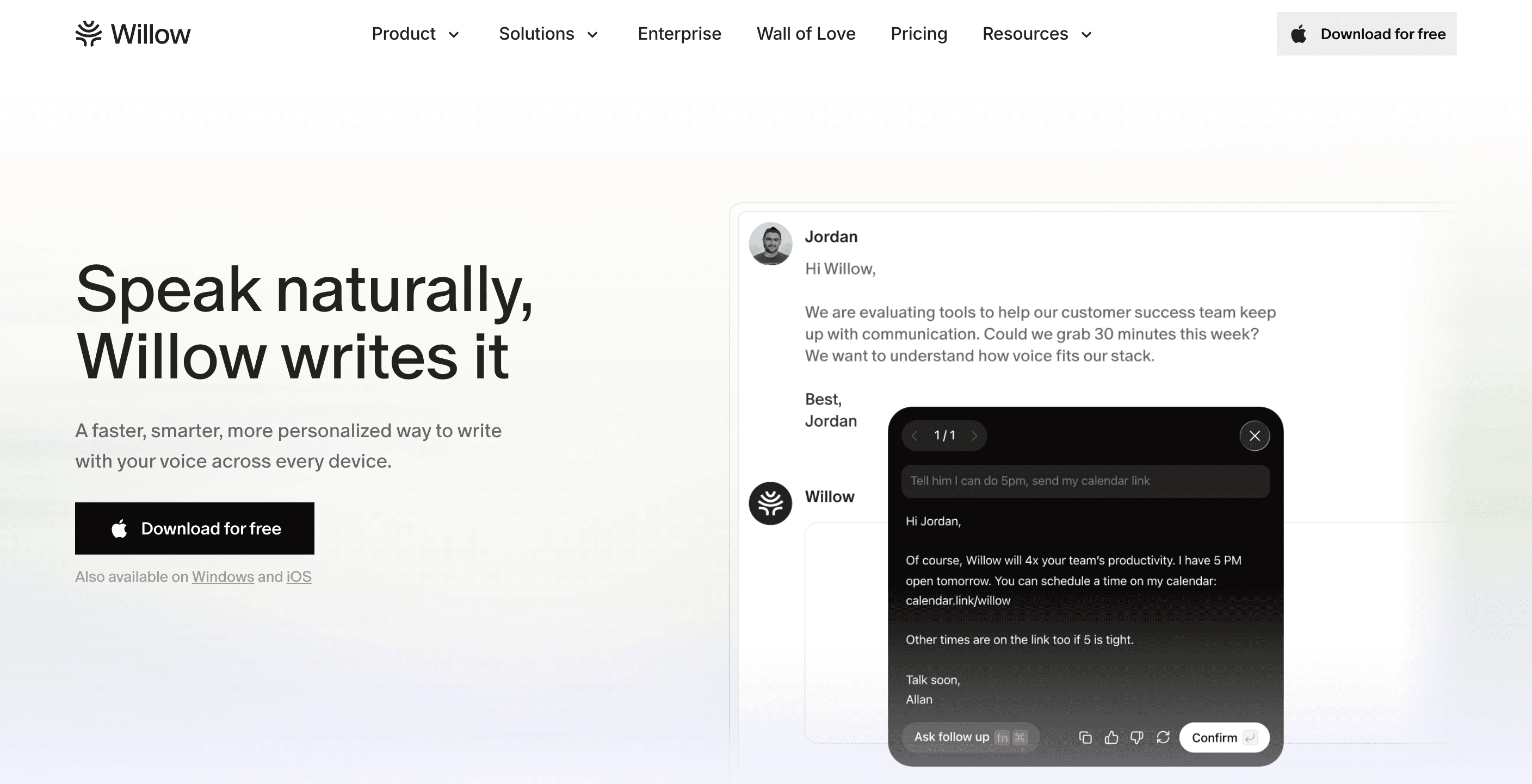
Start with the primary workflow. If you spend most of your time in meetings that need documentation, Otter AI is purpose-built for that. If you need to write by voice in real time across email, Slack, and documents, Superwhisper or Willow is the right category. If you need both, Otter AI does not cover dictation, so you would still need a second tool.
Set up tolerance matters. Superwhisper rewards users who are comfortable choosing models, adjusting prompts, and managing vocabulary manually. Otter AI is simple to set up and works well without configuration. Willow also starts simply, but adds accuracy over time through automatic learning.
For teams, neither Superwhisper nor Otter AI's free and Pro plans offer the kind of shared configuration that keeps terminology consistent across team members. Superwhisper has no team features. Otter AI offers shared vocabulary at the Business level but is scoped to meeting contexts. Willow's shared dictionaries, shortcuts, and admin controls work across all writing contexts, not just meetings.
For compliance-sensitive industries, Superwhisper and Willow both offer SOC 2 Type II and HIPAA compliance as standard. Otter AI offers HIPAA only on Enterprise plans, as an add-on.
If you are on Mac, Windows, or iOS and want dictation that works across every app without configuration overhead, Willow covers the full workflow. It is the Superwhisper alternative that personalizes to your writing over time and scales to teams without adding setup friction for each new user.
Which Tool Should You Start With?
Superwhisper and Otter AI are both well-built tools that solve real problems. Superwhisper gives you a fast, privacy-focused dictation layer for daily writing. Otter AI gives you structured meeting records with speaker labels, summaries, and action items. The gap is that neither covers what the other does, and most professionals eventually need both.
Willow Voice covers both workflows in one tool, with ~200ms latency for real-time dictation across every app, automatic personalization over time, and meeting and communication workflows handled through the same hotkey. For teams, shared dictionaries, admin controls, and SOC 2 Type II and HIPAA compliance mean you are not stitching two tools together just to meet compliance requirements. If you want to try it, the free plan gives you 2,000 words per week, no credit card required. Download Willow Voice and see how it fits your workflow.
Frequently Asked Questions
What is the main difference between Superwhisper and Otter AI?
Superwhisper is a real-time dictation tool. You press a hotkey and speak; it transcribes your words directly into the active application. Otter AI is a meeting transcription tool. It records your calls, identifies speakers, and generates summaries and action items. Superwhisper works for active writing; Otter AI works for passive meeting documentation. They solve different problems.
Can Otter AI be used for real-time voice dictation?
No. Otter AI does not support system-wide real-time dictation. It records meetings and audio files and transcribes them, but you cannot use it to write an email or Slack message by voice in real time. For that use case, you need a dedicated dictation tool like Superwhisper or Willow Voice.
Is Otter AI HIPAA compliant?
HIPAA compliance is available as an add-on on Otter AI's Enterprise plan. It is not included in the free, Pro, or Business tiers. Superwhisper is SOC 2 Type II and HIPAA-compliant by default. Willow Voice is also SOC 2 Type II and HIPAA compliant, with default zero data retention and a signed BAA available for healthcare enterprise customers.
Does Superwhisper work on Windows?
Yes. Superwhisper supports macOS, Windows, and iOS. Willow Voice also runs on Mac, Windows, and iOS, making both tools available to cross-platform teams. Otter AI supports Mac, Windows, iOS, and Android.
Which tool is better for teams?
It depends on what the team needs. If you primarily need meeting documentation, Otter AI's Business plan includes shared vocabulary, admin controls, and CRM integrations. If you need dictation across all writing contexts, Willow Voice is the stronger option: shared dictionaries and shortcuts work across email, Slack, and documents, not just meetings, and admin controls let you manage rollout across the whole organization. Superwhisper has no team features.
What is the best Superwhisper alternative for daily writing workflows?
Willow Voice. It runs at ~200ms latency, personalizes over time from your corrections, and works across every app on Mac, Windows, and iOS. You do not need to select a model or configure settings. Accuracy improves automatically the more you use it, and shared dictionaries keep terminology consistent across teams.
How does Superwhisper pricing compare to Otter AI?
Superwhisper is a one-time purchase, appealing to users who want to pay once and avoid recurring subscriptions. Otter AI uses a subscription model: free (300 minutes per month), Pro at $8.33 per user per month billed annually, and Business at $19.99 per user per month billed annually. Willow Voice is $12 per user per month, with a forever-free plan that includes 2,000 words recharged weekly.
People comparing Superwhisper and Otter AI are often surprised to find they are looking at two tools built for entirely different jobs. Superwhisper converts your speech to text in real time, anywhere you can type on Mac, Windows, or iOS. Otter AI records your meetings, transcribes them, and generates summaries, action items, and speaker-labeled notes.
Both handle voice. The overlap stops there. Picking the wrong one means paying for a solution to a problem you do not have. If you want a better option for either use case, Willow Voice covers both faster and with less setup than either tool.
TLDR:
• Superwhisper is a real-time in-app dictation tool available on Mac, Windows, and iOS; it requires manual model selection and technical configuration to get consistent results
• Otter AI is a meeting transcription and notetaking tool; it does not do system-wide real-time dictation, and HIPAA compliance is an Enterprise add-on only
• Willow Voice delivers real-time dictation at ~200ms latency, personalizes over time, and supports teams with shared dictionaries, shortcuts, and admin controls
• For daily writing workflows, email, Slack, documents, and AI prompting, Willow is 3x more accurate than built-in tools and stays fast enough that text keeps up with your speech
• If you need meeting transcription and real-time dictation in one tool, Willow handles both without switching apps or products
What is Superwhisper and How Does it Work?
Superwhisper is a voice dictation tool for Mac, Windows, and iOS. It converts your speech to text in real time, working inside any application where you can type. There is no copy-paste step, and you don't need to leave the app you are working in.
The tool can be run via keyboard shortcuts and a menu bar icon. When you press your hotkey, it begins listening and transcribes what you say. You can choose between four AI models: Nano, Fast, Pro, and Ultra. Nano processes quickly with lower accuracy; Ultra takes longer but produces more precise results. Choosing the right model for each task is a manual decision made by the user.
Superwhisper processes everything locally on your device by default. Your voice data stays on your Mac or iPhone, which matters for users who prefer to keep audio off cloud servers. It supports 100+ languages with automatic language detection, helping bilingual users switch between languages throughout the day.
Superwhisper Features
Superwhisper includes offline-first processing, system-wide keyboard activation, custom prompt controls, and multi-language support. You can configure specific vocabulary for technical terms, names, or industry jargon that standard dictation tools tend to miss.
The four-model architecture gives technically comfortable users direct control over the accuracy-versus-speed tradeoff. The Nano model returns results quickly; the Ultra model trades processing time for higher accuracy on complex or technical content.
Superwhisper is SOC 2 Type II and HIPAA compliant. Its local processing keeps voice data on-device by default, which suits privacy-focused users and some regulated-industry workflows.
Superwhisper Limitations
Superwhisper rewards users who are willing to configure it. Choosing between four models, setting custom prompts, and tuning vocabulary requires time investment before results become consistent. Users who want dictation that works well from day one, without adjusting settings, often find the setup friction higher than expected.
There are no team-wide features. Shared dictionaries, org-level shortcuts, and admin controls are not available. Each user manages their own configuration independently. For organizations rolling out dictation across multiple team members, this creates setup overhead that compounds with headcount.
Processing time on the larger models can interrupt flow state on tasks where speed matters. The tool is strong for users who want granular control; it is less suited to high-frequency, always-on dictation where automatic personalization would be more useful.
Who Should Use Superwhisper
Superwhisper is a good fit for technically comfortable users who value offline privacy, want fine-grained model control, and prefer a one-time purchase over a subscription. Researchers and academics working with sensitive data often find the local-only approach appealing. Developers who want to tune Nano mode for quick notes or Ultra for high-accuracy technical transcription get real value from the configurability.
Multilingual professionals also benefit from Superwhisper's automatic language detection across 100+ languages, which handles mid-dictation language switching reasonably well.
The tool starts to strain in high-frequency writing workflows where you want dictation to improve automatically over time, or in team environments where consistent terminology needs to carry across multiple users. For those contexts, a tool that personalizes itself and supports shared configuration is a better fit.
The pricing structure of most dictation tools reflects their target audience. Superwhisper's one-time purchase model appeals to technical users, while subscription tools typically offer better ongoing support and updates.
What is Otter AI and How Does it Work?
Otter AI is a meeting transcription and note-taking tool. It joins your Zoom, Microsoft Teams, or Google Meet calls as an AI notetaker, records the conversation, and produces a transcript with speaker identification, a summary, and action items. You can also record directly from the Otter desktop app on Mac or Windows without a bot joining the call.
Otter is available on Mac, Windows, iOS, and Android. It integrates with Zoom, Slack, Salesforce, HubSpot, Google Calendar, and other tools in the meeting workflow. The AI Chat feature lets you search across your meeting history and generate follow-up content from past conversations.
What Otter does not do: it does not transcribe your speech in real time as you type in other apps. There is no system-wide hotkey that lets you dictate into Gmail, Slack, or a document. Otter is a passive recording tool for structured meetings, not an active dictation layer for daily writing.
Otter AI Features
Otter AI's core strength is meeting capture. It records audio, identifies speakers, and generates summaries with decisions and action items. Live transcription during calls is clear enough for most professional meetings, a quality noted in PCMag's Otter AI review. The AI Chat feature searches across your meeting history, which is useful for teams that need to reference what was said in a past conversation.
Otter supports multi-language transcription and offers custom vocabulary for names and jargon at the team level on Business plans. Admin controls, usage analytics, and activity logs are available on Business and Enterprise tiers. Integration with CRM tools like Salesforce and HubSpot makes it useful for sales teams that want meeting notes pushed directly to their pipeline.
Pricing is tiered: a free plan covers 300 transcription minutes per month; Pro costs $8.33 per user per month, billed annually (1,200 minutes); Business costs $19.99 per user per month, billed annually (unlimited recordings). HIPAA compliance is an add-on available only on Enterprise plans.
Otter AI Limitations
Otter AI is built for meetings. It does not support system-wide dictation, so you cannot use it to write an email, draft a Slack message, or compose a document by voice outside of its own recording context. Users who want a voice input layer across all their apps will find Otter does not cover that need.
HIPAA compliance is an Enterprise add-on, not included in the standard Business plan. Teams in healthcare or other compliance-driven industries need to factor in the Enterprise upgrade cost when reviewing Otter for compliance-sensitive workflows.
The free plan caps at 300 minutes per month with a 30-minute maximum per conversation. Active meeting-heavy teams will hit that limit quickly. Custom vocabulary is also limited to 5 terms on the free plan, which makes it less useful for teams with specialized terminology.
Who Should Use Otter AI
Otter AI works well for teams whose primary need is meeting documentation. Sales teams that want call notes pushed to a CRM, managers who need searchable records of team meetings, and recruiters who want structured interview notes are all good fits. The AI summaries and action-item extraction save time for people who handle a high volume of recorded calls.
Where Otter starts to fall short is when users also need a voice input layer for their day-to-day writing. If you spend a lot of time drafting emails, Slack messages, documents, or AI prompts, Otter does not help with those workflows. You would need a separate dictation tool to cover both use cases.
Superwhisper | Otter AI | Willow Voice | |
|---|---|---|---|
Primary use case | Real-time dictation | Meeting transcription and note-taking | Real-time dictation and communication workflows |
Devices | Mac, Windows, iOS | Mac, Windows, iOS, Android | Mac, Windows, iOS |
System-wide dictation | Yes | No | Yes |
Meeting transcription | No | Yes, with speaker labels, summaries, and action items | No dedicated meeting bot |
Latency | Varies by model selection | Not applicable | ~200ms |
Accuracy | Manual model selection is required for the best results | Good for meetings; no system-wide dictation mode | 3x more accurate than built-in tools; personalizes over time |
Team features | None | Shared vocabulary and admin controls on the Business plan (meeting context only) | Shared dictionaries, shortcuts, and admin controls across all writing contexts |
HIPAA compliance | Yes, included as standard | Enterprise add-on only | Yes, included as standard; signed BAA available |
Pricing | One-time purchase | Free (300 min/month); Pro $8.33/user/month; Business $19.99/user/month | Free (2,000 words/week); $12/user/month individual; $10/user/month team |
Best Alternative: Willow Voice
Superwhisper handles real-time dictation but requires manual model selection and configuration before it becomes consistent. Otter AI handles meeting transcription but stops there; it has no system-wide dictation layer for email, Slack, or documents. Willow Voice covers both workflows in one tool, with less setup than either.
For real-time dictation, Willow runs at ~200ms latency. Text appears fast enough to stay in sync with your speech. Most alternatives run at 700ms or more, which is slow enough to break focus on high-frequency writing tasks. Willow is 3x more accurate than built-in OS dictation tools and personalizes over time: names, phrasing, and vocabulary are remembered automatically from your corrections, so accuracy improves without manual configuration. You do not choose a model or tune prompts — it learns from use.
For meeting and communication workflows, Willow handles email, Slack, documents, and AI prompting with a single hotkey. You speak at 150 words per minute instead of typing at 40. The AI layer removes filler words, applies context-aware formatting, and matches tone to the destination app. Where Otter AI documents what was said in a meeting, Willow helps you act on it: drafting follow-up emails, Slack updates, and notes directly by voice after the call ends.
Willow is built for teams in a way that neither Superwhisper nor Otter AI matches for day-to-day writing. Shared dictionaries and shortcuts keep terminology consistent across every team member. Admin controls and team leaderboards give visibility into adoption without requiring each user to configure the tool independently. It runs on Mac, Windows, and iOS, so your organization can use the same tool across devices. SOC 2 Type II compliance, HIPAA compliance, zero data retention, and a signed BAA for healthcare customers make it ready for enterprise and compliance-sensitive teams.
Many users find that testimonials from working professionals matter more than feature lists when choosing a dictation tool.
How to Choose Between Superwhisper, Otter AI, and Willow
Start with the primary workflow. If you spend most of your time in meetings that need documentation, Otter AI is purpose-built for that. If you need to write by voice in real time across email, Slack, and documents, Superwhisper or Willow is the right category. If you need both, Otter AI does not cover dictation, so you would still need a second tool.
Set up tolerance matters. Superwhisper rewards users who are comfortable choosing models, adjusting prompts, and managing vocabulary manually. Otter AI is simple to set up and works well without configuration. Willow also starts simply, but adds accuracy over time through automatic learning.
For teams, neither Superwhisper nor Otter AI's free and Pro plans offer the kind of shared configuration that keeps terminology consistent across team members. Superwhisper has no team features. Otter AI offers shared vocabulary at the Business level but is scoped to meeting contexts. Willow's shared dictionaries, shortcuts, and admin controls work across all writing contexts, not just meetings.
For compliance-sensitive industries, Superwhisper and Willow both offer SOC 2 Type II and HIPAA compliance as standard. Otter AI offers HIPAA only on Enterprise plans, as an add-on.
If you are on Mac, Windows, or iOS and want dictation that works across every app without configuration overhead, Willow covers the full workflow. It is the Superwhisper alternative that personalizes to your writing over time and scales to teams without adding setup friction for each new user.
Which Tool Should You Start With?
Superwhisper and Otter AI are both well-built tools that solve real problems. Superwhisper gives you a fast, privacy-focused dictation layer for daily writing. Otter AI gives you structured meeting records with speaker labels, summaries, and action items. The gap is that neither covers what the other does, and most professionals eventually need both.
Willow Voice covers both workflows in one tool, with ~200ms latency for real-time dictation across every app, automatic personalization over time, and meeting and communication workflows handled through the same hotkey. For teams, shared dictionaries, admin controls, and SOC 2 Type II and HIPAA compliance mean you are not stitching two tools together just to meet compliance requirements. If you want to try it, the free plan gives you 2,000 words per week, no credit card required. Download Willow Voice and see how it fits your workflow.
Frequently Asked Questions
What is the main difference between Superwhisper and Otter AI?
Superwhisper is a real-time dictation tool. You press a hotkey and speak; it transcribes your words directly into the active application. Otter AI is a meeting transcription tool. It records your calls, identifies speakers, and generates summaries and action items. Superwhisper works for active writing; Otter AI works for passive meeting documentation. They solve different problems.
Can Otter AI be used for real-time voice dictation?
No. Otter AI does not support system-wide real-time dictation. It records meetings and audio files and transcribes them, but you cannot use it to write an email or Slack message by voice in real time. For that use case, you need a dedicated dictation tool like Superwhisper or Willow Voice.
Is Otter AI HIPAA compliant?
HIPAA compliance is available as an add-on on Otter AI's Enterprise plan. It is not included in the free, Pro, or Business tiers. Superwhisper is SOC 2 Type II and HIPAA-compliant by default. Willow Voice is also SOC 2 Type II and HIPAA compliant, with default zero data retention and a signed BAA available for healthcare enterprise customers.
Does Superwhisper work on Windows?
Yes. Superwhisper supports macOS, Windows, and iOS. Willow Voice also runs on Mac, Windows, and iOS, making both tools available to cross-platform teams. Otter AI supports Mac, Windows, iOS, and Android.
Which tool is better for teams?
It depends on what the team needs. If you primarily need meeting documentation, Otter AI's Business plan includes shared vocabulary, admin controls, and CRM integrations. If you need dictation across all writing contexts, Willow Voice is the stronger option: shared dictionaries and shortcuts work across email, Slack, and documents, not just meetings, and admin controls let you manage rollout across the whole organization. Superwhisper has no team features.
What is the best Superwhisper alternative for daily writing workflows?
Willow Voice. It runs at ~200ms latency, personalizes over time from your corrections, and works across every app on Mac, Windows, and iOS. You do not need to select a model or configure settings. Accuracy improves automatically the more you use it, and shared dictionaries keep terminology consistent across teams.
How does Superwhisper pricing compare to Otter AI?
Superwhisper is a one-time purchase, appealing to users who want to pay once and avoid recurring subscriptions. Otter AI uses a subscription model: free (300 minutes per month), Pro at $8.33 per user per month billed annually, and Business at $19.99 per user per month billed annually. Willow Voice is $12 per user per month, with a forever-free plan that includes 2,000 words recharged weekly.

Try Willow for free
Instant, accurate voice dictation. No card required.
Try Willow for free
Instant, accurate voice dictation. No card required.
Other stories you’ll love
Other stories you’ll love


Your keyboard is optional now
" transform="translate(5 5)" width="9.791000051498413px"/></svg>)

The voice-first interface for modern work.
© Willow Care, Inc. 2026. All rights reserved
Your keyboard is optional now
The voice-first interface for modern work.
© Willow Care, Inc. 2026. All rights reserved
Your keyboard is optional now
The voice-first interface for modern work.
© Willow Care, Inc. 2026. All rights reserved