" transform="translate(5 2)" width="10px"/></svg>)

•
5 min read
How Managers Give Feedback Faster by Voice in April 2026: Speaking Your Reviews Instead of Typing Them
•
5 min read
How Managers Give Feedback Faster by Voice in April 2026: Speaking Your Reviews Instead of Typing Them
You’ve got the feedback ready in your head, but what slows you down is opening Slack and trying to phrase it right. How managers give feedback faster by voice comes down to using a tool that learns their writing style and team terminology, turning a three-minute typing task into a 45-second dictation you can send without cleanup. That shift removes the friction between thinking and sending, which is why more teams are turning to voice-first feedback tools to close the gap between intent and action.
TLDR:
Voice feedback takes 45 seconds vs. 3 minutes typing. Managers send 3x more when friction drops.
Some voice-first tools can learn employee names and team terms quickly via auto-dictionary.
SOC 2 and HIPAA compliance with zero data retention keeps performance feedback secure.
200ms latency lets you capture post-meeting summaries before context fades.
Certain voice dictation tools adapt to your writing style and tone, making voice-drafted feedback sound like you.
Why Managers Struggle to Give Feedback Frequently Enough
Most managers genuinely want to give more feedback. The gap is time.
Only 1 in 5 employees receive feedback on a weekly basis, yet roughly half of managers believe they give it frequently. Employees are going weeks without input while their managers assume things are fine. Gallup data on feedback and engagement shows that 80% of employees who receive meaningful feedback in the past week are fully engaged, a number that drops sharply when feedback goes quiet.
Part of what creates this gap is where manager time actually goes. Managers spend 210 hours yearly on annual performance reviews alone. That is five-plus full work weeks consumed by a single, backward-looking process, time that could have gone to the smaller, more frequent conversations employees actually find useful.
Writing feedback takes effort. Drafting a Slack message, composing a follow-up email after a 1:1, capturing observations while they are fresh; each one is a small task that adds up fast. When the day is already packed, those messages get skipped.
The Speed Advantage of Speaking vs. Typing for Manager Communication
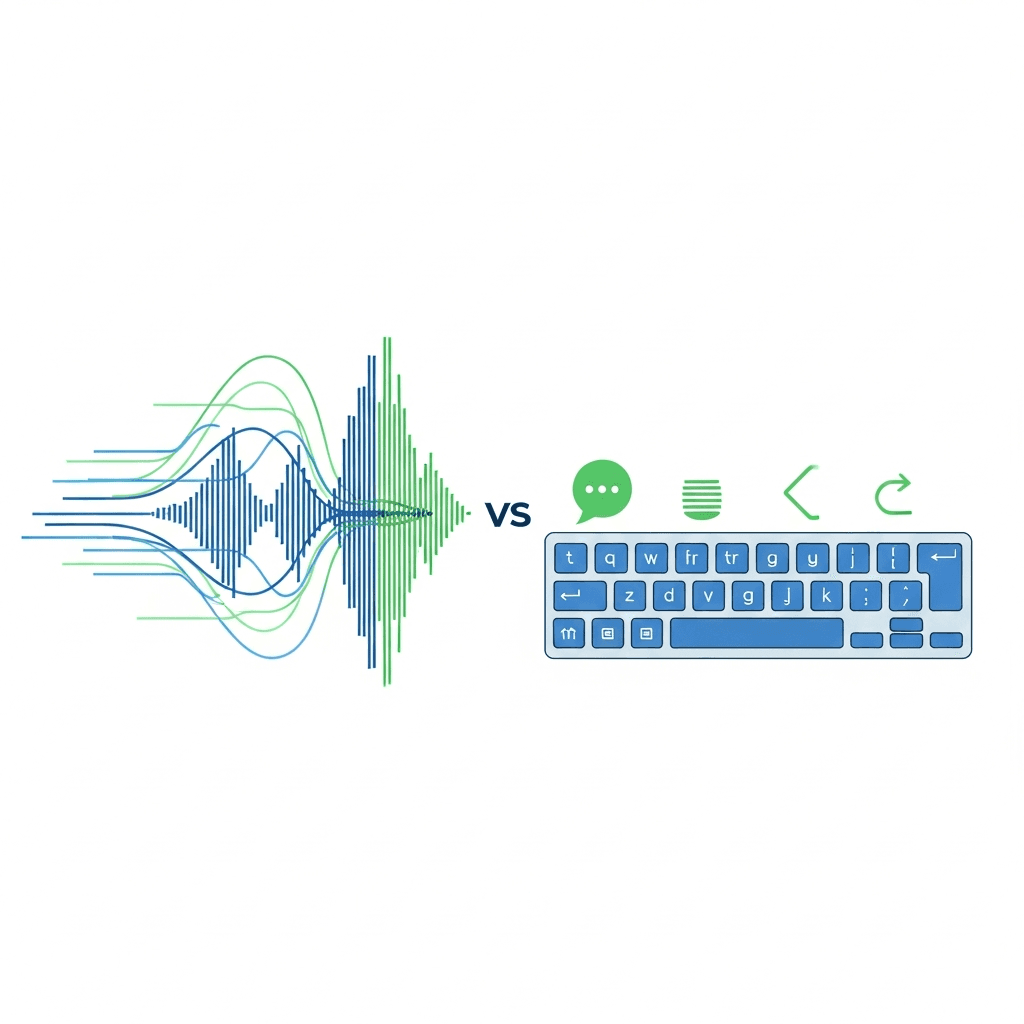
The math here is pretty straightforward. Stanford research on speech input found that speaking averaged 150 words per minute while typing averaged 40. That is a 3x gap, and for managers trying to keep up with feedback across a team, it compounds quickly.
A Slack message that takes three minutes to type takes under a minute to speak. A post-meeting summary that gets skipped because it feels like too much effort becomes a quick dictation on the walk back to your desk. That speed difference changes what gets sent at all.
When friction drops, frequency goes up. Managers who can voice-draft a reply in 45 seconds are far more likely to actually send it than those who need to sit down and compose. The feedback backlog shrinks without any extra hours added to the day.
How Voice Dictation Removes Friction from Real-Time Feedback

The feedback itself is rarely the hard part. Most managers already know what they want to say. What stops them is the transition: closing a browser tab, opening Slack, sitting down to compose something coherent enough to send.
Voice removes that transition entirely. A quick observation after a presentation, a note on how someone handled a difficult client call, encouragement after a long sprint, these can be captured the moment they happen. Walking back from a meeting, waiting for coffee, standing between calls. No dedicated writing time required.
That immediacy matters beyond just speed. Feedback loses value the longer it sits. A comment delivered the same day lands differently than the same comment buried in a quarterly review three months later. When speaking is an option, the window between "I should say something" and "I actually did" shrinks to almost nothing.
Voice Creates Warmer, More Personal Feedback Tone
Typed feedback often reads as terse, even when that was never the intent. Under time pressure, people compress. Sentences get clipped. Context disappears. What starts as thoughtful guidance gets whittled down to a two-line bullet.
Speaking works differently. When you talk through feedback, you fill in the reasoning naturally. You acknowledge the effort before the critique. You add the "here is what I actually meant" that typed messages often skip.
That difference in reception matters. Feedback delivered with context and warmth is more likely to land, stick, and get acted on. Employees can tell when a message was dashed off in thirty seconds versus when someone took the time to say something real. Voice makes the latter the default, not the exception.
Dictation Speeds Up Post-Meeting Follow-Up and Action Items
Every meeting generates a short window where everything is clear: who owns what, what was decided, what needs to change. That window closes fast.
By the time a manager sits down to write follow-up notes an hour later, the specifics have already started to blur. Which action item went to whom? What was the exact feedback on the proposal? Typing that summary after the fact means reconstructing context that was perfectly intact ten minutes ago.
Voice changes the timing entirely. Record the summary on the way back to your desk. Send the feedback message before the next calendar invite loads. Willow picks up the spoken output and formats it cleanly, no cleanup session required. Employees get direction while the meeting is still fresh for them too, which means less back-and-forth and faster follow-through.
Why Personalization Matters More Than Raw Transcription Speed
Raw transcription speed only takes you so far. Personalization is what makes the output actually usable.
Generic tools like Apple's built-in voice dictation and Wispr Flow treat every session the same way. They don't know your team's names, your product terminology, or how you prefer to close an email. So after every dictation, you're back fixing the same corrections you made last week.
Willow learns. Correct a teammate's name once and it's locked in permanently. Writing style, sign-off preferences, sentence structure: all of it adapts over time through auto-dictionary and style matching. The result is fewer edits after each session.
That gap matters for managers. Feedback with misspelled names or off-brand phrasing undermines the message before it's even read. Personalization is what turns voice input into something you can actually send.
Feature | Willow Voice | Wispr Flow | Apple's Built-in Voice Dictation |
|---|---|---|---|
Transcription Latency | 200ms - appears before your thought is gone | 700ms or more - noticeable lag that breaks concentration | 700ms or more - standard delay across sessions |
Personalization and Learning | Auto-dictionary learns employee names, team terminology, and writing style after one correction - is remembered for future use | Generic processing - treats every session the same way without learning preferences | Generic processing - no memory of previous corrections or terminology |
Security and Compliance | SOC 2 certified, HIPAA compliant, zero data retention policy, offline mode available for local processing | Processes audio through servers that may retain recordings or use voice data to improve models | Processes audio through servers that may retain recordings or use voice data to improve models |
Team Features | Shared team dictionaries keep HR-specific terminology consistent across entire organization | No shared team dictionary - each user makes same corrections independently | No team features - individual device-level only |
Style Matching | Adapts to your writing style, tone, and preferred sign-offs - edits become rare over time | No style adaptation - same output format for all users | No style adaptation - basic transcription only |
Security and Compliance Requirements for Manager Feedback
Performance feedback is sensitive data. Names, compensation context, disciplinary notes, behavioral observations, these conversations carry real risk if they're mishandled.
Some dictation tools may process audio through cloud services depending on settings, which can raise concerns for sensitive use cases. For managers in healthcare, finance, or any compliance-focused space, that's a non-starter.
Willow is SOC 2 certified and HIPAA compliant, with a zero data retention policy. Spoken feedback never gets stored. For teams with stricter requirements, offline mode keeps everything local with no cloud processing at all.
Shared team dictionaries and spelling overrides keep HR-specific terminology consistent across your org without anyone manually correcting it session after session. The security infrastructure holds whether you're a startup or inside a Fortune 500 environment.
How Willow Accelerates Feedback Cycles for Management Teams

Three things have to work together for voice feedback to actually stick: speed that keeps you in flow, accuracy that sounds like you, and security your HR team can sign off on.
Willow's 200ms latency means transcription appears before your thought is gone. No lag in concentration. Where tools like Wispr Flow and Apple's built-in voice dictation clock in at 700ms or more, that lag compounds across a full day of feedback sessions.
Personalization through auto-dictionary and style matching means employee names, team terminology, and your preferred sign-off are locked in after a few corrections. Willow learns how you write, so edits become rare over time.
SOC 2 and HIPAA compliance, backed by a zero data retention policy, means performance conversations stay where they belong. Shared team dictionaries keep employee names and HR-specific terminology consistent across every manager in the org, and shared shortcuts let teams trigger common phrases without anyone retyping them. Managers send more, employees hear more, and the gap between intention and action closes.
FAQs
How long does it take to send feedback using voice instead of typing?
A feedback message that takes 3 minutes to type takes under 1 minute to speak, because speaking happens at 150 words per minute while typing averages 40. That 3x speed difference means you can send post-meeting summaries or quick observations in under 45 seconds instead of skipping them entirely.
Why does voice feedback sound warmer than typed messages?
When you speak feedback, you naturally include reasoning, acknowledge effort before critique, and add context that gets stripped out when typing under time pressure. Voice-drafted messages require fewer follow-ups because the warmth and clarity come through in the original message instead of needing clarification later.
Can I use voice dictation for performance feedback without security risks?
Yes, if you choose a tool with proper compliance. Willow is SOC 2 certified and HIPAA compliant with zero data retention, meaning your spoken feedback about employee performance, compensation, or behavioral observations never gets stored on external servers.
How does Willow remember my team's names and terminology?
Willow uses auto-dictionary learning that locks in corrections permanently after you fix them once. When you correct a teammate's name or product term, it remembers for all future sessions, and shared team dictionaries keep HR-specific terminology consistent across your entire organization without manual corrections.
What makes Willow faster than Apple's built-in voice dictation or Wispr Flow?
Willow's 200ms latency means transcription appears before your thought is gone, while standard dictation tools, Apple's built-in voice dictation, and Wispr Flow clock in at 700ms or more. That speed difference keeps you in flow state across a full day of feedback sessions instead of breaking concentration while waiting for text to catch up.
Final Thoughts on Closing the Manager Feedback Gap
How managers give feedback faster by voice comes down to speed and friction. When speaking replaces typing, those quick observations and post-meeting notes actually get sent instead of sitting unfinished. Willow captures your thoughts at 200ms, learns how you write, and keeps sensitive conversations secure, so what you say comes through clearly and on time. If you want feedback to happen in the moment it matters, try Willow and turn your next thought into a message before it slips.
You’ve got the feedback ready in your head, but what slows you down is opening Slack and trying to phrase it right. How managers give feedback faster by voice comes down to using a tool that learns their writing style and team terminology, turning a three-minute typing task into a 45-second dictation you can send without cleanup. That shift removes the friction between thinking and sending, which is why more teams are turning to voice-first feedback tools to close the gap between intent and action.
TLDR:
Voice feedback takes 45 seconds vs. 3 minutes typing. Managers send 3x more when friction drops.
Some voice-first tools can learn employee names and team terms quickly via auto-dictionary.
SOC 2 and HIPAA compliance with zero data retention keeps performance feedback secure.
200ms latency lets you capture post-meeting summaries before context fades.
Certain voice dictation tools adapt to your writing style and tone, making voice-drafted feedback sound like you.
Why Managers Struggle to Give Feedback Frequently Enough
Most managers genuinely want to give more feedback. The gap is time.
Only 1 in 5 employees receive feedback on a weekly basis, yet roughly half of managers believe they give it frequently. Employees are going weeks without input while their managers assume things are fine. Gallup data on feedback and engagement shows that 80% of employees who receive meaningful feedback in the past week are fully engaged, a number that drops sharply when feedback goes quiet.
Part of what creates this gap is where manager time actually goes. Managers spend 210 hours yearly on annual performance reviews alone. That is five-plus full work weeks consumed by a single, backward-looking process, time that could have gone to the smaller, more frequent conversations employees actually find useful.
Writing feedback takes effort. Drafting a Slack message, composing a follow-up email after a 1:1, capturing observations while they are fresh; each one is a small task that adds up fast. When the day is already packed, those messages get skipped.
The Speed Advantage of Speaking vs. Typing for Manager Communication
The math here is pretty straightforward. Stanford research on speech input found that speaking averaged 150 words per minute while typing averaged 40. That is a 3x gap, and for managers trying to keep up with feedback across a team, it compounds quickly.
A Slack message that takes three minutes to type takes under a minute to speak. A post-meeting summary that gets skipped because it feels like too much effort becomes a quick dictation on the walk back to your desk. That speed difference changes what gets sent at all.
When friction drops, frequency goes up. Managers who can voice-draft a reply in 45 seconds are far more likely to actually send it than those who need to sit down and compose. The feedback backlog shrinks without any extra hours added to the day.
How Voice Dictation Removes Friction from Real-Time Feedback
The feedback itself is rarely the hard part. Most managers already know what they want to say. What stops them is the transition: closing a browser tab, opening Slack, sitting down to compose something coherent enough to send.
Voice removes that transition entirely. A quick observation after a presentation, a note on how someone handled a difficult client call, encouragement after a long sprint, these can be captured the moment they happen. Walking back from a meeting, waiting for coffee, standing between calls. No dedicated writing time required.
That immediacy matters beyond just speed. Feedback loses value the longer it sits. A comment delivered the same day lands differently than the same comment buried in a quarterly review three months later. When speaking is an option, the window between "I should say something" and "I actually did" shrinks to almost nothing.
Voice Creates Warmer, More Personal Feedback Tone
Typed feedback often reads as terse, even when that was never the intent. Under time pressure, people compress. Sentences get clipped. Context disappears. What starts as thoughtful guidance gets whittled down to a two-line bullet.
Speaking works differently. When you talk through feedback, you fill in the reasoning naturally. You acknowledge the effort before the critique. You add the "here is what I actually meant" that typed messages often skip.
That difference in reception matters. Feedback delivered with context and warmth is more likely to land, stick, and get acted on. Employees can tell when a message was dashed off in thirty seconds versus when someone took the time to say something real. Voice makes the latter the default, not the exception.
Dictation Speeds Up Post-Meeting Follow-Up and Action Items
Every meeting generates a short window where everything is clear: who owns what, what was decided, what needs to change. That window closes fast.
By the time a manager sits down to write follow-up notes an hour later, the specifics have already started to blur. Which action item went to whom? What was the exact feedback on the proposal? Typing that summary after the fact means reconstructing context that was perfectly intact ten minutes ago.
Voice changes the timing entirely. Record the summary on the way back to your desk. Send the feedback message before the next calendar invite loads. Willow picks up the spoken output and formats it cleanly, no cleanup session required. Employees get direction while the meeting is still fresh for them too, which means less back-and-forth and faster follow-through.
Why Personalization Matters More Than Raw Transcription Speed
Raw transcription speed only takes you so far. Personalization is what makes the output actually usable.
Generic tools like Apple's built-in voice dictation and Wispr Flow treat every session the same way. They don't know your team's names, your product terminology, or how you prefer to close an email. So after every dictation, you're back fixing the same corrections you made last week.
Willow learns. Correct a teammate's name once and it's locked in permanently. Writing style, sign-off preferences, sentence structure: all of it adapts over time through auto-dictionary and style matching. The result is fewer edits after each session.
That gap matters for managers. Feedback with misspelled names or off-brand phrasing undermines the message before it's even read. Personalization is what turns voice input into something you can actually send.
Feature | Willow Voice | Wispr Flow | Apple's Built-in Voice Dictation |
|---|---|---|---|
Transcription Latency | 200ms - appears before your thought is gone | 700ms or more - noticeable lag that breaks concentration | 700ms or more - standard delay across sessions |
Personalization and Learning | Auto-dictionary learns employee names, team terminology, and writing style after one correction - is remembered for future use | Generic processing - treats every session the same way without learning preferences | Generic processing - no memory of previous corrections or terminology |
Security and Compliance | SOC 2 certified, HIPAA compliant, zero data retention policy, offline mode available for local processing | Processes audio through servers that may retain recordings or use voice data to improve models | Processes audio through servers that may retain recordings or use voice data to improve models |
Team Features | Shared team dictionaries keep HR-specific terminology consistent across entire organization | No shared team dictionary - each user makes same corrections independently | No team features - individual device-level only |
Style Matching | Adapts to your writing style, tone, and preferred sign-offs - edits become rare over time | No style adaptation - same output format for all users | No style adaptation - basic transcription only |
Security and Compliance Requirements for Manager Feedback
Performance feedback is sensitive data. Names, compensation context, disciplinary notes, behavioral observations, these conversations carry real risk if they're mishandled.
Some dictation tools may process audio through cloud services depending on settings, which can raise concerns for sensitive use cases. For managers in healthcare, finance, or any compliance-focused space, that's a non-starter.
Willow is SOC 2 certified and HIPAA compliant, with a zero data retention policy. Spoken feedback never gets stored. For teams with stricter requirements, offline mode keeps everything local with no cloud processing at all.
Shared team dictionaries and spelling overrides keep HR-specific terminology consistent across your org without anyone manually correcting it session after session. The security infrastructure holds whether you're a startup or inside a Fortune 500 environment.
How Willow Accelerates Feedback Cycles for Management Teams
Three things have to work together for voice feedback to actually stick: speed that keeps you in flow, accuracy that sounds like you, and security your HR team can sign off on.
Willow's 200ms latency means transcription appears before your thought is gone. No lag in concentration. Where tools like Wispr Flow and Apple's built-in voice dictation clock in at 700ms or more, that lag compounds across a full day of feedback sessions.
Personalization through auto-dictionary and style matching means employee names, team terminology, and your preferred sign-off are locked in after a few corrections. Willow learns how you write, so edits become rare over time.
SOC 2 and HIPAA compliance, backed by a zero data retention policy, means performance conversations stay where they belong. Shared team dictionaries keep employee names and HR-specific terminology consistent across every manager in the org, and shared shortcuts let teams trigger common phrases without anyone retyping them. Managers send more, employees hear more, and the gap between intention and action closes.
FAQs
How long does it take to send feedback using voice instead of typing?
A feedback message that takes 3 minutes to type takes under 1 minute to speak, because speaking happens at 150 words per minute while typing averages 40. That 3x speed difference means you can send post-meeting summaries or quick observations in under 45 seconds instead of skipping them entirely.
Why does voice feedback sound warmer than typed messages?
When you speak feedback, you naturally include reasoning, acknowledge effort before critique, and add context that gets stripped out when typing under time pressure. Voice-drafted messages require fewer follow-ups because the warmth and clarity come through in the original message instead of needing clarification later.
Can I use voice dictation for performance feedback without security risks?
Yes, if you choose a tool with proper compliance. Willow is SOC 2 certified and HIPAA compliant with zero data retention, meaning your spoken feedback about employee performance, compensation, or behavioral observations never gets stored on external servers.
How does Willow remember my team's names and terminology?
Willow uses auto-dictionary learning that locks in corrections permanently after you fix them once. When you correct a teammate's name or product term, it remembers for all future sessions, and shared team dictionaries keep HR-specific terminology consistent across your entire organization without manual corrections.
What makes Willow faster than Apple's built-in voice dictation or Wispr Flow?
Willow's 200ms latency means transcription appears before your thought is gone, while standard dictation tools, Apple's built-in voice dictation, and Wispr Flow clock in at 700ms or more. That speed difference keeps you in flow state across a full day of feedback sessions instead of breaking concentration while waiting for text to catch up.
Final Thoughts on Closing the Manager Feedback Gap
How managers give feedback faster by voice comes down to speed and friction. When speaking replaces typing, those quick observations and post-meeting notes actually get sent instead of sitting unfinished. Willow captures your thoughts at 200ms, learns how you write, and keeps sensitive conversations secure, so what you say comes through clearly and on time. If you want feedback to happen in the moment it matters, try Willow and turn your next thought into a message before it slips.

Try Willow for free
Instant, accurate voice dictation. No card required.
Try Willow for free
Instant, accurate voice dictation. No card required.
Other stories you’ll love
Other stories you’ll love



Your keyboard is optional now
" transform="translate(5 5)" width="9.791000051498413px"/></svg>)

The voice-first interface for modern work.
© Willow Care, Inc. 2026. All rights reserved
Your keyboard is optional now
The voice-first interface for modern work.
© Willow Care, Inc. 2026. All rights reserved
Your keyboard is optional now
The voice-first interface for modern work.
© Willow Care, Inc. 2026. All rights reserved