" transform="translate(5 2)" width="10px"/></svg>)

•
5 min read
Lovable Voice Input vs. Willow: Which Tool Delivers Faster Dictation in April 2026?
•
5 min read
Lovable Voice Input vs. Willow: Which Tool Delivers Faster Dictation in April 2026?
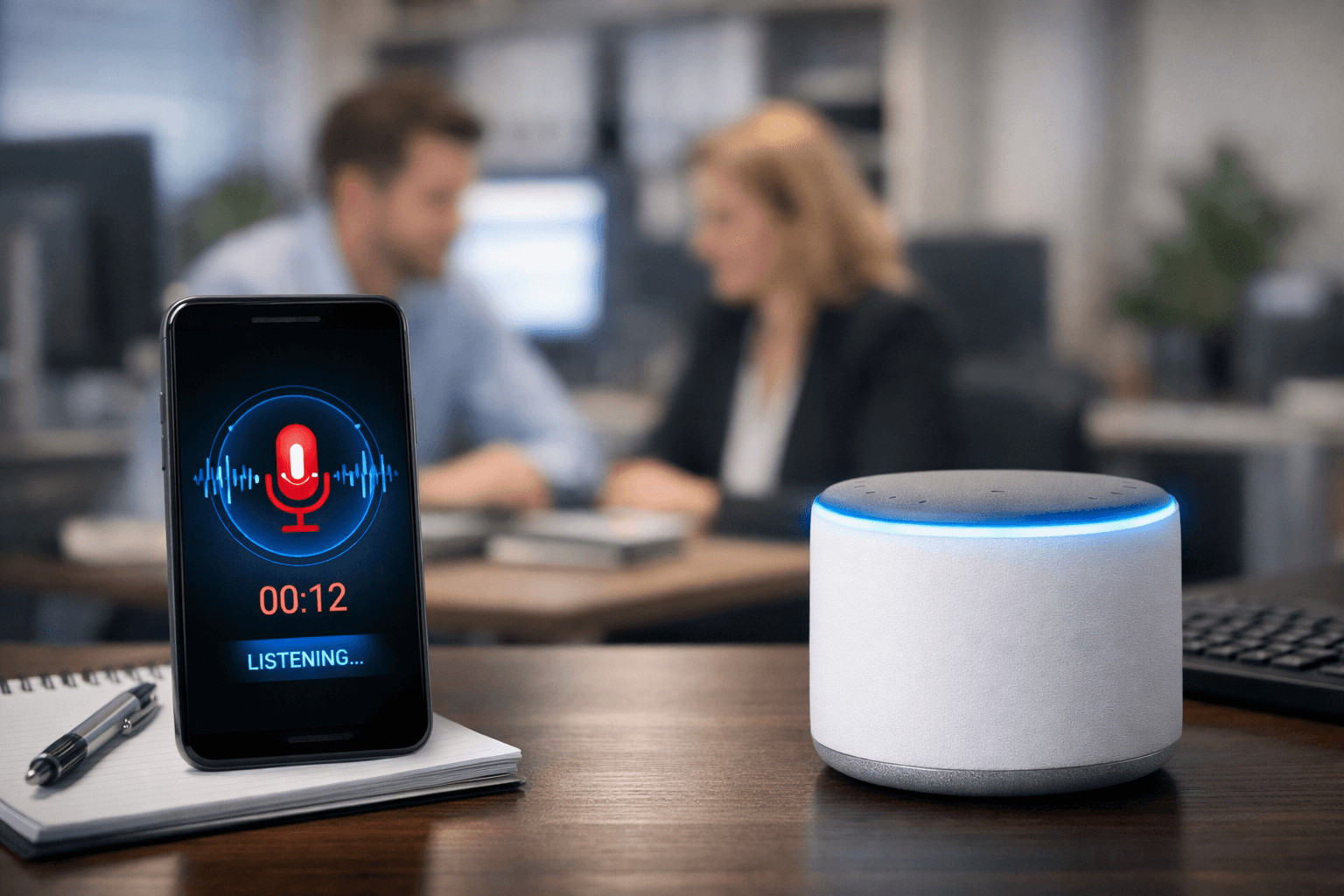
Lovable voice input makes it easy to describe what you want to build when you're inside the app, and for UI prompts, it feels natural. But a developer’s day doesn’t stay in one tab. You’re writing commits, documenting logic, prompting Claude Code, updating tickets, and messaging your team. When voice only works in one place, most of your workflow still falls back to typing. This is where system-wide voice tools change how you work across everything you open.
TLDR:
Lovable's voice input works inside its app; Willow works system-wide across Lovable, Cursor, Claude Code, and every other tool at 200ms latency.
You speak at 150 WPM vs. typing at 40 WPM, and Willow adapts to your vocabulary and coding terms to improve accuracy over time.
Many developers are spending more time writing prompts alongside code, making voice dictation a direct productivity multiplier.
Willow is SOC 2 and HIPAA compliant with zero data retention, unlike Apple's built-in dictation or Wispr Flow.
Switching between voice in Lovable and typing everywhere else breaks flow and adds friction across your day.
What Lovable Voice Input Is and How It Works
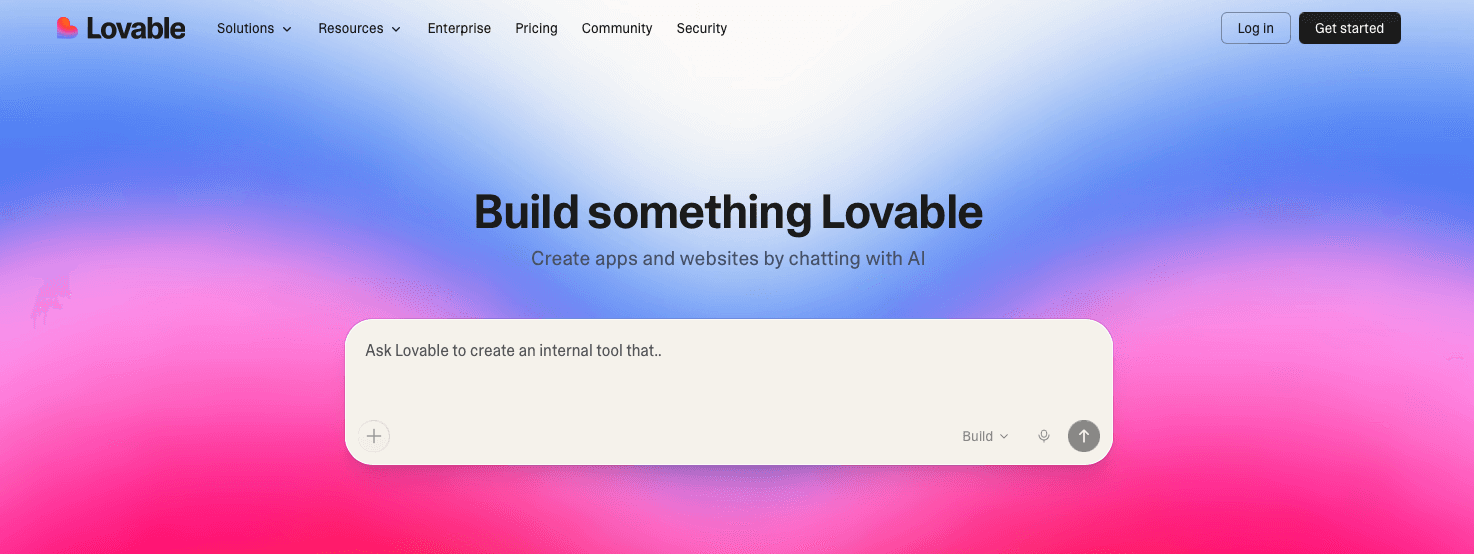
Lovable is an AI web app builder that lets you describe what you want to build in plain language and generates working code from it. The workflow is prompt-driven by design, so how fast and clearly you can express your intent matters a lot.
Its voice input feature, powered by ElevenLabs Scribe, lets you speak your prompts directly into the chat interface instead of typing them. You hold a button, speak, and your words get transcribed into the prompt field. It works within the Lovable web app itself, which keeps things contained to that one window.
Think of it as a voice layer sitting on top of an already conversational interface. Useful, but application-specific by nature.
Speed Comparison: Lovable Voice Input vs. Willow Dictation Performance
The numbers here are pretty straightforward. Typing averages 40 words per minute. Speaking runs at 150 words per minute. That gap is where Willow and Lovable's voice input start to diverge in ways that matter for developers.
Lovable's voice input gets you past the typing bottleneck inside its own app. You can speak prompts instead of typing them, which is genuinely faster. But the experience stays contained to that one browser window.
Willow operates at 200ms latency across your entire machine. One keyboard shortcut works in Lovable, in your terminal, in Claude, in Cursor, wherever your next text field is. You never hunt for a mic button or switch windows. According to voice dictation speed research, that 3x speed advantage compounds across every tool in your stack.
Lovable Voice Input | Willow Voice | |
|---|---|---|
Words per minute | ~150 wpm (speech rate) | ~150 wpm |
Latency | Not published | 200ms |
Works across apps | No, limited to Lovable | Yes, system-wide |
Activation | In-app button | Single keyboard shortcut |
Why Latency Matters for Developer Voice Dictation
Flow state is fragile. When you're mid-thought on a prompt for Lovable or Claude Code, a half-second lag between speaking and seeing text can break your concentration entirely.
Research shows humans notice delays above 100ms, and anything below that registers as instant. Willow's 200ms latency sits close enough to that threshold that the gap between speaking and seeing text feels negligible in practice.
"The bottleneck is not intelligence; it's input speed and the friction of typing."
Lovable's voice input does not publish latency figures, which makes direct comparison hard. What we do know is that dictation speed compounds across your whole stack, so every tool you use with voice gets faster. A tool confined to one app caps that benefit at one app, leaving the rest of your workflow untouched.
Voice Input Use Cases: Building Apps vs. Writing Code Documentation
Lovable's voice input fits naturally into what Lovable is built for: describing screens, components, and app behavior out loud. "Add a login form with email and password fields, center it, and make the button blue." That kind of spoken prompt works well inside that context.
But developers do a lot more than describe UI.
Where the Gap Shows Up
Writing PR descriptions and commit messages without losing your train of thought
Narrating bug reports while staring at broken code in your editor
Writing inline comments and docstrings by voice directly inside your IDE
Prompting Claude Code or Cursor mid-session without switching tools
Sending Slack updates to your team without breaking your focus
Those workflows do not typically happen inside Lovable. So when you leave that tab, the voice input stays behind. Willow follows you into every app with the same hotkey, every time.
Accuracy and Context Awareness in AI Coding Voice Tools
Accuracy looks different depending on what you're building. Lovable's voice input is optimized for natural language app descriptions, and it handles that well. Saying "create a dashboard with a sidebar nav and a data table" gets transcribed cleanly because that vocabulary fits its training context.
Where things get messier is outside that lane. Generic dictation tools, including Apple's built-in voice dictation and Wispr Flow, can struggle with framework and variable names.
Willow can be up to 3x more accurate than built-in OS dictation for technical vocabulary, and it learns your codebase vocabulary over time. Context awareness can integrate things like file names, function names, and class names as you work. Correct a term a few times and it sticks permanently in your personal dictionary, no manual setup needed.
For a developer prompting across Cursor, Claude Code, and Lovable in the same session, that context carries across every tool without resetting each time you switch tabs.
System-Wide Dictation vs. Application-Specific Voice Features
Lovable's voice input is a feature of Lovable. It works inside that app, for that workflow, and stops at the browser tab.
System-wide dictation works differently. Willow sits at the OS level, so the same keyboard shortcut that fires in Lovable also fires in your terminal, your inbox, Notion, Slack, and any AI tool. There's no mode-switching. The voice layer works regardless of which app is in focus.
Tools like Wispr Flow and Apple's built-in voice dictation also attempt system-wide coverage, but neither pairs that reach with sub-200ms latency or personalization that learns your writing style over time. Willow gets faster and more accurate for your voice and vocabulary, across every app, the more you use it.
For developers bouncing between Lovable, Cursor, Claude Code, and Slack in a single hour, that distinction matters. Application-specific voice saves keystrokes in one place. System-wide dictation removes typing friction everywhere.
How Voice Dictation Accelerates AI Prompting for Development Teams
Developers are spending a growing share of their time writing prompts instead of code. That ratio makes prompt quality a direct lever on output quality.
Voice changes the math. Spoken prompts are naturally more complete. You describe the why, mention edge cases, specify constraints. The AI gets richer input and returns a better first draft, with fewer iterations needed.
For teams using Lovable alongside Cursor or Claude Code, that compounding effect applies across every tool in the stack. Faster prompting in one tool speeds up the entire workflow, and with Willow's 200ms latency keeping you in flow state, the difference adds up quickly across a full day of development.
Enterprise Security and Compliance Considerations for Voice Tools
Voice dictation introduces a real question for any team handling sensitive code, customer data, or proprietary systems: where does the audio go?
For many built-in dictation options, including Apple's voice dictation, Wispr Flow, and generic browser-based tools, details on data handling may not always be obvious. That ambiguity can be a blocker for teams operating under compliance requirements.
Willow is SOC 2 certified and HIPAA compliant, with zero data retention on voice. Audio is processed and discarded, nothing is stored. For developers at Fortune 500 companies or YC startups shipping in healthcare, finance, or other compliance-heavy industries, that's the baseline required before any tool gets deployed at scale.
Lovable's voice input, powered by ElevenLabs Scribe, does not publish equivalent compliance certifications for enterprise use. If your team is building in a compliance-heavy environment, that gap matters before you route spoken prompts through any third-party transcription layer.
Willow Voice for Developers: Voice Dictation Built for AI Coding Workflows

Willow sits underneath every AI coding tool you already use. Whether you're prompting Lovable to generate a UI, asking Claude Code to refactor a function, or updating a Cursor context file, the same keyboard shortcut activates the same voice layer at 200ms latency every time.
Three things separate it from both Lovable's built-in voice input and alternatives like Wispr Flow or Apple's built-in dictation:
Personalization that adapts to your vocabulary, variable names, and writing style over time, so edits get fewer the longer you use it.
200ms latency that keeps you in flow state across every app you work in.
SOC 2 and HIPAA compliance with zero data retention for teams that cannot afford ambiguity around sensitive code or client data.
You speak at 150 words per minute. Willow handles the rest.
FAQs
How does Willow's system-wide dictation compare to Lovable's voice input?
Lovable's voice input works only inside the Lovable web app for describing UI prompts, while Willow works across every application on your machine with a single keyboard shortcut: Lovable, Cursor, Slack, your terminal, and any other text field you encounter.
Can Willow learn technical terms and framework names for AI coding?
Yes, Willow's auto-dictionary learns your codebase vocabulary, variable names, and framework-specific terms as you correct them, making it more accurate than Apple's built-in voice dictation for technical content over time, based on internal testing.
Why does 200ms latency matter when you're speaking code prompts?
At 200ms latency, the gap between speaking and seeing text feels nearly instant, keeping you in flow state when prompting AI coding tools like Claude Code or Cursor. Tools like Wispr Flow and Apple's built-in voice dictation typically run at 700ms+ and break your concentration mid-thought.
Is Willow secure enough for development teams handling sensitive code?
Willow is SOC 2 certified and HIPAA compliant with zero data retention on voice. Audio is processed and immediately discarded, making it suitable for teams in healthcare, finance, or Fortune 500 companies where Apple's built-in voice dictation and Wispr Flow lack clear compliance standards.
Does Willow work with Lovable and other AI coding assistants?
Yes, Willow works with Lovable, Cursor, Claude Code, and most other AI tools you use. One hotkey activates voice dictation in every application without switching modes or hunting for buttons.
Final Thoughts on Voice Tools for AI-Assisted Development
Lovable voice input works well for describing builds inside its own interface, but your real work spans far beyond that single window. Willow carries voice across your entire workflow with one shortcut, fast transcription, and a system that adapts to how you write code over time. It keeps up when you move between tools, whether you're prompting, documenting, or communicating with your team.
Lovable voice input makes it easy to describe what you want to build when you're inside the app, and for UI prompts, it feels natural. But a developer’s day doesn’t stay in one tab. You’re writing commits, documenting logic, prompting Claude Code, updating tickets, and messaging your team. When voice only works in one place, most of your workflow still falls back to typing. This is where system-wide voice tools change how you work across everything you open.
TLDR:
Lovable's voice input works inside its app; Willow works system-wide across Lovable, Cursor, Claude Code, and every other tool at 200ms latency.
You speak at 150 WPM vs. typing at 40 WPM, and Willow adapts to your vocabulary and coding terms to improve accuracy over time.
Many developers are spending more time writing prompts alongside code, making voice dictation a direct productivity multiplier.
Willow is SOC 2 and HIPAA compliant with zero data retention, unlike Apple's built-in dictation or Wispr Flow.
Switching between voice in Lovable and typing everywhere else breaks flow and adds friction across your day.
What Lovable Voice Input Is and How It Works
Lovable is an AI web app builder that lets you describe what you want to build in plain language and generates working code from it. The workflow is prompt-driven by design, so how fast and clearly you can express your intent matters a lot.
Its voice input feature, powered by ElevenLabs Scribe, lets you speak your prompts directly into the chat interface instead of typing them. You hold a button, speak, and your words get transcribed into the prompt field. It works within the Lovable web app itself, which keeps things contained to that one window.
Think of it as a voice layer sitting on top of an already conversational interface. Useful, but application-specific by nature.
Speed Comparison: Lovable Voice Input vs. Willow Dictation Performance
The numbers here are pretty straightforward. Typing averages 40 words per minute. Speaking runs at 150 words per minute. That gap is where Willow and Lovable's voice input start to diverge in ways that matter for developers.
Lovable's voice input gets you past the typing bottleneck inside its own app. You can speak prompts instead of typing them, which is genuinely faster. But the experience stays contained to that one browser window.
Willow operates at 200ms latency across your entire machine. One keyboard shortcut works in Lovable, in your terminal, in Claude, in Cursor, wherever your next text field is. You never hunt for a mic button or switch windows. According to voice dictation speed research, that 3x speed advantage compounds across every tool in your stack.
Lovable Voice Input | Willow Voice | |
|---|---|---|
Words per minute | ~150 wpm (speech rate) | ~150 wpm |
Latency | Not published | 200ms |
Works across apps | No, limited to Lovable | Yes, system-wide |
Activation | In-app button | Single keyboard shortcut |
Why Latency Matters for Developer Voice Dictation
Flow state is fragile. When you're mid-thought on a prompt for Lovable or Claude Code, a half-second lag between speaking and seeing text can break your concentration entirely.
Research shows humans notice delays above 100ms, and anything below that registers as instant. Willow's 200ms latency sits close enough to that threshold that the gap between speaking and seeing text feels negligible in practice.
"The bottleneck is not intelligence; it's input speed and the friction of typing."
Lovable's voice input does not publish latency figures, which makes direct comparison hard. What we do know is that dictation speed compounds across your whole stack, so every tool you use with voice gets faster. A tool confined to one app caps that benefit at one app, leaving the rest of your workflow untouched.
Voice Input Use Cases: Building Apps vs. Writing Code Documentation
Lovable's voice input fits naturally into what Lovable is built for: describing screens, components, and app behavior out loud. "Add a login form with email and password fields, center it, and make the button blue." That kind of spoken prompt works well inside that context.
But developers do a lot more than describe UI.
Where the Gap Shows Up
Writing PR descriptions and commit messages without losing your train of thought
Narrating bug reports while staring at broken code in your editor
Writing inline comments and docstrings by voice directly inside your IDE
Prompting Claude Code or Cursor mid-session without switching tools
Sending Slack updates to your team without breaking your focus
Those workflows do not typically happen inside Lovable. So when you leave that tab, the voice input stays behind. Willow follows you into every app with the same hotkey, every time.
Accuracy and Context Awareness in AI Coding Voice Tools
Accuracy looks different depending on what you're building. Lovable's voice input is optimized for natural language app descriptions, and it handles that well. Saying "create a dashboard with a sidebar nav and a data table" gets transcribed cleanly because that vocabulary fits its training context.
Where things get messier is outside that lane. Generic dictation tools, including Apple's built-in voice dictation and Wispr Flow, can struggle with framework and variable names.
Willow can be up to 3x more accurate than built-in OS dictation for technical vocabulary, and it learns your codebase vocabulary over time. Context awareness can integrate things like file names, function names, and class names as you work. Correct a term a few times and it sticks permanently in your personal dictionary, no manual setup needed.
For a developer prompting across Cursor, Claude Code, and Lovable in the same session, that context carries across every tool without resetting each time you switch tabs.
System-Wide Dictation vs. Application-Specific Voice Features
Lovable's voice input is a feature of Lovable. It works inside that app, for that workflow, and stops at the browser tab.
System-wide dictation works differently. Willow sits at the OS level, so the same keyboard shortcut that fires in Lovable also fires in your terminal, your inbox, Notion, Slack, and any AI tool. There's no mode-switching. The voice layer works regardless of which app is in focus.
Tools like Wispr Flow and Apple's built-in voice dictation also attempt system-wide coverage, but neither pairs that reach with sub-200ms latency or personalization that learns your writing style over time. Willow gets faster and more accurate for your voice and vocabulary, across every app, the more you use it.
For developers bouncing between Lovable, Cursor, Claude Code, and Slack in a single hour, that distinction matters. Application-specific voice saves keystrokes in one place. System-wide dictation removes typing friction everywhere.
How Voice Dictation Accelerates AI Prompting for Development Teams
Developers are spending a growing share of their time writing prompts instead of code. That ratio makes prompt quality a direct lever on output quality.
Voice changes the math. Spoken prompts are naturally more complete. You describe the why, mention edge cases, specify constraints. The AI gets richer input and returns a better first draft, with fewer iterations needed.
For teams using Lovable alongside Cursor or Claude Code, that compounding effect applies across every tool in the stack. Faster prompting in one tool speeds up the entire workflow, and with Willow's 200ms latency keeping you in flow state, the difference adds up quickly across a full day of development.
Enterprise Security and Compliance Considerations for Voice Tools
Voice dictation introduces a real question for any team handling sensitive code, customer data, or proprietary systems: where does the audio go?
For many built-in dictation options, including Apple's voice dictation, Wispr Flow, and generic browser-based tools, details on data handling may not always be obvious. That ambiguity can be a blocker for teams operating under compliance requirements.
Willow is SOC 2 certified and HIPAA compliant, with zero data retention on voice. Audio is processed and discarded, nothing is stored. For developers at Fortune 500 companies or YC startups shipping in healthcare, finance, or other compliance-heavy industries, that's the baseline required before any tool gets deployed at scale.
Lovable's voice input, powered by ElevenLabs Scribe, does not publish equivalent compliance certifications for enterprise use. If your team is building in a compliance-heavy environment, that gap matters before you route spoken prompts through any third-party transcription layer.
Willow Voice for Developers: Voice Dictation Built for AI Coding Workflows
Willow sits underneath every AI coding tool you already use. Whether you're prompting Lovable to generate a UI, asking Claude Code to refactor a function, or updating a Cursor context file, the same keyboard shortcut activates the same voice layer at 200ms latency every time.
Three things separate it from both Lovable's built-in voice input and alternatives like Wispr Flow or Apple's built-in dictation:
Personalization that adapts to your vocabulary, variable names, and writing style over time, so edits get fewer the longer you use it.
200ms latency that keeps you in flow state across every app you work in.
SOC 2 and HIPAA compliance with zero data retention for teams that cannot afford ambiguity around sensitive code or client data.
You speak at 150 words per minute. Willow handles the rest.
FAQs
How does Willow's system-wide dictation compare to Lovable's voice input?
Lovable's voice input works only inside the Lovable web app for describing UI prompts, while Willow works across every application on your machine with a single keyboard shortcut: Lovable, Cursor, Slack, your terminal, and any other text field you encounter.
Can Willow learn technical terms and framework names for AI coding?
Yes, Willow's auto-dictionary learns your codebase vocabulary, variable names, and framework-specific terms as you correct them, making it more accurate than Apple's built-in voice dictation for technical content over time, based on internal testing.
Why does 200ms latency matter when you're speaking code prompts?
At 200ms latency, the gap between speaking and seeing text feels nearly instant, keeping you in flow state when prompting AI coding tools like Claude Code or Cursor. Tools like Wispr Flow and Apple's built-in voice dictation typically run at 700ms+ and break your concentration mid-thought.
Is Willow secure enough for development teams handling sensitive code?
Willow is SOC 2 certified and HIPAA compliant with zero data retention on voice. Audio is processed and immediately discarded, making it suitable for teams in healthcare, finance, or Fortune 500 companies where Apple's built-in voice dictation and Wispr Flow lack clear compliance standards.
Does Willow work with Lovable and other AI coding assistants?
Yes, Willow works with Lovable, Cursor, Claude Code, and most other AI tools you use. One hotkey activates voice dictation in every application without switching modes or hunting for buttons.
Final Thoughts on Voice Tools for AI-Assisted Development
Lovable voice input works well for describing builds inside its own interface, but your real work spans far beyond that single window. Willow carries voice across your entire workflow with one shortcut, fast transcription, and a system that adapts to how you write code over time. It keeps up when you move between tools, whether you're prompting, documenting, or communicating with your team.

Try Willow for free
Instant, accurate voice dictation. No card required.
Try Willow for free
Instant, accurate voice dictation. No card required.
Other stories you’ll love
Other stories you’ll love



Your keyboard is optional now
" transform="translate(5 5)" width="9.791000051498413px"/></svg>)

The voice-first interface for modern work.
© Willow Care, Inc. 2026. All rights reserved
Your keyboard is optional now
The voice-first interface for modern work.
© Willow Care, Inc. 2026. All rights reserved
Your keyboard is optional now
The voice-first interface for modern work.
© Willow Care, Inc. 2026. All rights reserved