" transform="translate(5 2)" width="10px"/></svg>)

•
5 min read
10 Best Dictation Software Tools June 2026

•
5 min read
10 Best Dictation Software Tools June 2026
Everyone knows that speaking is faster than typing, yet many tools still make voice input feel slower than typing. You say a sentence, wait for the text to appear, then stop to correct the words the system misunderstood. The gap often comes down to latency and personalization. Many tools operate at 700ms+ latency and lack personalization features that adapt to your vocabulary or writing style. When comparing the best dictation software, the tools that stand out reduce latency, work across all apps, and learn from corrections over time, so accuracy improves with use. We'll break down which tools have solved those core problems and where Willow Voice fits in the mix.
TLDR:
Dictation software converts speech to text faster than typing (150 words per minute vs. 40).
Willow Voice delivers 3x more accurate transcription than built-in tools with 98%+ accuracy, 200ms latency, and system-wide compatibility.
Free options like Apple Dictation lack personalization and struggle with technical terms.
Medical professionals must comply with HIPAA to protect the security of patient data.
Enterprise teams can deploy Willow org-wide with SOC 2 Type II compliance, shared custom dictionaries, and admin controls that scale from a single user to a full organization.
Some modern tools learn your writing style, run at 200ms latency, and work across all apps.
What Is Dictation Software and How Does It Work?
Dictation software converts spoken words into written text. You talk, and the software types for you in any app where you'd normally use a keyboard.
Speech recognition tech captures your voice through a microphone, processes the audio in real time, and outputs text on your screen. Early versions relied on basic pattern matching and required tedious training sessions. You had to read scripts aloud for hours just to get mediocre accuracy.
Many modern systems also build a personal vocabulary over time, learning from corrected spellings, proper nouns, and domain-specific terms, so the same mistakes stop recurring. The result is faster, cleaner transcription that sounds like you. For other AI productivity tools that can speed up your workflow, explore options that integrate with dictation software.
Behind the scenes, the process runs in three steps: a microphone captures your voice, filters out background noise, and passes the audio to a speech engine. That engine matches sounds to likely words, then applies a language model to pick the most probable sequence given everything that has been said before. The best tools complete this in well under a second. Older tools required seconds; that lag is what made early dictation feel broken.
The speech recognition market will reach USD 30.0 billion in 2026, reflecting the widespread adoption of voice input across industries.
Why Use Dictation Software Over Typing
Speaking is faster than typing. Voice input outpaces desktop typing by a wide margin. You can speak at around 150 WPM. Most people type around 40 words per minute.
That speed difference adds up quickly. A 500-word email may take up to 12 minutes to type, but as little as 3 minutes to speak. Over a workday of drafting messages, documentation, and prompts, dictation can save hours.
Voice cuts physical strain. Typing for extended periods causes wrist fatigue, repetitive stress injuries, and neck tension from hunching over a keyboard. Speaking lets you sit back, stand up, or move around while you work, and you can stay hands-free while cooking, walking, or reviewing documents. For more techniques on increasing your writing output, see our guide on how to write faster.
Key Features to Look for in Dictation Software
Accuracy matters more than any other feature. Look for tools that can handle technical terms, proper nouns, and your specific vocabulary without constant corrections. The best options learn from your edits and adapt over time.
App compatibility determines where you can actually use the tool. Check whether it works system-wide or only in specific apps, such as browsers or word processors. You want dictation that follows you into email, Slack, Google Docs, and anywhere else you type.
Speed affects whether dictation feels natural or frustrating. Latency above 700ms creates noticeable lag between speaking and seeing text appear. Anything under 300ms feels instant.
Other features to consider:
Voice commands for formatting, punctuation, and navigation
Multi-language support if you work in more than one language
Offline mode for privacy-sensitive work or unreliable internet
Security certifications like SOC 2 or HIPAA for healthcare and enterprise teams
Pricing structure, whether subscription or one-time purchase
The 10 Best Dictation Software Tools of March 2026
1. Willow
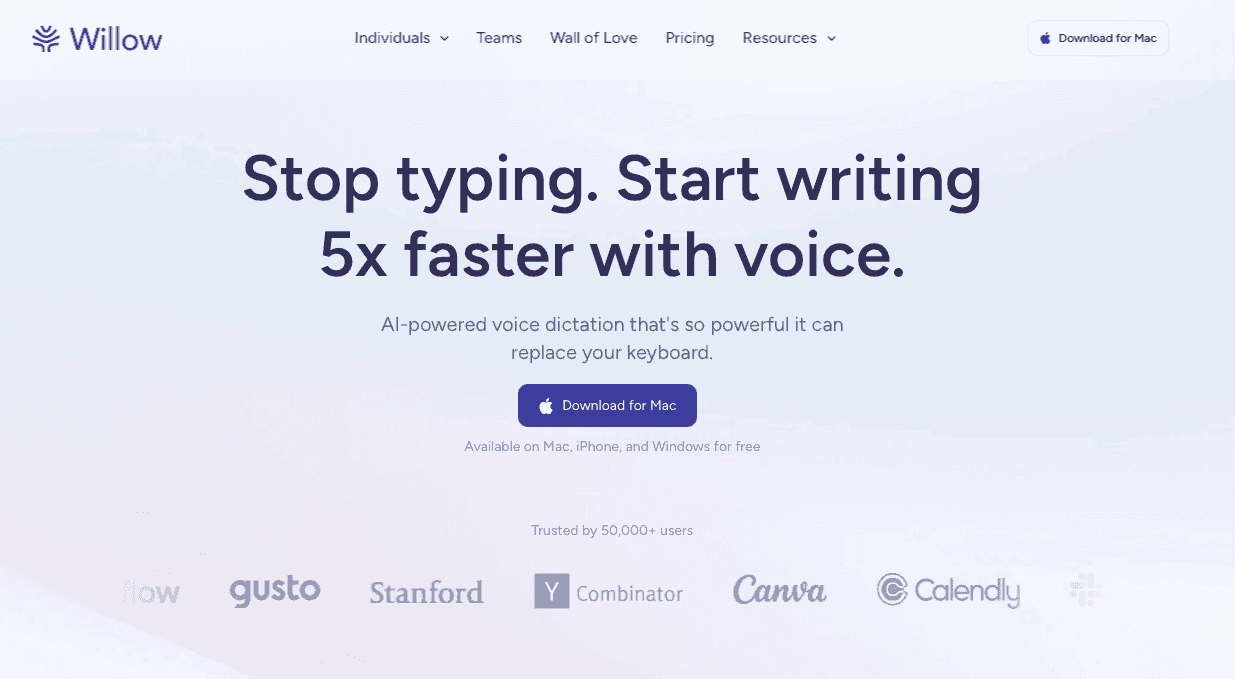
Willow Voice is an AI-powered dictation tool built for professionals who want fast, accurate transcription across every app they use. At 200ms latency, it outpaces most competitors by a wide margin. It learns your writing style over time, remembering corrected spellings, tone preferences, and domain-specific vocabulary, so output gets cleaner the longer you use it.
Key features:
200ms latency for real-time transcription that keeps up with natural speech
98%+ accuracy with a learning engine that adapts to your vocabulary and corrections over time
System-wide compatibility on Mac, Windows, and iOS with SOC 2 Type II and HIPAA compliance for enterprise teams
Good for: Professionals who need fast, accurate dictation across all apps on Mac, Windows, or iOS.
Limitation: Full access requires a paid plan; the free tier recharges at 2,000 words per week.
Bottom line: The fastest, most accurate option for anyone who types heavily across multiple apps each day.
2. Dragon Medical One
Dragon Medical One is a cloud-based medical dictation tool from Nuance built for healthcare professionals who need specialty-specific vocabularies and deep EHR integration. It is widely used in large hospital settings where structured clinical workflows benefit from tight system integration.
Key features:
Specialty-specific medical vocabularies covering cardiology, oncology, radiology, and more
Direct integration with major EHR systems for in-workflow clinical documentation
HIPAA compliance with structured documentation controls for clinical teams
Good for: Large hospitals and practices that need deep EHR integration and specialty medical vocabulary.
Limitation: Latency exceeds 700ms, and initial setup requires dedicated customization time for individual workflows.
Bottom line: A strong choice for structured clinical documentation in large EHR-integrated environments, but too slow and narrow for general communication.
3. Apple Dictation
Apple Dictation ships free with every Mac and iOS device. Press the Function key twice and speak into any text field. It handles basic transcription for casual use but does not learn from corrections or adapt to your vocabulary over time.
Key features:
Free and built into all Apple devices with no download or setup required
Works in any text field across macOS and iOS out of the box
Hands-free activation via a double-press of the Function key
Good for: Casual Apple users who need occasional, basic transcription at no cost.
Limitation: No personalization, no session-to-session learning, and 700ms+ latency that falls behind modern AI-powered tools.
Bottom line: Covers basic needs at no cost, but every session starts from scratch, and accuracy does not improve over time.
4. Google Docs Voice Typing
Google Docs Voice Typing is a free, browser-based dictation feature built into Google Docs. Click the microphone icon in the Tools menu and speak directly into your document. It handles simple drafting for users within Google's ecosystem.
Key features:
Free with any Google account, no separate app or download required
Supports voice commands for basic punctuation and formatting within Google Docs
Works in 60+ languages within the browser interface
Good for: Writers who draft primarily in Google Docs and need a free, no-setup option.
Limitation: Locked to Google Docs in a browser; voice input stops when you switch tabs or apps, and it is not suitable for patient or sensitive data.
Bottom line: Useful for occasional in-document drafting, but not a substitute for a system-wide dictation tool.
5. Windows Speech Recognition
Windows Speech Recognition is a free dictation tool preinstalled on Windows. It offers system-wide voice input and a basic set of voice navigation commands across the desktop.
Key features:
Pre-installed on Windows with no additional cost or download
System-wide dictation that works across apps and the Windows desktop
Voice navigation commands for basic cursor control and text formatting
Good for: Windows users with occasional dictation needs who want a no-cost option.
Limitation: Accuracy relies on manual training that does not improve automatically; latency runs above 700ms and the interface is more basic than modern alternatives.
Bottom line: A workable starting point for light use on Windows, but accuracy plateaus without ongoing manual training.
6. Wispr Flow
Wispr Flow is a modern AI-powered dictation tool built for Mac and Windows. It works across apps and focuses on natural, conversational voice input for everyday professional workflows.
Key features:
AI-powered transcription that works across Mac and Windows apps
Personalization features that adapt to your writing style over time
SOC 2 Type II, ISO 27001, and HIPAA-eligible compliance for business users
Good for: Users who want a modern, cross-app dictation experience for general professional use.
Limitation: Runs at 700ms+ latency and can struggle with technical vocabulary or domain-specific terms at high volume.
Bottom line: A capable general-purpose option, though users with specialized vocabulary or speed-critical workflows may find Willow's 200ms latency and stronger personalization a better fit.
7. Dragon Professional
Dragon Professional (formerly Dragon NaturallySpeaking) is a desktop dictation tool from Nuance with a long track record for high accuracy in extended document workflows. It learns voice patterns through guided training sessions and handles technical vocabulary once configured.
Key features:
High accuracy for desktop document workflows once the system is trained to your voice
Handles technical and industry-specific vocabulary with manual configuration
Offline capability for fully local, private processing on Windows
Good for: Desktop power users who compose long documents by voice and need offline capability.
Limitation: Latency exceeds 700ms, the interface is older than most modern alternatives, and the perpetual license costs $699 upfront.
Bottom line: Powerful for dedicated desktop users willing to invest training time and a one-time fee, but its age shows compared to cloud-based AI tools.
8. Otter.ai
Otter.ai is a meeting transcription and collaborative note-taking tool. It records conversations, identifies individual speakers, generates summaries, and stores searchable transcripts. It is built for capturing spoken meetings, not for real-time voice input into apps.
Key features:
Automatic meeting transcription with speaker identification
AI-generated meeting summaries and action items
Searchable transcript archive accessible across web, iOS, and Android
Good for: Teams that need automated meeting transcription and collaborative note-taking.
Limitation: Not designed for real-time in-app voice input; latency and accuracy fall short of dedicated dictation tools for drafting emails or documents.
Bottom line: Excellent at capturing and summarizing meetings, but the wrong tool if you want to type by voice in your everyday apps.
9. Speechnotes
Speechnotes is a free Chrome extension and web app for browser-based voice transcription. Open the interface, click the microphone, and speak directly into the text area. It runs in the browser with no installation beyond the Chrome extension itself.
Key features:
Free to use with no account required for basic access
Simple microphone-button interface that runs entirely in the browser
Supports basic punctuation commands and auto-capitalization
Good for: Students and casual users who need basic transcription inside a browser at no cost.
Limitation: Browser-only with no system-wide functionality; accuracy and features fall behind paid alternatives.
Bottom line: A free, low-friction entry point for light use, but it cannot replace a full dictation app for professional work.
10. Voice In
Voice In is a Chrome extension that adds voice input to any text field inside the Chrome browser. It supports over 50 languages and includes custom voice commands that can be mapped to frequently used phrases or actions.
Key features:
Works in any Chrome text field across web apps without additional setup
Supports 50+ languages for multilingual users
Custom voice commands that map spoken phrases to text shortcuts
Good for: Chrome users who work primarily in web apps and want a lightweight voice input option.
Limitation: Browser-only; won't work in native desktop or mobile apps, and accuracy depends on browser performance.
Bottom line: A functional upgrade over Google's built-in voice typing for web-based workflows, but limited for anyone who works across native apps.
Dictation Software Comparison at a Glance
Tool | Latency | Accuracy | Platform | HIPAA / SOC 2 | Best For |
|---|---|---|---|---|---|
Willow | 200ms | 98%+ | Mac, Windows, iOS | Both | Professionals needing speed, accuracy, and system-wide compatibility |
Dragon Medical One | 700ms+ | High (trained) | Windows, Mac | HIPAA | Clinical documentation with EHR integration |
Apple Dictation | 700ms+ | Basic | Mac, iOS | Neither | Casual use on Apple devices |
Google Docs Voice Typing | 700ms+ | Basic | Browser only | Neither | Simple drafting in Google Docs |
Windows Speech Recognition | 700ms+ | Manual training | Windows | Neither | Budget option for Windows users |
Wispr Flow | 700ms+ | General use | Mac, Windows | Varies by plan | Convenience without pro accuracy needs |
Dragon Professional | 700ms+ | High (trained) | Windows | Neither | Desktop power users needing offline capability |
Otter.ai | N/A | Meeting-grade | Web, iOS, Android | Neither | Meeting transcription and note-taking |
Speechnotes | 700ms+ | Basic | Browser only | Neither | Free browser-based dictation |
Voice In | 700ms+ | Standard | Chrome only | Neither | Web app users in Chrome |
Why Willow Stands Out for Fast, Personalized Dictation
Most dictation tools get you close. Willow Voice gets you exact.
Speed is the first advantage. Willow runs at 200ms latency, which feels instant. Most competitors operate at 700ms or higher, creating a noticeable gap between speaking and seeing text appear. That gap breaks concentration and slows your work.
The second advantage is personalization. Willow delivers 98%+ accuracy and learns how you write over time, remembering corrected spellings, adapting to your tone, and recognizing your specific vocabulary. That means fewer edits after dictation and cleaner output over time. Many standard dictation tools do not support session-to-session learning, so corrections do not carry over.
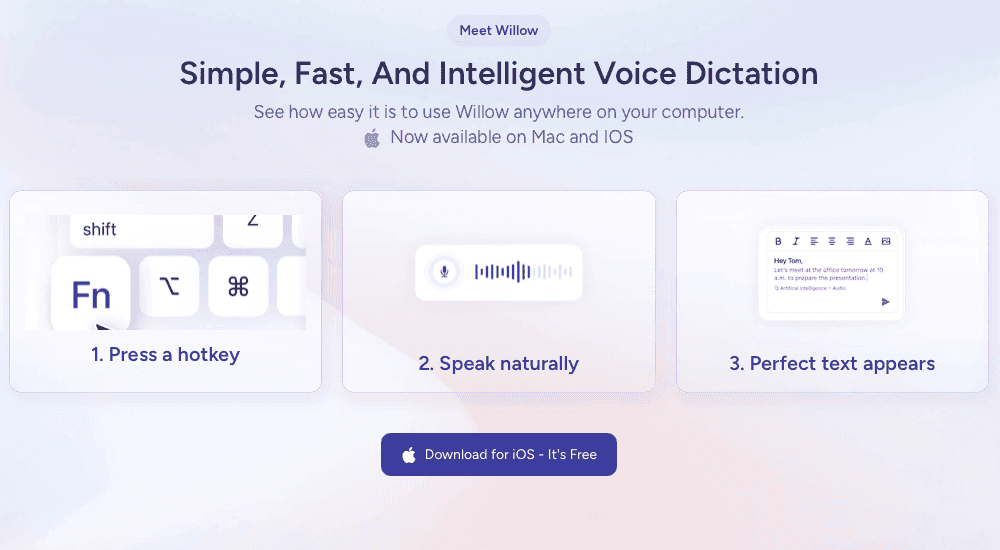
For teams, Willow offers enterprise-grade security with SOC 2 and HIPAA compliance, plus shared shortcuts and a dictionary of terms that speed up productivity across your entire organization. It runs on Mac, Windows, and iOS, so every team member gets the same experience regardless of device. You get the privacy and collaboration features larger teams need without sacrificing accuracy or speed. Press a hotkey, speak naturally, and text appears anywhere you work.
Final Thoughts on Dictation Tools
If the tools on this list show anything, it's that not all dictation software is built the same way. The right choice depends on where you work, how much accuracy matters to you, and whether you need a tool that grows with your habits. If you want dictation that keeps up with how you think, try Willow free and see how it fits your workflow.
FAQs
What makes Willow faster than other dictation tools?
Willow operates at 200ms latency, which feels instant when you speak. Most competitors, including Wispr Flow and Apple's built-in voice dictation, run at 700ms or higher, creating noticeable lag that breaks your concentration and slows down your workflow.
Can I use dictation software for medical documentation?
Yes, but you need HIPAA-compliant software for patient-related work. Tools like Willow Voice and Dragon Medical One meet federal privacy standards. Consumer tools like Google Docs Voice Typing and Apple's built-in voice dictation are generally not designed for HIPAA-compliant clinical workflows.
Do I need special equipment to start using dictation software?
No special equipment is required. Your laptop's built-in microphone or phone mic works fine for basic use. If you work in noisy environments, a simple USB headset will filter background noise better, but it's not necessary to get started.
Everyone knows that speaking is faster than typing, yet many tools still make voice input feel slower than typing. You say a sentence, wait for the text to appear, then stop to correct the words the system misunderstood. The gap often comes down to latency and personalization. Many tools operate at 700ms+ latency and lack personalization features that adapt to your vocabulary or writing style. When comparing the best dictation software, the tools that stand out reduce latency, work across all apps, and learn from corrections over time, so accuracy improves with use. We'll break down which tools have solved those core problems and where Willow Voice fits in the mix.
TLDR:
Dictation software converts speech to text faster than typing (150 words per minute vs. 40).
Willow Voice delivers 3x more accurate transcription than built-in tools with 98%+ accuracy, 200ms latency, and system-wide compatibility.
Free options like Apple Dictation lack personalization and struggle with technical terms.
Medical professionals must comply with HIPAA to protect the security of patient data.
Enterprise teams can deploy Willow org-wide with SOC 2 Type II compliance, shared custom dictionaries, and admin controls that scale from a single user to a full organization.
Some modern tools learn your writing style, run at 200ms latency, and work across all apps.
What Is Dictation Software and How Does It Work?
Dictation software converts spoken words into written text. You talk, and the software types for you in any app where you'd normally use a keyboard.
Speech recognition tech captures your voice through a microphone, processes the audio in real time, and outputs text on your screen. Early versions relied on basic pattern matching and required tedious training sessions. You had to read scripts aloud for hours just to get mediocre accuracy.
Many modern systems also build a personal vocabulary over time, learning from corrected spellings, proper nouns, and domain-specific terms, so the same mistakes stop recurring. The result is faster, cleaner transcription that sounds like you. For other AI productivity tools that can speed up your workflow, explore options that integrate with dictation software.
Behind the scenes, the process runs in three steps: a microphone captures your voice, filters out background noise, and passes the audio to a speech engine. That engine matches sounds to likely words, then applies a language model to pick the most probable sequence given everything that has been said before. The best tools complete this in well under a second. Older tools required seconds; that lag is what made early dictation feel broken.
The speech recognition market will reach USD 30.0 billion in 2026, reflecting the widespread adoption of voice input across industries.
Why Use Dictation Software Over Typing
Speaking is faster than typing. Voice input outpaces desktop typing by a wide margin. You can speak at around 150 WPM. Most people type around 40 words per minute.
That speed difference adds up quickly. A 500-word email may take up to 12 minutes to type, but as little as 3 minutes to speak. Over a workday of drafting messages, documentation, and prompts, dictation can save hours.
Voice cuts physical strain. Typing for extended periods causes wrist fatigue, repetitive stress injuries, and neck tension from hunching over a keyboard. Speaking lets you sit back, stand up, or move around while you work, and you can stay hands-free while cooking, walking, or reviewing documents. For more techniques on increasing your writing output, see our guide on how to write faster.
Key Features to Look for in Dictation Software
Accuracy matters more than any other feature. Look for tools that can handle technical terms, proper nouns, and your specific vocabulary without constant corrections. The best options learn from your edits and adapt over time.
App compatibility determines where you can actually use the tool. Check whether it works system-wide or only in specific apps, such as browsers or word processors. You want dictation that follows you into email, Slack, Google Docs, and anywhere else you type.
Speed affects whether dictation feels natural or frustrating. Latency above 700ms creates noticeable lag between speaking and seeing text appear. Anything under 300ms feels instant.
Other features to consider:
Voice commands for formatting, punctuation, and navigation
Multi-language support if you work in more than one language
Offline mode for privacy-sensitive work or unreliable internet
Security certifications like SOC 2 or HIPAA for healthcare and enterprise teams
Pricing structure, whether subscription or one-time purchase
The 10 Best Dictation Software Tools of March 2026
1. Willow
Willow Voice is an AI-powered dictation tool built for professionals who want fast, accurate transcription across every app they use. At 200ms latency, it outpaces most competitors by a wide margin. It learns your writing style over time, remembering corrected spellings, tone preferences, and domain-specific vocabulary, so output gets cleaner the longer you use it.
Key features:
200ms latency for real-time transcription that keeps up with natural speech
98%+ accuracy with a learning engine that adapts to your vocabulary and corrections over time
System-wide compatibility on Mac, Windows, and iOS with SOC 2 Type II and HIPAA compliance for enterprise teams
Good for: Professionals who need fast, accurate dictation across all apps on Mac, Windows, or iOS.
Limitation: Full access requires a paid plan; the free tier recharges at 2,000 words per week.
Bottom line: The fastest, most accurate option for anyone who types heavily across multiple apps each day.
2. Dragon Medical One
Dragon Medical One is a cloud-based medical dictation tool from Nuance built for healthcare professionals who need specialty-specific vocabularies and deep EHR integration. It is widely used in large hospital settings where structured clinical workflows benefit from tight system integration.
Key features:
Specialty-specific medical vocabularies covering cardiology, oncology, radiology, and more
Direct integration with major EHR systems for in-workflow clinical documentation
HIPAA compliance with structured documentation controls for clinical teams
Good for: Large hospitals and practices that need deep EHR integration and specialty medical vocabulary.
Limitation: Latency exceeds 700ms, and initial setup requires dedicated customization time for individual workflows.
Bottom line: A strong choice for structured clinical documentation in large EHR-integrated environments, but too slow and narrow for general communication.
3. Apple Dictation
Apple Dictation ships free with every Mac and iOS device. Press the Function key twice and speak into any text field. It handles basic transcription for casual use but does not learn from corrections or adapt to your vocabulary over time.
Key features:
Free and built into all Apple devices with no download or setup required
Works in any text field across macOS and iOS out of the box
Hands-free activation via a double-press of the Function key
Good for: Casual Apple users who need occasional, basic transcription at no cost.
Limitation: No personalization, no session-to-session learning, and 700ms+ latency that falls behind modern AI-powered tools.
Bottom line: Covers basic needs at no cost, but every session starts from scratch, and accuracy does not improve over time.
4. Google Docs Voice Typing
Google Docs Voice Typing is a free, browser-based dictation feature built into Google Docs. Click the microphone icon in the Tools menu and speak directly into your document. It handles simple drafting for users within Google's ecosystem.
Key features:
Free with any Google account, no separate app or download required
Supports voice commands for basic punctuation and formatting within Google Docs
Works in 60+ languages within the browser interface
Good for: Writers who draft primarily in Google Docs and need a free, no-setup option.
Limitation: Locked to Google Docs in a browser; voice input stops when you switch tabs or apps, and it is not suitable for patient or sensitive data.
Bottom line: Useful for occasional in-document drafting, but not a substitute for a system-wide dictation tool.
5. Windows Speech Recognition
Windows Speech Recognition is a free dictation tool preinstalled on Windows. It offers system-wide voice input and a basic set of voice navigation commands across the desktop.
Key features:
Pre-installed on Windows with no additional cost or download
System-wide dictation that works across apps and the Windows desktop
Voice navigation commands for basic cursor control and text formatting
Good for: Windows users with occasional dictation needs who want a no-cost option.
Limitation: Accuracy relies on manual training that does not improve automatically; latency runs above 700ms and the interface is more basic than modern alternatives.
Bottom line: A workable starting point for light use on Windows, but accuracy plateaus without ongoing manual training.
6. Wispr Flow
Wispr Flow is a modern AI-powered dictation tool built for Mac and Windows. It works across apps and focuses on natural, conversational voice input for everyday professional workflows.
Key features:
AI-powered transcription that works across Mac and Windows apps
Personalization features that adapt to your writing style over time
SOC 2 Type II, ISO 27001, and HIPAA-eligible compliance for business users
Good for: Users who want a modern, cross-app dictation experience for general professional use.
Limitation: Runs at 700ms+ latency and can struggle with technical vocabulary or domain-specific terms at high volume.
Bottom line: A capable general-purpose option, though users with specialized vocabulary or speed-critical workflows may find Willow's 200ms latency and stronger personalization a better fit.
7. Dragon Professional
Dragon Professional (formerly Dragon NaturallySpeaking) is a desktop dictation tool from Nuance with a long track record for high accuracy in extended document workflows. It learns voice patterns through guided training sessions and handles technical vocabulary once configured.
Key features:
High accuracy for desktop document workflows once the system is trained to your voice
Handles technical and industry-specific vocabulary with manual configuration
Offline capability for fully local, private processing on Windows
Good for: Desktop power users who compose long documents by voice and need offline capability.
Limitation: Latency exceeds 700ms, the interface is older than most modern alternatives, and the perpetual license costs $699 upfront.
Bottom line: Powerful for dedicated desktop users willing to invest training time and a one-time fee, but its age shows compared to cloud-based AI tools.
8. Otter.ai
Otter.ai is a meeting transcription and collaborative note-taking tool. It records conversations, identifies individual speakers, generates summaries, and stores searchable transcripts. It is built for capturing spoken meetings, not for real-time voice input into apps.
Key features:
Automatic meeting transcription with speaker identification
AI-generated meeting summaries and action items
Searchable transcript archive accessible across web, iOS, and Android
Good for: Teams that need automated meeting transcription and collaborative note-taking.
Limitation: Not designed for real-time in-app voice input; latency and accuracy fall short of dedicated dictation tools for drafting emails or documents.
Bottom line: Excellent at capturing and summarizing meetings, but the wrong tool if you want to type by voice in your everyday apps.
9. Speechnotes
Speechnotes is a free Chrome extension and web app for browser-based voice transcription. Open the interface, click the microphone, and speak directly into the text area. It runs in the browser with no installation beyond the Chrome extension itself.
Key features:
Free to use with no account required for basic access
Simple microphone-button interface that runs entirely in the browser
Supports basic punctuation commands and auto-capitalization
Good for: Students and casual users who need basic transcription inside a browser at no cost.
Limitation: Browser-only with no system-wide functionality; accuracy and features fall behind paid alternatives.
Bottom line: A free, low-friction entry point for light use, but it cannot replace a full dictation app for professional work.
10. Voice In
Voice In is a Chrome extension that adds voice input to any text field inside the Chrome browser. It supports over 50 languages and includes custom voice commands that can be mapped to frequently used phrases or actions.
Key features:
Works in any Chrome text field across web apps without additional setup
Supports 50+ languages for multilingual users
Custom voice commands that map spoken phrases to text shortcuts
Good for: Chrome users who work primarily in web apps and want a lightweight voice input option.
Limitation: Browser-only; won't work in native desktop or mobile apps, and accuracy depends on browser performance.
Bottom line: A functional upgrade over Google's built-in voice typing for web-based workflows, but limited for anyone who works across native apps.
Dictation Software Comparison at a Glance
Tool | Latency | Accuracy | Platform | HIPAA / SOC 2 | Best For |
|---|---|---|---|---|---|
Willow | 200ms | 98%+ | Mac, Windows, iOS | Both | Professionals needing speed, accuracy, and system-wide compatibility |
Dragon Medical One | 700ms+ | High (trained) | Windows, Mac | HIPAA | Clinical documentation with EHR integration |
Apple Dictation | 700ms+ | Basic | Mac, iOS | Neither | Casual use on Apple devices |
Google Docs Voice Typing | 700ms+ | Basic | Browser only | Neither | Simple drafting in Google Docs |
Windows Speech Recognition | 700ms+ | Manual training | Windows | Neither | Budget option for Windows users |
Wispr Flow | 700ms+ | General use | Mac, Windows | Varies by plan | Convenience without pro accuracy needs |
Dragon Professional | 700ms+ | High (trained) | Windows | Neither | Desktop power users needing offline capability |
Otter.ai | N/A | Meeting-grade | Web, iOS, Android | Neither | Meeting transcription and note-taking |
Speechnotes | 700ms+ | Basic | Browser only | Neither | Free browser-based dictation |
Voice In | 700ms+ | Standard | Chrome only | Neither | Web app users in Chrome |
Why Willow Stands Out for Fast, Personalized Dictation
Most dictation tools get you close. Willow Voice gets you exact.
Speed is the first advantage. Willow runs at 200ms latency, which feels instant. Most competitors operate at 700ms or higher, creating a noticeable gap between speaking and seeing text appear. That gap breaks concentration and slows your work.
The second advantage is personalization. Willow delivers 98%+ accuracy and learns how you write over time, remembering corrected spellings, adapting to your tone, and recognizing your specific vocabulary. That means fewer edits after dictation and cleaner output over time. Many standard dictation tools do not support session-to-session learning, so corrections do not carry over.
For teams, Willow offers enterprise-grade security with SOC 2 and HIPAA compliance, plus shared shortcuts and a dictionary of terms that speed up productivity across your entire organization. It runs on Mac, Windows, and iOS, so every team member gets the same experience regardless of device. You get the privacy and collaboration features larger teams need without sacrificing accuracy or speed. Press a hotkey, speak naturally, and text appears anywhere you work.
Final Thoughts on Dictation Tools
If the tools on this list show anything, it's that not all dictation software is built the same way. The right choice depends on where you work, how much accuracy matters to you, and whether you need a tool that grows with your habits. If you want dictation that keeps up with how you think, try Willow free and see how it fits your workflow.
FAQs
What makes Willow faster than other dictation tools?
Willow operates at 200ms latency, which feels instant when you speak. Most competitors, including Wispr Flow and Apple's built-in voice dictation, run at 700ms or higher, creating noticeable lag that breaks your concentration and slows down your workflow.
Can I use dictation software for medical documentation?
Yes, but you need HIPAA-compliant software for patient-related work. Tools like Willow Voice and Dragon Medical One meet federal privacy standards. Consumer tools like Google Docs Voice Typing and Apple's built-in voice dictation are generally not designed for HIPAA-compliant clinical workflows.
Do I need special equipment to start using dictation software?
No special equipment is required. Your laptop's built-in microphone or phone mic works fine for basic use. If you work in noisy environments, a simple USB headset will filter background noise better, but it's not necessary to get started.

Try Willow for free
Instant, accurate voice dictation. No card required.
Try Willow for free
Instant, accurate voice dictation. No card required.
Other stories you’ll love
Other stories you’ll love


Your keyboard is optional now
" transform="translate(5 5)" width="9.791000051498413px"/></svg>)

The voice-first interface for modern work.
© Willow Care, Inc. 2026. All rights reserved
Your keyboard is optional now
The voice-first interface for modern work.
© Willow Care, Inc. 2026. All rights reserved
Your keyboard is optional now
The voice-first interface for modern work.
© Willow Care, Inc. 2026. All rights reserved