" transform="translate(5 2)" width="10px"/></svg>)

•
5 min read
Best Voice-to-Text Apps for Multi-Language Users in June 2026

•
5 min read
Best Voice-to-Text Apps for Multi-Language Users in June 2026
Working across multiple languages demands a dictation tool that can keep pace with how people actually speak, shifting fluidly between languages mid-sentence. Yet most solutions excel in one language or underperform in many, leaving true multilingual workflows underserved. To understand what's possible, we inspected which tools can reliably capture real conversational code-switching and which fall apart when the language changes. Next-generation multilingual voice-to-text apps like Willow Voice handle rapid, mixed-language input with strong accuracy, showing what dedicated multilingual dictation software can do.
TLDR:
Multilingual voice dictation tools let you switch between languages mid-sentence without manual toggles.
Some multilingual speech engines support 100+ languages with automatic detection and ~200ms transcription speed.
Context-aware AI captures technical terms and proper nouns accurately across all supported languages.
Most tools limit you to browsers or specific apps, but Willow works in virtually any application across Mac, Windows, and iOS.
Modern speech recognition tools deliver 98%+ accuracy with 3x fewer errors than built-in dictation across supported languages.
What Are Multilingual Voice Dictation Tools?
Multilingual voice dictation tools convert spoken words into written text across multiple languages. These tools let you switch between languages during the same session without changing settings or toggling between apps.
If you're drafting an email in English but need to include a Spanish phrase or a German technical term, multilingual dictation automatically detects the language shift. You keep talking, and the tool keeps transcribing accurately.
This matters most for polyglots, international professionals working across markets, and multilingual teams collaborating in different languages daily. You speak naturally in whatever language fits the moment, and the tool recognizes speech patterns, accents, and vocabulary across 100+ languages in real time.
How We Assessed Voice-to-Text Tools for Multi-Language Users
When you choose multilingual dictation software, several factors separate basic voice typing from truly capable international speech recognition tools.
Language coverage matters first. The best tools support major languages like English and Spanish, plus 100+ additional languages, with strong accuracy. Look for support across European, Asian, and less common languages if you work globally.
Context-aware accuracy separates good from great. Can the tool handle mid-sentence language switches? Does it recognize technical terms, proper nouns, and industry jargon across languages? Speech recognition accuracy has improved dramatically, but many tools still struggle with multilingual context.
Consider these practical criteria:
Switching speed between languages without manual toggles, so you can move between languages naturally during the same dictation session
Accent and dialect recognition within each language to account for regional variations in pronunciation and speech patterns
Cloud versus offline processing for speed and privacy, depending on whether you need internet connectivity or want to protect sensitive information
Integration across apps where you actually work, including email clients, document editors, and messaging tools
Cross-device availability, including Windows and iOS support, so every team member gets the same dictation experience regardless of device
Custom dictionary support for specialized terminology in your field or industry-specific vocabulary that standard dictionaries may not recognize
How These Tools Compare
Tool | Languages | Auto Detection | Devices / OS | Works in Any App | Offline Mode | Accuracy |
|---|---|---|---|---|---|---|
Willow | 100+ | Yes | Mac, Windows, iOS | Yes | Yes | 98%+, ~200ms latency |
Dragon | 8 | No (separate profiles) | Windows | Within the Dragon app | Yes | Professional-grade, single language per session |
Google Docs Voice Typing | 100+ | No (manual toggle) | Chrome browser only | No | No | Basic, no auto-punctuation in most languages |
Microsoft Word Dictation | Multiple | No | Office apps only | No | No | Moderate, requires stable internet |
Apple Dictation | 66 | No | Apple devices | Yes (Apple apps) | Partial | Lower than specialized tools, no context-awareness |
Superwhisper | Multiple | Yes | Mac, iOS | Yes (Mac) | Yes (local) | Varies by AI model; 1 to 2 seconds on higher-accuracy models |
Voice In | 50+ | No | Chrome/Chromium | No (browser only) | No | Basic, browser-dependent |
Willow
Willow works across 100+ languages with automatic language detection, so you can switch between languages without changing settings or profiles. The context-aware AI can recognize technical terms and proper nouns across supported languages in most cases, delivering ~200ms processing speed regardless of which language you're speaking.
Key Features for Multi-Language Users
Automatic language detection and switching across 100+ supported languages without manual profile changes
Context-aware transcription that accurately captures technical terminology and proper nouns across supported languages
Works in virtually any Mac application where you type, including Gmail, Slack, and ChatGPT
Custom dictionaries let you add specialized vocabulary across supported languages
Offline mode available for fully private, local dictation without internet connectivity, while maintaining high accuracy
Available on Mac, Windows, and iOS, so teams on any device get the same dictation experience
Willow Scribe mode generates complete written content from voice prompts, including drafting full emails, context-aware replies by reading conversation history, and voice-commanded text editing, turning dictation into a voice-controlled writing assistant
Where many competing tools require manual profile switching and configuration steps, Willow handles language detection automatically. Words appear in 200 milliseconds across all supported languages, and context-aware processing correctly captures names and specialized terms without manual training sessions.
On the commercial side, Willow runs a forever-free plan: 2,000 words per week, no credit card required. Paid plans start at $12/user/month (billed annually) for individuals, with team plans at $10/user/month and custom enterprise pricing for larger organizations. Willow is SOC 2 Type II and HIPAA compliant, with signed Business Associate Agreements available, which matters for teams in compliance-sensitive industries. Teams at Uber, Gusto, GitHub, Canva, and Webflow use it. The company is backed by Y Combinator (YC X25).
Dragon
Dragon supports eight languages: U.S. English, UK English, German, French, Italian, Spanish, Dutch, and Japanese. Each language requires a separate purchase and profile, and you cannot switch between languages during the same session.
What They Offer
Professional-grade accuracy for supported languages with specialized industry vocabularies
Voice command functionality for hands-free document control and formatting
Custom vocabulary training for technical terminology within each language profile
Offline processing that keeps voice data on your local machine
Good for organizations already invested in Dragon infrastructure who primarily work in one language and occasionally need to switch between pre-configured language profiles.
The limitation: Dragon requires purchasing separate language packs and creating distinct user profiles for each language. You cannot switch between languages during dictation and must restart the software to change languages.
Google Docs Voice Typing
Google Docs voice typing supports over 100 languages through its browser-based dictation feature, which works only within Google Docs.
What They Offer
Coverage for 100+ languages and dialects at no cost for anyone with a Google account and Chrome browser
Basic voice commands for punctuation and formatting in select languages
Real-time transcription as you speak
Works for occasional users who stay within Google Docs and need basic multilingual transcription without downloads.
The limitations: It only works within Google Docs in Chrome, requires an internet connection, lacks automatic punctuation in most languages, and doesn't work in email, Slack, or messaging apps.
Microsoft Word Dictation
Microsoft Word dictation provides speech-to-text within the Microsoft Office suite and supports multiple languages with Microsoft 365 subscriptions.
What They Offer
Native integration with Word, Outlook, PowerPoint, and OneNote for cross-application dictation
Support for multiple languages with real-time translation between supported languages
Voice formatting commands for styling and document structure
Cloud-based processing through Microsoft Azure infrastructure
Good for Microsoft 365 subscribers who primarily work in Office applications and need basic multilingual dictation for documents and emails.
The limitation: It requires an active Microsoft 365 subscription, only works within Office applications, and depends on stable internet connectivity for optimal performance.
Apple Built-in Dictation
Apple Built-in Dictation supports 66 languages and works offline for many users, providing basic voice-to-text conversion across macOS and iOS devices.
What They Offer
Native integration across all Apple devices and applications without downloads
Offline functionality for privacy in supported languages
Free access for all Apple users without subscriptions
Voice Control integration for system-wide commands and navigation
Good for Apple ecosystem users who need basic multilingual dictation and value privacy through offline processing for simple text input.
The limitations: Apple's built-in dictation lacks context awareness for technical terms and proper nouns, achieves lower accuracy than specialized tools, does not learn user vocabulary patterns, and offers no customization options for specialized terminology.
Superwhisper
Superwhisper supports multiple languages with automatic detection, but requires technical configuration to optimize performance across different AI models.
What They Offer
Offline privacy with local processing on macOS and iOS devices that keeps all voice data on your hardware instead of sending it to external servers
Multiple AI model options ranging from fast to high-accuracy processing, letting you choose between speed and transcription quality based on your needs
Custom prompt controls for specialized dictation workflows that adapt the transcription output to specific use cases
Unlimited access to local AI models without usage restrictions or per-minute charges
Good for technical users who are comfortable with configuration, focus on offline privacy, and want to experiment with different AI models.
The limitation: It requires a complex setup and understanding of AI model trade-offs. Performance varies between models and languages, creating a steep learning curve for users seeking straightforward multilingual dictation.
Voice In Browser Extension
Voice In provides browser-based voice typing across 50+ languages and works on 10,000+ websites, including Gmail, CRM systems, and web applications.
What They Offer
A browser extension that works across multiple websites and web applications without additional downloads
Support for 50+ languages with voice commands and custom shortcuts for repetitive phrases
Integration with Gmail, customer service portals, and web-based tools where teams spend most of their time
Chrome and Chromium browser compatibility for broad web coverage
Good for users who primarily work in web browsers and need multilingual voice input across various web tools and websites.
The limitation: Voice In only works in web browsers and websites, and cannot send voice input to native desktop applications like Slack desktop, messaging apps, or local software. It is built for browser-centric workflows.
Why Willow Works for Multilingual Voice Dictation
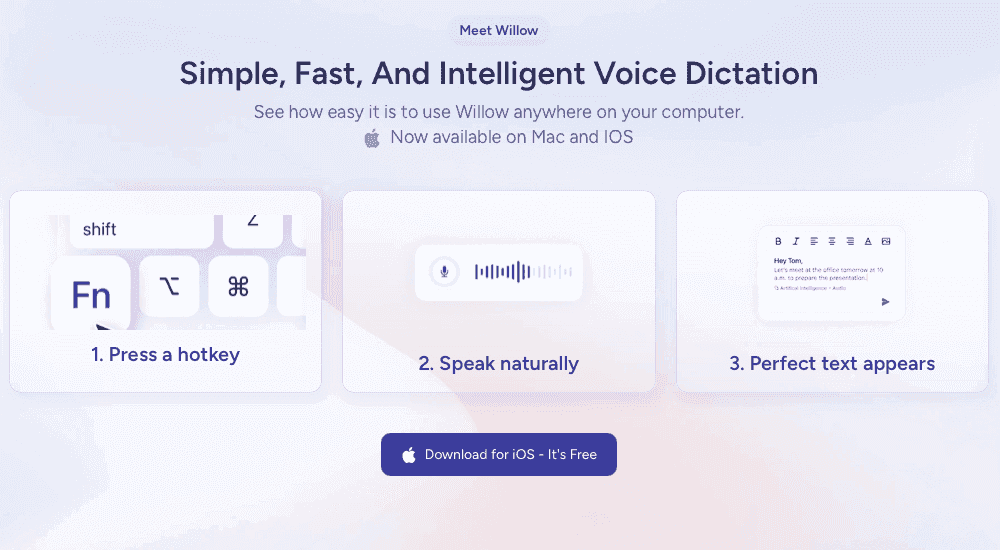
Willow Voice delivers ~200ms latency, so text appears almost the instant you finish a word, keeping your train of thought intact across any language. The context-aware AI learns your vocabulary over time, accurately capturing technical terms and proper nouns without manual training sessions. For international teams, Willow covers 100+ languages with automatic detection and works across Mac, Windows, and iOS, giving every team member the same fast, accurate dictation experience.
Unlike browser-based competitors, Willow works in virtually any application, whether you're writing emails in English, responding to Slack messages in Spanish, or editing documents in French.
The app delivers ~200ms transcription with 98%+ accuracy and 3x fewer errors than Mac's built-in dictation across all supported languages.
FAQs
How do I switch between languages while speaking?
With modern multilingual dictation tools like Willow, you simply speak in whichever language you need. The software detects the language automatically without requiring manual toggles or profile changes. You can switch mid-sentence from English to Spanish to German, and the tool continues transcribing accurately.
When should I invest in specialized multilingual dictation software versus using free built-in options?
Consider paid specialized software if you regularly switch between multiple languages, need accurate transcription of technical terms and proper nouns, or use voice dictation more than a few hours per week. Free built-in options work for occasional basic dictation in one primary language but lack context awareness and custom vocabulary support.
Why do some multilingual dictation tools require separate language profiles?
Older software like Dragon NaturallySpeaking was designed around separate language models and profiles, which require manual switching. Modern AI-powered tools can now recognize and switch between languages automatically, reducing the need for manual profile management in tools that support automatic detection.
Final thoughts on dictation tools for polyglots
Working across multiple languages shouldn't require juggling apps, switching profiles, or pausing mid-thought to reconfigure your setup. Modern polyglot dictation tools that offer automatic language switching let you speak naturally and continuously, capturing your intent no matter how often you shift languages. As multilingual voice-to-text apps become standard, solutions built for smooth, mixed-language communication like Willow show how dictation can adapt to the way people actually talk, not the other way around.
Working across multiple languages demands a dictation tool that can keep pace with how people actually speak, shifting fluidly between languages mid-sentence. Yet most solutions excel in one language or underperform in many, leaving true multilingual workflows underserved. To understand what's possible, we inspected which tools can reliably capture real conversational code-switching and which fall apart when the language changes. Next-generation multilingual voice-to-text apps like Willow Voice handle rapid, mixed-language input with strong accuracy, showing what dedicated multilingual dictation software can do.
TLDR:
Multilingual voice dictation tools let you switch between languages mid-sentence without manual toggles.
Some multilingual speech engines support 100+ languages with automatic detection and ~200ms transcription speed.
Context-aware AI captures technical terms and proper nouns accurately across all supported languages.
Most tools limit you to browsers or specific apps, but Willow works in virtually any application across Mac, Windows, and iOS.
Modern speech recognition tools deliver 98%+ accuracy with 3x fewer errors than built-in dictation across supported languages.
What Are Multilingual Voice Dictation Tools?
Multilingual voice dictation tools convert spoken words into written text across multiple languages. These tools let you switch between languages during the same session without changing settings or toggling between apps.
If you're drafting an email in English but need to include a Spanish phrase or a German technical term, multilingual dictation automatically detects the language shift. You keep talking, and the tool keeps transcribing accurately.
This matters most for polyglots, international professionals working across markets, and multilingual teams collaborating in different languages daily. You speak naturally in whatever language fits the moment, and the tool recognizes speech patterns, accents, and vocabulary across 100+ languages in real time.
How We Assessed Voice-to-Text Tools for Multi-Language Users
When you choose multilingual dictation software, several factors separate basic voice typing from truly capable international speech recognition tools.
Language coverage matters first. The best tools support major languages like English and Spanish, plus 100+ additional languages, with strong accuracy. Look for support across European, Asian, and less common languages if you work globally.
Context-aware accuracy separates good from great. Can the tool handle mid-sentence language switches? Does it recognize technical terms, proper nouns, and industry jargon across languages? Speech recognition accuracy has improved dramatically, but many tools still struggle with multilingual context.
Consider these practical criteria:
Switching speed between languages without manual toggles, so you can move between languages naturally during the same dictation session
Accent and dialect recognition within each language to account for regional variations in pronunciation and speech patterns
Cloud versus offline processing for speed and privacy, depending on whether you need internet connectivity or want to protect sensitive information
Integration across apps where you actually work, including email clients, document editors, and messaging tools
Cross-device availability, including Windows and iOS support, so every team member gets the same dictation experience regardless of device
Custom dictionary support for specialized terminology in your field or industry-specific vocabulary that standard dictionaries may not recognize
How These Tools Compare
Tool | Languages | Auto Detection | Devices / OS | Works in Any App | Offline Mode | Accuracy |
|---|---|---|---|---|---|---|
Willow | 100+ | Yes | Mac, Windows, iOS | Yes | Yes | 98%+, ~200ms latency |
Dragon | 8 | No (separate profiles) | Windows | Within the Dragon app | Yes | Professional-grade, single language per session |
Google Docs Voice Typing | 100+ | No (manual toggle) | Chrome browser only | No | No | Basic, no auto-punctuation in most languages |
Microsoft Word Dictation | Multiple | No | Office apps only | No | No | Moderate, requires stable internet |
Apple Dictation | 66 | No | Apple devices | Yes (Apple apps) | Partial | Lower than specialized tools, no context-awareness |
Superwhisper | Multiple | Yes | Mac, iOS | Yes (Mac) | Yes (local) | Varies by AI model; 1 to 2 seconds on higher-accuracy models |
Voice In | 50+ | No | Chrome/Chromium | No (browser only) | No | Basic, browser-dependent |
Willow
Willow works across 100+ languages with automatic language detection, so you can switch between languages without changing settings or profiles. The context-aware AI can recognize technical terms and proper nouns across supported languages in most cases, delivering ~200ms processing speed regardless of which language you're speaking.
Key Features for Multi-Language Users
Automatic language detection and switching across 100+ supported languages without manual profile changes
Context-aware transcription that accurately captures technical terminology and proper nouns across supported languages
Works in virtually any Mac application where you type, including Gmail, Slack, and ChatGPT
Custom dictionaries let you add specialized vocabulary across supported languages
Offline mode available for fully private, local dictation without internet connectivity, while maintaining high accuracy
Available on Mac, Windows, and iOS, so teams on any device get the same dictation experience
Willow Scribe mode generates complete written content from voice prompts, including drafting full emails, context-aware replies by reading conversation history, and voice-commanded text editing, turning dictation into a voice-controlled writing assistant
Where many competing tools require manual profile switching and configuration steps, Willow handles language detection automatically. Words appear in 200 milliseconds across all supported languages, and context-aware processing correctly captures names and specialized terms without manual training sessions.
On the commercial side, Willow runs a forever-free plan: 2,000 words per week, no credit card required. Paid plans start at $12/user/month (billed annually) for individuals, with team plans at $10/user/month and custom enterprise pricing for larger organizations. Willow is SOC 2 Type II and HIPAA compliant, with signed Business Associate Agreements available, which matters for teams in compliance-sensitive industries. Teams at Uber, Gusto, GitHub, Canva, and Webflow use it. The company is backed by Y Combinator (YC X25).
Dragon
Dragon supports eight languages: U.S. English, UK English, German, French, Italian, Spanish, Dutch, and Japanese. Each language requires a separate purchase and profile, and you cannot switch between languages during the same session.
What They Offer
Professional-grade accuracy for supported languages with specialized industry vocabularies
Voice command functionality for hands-free document control and formatting
Custom vocabulary training for technical terminology within each language profile
Offline processing that keeps voice data on your local machine
Good for organizations already invested in Dragon infrastructure who primarily work in one language and occasionally need to switch between pre-configured language profiles.
The limitation: Dragon requires purchasing separate language packs and creating distinct user profiles for each language. You cannot switch between languages during dictation and must restart the software to change languages.
Google Docs Voice Typing
Google Docs voice typing supports over 100 languages through its browser-based dictation feature, which works only within Google Docs.
What They Offer
Coverage for 100+ languages and dialects at no cost for anyone with a Google account and Chrome browser
Basic voice commands for punctuation and formatting in select languages
Real-time transcription as you speak
Works for occasional users who stay within Google Docs and need basic multilingual transcription without downloads.
The limitations: It only works within Google Docs in Chrome, requires an internet connection, lacks automatic punctuation in most languages, and doesn't work in email, Slack, or messaging apps.
Microsoft Word Dictation
Microsoft Word dictation provides speech-to-text within the Microsoft Office suite and supports multiple languages with Microsoft 365 subscriptions.
What They Offer
Native integration with Word, Outlook, PowerPoint, and OneNote for cross-application dictation
Support for multiple languages with real-time translation between supported languages
Voice formatting commands for styling and document structure
Cloud-based processing through Microsoft Azure infrastructure
Good for Microsoft 365 subscribers who primarily work in Office applications and need basic multilingual dictation for documents and emails.
The limitation: It requires an active Microsoft 365 subscription, only works within Office applications, and depends on stable internet connectivity for optimal performance.
Apple Built-in Dictation
Apple Built-in Dictation supports 66 languages and works offline for many users, providing basic voice-to-text conversion across macOS and iOS devices.
What They Offer
Native integration across all Apple devices and applications without downloads
Offline functionality for privacy in supported languages
Free access for all Apple users without subscriptions
Voice Control integration for system-wide commands and navigation
Good for Apple ecosystem users who need basic multilingual dictation and value privacy through offline processing for simple text input.
The limitations: Apple's built-in dictation lacks context awareness for technical terms and proper nouns, achieves lower accuracy than specialized tools, does not learn user vocabulary patterns, and offers no customization options for specialized terminology.
Superwhisper
Superwhisper supports multiple languages with automatic detection, but requires technical configuration to optimize performance across different AI models.
What They Offer
Offline privacy with local processing on macOS and iOS devices that keeps all voice data on your hardware instead of sending it to external servers
Multiple AI model options ranging from fast to high-accuracy processing, letting you choose between speed and transcription quality based on your needs
Custom prompt controls for specialized dictation workflows that adapt the transcription output to specific use cases
Unlimited access to local AI models without usage restrictions or per-minute charges
Good for technical users who are comfortable with configuration, focus on offline privacy, and want to experiment with different AI models.
The limitation: It requires a complex setup and understanding of AI model trade-offs. Performance varies between models and languages, creating a steep learning curve for users seeking straightforward multilingual dictation.
Voice In Browser Extension
Voice In provides browser-based voice typing across 50+ languages and works on 10,000+ websites, including Gmail, CRM systems, and web applications.
What They Offer
A browser extension that works across multiple websites and web applications without additional downloads
Support for 50+ languages with voice commands and custom shortcuts for repetitive phrases
Integration with Gmail, customer service portals, and web-based tools where teams spend most of their time
Chrome and Chromium browser compatibility for broad web coverage
Good for users who primarily work in web browsers and need multilingual voice input across various web tools and websites.
The limitation: Voice In only works in web browsers and websites, and cannot send voice input to native desktop applications like Slack desktop, messaging apps, or local software. It is built for browser-centric workflows.
Why Willow Works for Multilingual Voice Dictation
Willow Voice delivers ~200ms latency, so text appears almost the instant you finish a word, keeping your train of thought intact across any language. The context-aware AI learns your vocabulary over time, accurately capturing technical terms and proper nouns without manual training sessions. For international teams, Willow covers 100+ languages with automatic detection and works across Mac, Windows, and iOS, giving every team member the same fast, accurate dictation experience.
Unlike browser-based competitors, Willow works in virtually any application, whether you're writing emails in English, responding to Slack messages in Spanish, or editing documents in French.
The app delivers ~200ms transcription with 98%+ accuracy and 3x fewer errors than Mac's built-in dictation across all supported languages.
FAQs
How do I switch between languages while speaking?
With modern multilingual dictation tools like Willow, you simply speak in whichever language you need. The software detects the language automatically without requiring manual toggles or profile changes. You can switch mid-sentence from English to Spanish to German, and the tool continues transcribing accurately.
When should I invest in specialized multilingual dictation software versus using free built-in options?
Consider paid specialized software if you regularly switch between multiple languages, need accurate transcription of technical terms and proper nouns, or use voice dictation more than a few hours per week. Free built-in options work for occasional basic dictation in one primary language but lack context awareness and custom vocabulary support.
Why do some multilingual dictation tools require separate language profiles?
Older software like Dragon NaturallySpeaking was designed around separate language models and profiles, which require manual switching. Modern AI-powered tools can now recognize and switch between languages automatically, reducing the need for manual profile management in tools that support automatic detection.
Final thoughts on dictation tools for polyglots
Working across multiple languages shouldn't require juggling apps, switching profiles, or pausing mid-thought to reconfigure your setup. Modern polyglot dictation tools that offer automatic language switching let you speak naturally and continuously, capturing your intent no matter how often you shift languages. As multilingual voice-to-text apps become standard, solutions built for smooth, mixed-language communication like Willow show how dictation can adapt to the way people actually talk, not the other way around.

Try Willow for free
Instant, accurate voice dictation. No card required.
Try Willow for free
Instant, accurate voice dictation. No card required.
Other stories you’ll love
Other stories you’ll love


Your keyboard is optional now
" transform="translate(5 5)" width="9.791000051498413px"/></svg>)

The voice-first interface for modern work.
© Willow Care, Inc. 2026. All rights reserved
Your keyboard is optional now
The voice-first interface for modern work.
© Willow Care, Inc. 2026. All rights reserved
Your keyboard is optional now
The voice-first interface for modern work.
© Willow Care, Inc. 2026. All rights reserved